display NISSAN ARMADA 2022 Owner´s Manual
[x] Cancel search | Manufacturer: NISSAN, Model Year: 2022, Model line: ARMADA, Model: NISSAN ARMADA 2022Pages: 604, PDF Size: 2.97 MB
Page 367 of 604
.“Not Available: High Camera Temp”:
If the vehicle is parked in direct sun-
light under high temperature condi-
tions (over approximately 104°F
(40°C)).
. “Unavailable Side Radar Obstruction”:
When side radar blockage is detected.
Turn off the I-BSI system and turn it on
again when the above conditions no
longer exist.
SYSTEM MALFUNCTION
When the I-BSI system malfunctions, it will
be turned off automatically, the I-BSI
indicator illuminates and a chime will
sound, and the “Malfunction” warning
message will appear in the vehicle infor-
mation display.
Action to take:
Stop the vehicle in a safe location and
push the park button to engage the P
(Park) position. Turn the engine off and
restart the engine. If the warning mes-
sage continues to appear, It is recom-
mended you visit a NISSAN dealer for this
service.
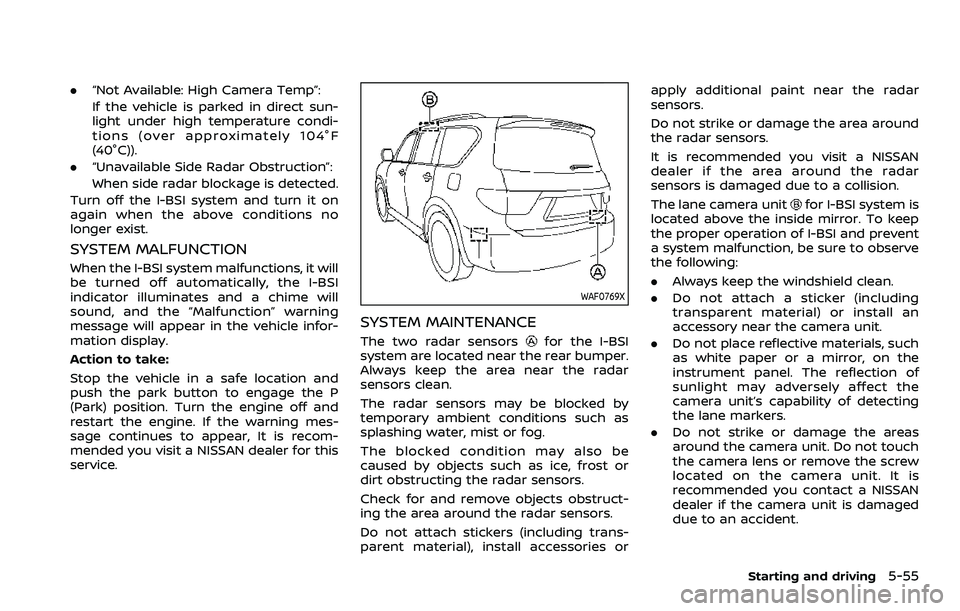
WAF0769X
SYSTEM MAINTENANCE
The two radar sensorsfor the I-BSI
system are located near the rear bumper.
Always keep the area near the radar
sensors clean.
The radar sensors may be blocked by
temporary ambient conditions such as
splashing water, mist or fog.
The blocked condition may also be
caused by objects such as ice, frost or
dirt obstructing the radar sensors.
Check for and remove objects obstruct-
ing the area around the radar sensors.
Do not attach stickers (including trans-
parent material), install accessories or apply additional paint near the radar
sensors.
Do not strike or damage the area around
the radar sensors.
It is recommended you visit a NISSAN
dealer if the area around the radar
sensors is damaged due to a collision.
The lane camera unit
for I-BSI system is
located above the inside mirror. To keep
the proper operation of I-BSI and prevent
a system malfunction, be sure to observe
the following:
. Always keep the windshield clean.
. Do not attach a sticker (including
transparent material) or install an
accessory near the camera unit.
. Do not place reflective materials, such
as white paper or a mirror, on the
instrument panel. The reflection of
sunlight may adversely affect the
camera unit’s capability of detecting
the lane markers.
. Do not strike or damage the areas
around the camera unit. Do not touch
the camera lens or remove the screw
located on the camera unit. It is
recommended you contact a NISSAN
dealer if the camera unit is damaged
due to an accident.
Starting and driving5-55
Page 369 of 604
WARNING
Failure to follow the warnings and
instructions for proper use of the
RCTA system could result in serious
injury or death.
.The RCTA system is not a replace-
ment for proper driving proce-
dures and is not designed to
prevent contact with vehicles or
objects. When backing out of a
parking space, always use the
side and rear mirrors and turn
and look in the direction your
vehicle will move. Never rely so-
lely on the RCTA system.
The RCTA system will assist you when
backing out from a parking space. When
the vehicle is in reverse, the system is
designed to detect other vehicles ap-
proaching from the right or left of the
vehicle. If the system detects cross traffic,
it will alert you.
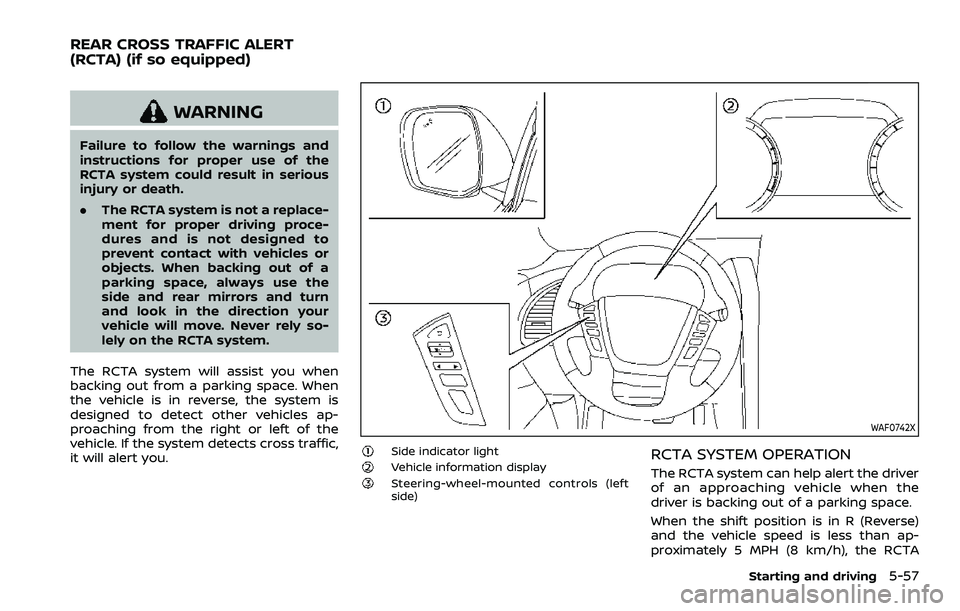
WAF0742X
Side indicator lightVehicle information displaySteering-wheel-mounted controls (left
side)
RCTA SYSTEM OPERATION
The RCTA system can help alert the driver
of an approaching vehicle when the
driver is backing out of a parking space.
When the shift position is in R (Reverse)
and the vehicle speed is less than ap-
proximately 5 MPH (8 km/h), the RCTA
Starting and driving5-57
REAR CROSS TRAFFIC ALERT
(RCTA) (if so equipped)
Page 371 of 604
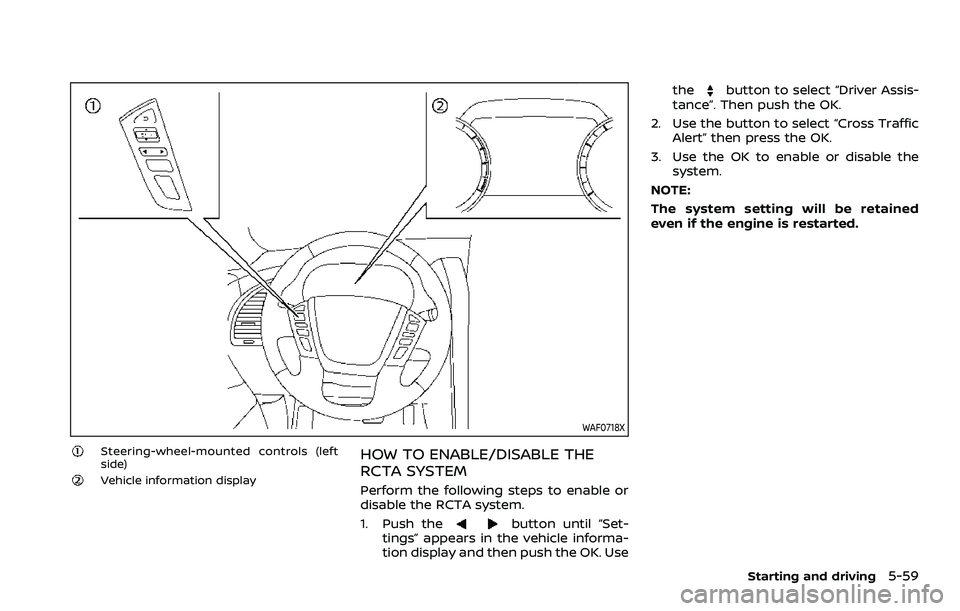
WAF0718X
Steering-wheel-mounted controls (left
side)
Vehicle information display
HOW TO ENABLE/DISABLE THE
RCTA SYSTEM
Perform the following steps to enable or
disable the RCTA system.
1. Push the
button until “Set-
tings” appears in the vehicle informa-
tion display and then push the OK. Use the
button to select “Driver Assis-
tance”. Then push the OK.
2. Use the button to select “Cross Traffic Alert” then press the OK.
3. Use the OK to enable or disable the system.
NOTE:
The system setting will be retained
even if the engine is restarted.
Starting and driving5-59
Page 374 of 604
5-62Starting and driving
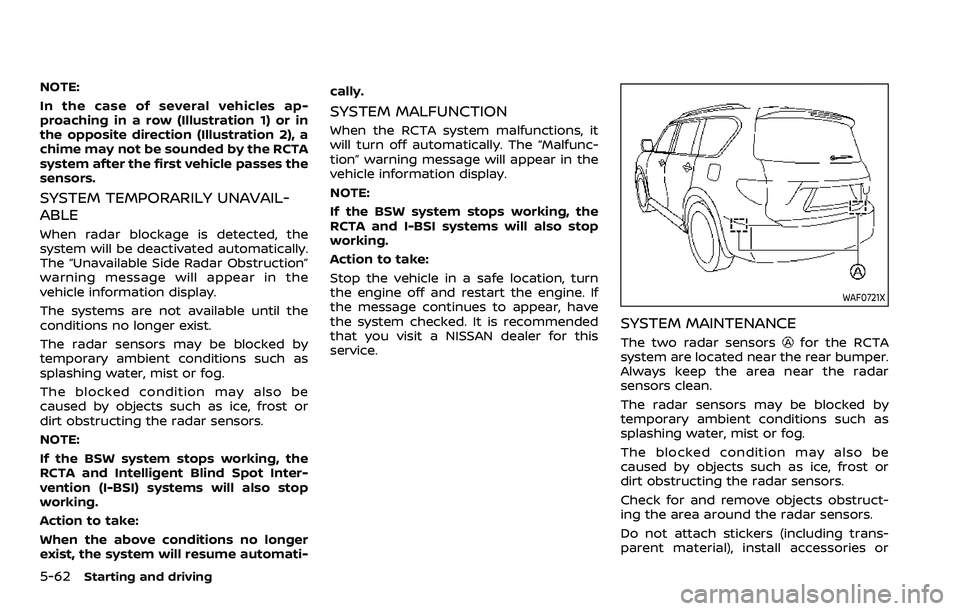
NOTE:
In the case of several vehicles ap-
proaching in a row (Illustration 1) or in
the opposite direction (Illustration 2), a
chime may not be sounded by the RCTA
system after the first vehicle passes the
sensors.
SYSTEM TEMPORARILY UNAVAIL-
ABLE
When radar blockage is detected, the
system will be deactivated automatically.
The “Unavailable Side Radar Obstruction”
warning message will appear in the
vehicle information display.
The systems are not available until the
conditions no longer exist.
The radar sensors may be blocked by
temporary ambient conditions such as
splashing water, mist or fog.
The blocked condition may also be
caused by objects such as ice, frost or
dirt obstructing the radar sensors.
NOTE:
If the BSW system stops working, the
RCTA and Intelligent Blind Spot Inter-
vention (I-BSI) systems will also stop
working.
Action to take:
When the above conditions no longer
exist, the system will resume automati-cally.
SYSTEM MALFUNCTION
When the RCTA system malfunctions, it
will turn off automatically. The “Malfunc-
tion” warning message will appear in the
vehicle information display.
NOTE:
If the BSW system stops working, the
RCTA and I-BSI systems will also stop
working.
Action to take:
Stop the vehicle in a safe location, turn
the engine off and restart the engine. If
the message continues to appear, have
the system checked. It is recommended
that you visit a NISSAN dealer for this
service.
WAF0721X
SYSTEM MAINTENANCE
The two radar sensorsfor the RCTA
system are located near the rear bumper.
Always keep the area near the radar
sensors clean.
The radar sensors may be blocked by
temporary ambient conditions such as
splashing water, mist or fog.
The blocked condition may also be
caused by objects such as ice, frost or
dirt obstructing the radar sensors.
Check for and remove objects obstruct-
ing the area around the radar sensors.
Do not attach stickers (including trans-
parent material), install accessories or
Page 377 of 604
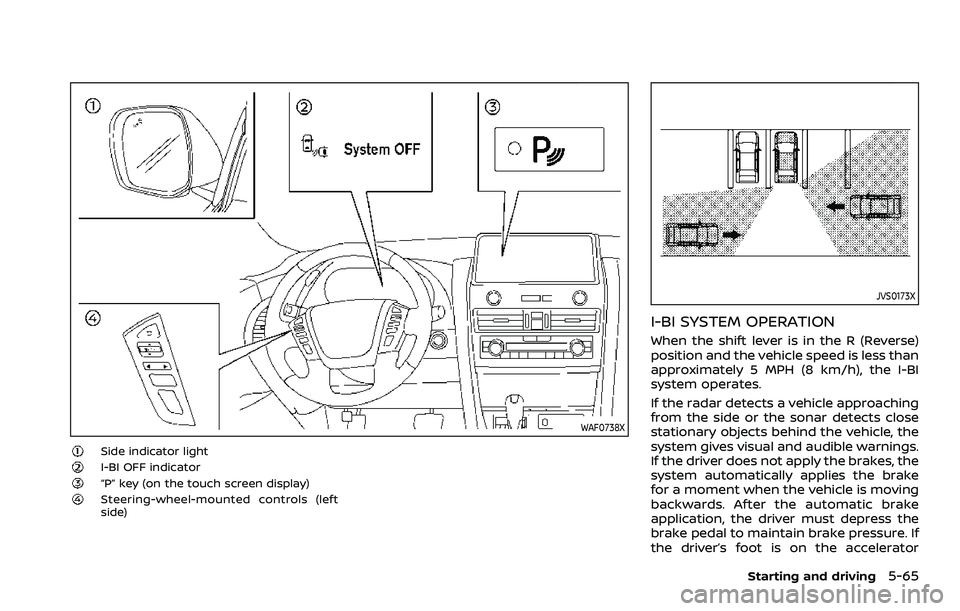
WAF0738X
Side indicator lightI-BI OFF indicator“P” key (on the touch screen display)Steering-wheel-mounted controls (left
side)
JVS0173X
I-BI SYSTEM OPERATION
When the shift lever is in the R (Reverse)
position and the vehicle speed is less than
approximately 5 MPH (8 km/h), the I-BI
system operates.
If the radar detects a vehicle approaching
from the side or the sonar detects close
stationary objects behind the vehicle, the
system gives visual and audible warnings.
If the driver does not apply the brakes, the
system automatically applies the brake
for a moment when the vehicle is moving
backwards. After the automatic brake
application, the driver must depress the
brake pedal to maintain brake pressure. If
the driver’s foot is on the accelerator
Starting and driving5-65
Page 378 of 604
5-66Starting and driving
pedal, the system pushes the accelerator
upward before applying the brake. If you
continue to accelerate, the system will
not engage the brake.
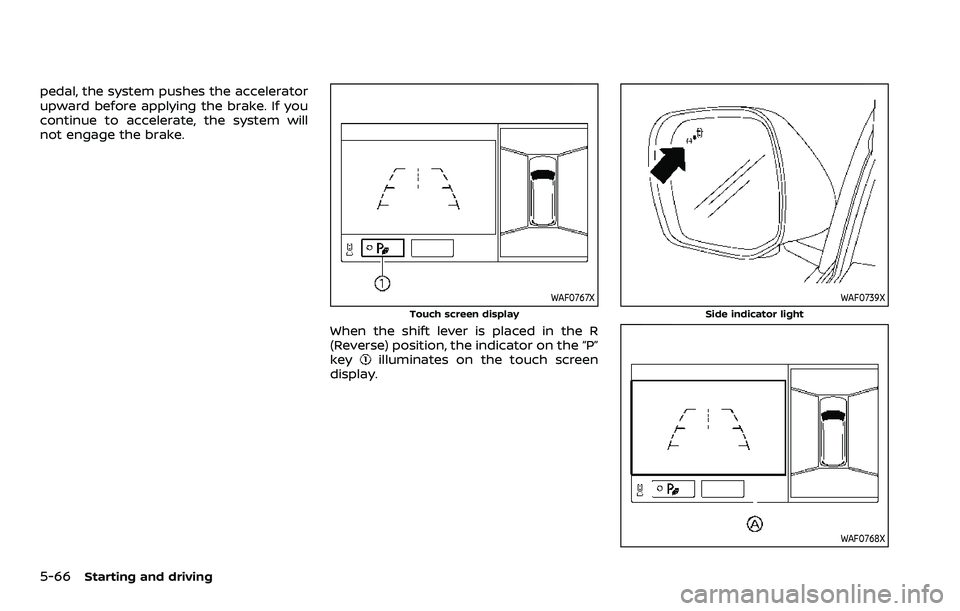
WAF0767X
Touch screen display
When the shift lever is placed in the R
(Reverse) position, the indicator on the “P”
key
illuminates on the touch screen
display.
WAF0739X
Side indicator light
WAF0768X
Page 379 of 604
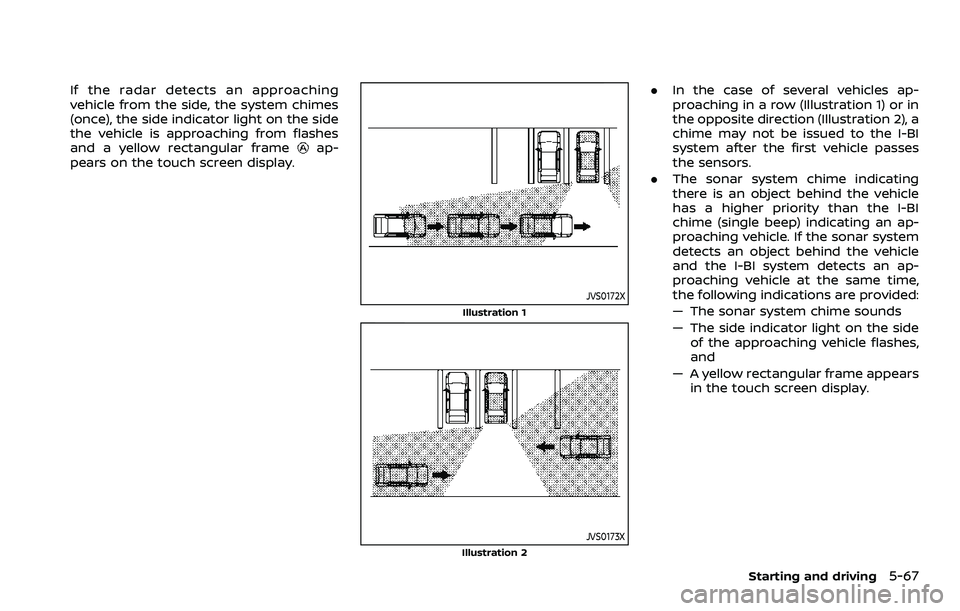
If the radar detects an approaching
vehicle from the side, the system chimes
(once), the side indicator light on the side
the vehicle is approaching from flashes
and a yellow rectangular frame
ap-
pears on the touch screen display.
JVS0172X
Illustration 1
JVS0173XIllustration 2
. In the case of several vehicles ap-
proaching in a row (Illustration 1) or in
the opposite direction (Illustration 2), a
chime may not be issued to the I-BI
system after the first vehicle passes
the sensors.
. The sonar system chime indicating
there is an object behind the vehicle
has a higher priority than the I-BI
chime (single beep) indicating an ap-
proaching vehicle. If the sonar system
detects an object behind the vehicle
and the I-BI system detects an ap-
proaching vehicle at the same time,
the following indications are provided:
— The sonar system chime sounds
— The side indicator light on the side
of the approaching vehicle flashes,
and
— A yellow rectangular frame appears in the touch screen display.
Starting and driving5-67
Page 380 of 604
5-68Starting and driving
WAF0768X
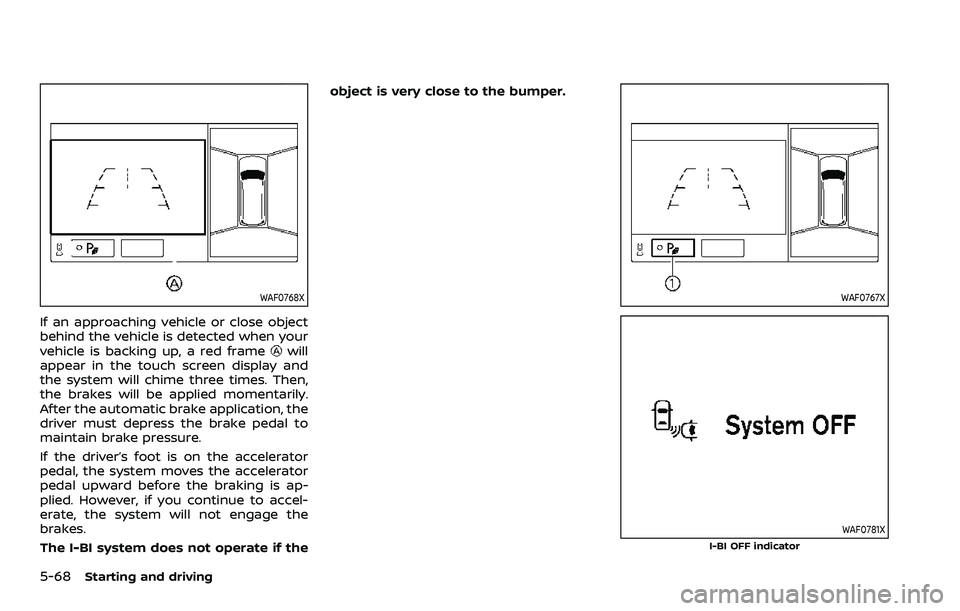
If an approaching vehicle or close object
behind the vehicle is detected when your
vehicle is backing up, a red frame
will
appear in the touch screen display and
the system will chime three times. Then,
the brakes will be applied momentarily.
After the automatic brake application, the
driver must depress the brake pedal to
maintain brake pressure.
If the driver’s foot is on the accelerator
pedal, the system moves the accelerator
pedal upward before the braking is ap-
plied. However, if you continue to accel-
erate, the system will not engage the
brakes.
The I-BI system does not operate if the object is very close to the bumper.
WAF0767X
WAF0781XI-BI OFF indicator
Page 381 of 604
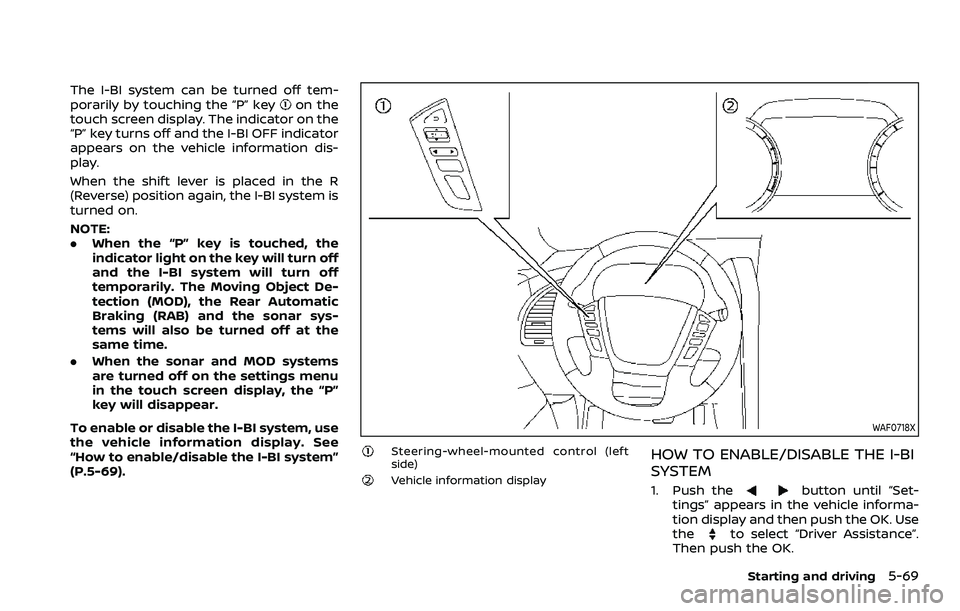
The I-BI system can be turned off tem-
porarily by touching the “P” keyon the
touch screen display. The indicator on the
“P” key turns off and the I-BI OFF indicator
appears on the vehicle information dis-
play.
When the shift lever is placed in the R
(Reverse) position again, the I-BI system is
turned on.
NOTE:
. When the “P” key is touched, the
indicator light on the key will turn off
and the I-BI system will turn off
temporarily. The Moving Object De-
tection (MOD), the Rear Automatic
Braking (RAB) and the sonar sys-
tems will also be turned off at the
same time.
. When the sonar and MOD systems
are turned off on the settings menu
in the touch screen display, the “P”
key will disappear.
To enable or disable the I-BI system, use
the vehicle information display. See
“How to enable/disable the I-BI system”
(P.5-69).
WAF0718X
Steering-wheel-mounted control (left
side)
Vehicle information display
HOW TO ENABLE/DISABLE THE I-BI
SYSTEM
1. Push thebutton until “Set-
tings” appears in the vehicle informa-
tion display and then push the OK. Use
the
to select “Driver Assistance”.
Then push the OK.
Starting and driving5-69
Page 384 of 604
5-72Starting and driving
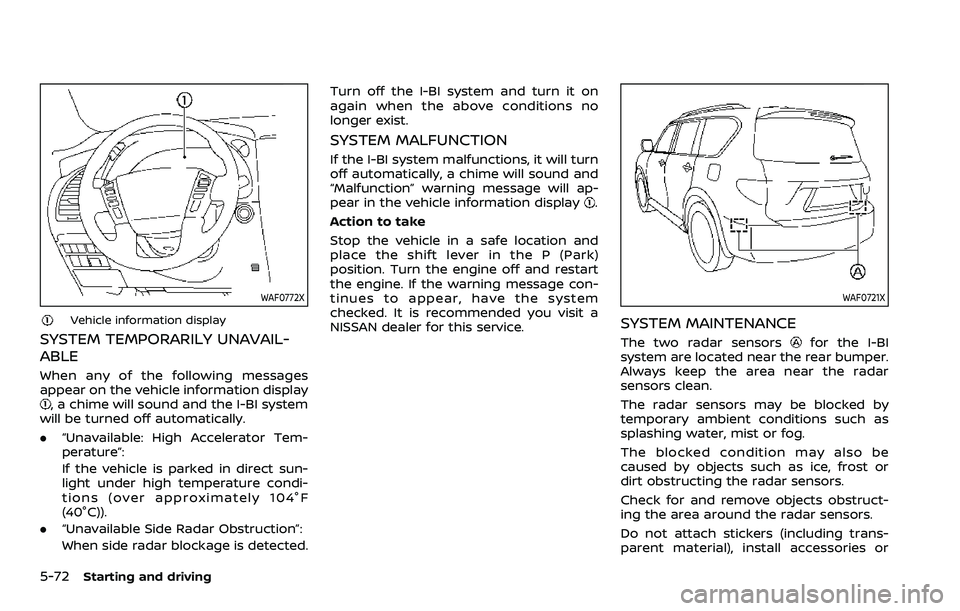
WAF0772X
Vehicle information display
SYSTEM TEMPORARILY UNAVAIL-
ABLE
When any of the following messages
appear on the vehicle information display
, a chime will sound and the I-BI system
will be turned off automatically.
. “Unavailable: High Accelerator Tem-
perature”:
If the vehicle is parked in direct sun-
light under high temperature condi-
tions (over approximately 104°F
(40°C)).
. “Unavailable Side Radar Obstruction”:
When side radar blockage is detected. Turn off the I-BI system and turn it on
again when the above conditions no
longer exist.
SYSTEM MALFUNCTION
If the I-BI system malfunctions, it will turn
off automatically, a chime will sound and
“Malfunction” warning message will ap-
pear in the vehicle information display
.
Action to take
Stop the vehicle in a safe location and
place the shift lever in the P (Park)
position. Turn the engine off and restart
the engine. If the warning message con-
tinues to appear, have the system
checked. It is recommended you visit a
NISSAN dealer for this service.
WAF0721X
SYSTEM MAINTENANCE
The two radar sensorsfor the I-BI
system are located near the rear bumper.
Always keep the area near the radar
sensors clean.
The radar sensors may be blocked by
temporary ambient conditions such as
splashing water, mist or fog.
The blocked condition may also be
caused by objects such as ice, frost or
dirt obstructing the radar sensors.
Check for and remove objects obstruct-
ing the area around the radar sensors.
Do not attach stickers (including trans-
parent material), install accessories or