light NISSAN FRONTIER 1996 D22 / 1.G Owner's Manual
[x] Cancel search | Manufacturer: NISSAN, Model Year: 1996, Model line: FRONTIER, Model: NISSAN FRONTIER 1996 D22 / 1.GPages: 198, PDF Size: 1.3 MB
Page 68 of 198

cDirect sunlight can cause the cassette
to become deformed. The use of a
deformed cassette may cause the cas-
sette to jam in the player.
cDo not use a cassette that has a label
which is peeling and loose. If used,
the label could jam in the player.
cIf a cassette has loose tape, insert a
pencil through one of the cassette
hubs and rewind the tape firmly
around the hubs. Loose tape may
cause tape jamming and wavering
sound quality.
cOver a period of time, the playback
head, capstan and pinch roller may
gather a tape coating residue as the
tape passes over the head. This resi-
due accumulation can cause a weak
or wavering sound and should be re-
moved periodically with a head clean-
ing tape. If the residue is not removed
periodically, the player may need to
be disassembled for cleaning.
3-15
ZX
Page 72 of 198

CASSETTE TAPE OPERATION
Turn the ignition key to ACC or ON, then
lightly insert the cassette tape into the tape
door.
The cassette tape automatically pulls into
the player. The word TAPE and an arrow
indicating tape side illuminates in the dis-
play window.
The radio turns off and the cassette tape
begins to play.
Do not force the cassette tape into the
tape door.Pressing strongly could cause player
damage.
The cassette tape automatically changes
direction to play the other side when the first
side is complete. At this time, the arrow in
the display window changes direction.
PLAY/STOP button
Push the PLAY/STOP button to resume
tape play when:
cthe tape has stopped playing.
cthe tape is in the fast forward mode.
cthe tape is in the rewind mode.
Pressing the PLAY/STOP button during
tape play stops the tape and turns the audio
system off.
Fast forwarding or rewinding the
tape
Push either the FF (fast forward) or REW
(rewind) button for the desired direction.
Automatic Program Search (APS)
fast forwarding or APS rewinding
the tape
Push either the APS FF or APS REW button
while the cassette tape is playing. The tape
runs quickly, stops, then plays the next
selection.
This system searches for the blank intervals
between selections. If there is a blank inter-
val within one program or there is no interval
between programs, the system may not
stop in the desired or expected location.
Changing the direction of tape play
Push the PROG (program) select button.
Dolby NR (noise reduction)
Push theDOLBY NR button for
DOLBY NR encoded tapes to reduce high
frequency tape noise. The indicator light
comes on.
Dolby NR is manufactured under license
from Dolby Laboratories Licensing Corpora-
tion. Dolby NR and the double-D symbol are
trademarks of Dolby Laboratories Licensing
Corporation.
AIC0713
3-19
ZX
Page 73 of 198
Metal or chrome tape usage
The cassette player is automatically set to
high performance play when playing a metal
or chrome cassette tape.
The indicator will come on when playing a
metal or chrome cassette tape.
Ejecting the cassette tape
Push the EJECT button. The tape automati-
cally comes out.
Precautions on cassette player op-
eration
cTo maintain good quality sound, NIS-
SAN recommends using cassette
tapes of 60 minutes or shorter in
length.
cCassette tapes should be removed
from the player when not in use. Store
cassettes in their protective cases,
away from direct sunlight, heat, mois-
ture and magnetic sources.
cDirect sunlight can cause the cassette
to become deformed. The use of a
deformed cassette may cause the cas-
sette to jam in the player.cDo not use a cassette that has a label
which is peeling and loose. If used,
the label could jam in the player.
cIf a cassette has loose tape, insert a
pencil through one of the cassette
hubs and rewind the tape firmly
around the hubs. Loose tape may
cause tape jamming and wavering
sound quality.
cOver a period of time, the playback
head, capstan and pinch roller may
gather a tape coating residue as the
tape passes over the head. This resi-
due accumulation can cause a weak
or wavering sound and should be re-
moved periodically with a head clean-
ing tape. If the residue is not removed
periodically, the player may need to
be disassembled for cleaning.The antenna cannot be shortened but can
be removed. Turn its base counterclockwise
to remove the antenna.
CAUTION
Be sure to remove the antenna before
washing the vehicle in an automatic car
wash, or the antenna may be damaged.
MANUAL ANTENNA
3-20
ZX
Page 80 of 198
2) Turn the ignition key slightly in the ON
direction.
3) Turn the key toward the LOCK position.
4) Remove the key.
The shift lever is designed so it cannot be
moved out of P and into any of the other
gear positions if the ignition key is turned to
OFF or if the key is removed from the
switch.The shift lever can be moved if the
ignition switch is in the ACC position.
The shift lever can also be moved if the
ignition switch is in the ON position and
the foot brake pedal is depressed.
WARNING
cTo lock the steering wheel, remove
the key. To unlock the steering
wheel, insert the key and turn it gen-
tly while rotating the steering wheel
slightly right and left.
cNever remove the key while driving.
If the key is removed, the steering
wheel will lock. This may cause the
driver to lose control of the vehicle
and could result in serious vehicle
damage or personal injury.
Key positions
LOCK Normal parking position (0)
OFF (Manual transmission model) (1)
The engine can be turned off without locking
the steering wheel. When removing the key
from the key cylinder, push the key release
button at this position and turn the key to
LOCK.
ACC (Accessories) (2)
This position activates electrical accesso-
ries such as the radio when the engine is
not running.
ON (Normal operating position) (3)
This position turns on the ignition system
and electrical accessories.
START (4)
This position starts the engine. As soon as
the engine has started, release the key. It
automatically returns to the ON position.cMake sure the area around the vehicle is
clear.
cCheck fluid levels such as engine oil,
coolant, brake and clutch fluid, and win-
dow washer fluid as frequently as pos-
sible, at least whenever you refuel.
cCheck that all windows and lights are
clean.
cVisually inspect tires for their appearance
and condition. Also check tires for proper
inflation.
cLock all doors.
cPosition seat and adjust head restraints.
cAdjust inside and outside mirrors.
cFasten seat belts and ask all passengers
to do likewise.
cCheck the operation of warning lights
when key is turned to the ON (3) position.
BEFORE STARTING THE
ENGINE
4-5
ZX
Page 83 of 198

1 (Low gear):
Use this position when climbing steep hills
slowly or driving slowly through deep snow,
sand or mud, or for maximum engine brak-
ing on steep downhill grades.
Do not down shift into the 1 position at
speeds over 62 MPH (100 km/h), and do not
exceed 30 MPH (50 km/h) in the 1 position.
Accelerator downshift
Ð In D position Ð
For rapid passing or hill climbing, fully de-
press the accelerator pedal to the floor. This
shifts the transmission down into second
gear or first gear, depending on the vehicle
speed.
Overdrive switch
ON: For normal driving, push the overdrive
switch ON
with the selector lever
in the D position. The transmission is
upshifted into OVERDRIVE as the ve-
hicle speed increases.
The overdrive does not engage until the
engine has warmed up.
OFF: For driving up and down long slopes
where engine braking would be ad-
vantageous, push the switch OFF
.When cruising at a low speed or
climbing a gentle slope, you may feeluncomfortable shift shocks as the trans-
mission shifts between 3rd and over-
drive repeatedly. In this case, set the
overdrive switch in the OFF
position.
The indicator light in the instrument
panel comes on at this time.
When driving conditions change, reset the
overdrive switch in the ONposition.
Remember not to drive at high speeds for
extended periods of time with the overdrive
switch set in the OFF
position. This
reduces fuel economy.
ASD0702
4-8
ZX
Page 86 of 198

To apply:pull the lever out.
To release:pull out slightly and turn the
lever, then push it in completely. Before
driving, be sure the parking brake warning
light goes out.The cruise control allows driving at a fixed
speed between 30 and 90 MPH (50 and 140
km/h) without keeping your foot on the
accelerator pedal.
To turn on the cruise control,push the
main switch on. The CRUISE CONT indica-
tor light comes on.
To set at cruising speed,accelerate your
vehicle to the desired speed, push the
COAST/SET switch and release it. The
CRUISE light in the instrument panel comes
on. Take your foot off the accelerator pedal.
Your vehicle maintains the set speed.To pass another vehicle,depress the ac-
celerator pedal. When you release the
pedal, the vehicle returns to the previously
set speed.
cThe vehicle may not maintain the set
speed when going up or down steep hills.
If this happens, drive without the cruise
control.
To cancel the preset speed,use one of
the following three methods:
a) Push the CANCEL button; the CRUISE
light goes out.
IC0177ASD0703
PARKING BRAKE
OPERATIONCRUISE CONTROL
4-11
ZX
Page 87 of 198
b) Tap the brake pedal; the CRUISE light
goes out.
c)
Turn the main switch off. Both the CRUISE
CONT and CRUISE lights go out.
The cruise control is automatically can-
celled and the CRUISE light goes out if:
cYou depress the brake pedal while push-
ing the ACCEL set switch.
cThe vehicle slows down more than 8
MPH (13 km/h) below the set speed.
cYou depress the clutch pedal (manual
transmission), or move the shift lever to
the N position (automatic transmission).
To reset at a faster cruising speed,use
one of the following three methods:
a) Depress the accelerator pedal. When the
vehicle attains the desired speed, push
and release the COAST/SET switch.
b) Push and hold the ACCEL set switch.
When the vehicle attains the speed you
desire, release the switch.
c) Push, then quickly release the ACCEL
set switch. Each time you do this, the set
speed increases by about 1 MPH (1.6
km/h).To reset at a slower cruising speed,use
one of the following three methods:
a) Lightly tap the brake pedal. When the
vehicle attains the desired speed, push
the COAST/SET switch and release it.
b) Push and hold the COAST/SET switch.
Release the switch when the vehicle
slows down to the desired speed.
c) Push, then quickly release the
COAST/SET switch. Each time you do
this, the set speed decreases by about 1
MPH (1.6 km/h).
To resume the preset speed,push and
release the RESUME switch. The vehicle
returns to the last set cruising speed when
the vehicle speed is over 30 MPH (48 km/h).
Precautions
cThe cruise indicator light may blink when
the cruise control main switch is turned
ON while pushing the RESUME/ACCEL,
COAST/SET, or CANCEL switch. To
properly set the cruise control system,
perform the preceding steps in the order
indicated.
cIf the cruise control system malfunctions,
it cancels automatically. The CRUISEindicator in the instrument cluster then
blinks to warn the driver.
cIf the cruise indicator blinks, turn the
cruise control main switch off and have
the system checked by your NISSAN
dealer.
Avoid using the cruise control when
driving under the following conditions:
cit is not possible to keep the vehicle at a
set speed.
cin heavy traffic or in traffic that varies in
speed.
con winding or hilly roads.
con slippery roads (rain, snow, ice, etc.).
cin very windy areas.CAUTION
On manual transmission models, do
not shift into neutral without depress-
ing the clutch pedal when the cruise
control is on. Should this occur, de-
press the clutch pedal and turn the
main switch off immediately. Failure to
do so may cause engine damage.
4-12
ZX
Page 97 of 198
Your NISSAN is designed for both normal
and off-road use. It has a higher ground
clearance and a narrower track to make it
suitable for off-road use. These characteris-
tics give the vehicle a higher center of
gravity than ordinary passenger cars. An
advantage of the higher ground clearance is
a better view of your surroundings, allowing
you to anticipate problems. However, avoid
driving in deep water or mud as your NIS-
SAN is mainly designed for leisure use,
unlike a conventional off-road vehicle.
Please observe the following precautions:
CAUTION
cDrive carefully when off the road and
avoid dangerous areas. Always wear
your seat belts to help keep you and
your passengers in position when
driving over rough terrain.
cDo not drive across steep slopes.
Instead drive either straight up or
straight down the slopes. Off-road
vehicles can tip over sideways much
more easily than they can forward or
backward.cMany hills are too steep for any ve-
hicle. If you drive up them, you may
stall. If you drive down them, you
may not be able to control your
speed. If you drive across them, you
may roll over.
cStay alert when driving to the top of
a hill. At the top there could be a
drop-off or other hazard that could
cause an accident.
cIf your engine stalls or you cannot
make it to the top of a steep hill,
never attempt to turn around. Your
vehicle could tip or roll over. Always
back straight down in reverse gear.
Never back down in neutral (N) or
with the clutch depressed, using
only the brake, as this could cause
loss of control.
c
Heavy braking going down a hill could
cause your brakes to overheat and
fade, resulting in loss of control and
an accident. Apply brakes lightly and
use a low gear to control your speed.
cIf at all possible, avoid sharp turning
maneuvers, particularly at high
speeds. Your NISSAN 4-wheel drive
vehicle has a higher center of gravitythan a 2-wheel drive vehicle and can
tip over more easily. The vehicle is
not designed for cornering at the
same speeds as conventional
2-wheel drive vehicles any more
than low-slung sports cars are de-
signed to perform satisfactorily un-
der off-road conditions. Failure to
operate this vehicle correctly could
result in loss of control and/or a
rollover accident.
cUnsecured cargo can be thrown
around when driving over rough ter-
rain. Properly secure it so that it will
not be thrown forward and cause
injury to you or your passengers.
cAvoid raising the center of gravity by
loading things on the roof or equip-
ping the vehicle with tires larger than
specified in this manual. This could
cause your vehicle to roll over. Put
heavy loads in the cargo area as far
forward and as low as possible.
cDo not grip the inside or spokes of
the steering wheel when driving off-
road. The steering wheel could jerk
and injure your hands. Instead drive
with your fingers and thumbs on the
outside of the rim.
DRIVING YOUR
4-WHEEL DRIVE SAFELY
4-22
ZX
Page 100 of 198
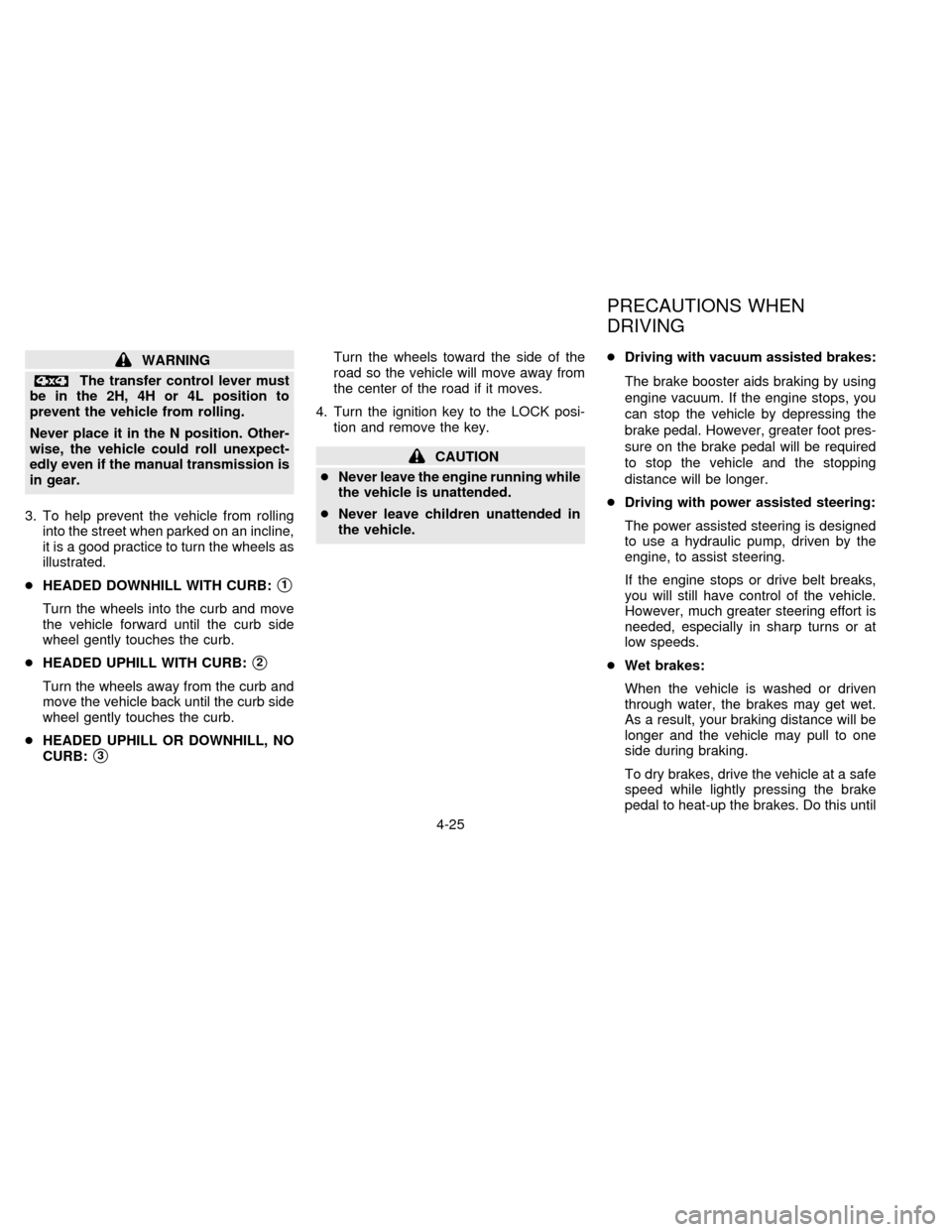
WARNING
The transfer control lever must
be in the 2H, 4H or 4L position to
prevent the vehicle from rolling.
Never place it in the N position. Other-
wise, the vehicle could roll unexpect-
edly even if the manual transmission is
in gear.
3. To help prevent the vehicle from rolling
into the street when parked on an incline,
it is a good practice to turn the wheels as
illustrated.
cHEADED DOWNHILL WITH CURB:
s1
Turn the wheels into the curb and move
the vehicle forward until the curb side
wheel gently touches the curb.
cHEADED UPHILL WITH CURB:
s2
Turn the wheels away from the curb and
move the vehicle back until the curb side
wheel gently touches the curb.
cHEADED UPHILL OR DOWNHILL, NO
CURB:
s3
Turn the wheels toward the side of the
road so the vehicle will move away from
the center of the road if it moves.
4. Turn the ignition key to the LOCK posi-
tion and remove the key.
CAUTION
cNever leave the engine running while
the vehicle is unattended.
cNever leave children unattended in
the vehicle.cDriving with vacuum assisted brakes:
The brake booster aids braking by using
engine vacuum. If the engine stops, you
can stop the vehicle by depressing the
brake pedal. However, greater foot pres-
sure on the brake pedal will be required
to stop the vehicle and the stopping
distance will be longer.
cDriving with power assisted steering:
The power assisted steering is designed
to use a hydraulic pump, driven by the
engine, to assist steering.
If the engine stops or drive belt breaks,
you will still have control of the vehicle.
However, much greater steering effort is
needed, especially in sharp turns or at
low speeds.
cWet brakes:
When the vehicle is washed or driven
through water, the brakes may get wet.
As a result, your braking distance will be
longer and the vehicle may pull to one
side during braking.
To dry brakes, drive the vehicle at a safe
speed while lightly pressing the brake
pedal to heat-up the brakes. Do this until
PRECAUTIONS WHEN
DRIVING
4-25
ZX
Page 101 of 198

the brakes return to normal. Avoid driving
the vehicle at high speeds until the
brakes function correctly.
cAvoid resting your foot on the brake
pedal while driving. This will overheat the
brakes, wear out the brake linings and
pads faster and reduce gas mileage.
cTo help reduce brake wear and to pre-
vent the brakes from overheating, before
going down a slope or long grade, reduce
speed and downshift to a lower gear.
cWhile driving on a slippery surface, be
careful when braking, accelerating or
downshifting. Abrupt braking actions or
sudden acceleration could cause the
wheels to skid.Normal Operation
The anti-lock brake system does not oper-
ate at speeds below 3 to 6 MPH (5 to 10
km/h). (The speeds vary according to road
conditions.)
When driving in the 2-wheel drive mode, the
rear anti-lock brake system controls the rear
wheels so they will not lock when braking
abruptly or when braking on a slippery road.
Thus, difficult steering and swerving of the
vehicle due to locked rear wheels is mini-
mized. The system detects the rear wheel
rotation rate and electronically controls the
pressure applied to each rear brake. Slight
vibration on the brake pedal accompanied
by noise usually occurs while the ABS sys-
tem is operating. Such vibration and noise
encountered during abrupt braking is not a
problem, but indicates that the system is
functioning.
Even with the rear anti-lock brake sys-
tem, your front wheels can still lock. If
this happens, release the brake pedal
slightly and then reapply pressure.
Self-test feature
The rear anti-lock brake system consists of
an electronic sensor and two hydraulic so-lenoids controlled by a computer. The com-
puter has a built-in diagnostic feature that
tests the system each time you start the
engine and move the vehicle at a low speed
in forward or reverse. When the self-test
occurs, you may hear a ``clunk'' noise
and/or feel a ``pulsation'' in the brake pedal.
This is normal and is not an indication of any
malfunction. If the computer senses any
malfunction, it switches the rear anti-lock
brake system off and turns on the ABS
brake warning light in the dashboard. The
brake system then operates normally, but
without anti-lock assistance.
If an abnormality occurs in the system, the rear
anti-lock function will cease but the ordinary
brakes will continue to operate normally. The
ABS brake warning light will then come on.
If the light comes on while you are driving,
contact your NISSAN dealer for repair.
The rear anti-lock brake system
may only be effective when driving in the
2-wheel drive mode.
When driving in the 4-wheel drive mode, the
rear anti-lock brake system may not be
effective in many cases because the front
axle is connected with the rear axle through
REAR ANTI-LOCK BRAKE
SYSTEM (R-ABS)
4-26
ZX