manual transmission NISSAN FRONTIER 1999 D22 / 1.G Owners Manual
[x] Cancel search | Manufacturer: NISSAN, Model Year: 1999, Model line: FRONTIER, Model: NISSAN FRONTIER 1999 D22 / 1.GPages: 247, PDF Size: 1.89 MB
Page 52 of 247
There will be a small reserve of fuel
remaining in the tank when the fuel
gauge needle reaches E (Empty).
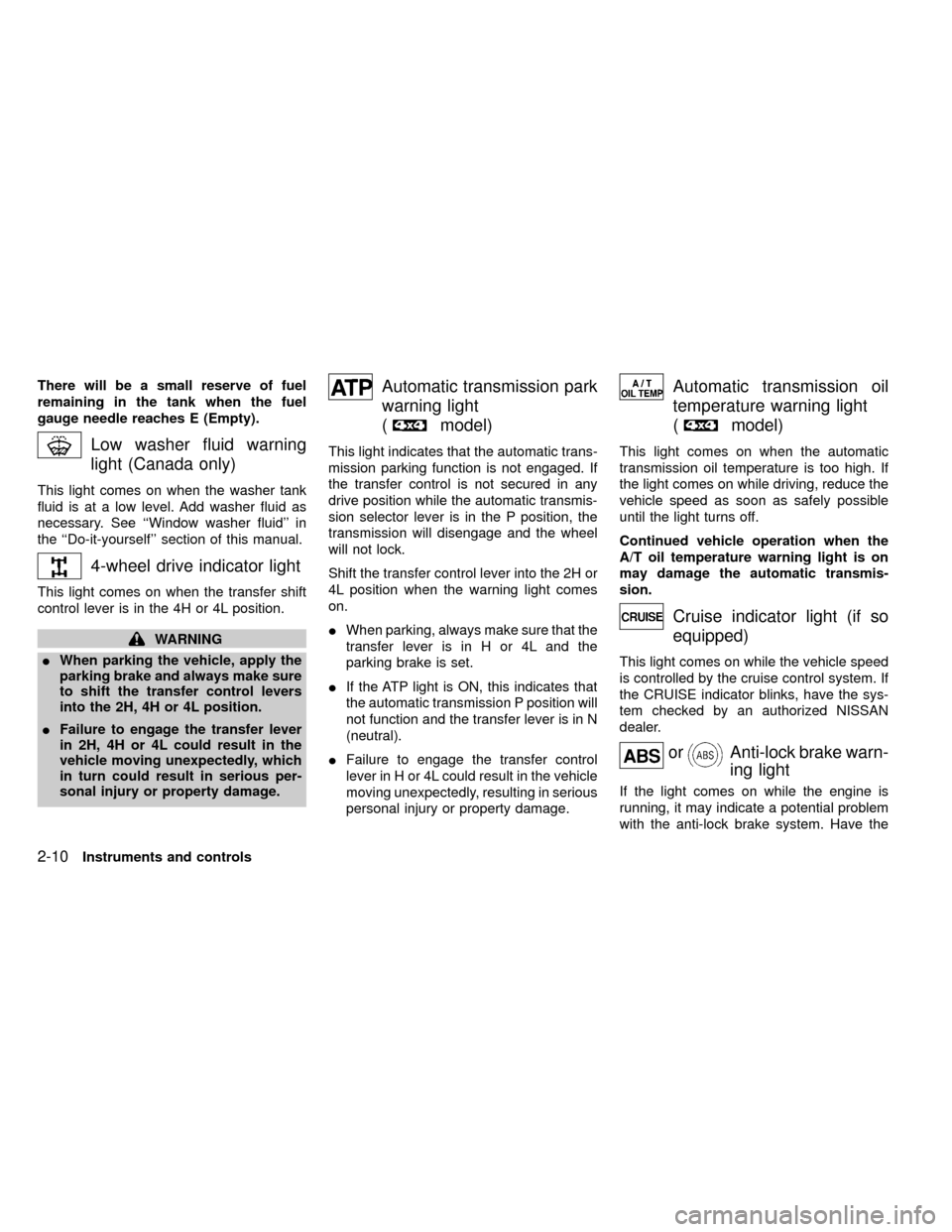
Low washer fluid warning
light (Canada only)
This light comes on when the washer tank
fluid is at a low level. Add washer fluid as
necessary. See ``Window washer fluid'' in
the ``Do-it-yourself'' section of this manual.
4-wheel drive indicator light
This light comes on when the transfer shift
control lever is in the 4H or 4L position.
WARNING
IWhen parking the vehicle, apply the
parking brake and always make sure
to shift the transfer control levers
into the 2H, 4H or 4L position.
IFailure to engage the transfer lever
in 2H, 4H or 4L could result in the
vehicle moving unexpectedly, which
in turn could result in serious per-
sonal injury or property damage.
Automatic transmission park
warning light
(
model)
This light indicates that the automatic trans-
mission parking function is not engaged. If
the transfer control is not secured in any
drive position while the automatic transmis-
sion selector lever is in the P position, the
transmission will disengage and the wheel
will not lock.
Shift the transfer control lever into the 2H or
4L position when the warning light comes
on.
IWhen parking, always make sure that the
transfer lever is in H or 4L and the
parking brake is set.
IIf the ATP light is ON, this indicates that
the automatic transmission P position will
not function and the transfer lever is in N
(neutral).
IFailure to engage the transfer control
lever in H or 4L could result in the vehicle
moving unexpectedly, resulting in serious
personal injury or property damage.
Automatic transmission oil
temperature warning light
(
model)
This light comes on when the automatic
transmission oil temperature is too high. If
the light comes on while driving, reduce the
vehicle speed as soon as safely possible
until the light turns off.
Continued vehicle operation when the
A/T oil temperature warning light is on
may damage the automatic transmis-
sion.
Cruise indicator light (if so
equipped)
This light comes on while the vehicle speed
is controlled by the cruise control system. If
the CRUISE indicator blinks, have the sys-
tem checked by an authorized NISSAN
dealer.
orAnti-lock brake warn-
ing light
If the light comes on while the engine is
running, it may indicate a potential problem
with the anti-lock brake system. Have the
2-10Instruments and controls
ZX
Page 109 of 247

5 Starting and driving
Precautions when starting and driving ...................5-2
Exhaust gas (carbon monoxide) ............................5-2
Three-way catalyst ..................................................5-2
On-pavement and off-road driving precautions......5-3
Avoiding collision and rollover ................................5-3
Drinking alcohol/drugs and driving .........................5-4
Ignition switch .........................................................5-4
Manual transmission...............................................5-4
Automatic transmission ..........................................5-5
Before starting the engine ......................................5-6
Driving with automatic transmission (if so
equipped) ...............................................................5-6
Driving with manual transmission.........................5-12
Starting the engine ...............................................5-14
Parking brake operation .......................................5-14Cruise control (if so equipped) .............................5-16
Break-in schedule ................................................5-18
Increasing fuel economy ......................................5-18
Transfer case shifting procedures for 4-wheel
drive vehicles........................................................5-19
Auto-lock free-running hubs .................................5-20
Manual-lock free-running hubs.............................5-22
Driving your four-wheel drive safely .....................5-24
Tires of four-wheel drive ......................................5-26
Parking/parking on hills ........................................5-27
Power steering system .........................................5-28
Brake system........................................................5-28
Anti-lock brake system (ABS) ..............................5-29
Cold weather driving ............................................5-30
ZX
Page 112 of 247
WARNING
Never drive under the influence of alco-
hol or drugs. Alcohol in the blood
stream reduces coordination, delays
reaction time and impairs judgement.
Driving after drinking alcohol increases
the likelihood of being involved in an
accident, injuring yourself and others.
Additionally, if you are injured in the
accident, alcohol can increase the se-
verity of injury.
NISSAN is committed to safe driving. How-
ever, you must choose not to drive under
the influence of alcohol. Every year thou-
sands of people are injured or killed in
alcohol related accidents. Although the local
laws vary on what is considered to be
legally intoxicated, the fact is that alcohol
affects all people differently and most
people underestimate the effects of alcohol.
Remember, drinking and driving don't mix!
And that's true for drugs, too (over the
counter, prescription, and illegal drugs).
Don't drive if your ability to operate your
vehicle is impaired by alcohol, drugs, or
some other physical condition.
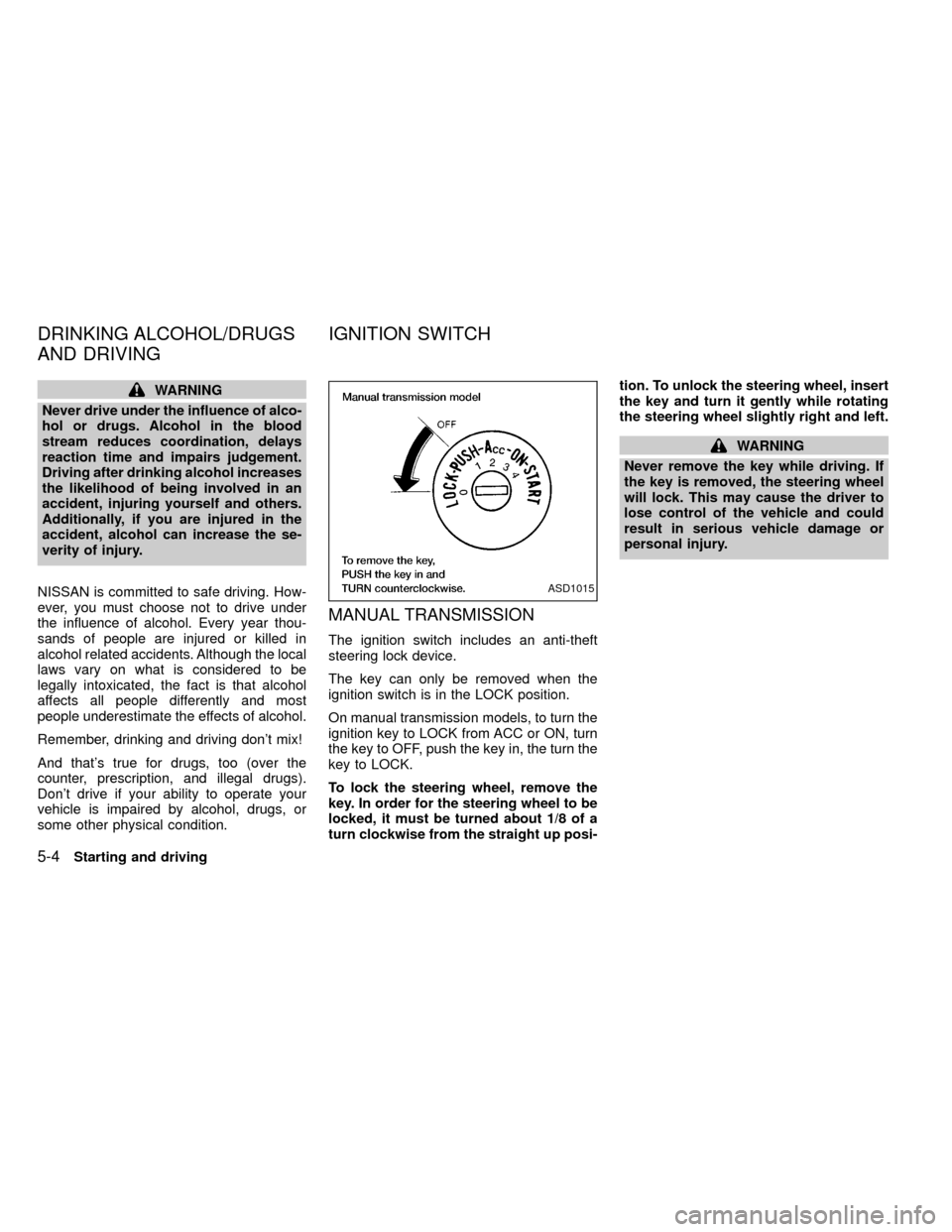
MANUAL TRANSMISSION
The ignition switch includes an anti-theft
steering lock device.
The key can only be removed when the
ignition switch is in the LOCK position.
On manual transmission models, to turn the
ignition key to LOCK from ACC or ON, turn
the key to OFF, push the key in, the turn the
key to LOCK.
To lock the steering wheel, remove the
key. In order for the steering wheel to be
locked, it must be turned about 1/8 of a
turn clockwise from the straight up posi-tion. To unlock the steering wheel, insert
the key and turn it gently while rotating
the steering wheel slightly right and left.
WARNING
Never remove the key while driving. If
the key is removed, the steering wheel
will lock. This may cause the driver to
lose control of the vehicle and could
result in serious vehicle damage or
personal injury.
ASD1015
DRINKING ALCOHOL/DRUGS
AND DRIVINGIGNITION SWITCH
5-4Starting and driving
ZX
Page 113 of 247
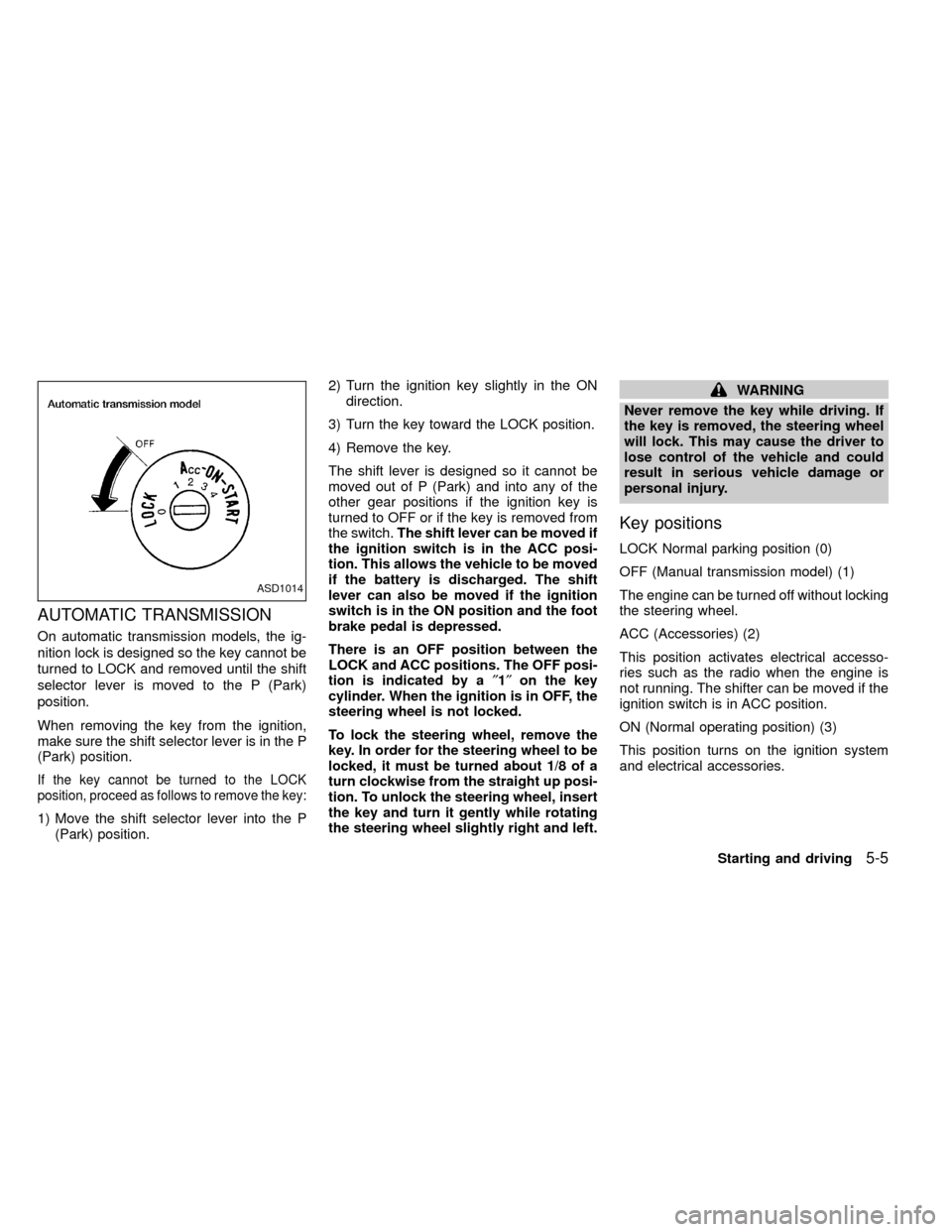
AUTOMATIC TRANSMISSION
On automatic transmission models, the ig-
nition lock is designed so the key cannot be
turned to LOCK and removed until the shift
selector lever is moved to the P (Park)
position.
When removing the key from the ignition,
make sure the shift selector lever is in the P
(Park) position.
If the key cannot be turned to the LOCK
position, proceed as follows to remove the key:
1) Move the shift selector lever into the P
(Park) position.2) Turn the ignition key slightly in the ON
direction.
3) Turn the key toward the LOCK position.
4) Remove the key.
The shift lever is designed so it cannot be
moved out of P (Park) and into any of the
other gear positions if the ignition key is
turned to OFF or if the key is removed from
the switch.The shift lever can be moved if
the ignition switch is in the ACC posi-
tion. This allows the vehicle to be moved
if the battery is discharged. The shift
lever can also be moved if the ignition
switch is in the ON position and the foot
brake pedal is depressed.
There is an OFF position between the
LOCK and ACC positions. The OFF posi-
tion is indicated by a²1²on the key
cylinder. When the ignition is in OFF, the
steering wheel is not locked.
To lock the steering wheel, remove the
key. In order for the steering wheel to be
locked, it must be turned about 1/8 of a
turn clockwise from the straight up posi-
tion. To unlock the steering wheel, insert
the key and turn it gently while rotating
the steering wheel slightly right and left.
WARNING
Never remove the key while driving. If
the key is removed, the steering wheel
will lock. This may cause the driver to
lose control of the vehicle and could
result in serious vehicle damage or
personal injury.
Key positions
LOCK Normal parking position (0)
OFF (Manual transmission model) (1)
The engine can be turned off without locking
the steering wheel.
ACC (Accessories) (2)
This position activates electrical accesso-
ries such as the radio when the engine is
not running. The shifter can be moved if the
ignition switch is in ACC position.
ON (Normal operating position) (3)
This position turns on the ignition system
and electrical accessories.
ASD1014
Starting and driving5-5
ZX
Page 120 of 247
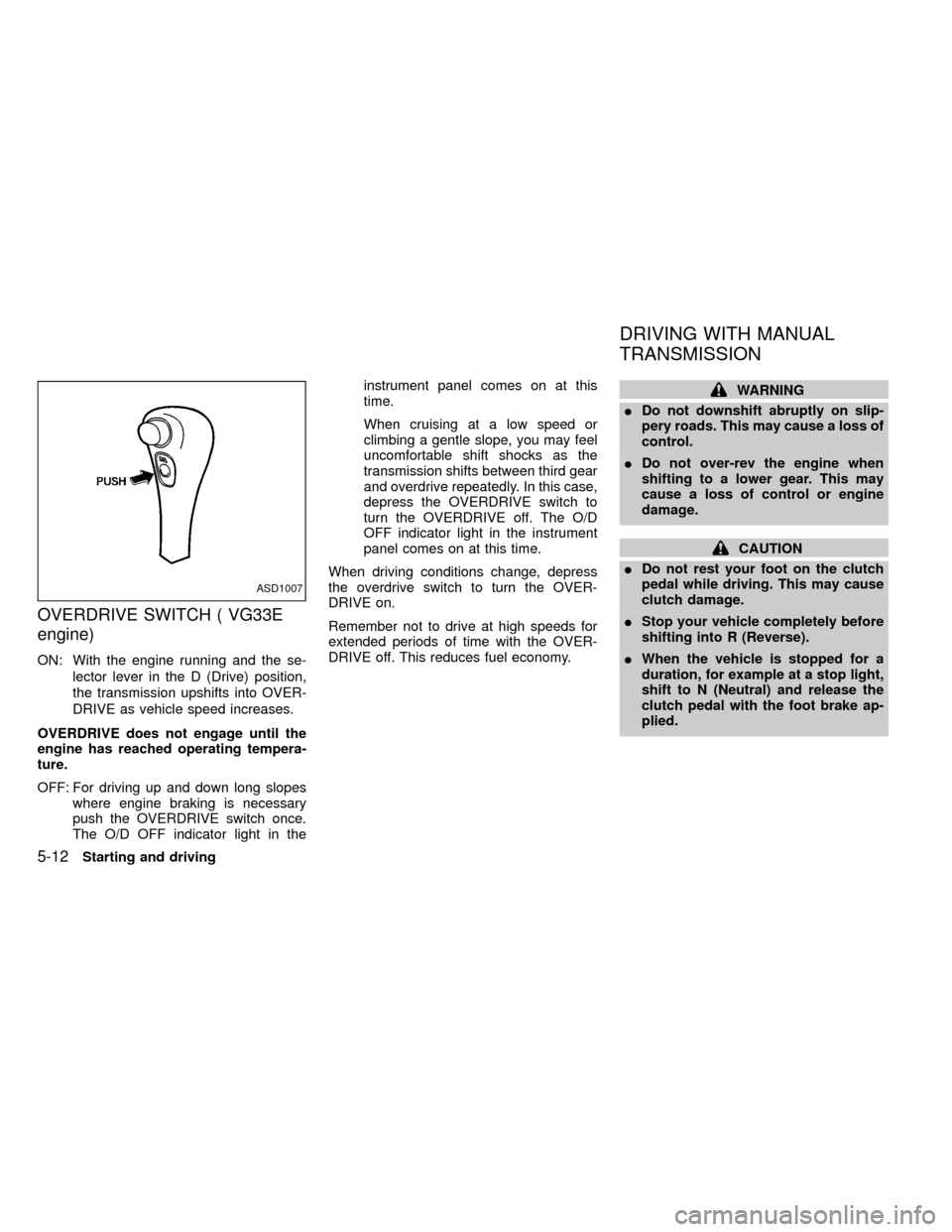
OVERDRIVE SWITCH ( VG33E
engine)
ON: With the engine running and the se-
lector lever in the D (Drive) position,
the transmission upshifts into OVER-
DRIVE as vehicle speed increases.
OVERDRIVE does not engage until the
engine has reached operating tempera-
ture.
OFF: For driving up and down long slopes
where engine braking is necessary
push the OVERDRIVE switch once.
The O/D OFF indicator light in theinstrument panel comes on at this
time.
When cruising at a low speed or
climbing a gentle slope, you may feel
uncomfortable shift shocks as the
transmission shifts between third gear
and overdrive repeatedly. In this case,
depress the OVERDRIVE switch to
turn the OVERDRIVE off. The O/D
OFF indicator light in the instrument
panel comes on at this time.
When driving conditions change, depress
the overdrive switch to turn the OVER-
DRIVE on.
Remember not to drive at high speeds for
extended periods of time with the OVER-
DRIVE off. This reduces fuel economy.
WARNING
IDo not downshift abruptly on slip-
pery roads. This may cause a loss of
control.
IDo not over-rev the engine when
shifting to a lower gear. This may
cause a loss of control or engine
damage.
CAUTION
IDo not rest your foot on the clutch
pedal while driving. This may cause
clutch damage.
IStop your vehicle completely before
shifting into R (Reverse).
IWhen the vehicle is stopped for a
duration, for example at a stop light,
shift to N (Neutral) and release the
clutch pedal with the foot brake ap-
plied.
ASD1007
DRIVING WITH MANUAL
TRANSMISSION
5-12Starting and driving
ZX
Page 121 of 247
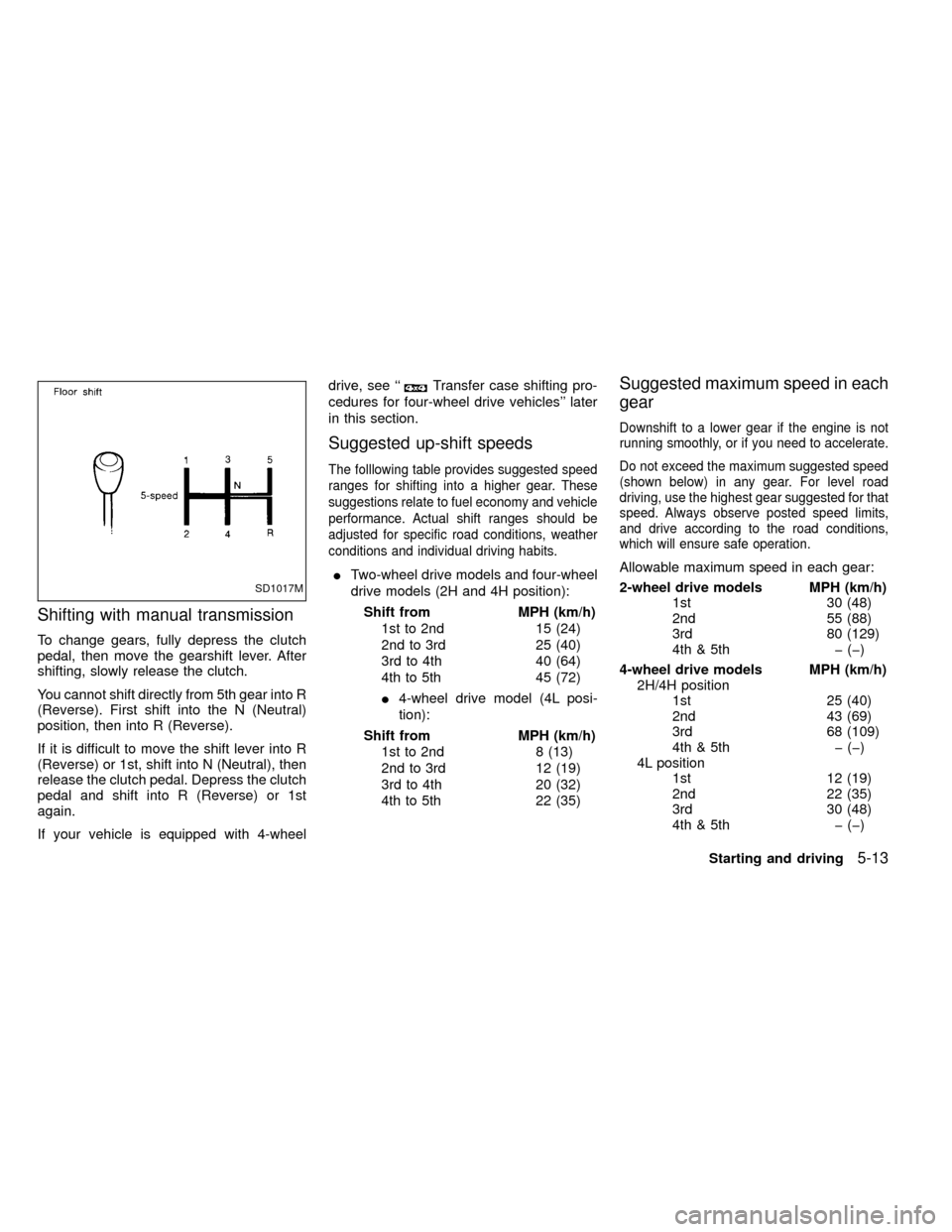
Shifting with manual transmission
To change gears, fully depress the clutch
pedal, then move the gearshift lever. After
shifting, slowly release the clutch.
You cannot shift directly from 5th gear into R
(Reverse). First shift into the N (Neutral)
position, then into R (Reverse).
If it is difficult to move the shift lever into R
(Reverse) or 1st, shift into N (Neutral), then
release the clutch pedal. Depress the clutch
pedal and shift into R (Reverse) or 1st
again.
If your vehicle is equipped with 4-wheeldrive, see ``
Transfer case shifting pro-
cedures for four-wheel drive vehicles'' later
in this section.
Suggested up-shift speeds
The folllowing table provides suggested speed
ranges for shifting into a higher gear. These
suggestions relate to fuel economy and vehicle
performance. Actual shift ranges should be
adjusted for specific road conditions, weather
conditions and individual driving habits.
ITwo-wheel drive models and four-wheel
drive models (2H and 4H position):
Shift from MPH (km/h)
1st to 2nd 15 (24)
2nd to 3rd 25 (40)
3rd to 4th 40 (64)
4th to 5th 45 (72)
I4-wheel drive model (4L posi-
tion):
Shift from MPH (km/h)
1st to 2nd 8 (13)
2nd to 3rd 12 (19)
3rd to 4th 20 (32)
4th to 5th 22 (35)
Suggested maximum speed in each
gear
Downshift to a lower gear if the engine is not
running smoothly, or if you need to accelerate.
Do not exceed the maximum suggested speed
(shown below) in any gear. For level road
driving, use the highest gear suggested for that
speed. Always observe posted speed limits,
and drive according to the road conditions,
which will ensure safe operation.
Allowable maximum speed in each gear:
2-wheel drive models MPH (km/h)
1st 30 (48)
2nd 55 (88)
3rd 80 (129)
4th & 5th þ (þ)
4-wheel drive models MPH (km/h)
2H/4H position
1st 25 (40)
2nd 43 (69)
3rd 68 (109)
4th & 5th þ (þ)
4L position
1st 12 (19)
2nd 22 (35)
3rd 30 (48)
4th & 5th þ (þ)
SD1017M
Starting and driving5-13
ZX
Page 122 of 247
1. Apply the parking brake.
2.Automatic transmission:
Move the selector lever to P (Park) or N
(Neutral). P (Park) is preferred.
The shift lever cannot be moved out of
P (Park) and into any of the other gear
positions if the ignition key is turned
to OFF or if the key is removed from
the switch.
The starter is designed not to operate
if the selector lever is in one of the
driving positions.
Manual transmission:
Move the gearshift lever to N (Neutral),
and fully depress the clutch pedal to the
floor while starting the engine.
The starter is designed not to operate
unless the clutch pedal is fully de-
pressed.
3.With your foot off the accelerator
pedal,turn the ignition key to START.
Release the key when the engine starts.
If the engine starts, but fails to run, repeat
the above procedure.IIf the engine is very hard to start in
extremely cold or hot weather, depress
the accelerator pedal fully and hold it
to help start the engine.
IIn the summer, when restarting the
engine within 30 minutes after it has
been stopped, keep the accelerator
pedal fully depressed while starting.
CAUTION
Do not operate the starter for more than
15 seconds at a time. If the engine does
not start, turn the key off and wait 10
seconds before cranking again, other-
wise the starter could be damaged.
4.Warm-up
Always allow the engine to idle for at
least 30 seconds after starting. Drive at a
moderate speed for a short distance first,
especially in cold weather.
WARNING
IBe sure the parking brake is fully
released before driving. Failure to do
so can cause brake failure and lead
to an accident.
IDo not release the parking brake
from outside the vehicle.
IDo not use the gear shift in place of
the parking brake. When parking, be
sure the parking brake is fully en-
gaged.
I
Do not leave children unattended in a
vehicle. They could release the park-
ing brake and cause an accident.
STARTING THE ENGINE PARKING BRAKE OPERATION
5-14Starting and driving
ZX
Page 123 of 247
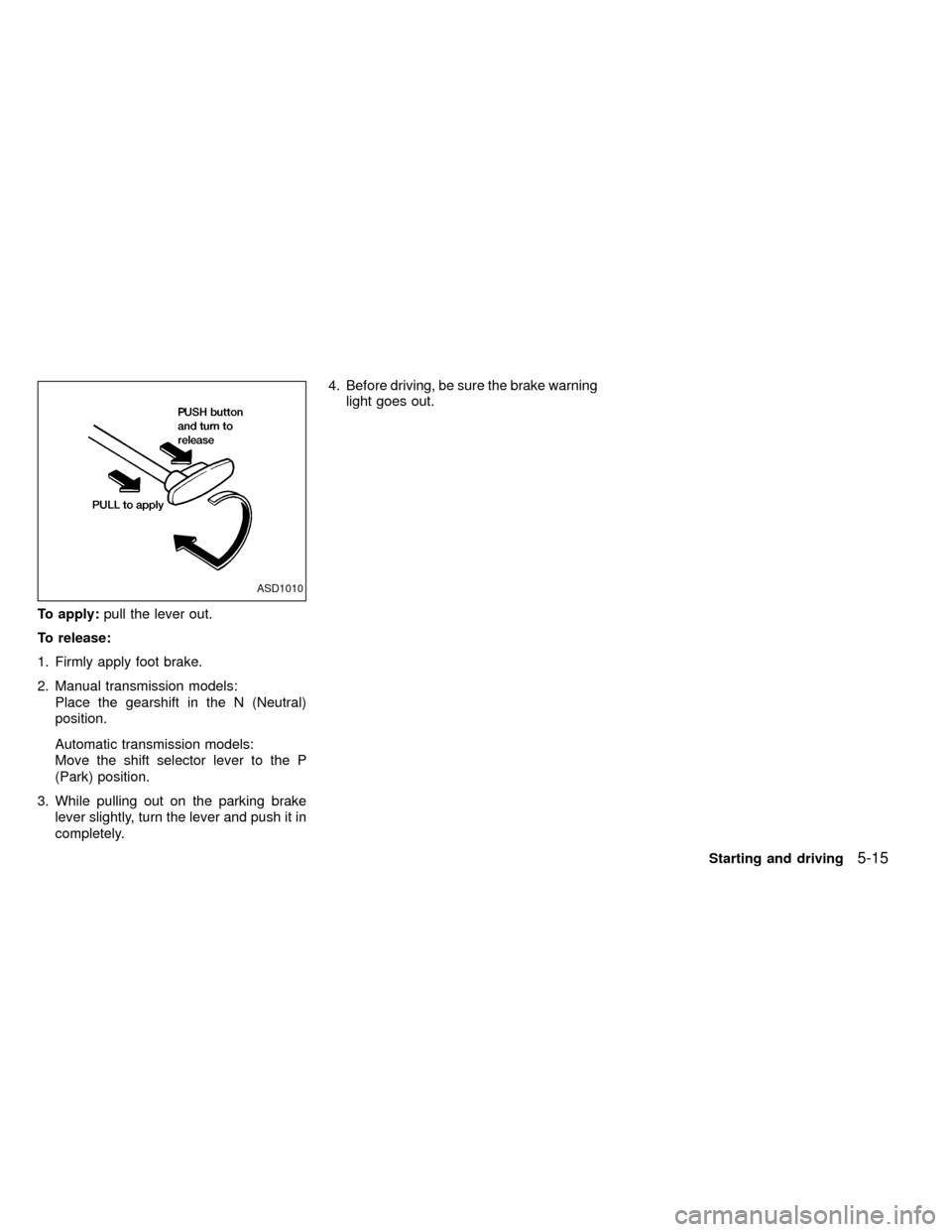
To apply:pull the lever out.
To release:
1. Firmly apply foot brake.
2. Manual transmission models:
Place the gearshift in the N (Neutral)
position.
Automatic transmission models:
Move the shift selector lever to the P
(Park) position.
3. While pulling out on the parking brake
lever slightly, turn the lever and push it in
completely.4. Before driving, be sure the brake warning
light goes out.
ASD1010
Starting and driving5-15
ZX
Page 124 of 247
Precautions
IThe cruise indicator light in the instru-
ment panel may blink when the cruise
control main switch is turned ON while
pushing the RES/ACCEL, COAST/SET,
or CANCEL switch. To properly set the
cruise control system, perform the follow-
ing steps in the order indicated.
IIf the cruise control system malfunctions,
it cancels automatically. The CRUISE
light in the instrument panel then blinks to
warn the driver.
IIf the cruise light blinks, turn the cruisecontrol main switch off and have the
system checked by an authorized NIS-
SAN dealer.
WARNING
Don't use the cruise control when driv-
ing under the following conditions:
Iit is not possible to keep the vehicle
at a set speed.
Iin heavy traffic or in traffic that var-
ies in speed.
Ion winding or hilly roads.Ion slippery roads (rain, snow, ice,
etc.).
Iin very windy areas.
Doing so could cause a loss of vehicle
control and result in an accident.
CAUTION
On manual transmission models, do
not shift into neutral without depress-
ing the clutch pedal when the cruise
control is on. Should this occur, de-
press the clutch pedal and turn the
main switch off immediately. Failure to
do so may cause engine damage.
The cruise control allows driving at a fixed
speed between 30 and 90 MPH (48 and 145
km/h) without keeping your foot on the
accelerator pedal.
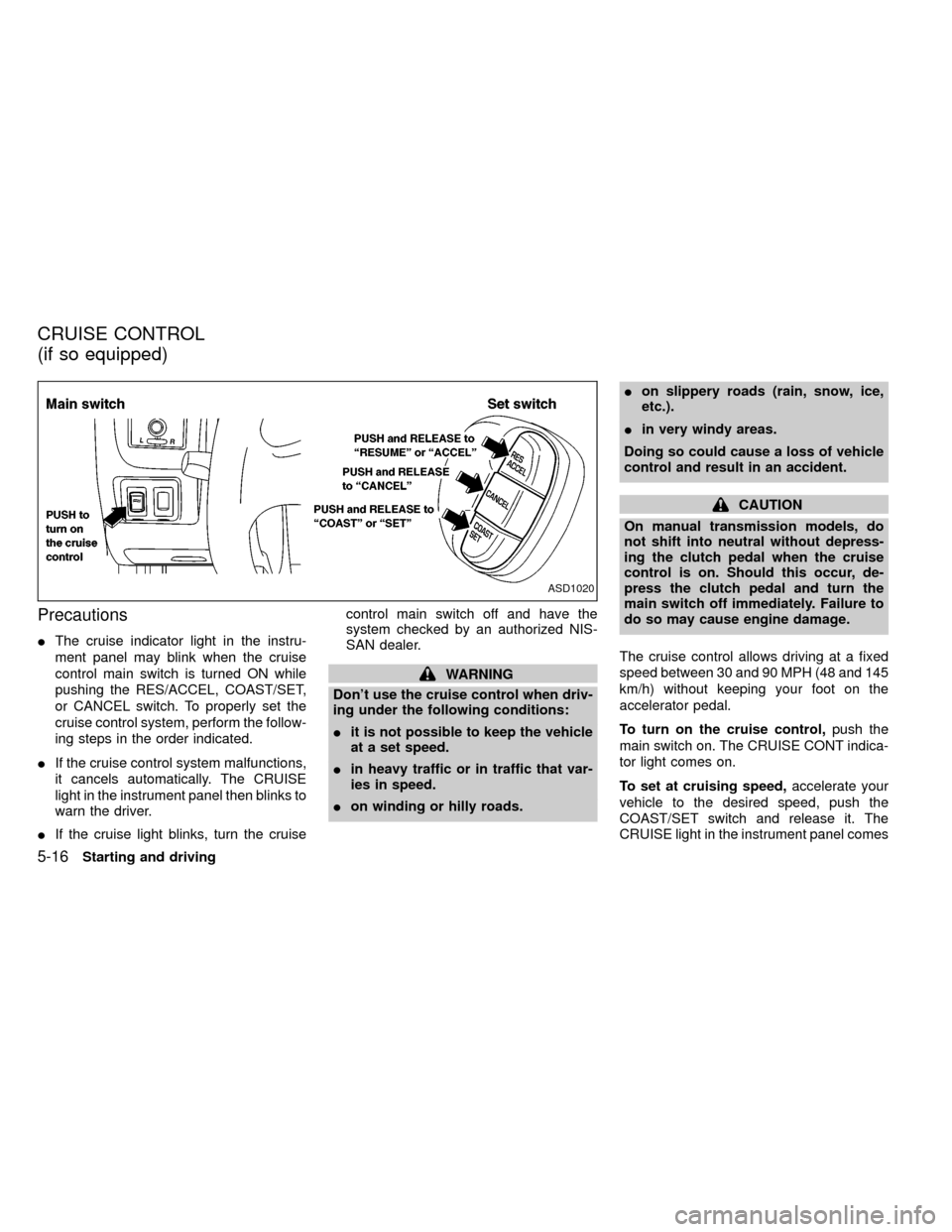
To turn on the cruise control,push the
main switch on. The CRUISE CONT indica-
tor light comes on.
To set at cruising speed,accelerate your
vehicle to the desired speed, push the
COAST/SET switch and release it. The
CRUISE light in the instrument panel comes
ASD1020
CRUISE CONTROL
(if so equipped)
5-16Starting and driving
ZX
Page 125 of 247

on. Take your foot off the accelerator pedal.
Your vehicle maintains the set speed.
To pass another vehicle,depress the ac-
celerator pedal. When you release the
pedal, the vehicle returns to the previously
set speed.
IThe vehicle may not maintain the set
speed when going up or down steep
hills. If this happens, drive without the
cruise control.
To cancel the preset speed,use one of the
following three methods:
a) Push the CANCEL button; the CRUISE
light in the instrument panel goes out.
b) Tap the brake pedal; the CRUISE light
goes out.
c)
Turn the main switch off. Both the CRUISE
CONT and CRUISE lights go out.
The cruise control is automatically can-
celled and the CRUISE light goes out if:
Iyou depress the brake pedal while push-
ing the RES/ACCEL set switch.
Ithe vehicle slows down more than 8 MPH
(13 km/h) below the set speed.Iyou depress the clutch pedal (manual
transmission), or move the shift lever to
the N (Neutral) position (automatic trans-
mission).
To reset at a faster cruising speed,use
one of the following three methods:
a) Depress the accelerator pedal. When the
vehicle attains the desired speed, push
and release the COAST/SET switch.
b) Push and hold the RES/ACCEL set
switch. When the vehicle attains the
speed you desire, release the switch.
c)
Push, and release the RES/ACCEL set
switch. Each time you do this, the set
speed increases by about 1 MPH (1.6
km/h).
To reset at a slower cruising speed,use
one of the following three methods:
a) Lightly tap the brake pedal. When the
vehicle attains the desired speed, push
the COAST/SET switch and release it.
b) Push and hold the COAST/SET switch.
Release the switch when the vehicle
slows down to the desired speed.
c) Push, and release the COAST/SETswitch. Each time you do this, the set
speed decreases by about 1 MPH (1.6
km/h).
To resume the preset speed,push and
release the RES/ACCEL switch. The ve-
hicle returns to the last set cruising speed
when the vehicle speed is over 30 MPH (48
km/h).
Starting and driving
5-17
ZX