lights NISSAN FRONTIER 2004 D22 / 1.G User Guide
[x] Cancel search | Manufacturer: NISSAN, Model Year: 2004, Model line: FRONTIER, Model: NISSAN FRONTIER 2004 D22 / 1.GPages: 296, PDF Size: 4.48 MB
Page 85 of 296

3. Close the hood and all doors. Lock all doors.
The doors can be locked with the key, power
door lock switch or with the keyfob.
Keyfob operation:
cPush the
button on the keyfob.
All doors lock. The hazard lights flash
twice and the horn beeps once to indicate
all doors are locked.
cWhen the
button is pushed with
all doors locked, the hazard lights flash
twice and the horn beeps once as a re-
minder that the doors are already locked.
The horn may or may not beep once. Refer to
“Silencing the horn beep feature” later in this
section.
cIf a door is open and you push
the
button the doors lock but the
horn does not chirp and the hazard lights
do not flash.4. Confirm that the SECURITY indicator light
comes on. The SECURITY light stays on for
about 30 seconds. The vehicle security sys-
tem is now pre-armed. After about 30 sec-
onds the vehicle security system automati-
cally shifts into the armed phase. The
SECURITY light begins to flash once every 3
seconds. If, during the 30-second pre-arm
time period, the door is unlocked by the key
or the keyfob, or the ignition key is turned to
ACC or ON, the system will not arm.
cIf the key is turned slowly when locking
the door, the system may not arm. Fur-
thermore, if the key is turned exces-
sively to the unlock position, the sys-
tem may be disarmed when the key is
removed. If the indicator light fails to
glow for 30 seconds, unlock the door
once and lock it again.
cEven when the driver and/or passen-
gers are in the vehicle, the system will
arm with all doors and the hood closed
and locked and the ignition key in the
OFF position. Turn the ignition key to
the ACC or ON to turn the security
system off.
Vehicle security system activation
The vehicle security system will give the following
alarm:cThe headlights blink and the horn sounds
intermittently. In addition, the starter motor
does not operate.
cThe alarm automatically turns off after about
50 seconds. However, the alarm reactivates
if the vehicle is tampered with again. The
alarm can be shut off by unlocking a door
with the key, or by pressing the
button
on the keyfob.
The alarm is activated by:
copening a door without using the key or
keyfob (even if the door is unlocked by re-
leasing the inside lock knob) .
copening the hood.
How to stop an activated alarm
The alarm stops only by unlocking a door with the
key or by pressing thebutton on the key-
fob.
The alarm does not stop if the ignition
switch is turned to ACC or ON.
Instruments and controls2-17
ZREVIEW COPY:Ð2004 Truck/Frontier(d22)
Owners Manual(owners)ÐUSA English(nna)
11/21/03Ðdebbie
X
Page 86 of 296

Silencing the horn beep feature
If desired, the horn beep feature can be deacti-
vated using the keyfob.
To deactivate:Press and hold both the
andbuttons at the same timefor at least
2 seconds.
The hazard lights will quickly flash 3 times to
confirm that the horn beep feature has been
deactivated.
To activate:Press and hold both the
andbuttons at the same timefor at least
2 seconds once more.The hazard lights will quickly flash once and the
horn will sound once to confirm that the horn
beep feature has been reactivated.
Deactivating the horn feature does not silence
the horn if the alarm is triggered.
If the system does not operate as described
above, have it checked by a NISSAN dealer.
SWITCH OPERATION
The windshield wiper and washer operates when
the ignition switch is in the ON position.
Push the lever down to operate the wiper at the
following speed:
s1Intermittent — intermittent operation can be
adjusted by turning the knob toward
sA
(Slower) orsB(Faster) .
s2Low — continuous low speed operation
s3High — continuous high speed operation
WIC0325
Type A
WIC0640
WINDSHIELD WIPER AND WASHER
SWITCH
2-18Instruments and controls
ZREVIEW COPY:Ð2004 Truck/Frontier(d22)
Owners Manual(owners)ÐUSA English(nna)
11/21/03Ðdebbie
X
Page 88 of 296

NOTE:
The top few rows of wires on the rear win-
dow are not part of the rear window de-
froster system. These wires make up the
antenna for the audio system.
HEADLIGHT CONTROL SWITCH
Lighting
s1When turning the switch to theposi-
tion, the front parking, tail, license plate and
instrument panel lights come on.
s2When turning the switch to theposi-
tion, the headlights come on and all the other
lights remain on.
Type A
WIC0242
Type B
WIC0243
HEADLIGHT AND TURN SIGNAL
SWITCH
2-20Instruments and controls
ZREVIEW COPY:Ð2004 Truck/Frontier(d22)
Owners Manual(owners)ÐUSA English(nna)
11/21/03Ðdebbie
X
Page 89 of 296
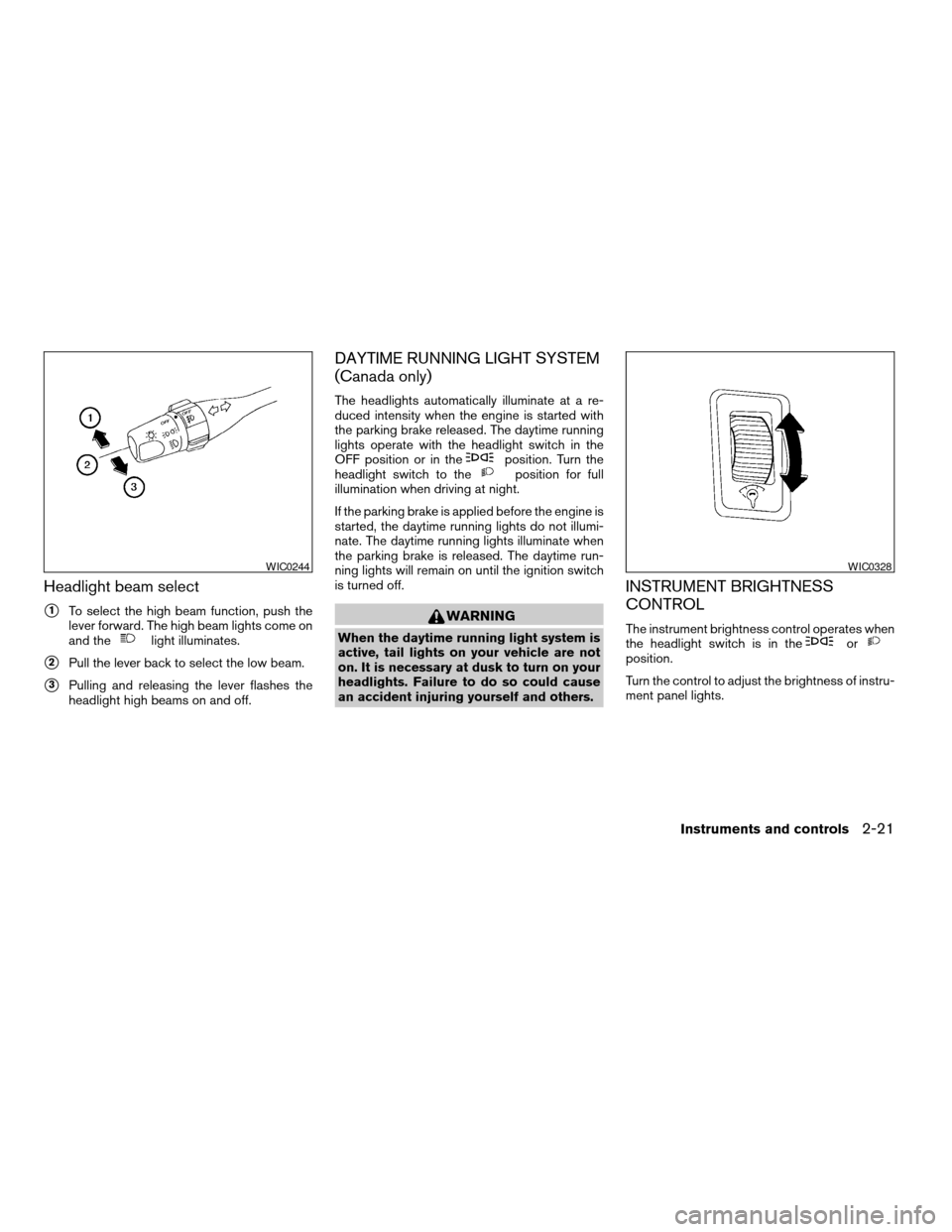
Headlight beam select
s1To select the high beam function, push the
lever forward. The high beam lights come on
and the
light illuminates.
s2Pull the lever back to select the low beam.
s3Pulling and releasing the lever flashes the
headlight high beams on and off.
DAYTIME RUNNING LIGHT SYSTEM
(Canada only)
The headlights automatically illuminate at a re-
duced intensity when the engine is started with
the parking brake released. The daytime running
lights operate with the headlight switch in the
OFF position or in the
position. Turn the
headlight switch to theposition for full
illumination when driving at night.
If the parking brake is applied before the engine is
started, the daytime running lights do not illumi-
nate. The daytime running lights illuminate when
the parking brake is released. The daytime run-
ning lights will remain on until the ignition switch
is turned off.
WARNING
When the daytime running light system is
active, tail lights on your vehicle are not
on. It is necessary at dusk to turn on your
headlights. Failure to do so could cause
an accident injuring yourself and others.
INSTRUMENT BRIGHTNESS
CONTROL
The instrument brightness control operates when
the headlight switch is in theorposition.
Turn the control to adjust the brightness of instru-
ment panel lights.
WIC0244WIC0328
Instruments and controls2-21
ZREVIEW COPY:Ð2004 Truck/Frontier(d22)
Owners Manual(owners)ÐUSA English(nna)
11/21/03Ðdebbie
X
Page 90 of 296
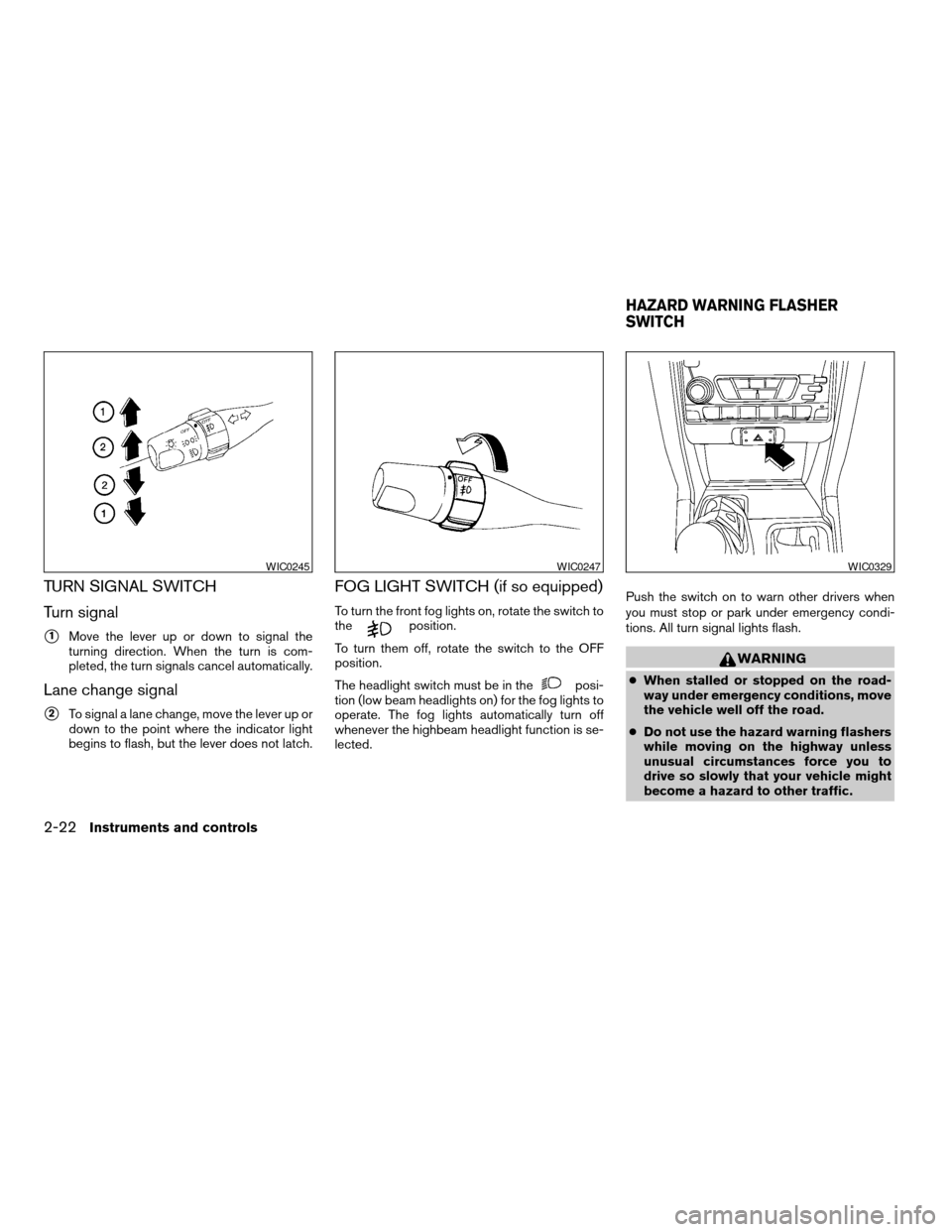
TURN SIGNAL SWITCH
Turn signal
s1Move the lever up or down to signal the
turning direction. When the turn is com-
pleted, the turn signals cancel automatically.
Lane change signal
s2To signal a lane change, move the lever up or
down to the point where the indicator light
begins to flash, but the lever does not latch.
FOG LIGHT SWITCH (if so equipped)
To turn the front fog lights on, rotate the switch to
theposition.
To turn them off, rotate the switch to the OFF
position.
The headlight switch must be in the
posi-
tion (low beam headlights on) for the fog lights to
operate. The fog lights automatically turn off
whenever the highbeam headlight function is se-
lected.Push the switch on to warn other drivers when
you must stop or park under emergency condi-
tions. All turn signal lights flash.
WARNING
cWhen stalled or stopped on the road-
way under emergency conditions, move
the vehicle well off the road.
cDo not use the hazard warning flashers
while moving on the highway unless
unusual circumstances force you to
drive so slowly that your vehicle might
become a hazard to other traffic.
WIC0245WIC0247WIC0329
HAZARD WARNING FLASHER
SWITCH
2-22Instruments and controls
ZREVIEW COPY:Ð2004 Truck/Frontier(d22)
Owners Manual(owners)ÐUSA English(nna)
11/21/03Ðdebbie
X
Page 91 of 296
cTurn signals do not work when the haz-
ard warning flasher lights are on.
The flashers will operate with the ignition switch
in any position.
Some state laws may prohibit the use of
the hazard warning flasher switch while
driving.
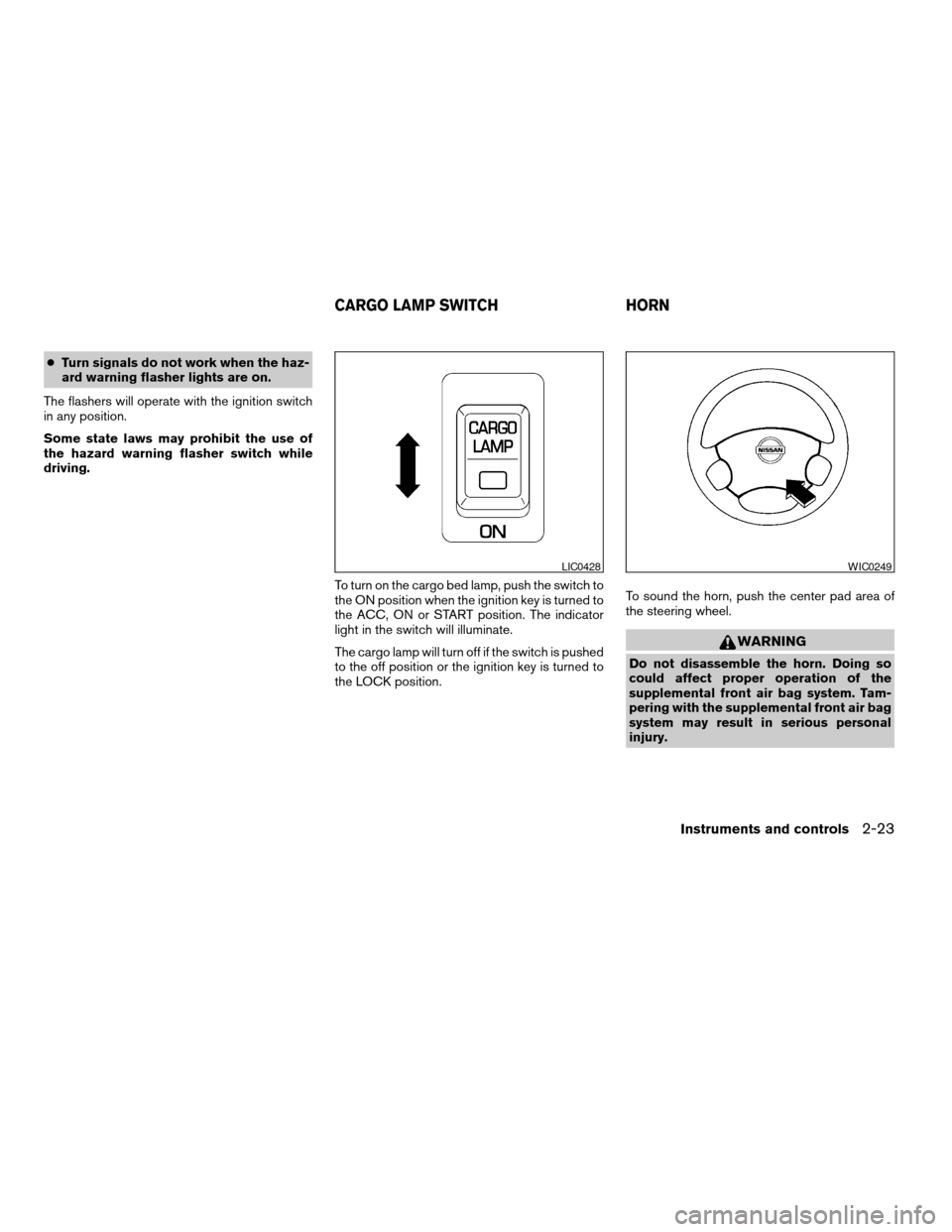
To turn on the cargo bed lamp, push the switch to
the ON position when the ignition key is turned to
the ACC, ON or START position. The indicator
light in the switch will illuminate.
The cargo lamp will turn off if the switch is pushed
to the off position or the ignition key is turned to
the LOCK position.To sound the horn, push the center pad area of
the steering wheel.
WARNING
Do not disassemble the horn. Doing so
could affect proper operation of the
supplemental front air bag system. Tam-
pering with the supplemental front air bag
system may result in serious personal
injury.
LIC0428WIC0249
CARGO LAMP SWITCH HORN
Instruments and controls2-23
ZREVIEW COPY:Ð2004 Truck/Frontier(d22)
Owners Manual(owners)ÐUSA English(nna)
11/21/03Ðdebbie
X
Page 93 of 296
cDo not use with accessories that ex-
ceed a 12 volt, 120W (10A) power draw.
Do not use double adapters or more
than one electrical accessory.
cUse power outlets with the engine run-
ning to avoid discharging the vehicle
battery.
cAvoid using power outlets when the air
conditioner, headlights or rear window
defroster is on.cBefore inserting or disconnecting a
plug, be sure the electrical accessory
being used is turned OFF.
cPush the plug in as far as it will go. If
good contact is not made, the plug may
overheat or the internal temperature
fuse may blow.
cWhen not in use, be sure to close the
cap. Do not allow water to contact the
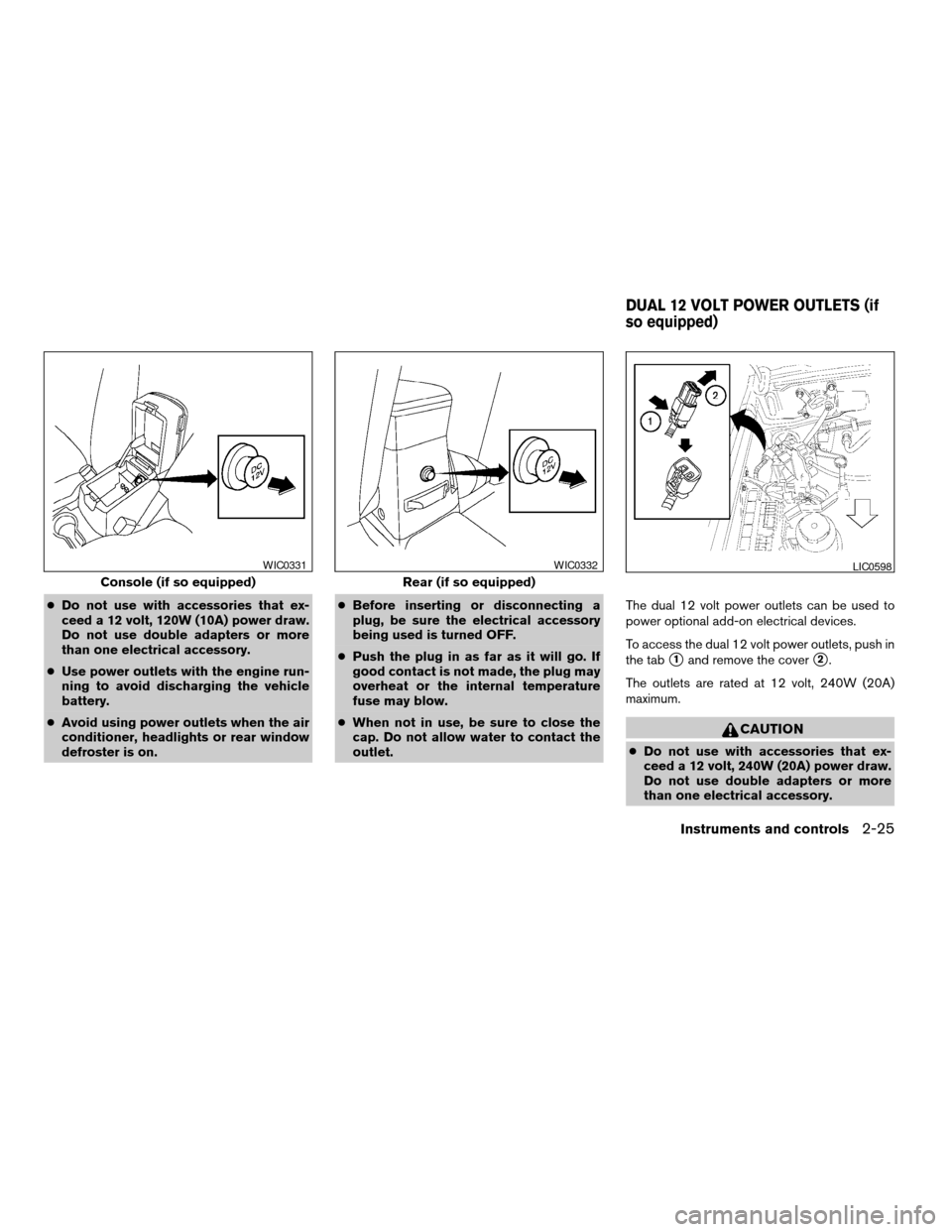
outlet.The dual 12 volt power outlets can be used to
power optional add-on electrical devices.
To access the dual 12 volt power outlets, push in
the tab
s1and remove the covers2.
The outlets are rated at 12 volt, 240W (20A)
maximum.
CAUTION
cDo not use with accessories that ex-
ceed a 12 volt, 240W (20A) power draw.
Do not use double adapters or more
than one electrical accessory.
Console (if so equipped)
WIC0331
Rear (if so equipped)
WIC0332LIC0598
DUAL 12 VOLT POWER OUTLETS (if
so equipped)
Instruments and controls2-25
ZREVIEW COPY:Ð2004 Truck/Frontier(d22)
Owners Manual(owners)ÐUSA English(nna)
11/21/03Ðdebbie
X
Page 94 of 296
cUse power outlets with the engine run-
ning to avoid discharging the vehicle
battery.
cAvoid using power outlets when the air
conditioner, headlights or rear window
defroster is on.
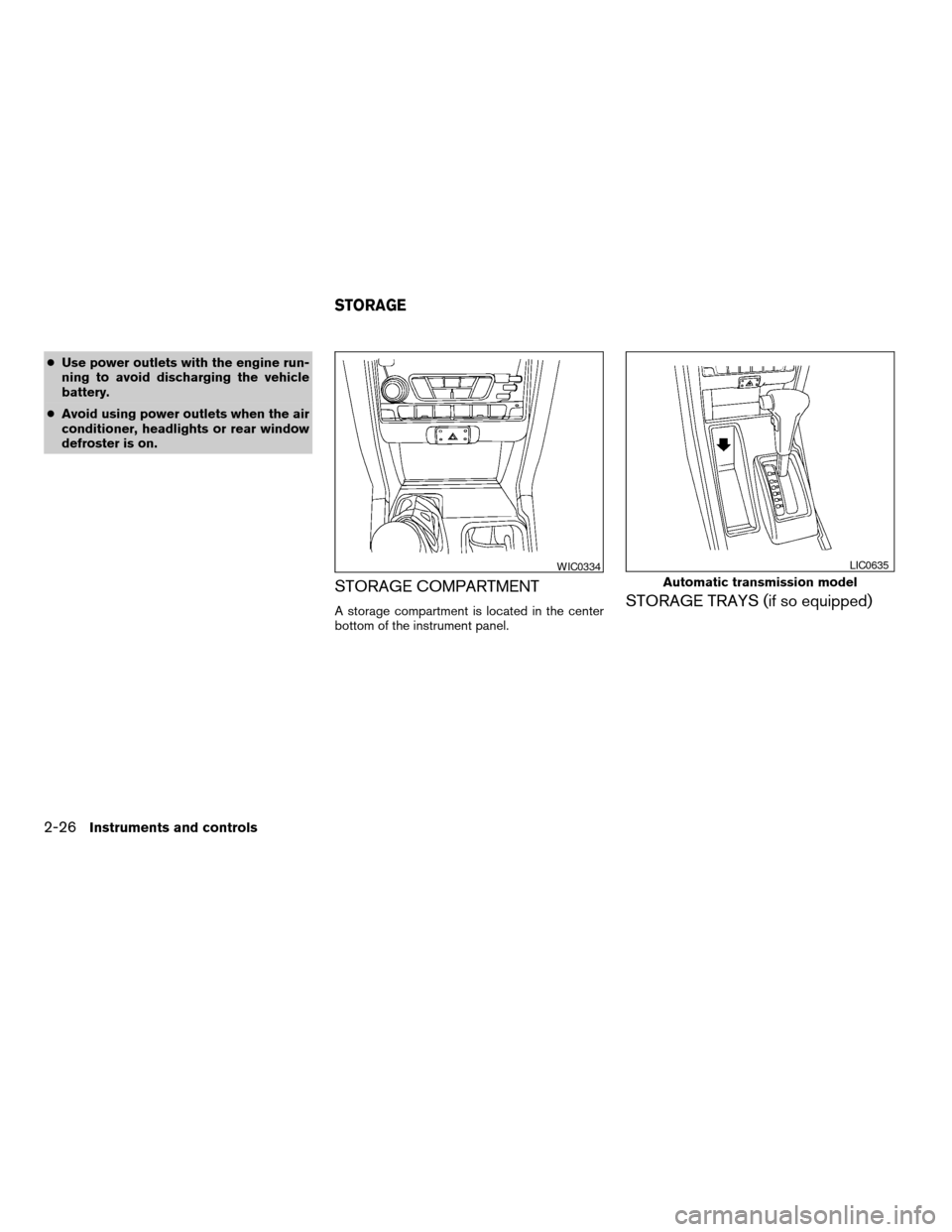
STORAGE COMPARTMENT
A storage compartment is located in the center
bottom of the instrument panel.STORAGE TRAYS (if so equipped)
WIC0334
Automatic transmission model
LIC0635
STORAGE
2-26Instruments and controls
ZREVIEW COPY:Ð2004 Truck/Frontier(d22)
Owners Manual(owners)ÐUSA English(nna)
11/21/03Ðdebbie
X
Page 102 of 296

MANUAL WINDOWS
The side windows can be opened or closed by
turning the hand crank on each door.
REAR SLIDING WINDOW (if so
equipped)
Squeeze the handles of the levers1, then slide
the window open
s2.
WIC0263WIC0352
Dome light — Type A
LIC0630
INTERIOR LIGHTS
2-34Instruments and controls
ZREVIEW COPY:Ð2004 Truck/Frontier(d22)
Owners Manual(owners)ÐUSA English(nna)
11/21/03Ðdebbie
X
Page 103 of 296
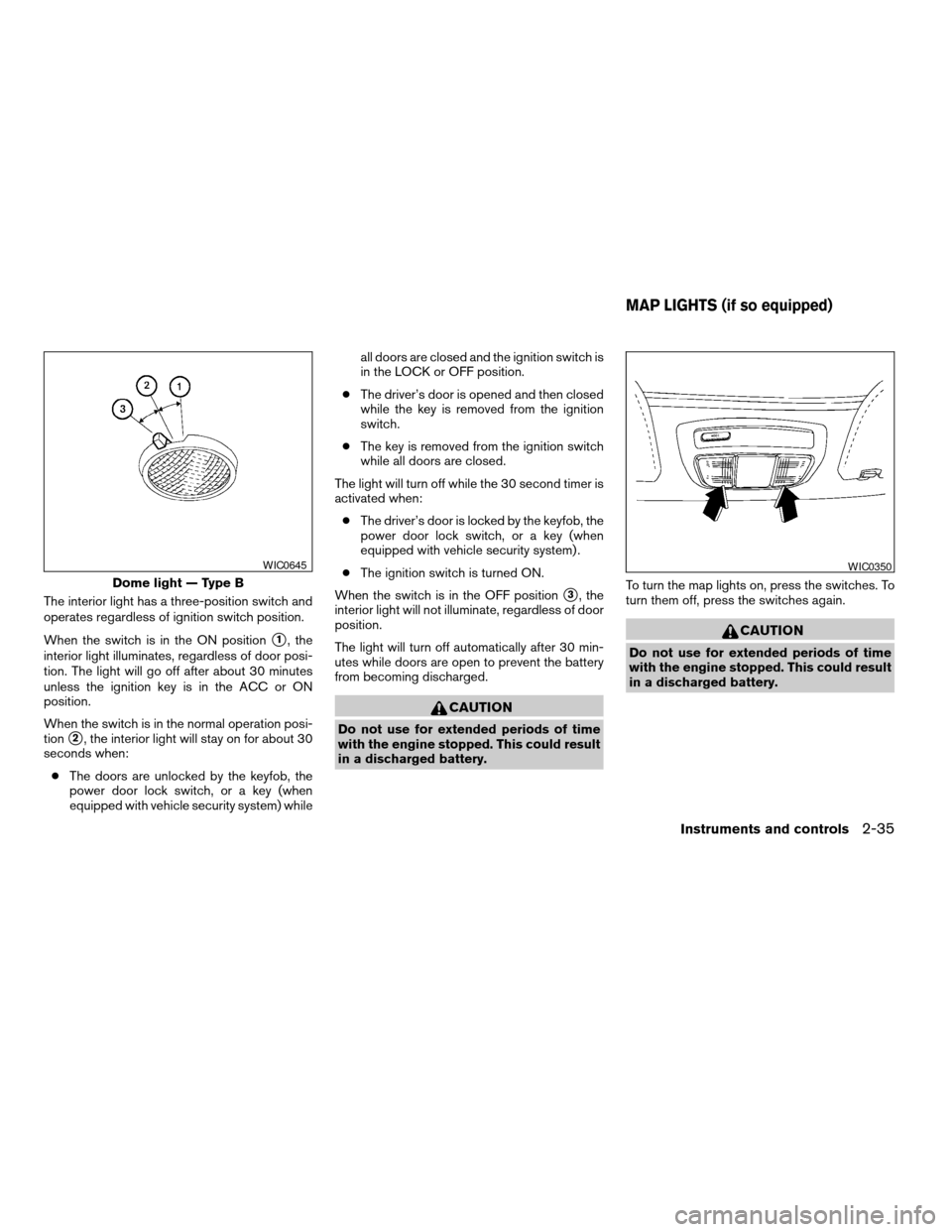
The interior light has a three-position switch and
operates regardless of ignition switch position.
When the switch is in the ON position
s1, the
interior light illuminates, regardless of door posi-
tion. The light will go off after about 30 minutes
unless the ignition key is in the ACC or ON
position.
When the switch is in the normal operation posi-
tion
s2, the interior light will stay on for about 30
seconds when:
cThe doors are unlocked by the keyfob, the
power door lock switch, or a key (when
equipped with vehicle security system) whileall doors are closed and the ignition switch is
in the LOCK or OFF position.
cThe driver’s door is opened and then closed
while the key is removed from the ignition
switch.
cThe key is removed from the ignition switch
while all doors are closed.
The light will turn off while the 30 second timer is
activated when:
cThe driver’s door is locked by the keyfob, the
power door lock switch, or a key (when
equipped with vehicle security system) .
cThe ignition switch is turned ON.
When the switch is in the OFF position
s3, the
interior light will not illuminate, regardless of door
position.
The light will turn off automatically after 30 min-
utes while doors are open to prevent the battery
from becoming discharged.
CAUTION
Do not use for extended periods of time
with the engine stopped. This could result
in a discharged battery.To turn the map lights on, press the switches. To
turn them off, press the switches again.
CAUTION
Do not use for extended periods of time
with the engine stopped. This could result
in a discharged battery.
Dome light — Type B
WIC0645WIC0350
MAP LIGHTS (if so equipped)
Instruments and controls2-35
ZREVIEW COPY:Ð2004 Truck/Frontier(d22)
Owners Manual(owners)ÐUSA English(nna)
11/21/03Ðdebbie
X