ignition NISSAN FRONTIER 2020 Owner´s Manual
[x] Cancel search | Manufacturer: NISSAN, Model Year: 2020, Model line: FRONTIER, Model: NISSAN FRONTIER 2020Pages: 492, PDF Size: 3.05 MB
Page 108 of 492
If any of the following conditions occur, the
front air bag, side air bag, curtain air bag
and pretensioner systems need servicing:
• The supplemental air bag warning lightremains on af ter approximately 7 sec-
onds.
• The supplemental air bag warning light flashes intermittently.
• The supplemental air bag warning light does not come on at all.
Under these conditions, the front air bag,
side air bag, curtain air bag or pretensioner
systems may not operate properly. They
must be checked and repaired. It is recom-
mended that you visit a NISSAN dealer for
this service.
WARNING
If the supplemental air bag warning
light is on, it could mean that the front
air bag, side air bag, curtain air bag
and/or pretensioner systems will not
operate in an accident. To help avoid
injury to yourself or others, have your
vehicle checked as soon as possible. It
is recommended that you visit a
NISSAN dealer for this service.
Repair and replacement
procedure
The front air bags, side air bags, curtain air
bags and pretensioner(s) are designed to
inflate on a one-time-only basis. As a re-
minder, unless it is damaged, the supple-
mental air bag warning light remains illu-
minated af ter inflation has occurred. These
systems should be repaired and/or re-
placed as soon as possible. It is recom-
mended that you visit a NISSAN dealer for
this service.
When maintenance work is required on the
vehicle, the front air bags, side air bags,
curtain air bags, pretensioner(s) and re-
lated parts should be pointed out to the
person performing the maintenance. The
ignition switch should always be placed in
the LOCK position when working under the
hood or inside the vehicle.
WARNING
• Once a front air bag, side air bag, or
curtain air bag has inflated, the air
bag module will not function again
and must be replaced. Additionally,
the activated pretensioner(s) must
also be replaced. The air bag module
and pretensioner(s) should be re- placed. It is recommended that you
visit a NISSAN dealer for this service.
However, the air bag module and pre-
tensioner(s) cannot be repaired.
• The front air bag, side air bag, curtain
air bag systems and the preten-
sioner system should be inspected if
there is any damage to the front end
or side portion of the vehicle. It is rec-
ommended that you visit a NISSAN
dealer for this service.
• If you need to dispose of the supple-
mental air bag or pretensioner sys-
tems or scrap the vehicle, it is recom-
mended that you visit a NISSAN
dealer. Incorrect disposal procedures
could cause personal injury.
• If there is an impact to your vehicle
from any direction, your Occupant
Classification Sensor (OCS) should be
checked to verif y it is still functioning
correctly. It is recommended that you
visit a NISSAN dealer for this service.
The OCS should be checked even if no
air bags deploy as a result of the im-
pact. Failure to verif y proper OCS
function may result in an improper
air bag deployment resulting in in-
jury or death.
1-86Safety-Seats, seat belts and supplemental restraint system
Page 113 of 492
16. Shif t lever (P. 5-14)
17. Push-button ignition switch (P. 5-10)
18. 4WD shif t switch (if so equipped)(P. 5-23)
19. Climate controls (P. 4-22, P. 4-31)
20. Hazard warning flasher switch (P. 6-2)
21. Tilt steering wheel control (P. 3-16)
22. Cargo lamp switch (P. 2-34) Hill descent control switch
(if so equipped) (P. 2-36)
Outside mirror controls (if so equipped)
(P. 3-17)
Instruments and controls2-3
Page 115 of 492
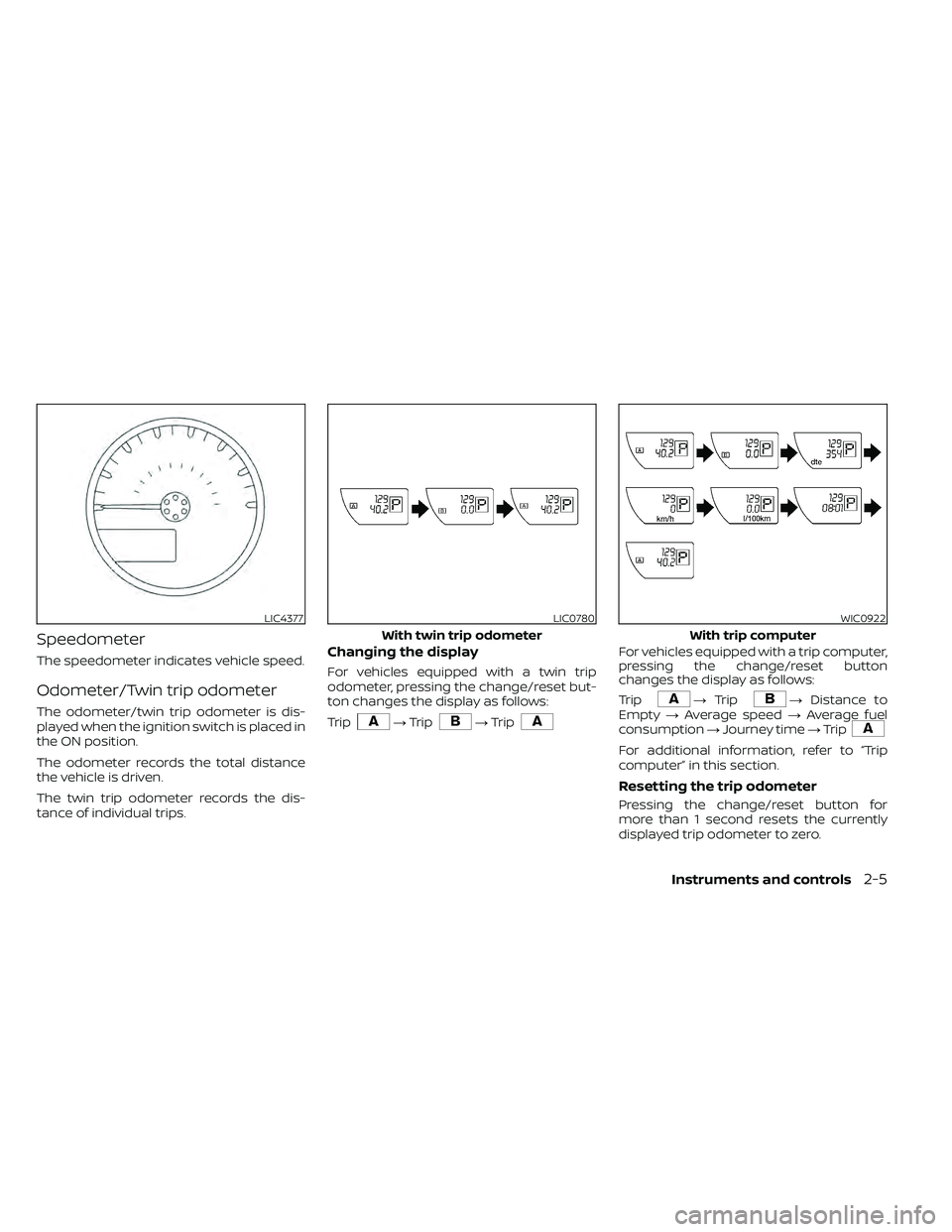
Speedometer
The speedometer indicates vehicle speed.
Odometer/Twin trip odometer
The odometer/twin trip odometer is dis-
played when the ignition switch is placed in
the ON position.
The odometer records the total distance
the vehicle is driven.
The twin trip odometer records the dis-
tance of individual trips.
Changing the display
For vehicles equipped with a twin trip
odometer, pressing the change/reset but-
ton changes the display as follows:
Trip
→Trip→Trip
For vehicles equipped with a trip computer,
pressing the change/reset button
changes the display as follows:
Trip
→ Trip→ Distance to
Empty →Average speed →Average fuel
consumption →Journey time →Trip
For additional information, refer to “Trip
computer” in this section.
Resetting the trip odometer
Pressing the change/reset button for
more than 1 second resets the currently
displayed trip odometer to zero.
LIC4377LIC0780
With twin trip odometer
WIC0922
With trip computer
Instruments and controls2-5
Page 116 of 492
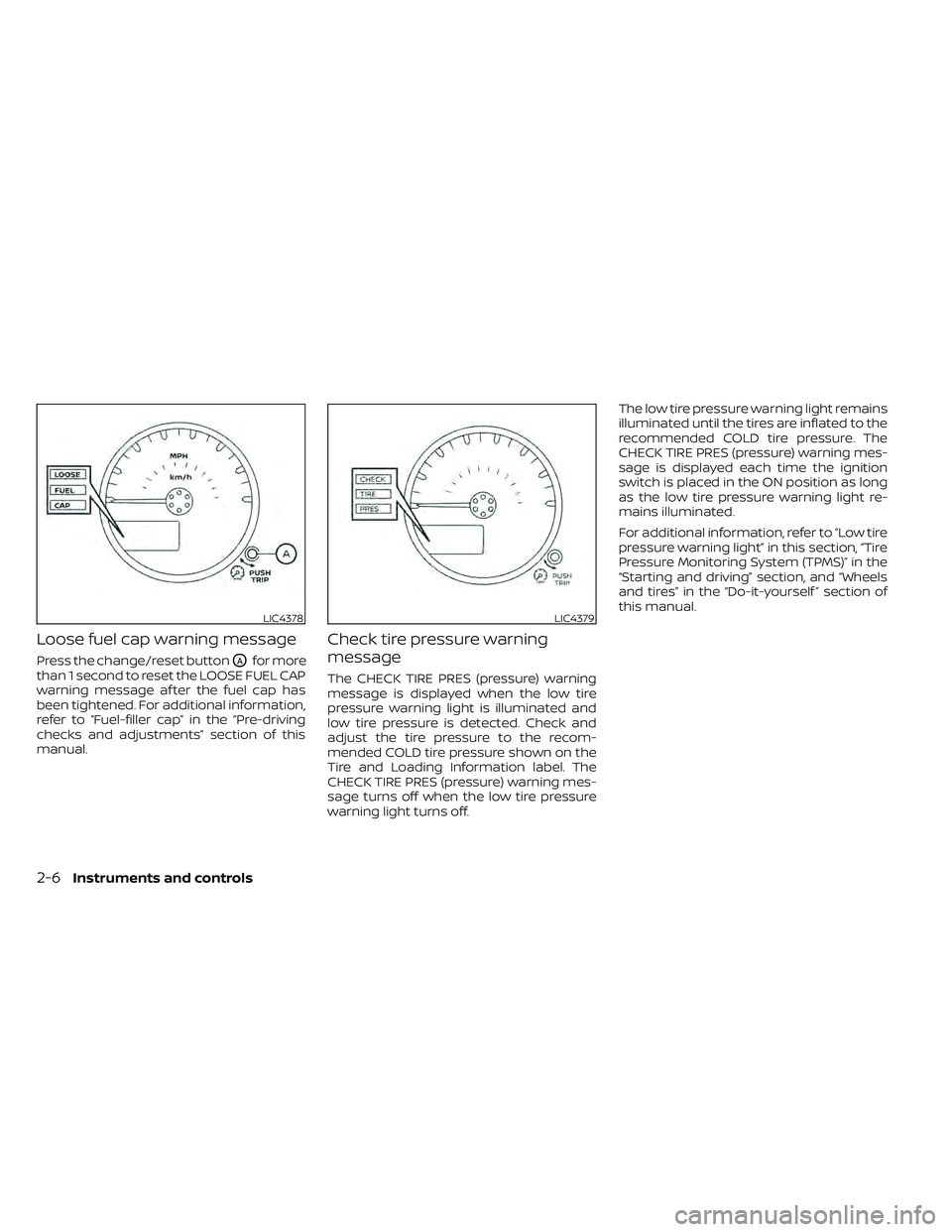
Loose fuel cap warning message
Press the change/reset buttonOAfor more
than 1 second to reset the LOOSE FUEL CAP
warning message af ter the fuel cap has
been tightened. For additional information,
refer to “Fuel-filler cap” in the “Pre-driving
checks and adjustments” section of this
manual.
Check tire pressure warning
message
The CHECK TIRE PRES (pressure) warning
message is displayed when the low tire
pressure warning light is illuminated and
low tire pressure is detected. Check and
adjust the tire pressure to the recom-
mended COLD tire pressure shown on the
Tire and Loading Information label. The
CHECK TIRE PRES (pressure) warning mes-
sage turns off when the low tire pressure
warning light turns off. The low tire pressure warning light remains
illuminated until the tires are inflated to the
recommended COLD tire pressure. The
CHECK TIRE PRES (pressure) warning mes-
sage is displayed each time the ignition
switch is placed in the ON position as long
as the low tire pressure warning light re-
mains illuminated.
For additional information, refer to “Low tire
pressure warning light” in this section, “Tire
Pressure Monitoring System (TPMS)” in the
“Starting and driving” section, and “Wheels
and tires” in the “Do-it-yourself ” section of
this manual.
LIC4378LIC4379
2-6Instruments and controls
Page 118 of 492
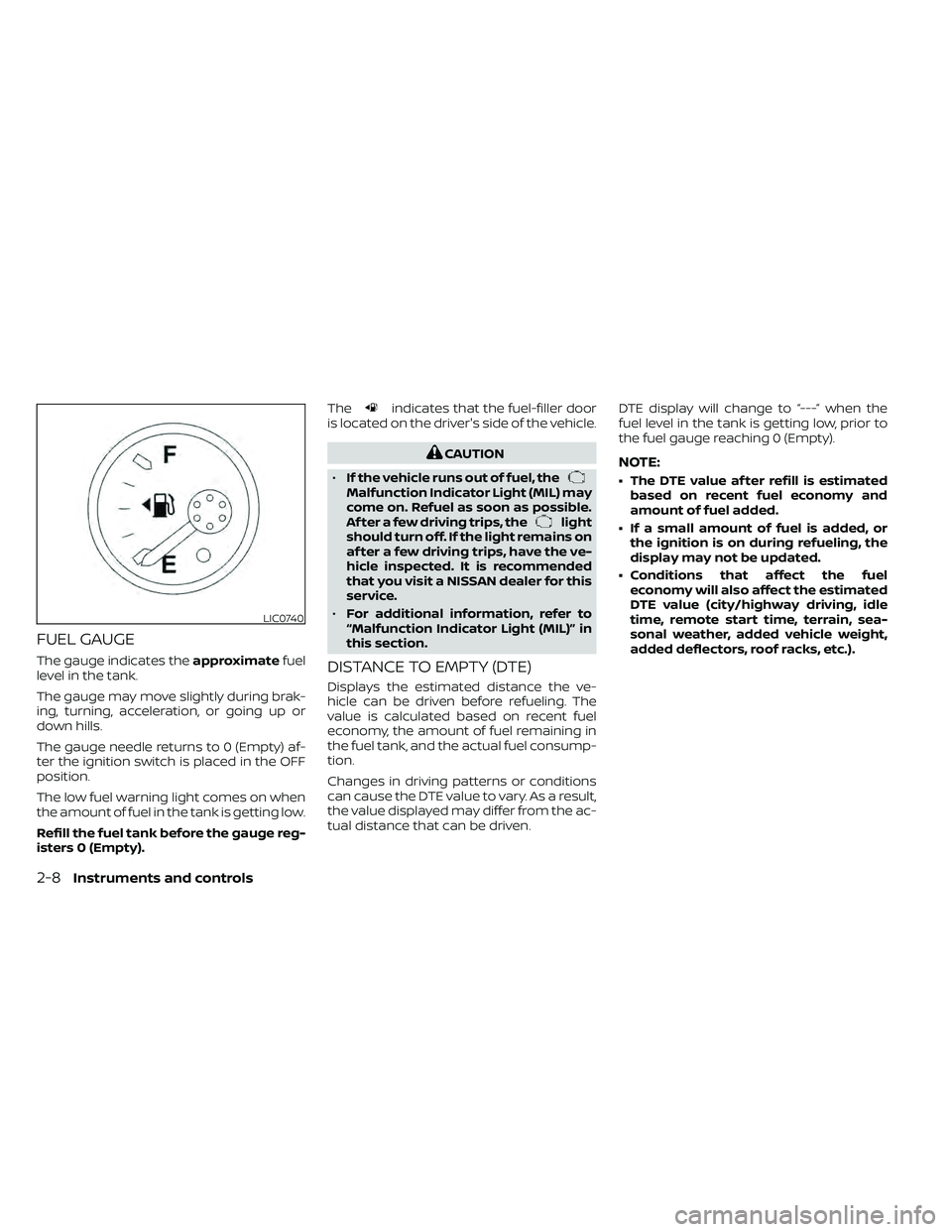
FUEL GAUGE
The gauge indicates theapproximatefuel
level in the tank.
The gauge may move slightly during brak-
ing, turning, acceleration, or going up or
down hills.
The gauge needle returns to 0 (Empty) af-
ter the ignition switch is placed in the OFF
position.
The low fuel warning light comes on when
the amount of fuel in the tank is getting low.
Refill the fuel tank before the gauge reg-
isters 0 (Empty). The
indicates that the fuel-filler door
is located on the driver's side of the vehicle.
CAUTION
• If the vehicle runs out of fuel, the
Malfunction Indicator Light (MIL) may
come on. Refuel as soon as possible.
Af ter a few driving trips, the
light
should turn off. If the light remains on
af ter a few driving trips, have the ve-
hicle inspected. It is recommended
that you visit a NISSAN dealer for this
service.
• For additional information, refer to
“Malfunction Indicator Light (MIL)” in
this section.
DISTANCE TO EMPTY (DTE)
Displays the estimated distance the ve-
hicle can be driven before refueling. The
value is calculated based on recent fuel
economy, the amount of fuel remaining in
the fuel tank, and the actual fuel consump-
tion.
Changes in driving patterns or conditions
can cause the DTE value to vary. As a result,
the value displayed may differ from the ac-
tual distance that can be driven. DTE display will change to “---” when the
fuel level in the tank is getting low, prior to
the fuel gauge reaching 0 (Empty).
NOTE:
• The DTE value af ter refill is estimated
based on recent fuel economy and
amount of fuel added.
• If a small amount of fuel is added, or the ignition is on during refueling, the
display may not be updated.
• Conditions that affect the fuel economy will also affect the estimated
DTE value (city/highway driving, idle
time, remote start time, terrain, sea-
sonal weather, added vehicle weight,
added deflectors, roof racks, etc.).
LIC0740
2-8Instruments and controls
Page 119 of 492
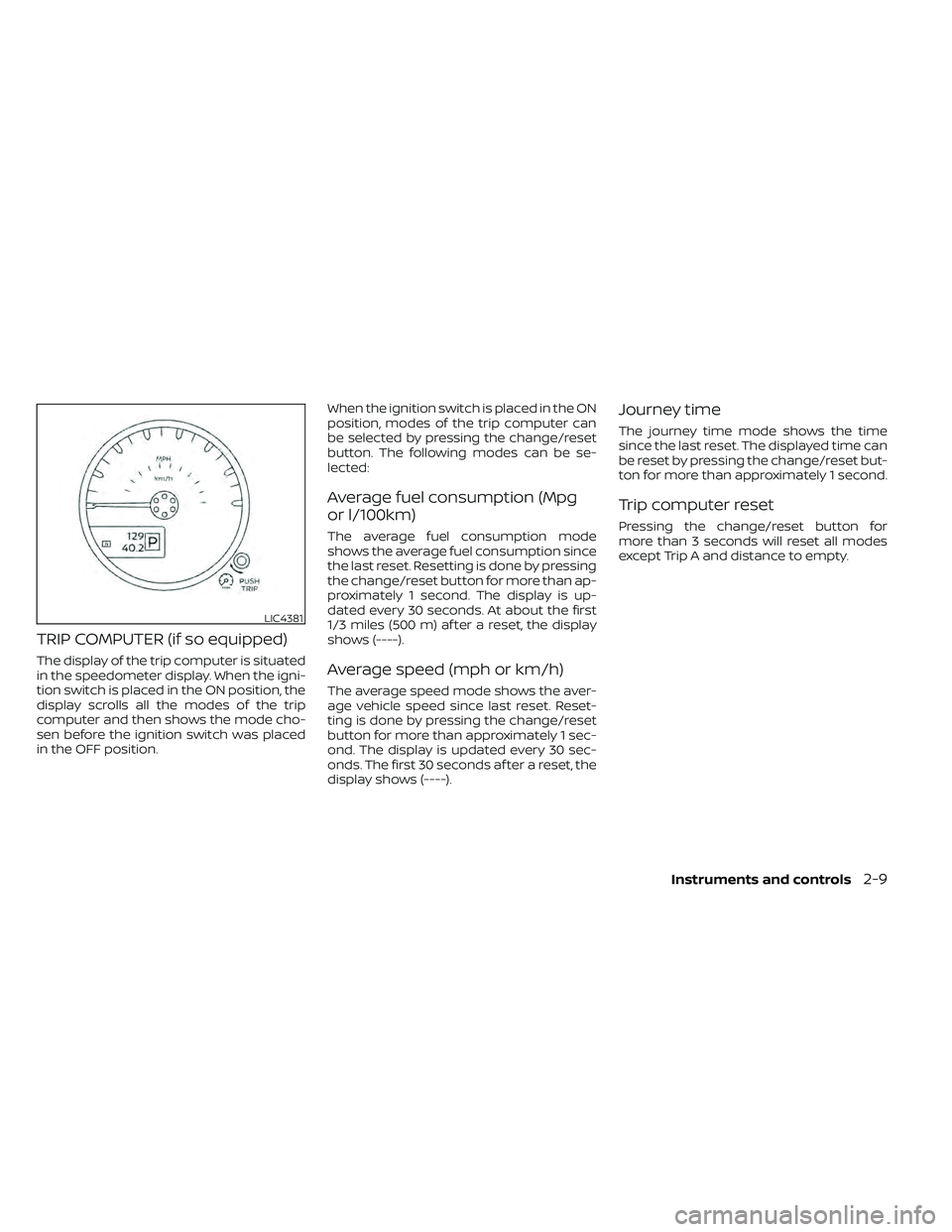
TRIP COMPUTER (if so equipped)
The display of the trip computer is situated
in the speedometer display. When the igni-
tion switch is placed in the ON position, the
display scrolls all the modes of the trip
computer and then shows the mode cho-
sen before the ignition switch was placed
in the OFF position.When the ignition switch is placed in the ON
position, modes of the trip computer can
be selected by pressing the change/reset
button. The following modes can be se-
lected:
Average fuel consumption (Mpg
or l/100km)
The average fuel consumption mode
shows the average fuel consumption since
the last reset. Resetting is done by pressing
the change/reset button for more than ap-
proximately 1 second. The display is up-
dated every 30 seconds. At about the first
1/3 miles (500 m) af ter a reset, the display
shows (----).
Average speed (mph or km/h)
The average speed mode shows the aver-
age vehicle speed since last reset. Reset-
ting is done by pressing the change/reset
button for more than approximately 1 sec-
ond. The display is updated every 30 sec-
onds. The first 30 seconds af ter a reset, the
display shows (----).
Journey time
The journey time mode shows the time
since the last reset. The displayed time can
be reset by pressing the change/reset but-
ton for more than approximately 1 second.
Trip computer reset
Pressing the change/reset button for
more than 3 seconds will reset all modes
except Trip A and distance to empty.
LIC4381
Instruments and controls2-9
Page 120 of 492
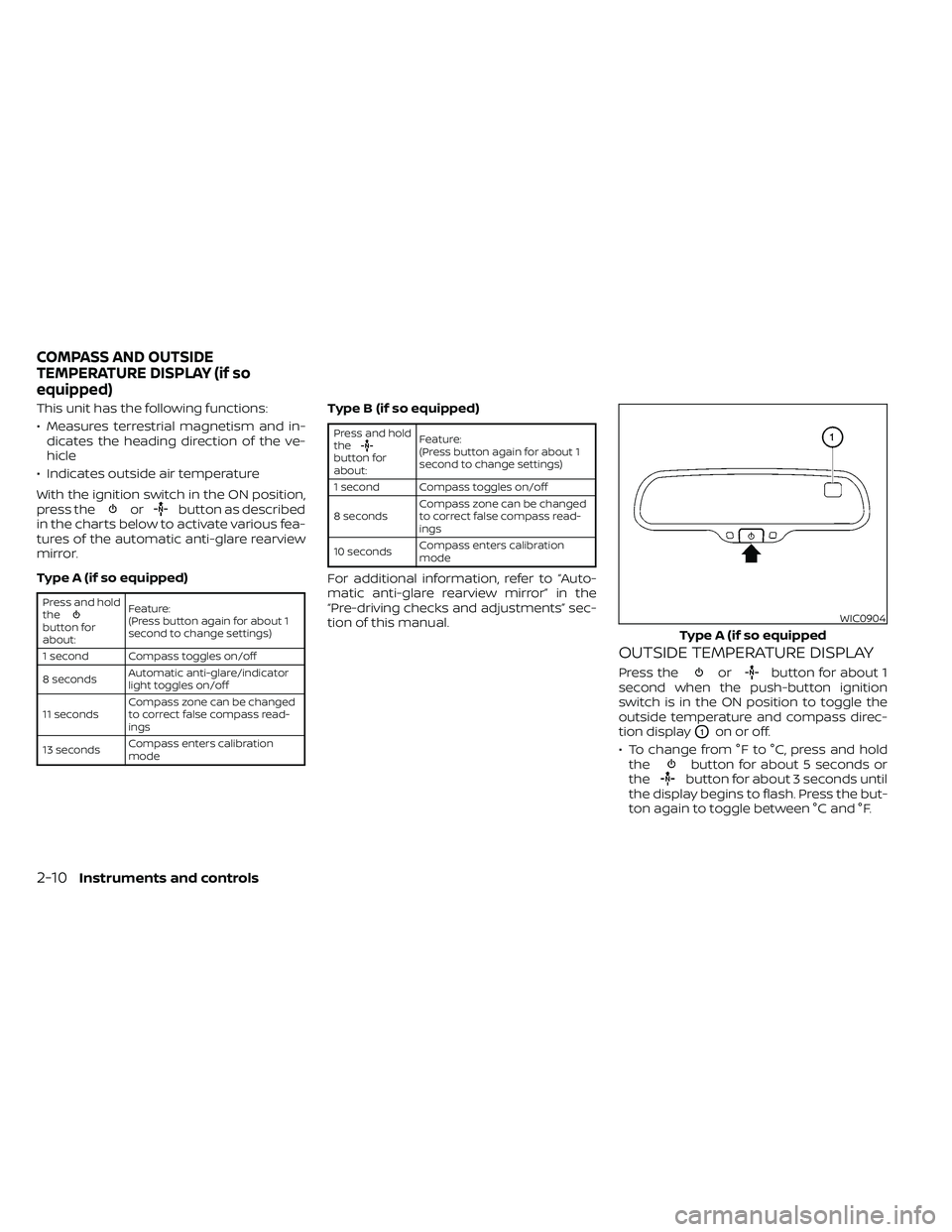
This unit has the following functions:
• Measures terrestrial magnetism and in-dicates the heading direction of the ve-
hicle
• Indicates outside air temperature
With the ignition switch in the ON position,
press the
orbutton as described
in the charts below to activate various fea-
tures of the automatic anti-glare rearview
mirror.
Type A (if so equipped)
Press and hold
the
button for
about: Feature:
(Press button again for about 1
second to change settings)
1 second Compass toggles on/off
8 seconds Automatic anti-glare/indicator
light toggles on/off
11 seconds Compass zone can be changed
to correct false compass read-
ings
13 seconds Compass enters calibration
mode
Type B (if so equipped)
Press and hold
the
button for
about:Feature:
(Press button again for about 1
second to change settings)
1 second Compass toggles on/off
8 seconds Compass zone can be changed
to correct false compass read-
ings
10 seconds Compass enters calibration
mode
For additional information, refer to “Auto-
matic anti-glare rearview mirror” in the
“Pre-driving checks and adjustments” sec-
tion of this manual.
OUTSIDE TEMPERATURE DISPLAY
Press theorbutton for about 1
second when the push-button ignition
switch is in the ON position to toggle the
outside temperature and compass direc-
tion display
O1on or off.
• To change from °F to °C, press and hold the
button for about 5 seconds or
thebutton for about 3 seconds until
the display begins to flash. Press the but-
ton again to toggle between °C and °F.
WIC0904
Type A (if so equipped
COMPASS AND OUTSIDE
TEMPERATURE DISPLAY (if so
equipped)
2-10Instruments and controls
Page 121 of 492
• When the outside temperature is be-tween 140°F (60°C) and 194°F (90°C), the
display will read 140°F (60°C). When the
temperature is above 194°F (90°C), the
display will read “SC.”
• When the outside temperature is be- tween than -40°F (-40°C) and -60°F (-51°C),
the display will read -40°F (-40°C). When
the temperature is below -60°F (-51°C),
the display will read “OC.” • The outside temperature sensor is lo-
cated in front of the radiator. The sensor
may be affected by road or engine heat,
wind direction and other driving condi-
tions. The display may differ from the ac-
tual outside temperature or the tem-
perature displayed on various signs or
billboards.
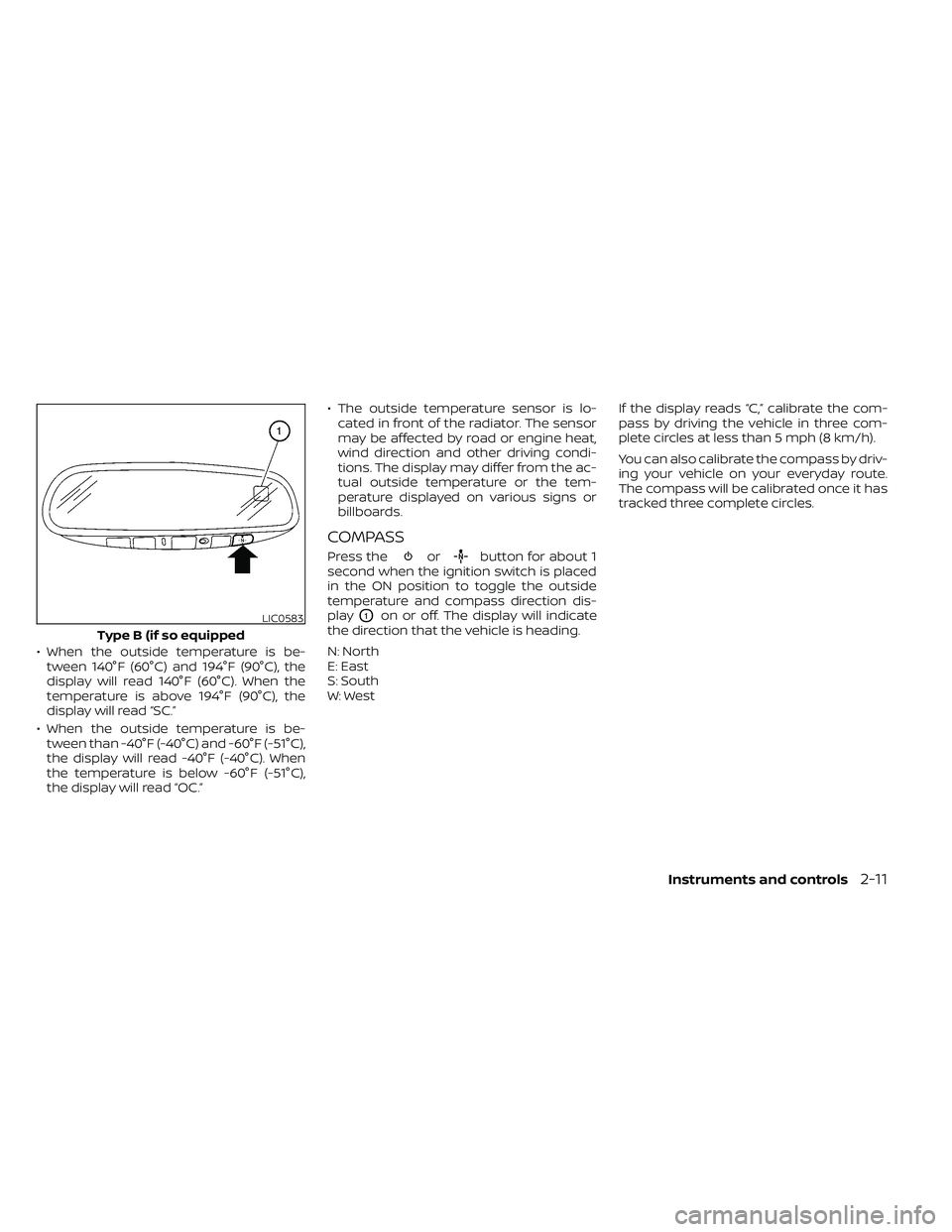
COMPASS
Press theorbutton for about 1
second when the ignition switch is placed
in the ON position to toggle the outside
temperature and compass direction dis-
play
O1on or off. The display will indicate
the direction that the vehicle is heading.
N: North
E: East
S: South
W: West If the display reads “C,” calibrate the com-
pass by driving the vehicle in three com-
plete circles at less than 5 mph (8 km/h).
You can also calibrate the compass by driv-
ing your vehicle on your everyday route.
The compass will be calibrated once it has
tracked three complete circles.LIC0583
Type B (if so equipped
Instruments and controls2-11
Page 125 of 492
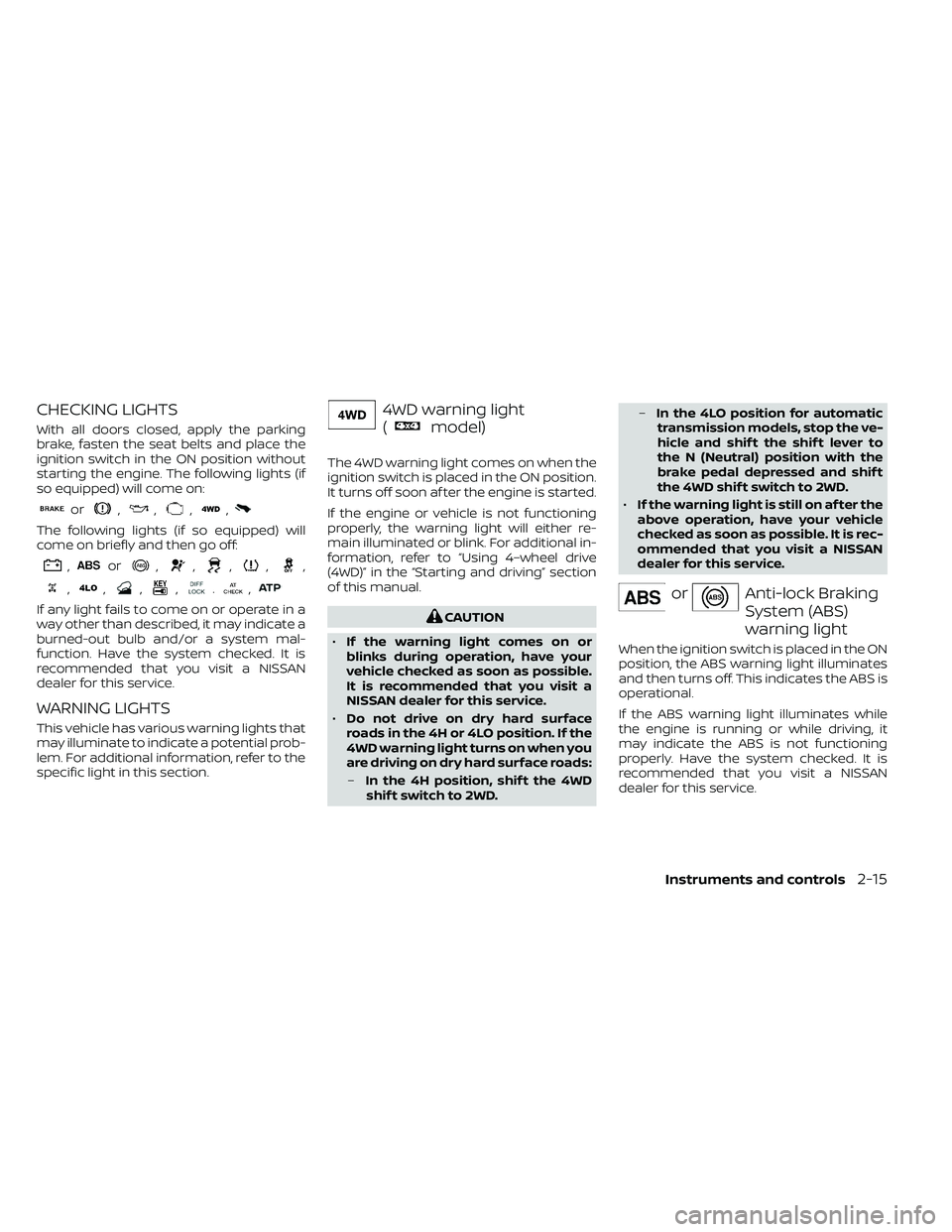
CHECKING LIGHTS
With all doors closed, apply the parking
brake, fasten the seat belts and place the
ignition switch in the ON position without
starting the engine. The following lights (if
so equipped) will come on:
or,,,,
The following lights (if so equipped) will
come on briefly and then go off:
,or,,,,,
,,,,.,
If any light fails to come on or operate in a
way other than described, it may indicate a
burned-out bulb and/or a system mal-
function. Have the system checked. It is
recommended that you visit a NISSAN
dealer for this service.
WARNING LIGHTS
This vehicle has various warning lights that
may illuminate to indicate a potential prob-
lem. For additional information, refer to the
specific light in this section.
4WD warning light
(
model)
The 4WD warning light comes on when the
ignition switch is placed in the ON position.
It turns off soon af ter the engine is started.
If the engine or vehicle is not functioning
properly, the warning light will either re-
main illuminated or blink. For additional in-
formation, refer to “Using 4–wheel drive
(4WD)” in the “Starting and driving” section
of this manual.
CAUTION
• If the warning light comes on or
blinks during operation, have your
vehicle checked as soon as possible.
It is recommended that you visit a
NISSAN dealer for this service.
• Do not drive on dry hard surface
roads in the 4H or 4LO position. If the
4WD warning light turns on when you
are driving on dry hard surface roads:
– In the 4H position, shif t the 4WD
shif t switch to 2WD. –
In the 4LO position for automatic
transmission models, stop the ve-
hicle and shif t the shif t lever to
the N (Neutral) position with the
brake pedal depressed and shif t
the 4WD shif t switch to 2WD.
• If the warning light is still on af ter the
above operation, have your vehicle
checked as soon as possible. It is rec-
ommended that you visit a NISSAN
dealer for this service.
orAnti-lock Braking
System (ABS)
warning light
When the ignition switch is placed in the ON
position, the ABS warning light illuminates
and then turns off. This indicates the ABS is
operational.
If the ABS warning light illuminates while
the engine is running or while driving, it
may indicate the ABS is not functioning
properly. Have the system checked. It is
recommended that you visit a NISSAN
dealer for this service.
Instruments and controls2-15
Page 126 of 492
If an ABS malfunction occurs, the anti-lock
function is turned off. The brake system
then operates normally but without anti-
lock assistance. For additional information,
refer to “Brake system” in the “Starting and
driving” section of this manual.
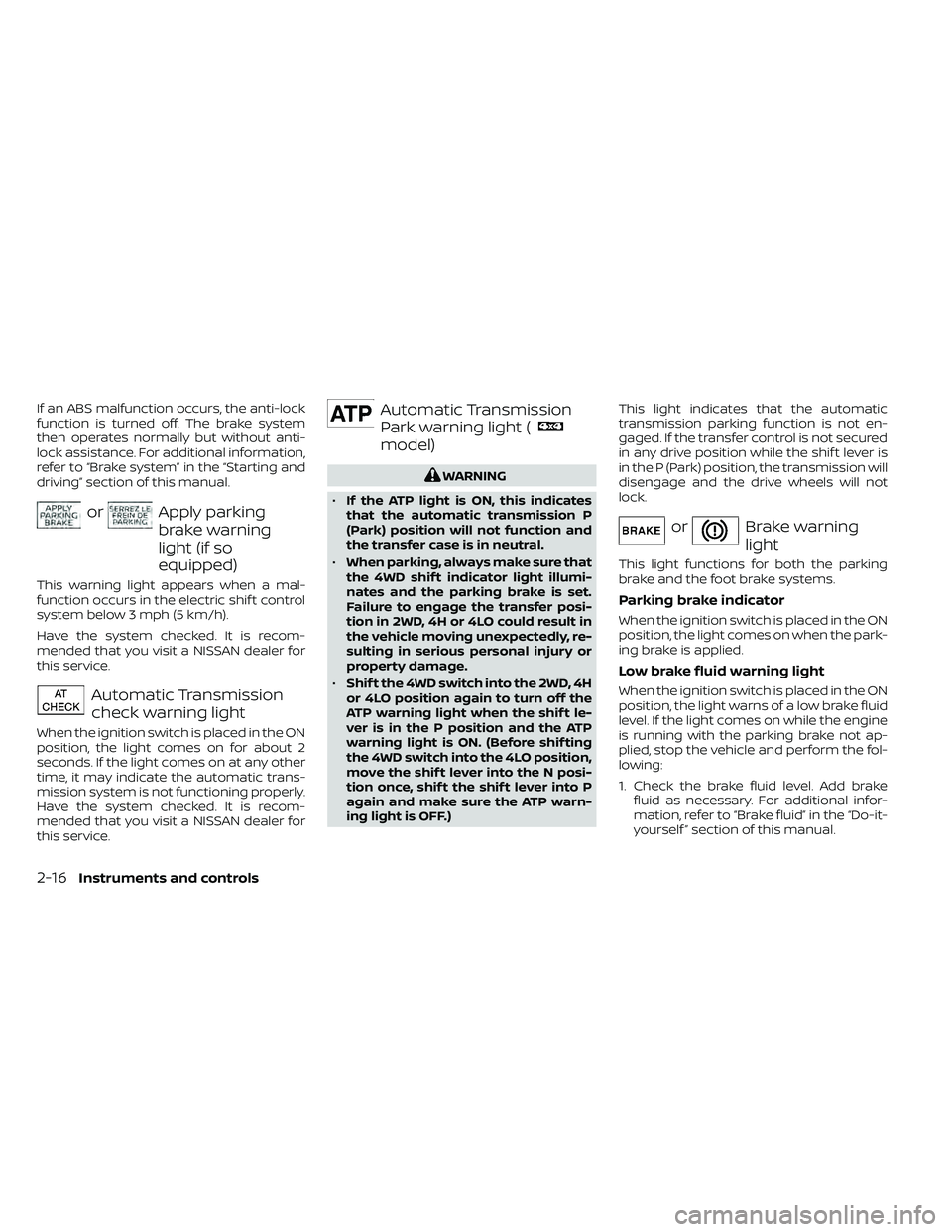
orApply parking
brake warning
light (if so
equipped)
This warning light appears when a mal-
function occurs in the electric shif t control
system below 3 mph (5 km/h).
Have the system checked. It is recom-
mended that you visit a NISSAN dealer for
this service.
Automatic Transmission
check warning light
When the ignition switch is placed in the ON
position, the light comes on for about 2
seconds. If the light comes on at any other
time, it may indicate the automatic trans-
mission system is not functioning properly.
Have the system checked. It is recom-
mended that you visit a NISSAN dealer for
this service.
Automatic Transmission
Park warning light (
model)
WARNING
• If the ATP light is ON, this indicates
that the automatic transmission P
(Park) position will not function and
the transfer case is in neutral.
• When parking, always make sure that
the 4WD shif t indicator light illumi-
nates and the parking brake is set.
Failure to engage the transfer posi-
tion in 2WD, 4H or 4LO could result in
the vehicle moving unexpectedly, re-
sulting in serious personal injury or
property damage.
• Shif t the 4WD switch into the 2WD, 4H
or 4LO position again to turn off the
ATP warning light when the shif t le-
ver is in the P position and the ATP
warning light is ON. (Before shif ting
the 4WD switch into the 4LO position,
move the shif t lever into the N posi-
tion once, shif t the shif t lever into P
again and make sure the ATP warn-
ing light is OFF.) This light indicates that the automatic
transmission parking function is not en-
gaged. If the transfer control is not secured
in any drive position while the shif t lever is
in the P (Park) position, the transmission will
disengage and the drive wheels will not
lock.
orBrake warning
light
This light functions for both the parking
brake and the foot brake systems.
Parking brake indicator
When the ignition switch is placed in the ON
position, the light comes on when the park-
ing brake is applied.
Low brake fluid warning light
When the ignition switch is placed in the ON
position, the light warns of a low brake fluid
level. If the light comes on while the engine
is running with the parking brake not ap-
plied, stop the vehicle and perform the fol-
lowing:
1. Check the brake fluid level. Add brake
fluid as necessary. For additional infor-
mation, refer to “Brake fluid” in the “Do-it-
yourself ” section of this manual.
2-16Instruments and controls