roof NISSAN FRONTIER 2020 Owner´s Manual
[x] Cancel search | Manufacturer: NISSAN, Model Year: 2020, Model line: FRONTIER, Model: NISSAN FRONTIER 2020Pages: 492, PDF Size: 3.05 MB
Page 118 of 492
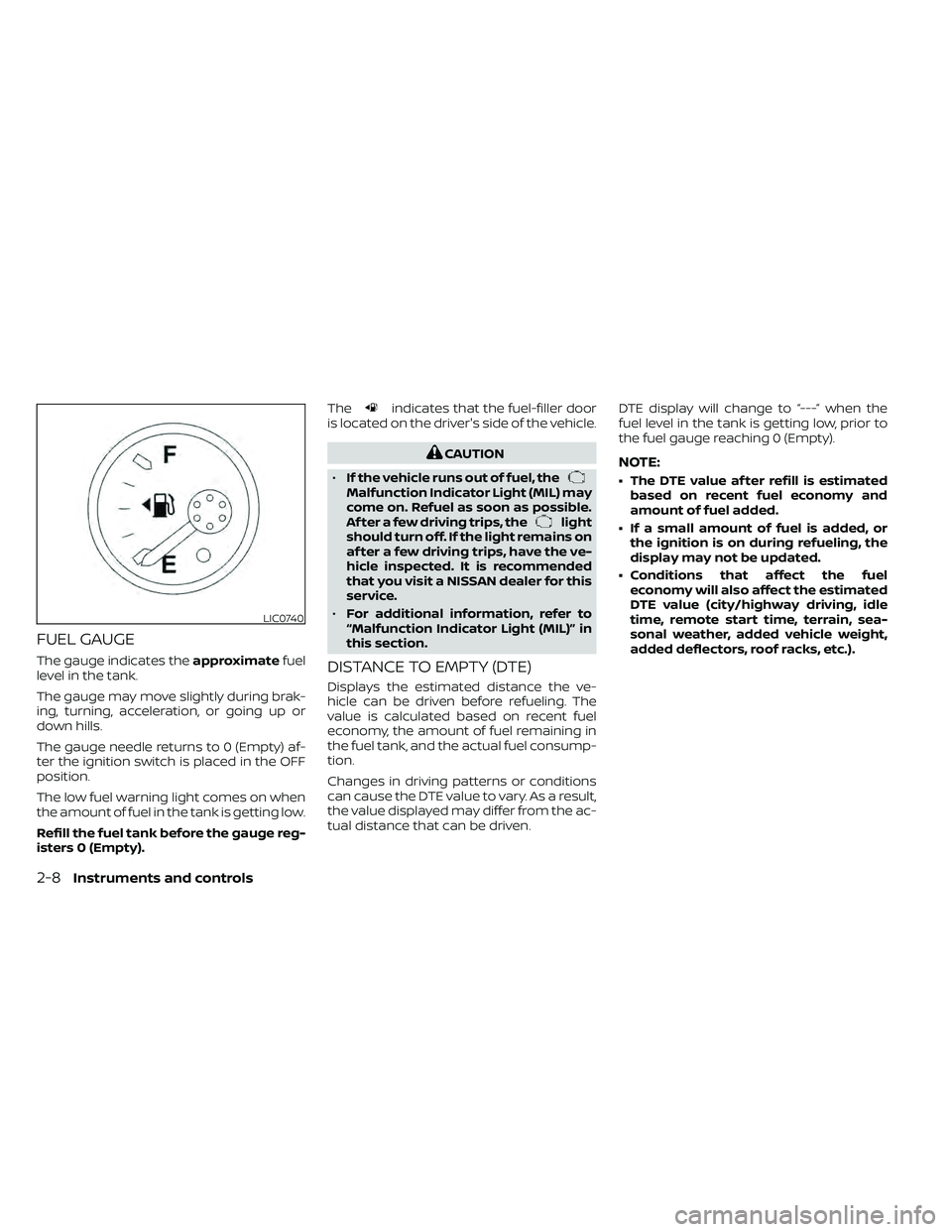
FUEL GAUGE
The gauge indicates theapproximatefuel
level in the tank.
The gauge may move slightly during brak-
ing, turning, acceleration, or going up or
down hills.
The gauge needle returns to 0 (Empty) af-
ter the ignition switch is placed in the OFF
position.
The low fuel warning light comes on when
the amount of fuel in the tank is getting low.
Refill the fuel tank before the gauge reg-
isters 0 (Empty). The
indicates that the fuel-filler door
is located on the driver's side of the vehicle.
CAUTION
• If the vehicle runs out of fuel, the
Malfunction Indicator Light (MIL) may
come on. Refuel as soon as possible.
Af ter a few driving trips, the
light
should turn off. If the light remains on
af ter a few driving trips, have the ve-
hicle inspected. It is recommended
that you visit a NISSAN dealer for this
service.
• For additional information, refer to
“Malfunction Indicator Light (MIL)” in
this section.
DISTANCE TO EMPTY (DTE)
Displays the estimated distance the ve-
hicle can be driven before refueling. The
value is calculated based on recent fuel
economy, the amount of fuel remaining in
the fuel tank, and the actual fuel consump-
tion.
Changes in driving patterns or conditions
can cause the DTE value to vary. As a result,
the value displayed may differ from the ac-
tual distance that can be driven. DTE display will change to “---” when the
fuel level in the tank is getting low, prior to
the fuel gauge reaching 0 (Empty).
NOTE:
• The DTE value af ter refill is estimated
based on recent fuel economy and
amount of fuel added.
• If a small amount of fuel is added, or the ignition is on during refueling, the
display may not be updated.
• Conditions that affect the fuel economy will also affect the estimated
DTE value (city/highway driving, idle
time, remote start time, terrain, sea-
sonal weather, added vehicle weight,
added deflectors, roof racks, etc.).
LIC0740
2-8Instruments and controls
Page 158 of 492
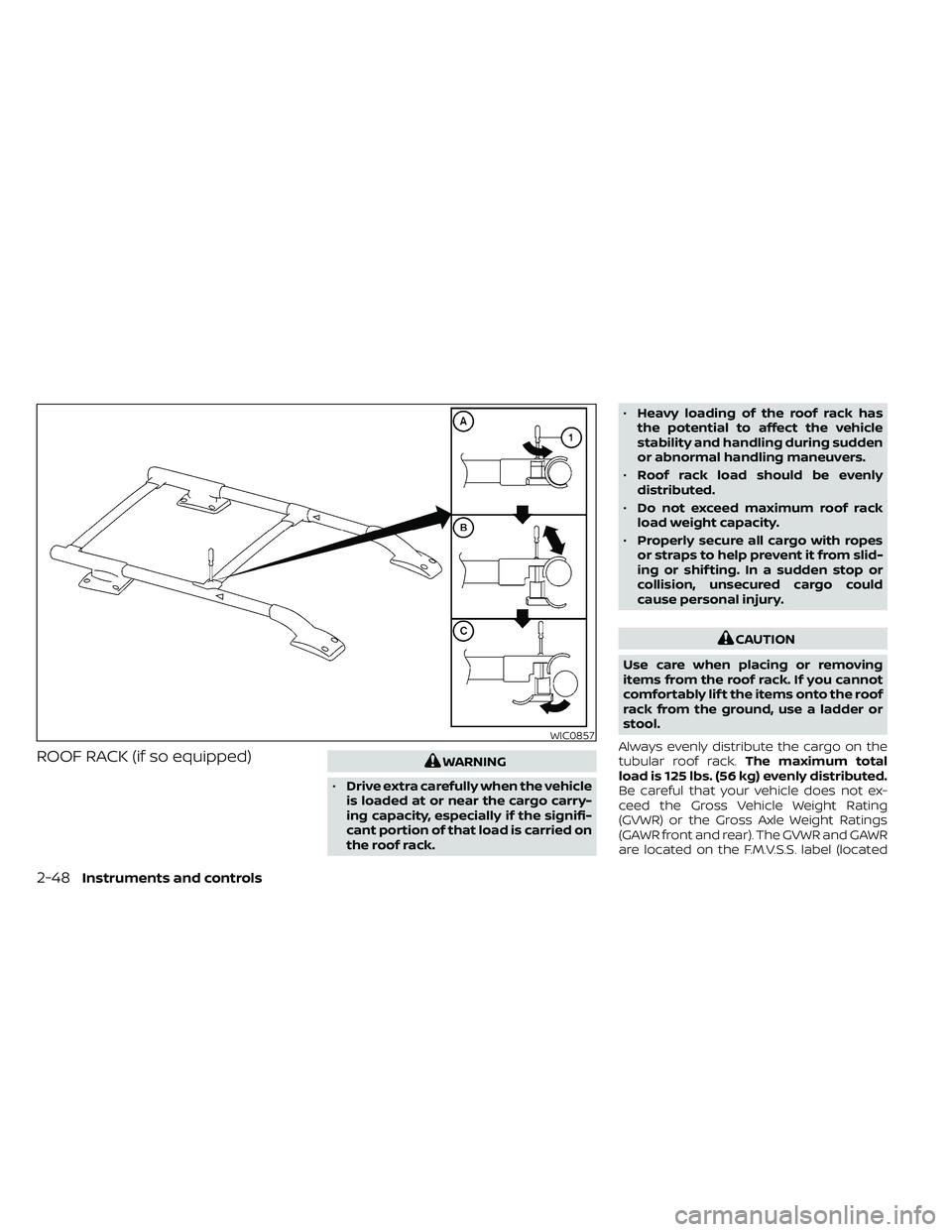
ROOF RACK (if so equipped)WARNING
• Drive extra carefully when the vehicle
is loaded at or near the cargo carry-
ing capacity, especially if the signifi-
cant portion of that load is carried on
the roof rack. •
Heavy loading of the roof rack has
the potential to affect the vehicle
stability and handling during sudden
or abnormal handling maneuvers.
• Roof rack load should be evenly
distributed.
• Do not exceed maximum roof rack
load weight capacity.
• Properly secure all cargo with ropes
or straps to help prevent it from slid-
ing or shif ting. In a sudden stop or
collision, unsecured cargo could
cause personal injury.
CAUTION
Use care when placing or removing
items from the roof rack. If you cannot
comfortably lif t the items onto the roof
rack from the ground, use a ladder or
stool.
Always evenly distribute the cargo on the
tubular roof rack. The maximum total
load is 125 lbs. (56 kg) evenly distributed.
Be careful that your vehicle does not ex-
ceed the Gross Vehicle Weight Rating
(GVWR) or the Gross Axle Weight Ratings
(GAWR front and rear). The GVWR and GAWR
are located on the F.M.V.S.S. label (located
WIC0857
2-48Instruments and controls
Page 159 of 492
on the driver's side door jamb pillar). For
additional information, refer to “Vehicle
loading information” in the “Technical and
consumer information” section of this
manual.
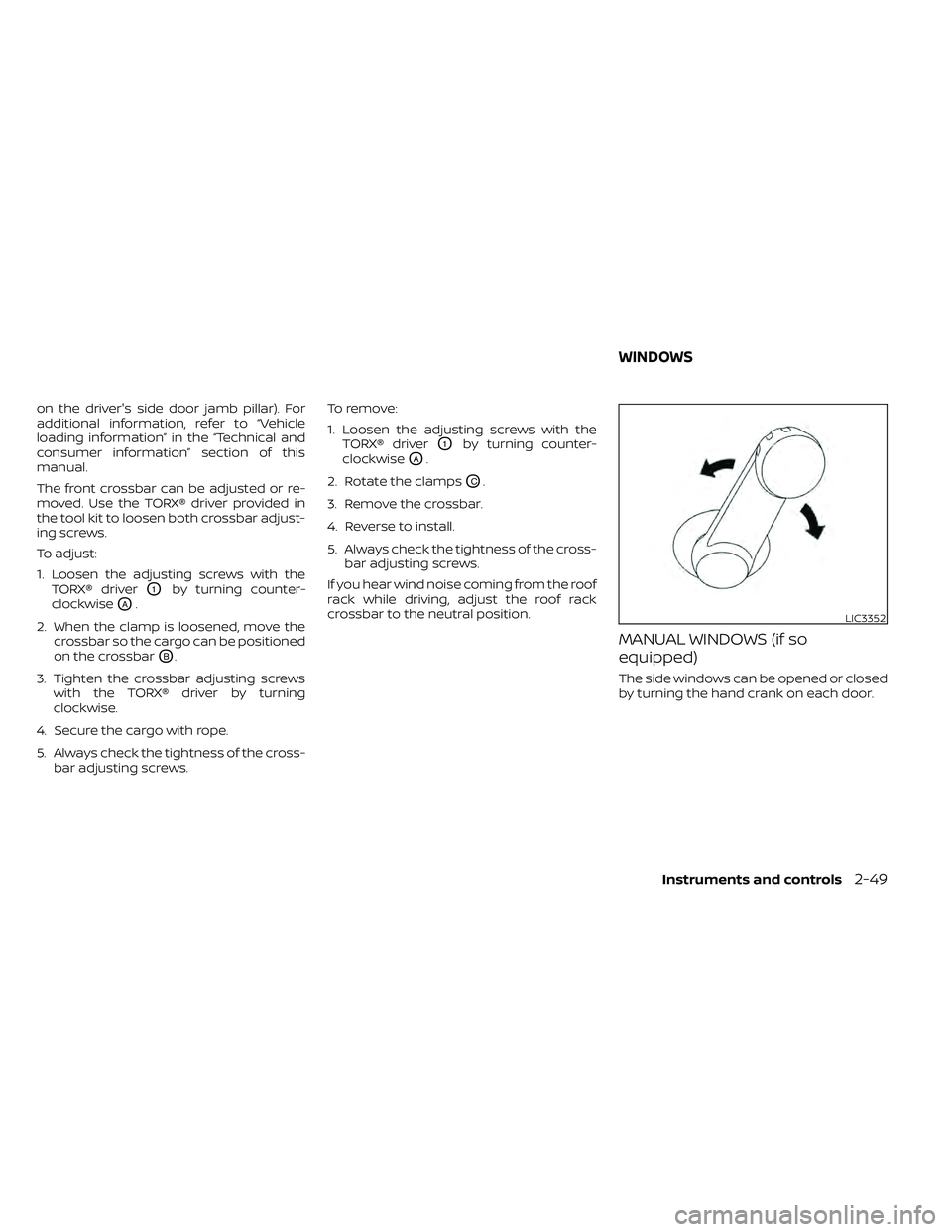
The front crossbar can be adjusted or re-
moved. Use the TORX® driver provided in
the tool kit to loosen both crossbar adjust-
ing screws.
To adjust:
1. Loosen the adjusting screws with theTORX® driver
O1by turning counter-
clockwise
OA.
2. When the clamp is loosened, move the crossbar so the cargo can be positioned
on the crossbar
OB.
3. Tighten the crossbar adjusting screws with the TORX® driver by turning
clockwise.
4. Secure the cargo with rope.
5. Always check the tightness of the cross- bar adjusting screws. To remove:
1. Loosen the adjusting screws with the
TORX® driver
O1by turning counter-
clockwise
OA.
2. Rotate the clamps
OC.
3. Remove the crossbar.
4. Reverse to install.
5. Always check the tightness of the cross- bar adjusting screws.
If you hear wind noise coming from the roof
rack while driving, adjust the roof rack
crossbar to the neutral position.
MANUAL WINDOWS (if so
equipped)
The side windows can be opened or closed
by turning the hand crank on each door.
LIC3352
WINDOWS
Instruments and controls2-49
Page 162 of 492
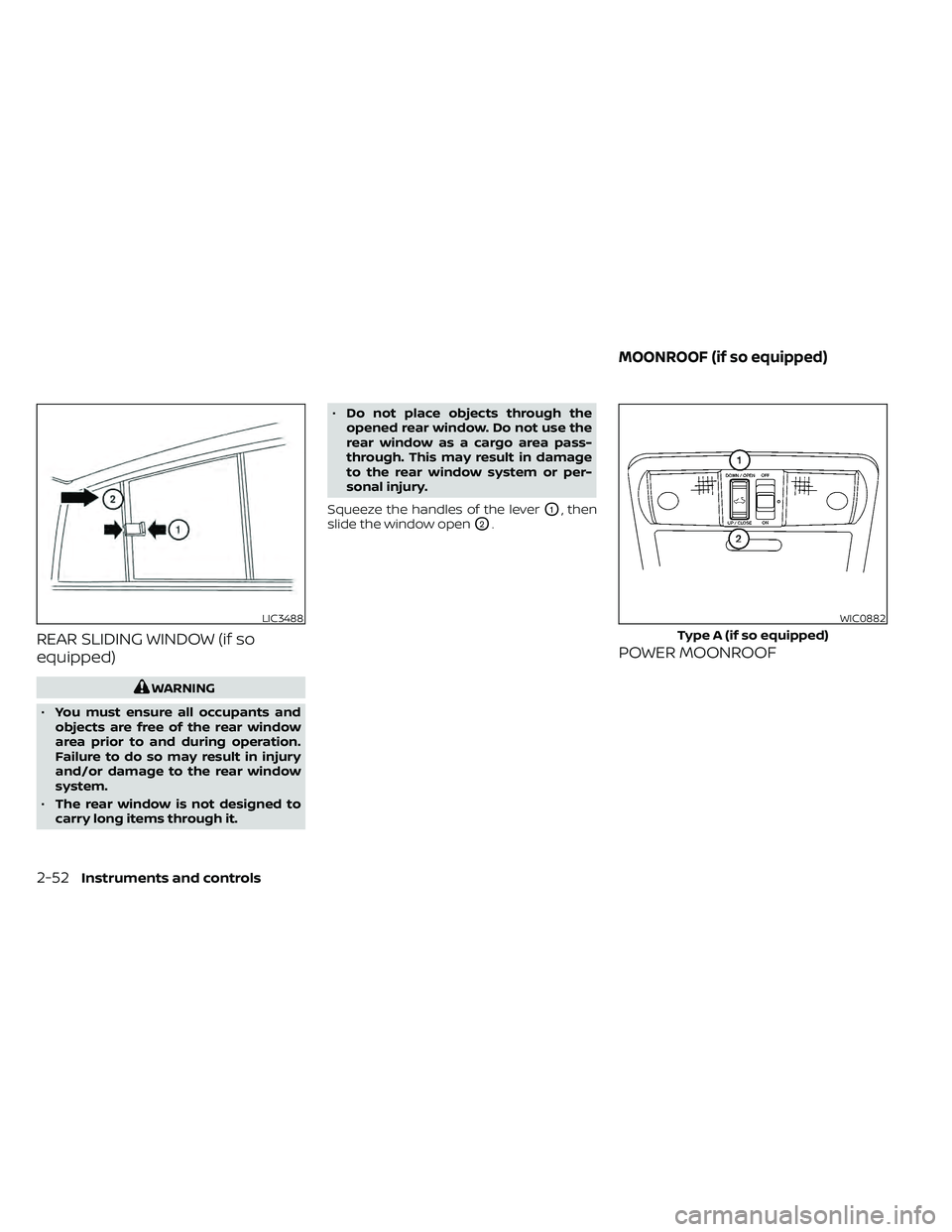
REAR SLIDING WINDOW (if so
equipped)
WARNING
• You must ensure all occupants and
objects are free of the rear window
area prior to and during operation.
Failure to do so may result in injury
and/or damage to the rear window
system.
• The rear window is not designed to
carry long items through it. •
Do not place objects through the
opened rear window. Do not use the
rear window as a cargo area pass-
through. This may result in damage
to the rear window system or per-
sonal injury.
Squeeze the handles of the lever
O1, then
slide the window open
O2.
POWER MOONROOF
LIC3488WIC0882
Type A (if so equipped)
MOONROOF (if so equipped)
2-52Instruments and controls
Page 163 of 492
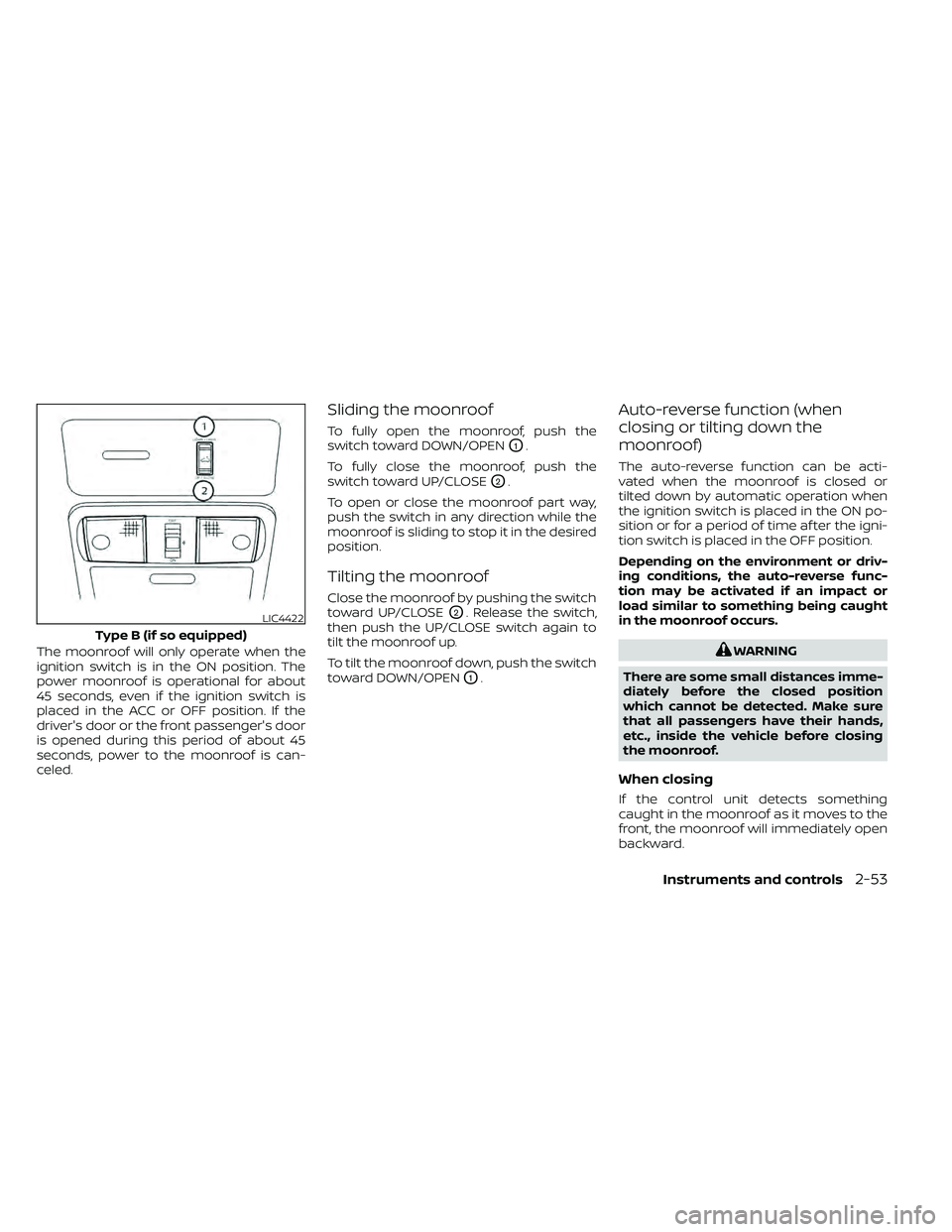
The moonroof will only operate when the
ignition switch is in the ON position. The
power moonroof is operational for about
45 seconds, even if the ignition switch is
placed in the ACC or OFF position. If the
driver's door or the front passenger's door
is opened during this period of about 45
seconds, power to the moonroof is can-
celed.
Sliding the moonroof
To fully open the moonroof, push the
switch toward DOWN/OPEN
O1.
To fully close the moonroof, push the
switch toward UP/CLOSE
O2.
To open or close the moonroof part way,
push the switch in any direction while the
moonroof is sliding to stop it in the desired
position.
Tilting the moonroof
Close the moonroof by pushing the switch
toward UP/CLOSE
O2. Release the switch,
then push the UP/CLOSE switch again to
tilt the moonroof up.
To tilt the moonroof down, push the switch
toward DOWN/OPEN
O1.
Auto-reverse function (when
closing or tilting down the
moonroof)
The auto-reverse function can be acti-
vated when the moonroof is closed or
tilted down by automatic operation when
the ignition switch is placed in the ON po-
sition or for a period of time af ter the igni-
tion switch is placed in the OFF position.
Depending on the environment or driv-
ing conditions, the auto-reverse func-
tion may be activated if an impact or
load similar to something being caught
in the moonroof occurs.
WARNING
There are some small distances imme-
diately before the closed position
which cannot be detected. Make sure
that all passengers have their hands,
etc., inside the vehicle before closing
the moonroof.
When closing
If the control unit detects something
caught in the moonroof as it moves to the
front, the moonroof will immediately open
backward.
LIC4422
Type B (if so equipped)
Instruments and controls2-53
Page 164 of 492
When tilting down
If the control unit detects something
caught in the moonroof as it tilts down, the
moonroof will immediately tilt up.
If the auto-reverse function malfunctions
and repeats opening or tilting up the
moonroof, keep pushing the tilt down
switch within 5 seconds af ter it happens;
the moonroof will fully close gradually.
Make sure nothing is caught in the moon-
roof.
WARNING
• In an accident you could be thrown
from the vehicle through an open
moonroof. Always use seat belts and
child restraints.
• Do not allow anyone to stand up or
extend any portion of their body out
of the moonroof opening while the
vehicle is in motion or while the
moonroof is closing.
CAUTION
• Remove water drops, snow, ice or
sand from the moonroof before
opening.
• Do not place heavy objects on the
moonroof or surrounding area.
If the moonroof does not close
Have your moonroof checked and re-
paired. It is recommended that you visit a
NISSAN dealer for this service.
Sunshade
Open and close the sunshade by sliding it
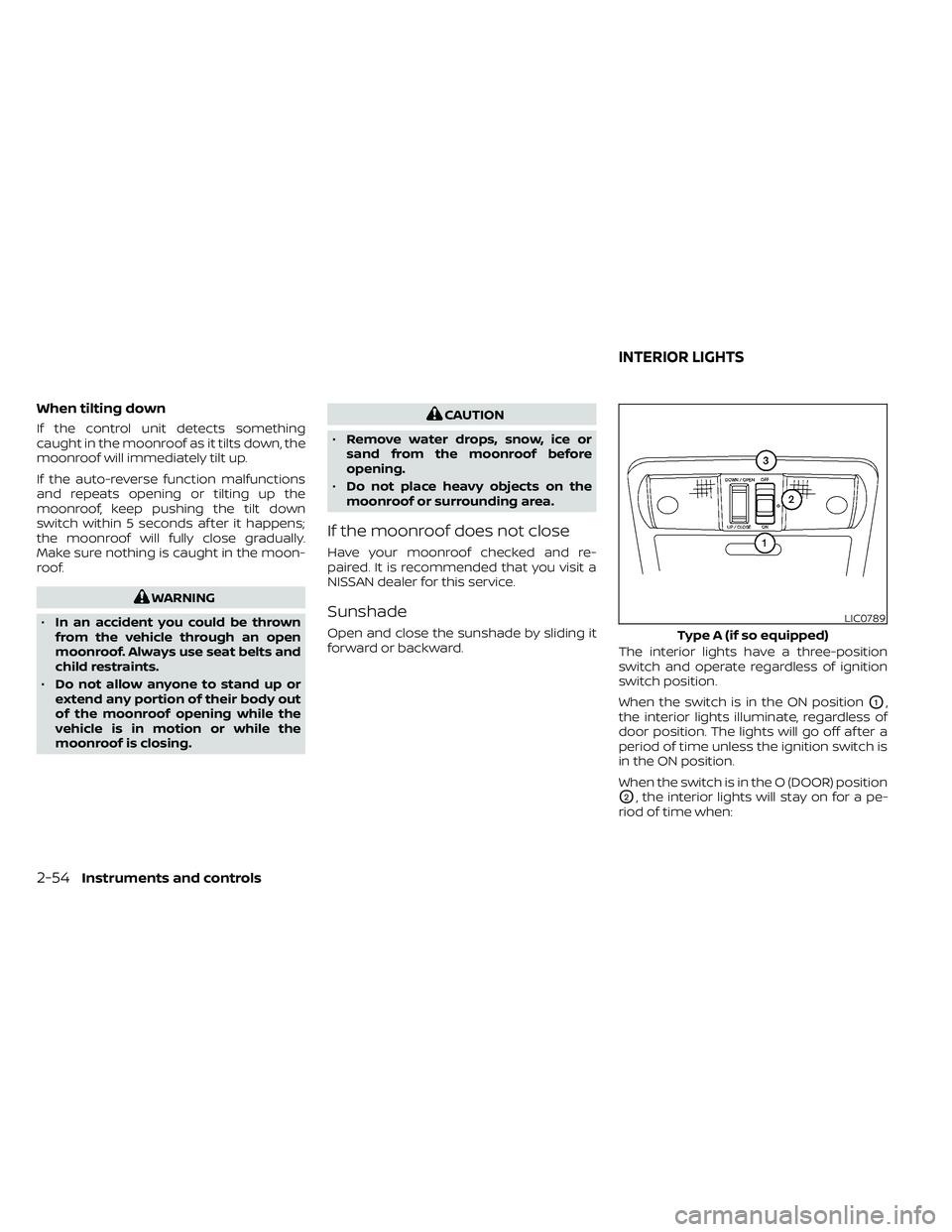
forward or backward. The interior lights have a three-position
switch and operate regardless of ignition
switch position.
When the switch is in the ON position
O1,
the interior lights illuminate, regardless of
door position. The lights will go off af ter a
period of time unless the ignition switch is
in the ON position.
When the switch is in the O (DOOR) position
O2, the interior lights will stay on for a pe-
riod of time when:
LIC0789
Type A (if so equipped)
INTERIOR LIGHTS
2-54Instruments and controls
Page 223 of 492
• For quick cooling when the outside tem-perature is high, press thebutton to
the ON position. Be sure to return the
to the OFF position for normal cool-
ing. The indicator light on thebutton
will go off. You may also select MAX A/C
for quick cooling.
Dehumidified heating
This mode is used to heat and dehumidif y
the air.
1. Press the
air flow control button.
2. Turn the
fan speed control dial to
the desired position.
3. Press the
button on.
4. Turn the temperature control dial to the desired position.
Dehumidified defogging
This mode is used to defog the windows
and dehumidif y the air.
1. Press the
air flow control button.
2. Turn the
fan speed control dial to
the desired position. • When the
orare selected, the
air conditioner automatically turns on if
the outside temperature is more than 36°
F (2° C). This dehumidifies the air which
helps defog the windshield. The
mode automatically turns off, allowing
outside air to be drawn into the passen-
ger compartment to further improve the
defogging performance.
• The air conditioner is always on in the
mode, regardless of whether the in-
dicator light is on or off.
3. Turn the temperature control dial to the desired position.
Operating tips
• Keep the windows and moonroof (if soequipped) closed while the air condi-
tioner is in operation.
• Af ter parking in the sun, drive for two or three minutes with the windows open to
vent hot air from the passenger com-
partment. Then, close the windows. This
allows the air conditioner to cool the inte-
rior more quickly. •
The air conditioning system should be
operated for approximately 10 minutes
at least once a month. This helps pre-
vent damage to the system due to lack
of lubrication.
• A visible mist may be seen coming from the ventilators in hot, humid conditions
as the air is cooled rapidly. This does not
indicate a malfunction.
• If the engine coolant temperature
gauge indicates engine coolant tem-
perature over the normal range, turn
the air conditioner off. For additional
information, refer to “If your vehicle
overheats” in the “In case of emer-
gency ” section of this manual.AIR FLOW CHARTS
The following charts show the button and
dial positions for MAXIMUM AND QUICK
heating, cooling or defrosting. The air re-
circulation (
) button should always
be in the OFF position for heating and
defrosting.
Monitor, climate, audio, phone and voice recognition systems4-27
Page 233 of 492
Static and flutter: During signal interfer-
ence from buildings, large hills or due to
antenna position (usually in conjunction
with increased distance from the station
transmitter), static or flutter can be heard.
This can be reduced by adjusting the treble
control to reduce treble response.
Multipath reception: Because of the reflec-
tive characteristics of FM signals, direct and
reflected signals reach the receiver at the
same time. The signals may cancel each
other, resulting in momentary flutter or loss
of sound.
AM RADIO RECEPTION
AM signals, because of their low frequency,
can bend around objects and skip along
the ground. In addition, the signals can be
bounced off the ionosphere and bent back
to earth. Because of these characteristics,
AM signals are also subject to interference
as they travel from transmitter to receiver.
Fading: Occurs while the vehicle is passing
through freeway underpasses or in areas
with many tall buildings. It can also occur for
several seconds during ionospheric turbu-
lence even in areas where no obstacles exist.
Static: Caused by thunderstorms, electrical
power lines, electric signs and even traffic
lights.
SATELLITE RADIO RECEPTION (if so
equipped)
When the satellite radio is used for the first
time or the battery has been replaced, the
satellite radio may not work properly. This
is not a malfunction. Wait more than 10
minutes with satellite radio ON and the ve-
hicle outside of any metal or large building
for satellite radio to receive all of the neces-
sary data.
No satellite radio reception is available and
“NO SAT” is displayed when the SAT band
option is selected unless optional satellite
receiver and antenna are installed and a
SiriusXM® Satellite Radio service subscrip-
tion is active. Satellite radio is not available
in Alaska, Hawaii and Guam.
Satellite radio performance may be af-
fected if cargo carried on the roof blocks
the satellite radio signal.
If possible, do not put cargo over the satel-
lite antenna.
A build up of ice on the satellite radio an-
tenna can affect satellite radio perfor-
mance. Remove the ice to restore satellite
radio reception.
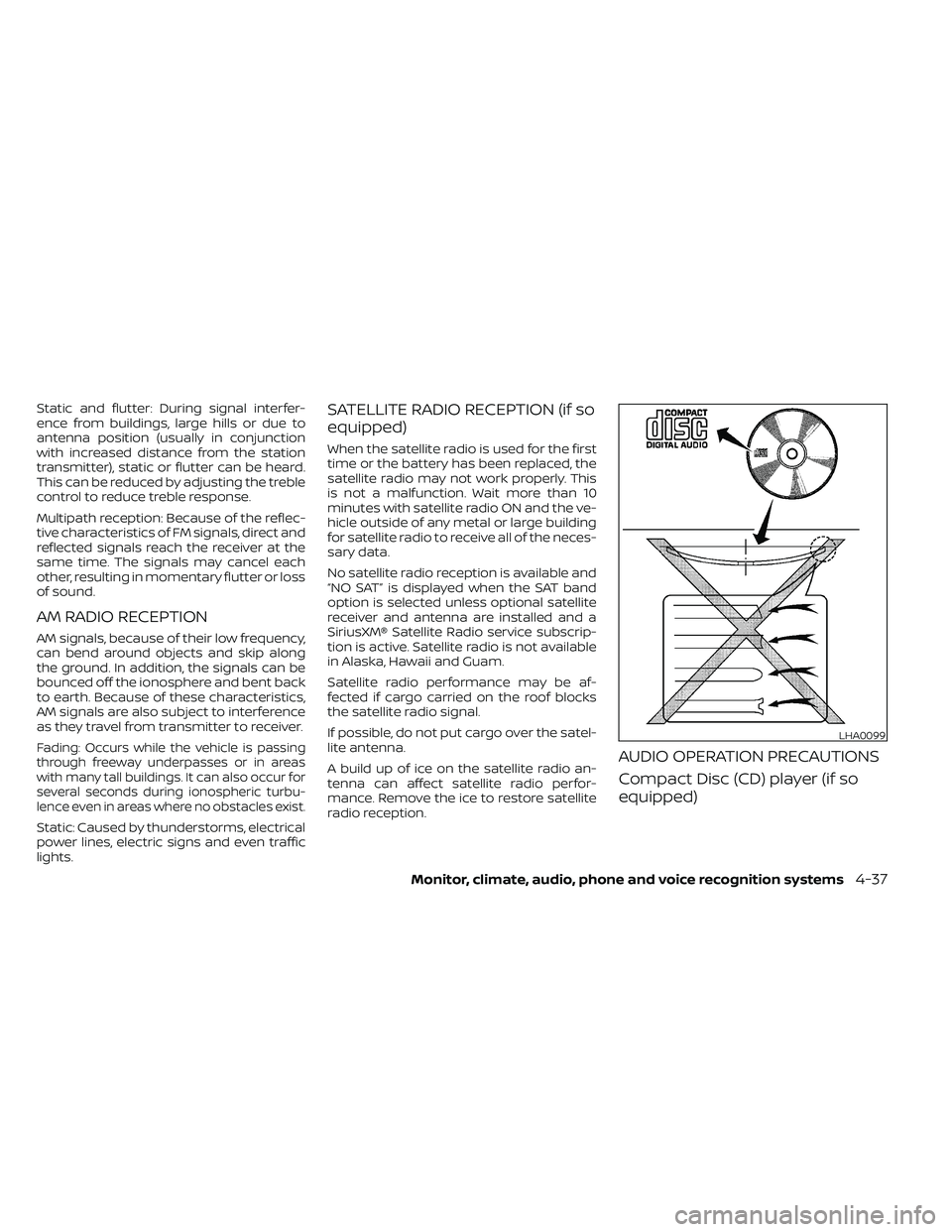
AUDIO OPERATION PRECAUTIONS
Compact Disc (CD) player (if so
equipped)
LHA0099
Monitor, climate, audio, phone and voice recognition systems4-37
Page 317 of 492
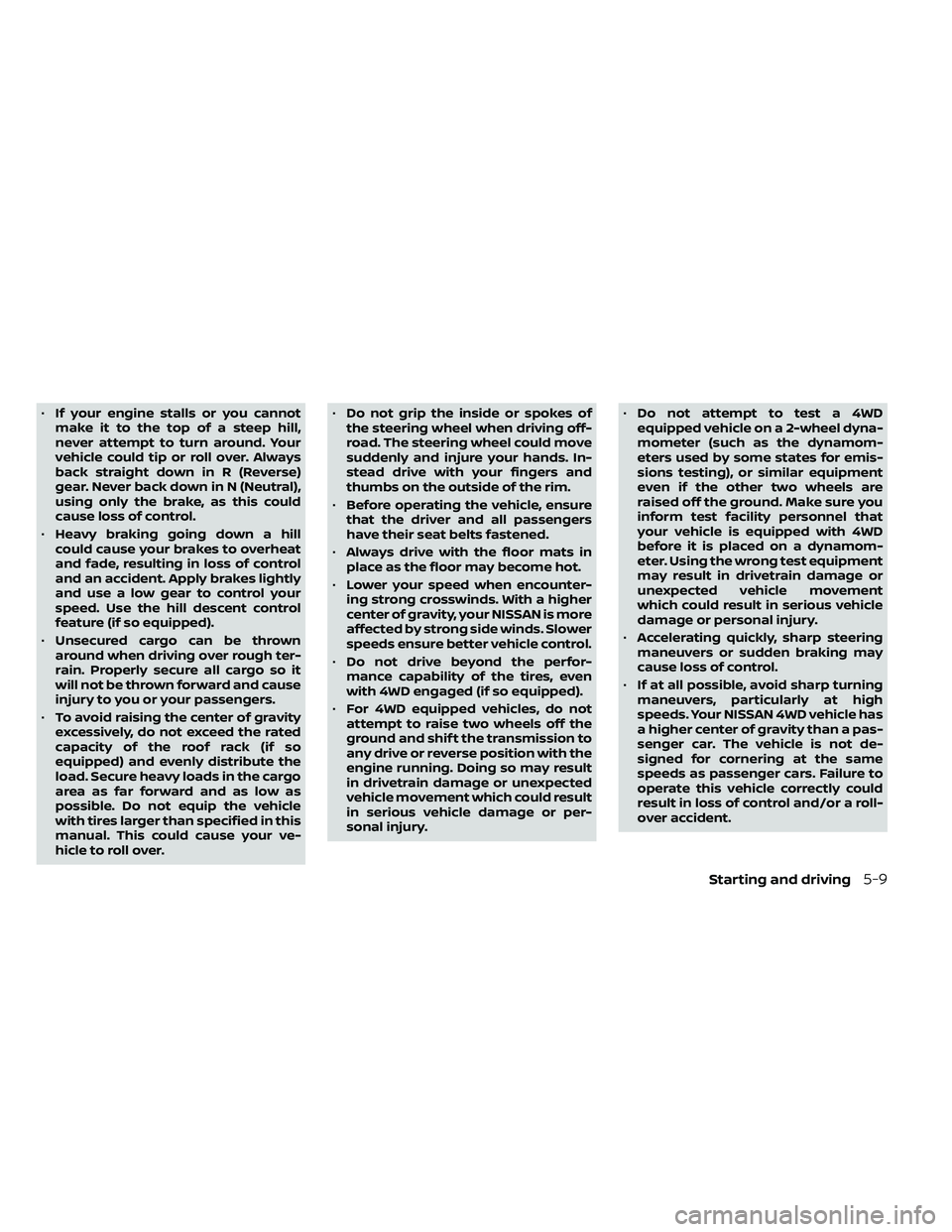
•If your engine stalls or you cannot
make it to the top of a steep hill,
never attempt to turn around. Your
vehicle could tip or roll over. Always
back straight down in R (Reverse)
gear. Never back down in N (Neutral),
using only the brake, as this could
cause loss of control.
• Heavy braking going down a hill
could cause your brakes to overheat
and fade, resulting in loss of control
and an accident. Apply brakes lightly
and use a low gear to control your
speed. Use the hill descent control
feature (if so equipped).
• Unsecured cargo can be thrown
around when driving over rough ter-
rain. Properly secure all cargo so it
will not be thrown forward and cause
injury to you or your passengers.
• To avoid raising the center of gravity
excessively, do not exceed the rated
capacity of the roof rack (if so
equipped) and evenly distribute the
load. Secure heavy loads in the cargo
area as far forward and as low as
possible. Do not equip the vehicle
with tires larger than specified in this
manual. This could cause your ve-
hicle to roll over. •
Do not grip the inside or spokes of
the steering wheel when driving off-
road. The steering wheel could move
suddenly and injure your hands. In-
stead drive with your fingers and
thumbs on the outside of the rim.
• Before operating the vehicle, ensure
that the driver and all passengers
have their seat belts fastened.
• Always drive with the floor mats in
place as the floor may become hot.
• Lower your speed when encounter-
ing strong crosswinds. With a higher
center of gravity, your NISSAN is more
affected by strong side winds. Slower
speeds ensure better vehicle control.
• Do not drive beyond the perfor-
mance capability of the tires, even
with 4WD engaged (if so equipped).
• For 4WD equipped vehicles, do not
attempt to raise two wheels off the
ground and shif t the transmission to
any drive or reverse position with the
engine running. Doing so may result
in drivetrain damage or unexpected
vehicle movement which could result
in serious vehicle damage or per-
sonal injury. •
Do not attempt to test a 4WD
equipped vehicle on a 2-wheel dyna-
mometer (such as the dynamom-
eters used by some states for emis-
sions testing), or similar equipment
even if the other two wheels are
raised off the ground. Make sure you
inform test facility personnel that
your vehicle is equipped with 4WD
before it is placed on a dynamom-
eter. Using the wrong test equipment
may result in drivetrain damage or
unexpected vehicle movement
which could result in serious vehicle
damage or personal injury.
• Accelerating quickly, sharp steering
maneuvers or sudden braking may
cause loss of control.
• If at all possible, avoid sharp turning
maneuvers, particularly at high
speeds. Your NISSAN 4WD vehicle has
a higher center of gravity than a pas-
senger car. The vehicle is not de-
signed for cornering at the same
speeds as passenger cars. Failure to
operate this vehicle correctly could
result in loss of control and/or a roll-
over accident.
Starting and driving5-9
Page 369 of 492
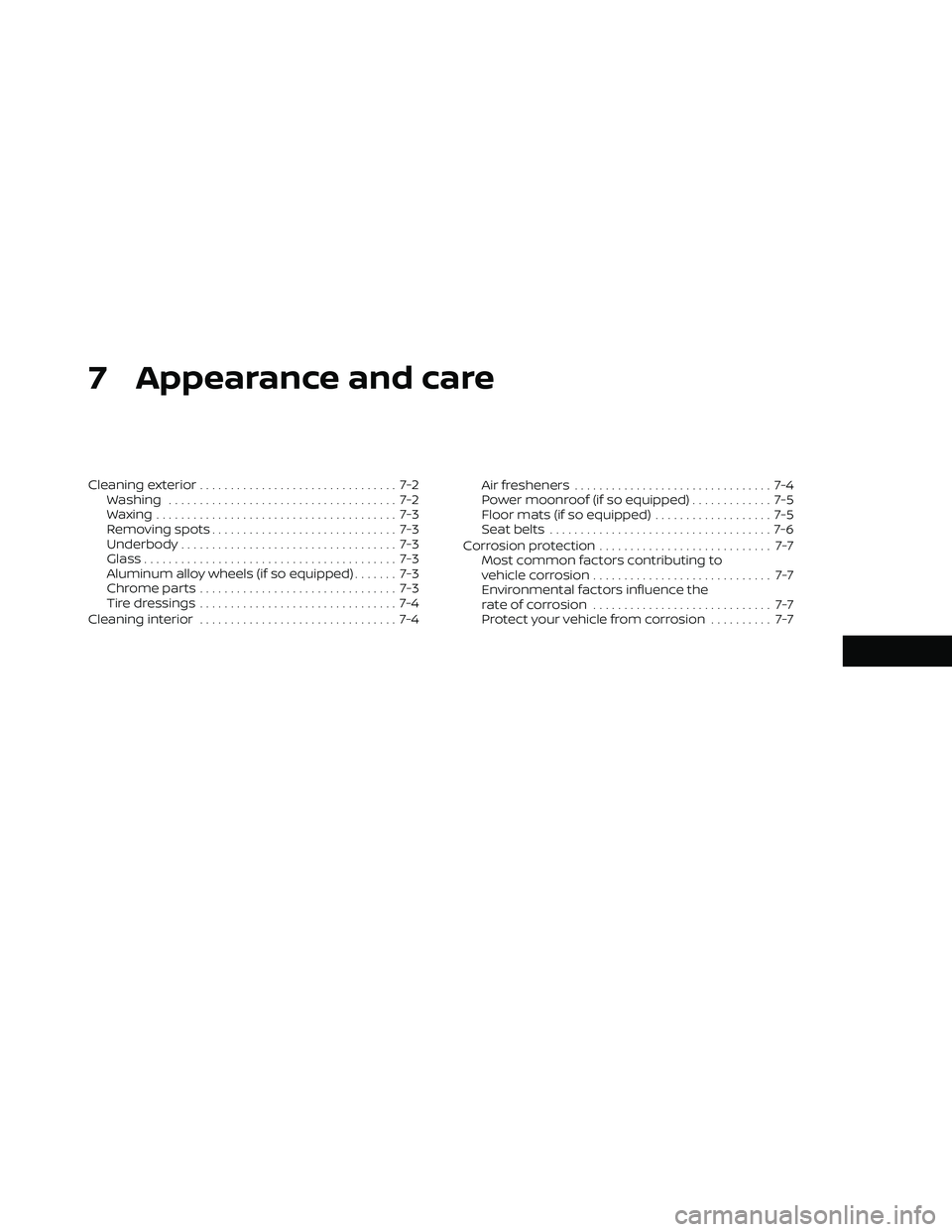
7 Appearance and care
Cleaning exterior................................ 7-2
Washing ..................................... 7-2
Waxing ....................................... 7-3
Removing spots .............................. 7-3
Underbody ................................... 7-3
Glass ......................................... 7-3
Aluminum alloy wheels (if so equipped) ....... 7-3
Chromeparts................................ 7-3
Tire dressings ................................ 7-4
Cleaning interior ................................ 7-4 Air fresheners
................................ 7-4
Power moonroof (if so equipped) ............. 7-5
Floor mats (if so equipped) ................... 7-5
Seatbelts ....................................7-6
Corrosion protection ............................ 7-7
Most common factors contributing to
vehicle corrosion ............................. 7-7
Environmental factors influence the
rate of corrosion ............................. 7-7
Protect your vehicle from corrosion .......... 7-7