ECO mode NISSAN FRONTIER 2021 User Guide
[x] Cancel search | Manufacturer: NISSAN, Model Year: 2021, Model line: FRONTIER, Model: NISSAN FRONTIER 2021Pages: 492, PDF Size: 2.86 MB
Page 120 of 492
This unit has the following functions:
• Measures terrestrial magnetism and in-dicates the heading direction of the ve-
hicle
• Indicates outside air temperature
With the ignition switch in the ON position,
press the
orbutton as described
in the charts below to activate various fea-
tures of the automatic anti-glare rearview
mirror.
Type A (if so equipped)
button for
about: Feature:
(Press button again for about 1
second to change settings)
1 second Compass toggles on/off
8 seconds Automatic anti-glare/indicator
light toggles on/off
11 seconds Compass zone can be changed
to correct false compass read-
ings
13 seconds Compass enters calibration
mode
Type B (if so equipped)
button for
about:Feature:
(Press button again for about 1
second to change settings)
1 second Compass toggles on/off
8 seconds Compass zone can be changed
to correct false compass read-
ings
10 seconds Compass enters calibration
mode
For additional information, refer to “Auto-
matic anti-glare rearview mirror” in the
“Pre-driving checks and adjustments” sec-
tion of this manual.
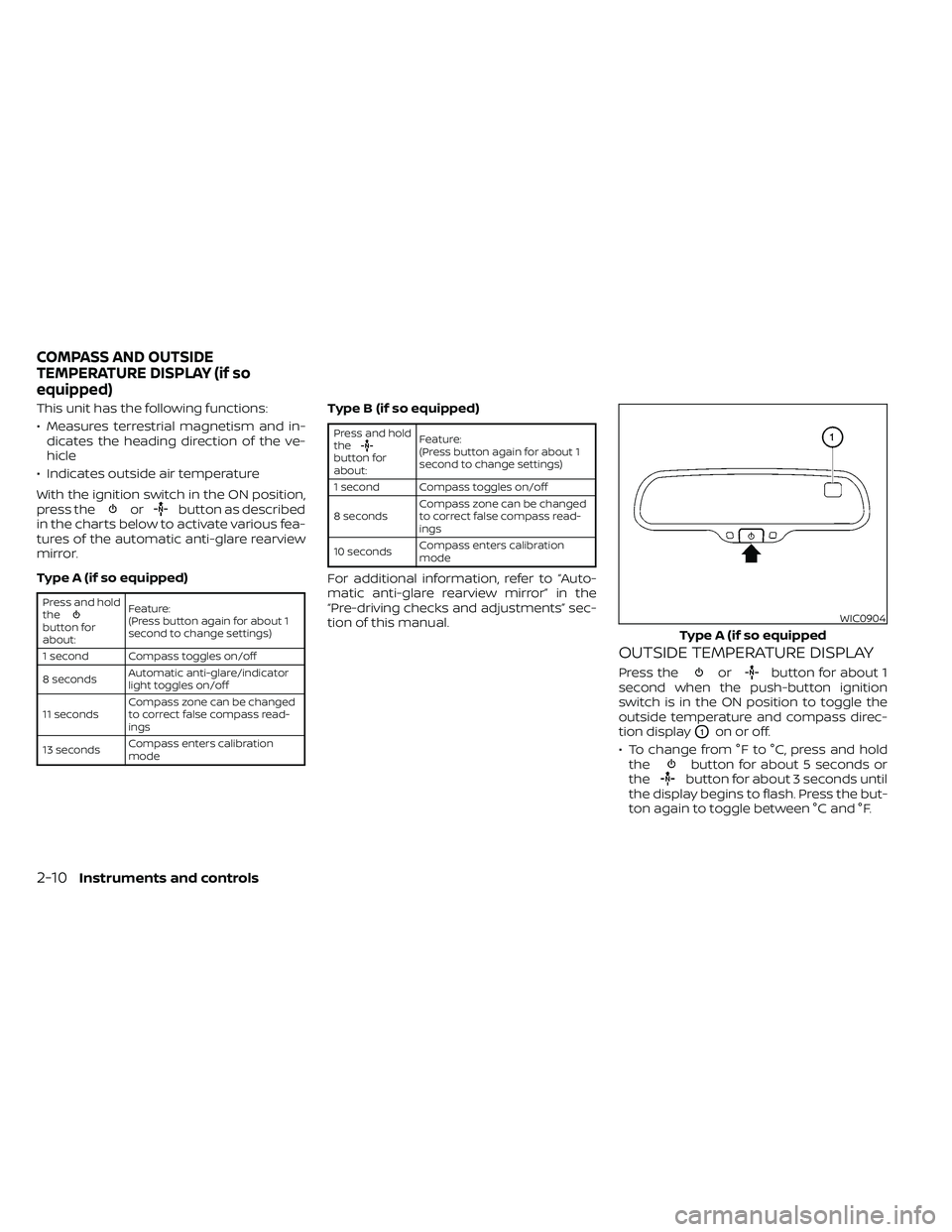
OUTSIDE TEMPERATURE DISPLAY
Press theorbutton for about 1
second when the push-button ignition
switch is in the ON position to toggle the
outside temperature and compass direc-
tion display
O1on or off.
• To change from °F to °C, press and hold the
button for about 5 seconds or
thebutton for about 3 seconds until
the display begins to flash. Press the but-
ton again to toggle between °C and °F.
WIC0904
Type A (if so equipped
COMPASS AND OUTSIDE
TEMPERATURE DISPLAY (if so
equipped)
Page 125 of 492
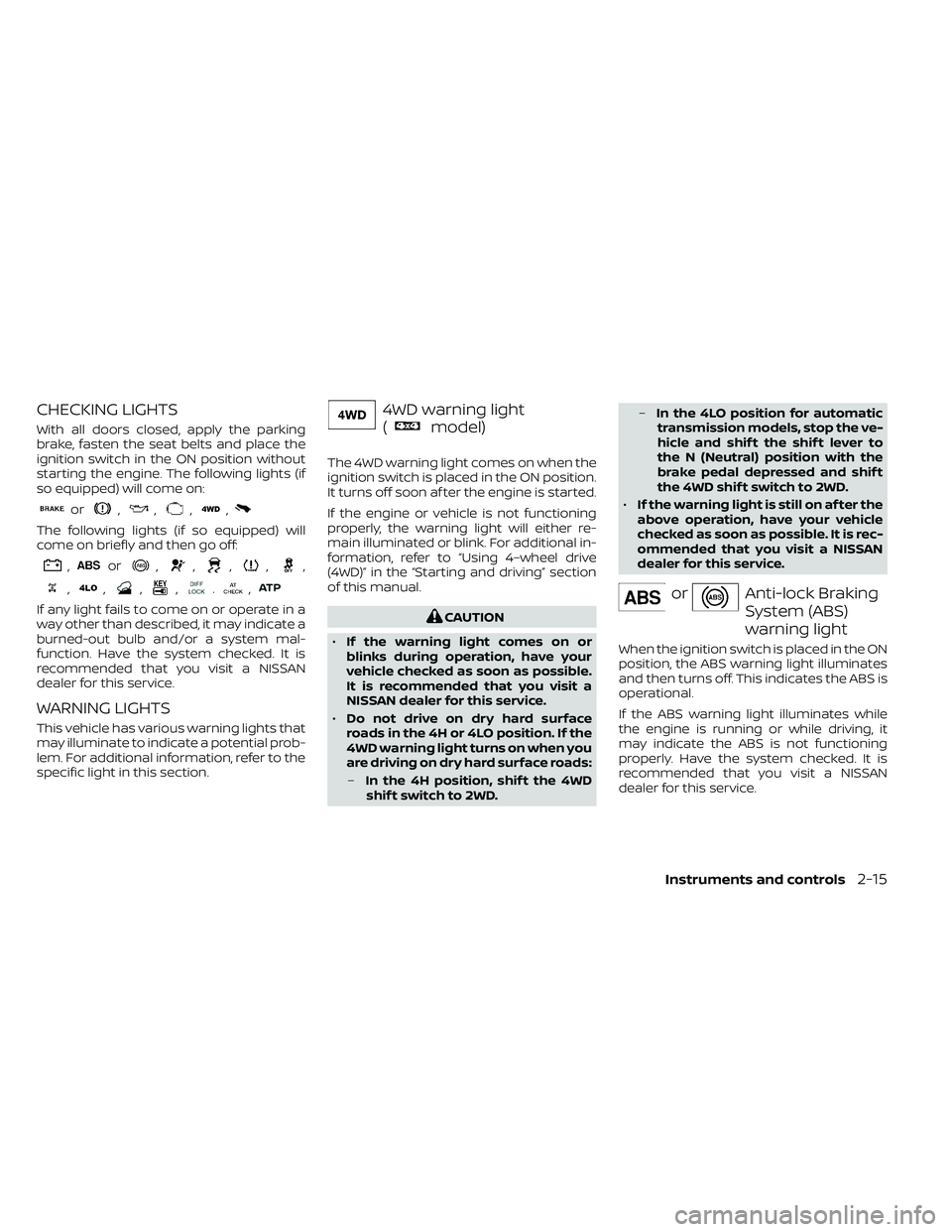
CHECKING LIGHTS
With all doors closed, apply the parking
brake, fasten the seat belts and place the
ignition switch in the ON position without
starting the engine. The following lights (if
so equipped) will come on:
or,,,,
The following lights (if so equipped) will
come on briefly and then go off:
,or,,,,,
,,,,.,
If any light fails to come on or operate in a
way other than described, it may indicate a
burned-out bulb and/or a system mal-
function. Have the system checked. It is
recommended that you visit a NISSAN
dealer for this service.
WARNING LIGHTS
This vehicle has various warning lights that
may illuminate to indicate a potential prob-
lem. For additional information, refer to the
specific light in this section.
4WD warning light
(
model)
The 4WD warning light comes on when the
ignition switch is placed in the ON position.
It turns off soon af ter the engine is started.
If the engine or vehicle is not functioning
properly, the warning light will either re-
main illuminated or blink. For additional in-
formation, refer to “Using 4–wheel drive
(4WD)” in the “Starting and driving” section
of this manual.
Anti-lock Braking
System (ABS)
warning light
When the ignition switch is placed in the ON
position, the ABS warning light illuminates
and then turns off. This indicates the ABS is
operational.
If the ABS warning light illuminates while
the engine is running or while driving, it
may indicate the ABS is not functioning
properly. Have the system checked. It is
recommended that you visit a NISSAN
dealer for this service.
Instruments and controls2-15
Page 126 of 492
If an ABS malfunction occurs, the anti-lock
function is turned off. The brake system
then operates normally but without anti-
lock assistance. For additional information,
refer to “Brake system” in the “Starting and
driving” section of this manual.
orApply parking
brake warning
light (if so
equipped)
This warning light appears when a mal-
function occurs in the electric shif t control
system below 3 mph (5 km/h).
Have the system checked. It is recom-
mended that you visit a NISSAN dealer for
this service.
Automatic Transmission
check warning light
When the ignition switch is placed in the ON
position, the light comes on for about 2
seconds. If the light comes on at any other
time, it may indicate the automatic trans-
mission system is not functioning properly.
Have the system checked. It is recom-
mended that you visit a NISSAN dealer for
this service.
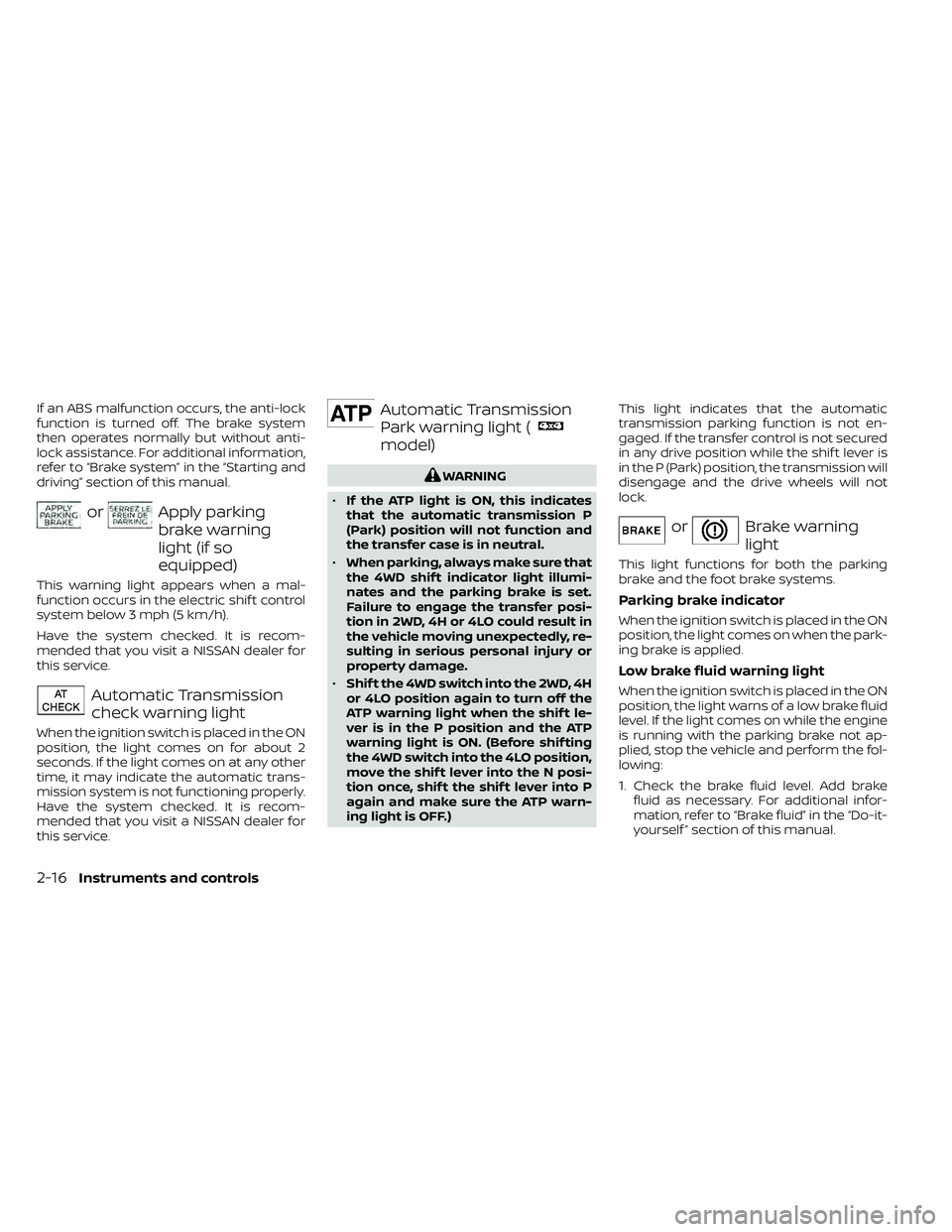
Automatic Transmission
Park warning light (
model)
orBrake warning
light
This light functions for both the parking
brake and the foot brake systems.
Parking brake indicator
When the ignition switch is placed in the ON
position, the light comes on when the park-
ing brake is applied.
Low brake fluid warning light
When the ignition switch is placed in the ON
position, the light warns of a low brake fluid
level. If the light comes on while the engine
is running with the parking brake not ap-
plied, stop the vehicle and perform the fol-
lowing:
1. Check the brake fluid level. Add brakefluid as necessary. For additional infor-
mation, refer to “Brake fluid” in the “Do-it-
yourself ” section of this manual.
2-16Instruments and controls
Page 131 of 492
• The supplemental air bag warning lightdoes not come on at all.
It is recommended that you visit a NISSAN
dealer for these services.
Unless checked and repaired, the supple-
mental restraint system (air bag system)
and/or the pretensioner(s) may not func-
tion properly. For additional information, re-
fer to “Supplemental Restraint System
(SRS)” in the “Safety—Seats, seat belts and
supplemental restraint system” section of
this manual.4WD shif t indicator light
(
model)
The light should turn off within 1 second
af ter placing the ignition switch in the ON
position.
While the engine is running, the 4WD shif t
indicator light will illuminate the position
selected by the 4WD shif t switch.
The 4WD shif t indicator light may blink
while shif ting from one drive mode to
the other.
CRUISE indicator light
The light comes on when the cruise control
ON/OFF switch is pushed. The light goes
out when the ON/OFF switch is pushed
again. When the CRUISE indicator light
comes on, the cruise control system is op-
erational. For additional information, refer
to “Cruise control” in the “Starting and driv-
ing” section of this manual.
Electronic locking rear
differential (E-Lock) system
ON indicator light (if so
equipped)
This light comes on when the electronic
locking rear differential (E-Lock) system
clutch is fully engaged.
The indicator light flashes when the sys-
tem is first turned on. When the system fully
engages, the light remains on. If the switch
is on and the indicator light continues to
flash, the system is not engaged.
For additional information, refer to “Electronic
locking rear differential (E-Lock) system
switch” in this section and “Electronic locking
rear differential (E-Lock) system” in the “Start-
ing and driving” section of this manual.
Engine start operation
indicator light (if so
equipped)
For vehicles equipped with push-button igni-
tion this indicator illuminates when the igni-
tion switch is in the LOCK, OFF or ON position
with the shif t lever in the P (Park) position.
This indicator means that the engine will
start by pushing the push-button ignition
switch with the brake pedal depressed.
Instruments and controls2-21
Page 133 of 492
– Avoid hard acceleration or decelera-tion.
– Avoid steep uphill grades.
– If possible, reduce the amount of cargo being hauled or towed.
The MIL may stop blinking and come on
steady. Have the vehicle inspected. It is rec-
ommended that you visit a NISSAN dealer
for this service. You do not need to have
your vehicle towed to the dealer.SET indicator light
The light comes on while the vehicle speed
is controlled by the cruise control system. If
the light blinks while the engine is running,
it may indicate the cruise control system is
not functioning properly. Have the system
checked. It is recommended that you visit a
NISSAN dealer for this service.
Slip indicator light
This indicator will blink when the VDC sys-
tem is operating, thus alerting the driver to
the fact that the road surface is slippery
and the vehicle is nearing its traction limits.
You may feel or hear the system working;
this is normal.
The light will blink for a few seconds af ter
the VDC system stops limiting wheel spin.
The
indicator light also comes on
when you place the ignition switch in the
ON position. The light will turn off af ter ap-
proximately 2 seconds if the system is op-
erational. If the light does not come on
have the system checked. It is recom-
mended that you visit a NISSAN dealer for
this service.
Transfer 4LO position
indicator light
(
model)
This light comes on when the 4WD shif t
switch is set in the 4LO position with the
ignition switch in the ON position.
The transfer case may be damaged if you
shif t the switch while driving.
Make sure the transfer 4LO position indica-
tor light turns on when you shif t the 4WD
shif t switch to 4LO.
The indicator light may blink while shif t-
ing from one drive mode to the other.
The 4LO indicator light must stop blinking
and remain illuminated or turn off before
shif ting the transmission into gear. If the
shif t lever is shif ted from the N (Neutral)
position to any other gear when the 4LO
indicator light is blinking, the vehicle may
move unexpectedly.
When you shif t between 4H and 4LO, follow
the instructions below:
• Stop the vehicle and move the shif t lever to the N (Neutral) position with the brake
pedal depressed, then depress and turn
the 4WD shif t switch to 4LO or 4H.
Instruments and controls2-23
Page 134 of 492
You cannot move the transfer 4WD shif t
switch between 4H and 4LO unless you
stop the vehicle and move the shif t lever to
the N (Neutral) position with the brake
pedal depressed.
Turn signal/hazard
indicator lights
The appropriate light flashes when the turn
signal switch is activated.
NOTE:
In case of turn signal light bulb malfunc-
tion, the turn signal will flash at a higher
frequency when the turn signal switch is
activated.
Both lights flash when the hazard switch is
turned on.
Vehicle Dynamic Control
(VDC) OFF indicator light
This indicator light comes on when the
VDC OFF switch is pushed to the OFF posi-
tion, the transfer case is in the 4LO position
(
model), or when the VDC system is
not functioning properly. This indicates the
VDC system is not operating.
Push the VDC OFF switch again or restart
the engine and the system will operate normally. For additional information, refer
to “Vehicle Dynamic Control (VDC) system”
in the “Starting and driving” section of this
manual.
The VDC light also comes on when the
push-button ignition switch is in the ON
position. The light will turn off af ter about 2
seconds if the system is operational. If the
light stays on or comes on along with the
indicator light while you are driving,
have the VDC system checked. It is recom-
mended that you visit a NISSAN dealer for
this service.
If the battery is removed or discharged, the
VDC system is disabled and the VDC indi-
cator light will not turn off af ter 2 seconds
when the ignition switch is placed in the ON
position. To reset the system, you must
perform the reset procedure. For addi-
tional information, refer to “Vehicle Dy-
namic Control (VDC) system” in the “Start-
ing and driving” section of this manual.
If the light does not go off af ter performing
the reset procedure, have the traction con-
trol system checked. It is recommended that
you visit a NISSAN dealer for this service.
While the VDC system is operating, you
might feel slight vibration or hear the sys-
tem working when starting the vehicle or
accelerating, but this is normal. The VDC system will be disabled and the
VDC light will illuminate when the elec-
tronic locking rear differential (E-lock) sys-
tem switch (if so equipped) is turned on
and the E-lock system is engaged. If the
E-lock system disengages or the switch is
turned off, the VDC system will be enabled
and the VDC light will turn off.
AUDIBLE REMINDERS
Brake pad wear warning
The disc brake pads have audible wear
warnings. When a disc brake pad requires
replacement, it makes a high pitched
scraping sound when the vehicle is in mo-
tion, whether or not the brake pedal is de-
pressed. Have the brakes checked as soon
as possible if the warning sound is heard.
Light reminder chime
With the ignition switch placed in the OFF
position, a chime sounds when the driver's
door is opened if the headlights or parking
lights are on.
Turn the headlight control switch off before
leaving the vehicle.
2-24Instruments and controls
Page 161 of 492
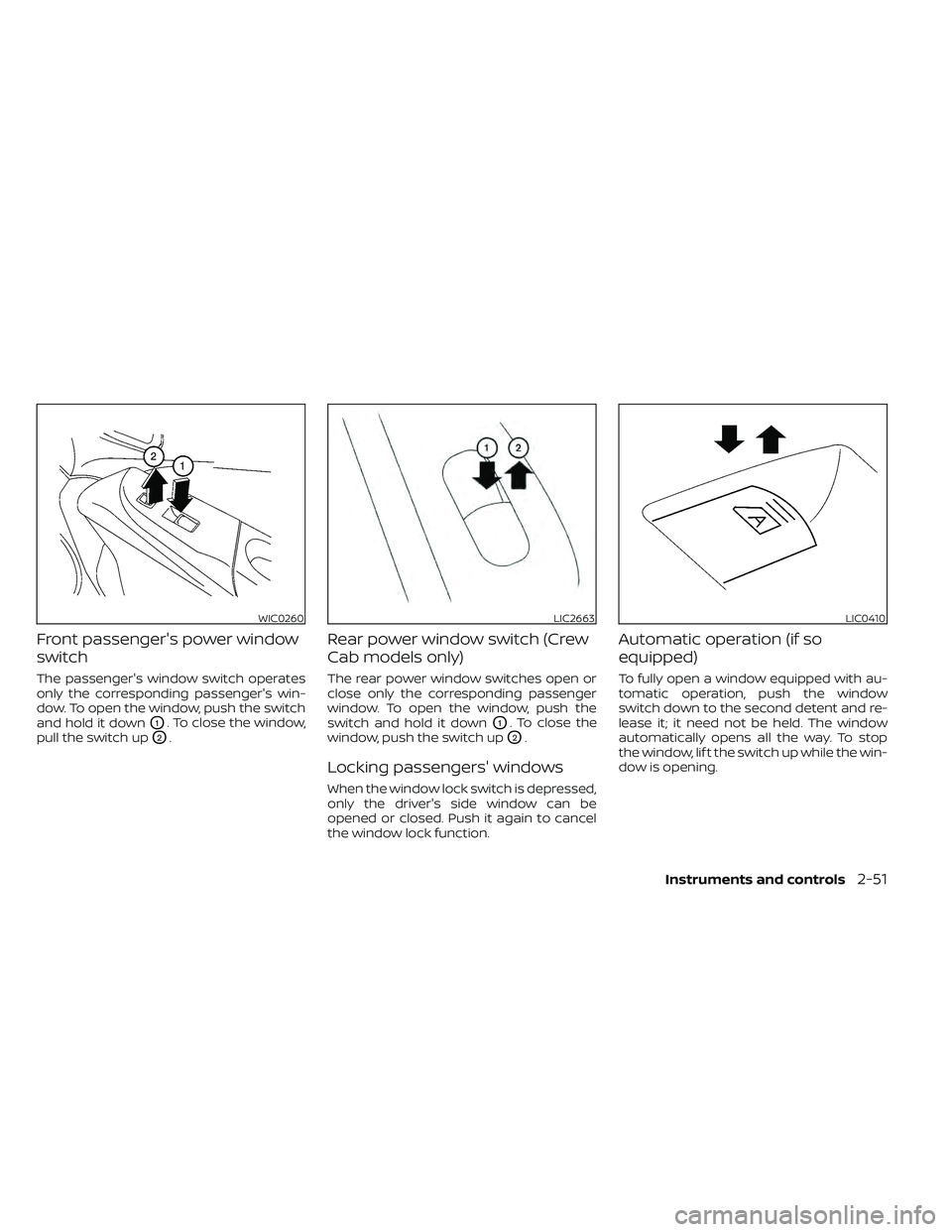
Front passenger's power window
switch
The passenger's window switch operates
only the corresponding passenger's win-
dow. To open the window, push the switch
and hold it down
O1. To close the window,
pull the switch up
O2.
Rear power window switch (Crew
Cab models only)
The rear power window switches open or
close only the corresponding passenger
window. To open the window, push the
switch and hold it down
O1. To close the
window, push the switch up
O2.
Locking passengers' windows
When the window lock switch is depressed,
only the driver's side window can be
opened or closed. Push it again to cancel
the window lock function.
Automatic operation (if so
equipped)
To fully open a window equipped with au-
tomatic operation, push the window
switch down to the second detent and re-
lease it; it need not be held. The window
automatically opens all the way. To stop
the window, lif t the switch up while the win-
dow is opening.
WIC0260LIC2663LIC0410
Page 169 of 492
PROGRAMMING TROUBLE-
DIAGNOSIS
If the HomeLink® does not quickly learn the
hand-held transmitter information:
• Replace the hand-held transmitter bat-teries with new batteries.
• Position the hand-held transmitter with its battery area facing away from the
HomeLink® surface.
• Press and hold both the HomeLink® and hand-held transmitter buttons without
interruption.
• Position the hand-held transmitter1-3 inches (26 - 76 mm) away from the
HomeLink® surface. Hold the transmitter
in that position for up to 15 seconds. If
HomeLink® is not programmed within
that time, try holding the transmitter in
another position – keeping the indicator
light in view at all times.
If you have any questions or are having
difficulty programming your HomeLink®
buttons, refer to the HomeLink® web site at:
www.homelink.com or call 1-800-355-3515.
CLEARING THE PROGRAMMED
INFORMATION
The following procedure clears the pro-
grammed information from both buttons.
Individual buttons cannot be cleared. How-
ever, individual buttons can be repro-
grammed. For additional information, refer
to “Reprogramming a single HomeLink®
button” in this section.
To clear all programming:
1. Press and hold the two outer HomeLink® buttons until the indicator light begins to
flash in approximately 10 seconds. Do
not hold for longer than 20 seconds.
2. Release both buttons.
HomeLink® is now in the programming
mode and can be programmed at any
time beginning with “Programming
HomeLink®” - Step 1.
REPROGRAMMING A SINGLE
HOMELINK® BUTTON
To reprogram a HomeLink® Universal
Transceiver button, complete the following:
1. Press and hold the desired HomeLink® button. DO NOT release the button. 2. The indicator light will begin to flash af-
ter 20 seconds. Without releasing the
HomeLink® button, proceed with “Pro-
gramming HomeLink®” - Step 1.
For questions or comments, contact
HomeLink® at: www.homelink.com or
1–800–355–3515 (except Mexico).
The HomeLink® Universal Transceiver but-
ton has now been reprogrammed. The
new device can be activated by pressing
the HomeLink® button that was just pro-
grammed. This procedure will not affect
any other programmed HomeLink® but-
tons.
IF YOUR VEHICLE IS STOLEN
If your vehicle is stolen, you should change
the codes of any non-rolling code device
that has been programmed into
HomeLink®. Consult the Owner's Manual of
each device or call the manufacturer or
dealer of those devices for additional infor-
mation.
When your vehicle is recovered, you will
need to reprogram the HomeLink® Uni-
versal Transceiver with your new trans-
mitter information.
Instruments and controls2-59
Page 201 of 492
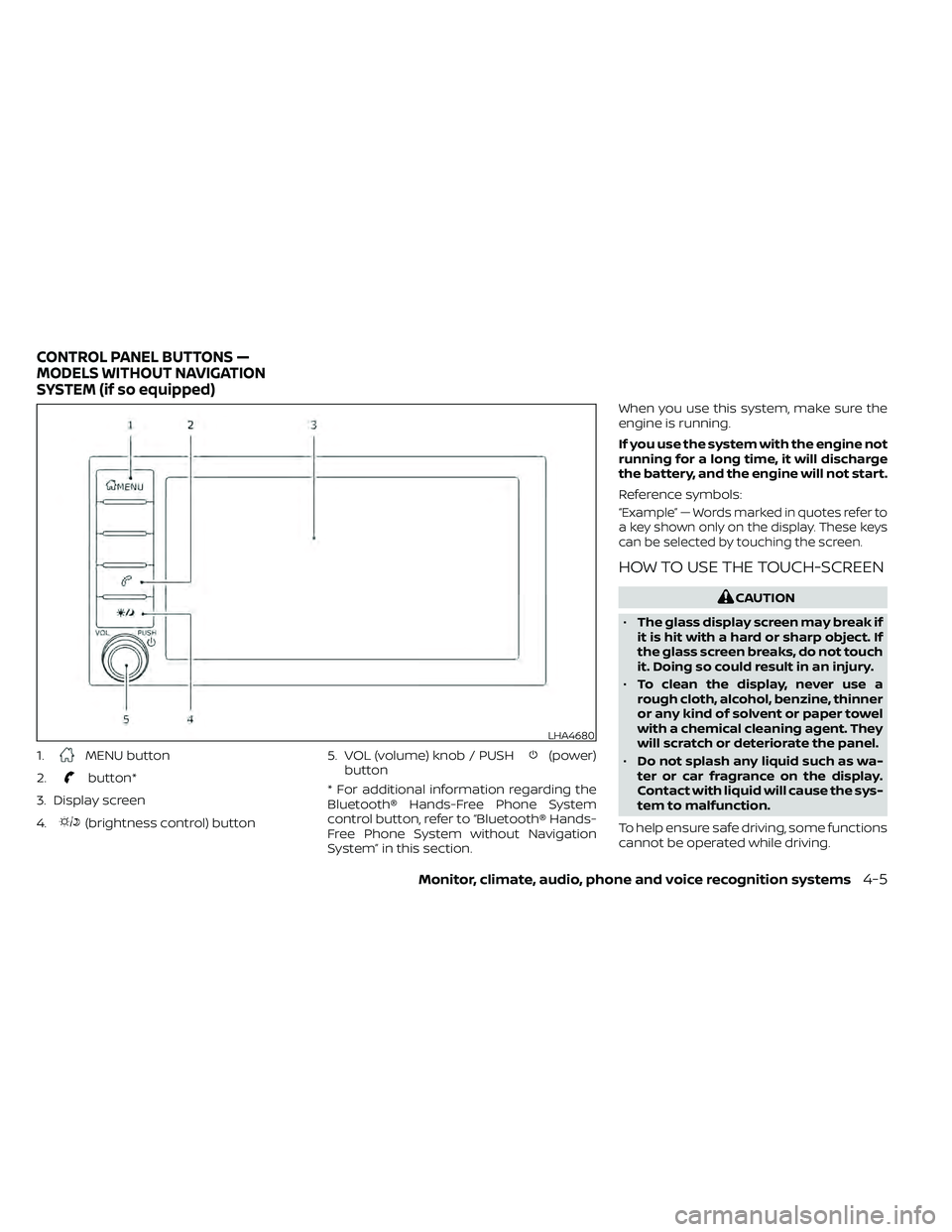
1.MENU button
2.
button*
3. Display screen
4.
(brightness control) button 5. VOL (volume) knob / PUSH
(power)
button
* For additional information regarding the
Bluetooth® Hands-Free Phone System
control button, refer to “Bluetooth® Hands-
Free Phone System without Navigation
System” in this section. When you use this system, make sure the
engine is running.
If you use the system with the engine not
running for a long time, it will discharge
the battery, and the engine will not start.
Reference symbols:
“Example” — Words marked in quotes refer to
a key shown only on the display. These keys
can be selected by touching the screen.
HOW TO USE THE TOUCH-SCREEN
LHA4680
CONTROL PANEL BUTTONS —
MODELS WITHOUT NAVIGATION
SYSTEM (if so equipped)
Monitor, climate, audio, phone and voice recognition systems4-5
Page 209 of 492
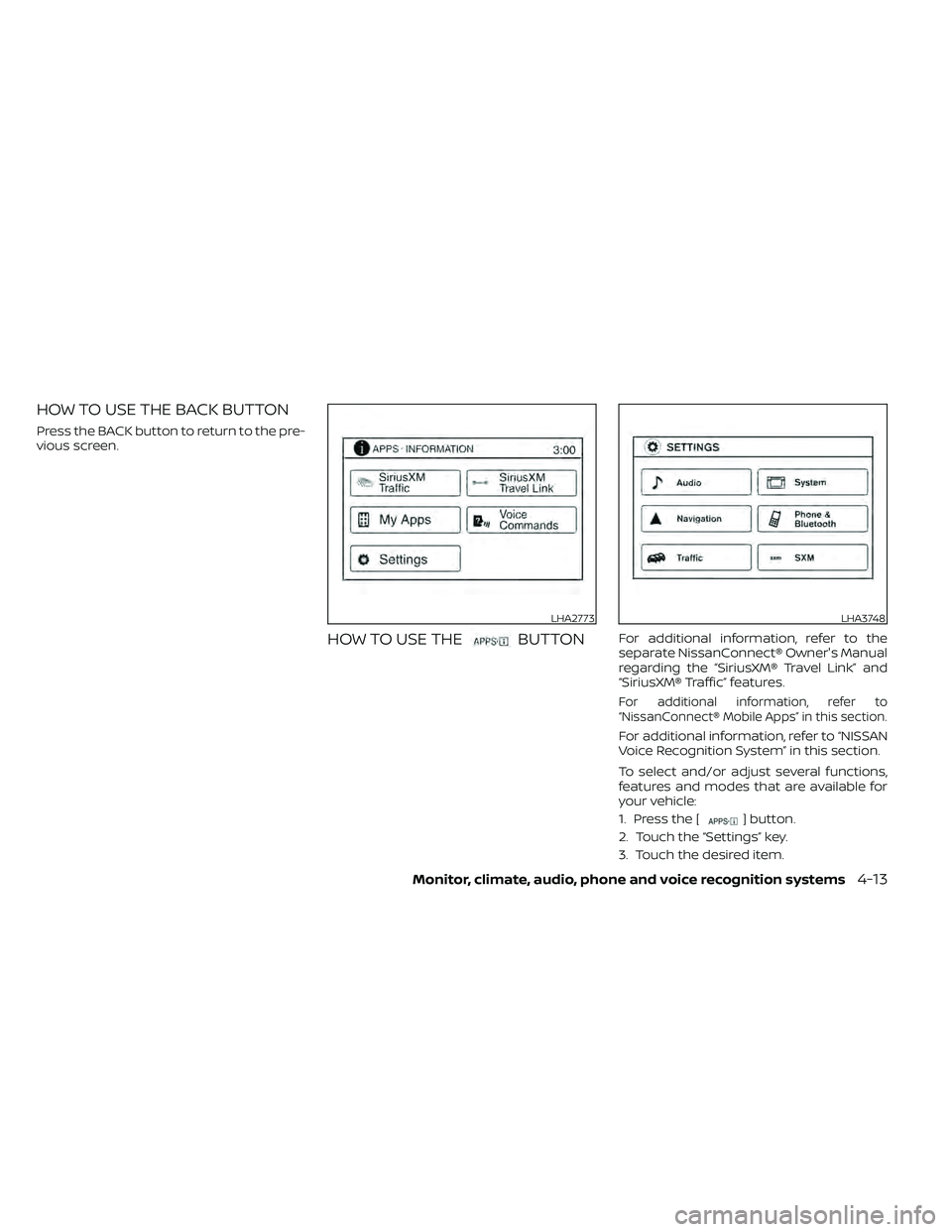
HOW TO USE THE BACK BUTTON
Press the BACK button to return to the pre-
vious screen.
HOW TO USE THEBUTTONFor additional information, refer to the
separate NissanConnect® Owner's Manual
regarding the “SiriusXM® Travel Link” and
“SiriusXM® Traffic” features.
For additional information, refer to
“NissanConnect® Mobile Apps” in this section.
For additional information, refer to “NISSAN
Voice Recognition System” in this section.
To select and/or adjust several functions,
features and modes that are available for
your vehicle:
1. Press the [
] button.
2. Touch the “Settings” key.
3. Touch the desired item.
LHA2773LHA3748