ECU NISSAN FRONTIER 2021 Owner's Guide
[x] Cancel search | Manufacturer: NISSAN, Model Year: 2021, Model line: FRONTIER, Model: NISSAN FRONTIER 2021Pages: 492, PDF Size: 2.86 MB
Page 92 of 492
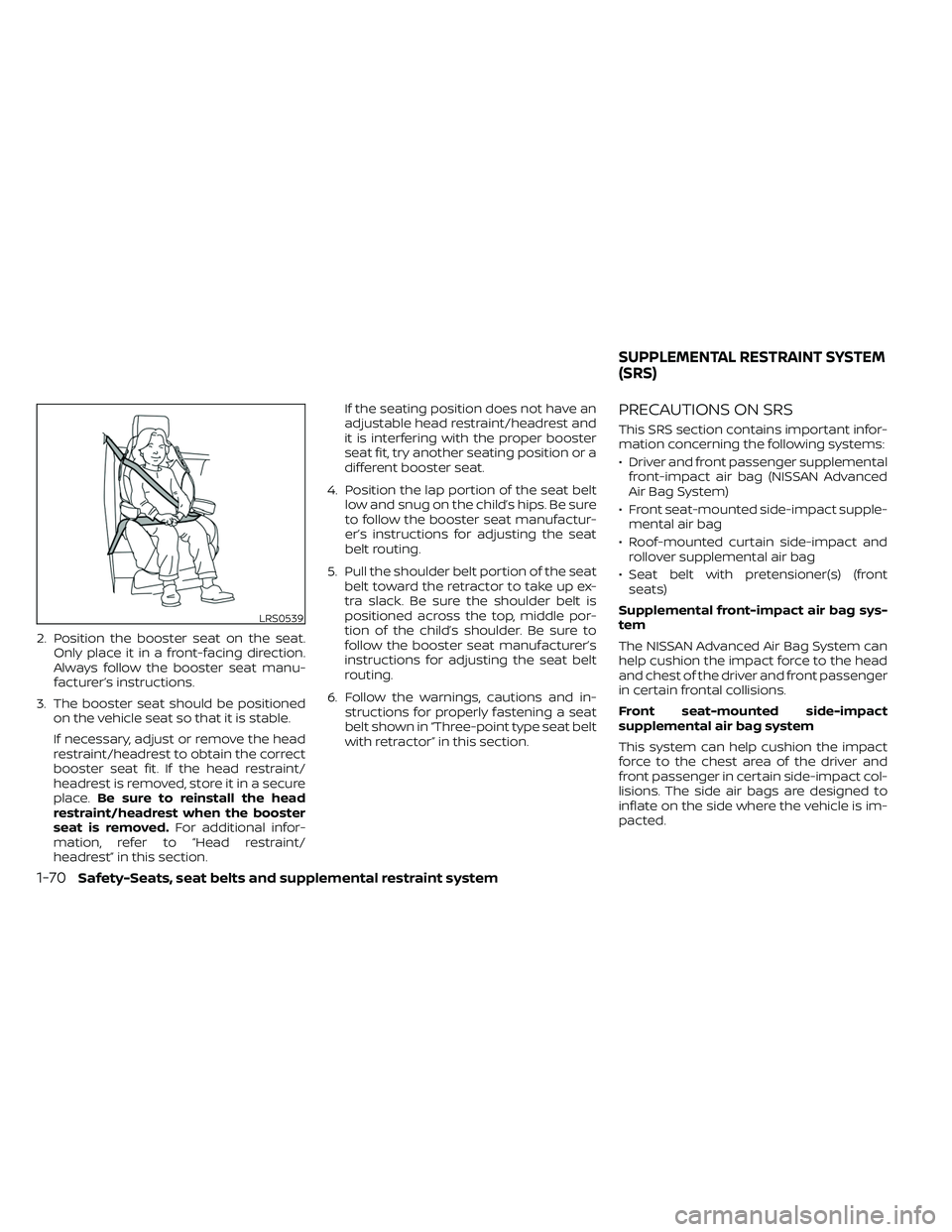
2. Position the booster seat on the seat.Only place it in a front-facing direction.
Always follow the booster seat manu-
facturer’s instructions.
3. The booster seat should be positioned on the vehicle seat so that it is stable.
If necessary, adjust or remove the head
restraint/headrest to obtain the correct
booster seat fit. If the head restraint/
headrest is removed, store it in a secure
place. Be sure to reinstall the head
restraint/headrest when the booster
seat is removed. For additional infor-
mation, refer to “Head restraint/
headrest” in this section. If the seating position does not have an
adjustable head restraint/headrest and
it is interfering with the proper booster
seat fit, try another seating position or a
different booster seat.
4. Position the lap portion of the seat belt low and snug on the child’s hips. Be sure
to follow the booster seat manufactur-
er’s instructions for adjusting the seat
belt routing.
5. Pull the shoulder belt portion of the seat belt toward the retractor to take up ex-
tra slack. Be sure the shoulder belt is
positioned across the top, middle por-
tion of the child’s shoulder. Be sure to
follow the booster seat manufacturer’s
instructions for adjusting the seat belt
routing.
6. Follow the warnings, cautions and in- structions for properly fastening a seat
belt shown in “Three-point type seat belt
with retractor” in this section.
PRECAUTIONS ON SRS
This SRS section contains important infor-
mation concerning the following systems:
• Driver and front passenger supplementalfront-impact air bag (NISSAN Advanced
Air Bag System)
• Front seat-mounted side-impact supple- mental air bag
• Roof-mounted curtain side-impact and rollover supplemental air bag
• Seat belt with pretensioner(s) (front seats)
Supplemental front-impact air bag sys-
tem
The NISSAN Advanced Air Bag System can
help cushion the impact force to the head
and chest of the driver and front passenger
in certain frontal collisions.
Front seat-mounted side-impact
supplemental air bag system
This system can help cushion the impact
force to the chest area of the driver and
front passenger in certain side-impact col-
lisions. The side air bags are designed to
inflate on the side where the vehicle is im-
pacted.
LRS0539
SUPPLEMENTAL RESTRAINT SYSTEM
(SRS)
Page 102 of 492
Front passenger air bag
The front passenger air bag is designed to
automatically turn OFF when the vehicle is
operated under some conditions as de-
scribed below in accordance with U.S. regu-
lations. If the front passenger air bag is OFF
it will not inflate in a crash. The driver air bag
and other air bags in your vehicle are not
part of this system.
The purpose of the regulation is to help
reduce the risk of injury or death from an
inflating air bag to certain front passenger
seat occupants, such as children, by requir-
ing the air bag to be automatically turned
OFF. Certain sensors are used to meet the
requirements.
One sensor used is the occupant classifi-
cation sensor (pressure sensor). It is in the
bottom of the front passenger seat cush-
ion and is designed to detect an occupant
and objects on the seat by weight. It works
together with seat belt sensors described
in this section. For example, if a child is in
the front passenger seat, the NISSAN Ad-
vanced Air Bag System is designed to turn
the front passenger air bag OFF in accor-
dance with the regulations. Also, if a child
restraint of the type specified in the regula-
tions is on the seat, its weight and the
child’s weight can be detected and causethe air bag to turn OFF. Occupant classifi-
cation sensor operation can vary depend-
ing on the front passenger seat belt sen-
sors.
The front passenger seat belt sensors are
designed to detect if the seat belt is buck-
led and the amount of tension on the seat
belt, such as when it is in the Automatic
Locking Retractor (ALR) mode (child re-
straint mode). Based on the weight on the
seat detected by the occupant classifica-
tion sensor and the belt tension detected
on the seat belt, the NISSAN Advanced Air
Bag System determines whether the front
passenger air bag should be automatically
turned OFF as required by the regulations.
Front passenger seat adult occupants who
are properly seated and using the seat belt
as outlined in this manual should not
cause the front passenger air bag to be
automatically turned OFF. For small adults
it may be turned OFF, however, if the occu-
pant does not sit in the seat properly (for
example, by not sitting upright, by sitting on
an edge of the seat, or by otherwise being
out of position), this could cause the sensor
to turn the air bag OFF. In addition, if the
occupant improperly uses the seat belt in
the ALR mode, this could cause the air bag
to be turned OFF. Always be sure to be
seated and wearing the seat belt properly
for the most effective protection by the
seat belt and supplemental air bag.
NISSAN recommends that pre-teens and
children be properly restrained in a rear
seat. NISSAN also recommends that ap-
propriate child restraints and booster
seats be properly installed in a rear seat. If
this is not possible, the occupant classifica-
tion sensor and seat belt sensors are de-
signed to operate as described above to
turn the front passenger air bag OFF for
specified child restraints as required by the
regulations. Failing to properly secure child
restraints and to use the ALR mode may
allow the restraint to tip or move in a colli-
sion or sudden stop. This can also result in
the passenger air bag inflating in a crash
instead of being OFF. For additional infor-
mation, refer to “Child restraints” in this sec-
tion.
If the front passenger seat is not occupied,
the front passenger air bag is designed not
to inflate in a crash. However, heavy objects
placed on the seat could result in air bag
inflation, because of the object’s weight de-
tected by the occupant classification sen-
sor. Other conditions could also result in air
bag inflation, such as if a child is standing
on the seat, or if two children are on the
1-80Safety-Seats, seat belts and supplemental restraint system
Page 110 of 492
2 Instruments and controls
Instrument panel................................2-2
Meters and gauges .............................2-4
Speedometer and odometer .................2-4
Tachometer .................................. 2-7
Engine coolant temperature gauge .......... 2-7
Fuel gauge ...................................2-8
Distance To Empty (DTE) .....................2-8
Trip computer (if so equipped) ................2-9
Compass and outside temperature display
(if so equipped) ................................. 2-10
Outside temperature display ................2-10
Compass .................................... 2-11
Warning lights, indicator lights and audible
reminders ...................................... 2-14
Checking lights .............................. 2-15
Warning lights ............................... 2-15
Indicator lights .............................. 2-21
Audible reminders ........................... 2-24
Security systems (if so equipped) ...............2-25
Vehicle security system (if so equipped) .....2-25
NISSAN Vehicle Immobilizer System
(if so equipped) .............................. 2-27
Wiper and washer switch .......................2-28
Switch operation ............................ 2-28
Rear window or outside mirror defroster
switch (if so equipped) ......................... 2-29Headlight and turn signal switch
...............2-30
Headlight control switch ....................2-30
Daytime Running Lights (DRL) system
(if so equipped) .............................. 2-32
Instrument brightness control ..............2-33
Turn signal switch ........................... 2-33
Fog light switch (if so equipped) .............2-33
Horn ........................................... 2-34
Cargo lamp switch ............................. 2-34
Heated seat switches (if so equipped) ..........2-35
Vehicle Dynamic Control (VDC) OFF switch .....2-36
Hill descent control switch (if so equipped) .....2-36
Electronic locking rear differential (E-Lock)
system switch (if so equipped) .................2-37
Rear Sonar System (RSS) OFF switch
(if so equipped) .................................
2-38
P
ower outlets .................................. 2-39
Storage ........................................ 2-40
Front-door pockets ......................... 2-40
Rear-door pockets .......................... 2-40
Seatback pocket (if so equipped) ............2-41
Under-seat storage bins
(if so equipped) .............................. 2-42
Storagetrays................................ 2-44
Glovebox ................................... 2-44
Page 124 of 492
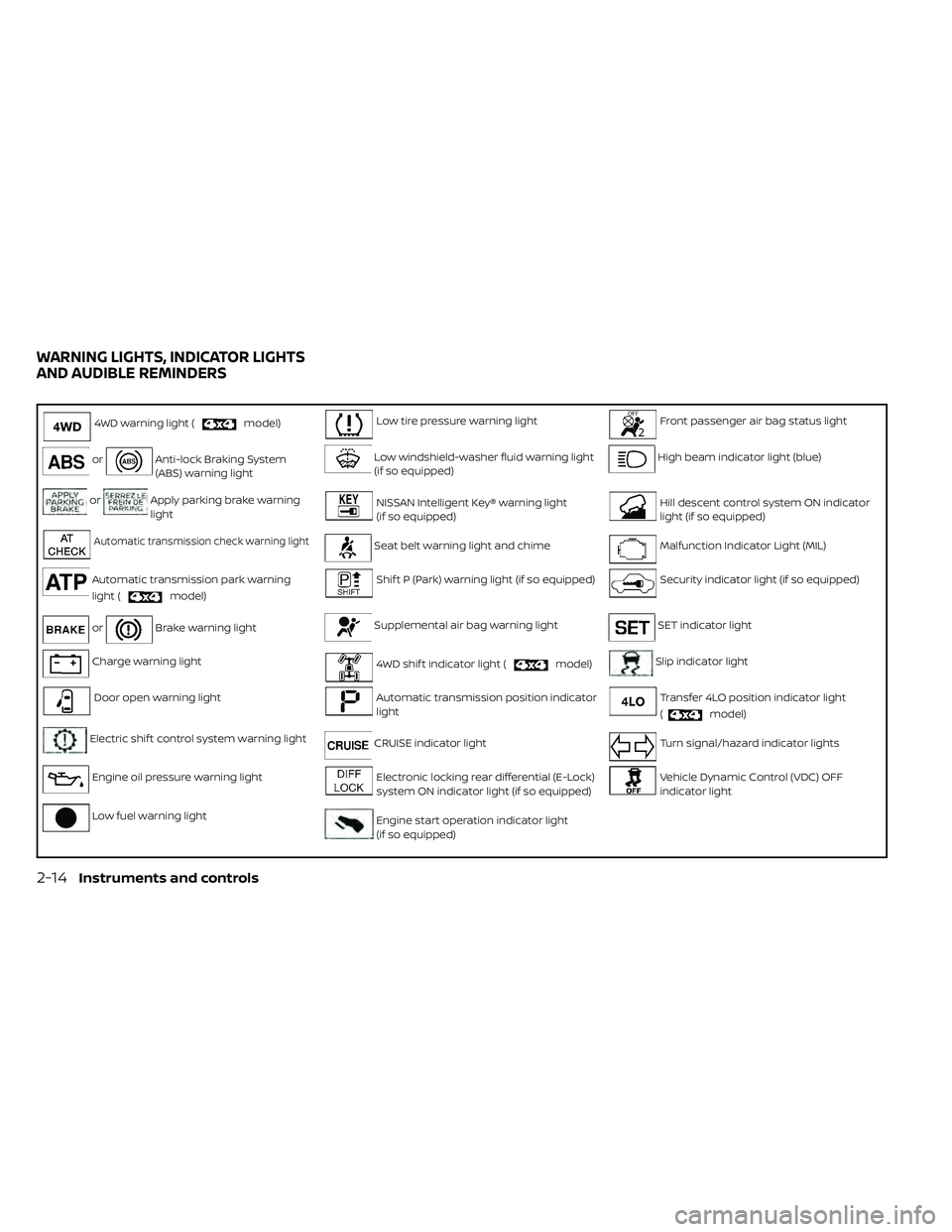
4WD warning light (model)Low tire pressure warning lightFront passenger air bag status light
orAnti-lock Braking System
(ABS) warning lightLow windshield-washer fluid warning light
(if so equipped)High beam indicator light (blue)
orApply parking brake warning
lightNISSAN Intelligent Key® warning light
(if so equipped)Hill descent control system ON indicator
light (if so equipped)
Automatic transmission check warning lightSeat belt warning light and chimeMalfunction Indicator Light (MIL)
Automatic transmission park warning
light (
model)
Shif t P (Park) warning light (if so equipped)Security indicator light (if so equipped)
orBrake warning lightSupplemental air bag warning lightSET indicator light
Charge warning light4WD shif t indicator light (model)Slip indicator light
Door open warning lightAutomatic transmission position indicator
lightTransfer 4LO position indicator light
(
model)
Electric shif t control system warning lightCRUISE indicator lightTurn signal/hazard indicator lights
Engine oil pressure warning lightElectronic locking rear differential (E-Lock)
system ON indicator light (if so equipped)Vehicle Dynamic Control (VDC) OFF
indicator light
Low fuel warning lightEngine start operation indicator light
(if so equipped)
WARNING LIGHTS, INDICATOR LIGHTS
AND AUDIBLE REMINDERS
2-14Instruments and controls
Page 135 of 492
NISSAN Intelligent Key® door
buzzer
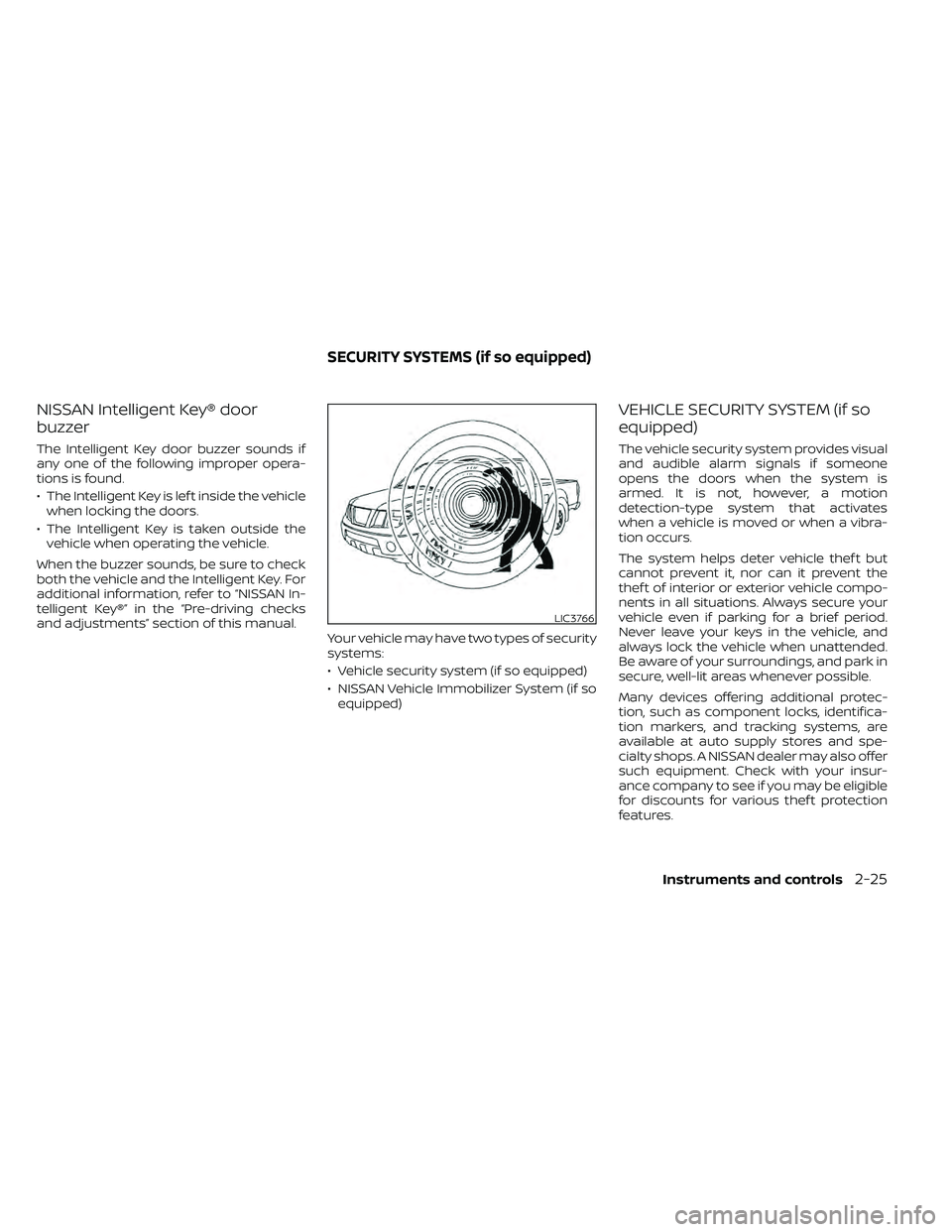
The Intelligent Key door buzzer sounds if
any one of the following improper opera-
tions is found.
• The Intelligent Key is lef t inside the vehiclewhen locking the doors.
• The Intelligent Key is taken outside the vehicle when operating the vehicle.
When the buzzer sounds, be sure to check
both the vehicle and the Intelligent Key. For
additional information, refer to “NISSAN In-
telligent Key®” in the “Pre-driving checks
and adjustments” section of this manual. Your vehicle may have two types of security
systems:
• Vehicle security system (if so equipped)
• NISSAN Vehicle Immobilizer System (if soequipped)
VEHICLE SECURITY SYSTEM (if so
equipped)
The vehicle security system provides visual
and audible alarm signals if someone
opens the doors when the system is
armed. It is not, however, a motion
detection-type system that activates
when a vehicle is moved or when a vibra-
tion occurs.
The system helps deter vehicle thef t but
cannot prevent it, nor can it prevent the
thef t of interior or exterior vehicle compo-
nents in all situations. Always secure your
vehicle even if parking for a brief period.
Never leave your keys in the vehicle, and
always lock the vehicle when unattended.
Be aware of your surroundings, and park in
secure, well-lit areas whenever possible.
Many devices offering additional protec-
tion, such as component locks, identifica-
tion markers, and tracking systems, are
available at auto supply stores and spe-
cialty shops. A NISSAN dealer may also offer
such equipment. Check with your insur-
ance company to see if you may be eligible
for discounts for various thef t protection
features.
LIC3766
SECURITY SYSTEMS (if so equipped)
Instruments and controls2-25
Page 136 of 492
How to arm the vehicle security
system
1. Close all windows.(The system can be
armed even if the windows are open.)
2. Remove the Intelligent Key from the vehicle.
3. Close all doors. Lock all doors. The doors can be locked with the key, power door
lock switch (if the door is opened, locked
and then closed), or with the key fob.
Key fob operation:
• Press the
button on the key fob. All
doors lock. The hazard lights flash twice
and the horn beeps once to indicate all
doors are locked.
• When the
button is pressed with all
doors locked, the hazard lights flash twice
and the horn beeps once as a reminder
that the doors are already locked.
The horn may or may not beep. For addi-
tional information, refer to “Silencing the
horn beep feature” in the “Pre-driving
checks and adjustments” section of this
manual. 4. Confirm that the
indicator light
comes on. Theindicator light
stays on for about 30 seconds. The ve-
hicle security system is now pre-armed.
Af ter about 30 seconds the vehicle se-
curity system automatically shif ts into
the armed phase. The
indicator
light begins to flash once every 3 sec-
onds. If, during the 30-second pre-arm
time period, the driver's door is unlocked
by the key or the key fob or the ignition
switch is placed in ACC or ON position,
the system will not arm.
• If the key is turned slowly when locking
the driver's door, the system may not
arm. Furthermore, if the key is turned
beyond the vertical position toward
the unlock position the system may be
disarmed when the key is removed. If
the indicator light fails to glow for a
period of time, unlock the door once
and lock it again.
• Even when the driver and/or passen-
gers are in the vehicle, the system will
arm with all doors closed and locked
with the ignition switch placed in the
OFF position.
Vehicle security system activation
The vehicle security system will give the
following alarm:
• The headlights blink and the horn sounds intermittently.
• The alarm automatically turns off af ter a period of time. However, the alarm reacti-
vates if the vehicle is tampered with
again. The alarm can be shut off by un-
locking the driver's door with the key or
by pressing the
button on the key
fob.
The alarm is activated by:
• Opening a door without using the key or key fob (even if the door is unlocked by
using the inside lock knob or the power
door lock switch).
How to stop an activated alarm
The alarm stops only by unlocking the driv-
er's door with the key or by pressing the
button on the key fob.
2-26Instruments and controls
Page 137 of 492
NISSAN VEHICLE IMMOBILIZER
SYSTEM (if so equipped)
The NISSAN Vehicle Immobilizer System
will not allow the engine to start without
the use of a registered key.
If the engine fails to start using a registered
key (for example, when interference is
caused by another registered key, an auto-
mated toll road device or automatic pay-
ment device on the key ring), restart the
engine using the following procedures:
1. Leave the ignition switch in the ON posi-tion for approximately 5 seconds.
2. Place the ignition switch in the OFF or LOCK position, and wait approximately
10 seconds.
3. Repeat steps 1 and 2.
4. Restart the engine while holding the de- vice (which may have caused the inter-
ference) separate from the registered
key.
If the no start condition re-occurs, NISSAN
recommends placing the registered key on
a separate key ring to avoid interference
from other devices. FCC Notice:
For USA:
This device complies with Part 15 of the
FCC Rules. Operation is subject to the fol-
lowing two conditions; (1) This device
may not cause harmful interference, and
(2) this device must accept any interfer-
ence received, including interference
that may cause undesired operation of
the device.
NOTE:
Changes or modifications not expressly
approved by the party responsible for
compliance could void the user's author-
ity to operate the equipment.
For Canada:
This device complies with Industry
Canada licence-exempt RSS standard(s).
Operation is subject to the following two
conditions: (1) this device may not cause
interference, and (2) this device must ac-
cept any interference, including interfer-
ence that may cause undesired opera-
tion of the device.
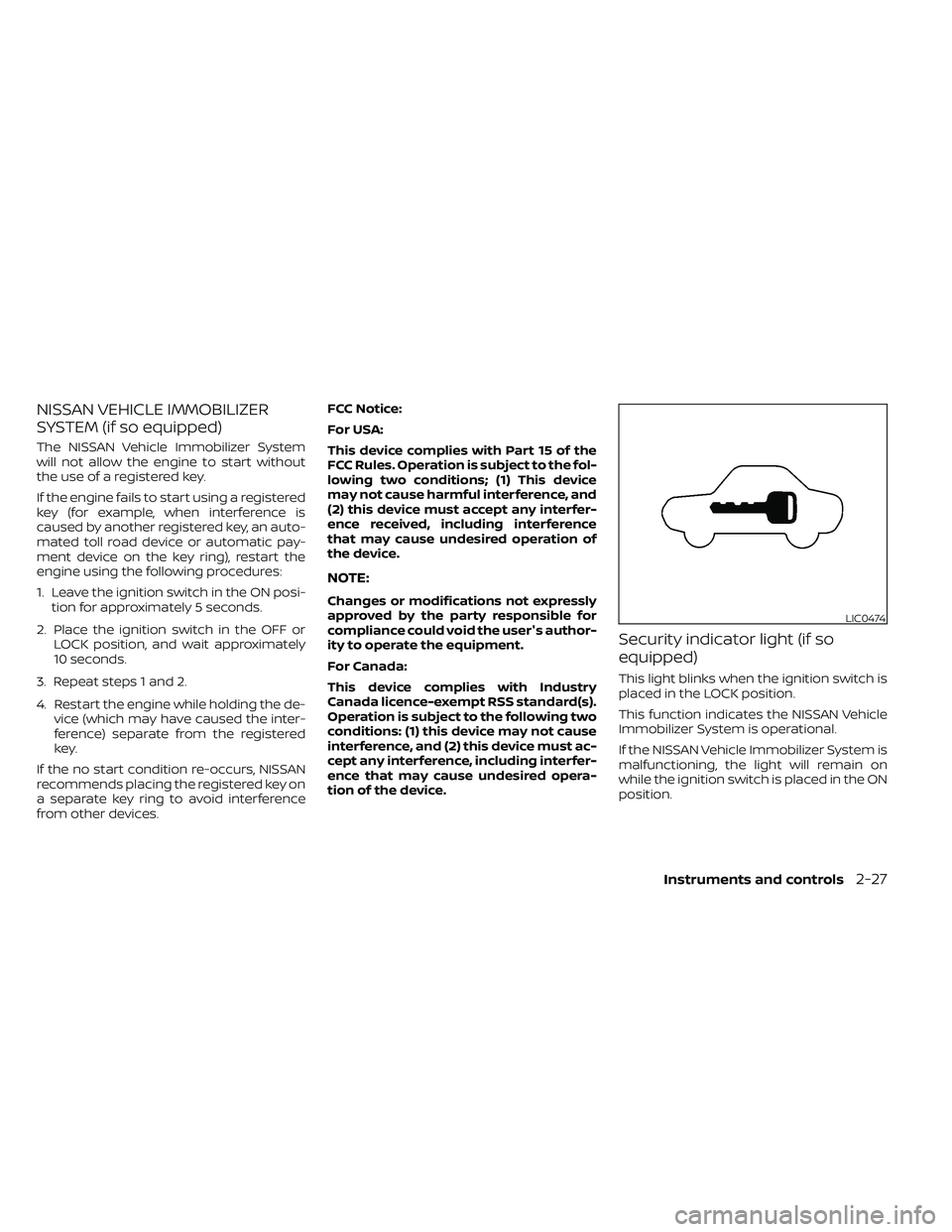
Security indicator light (if so
equipped)
This light blinks when the ignition switch is
placed in the LOCK position.
This function indicates the NISSAN Vehicle
Immobilizer System is operational.
If the NISSAN Vehicle Immobilizer System is
malfunctioning, the light will remain on
while the ignition switch is placed in the ON
position.
LIC0474
Page 159 of 492
on the driver's side door jamb pillar). For
additional information, refer to “Vehicle
loading information” in the “Technical and
consumer information” section of this
manual.
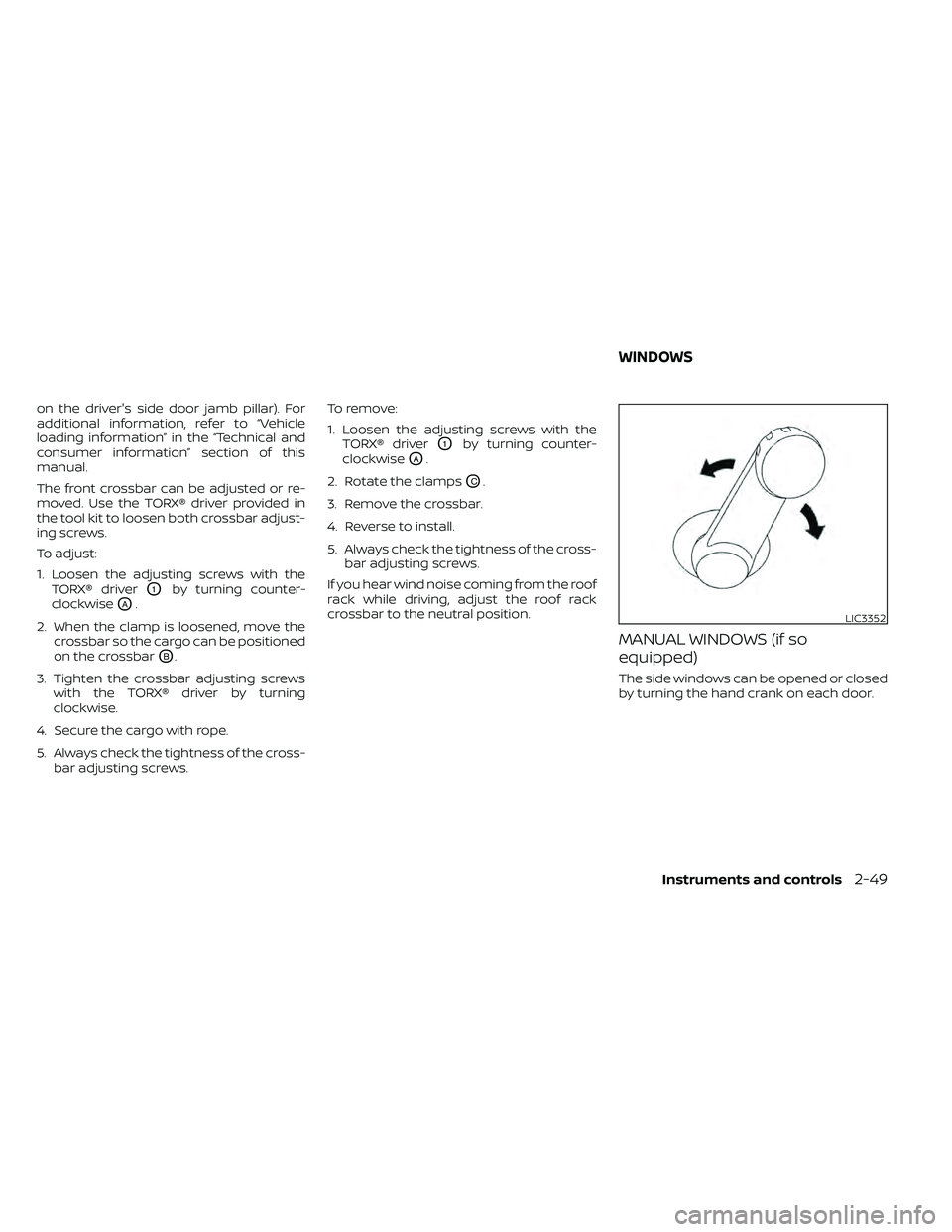
The front crossbar can be adjusted or re-
moved. Use the TORX® driver provided in
the tool kit to loosen both crossbar adjust-
ing screws.
To adjust:
1. Loosen the adjusting screws with theTORX® driver
O1by turning counter-
clockwise
OA.
2. When the clamp is loosened, move the crossbar so the cargo can be positioned
on the crossbar
OB.
3. Tighten the crossbar adjusting screws with the TORX® driver by turning
clockwise.
4. Secure the cargo with rope.
5. Always check the tightness of the cross- bar adjusting screws. To remove:
1. Loosen the adjusting screws with the
TORX® driver
O1by turning counter-
clockwise
OA.
2. Rotate the clamps
OC.
3. Remove the crossbar.
4. Reverse to install.
5. Always check the tightness of the cross- bar adjusting screws.
If you hear wind noise coming from the roof
rack while driving, adjust the roof rack
crossbar to the neutral position.
MANUAL WINDOWS (if so
equipped)
The side windows can be opened or closed
by turning the hand crank on each door.
LIC3352
WINDOWS
Instruments and controls2-49
Page 166 of 492
The HomeLink® Universal Transceiver pro-
vides a convenient way to consolidate the
functions of up to three individual hand-
held transmitters into one built-in device.
HomeLink® Universal Transceiver:
• Will operate most radio frequency de-vices such as garage doors, gates, home
and office lighting, entry door locks and
security systems.
• Is powered by your vehicle's battery. No separate batteries are required. If the ve-
hicle's battery is discharged or is discon-
nected, HomeLink® will retain all pro-
gramming.
When the HomeLink® Universal Trans-
ceiver is programmed, retain the original
transmitter for future programming pro-
cedures (Example: new vehicle pur-
chases). Upon sale of the vehicle, the
programmed HomeLink® Universal
Transceiver buttons should be erased for
security purposes. For additional infor-
mation, refer to “Programming
HomeLink®” in this section.WARNING
• Your vehicle's engine should be
turned off while programming the
HomeLink® Universal Transceiver. Do
not breathe exhaust gases; they con-
tain colorless and odorless carbon
monoxide. Carbon monoxide is dan-
gerous. It can cause unconscious-
ness or death.
• Do not use the HomeLink® Universal
Transceiver with any garage door
opener that lacks safety stop and re-
verse features as required by federal
safety standards. (These standards
became effective for opener models
manufactured af ter April 1, 1982). A
garage door opener which cannot
detect an object in the path of a clos-
ing garage door and then automati-
cally stop and reverse, does not meet
current federal safety standards. Us-
ing a garage door opener without
these features increases the risk of
serious injury or death. •
During the programming procedure
your garage door or security gate will
open and close (if the transmitter is
within range). Make sure that people
or objects are clear of the garage
door, gate, etc. that you are
programming.
PROGRAMMING HOMELINK®
If you have any questions or are having
difficulty programming your HomeLink®
buttons, refer to the HomeLink® web site at:
www.homelink.com or call 1-800-355-3515.
NOTE:
Place the ignition switch in the ON posi-
tion (without starting the engine) when
programming HomeLink®. It is also rec-
ommended that a new battery be placed
in the hand-held transmitter of the de-
vice being programmed to HomeLink®
for quicker programming and accurate
transmission of the radio frequency.
HOMELINK® UNIVERSAL
TRANSCEIVER (if so equipped)
2-56Instruments and controls
Page 175 of 492
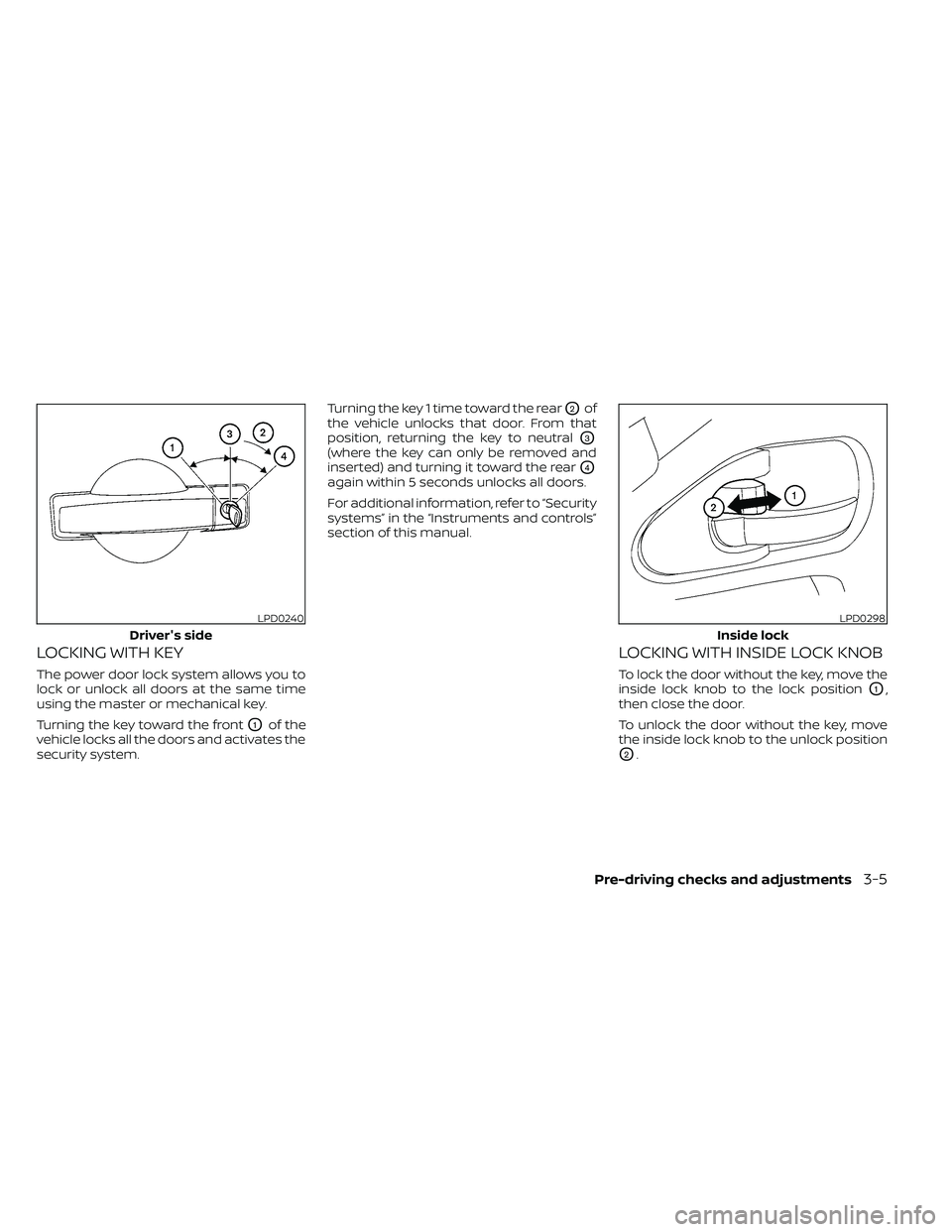
LOCKING WITH KEY
The power door lock system allows you to
lock or unlock all doors at the same time
using the master or mechanical key.
Turning the key toward the front
O1of the
vehicle locks all the doors and activates the
security system. Turning the key 1 time toward the rear
O2of
the vehicle unlocks that door. From that
position, returning the key to neutral
O3
(where the key can only be removed and
inserted) and turning it toward the rear
O4
again within 5 seconds unlocks all doors.
For additional information, refer to “Security
systems” in the “Instruments and controls”
section of this manual.
LOCKING WITH INSIDE LOCK KNOB
To lock the door without the key, move the
inside lock knob to the lock position
O1,
then close the door.
To unlock the door without the key, move
the inside lock knob to the unlock position
O2.
LPD0240
Driver's side
Pre-driving checks and adjustments3-5