Nav NISSAN FRONTIER 2022 Owner´s Manual
[x] Cancel search | Manufacturer: NISSAN, Model Year: 2022, Model line: FRONTIER, Model: NISSAN FRONTIER 2022Pages: 556, PDF Size: 6.11 MB
Page 251 of 556
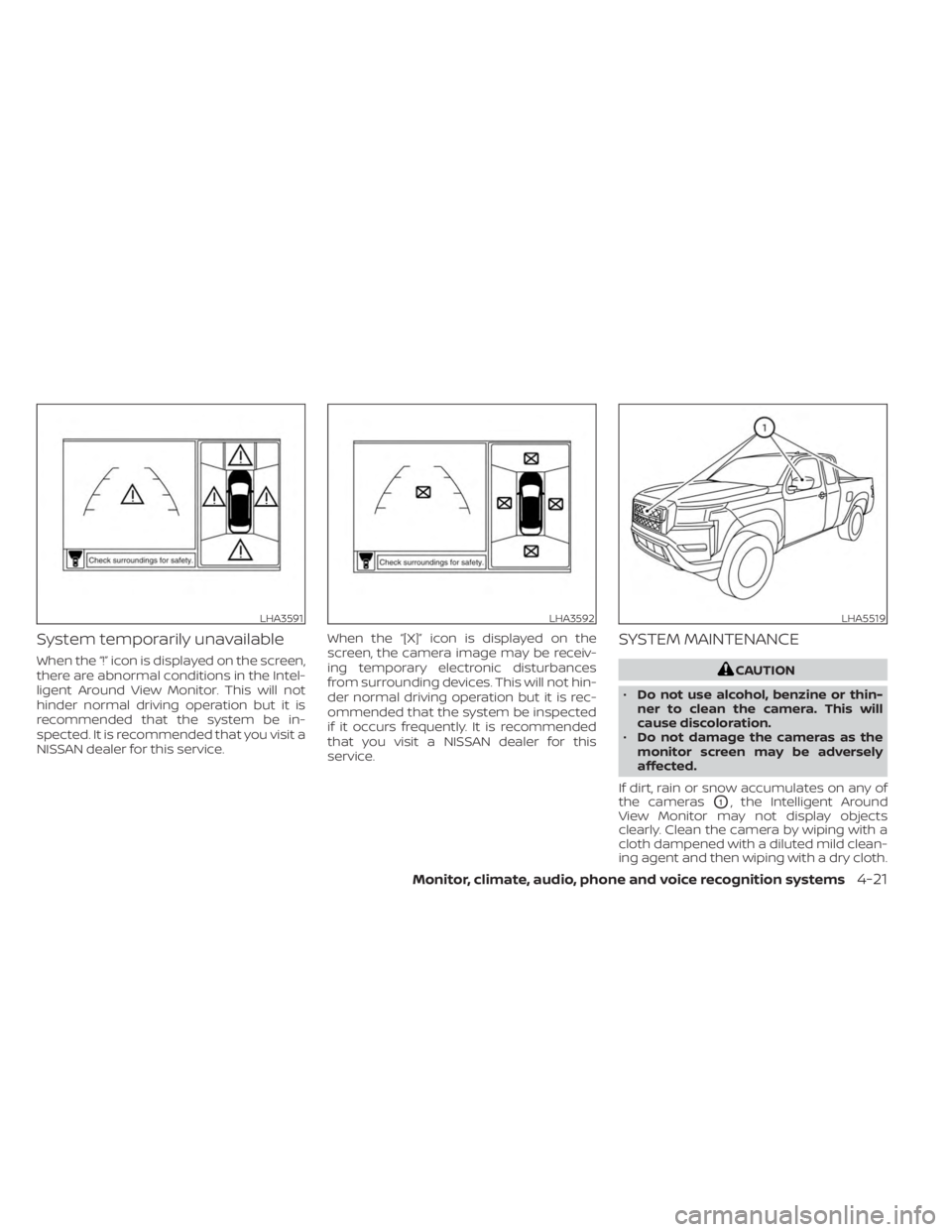
System temporarily unavailable
When the “!” icon is displayed on the screen,
there are abnormal conditions in the Intel-
ligent Around View Monitor. This will not
hinder normal driving operation but it is
recommended that the system be in-
spected. It is recommended that you visit a
NISSAN dealer for this service.When the “[X]” icon is displayed on the
screen, the camera image may be receiv-
ing temporary electronic disturbances
from surrounding devices. This will not hin-
der normal driving operation but it is rec-
ommended that the system be inspected
if it occurs frequently. It is recommended
that you visit a NISSAN dealer for this
service.
SYSTEM MAINTENANCE
CAUTION
• Do not use alcohol, benzine or thin-
ner to clean the camera. This will
cause discoloration.
• Do not damage the cameras as the
monitor screen may be adversely
affected.
If dirt, rain or snow accumulates on any of
the cameras
O1, the Intelligent Around
View Monitor may not display objects
clearly. Clean the camera by wiping with a
cloth dampened with a diluted mild clean-
ing agent and then wiping with a dry cloth.
LHA3591LHA3592LHA5519
Monitor, climate, audio, phone and voice recognition systems4-21
Page 273 of 556
5 Starting and driving
Precautions when starting and driving..........5-4
Exhaust gas (carbon monoxide) ..............5-4
Three-way catalyst ...........................5-5
Tire Pressure Monitoring System
(TPMS) .......................................5-5
On-pavement and off-road driving
precautions ..................................5-9
Avoiding collision and rollover ................5-9
Off-roadrecovery ............................5-9
Rapid air pressure loss ......................5-10
Drinking alcohol/drugs and driving ...........5-11
Driving safety precautions ....................5-11
Push-button ignition switch ....................5-13
Operating range ............................ 5-14
Push-button ignition switch positions .......5-14
Emergency engine shut off ..................5-15
NISSAN Intelligent Key® battery
discharge ................................... 5-16
NISSAN Vehicle Immobilizer System .........5-16
Before starting the engine .....................5-17
Starting the engine ............................. 5-17
Remote Engine Start (if so equipped) ........5-18
Driving the vehicle .............................. 5-18
Automatic transmission (A/T) ...............5-18
Parking brake .................................. 5-23
Traffic Sign Recognition (TSR) (if so equipped) . . . 5-24 System operation
........................... 5-25
Turning the Traffic Sign Recognition
(TSR) system on and off .....................5-26
System temporarily unavailable .............5-26
System malfunction ......................... 5-26
System maintenance .......................5-26
Lane Departure Warning (LDW)
(if so equipped) ................................. 5-27
LDW system operation ......................5-28
How to enable/disable the LDW system .....5-29
LDW system limitations .....................5-30
System temporarily disabled ................5-31
System malfunction ......................... 5-31
System maintenance ....................... 5-31
Blind Spot Warning (BSW) (if so equipped) .......5-32
BSW system operation ......................5-34
How to enable/disable the BSW system .....
5-34
BS
W system limitations .....................5-35
BSW driving situations .......................5-36
System temporarily unavailable .............5-40
System maintenance ....................... 5-41
Rear Cross Traffic Alert (RCTA) (if so equipped) . . 5-43 RCTA system operation .....................5-43
How to enable/disable the RCTA
system ...................................... 5-45
RCTA system limitations .....................5-46
Page 274 of 556
System temporarily unavailable.............5-48
System maintenance .......................5-49
Cruise control (if so equipped) ..................5-51
Precautions on cruise control ...............5-51
Cruise control operations ...................5-51
Intelligent Cruise Control (if so equipped) .......5-53
How to select the cruise control mode ......5-55
Vehicle-to-vehicle distance control
mode ....................................... 5-55
Vehicle-to-vehicle distance control
mode operation ............................. 5-56
Vehicle-to-vehicle distance control
mode switches ............................. 5-58
Vehicle-to-vehicle distance control
mode limitations ............................ 5-64
System temporarily unavailable .............5-68
System maintenance .......................5-70
Conventional (fixed speed) cruise
control mode ............................... 5-72
Rear Automatic Braking (RAB) (if so equipped) . . 5-76 RAB system operation ....................... 5-77
Turning the RAB system on/off ..............5-78
RAB system limitations ......................5-79
System malfunction ......................... 5-80System maintenance
....................... 5-81
Automatic Emergency Braking (AEB) with
Pedestrian Detection ........................... 5-81
AEB with Pedestrian Detection system
operation ................................... 5-82
Turning the AEB with Pedestrian
Detection system ON/OFF ..................5-84
AEB with Pedestrian Detection system
limitations .................................. 5-85
System temporarily unavailable .............5-88
System malfunction ......................... 5-90
System maintenance .......................5-90
Intelligent Forward Collision Warning (I-FCW) . . . 5-92 I-FCW system operation .....................5-94
Turning the I-FCW system on/off ............5-95
I-FCW system limitations ....................5-96
System temporarily unavailable ............5-101
System malfunction ........................ 5-102
System maintenance ......................5-103
Intelligent Driver Alertness (I-DA) ...............
5-104
Intelligent
Driver Alertness system
operation .................................. 5-105
How to enable/disable the Intelligent
Driver Alertness (I-DA) system ..............5-106
Page 275 of 556
Intelligent Driver Alertness (I-DA)
system limitations......................... 5-106
Break-in schedule ............................. 5-107
Fuel efficient driving tips .......................5-108
Increasing fuel economy ......................5-109
Using 4–wheel drive (4WD)
(if so equipped) ................................ 5-109
Transfer case shif ting procedures ..........5-110
Electronic locking rear differential (E-Lock)
system (if so equipped) ........................ 5-116
Parking/parking on hills ........................5-117
Power steering ................................ 5-118
Brake system ................................. 5-118
Brake precautions .......................... 5-118
Anti-lock Braking System (ABS) .............5-119
Active Brake Limited Slip (ABLS) system .......5-120
Vehicle Dynamic Control (VDC) system ........5-121
Brake force distribution ....................5-122Hill descent control system (if so equipped) . . . 5-123
Hill start assist system (if so equipped)
........5-124
Rear Sonar System (RSS) (if so equipped) ......5-124
System operation .......................... 5-125
How to enable/disable the RSS .............5-127
Sonar limitations ........................... 5-128
System temporarily unavailable ............5-128
System maintenance ......................5-128
Cold weather driving .......................... 5-129
Freeing a frozen door lock ..................5-129
Antifreeze .................................. 5-129
Battery..................................... 5-129
Draining of coolant water ..................5-129
Tire equipment ............................. 5-129
Special winter equipment ..................5-130
Driving on snow or ice ......................5-130
Engine block heater (if so equipped) ........5-130
Page 296 of 556
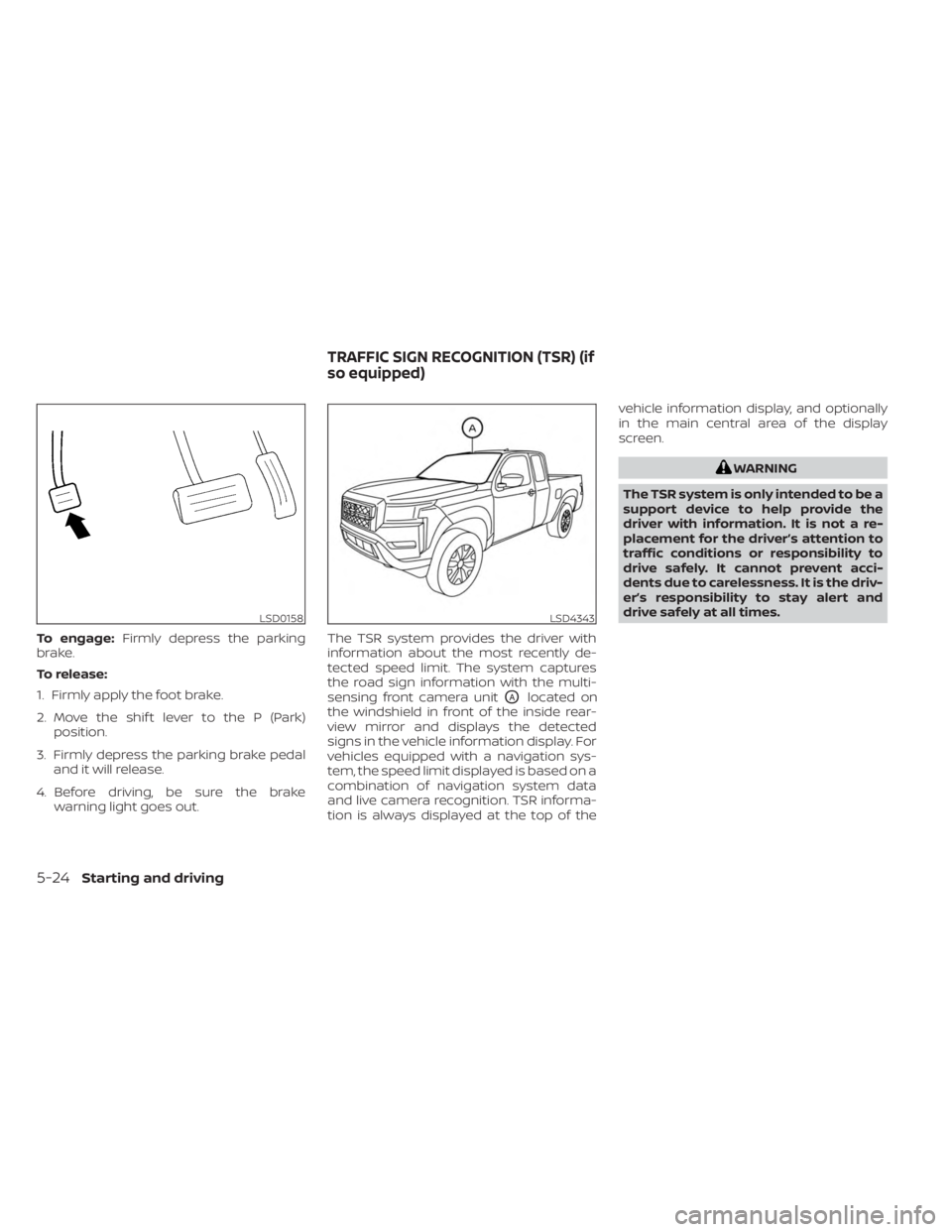
To engage:Firmly depress the parking
brake.
To release:
1. Firmly apply the foot brake.
2. Move the shif t lever to the P (Park) position.
3. Firmly depress the parking brake pedal and it will release.
4. Before driving, be sure the brake warning light goes out. The TSR system provides the driver with
information about the most recently de-
tected speed limit. The system captures
the road sign information with the multi-
sensing front camera unit
OAlocated on
the windshield in front of the inside rear-
view mirror and displays the detected
signs in the vehicle information display. For
vehicles equipped with a navigation sys-
tem, the speed limit displayed is based on a
combination of navigation system data
and live camera recognition. TSR informa-
tion is always displayed at the top of the vehicle information display, and optionally
in the main central area of the display
screen.
WARNING
The TSR system is only intended to be a
support device to help provide the
driver with information. It is not a re-
placement for the driver’s attention to
traffic conditions or responsibility to
drive safely. It cannot prevent acci-
dents due to carelessness. It is the driv-
er’s responsibility to stay alert and
drive safely at all times.
LSD0158LSD4343
TRAFFIC SIGN RECOGNITION (TSR) (if
so equipped)
5-24Starting and driving
Page 297 of 556
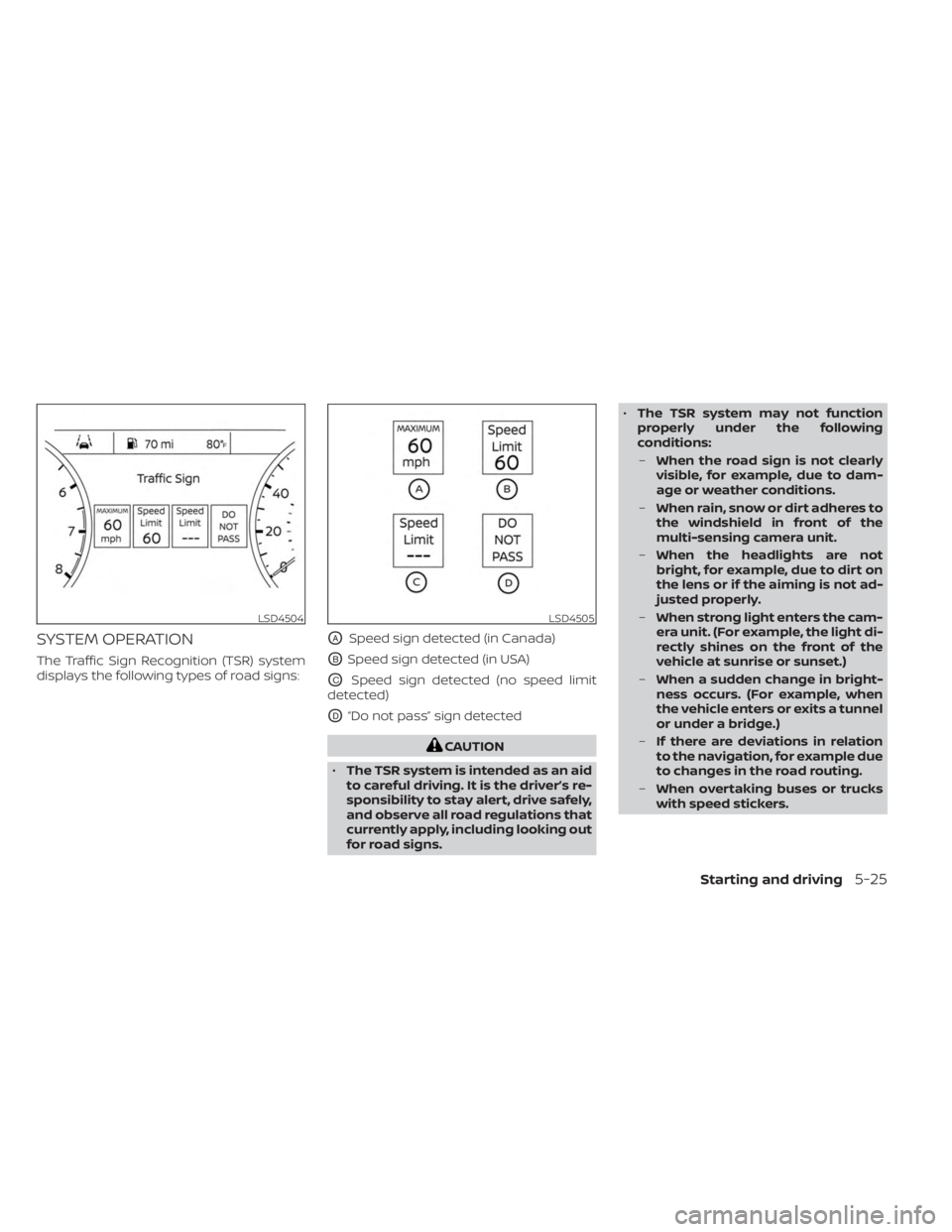
SYSTEM OPERATION
The Traffic Sign Recognition (TSR) system
displays the following types of road signs:
OASpeed sign detected (in Canada)
OBSpeed sign detected (in USA)
OCSpeed sign detected (no speed limit
detected)
OD“Do not pass” sign detected
CAUTION
• The TSR system is intended as an aid
to careful driving. It is the driver’s re-
sponsibility to stay alert, drive safely,
and observe all road regulations that
currently apply, including looking out
for road signs. •
The TSR system may not function
properly under the following
conditions:
– When the road sign is not clearly
visible, for example, due to dam-
age or weather conditions.
– When rain, snow or dirt adheres to
the windshield in front of the
multi-sensing camera unit.
– When the headlights are not
bright, for example, due to dirt on
the lens or if the aiming is not ad-
justed properly.
– When strong light enters the cam-
era unit. (For example, the light di-
rectly shines on the front of the
vehicle at sunrise or sunset.)
– When a sudden change in bright-
ness occurs. (For example, when
the vehicle enters or exits a tunnel
or under a bridge.)
– If there are deviations in relation
to the navigation, for example due
to changes in the road routing.
– When overtaking buses or trucks
with speed stickers.
LSD4504LSD4505
Starting and driving5-25
Page 298 of 556
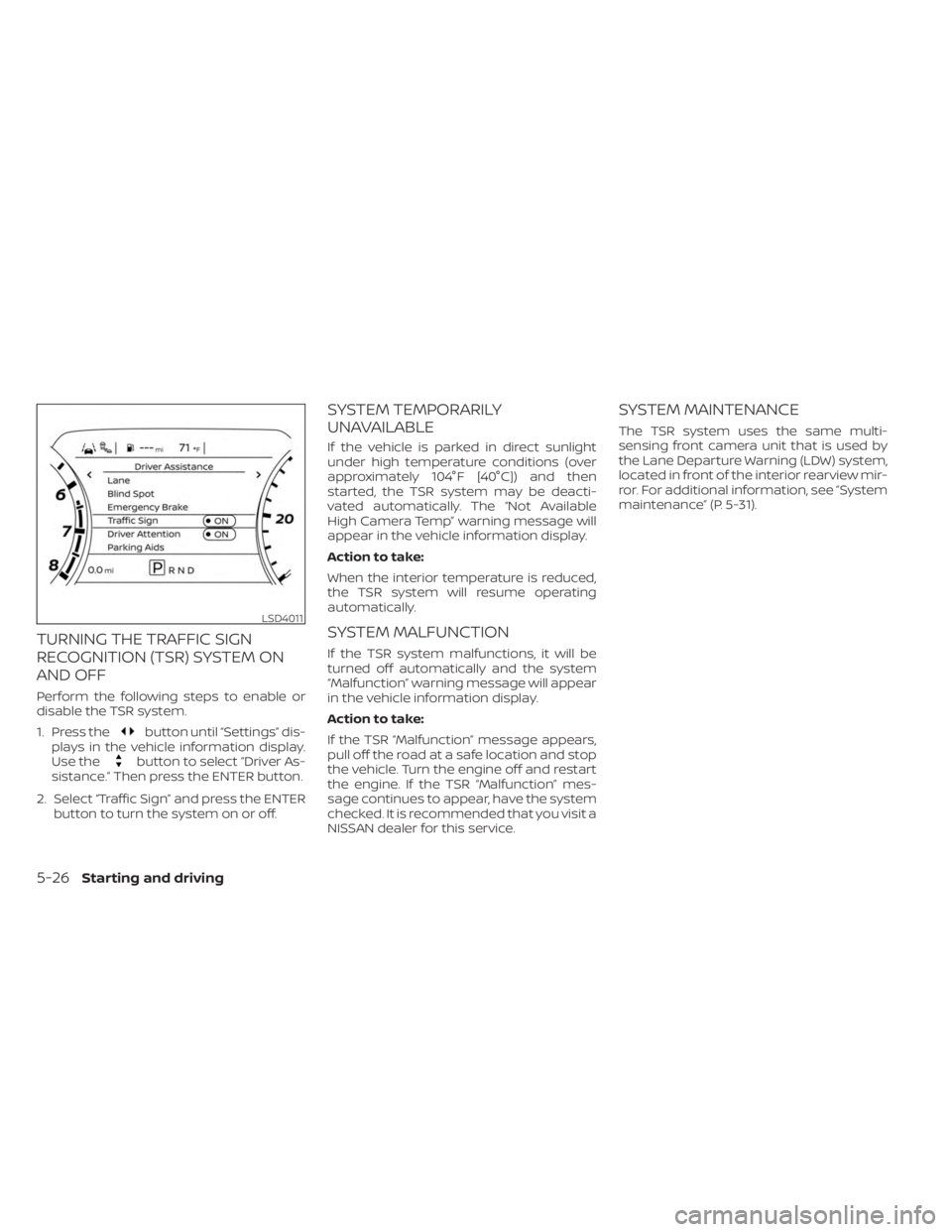
TURNING THE TRAFFIC SIGN
RECOGNITION (TSR) SYSTEM ON
AND OFF
Perform the following steps to enable or
disable the TSR system.
1. Press the
button until “Settings” dis-
plays in the vehicle information display.
Use the
button to select “Driver As-
sistance.” Then press the ENTER button.
2. Select “Traffic Sign” and press the ENTER button to turn the system on or off.
SYSTEM TEMPORARILY
UNAVAILABLE
If the vehicle is parked in direct sunlight
under high temperature conditions (over
approximately 104°F [40°C]) and then
started, the TSR system may be deacti-
vated automatically. The “Not Available
High Camera Temp” warning message will
appear in the vehicle information display.
Action to take:
When the interior temperature is reduced,
the TSR system will resume operating
automatically.
SYSTEM MALFUNCTION
If the TSR system malfunctions, it will be
turned off automatically and the system
“Malfunction” warning message will appear
in the vehicle information display.
Action to take:
If the TSR “Malfunction” message appears,
pull off the road at a safe location and stop
the vehicle. Turn the engine off and restart
the engine. If the TSR “Malfunction” mes-
sage continues to appear, have the system
checked. It is recommended that you visit a
NISSAN dealer for this service.
SYSTEM MAINTENANCE
The TSR system uses the same multi-
sensing front camera unit that is used by
the Lane Departure Warning (LDW) system,
located in front of the interior rearview mir-
ror. For additional information, see ”System
maintenance” (P. 5-31).
LSD4011
5-26Starting and driving
Page 312 of 556
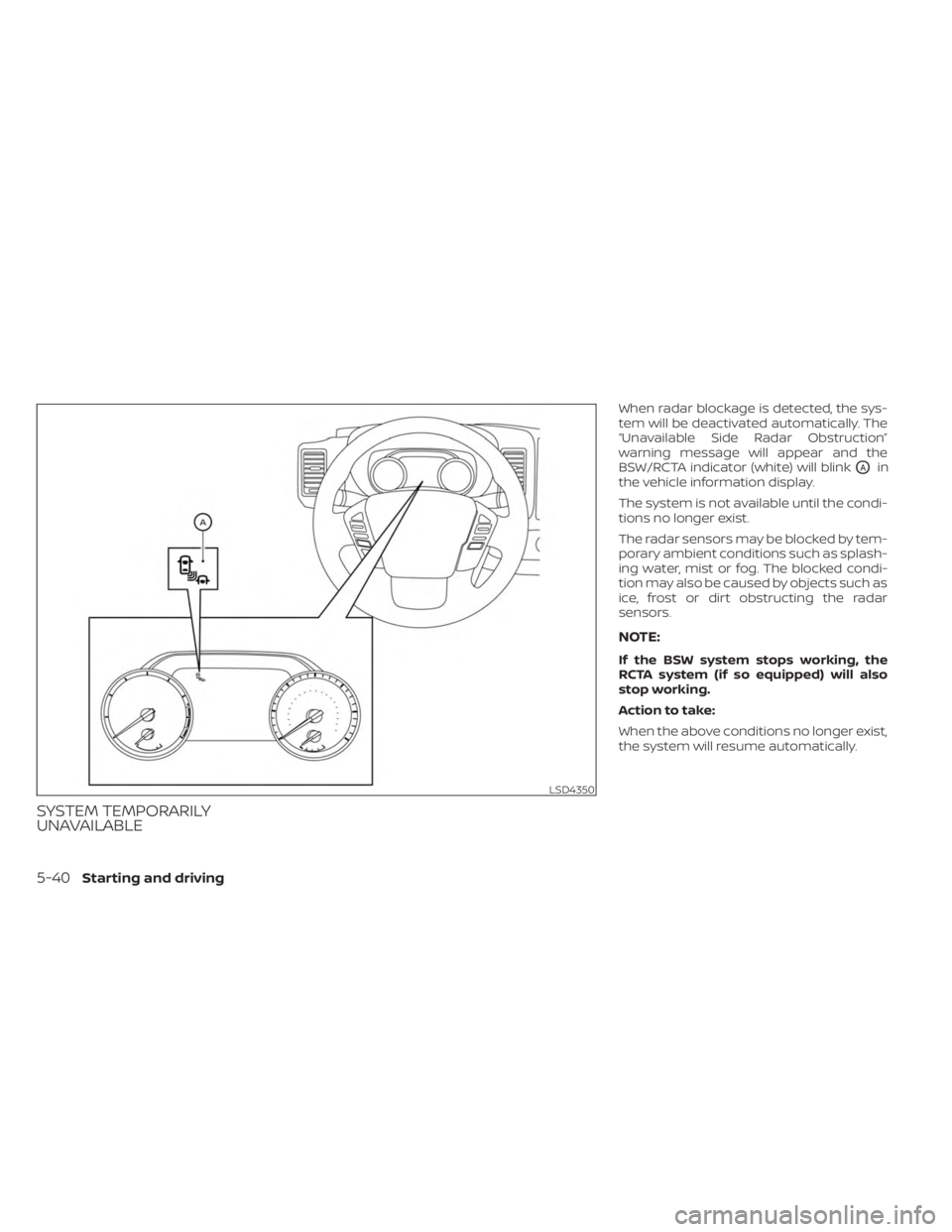
SYSTEM TEMPORARILY
UNAVAILABLE
When radar blockage is detected, the sys-
tem will be deactivated automatically. The
“Unavailable Side Radar Obstruction”
warning message will appear and the
BSW/RCTA indicator (white) will blink
OAin
the vehicle information display.
The system is not available until the condi-
tions no longer exist.
The radar sensors may be blocked by tem-
porary ambient conditions such as splash-
ing water, mist or fog. The blocked condi-
tion may also be caused by objects such as
ice, frost or dirt obstructing the radar
sensors.
NOTE:
If the BSW system stops working, the
RCTA system (if so equipped) will also
stop working.
Action to take:
When the above conditions no longer exist,
the system will resume automatically.
LSD4350
5-40Starting and driving
Page 320 of 556
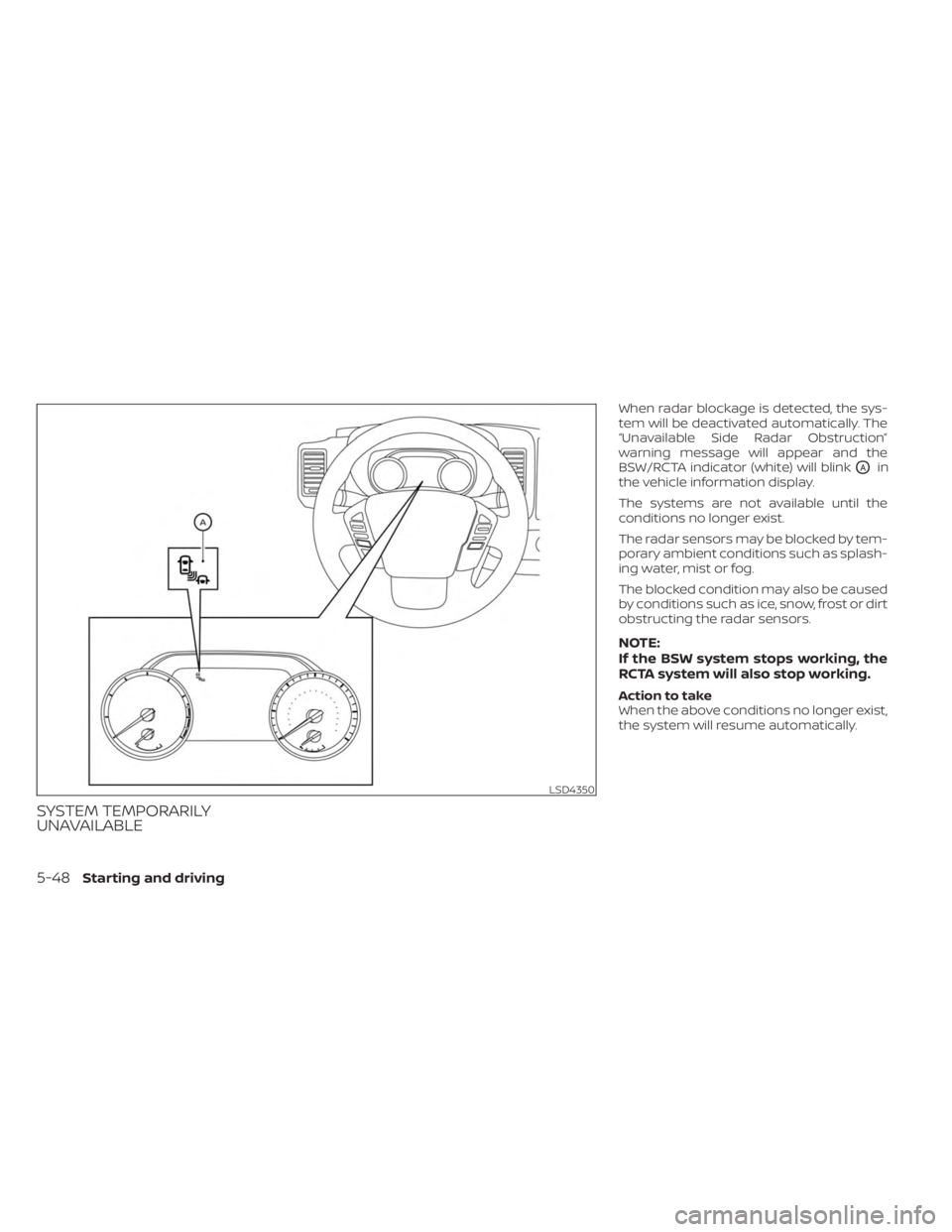
SYSTEM TEMPORARILY
UNAVAILABLE
When radar blockage is detected, the sys-
tem will be deactivated automatically. The
“Unavailable Side Radar Obstruction”
warning message will appear and the
BSW/RCTA indicator (white) will blink
OAin
the vehicle information display.
The systems are not available until the
conditions no longer exist.
The radar sensors may be blocked by tem-
porary ambient conditions such as splash-
ing water, mist or fog.
The blocked condition may also be caused
by conditions such as ice, snow, frost or dirt
obstructing the radar sensors.
NOTE:
If the BSW system stops working, the
RCTA system will also stop working.
Action to take
When the above conditions no longer exist,
the system will resume automatically.
LSD4350
5-48Starting and driving
Page 340 of 556
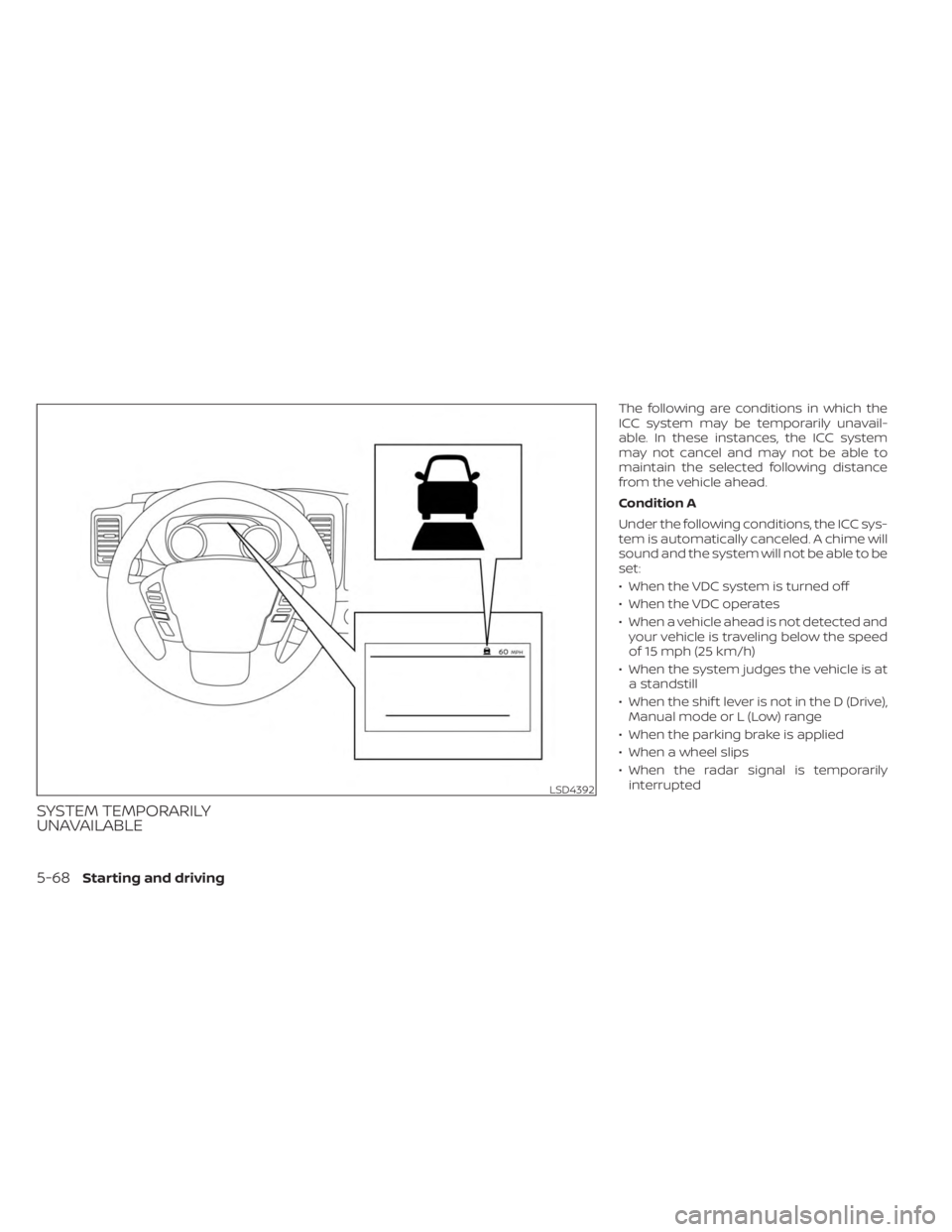
SYSTEM TEMPORARILY
UNAVAILABLE
The following are conditions in which the
ICC system may be temporarily unavail-
able. In these instances, the ICC system
may not cancel and may not be able to
maintain the selected following distance
from the vehicle ahead.
Condition A
Under the following conditions, the ICC sys-
tem is automatically canceled. A chime will
sound and the system will not be able to be
set:
• When the VDC system is turned off
• When the VDC operates
• When a vehicle ahead is not detected andyour vehicle is traveling below the speed
of 15 mph (25 km/h)
• When the system judges the vehicle is at a standstill
• When the shif t lever is not in the D (Drive), Manual mode or L (Low) range
• When the parking brake is applied
• When a wheel slips
• When the radar signal is temporarily interrupted
LSD4392
5-68Starting and driving