Nav NISSAN FRONTIER 2022 Owner´s Manual
[x] Cancel search | Manufacturer: NISSAN, Model Year: 2022, Model line: FRONTIER, Model: NISSAN FRONTIER 2022Pages: 556, PDF Size: 6.11 MB
Page 342 of 556
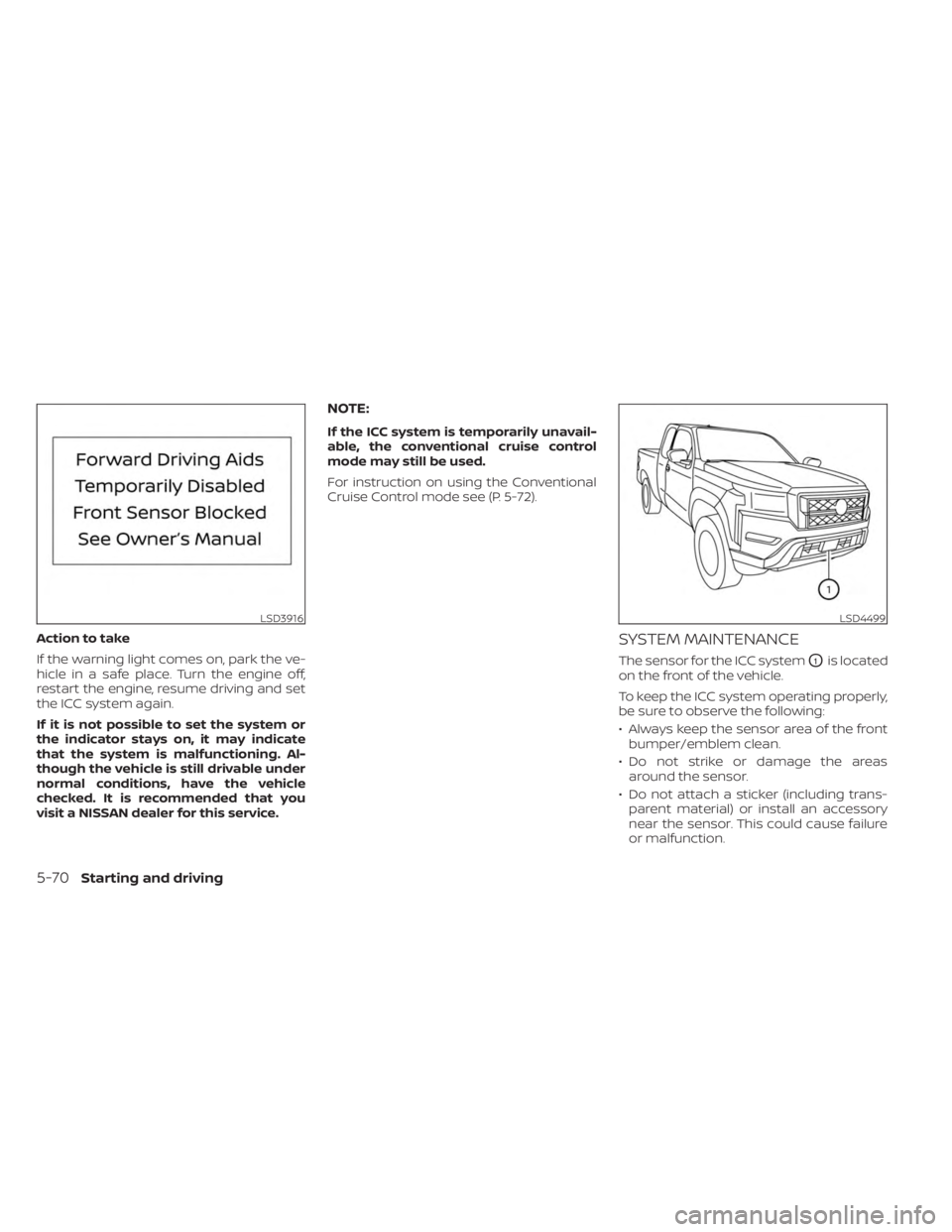
Action to take
If the warning light comes on, park the ve-
hicle in a safe place. Turn the engine off,
restart the engine, resume driving and set
the ICC system again.
If it is not possible to set the system or
the indicator stays on, it may indicate
that the system is malfunctioning. Al-
though the vehicle is still drivable under
normal conditions, have the vehicle
checked. It is recommended that you
visit a NISSAN dealer for this service.
NOTE:
If the ICC system is temporarily unavail-
able, the conventional cruise control
mode may still be used.
For instruction on using the Conventional
Cruise Control mode see (P. 5-72).
SYSTEM MAINTENANCE
The sensor for the ICC systemO1is located
on the front of the vehicle.
To keep the ICC system operating properly,
be sure to observe the following:
• Always keep the sensor area of the front bumper/emblem clean.
• Do not strike or damage the areas around the sensor.
• Do not attach a sticker (including trans- parent material) or install an accessory
near the sensor. This could cause failure
or malfunction.
LSD3916LSD4499
5-70Starting and driving
Page 355 of 556
3. AEB with Pedestrian Detection systemwarning light
The AEB system operates at speeds above
approximately 3 mph (5 km/h). For the pe-
destrian detection function, the system
operates at speeds between6–37mph(10
– 60 km/h).
If a risk of a forward collision is detected,
the AEB with Pedestrian Detection system
will firstly provide the warning to the driver
by flashing the vehicle ahead detection in-
dicator (yellow) in the vehicle information
display and providing an audible alert. If the
driver applies the brakes quickly and force-
fully af ter the warning, and the AEB with
Pedestrian Detection system detects that
there is still the possibility of a forward col-
lision, the system will automatically in-
crease the braking force.
If the driver does not take action, the AEB
with Pedestrian Detection system issues
the second visual (flashing) (red and white)
and audible warning. If the driver releases
the accelerator pedal, then the system ap-
plies partial braking. If the risk of a collision
becomes imminent, the AEB with Pedes-
trian Detection system applies harder
braking automatically. While the AEB with Pedestrian Detection
system is operating, you may hear the
sound of brake operation. This is normal
and indicates that the AEB with Pedestrian
Detection system is operating properly.
NOTE:
The vehicle’s brake lights come on when
any braking is performed by the AEB
with Pedestrian Detection system.
Depending on vehicle speed and distance
to the vehicle or pedestrian ahead, as well
as driving and roadway conditions, the sys-
tem may help the driver avoid a forward
collision or may help mitigate the conse-
quences if a collision should be unavoid-
able. If the driver is handling the steering
wheel, accelerating or braking, the AEB with
Pedestrian Detection system will function
later or will not function.
The automatic braking will cease under the
following conditions:
• When the steering wheel is turned to
avoid a collision.
• When the accelerator pedal is depressed.
• When there is no longer a vehicle or a pedestrian detected ahead. If the AEB with Pedestrian Detection sys-
tem has stopped the vehicle, the vehicle
will remain at a standstill for approximately
2 seconds before the brakes are released.
Starting and driving5-83
Page 360 of 556
SYSTEM TEMPORARILY
UNAVAILABLE
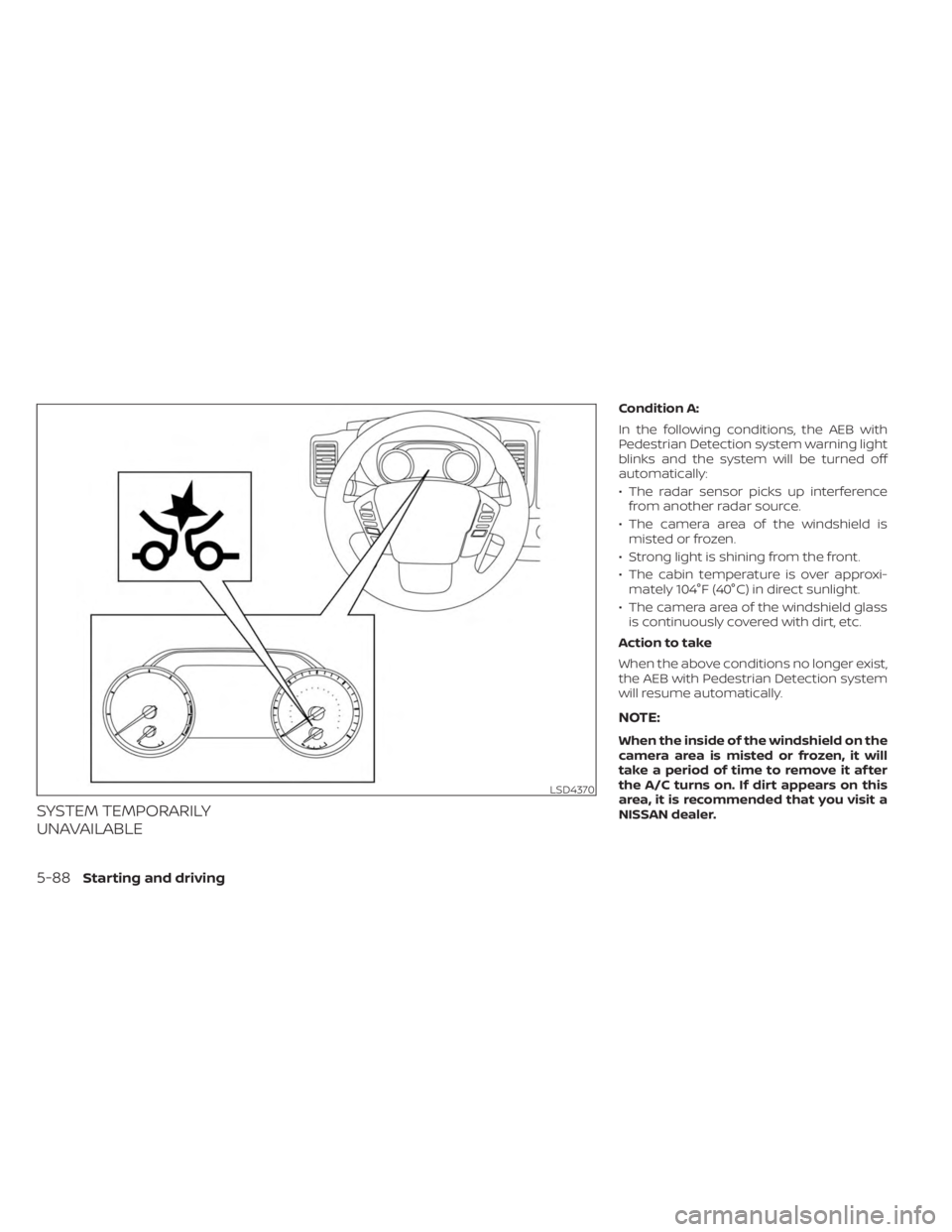
Condition A:
In the following conditions, the AEB with
Pedestrian Detection system warning light
blinks and the system will be turned off
automatically:
• The radar sensor picks up interferencefrom another radar source.
• The camera area of the windshield is misted or frozen.
• Strong light is shining from the front.
• The cabin temperature is over approxi- mately 104°F (40°C) in direct sunlight.
• The camera area of the windshield glass is continuously covered with dirt, etc.
Action to take
When the above conditions no longer exist,
the AEB with Pedestrian Detection system
will resume automatically.
NOTE:
When the inside of the windshield on the
camera area is misted or frozen, it will
take a period of time to remove it af ter
the A/C turns on. If dirt appears on this
area, it is recommended that you visit a
NISSAN dealer.
LSD4370
5-88Starting and driving
Page 373 of 556
SYSTEM TEMPORARILY
UNAVAILABLE
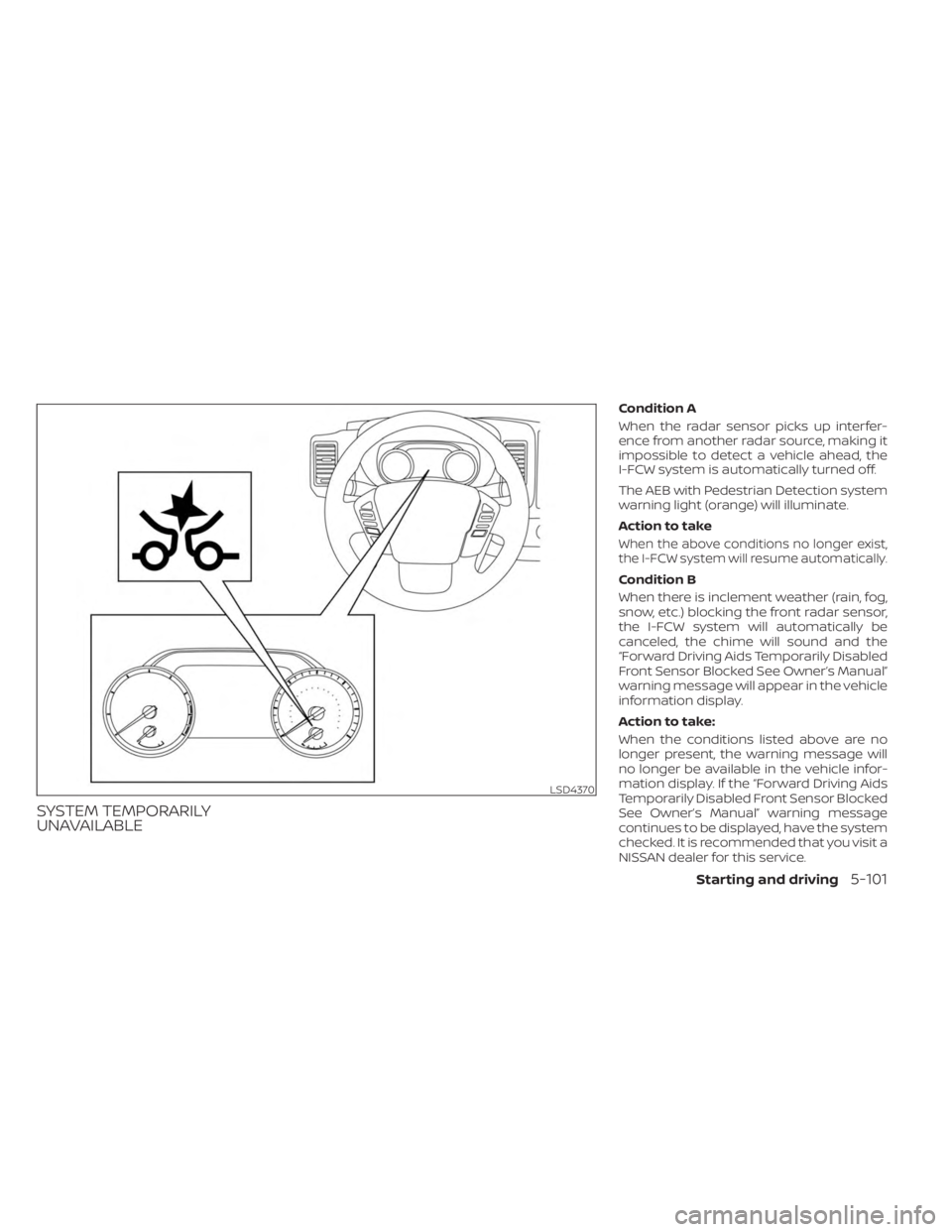
Condition A
When the radar sensor picks up interfer-
ence from another radar source, making it
impossible to detect a vehicle ahead, the
I-FCW system is automatically turned off.
The AEB with Pedestrian Detection system
warning light (orange) will illuminate.
Action to take
When the above conditions no longer exist,
the I-FCW system will resume automatically.
Condition B
When there is inclement weather (rain, fog,
snow, etc.) blocking the front radar sensor,
the I-FCW system will automatically be
canceled, the chime will sound and the
“Forward Driving Aids Temporarily Disabled
Front Sensor Blocked See Owner’s Manual”
warning message will appear in the vehicle
information display.
Action to take:
When the conditions listed above are no
longer present, the warning message will
no longer be available in the vehicle infor-
mation display. If the “Forward Driving Aids
Temporarily Disabled Front Sensor Blocked
See Owner’s Manual” warning message
continues to be displayed, have the system
checked. It is recommended that you visit a
NISSAN dealer for this service.
LSD4370
Starting and driving5-101
Page 380 of 556
Follow these easy-to-use Fuel Efficient
Driving Tips to help you achieve the most
fuel economy from your vehicle.
1.Use Smooth Accelerator and Brake
Pedal Application
• Avoid rapid starts and stops.
• Use smooth, gentle accelerator and brake application whenever possible.
• Maintain constant speed while com- muting and coast whenever possible.
2. Maintain Constant Speed
• Look ahead to try and anticipate and minimize stops.
• Synchronizing your speed with traffic lights allows you to reduce your num-
ber of stops.
• Maintaining a steady speed can mini- mize red light stops and improve fuel
efficiency.
3. Use Air Conditioning (A/C) at Higher
Vehicle Speeds
• Below 40 mph (64 km/h), it is more efficient to open windows to cool the
vehicle due to reduced engine load.
• Above 40 mph (64 km/h), it is more efficient to use A/C to cool the vehicle
due to increased aerodynamic drag. • Recirculating the cool air in the cabin
when the A/C is on reduces cooling
load.
4. Drive at Economical Speeds and
Distances
• Observing the speed limit and not ex- ceeding 60 mph (97 km/h) (where le-
gally allowed) can improve fuel effi-
ciency due to reduced aerodynamic
drag.
• Maintaining a safe following distance behind other vehicles reduces unnec-
essary braking.
• Safely monitoring traffic to anticipate changes in speed permits reduced
braking and smooth acceleration
changes.
• Select a gear range suitable to road conditions.
5. Use Cruise Control
• Using cruise control during highway driving helps maintain a steady speed.
• Cruise control is particularly effective in providing fuel savings when driving
on flat terrains.
6. Plan for the Shortest Route
• Utilize a map or navigation system to determine the best route to save time. 7.
Avoid Idling
• Shutting off your engine when safe for stops exceeding 30–60 seconds saves
fuel and reduces emissions.
8. Buy an Automated Pass for Toll Roads
• Automated passes permit drivers to use special lanes to maintain cruising
speed through the toll and avoid stop-
ping and starting.
9. Winter Warm Up
• Limit idling time to minimize impact to fuel economy.
• Vehicles typically need no more than 30 seconds of idling at start-up to ef-
fectively circulate the engine oil before
driving.
• Your vehicle will reach its ideal operat- ing temperature more quickly while
driving versus idling.
10. Keeping your Vehicle Cool
• Park your vehicle in a covered parking area or in the shade whenever
possible.
• When entering a hot vehicle, opening the windows will help to reduce the
inside temperature faster, resulting in
reduced demand on your A/C system.
FUEL EFFICIENT DRIVING TIPS
5-108Starting and driving
Page 400 of 556
SONAR LIMITATIONS
WARNING
Listed below are the system limitations
for the sonar system. Failure to operate
the vehicle in accordance with these
system limitations could result in seri-
ous injury or death.
• The system is deactivated at speeds
above 6 mph (10 km/h). It is reacti-
vated at lower speeds.
• Inclement weather or ultrasonic
sources such as an automatic car
wash, a truck’s compressed-air
brakes or a pneumatic drill may af-
fect the function of the system; this
may include reduced performance or
a false activation.
• The system is not designed to pre-
vent contact with small or moving
objects. Always move slowly. The
system will not detect small objects
below the bumper or on the ground.
• The system may not detect the fol-
lowing objects: fluff y objects such as
snow, cloth, cotton, glass-wool, etc.;
thin objects such as rope, wire and
chain, etc.; or wedge-shaped objects. •
The system may not detect objects
at speeds above 3 mph (5 km/h) and
may not detect certain angular or
moving objects.
• Do not attach stickers (including
transparent material), install acces-
sories, or apply anything blocking
the sensors. These conditions may
reduce the ability of the system.
SYSTEM TEMPORARILY
UNAVAILABLE
When sonar blockage is detected, the sys-
tem will be deactivated automatically.
The system is not available until the condi-
tions no longer exist.
The sonar sensors may be blocked by tem-
porary ambient conditions such as splash-
ing water, mist or fog. The blocked condi-
tion may also be caused by objects such as
ice, frost or dirt obstructing the sonar
sensors.
Action to take:
When the above conditions no longer exist,
the system will resume automatically.
SYSTEM MAINTENANCE
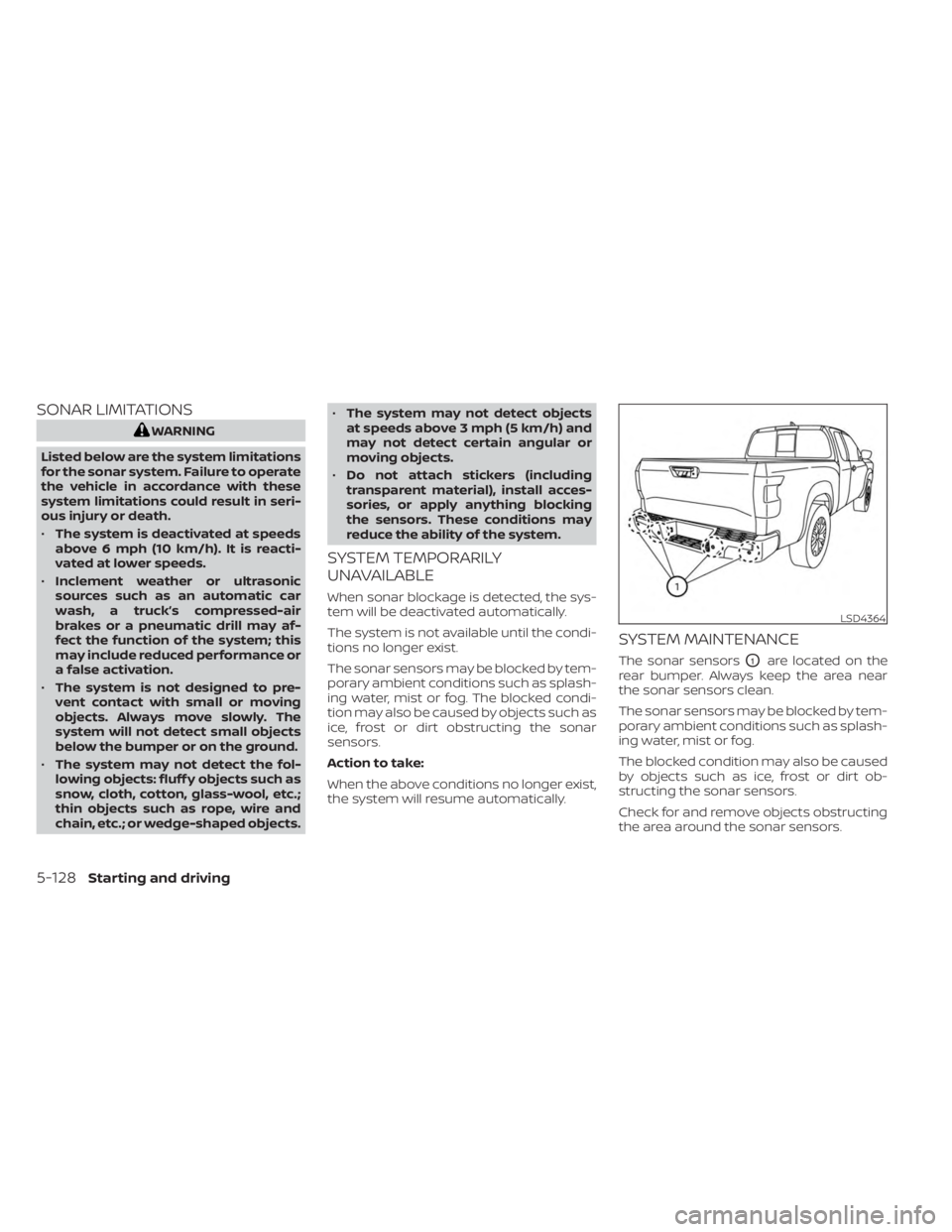
The sonar sensorsO1are located on the
rear bumper. Always keep the area near
the sonar sensors clean.
The sonar sensors may be blocked by tem-
porary ambient conditions such as splash-
ing water, mist or fog.
The blocked condition may also be caused
by objects such as ice, frost or dirt ob-
structing the sonar sensors.
Check for and remove objects obstructing
the area around the sonar sensors.
LSD4364
5-128Starting and driving
Page 545 of 556
Windshield-washer fluid.........8-13Fog light switch................2-45Forward Driving AidsSystem Temporarily
Unavailable
......2-33, 5-68, 5-88, 5-101Four-Wheel Drive...............5-109Front air bag system (See supplemental
restraint system)................1-78Front power seat adjustment........1-5Front seats....................1-2Front-door pocket..............2-62FuelCapacities and recommended
fuel/lubricants
...............10-2Fuel economy...............5-109Fuel gauge..................2-7Fuel octane rating.............10-6Fuel recommendation..........10-4Fuel-filler cap................3-21Fuel-filler lid.................3-21Loose fuel cap warning..........2-28Fuel efficient driving tips..........5-108Fuel gauge....................2-7Fuel-filler door.................3-21Fuses.......................8-21Fusible links..................8-22
G
Garage door opener, HomeLink® Universal
Transceiver.....2-76,2-77,2-78,2-79, 2-80Gas cap.....................3-21
Gauge
Automatic transmission fluid temperature
gauge
.................... .2-8Engine coolant temperature gauge. . .2-6Engine oil pressure gauge.........2-8Fuel gauge..................2-7Odometer...................2-5Speedometer................2-5Tachometer.................2-6Trip odometer................2-5Voltmeter.................. .2-8General maintenance.............9-2Glove box................... .2-66
H
Hazard warning flasher switch........6-2Head restraints.................1-10Headlight and turn signal switch.....2-38Headlight control switch..........2-38Headlights...................8-25Heated seat switches............2-46Heated steering wheel switch.......2-47Heater
Heater and air conditioner (automatic)
(if so equipped)
...............4-35Heater and air conditioner controls. .4-36Heater operation..........4-28, 4-37Heater and air conditioner
(automatic).................. .4-35Hill descent control switch.........2-49Hill descent control system........5-123Hill start assist system...........5-124
HomeLink® Universal
Transceiver.....2-76,2-77,2-78,2-79,2-80Hood release..................3-20Horn...................... .2-45
I
Ignition switch
Push-button ignition switch.......5-13Immobilizer system..........2-36, 5-16In-cabin microfilter..............8-18Increasing fuel economy..........5-109Indicator lights and audible reminders
(See warning/indicator lights and audible
reminders)
....................2-11Inside automatic anti-glare mirror. . . .3-25Instrument brightness control.......2-44Instrument panel.............0-6, 2-2Instrument panel dimmer switch.....2-44Intelligent Around View Monitor......4-10Intelligent Cruise Control (ICC).......5-53Intelligent Driver Alertness (I-DA).....5-104Intelligent Forward Collision Warning
(I-FCW)..................... .5-92Intelligent Key system
Key operating range............3-9Key operation................3-10Mechanical key................3-3Remote keyless entry operation. . . .3-13Troubleshooting guide..........3-16Warning signals...............3-16Interior light...................2-74
11-3