ICC system NISSAN FRONTIER 2022 Owner´s Manual
[x] Cancel search | Manufacturer: NISSAN, Model Year: 2022, Model line: FRONTIER, Model: NISSAN FRONTIER 2022Pages: 556, PDF Size: 6.11 MB
Page 342 of 556
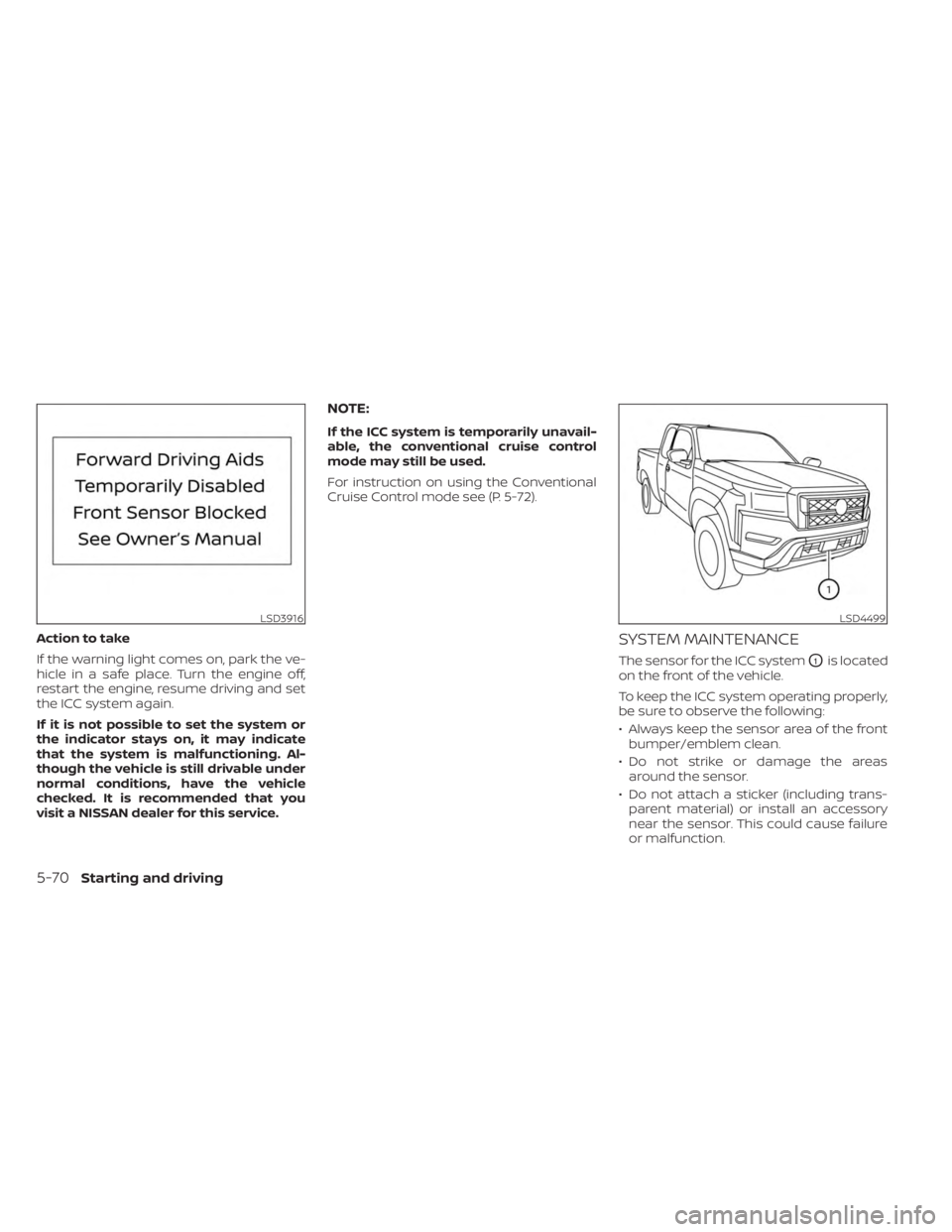
Action to take
If the warning light comes on, park the ve-
hicle in a safe place. Turn the engine off,
restart the engine, resume driving and set
the ICC system again.
If it is not possible to set the system or
the indicator stays on, it may indicate
that the system is malfunctioning. Al-
though the vehicle is still drivable under
normal conditions, have the vehicle
checked. It is recommended that you
visit a NISSAN dealer for this service.
NOTE:
If the ICC system is temporarily unavail-
able, the conventional cruise control
mode may still be used.
For instruction on using the Conventional
Cruise Control mode see (P. 5-72).
SYSTEM MAINTENANCE
The sensor for the ICC systemO1is located
on the front of the vehicle.
To keep the ICC system operating properly,
be sure to observe the following:
• Always keep the sensor area of the front bumper/emblem clean.
• Do not strike or damage the areas around the sensor.
• Do not attach a sticker (including trans- parent material) or install an accessory
near the sensor. This could cause failure
or malfunction.
LSD3916LSD4499
5-70Starting and driving
Page 344 of 556
CONVENTIONAL (fixed speed)
CRUISE CONTROL MODE
This mode allows driving at a speed be-
tween 25 to 90 mph (40 to 144 km/h) with-
out keeping your foot on the accelerator
pedal.
WARNING
• In the conventional (fixed speed)
cruise control mode, a warning
chime does not sound to warn you if
you are too close to the vehicle
ahead, as neither the presence of the
vehicle ahead nor the vehicle-to-
vehicle distance is detected.
• Pay special attention to the distance
between your vehicle and the vehicle
ahead of you or a collision could
occur.
• Always confirm the setting in the ICC
system display.
• Do not use the conventional (fixed
speed) cruise control mode when
driving under the following condi-
tions:
– When it is not possible to keep the
vehicle at a set speed –
In heavy traffic or in traffic that
varies in speed
– On winding or hilly roads
– On slippery roads (rain, snow, ice,
etc.)
– In very windy areas
• Doing so could cause a loss of vehicle
control and result in an accident.
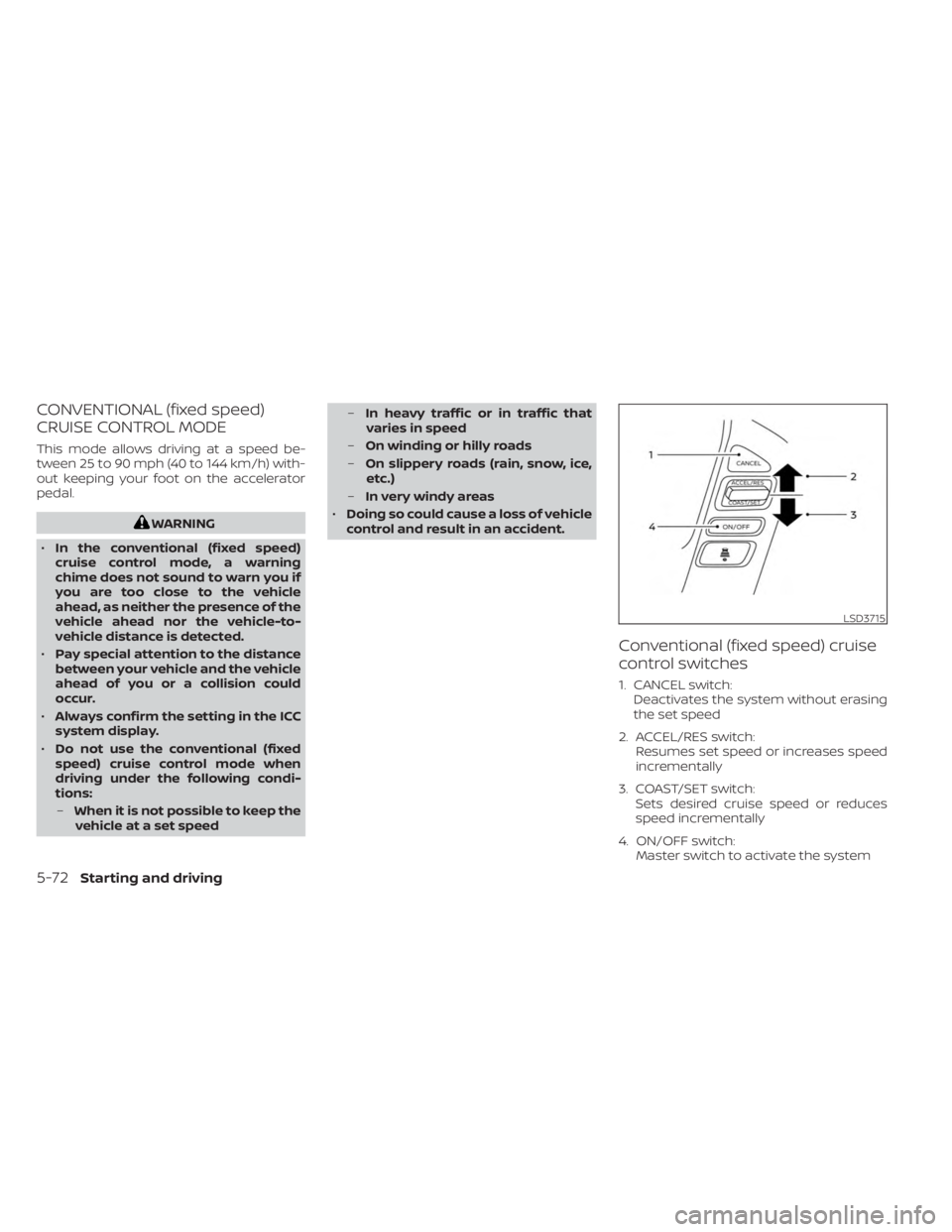
Conventional (fixed speed) cruise
control switches
1. CANCEL switch: Deactivates the system without erasing
the set speed
2. ACCEL/RES switch: Resumes set speed or increases speed
incrementally
3. COAST/SET switch: Sets desired cruise speed or reduces
speed incrementally
4. ON/OFF switch: Master switch to activate the system
LSD3715
5-72Starting and driving
Page 345 of 556
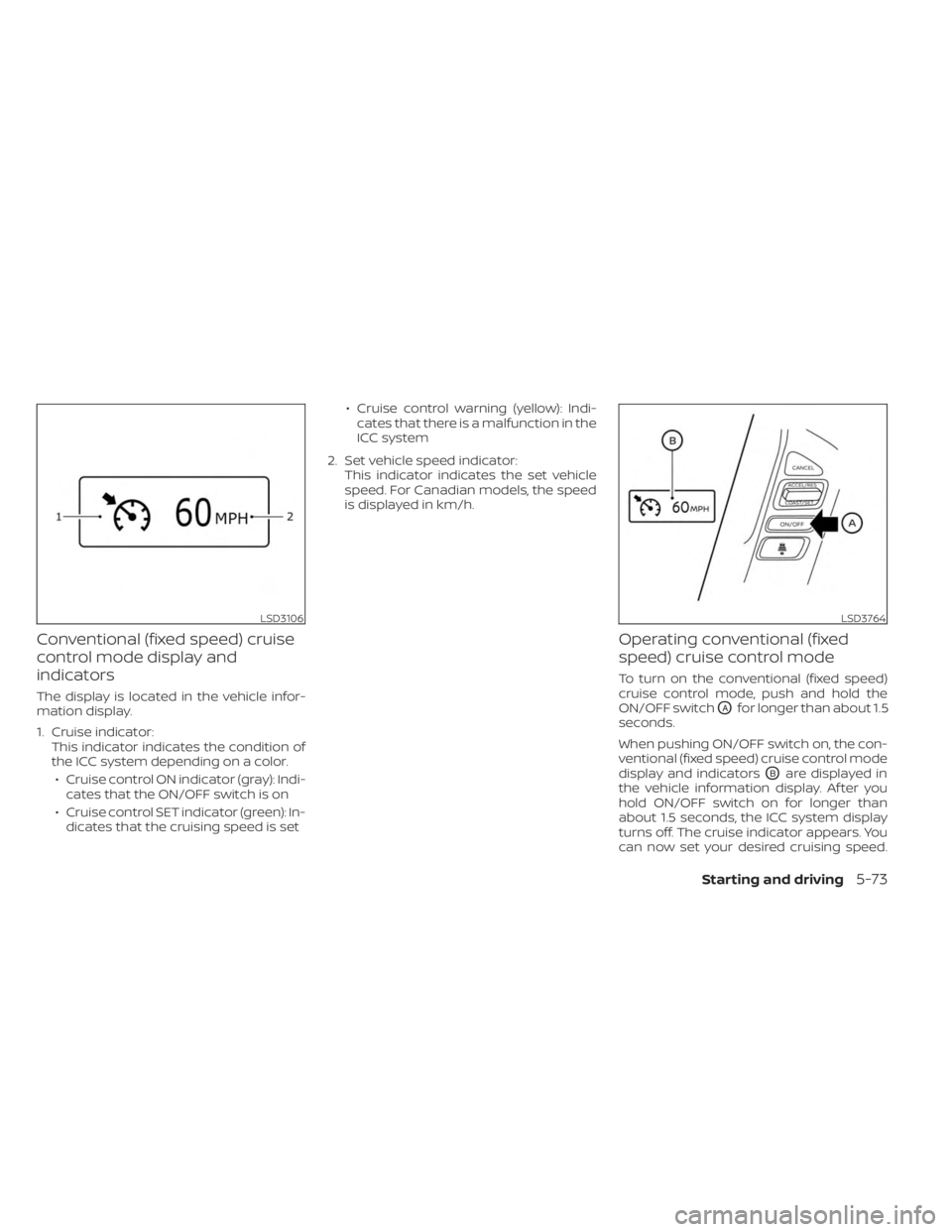
Conventional (fixed speed) cruise
control mode display and
indicators
The display is located in the vehicle infor-
mation display.
1. Cruise indicator:This indicator indicates the condition of
the ICC system depending on a color.
• Cruise control ON indicator (gray): Indi- cates that the ON/OFF switch is on
• Cruise control SET indicator (green): In- dicates that the cruising speed is set • Cruise control warning (yellow): Indi-
cates that there is a malfunction in the
ICC system
2. Set vehicle speed indicator: This indicator indicates the set vehicle
speed. For Canadian models, the speed
is displayed in km/h.
Operating conventional (fixed
speed) cruise control mode
To turn on the conventional (fixed speed)
cruise control mode, push and hold the
ON/OFF switch
OAfor longer than about 1.5
seconds.
When pushing ON/OFF switch on, the con-
ventional (fixed speed) cruise control mode
display and indicators
OBare displayed in
the vehicle information display. Af ter you
hold ON/OFF switch on for longer than
about 1.5 seconds, the ICC system display
turns off. The cruise indicator appears. You
can now set your desired cruising speed.
LSD3106LSD3764
Starting and driving5-73
Page 346 of 556
Pushing the ON/OFF switch again will turn
the system completely off. When the igni-
tion switch is placed in the OFF position, the
system is also automatically turned off.
To use the ICC system again, quickly push
and release the ON/OFF switch (vehicle-to
vehicle distance control mode) or push and
hold it (conventional cruise control mode)
again to turn it on.
CAUTION
To avoid accidentally engaging cruise
control, make sure to turn the ON/OFF
switch off when not using the ICC
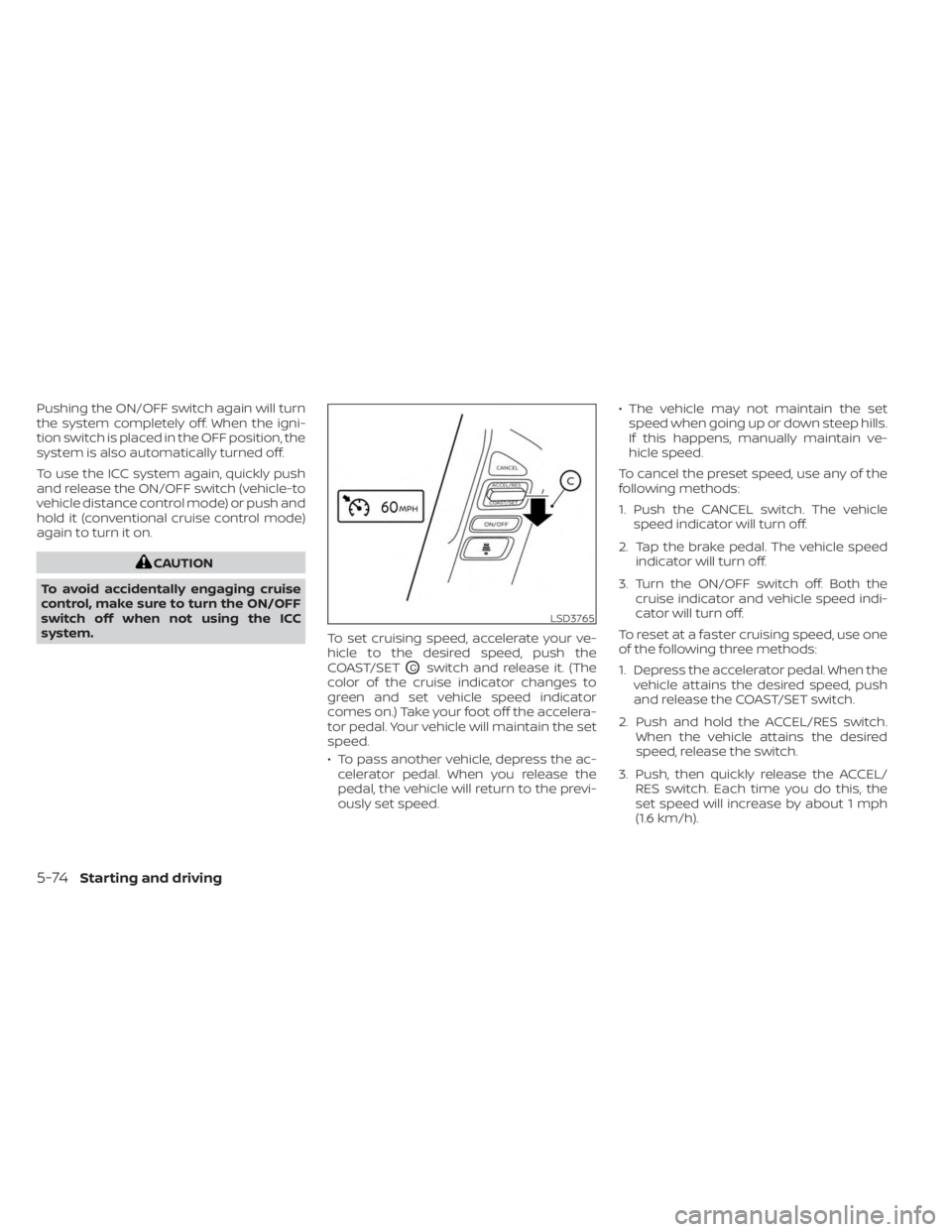
system. To set cruising speed, accelerate your ve-
hicle to the desired speed, push the
COAST/SET
OCswitch and release it. (The
color of the cruise indicator changes to
green and set vehicle speed indicator
comes on.) Take your foot off the accelera-
tor pedal. Your vehicle will maintain the set
speed.
• To pass another vehicle, depress the ac- celerator pedal. When you release the
pedal, the vehicle will return to the previ-
ously set speed. • The vehicle may not maintain the set
speed when going up or down steep hills.
If this happens, manually maintain ve-
hicle speed.
To cancel the preset speed, use any of the
following methods:
1. Push the CANCEL switch. The vehicle speed indicator will turn off.
2. Tap the brake pedal. The vehicle speed indicator will turn off.
3. Turn the ON/OFF switch off. Both the cruise indicator and vehicle speed indi-
cator will turn off.
To reset at a faster cruising speed, use one
of the following three methods:
1. Depress the accelerator pedal. When the vehicle attains the desired speed, push
and release the COAST/SET switch.
2. Push and hold the ACCEL/RES switch. When the vehicle attains the desired
speed, release the switch.
3. Push, then quickly release the ACCEL/ RES switch. Each time you do this, the
set speed will increase by about 1 mph
(1.6 km/h).
LSD3765
5-74Starting and driving
Page 545 of 556
Windshield-washer fluid.........8-13Fog light switch................2-45Forward Driving AidsSystem Temporarily
Unavailable
......2-33, 5-68, 5-88, 5-101Four-Wheel Drive...............5-109Front air bag system (See supplemental
restraint system)................1-78Front power seat adjustment........1-5Front seats....................1-2Front-door pocket..............2-62FuelCapacities and recommended
fuel/lubricants
...............10-2Fuel economy...............5-109Fuel gauge..................2-7Fuel octane rating.............10-6Fuel recommendation..........10-4Fuel-filler cap................3-21Fuel-filler lid.................3-21Loose fuel cap warning..........2-28Fuel efficient driving tips..........5-108Fuel gauge....................2-7Fuel-filler door.................3-21Fuses.......................8-21Fusible links..................8-22
G
Garage door opener, HomeLink® Universal
Transceiver.....2-76,2-77,2-78,2-79, 2-80Gas cap.....................3-21
Gauge
Automatic transmission fluid temperature
gauge
.................... .2-8Engine coolant temperature gauge. . .2-6Engine oil pressure gauge.........2-8Fuel gauge..................2-7Odometer...................2-5Speedometer................2-5Tachometer.................2-6Trip odometer................2-5Voltmeter.................. .2-8General maintenance.............9-2Glove box................... .2-66
H
Hazard warning flasher switch........6-2Head restraints.................1-10Headlight and turn signal switch.....2-38Headlight control switch..........2-38Headlights...................8-25Heated seat switches............2-46Heated steering wheel switch.......2-47Heater
Heater and air conditioner (automatic)
(if so equipped)
...............4-35Heater and air conditioner controls. .4-36Heater operation..........4-28, 4-37Heater and air conditioner
(automatic).................. .4-35Hill descent control switch.........2-49Hill descent control system........5-123Hill start assist system...........5-124
HomeLink® Universal
Transceiver.....2-76,2-77,2-78,2-79,2-80Hood release..................3-20Horn...................... .2-45
I
Ignition switch
Push-button ignition switch.......5-13Immobilizer system..........2-36, 5-16In-cabin microfilter..............8-18Increasing fuel economy..........5-109Indicator lights and audible reminders
(See warning/indicator lights and audible
reminders)
....................2-11Inside automatic anti-glare mirror. . . .3-25Instrument brightness control.......2-44Instrument panel.............0-6, 2-2Instrument panel dimmer switch.....2-44Intelligent Around View Monitor......4-10Intelligent Cruise Control (ICC).......5-53Intelligent Driver Alertness (I-DA).....5-104Intelligent Forward Collision Warning
(I-FCW)..................... .5-92Intelligent Key system
Key operating range............3-9Key operation................3-10Mechanical key................3-3Remote keyless entry operation. . . .3-13Troubleshooting guide..........3-16Warning signals...............3-16Interior light...................2-74
11-3