stop start NISSAN FRONTIER 2023 Workshop Manual
[x] Cancel search | Manufacturer: NISSAN, Model Year: 2023, Model line: FRONTIER, Model: NISSAN FRONTIER 2023Pages: 572, PDF Size: 6.58 MB
Page 399 of 572
–When installing a spare tire, makesure that it is the proper size and
type as specified on the Tire and
Loading Information label. For addi-
tional information, see “Tire and
Loading Information label” (P. 10-14).
– For additional information, see
“Wheels and tires” (P. 8-32).
The ABS controls the brakes so the wheels
do not lock during hard braking or when
braking on slippery surfaces. The system
detects the rotation speed at each wheel
and varies the brake fluid pressure to pre-
vent each wheel from locking and sliding.
By preventing each wheel from locking, the
system helps the driver maintain steering
control and helps to minimize swerving
and spinning on slippery surfaces.
Using the system
Depress the brake pedal and hold it down.
Depress the brake pedal with firm steady
pressure, but do not pump the brakes. The
Anti-lock Braking System will operate to
prevent the wheels from locking up. Steer
the vehicle to avoid obstacles.
WARNING
Do not pump the brake pedal. Doing so
may result in increased stopping
distances.
Self-test feature
The Anti-lock Braking System (ABS) in-
cludes electronic sensors, electric pumps,
hydraulic solenoids and a computer. The
computer has a built-in diagnostic feature
that tests the system each time you start
the engine and move the vehicle at a low
speed in forward or reverse. When the self-
test occurs, you may hear a “clunk” noise
and/or feel a pulsation in the brake pedal.
This is normal and does not indicate a mal-
function. If the computer senses a mal-
function, it switches the ABS off and illumi-
nates the ABS warning light on the
instrument panel. The brake system then
operates normally but without anti-lock
assistance.
If the ABS warning light illuminates during
the self-test or while driving, have the ve-
hicle checked. It is recommended that you
visit a NISSAN dealer for this service.
Normal operation
The Anti-lock Braking System (ABS) oper-
ates at speeds abov e3-6mph(5-10
km/h). The speed varies according to road
conditions.
When the ABS senses that one or more
wheels are close to locking up, the actuator
rapidly applies and releases hydraulic pres-
sure. This action is similar to pumping the
brakes very quickly. You may feel a pulsa-
tion in the brake pedal and hear a noise
from under the hood or feel a vibration
from the actuator when it is operating. This
is normal and indicates that the ABS is op-
erating properly. However, the pulsation
may indicate that road conditions are haz-
ardous and extra care is required while
driving.
Starting and driving5-119
Page 403 of 572
•If engine control related parts are not
NISSAN recommended or are ex-
tremely deteriorated, both the
andindicator lights may
illuminate.
• When driving on extremely inclined
surfaces such as higher banked cor-
ners, the VDC system may not oper-
ate properly and the
indicator
light may flash or theindicator
light may illuminate. Do not drive on
these types of roads.
• When driving on an unstable surface
such as a turntable, ferry, elevator or
ramp, the
indicator light may
flash or theindicator light may
illuminate. This is not a malfunction.
Restart the engine af ter driving onto
a stable surface.
• If wheels or tires other than the
NISSAN recommended ones are
used, the VDC system may not oper-
ate properly and the
indicator
light may flash or theindicator
light may illuminate.
• The VDC system is not a substitute
for winter tires or tire chains on a
snow covered road.
WARNING
• Never rely solely on the hill descent
control system to control vehicle
speed when driving on steep down-
hill grades. Always drive carefully and
attentively when using the hill de-
scent control system and decelerate
the vehicle speed by depressing the
brake pedal if necessary. Be espe-
cially careful when driving on frozen,
muddy or extremely steep downhill
roads. Failure to control vehicle
speed may result in a loss of control
of the vehicle and possible serious
injury or death.
• The hill descent control may not con-
trol the vehicle speed on a hill under
all load or road conditions. Always be
prepared to depress the brake pedal
to control vehicle speed. Failure to do
so may result in a collision or serious
personal injury.
The hill descent control system helps
maintain vehicle speed when driving under
15-21 mph (25-35 km/h) on steeper down-
hill grades. Hill descent control is useful
when engine braking alone in 4H or 4L can-
not control vehicle speed. Hill descent con-
trol applies the vehicle brakes to control vehicle speed allowing the driver to con-
centrate on steering while reducing the
burden of brake and accelerator operation.
• When additional braking is required on
steep downhill roads, activate the hill de-
scent control system by pushing the
switch on. For additional information, see
“Hill descent control switch” (P. 2-54).
• Once the system is activated, the indica- tor light will remain on in the instrument
panel. For additional information, see “Hill
descent control system ON indicator
light” (P. 2-17).
If the accelerator or brake pedal is de-
pressed while the hill descent control sys-
tem is on, the system will stop operating
temporarily. As soon as the accelerator or
brake pedal is released, the hill descent
control system begins to function again if
the hill descent control operating condi-
tions are fulfilled.
For the best results, when descending
steep downhill grades, the hill descent con-
trol switch should be on and the shif t lever
in 2 (Second gear) or 1 (Low gear) for engine
braking.
HILL DESCENT CONTROL SYSTEM (if
so equipped)
Starting and driving5-123
Page 404 of 572
WARNING
• Never rely solely on the hill start as-
sist system to prevent the vehicle
from moving backward on a hill. Al-
ways drive carefully and attentively.
Depress the brake pedal when the
vehicle is stopped on a steep hill. Be
especially careful when stopped on a
hill on frozen or muddy roads. Failure
to prevent the vehicle from rolling
backwards may result in a loss of
control of the vehicle and possible
serious injury or death.
• The hill start assist system is not de-
signed to hold the vehicle at a stand-
still on a hill. Depress the brake pedal
when the vehicle is stopped on a
steep hill. Failure to do so may cause
the vehicle to roll backwards and
may result in a collision or serious
personal injury.
• The hill start assist may not prevent
the vehicle from rolling backwards
on a hill under all load or road condi-
tions. Always be prepared to depress
the brake pedal to prevent the ve-
hicle from rolling backwards. Failure
to do so may result in a collision or
serious personal injury. When the vehicle is stopped on a hill, the hill
start assist system automatically keeps
the brakes applied. This helps prevents the
vehicle from rolling backward in the time it
takes the driver to release the brake pedal
and apply the accelerator.
Hill start assist will operate automatically
under the following conditions:
• The shif t lever is moved to a forward or
reverse gear.
• The vehicle is stopped completely on a hill by applying the brake.
The maximum holding time is 2 seconds.
Af ter 2 seconds the vehicle will begin to roll
back and hill start assist will stop operating
completely.
Hill start assist will not operate when the
shif t lever is moved to N (Neutral) or P (Park)
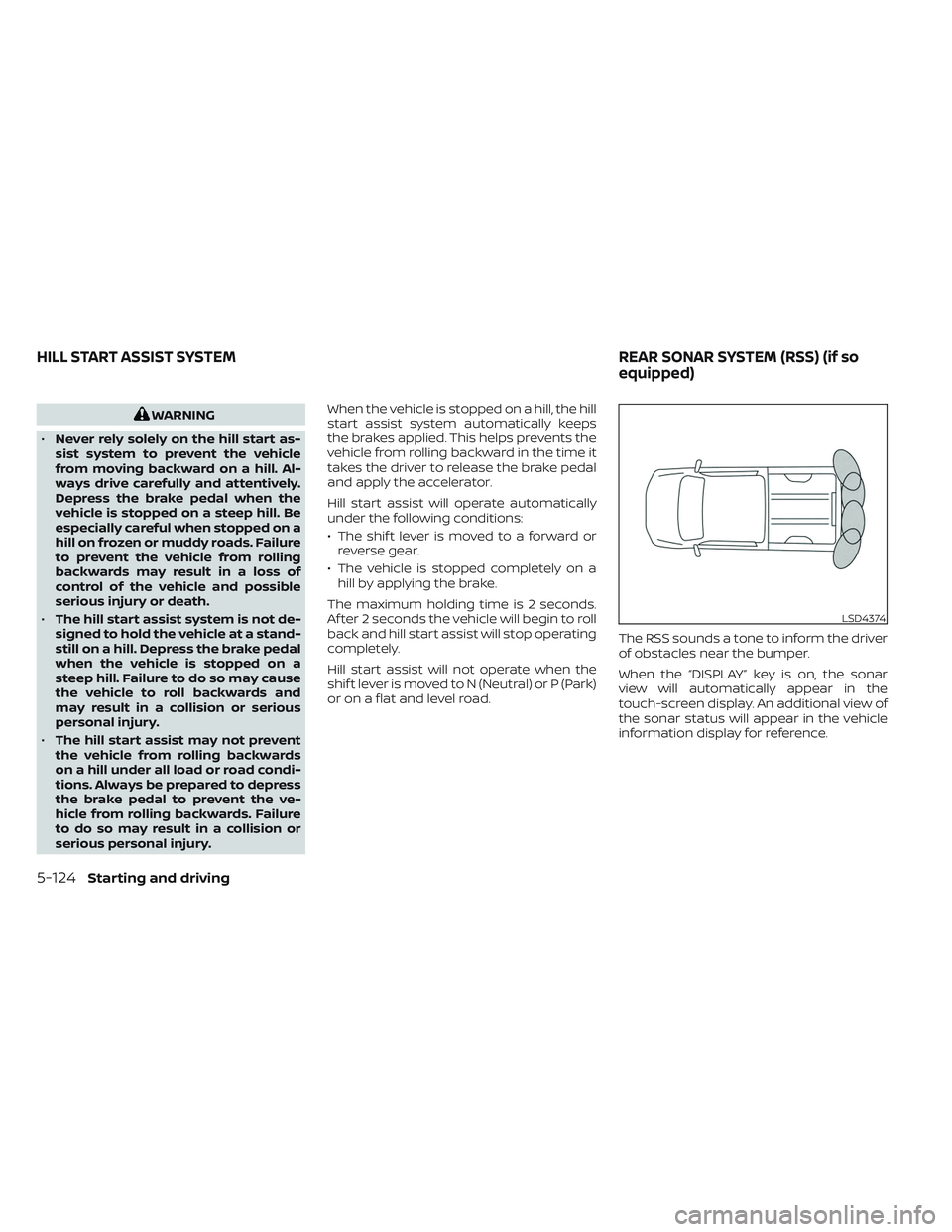
or on a flat and level road. The RSS sounds a tone to inform the driver
of obstacles near the bumper.
When the “DISPLAY” key is on, the sonar
view will automatically appear in the
touch-screen display. An additional view of
the sonar status will appear in the vehicle
information display for reference.
LSD4374
HILL START ASSIST SYSTEM
REAR SONAR SYSTEM (RSS) (if so
equipped)
5-124Starting and driving
Page 405 of 572
WARNING
• The RSS is a convenience but it is not
a substitute for proper parking.
• The driver is always responsible for
safety during parking and other ma-
neuvers. Always look around and
check that it is safe to do so before
parking.
• Read and understand the limitations
of the RSS as contained in this sec-
tion. The colors of the corner sonar
indicator and the distance guide
lines in the rear view indicate differ-
ent distances to the object.
• Inclement weather or ultrasonic
sources such as an automatic car
wash, a truck's compressed-air
brakes or a pneumatic drill may af-
fect the function of the system; this
may include reduced performance or
a false activation.
• This function is designed as an aid to
the driver in detecting large station-
ary objects to help avoid damaging
the vehicle. •
The system is not designed to pre-
vent contact with small or moving
objects. Always move slowly. The
system will not detect small objects
below the bumper, and may not de-
tect objects close to the bumper or
on the ground.
• The system may not detect the fol-
lowing objects: fluff y objects such as
snow, cloth, cotton, glass, wool, etc.;
thin objects such as rope, wire and
chain, etc.; or wedge-shaped objects.
If your vehicle sustains damage to the
bumper fascia, leaving it misaligned or
bent, the sensing zone may be altered
causing inaccurate measurement of ob-
stacles or false alarms.
CAUTION
• Excessive noise (such as audio sys-
tem volume or an open vehicle win-
dow) will interfere with the tone and
it may not be heard. •
Keep the sonar sensors (located on
the bumper fascia) free from snow,
ice and large accumulations of dirt.
Do not clean the sensors with sharp
objects. If the sensors are covered,
the accuracy of the sonar function
will be diminished.
SYSTEM OPERATION
The system informs with a visual and au-
dible alert of rear obstacles when the shif t
lever is in the R (Reverse) position.
The system is deactivated at speeds above
6 mph (10 km/h). It is reactivated at lower
speeds.
The intermittent tone will stop af ter 3 sec-
onds when an obstacle is detected by only
the corner sensor and the distance does
not change. The tone will stop when the
obstacle gets away from the vehicle.
When the object is detected, the indicator
(green) appears and blinks and the tone
sounds intermittently. When the vehicle
moves closer to the object, the color of the
indicator turns yellow and the rate of the
blinking increases. When the vehicle is very
close to the object, the indicator stops
blinking and turns red, and the tone
sounds continuously.
Starting and driving5-125
Page 409 of 572
Do not attach stickers (including transpar-
ent material), install accessories or apply
additional paint near the sonar sensors.
Do not strike or damage the area around
the sonar sensors. It is recommended that
you visit a NISSAN dealer if the area around
the sonar sensors is damaged due to a
collision.The Idling Stop System activates to prevent
unnecessary fuel consumption, exhaust
emissions and noise.
• When you stop the vehicle, the engine is
turned off automatically.
• When you release the brake pedal to be- gin moving again, the engine is turned on
automatically.
WARNING
The engine restarts if the vehicle
moves at approximately 1 mph (2
km/h) or more (on a downhill grade,
etc.) while the engine is turned off by
the Idling Stop System. Depress the
brake pedal immediately to stop the
vehicle to prevent an accident.
CAUTION
• At the end of the journey the engine
must be stopped and ignition switch
be pushed off. Lock the vehicle as
normal. Pushing the ignition switch
off will shut down all electrical sys-
tems. Failure to do this may result in a
discharged battery. •
Place the ignition switch in the OFF
position before opening the hood of
performing any maintenance. Fail-
ure to do so may result in serious in-
juries due to automatic engine
restart.
NOTE:
The Idling Stop System will not activate
under the following conditions:
• When the vehicle is in TOW or 4LO
mode.
• When the engine is kept idling without
the vehicle being driven af ter the en-
gine is turned on.
• When the engine coolant temperature
is low.
• When the battery capacity is low.
• When the battery temperature is low.
• When the vehicle is moving.
• When a negative pressure booster
decreases.
• When the engine hood is opened with
the engine running.
• When the engine is turned on with the
engine hood open.
• When the driver’s seat belt is not
fastened.
IDLING STOP SYSTEM (if so
equipped)
Starting and driving5-129
Page 410 of 572
•When the driver’s door is open.
• When the steering wheel is operated.
• When the Idling Stop System indicator
blinks at a low speed.
(When the Idling Stop System indica-
tor blinks at a high speed (twice ap-
proximately every 1 second), be sure to
check if the engine hood is open. When
the engine hood is opened the engine
will be in the normal stopped state. In
this case, restart the engine with the
ignition switch).
(When the Idling Stop System indicator
blinks at a low speed (once approxi-
mately every 2 seconds), have the sys-
tem checked, and if necessary repaired,
by a NISSAN dealer promptly).
• When the fan speed control is in any
position other than “OFF,” (0) while the
air flow control is in the front defroster
position.
• When the front defroster switch is on.
• When the rear window defroster switch
is on.
• When the temperature inside the ve-
hicle is lower than approximately 68°F
(20°C). •
When the temperature inside the ve-
hicle is higher than approximately 86°F
(30°C). (When the air conditioner is off,
the Idling Stop System will operate.)
• When the fan speed of the air condi-
tioner is set to the maximum speed.
• When the Idling Stop OFF switch is
turned on.
• When the power consumption is large.
• When the altitude is high.
• When the accelerator pedal is
depressed.
• When the shif t lever is any range other
than D (Drive).
• When the brake pedal is not firmly
depressed.
• When stopping the vehicle on steep
sloping roads.
NOTE:
The engine will not restart even if the
brake pedal is released while the Idling
Stop System is activated under the fol-
lowing conditions:
• When the engine hood is opened.
NOTE:
It may take some time until the Idling
Stop System activates under the follow-
ing conditions:
•When the battery is discharged.
• When the outside temperature is low or
high.
•
When the battery is replaced or the bat-
tery terminal is disconnected for ex-
tended periods and then reconnected.
NOTE:
When the Idling Stop System indicator
illuminates, the engine starts running
automatically under at least one of the
following conditions:
• The driver’s seat belt is unfastened, or
the driver’s door is open.
• The battery voltage becomes low (due
to electrical load from other vehicle
systems like headlights, heaters, etc.,
or auxiliary devices connected to the
12 volt socket inside the vehicle).
• The vehicle speed is above about 1 mph
(2 km/h).
• When the rear window defroster is
operated.
5-130Starting and driving
Page 411 of 572
•When the temperature inside the ve-
hicle is lower than approximately 68°F
(20°C).
• When the temperature inside the ve-
hicle is higher than approximately 86°C
(30°F). (When the air conditioner is off,
the Idling Stop System will operate.)
• When the front defroster is turned on.
• When more than 3 minutes have
elapsed since the Idling Stop System
was active.
• When the accelerator pedal is
depressed.
• When the steering wheel is operated.
(The steering wheel operation may be-
come heavy, but this is not a
malfunction.)
• When the battery capacity is low.
• When the power consumption is high.
• When the shif t lever is any range other
than D (Drive).
• When the Idling Stop OFF switch is
pushed.NOTE:
The following condition will prevent the
Idling Stop System from automatically
restarting the engine. Starting the en-
gine with the ignition switch operation is
then necessary:
• The hood is open.
Use this system while waiting at a stop
light, etc. When the vehicle is stopped for
long periods of time, turn off the engine.
When the engine is stopped by the Idling
Stop System, heating, cooling and dehu-
midif ying functions will be deactivated. To
avoid the air conditioning functions from
being deactivated, turn off the Idling Stop
System by pushing the Idling Stop OFF
switch.
RETROGRADE MOVEMENT
CONTROL FUNCTION
This system is designed to reduce the ret-
rograde movement that occurs while the
driver’s foot changes from depressing the
brake pedal to the accelerator pedal when
moving the vehicle while the Idling Stop
System is active on a hilly road.
IDLING STOP SYSTEM DISPLAY
The status of the Idling Stop System can be
checked in the vehicle information display.
Starting and driving5-131
Page 412 of 572
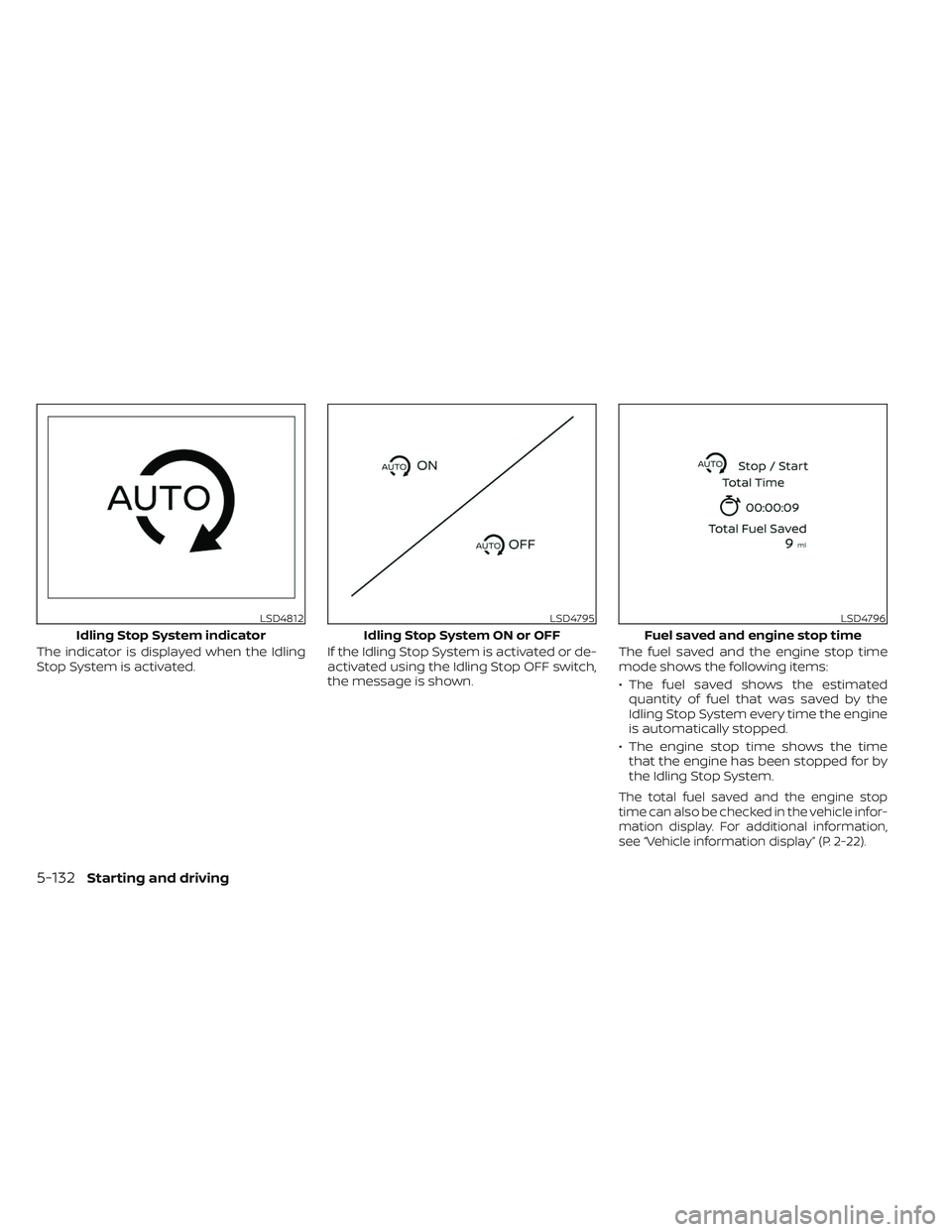
The indicator is displayed when the Idling
Stop System is activated.If the Idling Stop System is activated or de-
activated using the Idling Stop OFF switch,
the message is shown.The fuel saved and the engine stop time
mode shows the following items:
• The fuel saved shows the estimated
quantity of fuel that was saved by the
Idling Stop System every time the engine
is automatically stopped.
• The engine stop time shows the time that the engine has been stopped for by
the Idling Stop System.
The total fuel saved and the engine stop
time can also be checked in the vehicle infor-
mation display. For additional information,
see “Vehicle information display” (P. 2-22).
LSD4812
Idling Stop System indicator
LSD4795
Idling Stop System ON or OFF
LSD4796
Fuel saved and engine stop time
5-132Starting and driving
Page 413 of 572
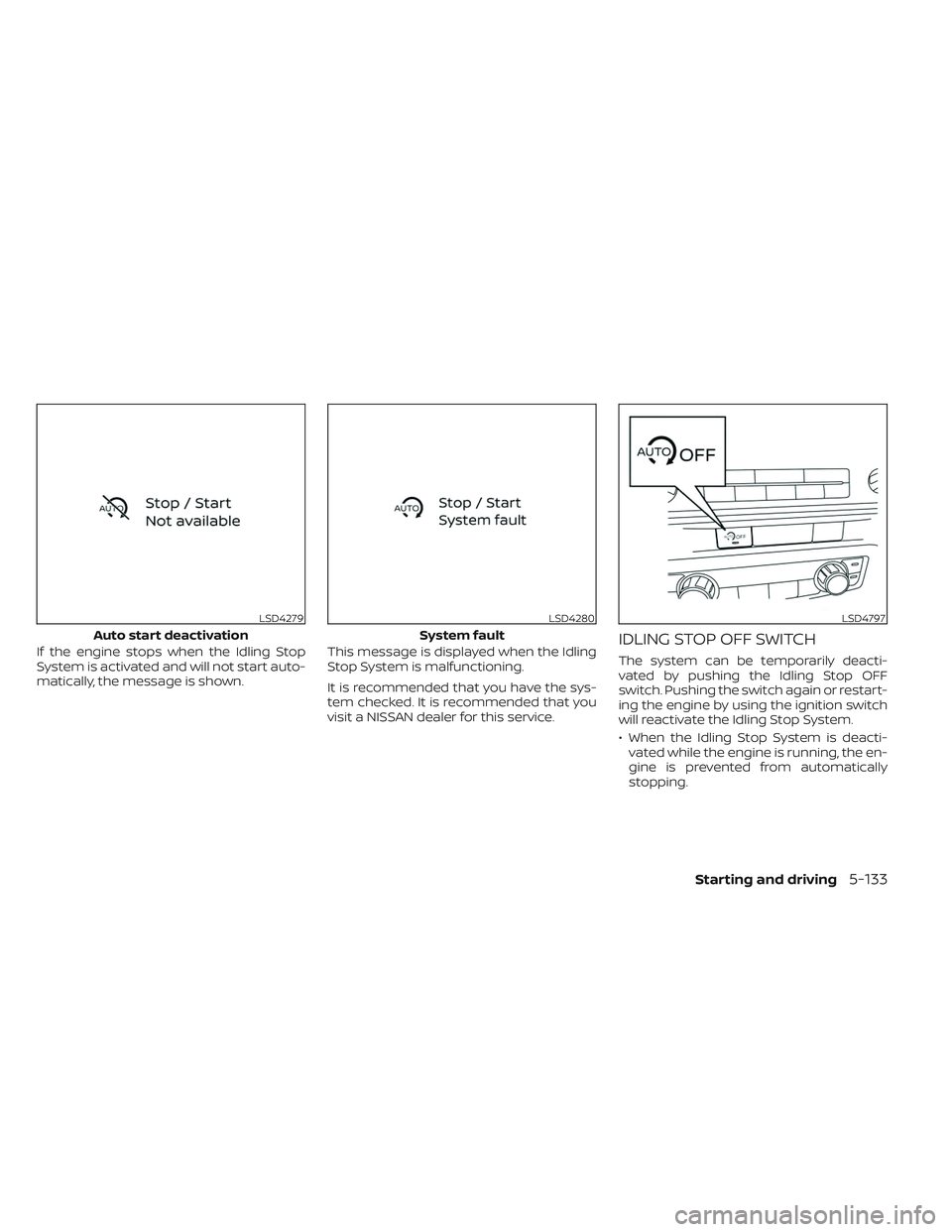
If the engine stops when the Idling Stop
System is activated and will not start auto-
matically, the message is shown.This message is displayed when the Idling
Stop System is malfunctioning.
It is recommended that you have the sys-
tem checked. It is recommended that you
visit a NISSAN dealer for this service.IDLING STOP OFF SWITCH
The system can be temporarily deacti-
vated by pushing the Idling Stop OFF
switch. Pushing the switch again or restart-
ing the engine by using the ignition switch
will reactivate the Idling Stop System.
• When the Idling Stop System is deacti-
vated while the engine is running, the en-
gine is prevented from automatically
stopping.
LSD4279
Auto start deactivation
LSD4280
System fault
LSD4797
Starting and driving5-133
Page 414 of 572
• When the Idling Stop System is deacti-vated af ter the engine has been auto-
matically stopped by the Idling Stop Sys-
tem, the engine will immediately restart if
suitable conditions are present. The en-
gine will then be prevented from auto-
matically stopping during the same
journey.
NOTE:
•The Idling Stop System ON or OFF mes-
sage is displayed for a few seconds in
the vehicle information display when
the Idling Stop System OFF switch is
pushed. For additional information, see
“Idling Stop System Display ” (P. 5-131).
• The Idling Stop System resets to ON every time the ignition switch is
switched from the OFF position to the
ON position.
• It is best to disable the ISS system when towing a trailer. You can do this
by pushing the Idling Stop OFF switch.
FREEING A FROZEN DOOR LOCK
To prevent a door lock from freezing, apply
de-icer through the key hole. If the lock
becomes frozen, heat the key before in-
serting it into the key hole or use the re-
mote keyless entry key fob (if so equipped).
ANTIFREEZE
In the winter when it is anticipated that the
temperature will drop below 32°F (0°C),
check the antifreeze to assure proper win-
ter protection. For additional information,
see “Engine cooling system” (P. 8-6).
BATTERY
If the battery is not fully charged during
extremely cold weather conditions, the
battery fluid may freeze and damage the
battery. To maintain maximum efficiency,
the battery should be checked regularly.
For additional information, see “Battery”
(P. 8-16).
DRAINING OF COOLANT WATER
If the vehicle is to be lef t outside without
antifreeze, drain the cooling system, includ-
ing the engine block. Refill before operating
the vehicle. For additional information, see
“Changing engine coolant” (P. 8-7).
TIRE EQUIPMENT
1. SUMMER tires have a tread designed to provide superior performance on dry
pavement. However, the performance of
these tires will be substantially reduced
in snowy and icy conditions. If you oper-
ate your vehicle on snowy or icy roads,
NISSAN recommends the use of MUD &
SNOW or ALL SEASON TIRES on all four
wheels. It is recommended that you visit
a NISSAN dealer for the tire type, size,
speed rating and availability information.
2. For additional traction on icy roads, studded tires may be used. However,
some U.S. states and Canadian prov-
inces prohibit their use. Check local,
state and provincial laws before install-
ing studded tires.
Skid and traction capabilities of studded
snow tires on wet or dry surfaces may be
poorer than that of non-studded snow
tires.
3. Tire chains may be used. For additional information, see “Tire chains” (P. 8-40).
COLD WEATHER DRIVING
5-134Starting and driving