sos NISSAN FRONTIER 2023 Owners Manual
[x] Cancel search | Manufacturer: NISSAN, Model Year: 2023, Model line: FRONTIER, Model: NISSAN FRONTIER 2023Pages: 572, PDF Size: 6.58 MB
Page 117 of 572
Power inverter switch (if so equipped)..........2-56
Parking Aids system switch (if so equipped) ....2-56
Tow mode switch (if so equipped) ..............2-57
Emergency Call (SOS) button (if so equipped) . . . 2-58 Emergency support ......................... 2-58
Rear Door Alert ................................. 2-59
Power outlets .................................. 2-60
12v Outlets .................................. 2-60
120v outlets (if so equipped) .................2-61
USB charging ports (if so equipped) ............2-63
Wireless charger (if so equipped) ...............2-64
Wireless charger indicator ...................2-65
Wireless charger operation ..................2-65
Extended storage switch .......................2-66
Storage ........................................ 2-67
Front-door pockets ......................... 2-67
Rear-door pockets .......................... 2-68
Seatback pocket ............................ 2-68
Under-seat storage bins
(if so equipped) .............................. 2-69
Storagetrays................................ 2-71
Glovebox ................................... 2-71
Console box ................................. 2-72Overhead sunglasses storage
(if so equipped)
.............................. 2-72
Cup holders ................................. 2-73
Windows .......................................2-74
Power windows .............................2-74
Rear sliding window (if so equipped) .........2-76
Moonroof (if so equipped) ......................2-77
Power moonroof ............................ 2-77
Interior lights ................................... 2-78
Map lights ................................... 2-79
Cargo light .................................. 2-80
HomeLink® Universal Transceiver
(if so equipped) ................................. 2-80
Programming HomeLink® ...................2-81
Programming HomeLink® for Canadian
customers and gate openers ...............2-83
Operating the HomeLink® Universal
Transceiver .................................. 2-83
Pr
ogramming trouble-shooting .............2-84
Clearing the programmed information ......2-84
Reprogramming a single HomeLink®
button ...................................... 2-84
If your vehicle is stolen ......................2-84
Page 174 of 572
EMERGENCY SUPPORT
NissanConnect® Services provide various
services to support dealing with emergen-
cies of the subscribed vehicle and the
driver.
For example, in case of an illness or serious
injury, you can seek support by pressing the
in-vehicle Emergency Call (SOS) button and
connecting to the NissanConnect® Services
Response Center. The NissanConnect® Ser-
vices Response Center can specif y the loca-
tion of the vehicle via GPS, and the informa-
tion will be sent to the police or other
agencies as needed.
For information about other NissanConnect®
Services emergency support related ser-
vices, contact the NissanConnect® Cus-
tomer Support line at 1–855–426–6628 or
refer to the NissanConnect® Services web-
site www.nissanusa.com/connect (for U.S.)
or www.nissan.ca/nissanconnect (English) /
www.nissan.ca/nissanconnect/fr (French)
(for Canada).
WARNING
• Please note that the Automatic Colli-
sion Notification service and Emer-
gency Call function cannot be used in
the following conditions:
–
Emergency functions and services
will not be available without a paid
subscription to NissanConnect®
Services.
– The NissanConnect® Services net- work system is disabled.
– The vehicle moves outside the service area where the TCU
(Telematics Control Unit) is con-
nected to the system.
– The vehicle is outside the area where the cellular network service
is receivable.
–
The vehicle is in a location with
poor signal reception such as tun-
nels, underground parking ga-
rages, behind buildings or in moun-
tainous areas.
– The line is busy.
– The TCU (Telematics Control Unit) or other systems of your vehicle
are not working properly. – It may not be possible to make an
emergency call depending on the
severity of a collision and/or
emergency.
• Park the vehicle in a safe location and
set the parking brake before operat-
ing the Emergency Call (SOS) button.
• Only use this service in case of an
emergency. There may be a penalty
for inappropriate use of the service.
• Radio waves could adversely affect
electric medical equipment. Indi-
viduals who use a pacemaker should
contact the device manufacturer re-
garding any possible effects before
using the system.
• The TCU (Telematics Control Unit) an-
tenna is installed inside the upper
central part of the instrument panel.
An occupant should not get any
closer to the antenna than specified
by the pacemaker manufacturer. The
radio waves from the TCU antenna
may adversely affect the operation
of the pacemaker while using the
NissanConnect® Services.
EMERGENCY CALL (SOS) BUTTON
(if so equipped)
2-58Instruments and controls
Page 175 of 572
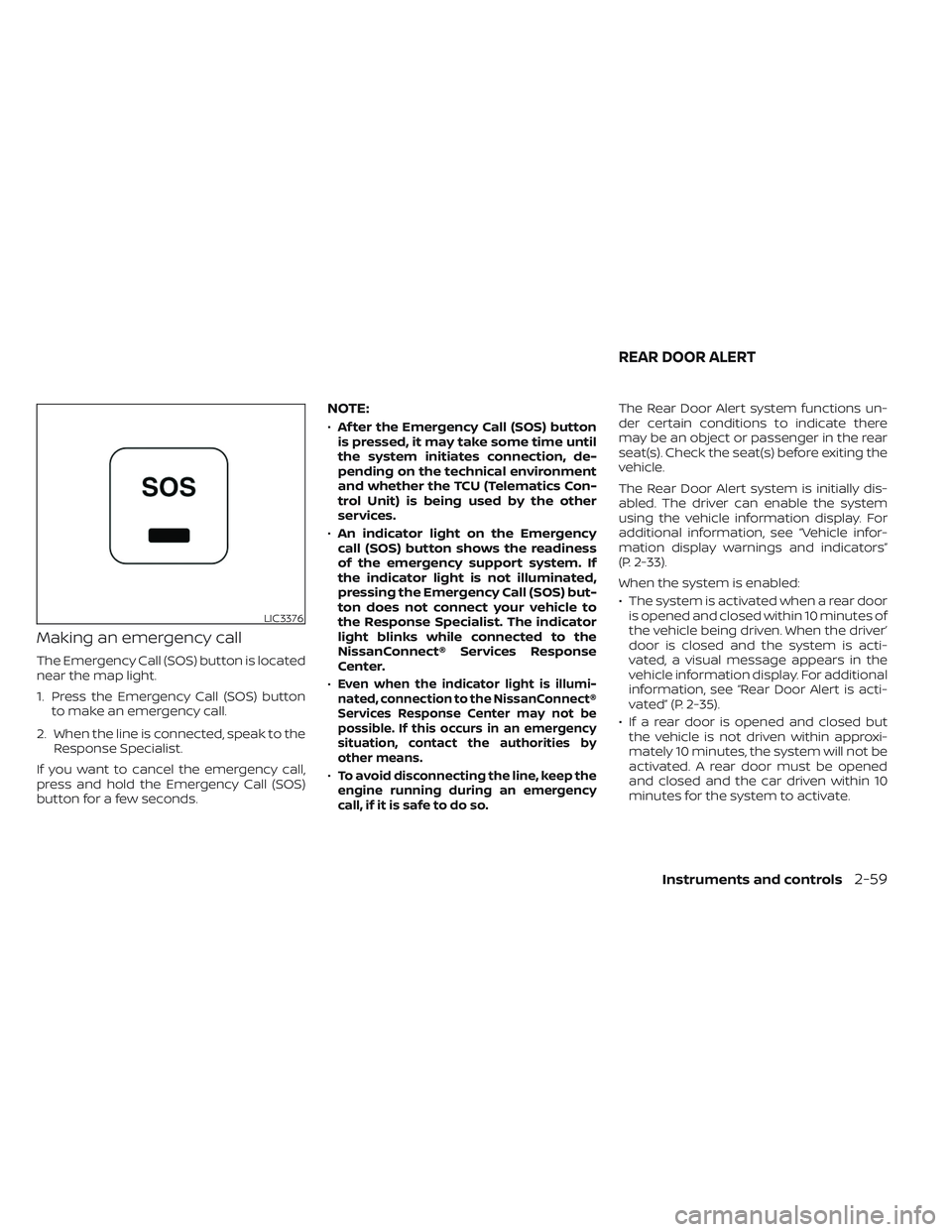
Making an emergency call
The Emergency Call (SOS) button is located
near the map light.
1. Press the Emergency Call (SOS) buttonto make an emergency call.
2. When the line is connected, speak to the Response Specialist.
If you want to cancel the emergency call,
press and hold the Emergency Call (SOS)
button for a few seconds.
NOTE:
• Af ter the Emergency Call (SOS) button
is pressed, it may take some time until
the system initiates connection, de-
pending on the technical environment
and whether the TCU (Telematics Con-
trol Unit) is being used by the other
services.
• An indicator light on the Emergency
call (SOS) button shows the readiness
of the emergency support system. If
the indicator light is not illuminated,
pressing the Emergency Call (SOS) but-
ton does not connect your vehicle to
the Response Specialist. The indicator
light blinks while connected to the
NissanConnect® Services Response
Center.
•
Even when the indicator light is illumi-
nated, connection to the NissanConnect®
Services Response Center may not be
possible. If this occurs in an emergency
situation, contact the authorities by
other means.
•To avoid disconnecting the line, keep the
engine running during an emergency
call,ifitissafetodoso.
The Rear Door Alert system functions un-
der certain conditions to indicate there
may be an object or passenger in the rear
seat(s). Check the seat(s) before exiting the
vehicle.
The Rear Door Alert system is initially dis-
abled. The driver can enable the system
using the vehicle information display. For
additional information, see “Vehicle infor-
mation display warnings and indicators”
(P. 2-33).
When the system is enabled:
• The system is activated when a rear door is opened and closed within 10 minutes of
the vehicle being driven. When the driver’
door is closed and the system is acti-
vated, a visual message appears in the
vehicle information display. For additional
information, see “Rear Door Alert is acti-
vated” (P. 2-35).
• If a rear door is opened and closed but the vehicle is not driven within approxi-
mately 10 minutes, the system will not be
activated. A rear door must be opened
and closed and the car driven within 10
minutes for the system to activate.
LIC3376
REAR DOOR ALERT
Instruments and controls2-59
Page 560 of 572
Check tire pressure..........2-34, 2-36Child restraint with top tether strap. . . .1-31Child restraints.......1-23,1-24,1-26,1-28Precautions on child
restraints.........1-38, 1-41, 1-54, 1-64Top tether strap anchor point
locations...................1-31Child safety rear door lock..........3-7Cleaning exterior and interior......7-2,7-4Cold weather driving............5-134Console box..................2-72Controls
Heater and air conditioner controls. .4-39Heater and air conditioner controls
(manual)...................4-29CoolantCapacities and recommended
fuel/lubricants
...............10-2Changing engine coolant.........8-7Checking engine coolant level......8-7Engine coolant temperature gauge. . .2-6Corrosion protection..............7-7Cruise control..............5-50, 5-51Cup holders...................2-73Curtain side-impact and rollover air
bag....................... .1-86
D
Daytime Running Light System......2-48Daytime Running Lights (DRL) system. .2-48Dimensions and weights..........10-11Dimmer switch for instrument panel. . .2-49
Door locks....................3-4Drive belt....................8-19Driving
Cold weather driving...........5-134Driving with automatic transmission.5-19Precautions when starting and
driving................. .5-4, 5-11Driving the vehicle...............5-18
E
Eco Drive Report................2-9Economy - fuel................5-109Electronic locking rear differential (E-Lock)
system.....................5-115Electronic locking rear differential (E-Lock)
system switch.................2-55Emergency call (SOS) button........2-58Emergency engine shutoff.......5-15,6-2Emission control information label. . . .10-13Emission control system warranty. . . .10-42Engine
Before starting the engine........5-17Capacities and recommended
fuel/lubricants...............10-2Changing engine coolant.........8-7Changing engine oil............8-8Changing engine oil filter.........8-8Checking engine coolant level......8-7Checking engine oil level.........8-8Engine coolant temperature gauge. . .2-6Engine cooling system...........8-6Engine oil.................. .8-8
Engine oil and oil filter
recommendation.............10-7Engine oil pressure gauge.........2-8Engine oil pressure warning light. . . .2-15Engine oil viscosity.............10-7Engine serial number..........10-12Engine specifications...........10-9Engine Block Heater.............5-135Engine coolant temperature gauge. . . .2-6Engine oil pressure gauge..........2-8Event Data recorders............10-44Exhaust gas (Carbon monoxide)......5-4Explanation of maintenance items.....9-2Explanation of scheduled maintenance
items...................... .9-5Extended storage switch..........2-66Eyeglass case.................2-72
F
Flashers (See hazard warning flasher
switch)......................6-2Flat tire......................6-3Floor mat positioning aid...........7-6Fluid
Brake fluid..................8-14Capacities and recommended
fuel/lubricants...............10-2Engine coolant................8-6Engine oil.................. .8-8Power steering fluid............8-14Windshield-washer fluid.........8-15Fog light switch................2-49
11-2