change wheel NISSAN GT-R 2011 User Guide
[x] Cancel search | Manufacturer: NISSAN, Model Year: 2011, Model line: GT-R, Model: NISSAN GT-R 2011Pages: 312, PDF Size: 13.07 MB
Page 186 of 312
Black plate (190,1)
Model "R35-N" EDITED: 2009/ 10/ 30
Traffic information display and scale
levels
2D map and Birdview Map
5 miles 10 km
2 miles 4 km 1 mile 2 km
1/2 mile 1 km
1/4 mile 500 m
1/8 mile 200 m
1/16 mile 100 m
1/32 mile 50 m
1/64 mile 25 m
Checking detailed information for
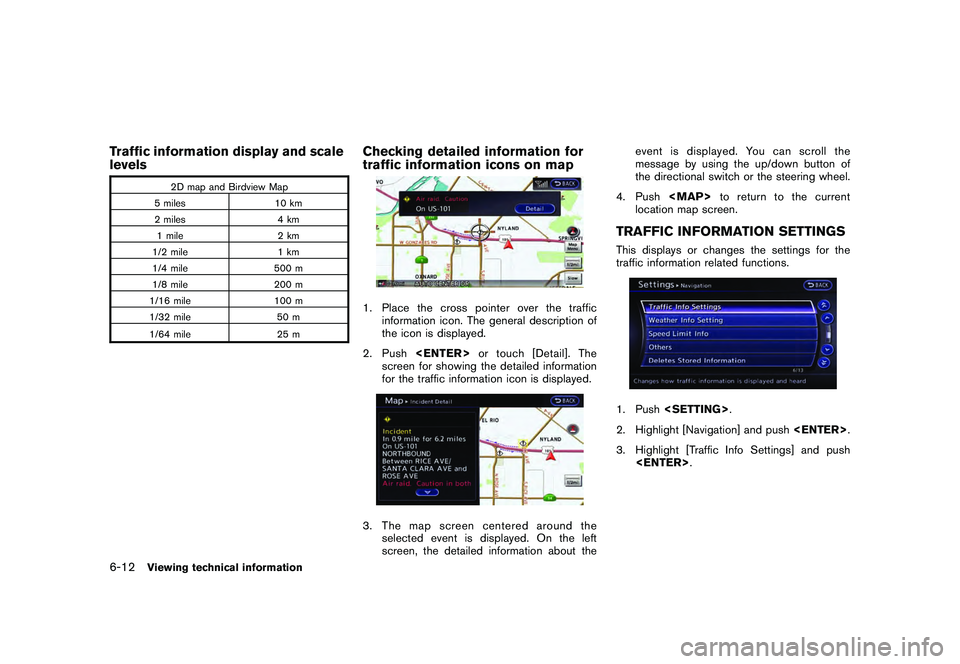
traffic information icons on map1. Place the cross pointer over the traffic
information icon. The general description of
the icon is displayed.
2. Push
screen for showing the detailed information
for the traffic information icon is displayed.3. The map screen centered around the selected event is displayed. On the left
screen, the detailed information about the event is displayed. You can scroll the
message by using the up/down button of
the directional switch or the steering wheel.
4. Push
Page 187 of 312
Black plate (191,1)
Model "R35-N" EDITED: 2009/ 10/ 30
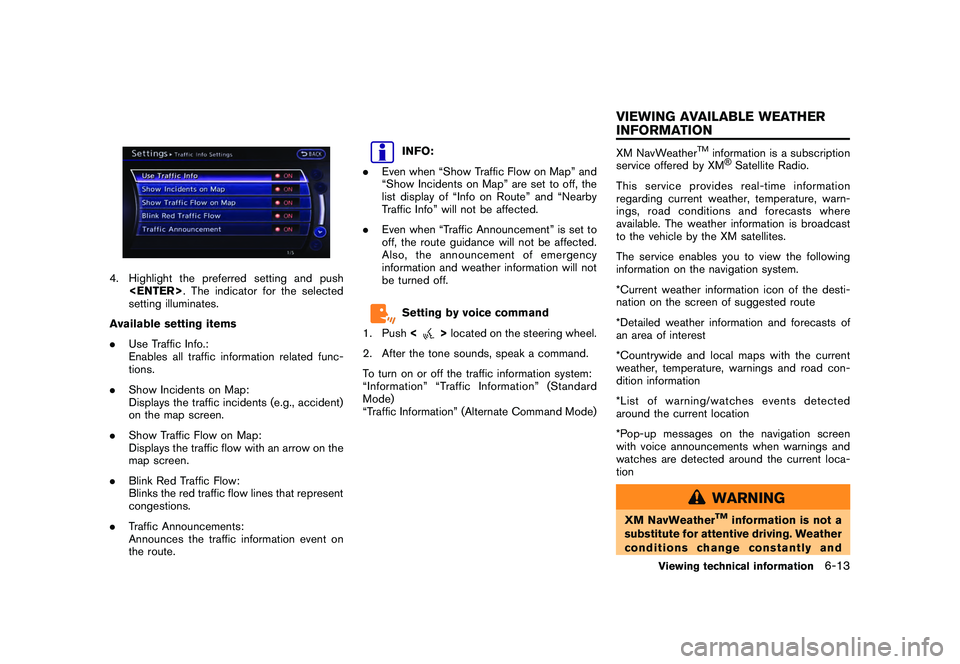
4. Highlight the preferred setting and push
setting illuminates.
Available setting items
. Use Traffic Info.:
Enables all traffic information related func-
tions.
. Show Incidents on Map:
Displays the traffic incidents (e.g., accident)
on the map screen.
. Show Traffic Flow on Map:
Displays the traffic flow with an arrow on the
map screen.
. Blink Red Traffic Flow:
Blinks the red traffic flow lines that represent
congestions.
. Traffic Announcements:
Announces the traffic information event on
the route.
INFO:
. Even when “Show Traffic Flow on Map” and
“Show Incidents on Map” are set to off, the
list display of “Info on Route” and “Nearby
Traffic Info” will not be affected.
. Even when “Traffic Announcement” is set to
off, the route guidance will not be affected.
Also, the announcement of emergency
information and weather information will not
be turned off.Setting by voice command
1. Push <
>located on the steering wheel.
2. After the tone sounds, speak a command.
To turn on or off the traffic information system:
“Information” “Traffic Information” (Standard
Mode)
“Traffic Information” (Alternate Command Mode)
XM NavWeather
TM
information is a subscription
service offered by XM®Satellite Radio.
This service provides real-time information
regarding current weather, temperature, warn-
ings, road conditions and forecasts where
available. The weather information is broadcast
to the vehicle by the XM satellites.
The service enables you to view the following
information on the navigation system.
*Current weather information icon of the desti-
nation on the screen of suggested route
*Detailed weather information and forecasts of
an area of interest
*Countrywide and local maps with the current
weather, temperature, warnings and road con-
dition information
*List of warning/watches events detected
around the current location
*Pop-up messages on the navigation screen
with voice announcements when warnings and
watches are detected around the current loca-
tion
WARNING
XM NavWeather
TM
information is not a
substitute for attentive driving. Weather
conditions change constantly and
Viewing technical information
6-13
VIEWING AVAILABLE WEATHER
INFORMATION
Page 216 of 312
![NISSAN GT-R 2011 User Guide Black plate (222,1)
Model "R35-N" EDITED: 2009/ 10/ 30
Tutorials on operation of voice re-
cognition systemWhen selecting [Using the Address Book],
[Finding a Street Address] or [Placing Calls],
the s](/img/5/58175/w960_58175-215.png "NISSAN GT-R 2011 User Guide Black plate (222,1)
Model \"R35-N\" EDITED: 2009/ 10/ 30
Tutorials on operation of voice re-
cognition systemWhen selecting [Using the Address Book],
[Finding a Street Address] or [Placing Calls],
the s")
Black plate (222,1)
Model "R35-N" EDITED: 2009/ 10/ 30
Tutorials on operation of voice re-
cognition systemWhen selecting [Using the Address Book],
[Finding a Street Address] or [Placing Calls],
the system displays tutorials on how to perform
these operations using voice recognition.Useful tips for correct operationIt is possible to display useful speaking informa-
tion that may help the system to accept a voice
command correctly.
1. Highlight [Help on Speaking] and push
2. To confirm the page, scroll the screen using the up and down switches of the main
directional buttons or the center dial.USING VOICE RECOGNITION SYS-
TEM
InitializationWhen the ignition switch is pushed to the ON
position, Voice Recognition is initialized, which
takes a few seconds. When completed, the
system is ready to accept voice commands. If
<
>is pushed before the initialization
completes, the display will show the message:
“System not ready”.
BEFORE STARTINGTo get the best recognition performance from
Voice Recognition, observe the following items.
. The interior of the vehicle should be as quiet
as possible. Close the windows to eliminate
the surrounding noises (traffic noise and
vibration sounds, etc.) , which may prevent
the system from correctly recognizing the
voice commands.
. Wait until the tone sounds before speaking a
command.
. Speak in a natural conversational voice without pausing between words.
GIVING VOICE COMMANDS1. Push
wheel.
2. A list of commands appears on the screen, and the system provides the voice menu
prompt “Would you like to access Phone,
Navigation, Information, Audio or Help?”.
3. After the tone sounds and the icon on the screen changes from [
]to[
], speak
a command.
4. Continue to follow the voice menu prompts and speak after the tone sounds until the
preferred operation is completed.
8-4
Voice recognition
Page 221 of 312
Black plate (227,1)
Model "R35-N" EDITED: 2009/ 10/ 30
VOICE COMMAND EXAMPLESTo use the voice recognition function, speaking
one command is sometimes sufficient, but at
other times it is necessary to speak two or more
commands. As examples, some additional basic
operations that can be performed by voice
commands are described here.Example 1: Setting destination by
street address1. Push<
>located on the steering wheel.
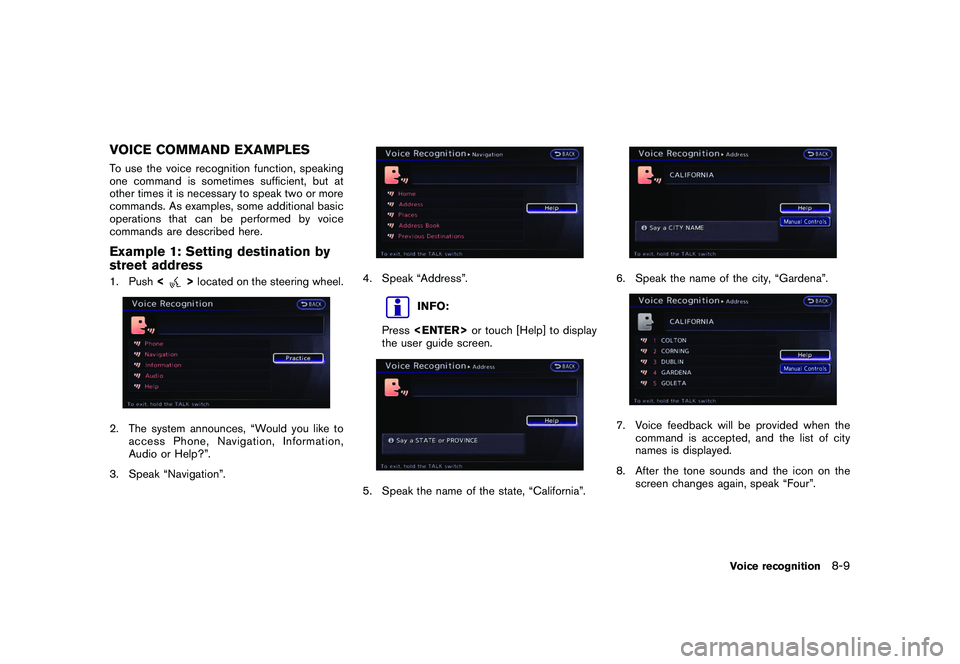
2. The system announces, “Would you like to
access Phone, Navigation, Information,
Audio or Help?”.
3. Speak “Navigation”.
4. Speak “Address”.
INFO:
Press
the user guide screen.
5. Speak the name of the state, “California”.
6. Speak the name of the city, “Gardena”.7. Voice feedback will be provided when the command is accepted, and the list of city
names is displayed.
8. After the tone sounds and the icon on the screen changes again, speak “Four”.
Voice recognition
8-9
Page 223 of 312
Black plate (229,1)
Model "R35-N" EDITED: 2009/ 10/ 30
Example 2: Placing call to phone
number 800-662-62001. Push<
>located on the steering wheel.
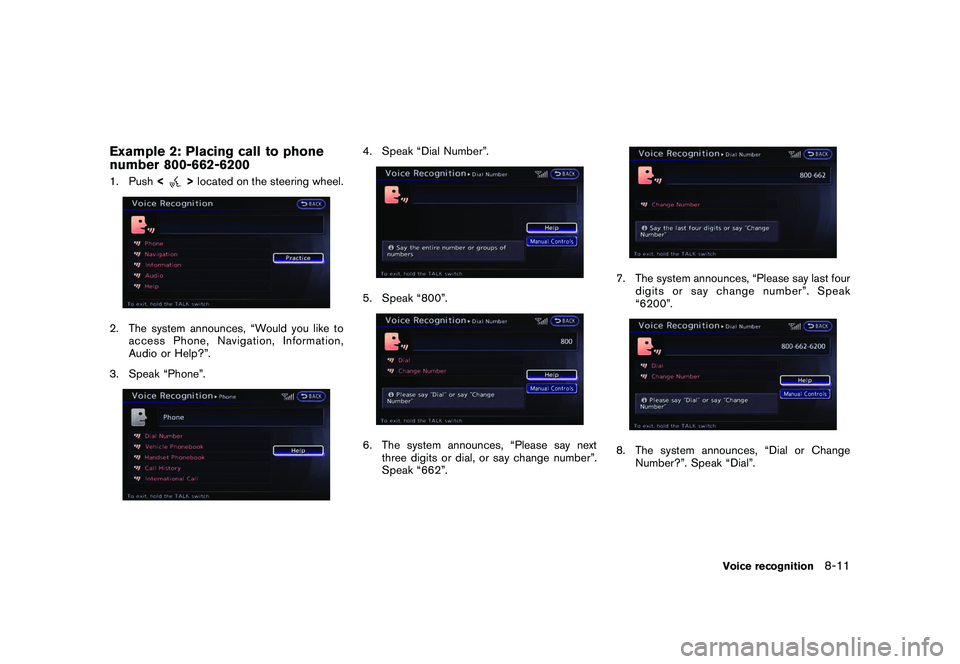
2. The system announces, “Would you like to
access Phone, Navigation, Information,
Audio or Help?”.
3. Speak “Phone”.
4. Speak “Dial Number”.5. Speak “800”.6. The system announces, “Please say next three digits or dial, or say change number”.
Speak “662”.
7. The system announces, “Please say last fourdigits or say change number”. Speak
“6200”.8. The system announces, “Dial or Change
Number?”. Speak “Dial”.
Voice recognition
8-11
Page 224 of 312
Black plate (230,1)
Model "R35-N" EDITED: 2009/ 10/ 30
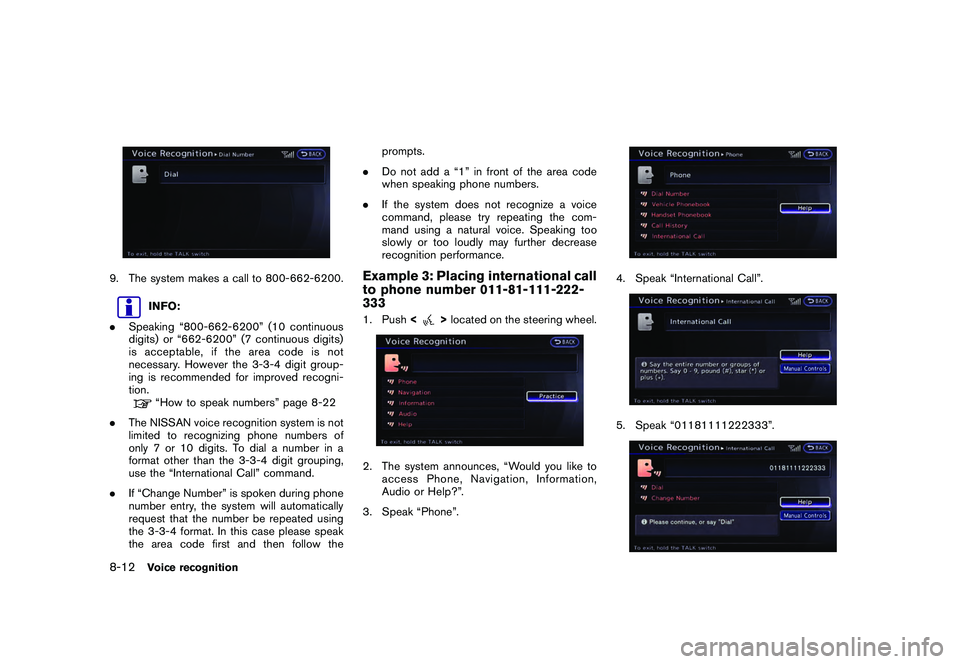
9. The system makes a call to 800-662-6200.
INFO:
. Speaking “800-662-6200” (10 continuous
digits) or “662-6200” (7 continuous digits)
is acceptable, if the area code is not
necessary. However the 3-3-4 digit group-
ing is recommended for improved recogni-
tion.“How to speak numbers” page 8-22
. The NISSAN voice recognition system is not
limited to recognizing phone numbers of
only 7 or 10 digits. To dial a number in a
format other than the 3-3-4 digit grouping,
use the “International Call” command.
. If “Change Number” is spoken during phone
number entry, the system will automatically
request that the number be repeated using
the 3-3-4 format. In this case please speak
the area code first and then follow the prompts.
. Do not add a “1” in front of the area code
when speaking phone numbers.
. If the system does not recognize a voice
command, please try repeating the com-
mand using a natural voice. Speaking too
slowly or too loudly may further decrease
recognition performance.
Example 3: Placing international call
to phone number 011-81-111-222-
3331. Push <
>located on the steering wheel.
2. The system announces, “Would you like to
access Phone, Navigation, Information,
Audio or Help?”.
3. Speak “Phone”.
4. Speak “International Call”.5. Speak “01181111222333”.
8-12
Voice recognition
Page 234 of 312
Black plate (240,1)
Model "R35-N" EDITED: 2009/ 10/ 30
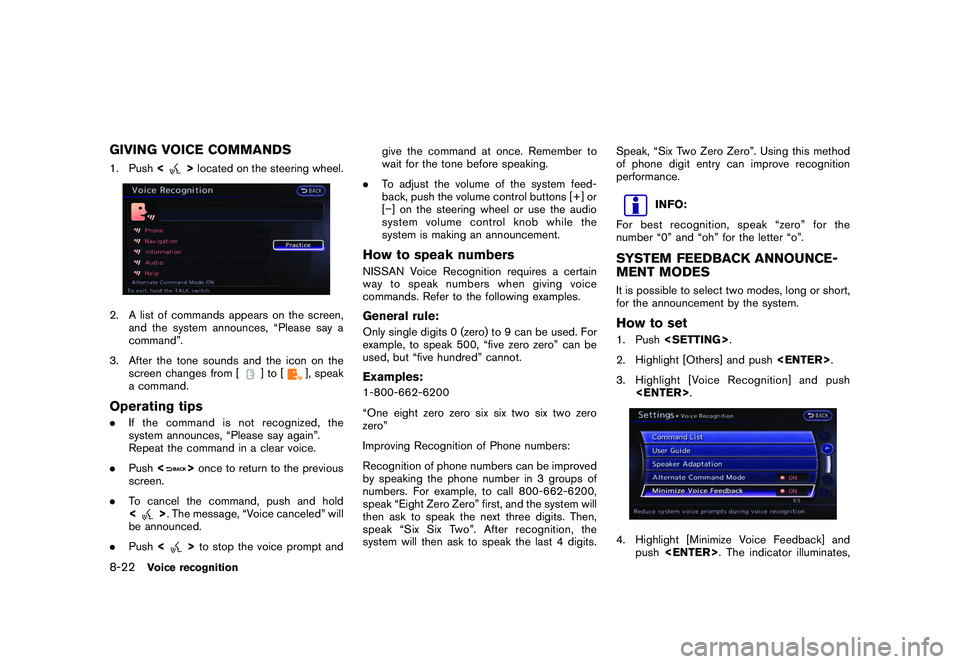
GIVING VOICE COMMANDS1. Push<
>located on the steering wheel.
2. A list of commands appears on the screen,
and the system announces, “Please say a
command”.
3. After the tone sounds and the icon on the screen changes from [
]to[
], speak
a command.
Operating tips. If the command is not recognized, the
system announces, “Please say again”.
Repeat the command in a clear voice.
. Push <
>once to return to the previous
screen.
. To cancel the command, push and hold
<
>. The message, “Voice canceled” will
be announced.
. Push <
>to stop the voice prompt and give the command at once. Remember to
wait for the tone before speaking.
. To adjust the volume of the system feed-
back, push the volume control buttons [+] or
[] on the steering wheel or use the audio
system volume control knob while the
system is making an announcement.
How to speak numbersNISSAN Voice Recognition requires a certain
way to speak numbers when giving voice
commands. Refer to the following examples.General rule:Only single digits 0 (zero) to 9 can be used. For
example, to speak 500, “five zero zero” can be
used, but “five hundred” cannot.Examples:1-800-662-6200
“One eight zero zero six six two six two zero
zero”
Improving Recognition of Phone numbers:
Recognition of phone numbers can be improved
by speaking the phone number in 3 groups of
numbers. For example, to call 800-662-6200,
speak “Eight Zero Zero” first, and the system will
then ask to speak the next three digits. Then,
speak “Six Six Two”. After recognition, the
system will then ask to speak the last 4 digits. Speak, “Six Two Zero Zero”. Using this method
of phone digit entry can improve recognition
performance.
INFO:
For best recognition, speak “zero” for the
number “0” and “oh” for the letter “o”.
SYSTEM FEEDBACK ANNOUNCE-
MENT MODESIt is possible to select two modes, long or short,
for the announcement by the system.How to set1. Push
2. Highlight [Others] and push
3. Highlight [Voice Recognition] and push
push
8-22
Voice recognition
Page 238 of 312
Black plate (244,1)
Model "R35-N" EDITED: 2009/ 10/ 30
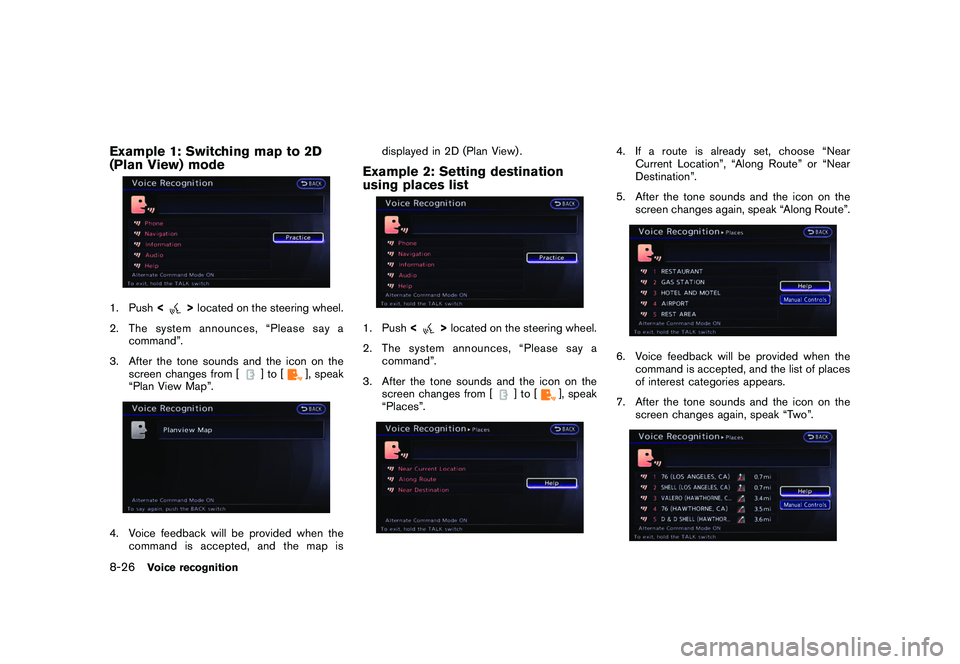
Example 1: Switching map to 2D
(Plan View) mode1. Push<
>located on the steering wheel.
2. The system announces, “Please say a command”.
3. After the tone sounds and the icon on the screen changes from [
]to[
], speak
“Plan View Map”.
4. Voice feedback will be provided when the command is accepted, and the map is displayed in 2D (Plan View) .
Example 2: Setting destination
using places list1. Push
<
>located on the steering wheel.
2. The system announces, “Please say a command”.
3. After the tone sounds and the icon on the screen changes from [
]to[
], speak
“Places”.
4. If a route is already set, choose “Near Current Location”, “Along Route” or “Near
Destination”.
5. After the tone sounds and the icon on the screen changes again, speak “Along Route”.6. Voice feedback will be provided when thecommand is accepted, and the list of places
of interest categories appears.
7. After the tone sounds and the icon on the screen changes again, speak “Two”.
8-26
Voice recognition
Page 239 of 312
Black plate (245,1)
Model "R35-N" EDITED: 2009/ 10/ 30
8. Voice feedback will be provided when thecommand is accepted, and the list of places
of interest in the category specified in the
previous step appears.
9. After the tone sounds and the icon on the screen changes again, speak “One”.10. Voice feedback will be provided when the
command is accepted, and the system
starts calculating a route to the selected
facility.
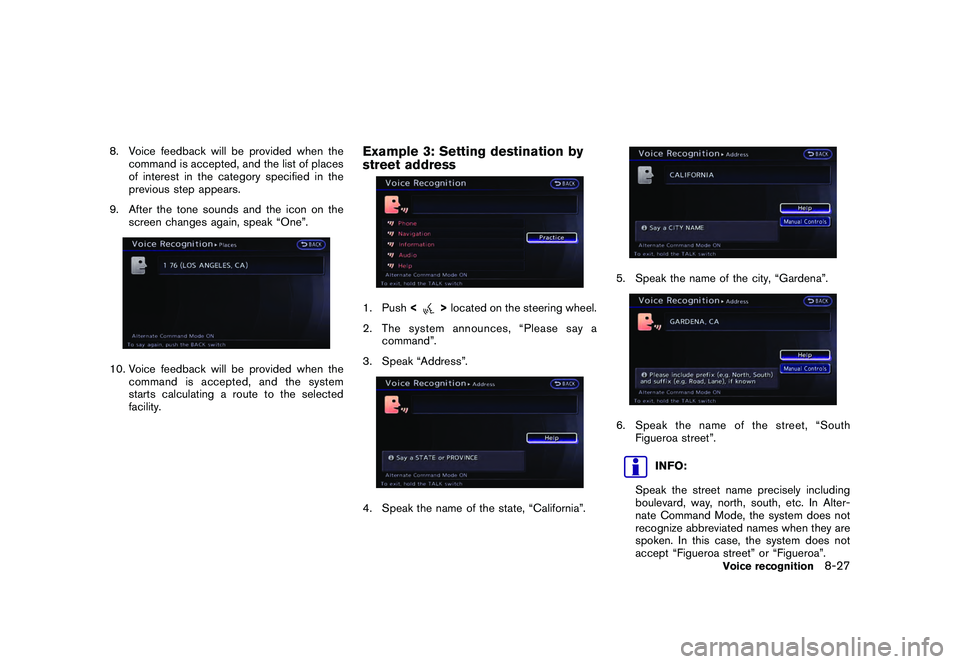
Example 3: Setting destination by
street address1. Push <
>located on the steering wheel.
2. The system announces, “Please say a command”.
3. Speak “Address”.
4. Speak the name of the state, “California”.
5. Speak the name of the city, “Gardena”.6. Speak the name of the street, “South Figueroa street”.
INFO:
Speak the street name precisely including
boulevard, way, north, south, etc. In Alter-
nate Command Mode, the system does not
recognize abbreviated names when they are
spoken. In this case, the system does not
accept “Figueroa street” or “Figueroa”.
Voice recognition
8-27
Page 266 of 312
Black plate (272,1)
Model "R35-N" EDITED: 2009/ 10/ 30
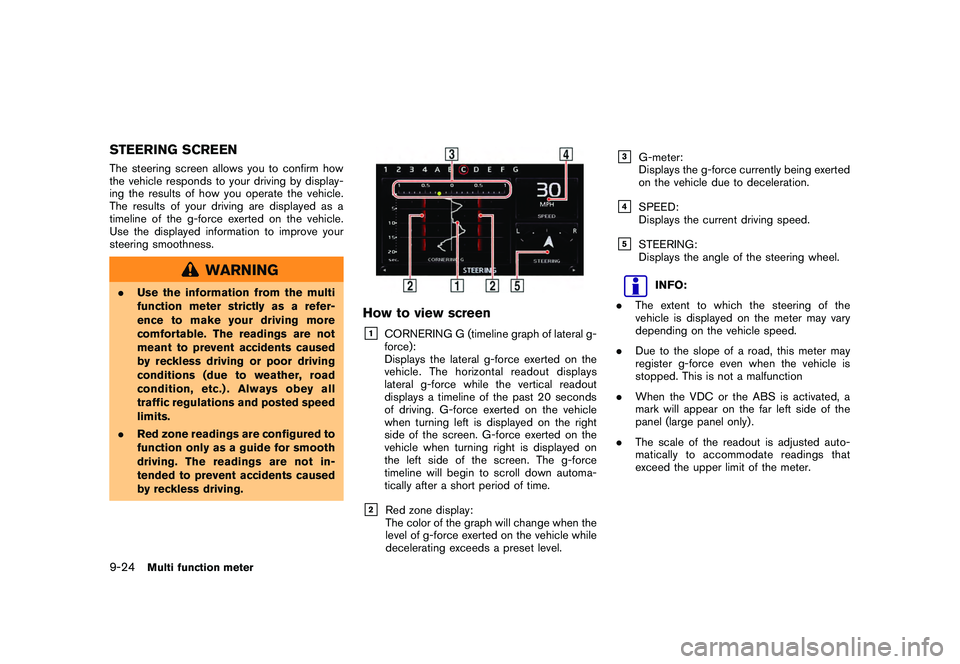
STEERING SCREENThe steering screen allows you to confirm how
the vehicle responds to your driving by display-
ing the results of how you operate the vehicle.
The results of your driving are displayed as a
timeline of the g-force exerted on the vehicle.
Use the displayed information to improve your
steering smoothness.
WARNING
.Use the information from the multi
function meter strictly as a refer-
ence to make your driving more
comfortable. The readings are not
meant to prevent accidents caused
by reckless driving or poor driving
conditions (due to weather, road
condition, etc.) . Always obey all
traffic regulations and posted speed
limits.
. Red zone readings are configured to
function only as a guide for smooth
driving. The readings are not in-
tended to prevent accidents caused
by reckless driving.
How to view screen&1
CORNERING G (timeline graph of lateral g-
force):
Displays the lateral g-force exerted on the
vehicle. The horizontal readout displays
lateral g-force while the vertical readout
displays a timeline of the past 20 seconds
of driving. G-force exerted on the vehicle
when turning left is displayed on the right
side of the screen. G-force exerted on the
vehicle when turning right is displayed on
the left side of the screen. The g-force
timeline will begin to scroll down automa-
tically after a short period of time.
&2
Red zone display:
The color of the graph will change when the
level of g-force exerted on the vehicle while
decelerating exceeds a preset level.
&3
G-meter:
Displays the g-force currently being exerted
on the vehicle due to deceleration.
&4
SPEED:
Displays the current driving speed.
&5
STEERING:
Displays the angle of the steering wheel.
INFO:
. The extent to which the steering of the
vehicle is displayed on the meter may vary
depending on the vehicle speed.
. Due to the slope of a road, this meter may
register g-force even when the vehicle is
stopped. This is not a malfunction
. When the VDC or the ABS is activated, a
mark will appear on the far left side of the
panel (large panel only) .
. The scale of the readout is adjusted auto-
matically to accommodate readings that
exceed the upper limit of the meter.
9-24
Multi function meter