key NISSAN GT-R 2015 R35 Multi Function Display User Guide
[x] Cancel search | Manufacturer: NISSAN, Model Year: 2015, Model line: GT-R, Model: NISSAN GT-R 2015 R35Pages: 298, PDF Size: 11.39 MB
Page 136 of 298
DVD (Digital Versatile Disc) PLAYER
OPERATION
Precautions
Start the engine when using the DVD entertain-
ment system.
Movies will not be shown on the front display
while the vehicle is in any drive position to
reduce driver distraction. Audio is available
when a movie is played. To view movies in the
front display, stop the vehicle in a safe location,
move the shift lever to the P (Park) position and
apply the parking brake.
WARNING
.The driver must not attempt to
operate the DVD system or wear
the headphones while the vehicle is
in motion so that full attention may
be given to vehicle operation.
. Do not attempt to modify the system
to display a movie on the front
screen while the vehicle is being
driven. Doing so may distract the
driver and may cause a collision and
serious personal injury or death.
CAUTION
.Only operate the DVD while the
vehicle engine is running. Operating
the DVD for extended periods of
time with the engine OFF can dis-
charge the vehicle battery.
. Do not allow the system to get wet.
Excessive moisture such as spilled
liquids may cause the system to
malfunction.
. While playing VIDEO-CD media, this
DVD player does not guarantee
complete functionality of all VI-
DEO-CD formats.
Display settings
To adjust the front display mode, push
select [Others] and then select [Display].
To adjust the display ON/OFF, brightness, tint,
color and contrast, select [Display Adjustment]
and then select each key.
Then you can adjust each item using the center
dial. After changes have been made push
Playing a DVD
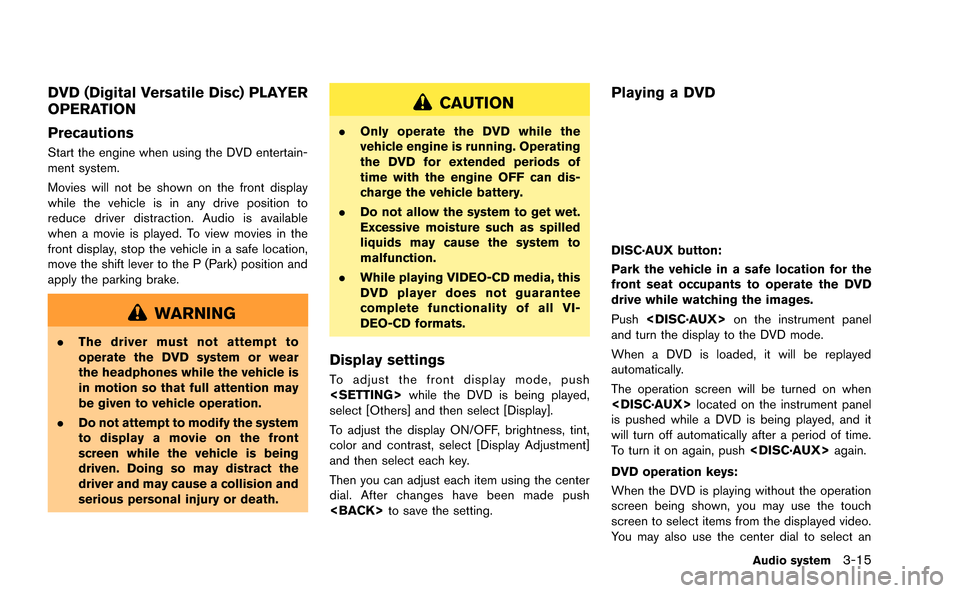
DISC·AUX button:
Park the vehicle in a safe location for the
front seat occupants to operate the DVD
drive while watching the images.
Push
and turn the display to the DVD mode.
When a DVD is loaded, it will be replayed
automatically.
The operation screen will be turned on when
is pushed while a DVD is being played, and it
will turn off automatically after a period of time.
To turn it on again, push
DVD operation keys:
When the DVD is playing without the operation
screen being shown, you may use the touch
screen to select items from the displayed video.
You may also use the center dial to select an
Audio system3-15
Page 137 of 298
![NISSAN GT-R 2015 R35 Multi Function Display User Guide 3-16Audio system
item from the displayed video. When the
operation screen is being shown, use the center
dial or touch screen to select an item from the
displayed menus.
PAUSE:
Select [
]to pause the](/img/5/423/w960_423-136.png "NISSAN GT-R 2015 R35 Multi Function Display User Guide 3-16Audio system
item from the displayed video. When the
operation screen is being shown, use the center
dial or touch screen to select an item from the
displayed menus.
PAUSE:
Select [
]to pause the")
3-16Audio system
item from the displayed video. When the
operation screen is being shown, use the center
dial or touch screen to select an item from the
displayed menus.
PAUSE:
Select [
]to pause the DVD. To resume
playing the DVD, use [PLAY].
PLAY:
Select [
]to start playing the DVD, for
example, after pausing the DVD.
STOP:
Select [
]to stop playing the DVD.
/Next/Previous Chapter:
Select [
]or []to skip the chapter(s) of
the disc forward/backward. The chapters will
advance/go back the number of times this key is
selected.
/Commercial Skip:
This function is only for DVD-VIDEO, DVD-VR.
Select [
]or []to skip forward or
backwards by the set amount as defined in the
DVD Settings menu. Top Menu:
When
[Top Menu] is selected in the screen
while a DVD is being played, the top menu
specific to each disc will be displayed. For
details, see the instructions on the disc.
DVD settings
ExampleSelect [Settings] to adjust the following settings.
Key (DVD-VIDEO):
Keys for the DVD menu operation are displayed.
: Move the cursor to select a DVD menu.
Enter: Enter the selected menu.
Move: Change the display location by moving
the operation key.
Back: Return to the previous screen.
Hide: Hide the operation key. Title Menu (DVD-VIDEO):
Some menus specific to each disc will be
shown. For details, see the instructions on the
disc.
Title Search (DVD-VIDEO, DVD-VR):
The scene with the specified title will be
displayed each time the [+] side or [−] side is
selected.
Group Search (VIDEO CD):
A scene in the specified group will be displayed
each time the [+] side or [−] side is selected.
10 Key Search (DVD-VIDEO, VIDEO-CD,CD-
DA, DVD-VR):
Select [10 Key Search] to open the number
entry screen. Input the number to be searched
and select [OK]. The specified Title/Chapter or
Group/Track will be played.
Select No. (VIDEO-CD):
Select [Select No.] to open the number entry
screen. Input the number to be searched and
select [OK]. The specified scene will be played.
Angle (DVD-VIDEO):
If the DVD contains different angles (such as
moving images), the current image angle can be
switched to another one. Select [Angle]. The
angle will change each time the [+] side or [−]
side is selected.
Page 140 of 298
Menu:
There are some options available during play-
back. Select one of the following options that
are displayed on the screen if necessary. Refer
to the following information for each item.
.Movie Playback
Switch to the movie playback mode. This
item is displayed only when a USB device
contains movie files.
. Folder List/Track List
Displays the folder or track list. [Movie
Playback] is also displayed in this list screen,
and enables switching to the movie playback
mode.
. Play Mode
Select the preferred play mode.
Movie file operation
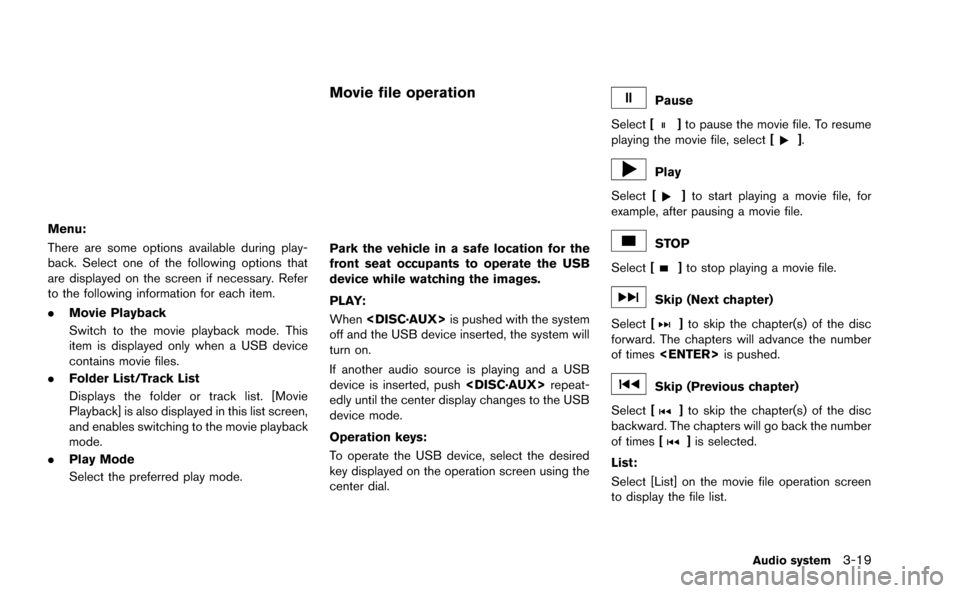
Park the vehicle in a safe location for the
front seat occupants to operate the USB
device while watching the images.
PLAY:
When
off and the USB device inserted, the system will
turn on.
If another audio source is playing and a USB
device is inserted, push
edly until the center display changes to the USB
device mode.
Operation keys:
To operate the USB device, select the desired
key displayed on the operation screen using the
center dial.
Pause
Select [
]to pause the movie file. To resume
playing the movie file, select [].
Play
Select [
]to start playing a movie file, for
example, after pausing a movie file.
STOP
Select [
]to stop playing a movie file.
Skip (Next chapter)
Select [
]to skip the chapter(s) of the disc
forward. The chapters will advance the number
of times
Skip (Previous chapter)
Select [
]to skip the chapter(s) of the disc
backward. The chapters will go back the number
of times [
]is selected.
List:
Select [List] on the movie file operation screen
to display the file list.
Audio system3-19
Page 141 of 298
![NISSAN GT-R 2015 R35 Multi Function Display User Guide 3-20Audio system
Example
Settings:
Select[Settings] to adjust the following set-
tings.
. Audio File Playback
Switch to the audio playback mode. This
item is displayed only when the USB device
contain](/img/5/423/w960_423-140.png "NISSAN GT-R 2015 R35 Multi Function Display User Guide 3-20Audio system
Example
Settings:
Select[Settings] to adjust the following set-
tings.
. Audio File Playback
Switch to the audio playback mode. This
item is displayed only when the USB device
contain")
3-20Audio system
Example
Settings:
Select[Settings] to adjust the following set-
tings.
. Audio File Playback
Switch to the audio playback mode. This
item is displayed only when the USB device
contains the audio files.
. Play Mode
Select the “Normal” or “1 Track Repeat” play
mode.
. 10 Key Search
Select [10 Key Search] to open the number
entry screen.
Input the number to be searched and select
[OK].
The specified folder/file will be played. .
Display
To adjust the image quality of the screen,
select the preferred adjustment items.
. DRC
DRC (Dynamic Range Compression) auto-
matically adjusts the soundtrack volume
level to maintain a more even sound to the
speakers.
. Audio
Select the preferred language for audio.
. Subtitle
Select the preferred language for subtitle.
. Display Mode
Select the “Normal”, “Wide”, “Cinema” or
“Full” mode.
BLUETOOTH®STREAMING AUDIO
Your vehicle is equipped with Bluetooth®
Streaming Audio. If you have a compatible
Bluetooth®device with streaming audio (A2DP
profile) , you can set up the wireless connection
between your Bluetooth
®device and the in-
vehicle audio system. This connection allows
you to listen to the audio from the Bluetooth
®
device using your vehicle speakers. It also may
allow basic control of the device for playing and
skipping audio files using the AVRCP Blue-
tooth
®profile. All Bluetooth®Devices do not
have the same level of controls for AVRCP.
Please consult the manual for your Bluetooth
®
Device for more details.
Once your Bluetooth®device is connected to
the in-vehicle audio system, it will automatically
reconnect whenever the device is present in the
vehicle and you select Bluetooth
®Audio from
your audio system. You do not need to manually
reconnect for each usage.
Regulatory information
FCC Regulatory information:
. CAUTION: To maintain compliance with
FCC’s RF exposure guidelines, use only
the supplied antenna. Unauthorized antenna,
modification, or attachments could damage
the transmitter and may violate FCC regula-
Page 143 of 298
3-22Audio system
5. The standby message screen will appear.Operate the compatible Bluetooth®audio
device. Please refer to the device’s owners
manual for the Bluetooth
®audio connection
instructions for your specific device.
When the connection is completed, the
screen will return to the Bluetooth
®setup
display.
Audio main operation
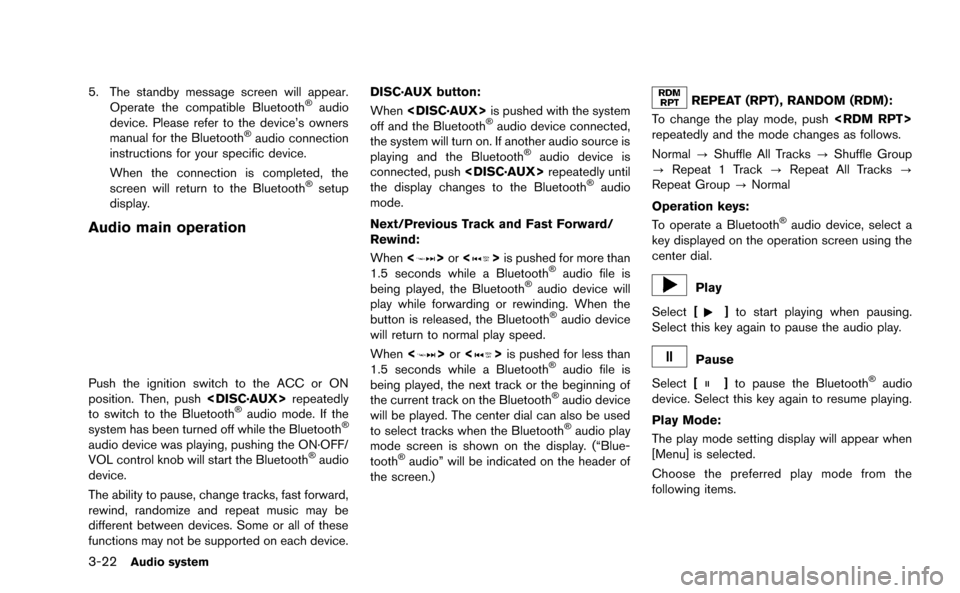
Push the ignition switch to the ACC or ON
position. Then, push
to switch to the Bluetooth
®audio mode. If the
system has been turned off while the Bluetooth®
audio device was playing, pushing the ON·OFF/
VOL control knob will start the Bluetooth®audio
device.
The ability to pause, change tracks, fast forward,
rewind, randomize and repeat music may be
different between devices. Some or all of these
functions may not be supported on each device. DISC·AUX button:
When
off and the Bluetooth
®audio device connected,
the system will turn on. If another audio source is
playing and the Bluetooth
®audio device is
connected, push
the display changes to the Bluetooth
®audio
mode.
Next/Previous Track and Fast Forward/
Rewind:
When <
>or <>is pushed for more than
1.5 seconds while a Bluetooth®audio file is
being played, the Bluetooth®audio device will
play while forwarding or rewinding. When the
button is released, the Bluetooth
®audio device
will return to normal play speed.
When <
>or <>is pushed for less than
1.5 seconds while a Bluetooth®audio file is
being played, the next track or the beginning of
the current track on the Bluetooth
®audio device
will be played. The center dial can also be used
to select tracks when the Bluetooth
®audio play
mode screen is shown on the display. (“Blue-
tooth
®audio” will be indicated on the header of
the screen.)
REPEAT (RPT) , RANDOM (RDM):
To change the play mode, push
repeatedly and the mode changes as follows.
Normal ?Shuffle All Tracks ?Shuffle Group
? Repeat 1 Track ?Repeat All Tracks ?
Repeat Group ?Normal
Operation keys:
To operate a Bluetooth
®audio device, select a
key displayed on the operation screen using the
center dial.
Play
Select [
]to start playing when pausing.
Select this key again to pause the audio play.
Pause
Select [
]to pause the Bluetooth®audio
device. Select this key again to resume playing.
Play Mode:
The play mode setting display will appear when
[Menu] is selected.
Choose the preferred play mode from the
following items.
Page 144 of 298
.Shuffle
Choose “Shuffle OFF”, “Shuffle All Tracks”
and “Shuffle Group”.
. Repeat
Choose from “Repeat OFF”, “Repeat 1
Track”, “Repeat All Tracks” and “Repeat
Group”.
Bluetooth®settings
To set up the Bluetooth®device system to the
preferred settings, push
select [Bluetooth].
Bluetooth:
If this setting is turned off, the connection
between the Bluetooth
®devices and the in-
vehicle Bluetooth®module will be canceled. Connect Bluetooth:
Connects to the Bluetooth
®device. Up to 5
devices can be registered.
“Connecting procedure” (page 3-21)
Connected Devices:
Registered devices are shown on the list. Select
a Bluetooth
®device from the list, the following
options will be available.
. Select
Select [Select] to connect the selected
device to the vehicle. If there is a different
device currently connected, the selected
device will replace the current device.
. Edit
Rename the selected Bluetooth
®device
using the keypad displayed on the screen.
“How to input letters and numbers”
(page 1-14)
. Delete
Delete the selected Bluetooth
®device.
Edit Bluetooth Info:
Change the name broadcasted by this system
over Bluetooth
®. Change the PIN code that is
entered when connecting a hands free device to
this system. Replace Connected Phone:
Replace the Bluetooth
®connection with a
connected Bluetooth®cellular phone.“4. Bluetooth®Hands-Free Phone Sys-
tem”
iPod®PLAYER OPERATION
Connecting iPod
®
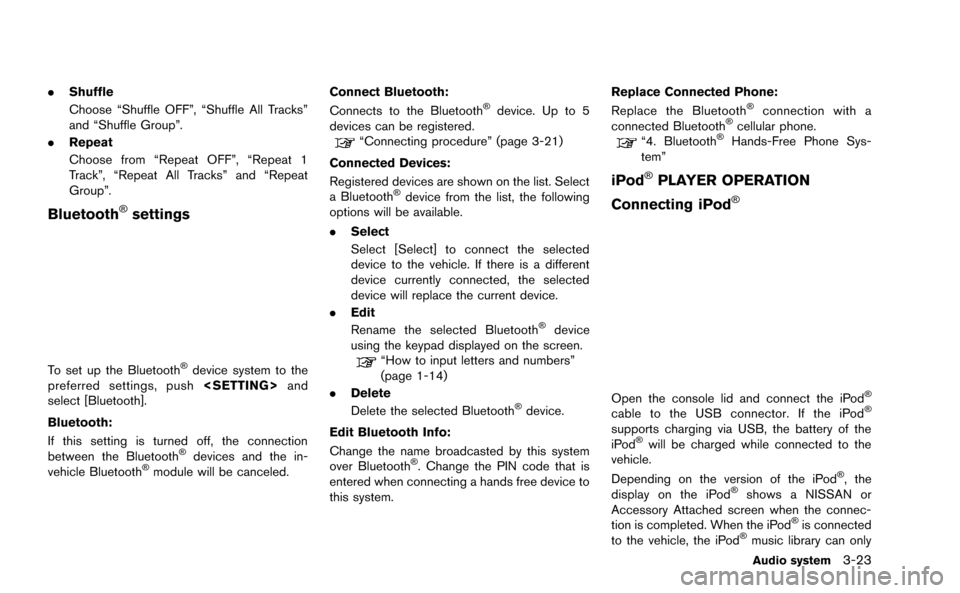
Open the console lid and connect the iPod®
cable to the USB connector. If the iPod®
supports charging via USB, the battery of the
iPod®will be charged while connected to the
vehicle.
Depending on the version of the iPod
®, the
display on the iPod®shows a NISSAN or
Accessory Attached screen when the connec-
tion is completed. When the iPod
®is connected
to the vehicle, the iPod®music library can only
Audio system3-23
Page 152 of 298
![NISSAN GT-R 2015 R35 Multi Function Display User Guide 1. Push<PHONE> and select [Quick Dial].
2. Select [Add New] at the top of the screen.
3. Choose the method for entering the phone- book entry. For this example, select [Enter
Number by Keypad].
4. Ent](/img/5/423/w960_423-151.png "NISSAN GT-R 2015 R35 Multi Function Display User Guide 1. Push<PHONE> and select [Quick Dial].
2. Select [Add New] at the top of the screen.
3. Choose the method for entering the phone- book entry. For this example, select [Enter
Number by Keypad].
4. Ent")
1. Push
2. Select [Add New] at the top of the screen.
3. Choose the method for entering the phone- book entry. For this example, select [Enter
Number by Keypad].
4. Enter the digits and select [OK].
“How to input letters and numbers”
(page 1-14)
5. Select [Voicetag] to record a name to speak when using NISSAN Voice Recognition
system.
6. Select [Store] and prepare to speak the name after the tone.
7. When the voicetag is successfully saved, select [OK] to save the phonebook entry.
8. After the phonebook entry is saved, it will show a screen that is ready to call the
number. Press
quick dial.
There are different methods to input a phone
number. Select one of the following options
instead of [Enter Number by Keypad] in step 3.
. [Copy from Call History]:
The system will show a list of incoming,
outgoing or missed calls that were down-
loaded from the connected cellular phone
(depending on the phone’s compatibility) .
Select one of these entries to save in the quick dial.
. [Copy from the Handset]:
The system will show the connected cellular
phone’s phonebook that was downloaded
(depending on the phone’s compatibility) .
Select one of these entries to save in the
quick dial.Editing the Quick Dial
1. Push
2. Select the desired entry from the displayed list.
3. Select [Edit].
4. Select the desired item to change.
Bluetooth®Hands-Free Phone System4-5
Page 153 of 298
![NISSAN GT-R 2015 R35 Multi Function Display User Guide 4-6Bluetooth®Hands-Free Phone System
The following editing items are available:
.[Entry #]:
Changes the displayed number of the
selected entry.
. [Name]:
Edit the name of the entry using the keypad
d](/img/5/423/w960_423-152.png "NISSAN GT-R 2015 R35 Multi Function Display User Guide 4-6Bluetooth®Hands-Free Phone System
The following editing items are available:
.[Entry #]:
Changes the displayed number of the
selected entry.
. [Name]:
Edit the name of the entry using the keypad
d")
4-6Bluetooth®Hands-Free Phone System
The following editing items are available:
.[Entry #]:
Changes the displayed number of the
selected entry.
. [Name]:
Edit the name of the entry using the keypad
displayed on the screen.
. [Number]:
Edit the phone number using the keypad
displayed on the screen.
. [Type]:
Select an icon from the icon list.
. [Voicetag]:
Confirm and store the voicetag. Voicetags
allow easy dialing using the NISSAN Voice
Recognition system.
“8. Voice recognition”
To delete an entry, select [Delete] at step 3.
MAKING A CALL
To make a call, follow this procedure.
1. Push
>. The “PHONE”
screen will appear on the display.
2. Select [Phonebook] on the “PHONE” menu.
3. Select the desired entry from the list.
4. Confirm the correct entry by selecting for the correct number from the list.
There are different methods to make a call.
Select one of the following options instead of
[Phonebook] in step 2 above.
. [Quick Dial]:
Select an entry stored in the quick dial.
. [Call History]:
Select an outgoing, incoming or missed call
downloaded from your cell phone (depend-
ing on your phone’s compatibility) . .
[Dial Number]:
Input the phone number manually using the
keypad displayed on the screen.
“How to input letters and numbers”
(page 1-14)
RECEIVING A CALL
When you hear a phone ring, the display will
change to the incoming call mode. To receive a
call, perform one of the following procedures
listed below.
1. Select [Answer].
2. Push
3. Push <
>on the steering wheel.
There are some options available when receiving
a call. Select one of the following displayed on
the screen.
Page 154 of 298
![NISSAN GT-R 2015 R35 Multi Function Display User Guide .[Answer]:
Accept an incoming call to talk.
. [Hold Call]:
Put an incoming call on hold.
. [Reject Call]:
Reject an incoming call.
To finish the call, perform one of the
following procedures listed be](/img/5/423/w960_423-153.png "NISSAN GT-R 2015 R35 Multi Function Display User Guide .[Answer]:
Accept an incoming call to talk.
. [Hold Call]:
Put an incoming call on hold.
. [Reject Call]:
Reject an incoming call.
To finish the call, perform one of the
following procedures listed be")
.[Answer]:
Accept an incoming call to talk.
. [Hold Call]:
Put an incoming call on hold.
. [Reject Call]:
Reject an incoming call.
To finish the call, perform one of the
following procedures listed below.
1. Select [Hang up].
2. Push
3. Push <
>on the steering wheel.
DURING A CALL
There are some options available during a call.
Select one of the following displayed on the
screen if necessary.
. [Hang up]:
Finish the call. .
[Use Handset]:
Transfer the call to the cellular phone.
. [Mute]:
Mute your voice to the person.
. [Keypad]:
Using the touch tone, send digits to the
connected party for using services such as
voicemail.
. [Cancel Mute]:
This will appear after [Mute] is selected.
Mute will be canceled.
PHONE SETTING
To set up the Bluetooth®Hands-Free Phone
System to your preferred settings, push
Edit Quick Dial
Quick dial registration and editing/deleting the
registered quick dial can be performed.
Delete Quick Dial
The quick dial entries can be deleted all at the
same time or one by one.
Download Phonebook
Download the contacts registered in a Blue-
tooth®cellular phone. Availability of this function
depends on each cellular phone. The memory
downloading procedure from the cellular phone
also varies according to each cellular phone.
See cellular phone Owner’s Manual for details.
Volume & Ringtone
The following kinds of phone volume can be set.
Pushing
Ringtone] can also operate the same settings.
. [Ringtone]/[Incoming Call]/[Outgoing
Call]:
To increase or decrease the volume, select
[Ringtone], [Incoming Call] or [Outgoing
Call] and adjust it with the center dial.
. [Automatic Hold]:
When this function is activated, an incoming
phone call is automatically held.
Bluetooth®Hands-Free Phone System4-7
Page 195 of 298
![NISSAN GT-R 2015 R35 Multi Function Display User Guide 7-8Other settings
This key does not appear on the display until the
ignition switch is pushed to the ON position.
1. Push<SETTING>.
2. Highlight [Comfort] and push <ENTER>.
3. Highlight the preferred](/img/5/423/w960_423-194.png "NISSAN GT-R 2015 R35 Multi Function Display User Guide 7-8Other settings
This key does not appear on the display until the
ignition switch is pushed to the ON position.
1. Push<SETTING>.
2. Highlight [Comfort] and push <ENTER>.
3. Highlight the preferred")
7-8Other settings
This key does not appear on the display until the
ignition switch is pushed to the ON position.
1. Push
2. Highlight [Comfort] and push
3. Highlight the preferred setting item and push
selected item illuminates.
4. After setting, push
to apply the setting.
5. Push
screen. Push