battery NISSAN GT-R 2021 User Guide
[x] Cancel search | Manufacturer: NISSAN, Model Year: 2021, Model line: GT-R, Model: NISSAN GT-R 2021Pages: 1808, PDF Size: 4.88 MB
Page 281 of 1808
to change the mile-
age. Push and hold the switch to
increase the number every 600 miles
(1,000 km).
. Set to “—” to set no reminders.
. To reset the accumulated mileage to
zero, go to the RESET screen, then
push the NEXT switch
and confirm
with the ENTER switch.
NOTE:
. To restore the mileage to the origi-
nal figure after resetting, push the
NEXT switch
again.
. When the battery terminal is discon-
nected, the set mileage will be
erased and the settings will return
to their default settings.
Engine oil level:
This can be used to check the pre-start oil
level while the engine is running. Select
SETTING > MAINTENANCE > OIL > ENGINE
OIL > LEVEL.
If the low level reminder appears, check
the level using the engine oil dipstick.
(
“Checking engine oil level” page 8-9)
Page 327 of 1808
CAUTION
When the battery cable is removed
from the battery terminal, do not
close either of the front doors. The
automatic window adjusting func-
tion will not work and the side roof
panel may be damaged.
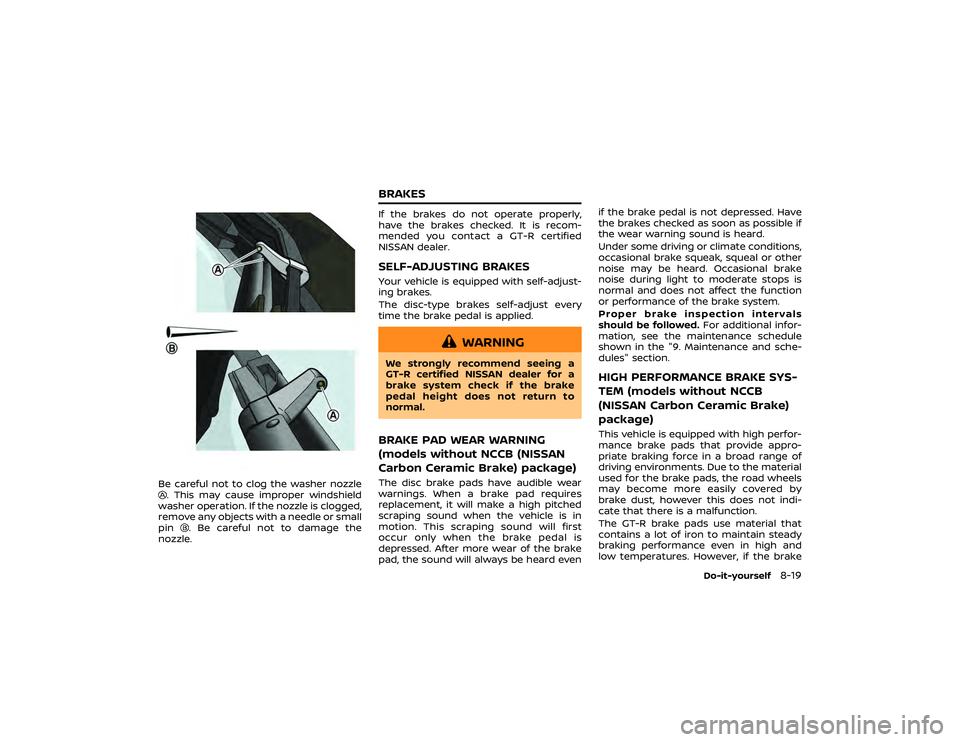
The power window has an automatic
adjusting function. When the door is
being opened, the window is automati-
cally lowered slightly to avoid contact
between the window and the side roof
Page 329 of 1808
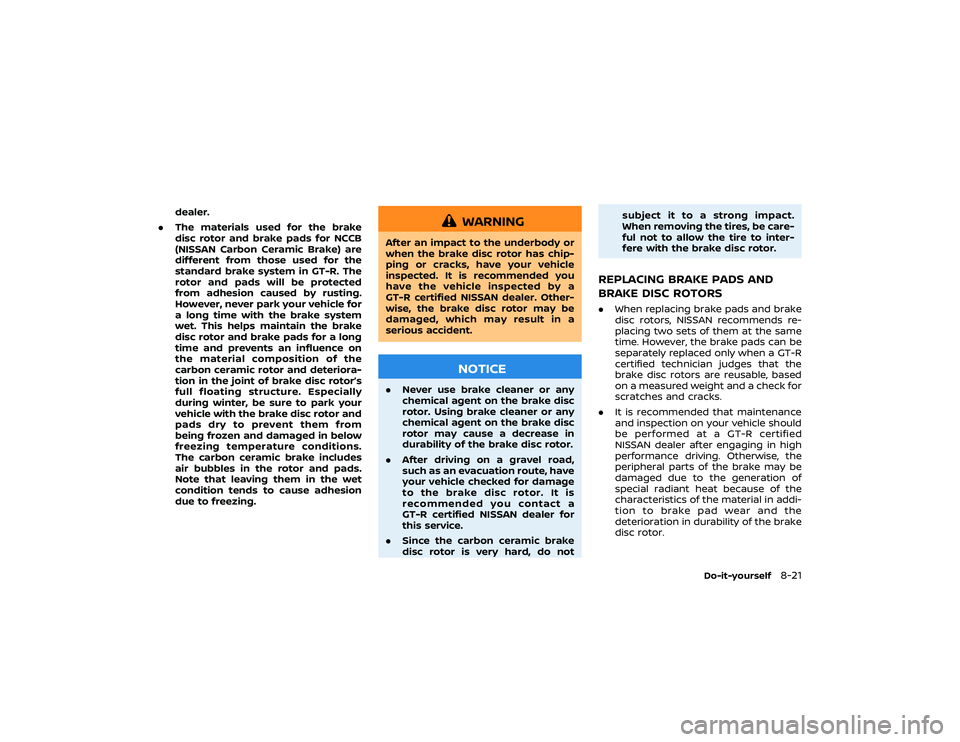
, DOOR
and OFF
.
ON positionWhen the switch is in the ON position
,
the map lights will illuminate.
NOTICE
Do not use the light for extended
periods of time with the engine
stopped. This could result in a dis-
charged battery. NOTE:
The lights will also turn off after a
period of time when the lights remain
illuminated after the ignition switch has
been pushed to the OFF or LOCK posi-
tion to prevent the battery from becom-
ing discharged.
DOOR positionWhen the switch is in the DOOR position, the map lights will turn on when the
door is opened and turn off when the
door is closed. The map lights will turn off
approximately 15 seconds after the door
is closed with the ignition switch in the
OFF or LOCK position.
NOTE:
When the interior light control switch is
in the DOOR position and the door is
open, the light will remain on even
when the map light switch is pressed
to turn off.
Key-linked interior light control system:
OFF positionWhen the switch is in the OFF position
,
the map lights will not illuminate, regard-
less of any condition.
Page 337 of 1808
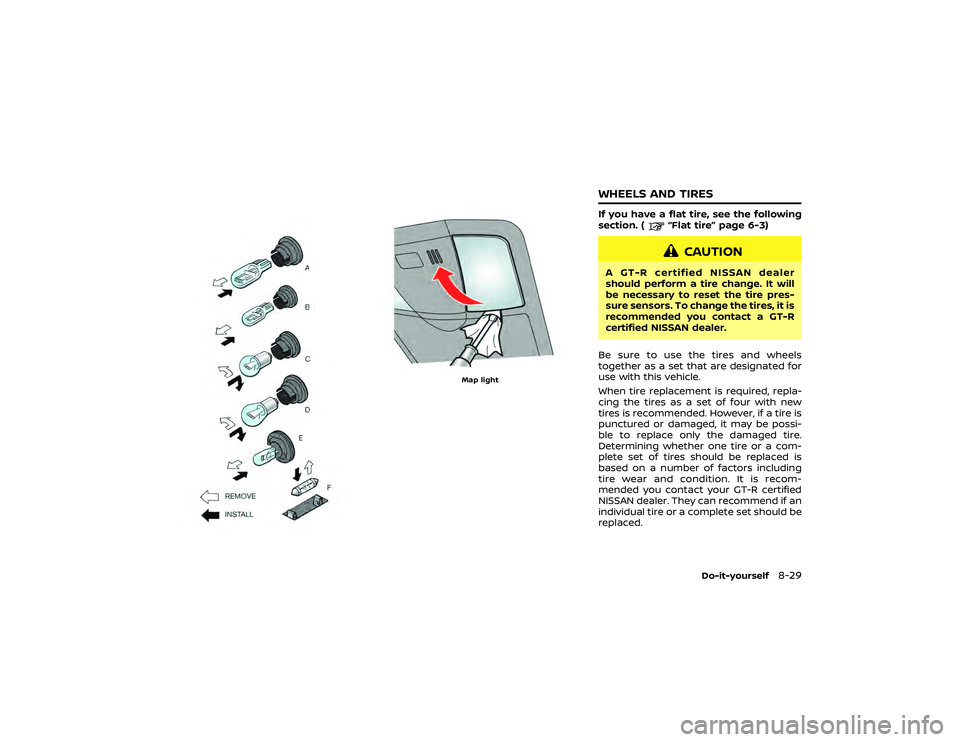
1. Intelligent Key (2 sets)
2. Mechanical key (inside Intelligent Keys) (2sets)
3. Key number plate (1 set)INTELLIGENT KEYYour vehicle can only be driven with the
Intelligent Keys which are registered to
your vehicle’s Intelligent Key system com-
ponents and NISSAN Vehicle Immobilizer
System components. As many as 4 In-
telligent Keys can be registered and used
with one vehicle. The new keys must be
registered by a GT-R certified NISSAN
dealer prior to use with the Intelligent
Key system and NISSAN Vehicle Immobi- lizer System of your vehicle. Since the
registration process requires erasing all
memory in the Intelligent Key compo-
nents when registering new keys, be sure
to take all Intelligent Keys that you have
to a GT-R certified NISSAN dealer.
NOTICE
.
Be sure to carry the Intelligent
Key with you when driving. The
Intelligent Key is a precision de-
vice with a built-in transmitter. To
avoid damaging it, please note
the following.
— The Intelligent Key is water
resistant; however, wetting
may damage the Intelligent
Key. If the Intelligent Key gets
wet, immediately wipe until it
is completely dry.
— Do not bend, drop or strike it against another object.
— Do not place the Intelligent Key for an extended period in
a place where temperatures
exceed 140°F (60°C).
— If the outside temperature is below 14°F (−10°C), the battery
of the Intelligent Key may not
KEYS
Page 339 of 1808

CAUTION
To prevent theft or accidents, be sure
to stop the engine and lock the doors
before stepping away from the ve-
hicle.
NOTICE
When the battery cable is removed
from the battery terminal, do not
close either of the front doors. The
automatic window adjusting func-
tion will not work, and the side roof
panel may be damaged.
(
Page 345 of 1808
Intelligent Key operating rangeThe Intelligent Key functions can only be
used when the Intelligent Key is within
the specified operating range from the
request switch. The operating range is
within 31.50 in (80 cm) from each request
switch.
NOTE:
.When the Intelligent Key battery is
discharged or strong radio waves
are present near the operating loca-
tion, the Intelligent Key system’s
operating range becomes narrower,
and the Intelligent Key may not
function properly. .
If the Intelligent Key is too close to
the door glass, handle or rear bum-
per, the request switches may not
function.
. When the Intelligent Key is within
the operating range, it is possible for
anyone who does not carry the
Intelligent Key to push the request
switch to lock/unlock the doors.
Intelligent Key operationYou can lock or unlock the doors without
taking the key out from your pocket or
bag.
Page 347 of 1808
Opening trunk lid:
1. Push the trunk open request switch
for more than 1 second.
2. The trunk will unlatch. An outside chime will sound four times.
3. Raise the trunk lid to open the trunk.
NOTE:
. To prevent the Intelligent Key from
being accidentally locked in the
trunk, lockout protection is
equipped with the Intelligent Key
system.
. When the trunk lid is closed with the
Intelligent Key inside the trunk, the
outside buzzer will sound and the
trunk will open.
Battery saver systemWhen all the following conditions are met
for a period of time, the battery saver
system will cut off the power supply to
prevent battery discharge.
.The ignition switch is in the ACC
position, and
. All doors are closed, and
. The shift lever is in the
position.
REMOTE KEYLESS ENTRY SYSTEMIt is possible to lock/unlock all doors, fuel-
filler door, and activate the panic alarm by
pushing the buttons on the Intelligent
Key.
NOTE:
Before locking the doors, make sure the
Intelligent Key is not left in the vehicle.Remote keyless entry operating
rangeThe LOCK/UNLOCK button on the Intelli-
gent Key can operate at a distance of
approximately 33 ft (10 m) from the
vehicle. (The effective distance depends
upon the conditions around the vehicle.)
The lock and unlock buttons on the
Intelligent Key will not operate when:
.the distance between the Intelligent
Key and the vehicle is over 33 ft (10 m).
. the Intelligent Key battery runs down.
The LOCK/UNLOCK operating range var-
ies depending on the environment. To
securely operate the lock and unlock
buttons, approach the vehicle to about 3
ft (1 m) from the door.
Page 392 of 1808
position.NOTE:
.
If the steering lock release malfunc-
tion indicator appears on the vehicle
information display when the igni-
tion switch is pressed, press the
ignition switch again while gently
turning the steering wheel left and
right. (
“Steering lock release
malfunction indicator” page 2-47)
. If the shiftwarning appears on the
vehicle information display when
the ignition switch is pushed, the
shift lever is in any position except
the
position. Move the shift lever
to the
position. (
“Shift “P”
warning” page 2-46)
. If the Intelligent Key battery dis-
charge indicator appears on the
vehicle information display, the In-
telligent Key battery is discharged
and the ignition switch will not
operate. Insert the Intelligent Key
into the key port to operate the
ignition switch. (
“Intelligent Key
battery discharge indicator” page 2-
48)
. When all of the following conditions
are met for 60 minutes, the battery
saver system will cut off the power
supply to prevent battery discharge.
—The ignition switch is in the ACC
Starting and driving
5-11
Page 396 of 1808
position, and to
4,000 rpm when the engine oil or
coolant temperature is low or higher
than normal.
. If the ignition switch is pushed
before the shift lever is moved to
the
position, the ignition switch
will not change to the OFF position.
If this occurs, the SHIFT
warning
display appears on the vehicle in-
formation display. When stopping
the engine, be sure to move the shift
lever to the
position and then
push the ignition switch. Failure to
do so may result in discharge of the
battery. (“Shift “P” warning”
page 2-46)
. If the shift lever was in the
position when the engine was
stopped, then be sure to move the
shift lever to the
position before
starting the engine the next time. If the engine is started with the shift
lever in the
position, then it may
not be possible to drive the vehicle
even when the shift lever is moved
to the
position. If this
occurs, the SHIFTwarning appears
on the vehicle information display.
(
“Shift “P” warning” page 2-46)
CAUTION
If the engine was stopped soon
when the engine is hot, the cooling
fan may operate for approximately 2
minutes after the engine was
stopped to cool the components in
the engine compartment. When the
cooling fan is operating, be sure that
hands or other items do not get
caught in it.
DUAL CLUTCH TRANSMISSIONThe GT-R dual clutch transmission is a
newly-developed system that uses an
electronically controlled multiple-disc
wet clutch attached to the highly efficient
manual transmission. This transmission
has two driving modes.
.
position
and operate the paddle shifter to shift
down to 1st gear similar to a manual
transmission vehicle.
The GT-R dual clutch transmission was
developed specifically to maximize vehi-
cle performance and driving enjoyment.
The GT-R transmission components were
designed using different engineering
standards than typical passenger car
transmissions. Because of this, the GT-R
has different operating characteristics,
and various rattle noises may be heard
during some driving conditions because
Starting and driving
5-15
DRIVING THE VEHICLE
Page 400 of 1808

mounted shift indicator have a gen-
uine leather finish that requires
proper care and maintenance.
(
Shift lock releaseIf the battery charge is low or discharged,
the shift lever may not be moved from the
position even with the brake pedal
depressed and the shift lever button
pushed.
To move the shift lever, perform the
following procedure.
1. Push the ignition switch to the OFF or LOCK position.
2. Apply the parking brake.
3. Remove the shift lock cover using a suitable tool wrapped with a cloth.
4. Push down the shift lock as illustrated. 5. Push the shift lever button and move
the shift lever to the
position while
holding down the shift lock.
Push the ignition switch to the ON posi-
tion to unlock the steering wheel. Now
the vehicle may be moved to the desired
location.
If the battery is discharged completely,
the steering wheel cannot be unlocked.
Do not move the vehicle with the steering
wheel locked.
NOTICE
If the shift lever cannot be moved
out of the
position after perform-
ing the shift lock release procedure,
it is recommended you immediately
have the vehicle inspected by a GT-R
certified NISSAN dealer.
Adaptive shift controlThe adaptive shift control system auto-
matically operates when the transmission
is in the
position and selects an
appropriate gear depending on the road
conditions such as uphill, downhill or
curving roads.Starting and driving
5-19