bluetooth NISSAN KICKS 2018 Owner´s Manual
[x] Cancel search | Manufacturer: NISSAN, Model Year: 2018, Model line: KICKS, Model: NISSAN KICKS 2018Pages: 435, PDF Size: 5.48 MB
Page 262 of 435
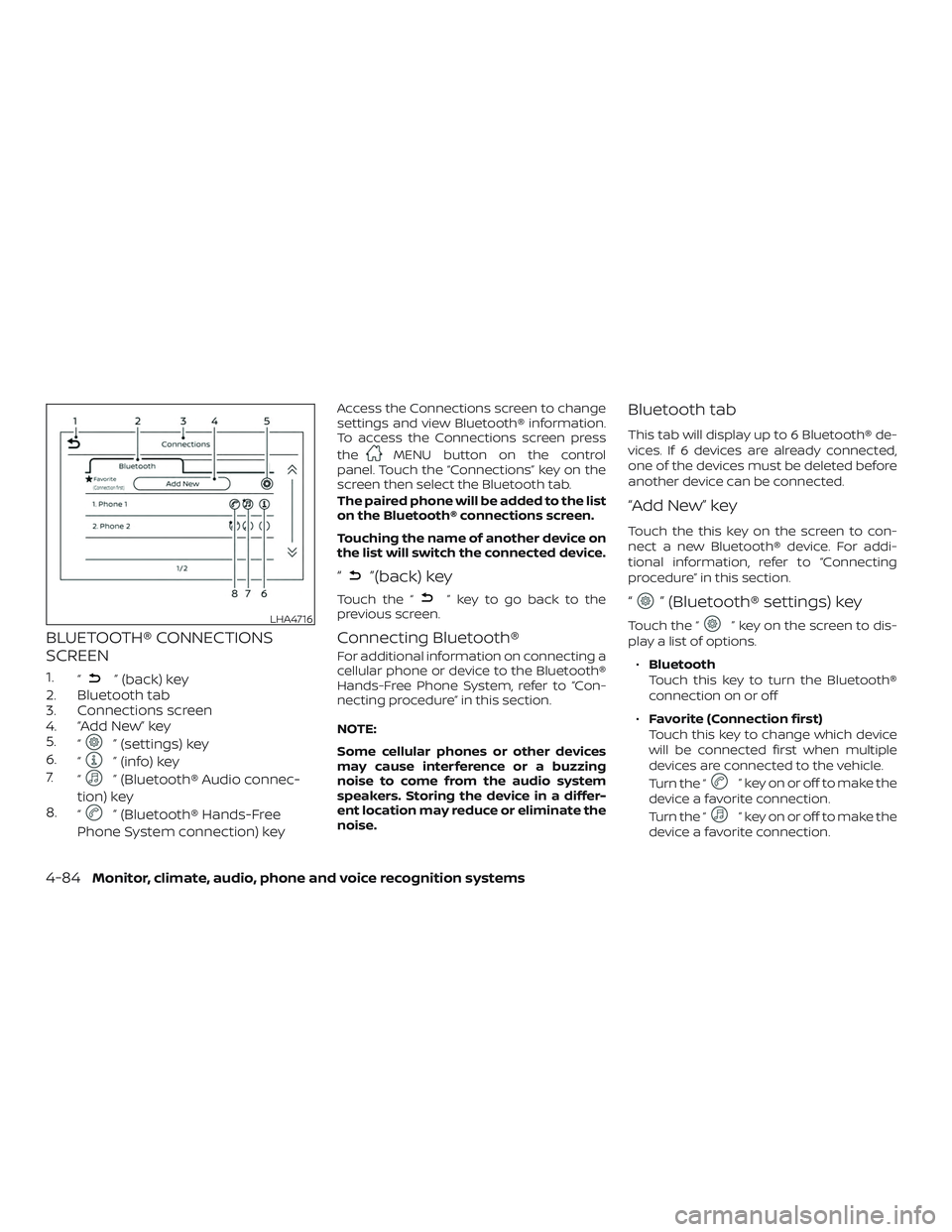
BLUETOOTH® CONNECTIONS
SCREEN
1.“” (back) key
2. Bluetooth tab
3. Connections screen
4. “Add New” key
5. “
” (settings) key
6. “
” (info) key
7. “
” (Bluetooth® Audio connec-
tion) key
8. “
” (Bluetooth® Hands-Free
Phone System connection) key
Access the Connections screen to change
settings and view Bluetooth® information.
To access the Connections screen press
the
MENU button on the control
panel. Touch the “Connections” key on the
screen then select the Bluetooth tab.
The paired phone will be added to the list
on the Bluetooth® connections screen.
Touching the name of another device on
the list will switch the connected device.
“”(back) key
Touch the “” key to go back to the
previous screen.
Connecting Bluetooth®
For additional information on connecting a
cellular phone or device to the Bluetooth®
Hands-Free Phone System, refer to “Con-
necting procedure” in this section.
NOTE:
Some cellular phones or other devices
may cause interference or a buzzing
noise to come from the audio system
speakers. Storing the device in a differ-
ent location may reduce or eliminate the
noise.
Bluetooth tab
This tab will display up to 6 Bluetooth® de-
vices. If 6 devices are already connected,
one of the devices must be deleted before
another device can be connected.
“Add New” key
Touch the this key on the screen to con-
nect a new Bluetooth® device. For addi-
tional information, refer to “Connecting
procedure” in this section.
“” (Bluetooth® settings) key
Touch the “” key on the screen to dis-
play a list of options.
∙ Bluetooth
Touch this key to turn the Bluetooth®
connection on or off
∙ Favorite (Connection first)
Touch this key to change which device
will be connected first when multiple
devices are connected to the vehicle.
Turn the “
” key on or off to make the
device a favorite connection.
Turn the “
” key on or off to make the
device a favorite connection.
LHA4716
4-84Monitor, climate, audio, phone and voice recognition systems
Page 263 of 435
∙Pin
Touch this key to customize the PIN
code. Input a four digit number then
touch the “OK” key. The new PIN will be
set.
“” (info) key
Touch the “” key on the screen to dis-
play the information of the cellular phone
or to delete the device.
Touch the “Delete” key to remove a paired
device then select “Yes” when a message
appears.
“” (Bluetooth® Hands-Free
Phone System connection) key
A list of connected devices will be displayed
on the screen. Touch the “
” key next to
the name to connect a device to the
Hands-Free Phone System. If the phone is
listed as a favorite, a star will appear on the
icon. Select the key again to disconnect the
device. The device will not be removed
from the list. For additional information on
removing a device, refer to “Info key” in this
section.
“” (Bluetooth® Audio
connection) key
A list of connected devices will be displayed
on the screen. Touch the “
” key next to
the name to connect a device to
Bluetooth® Audio. If the device is listed as a
favorite, a star will appear on the icon. Se-
lect the key again to disconnect the device.
The device will not be removed from the
list. For additional information on removing
a device, refer to “Info key” in this section.
PHONE AND TEXT MESSAGE
SETTINGS
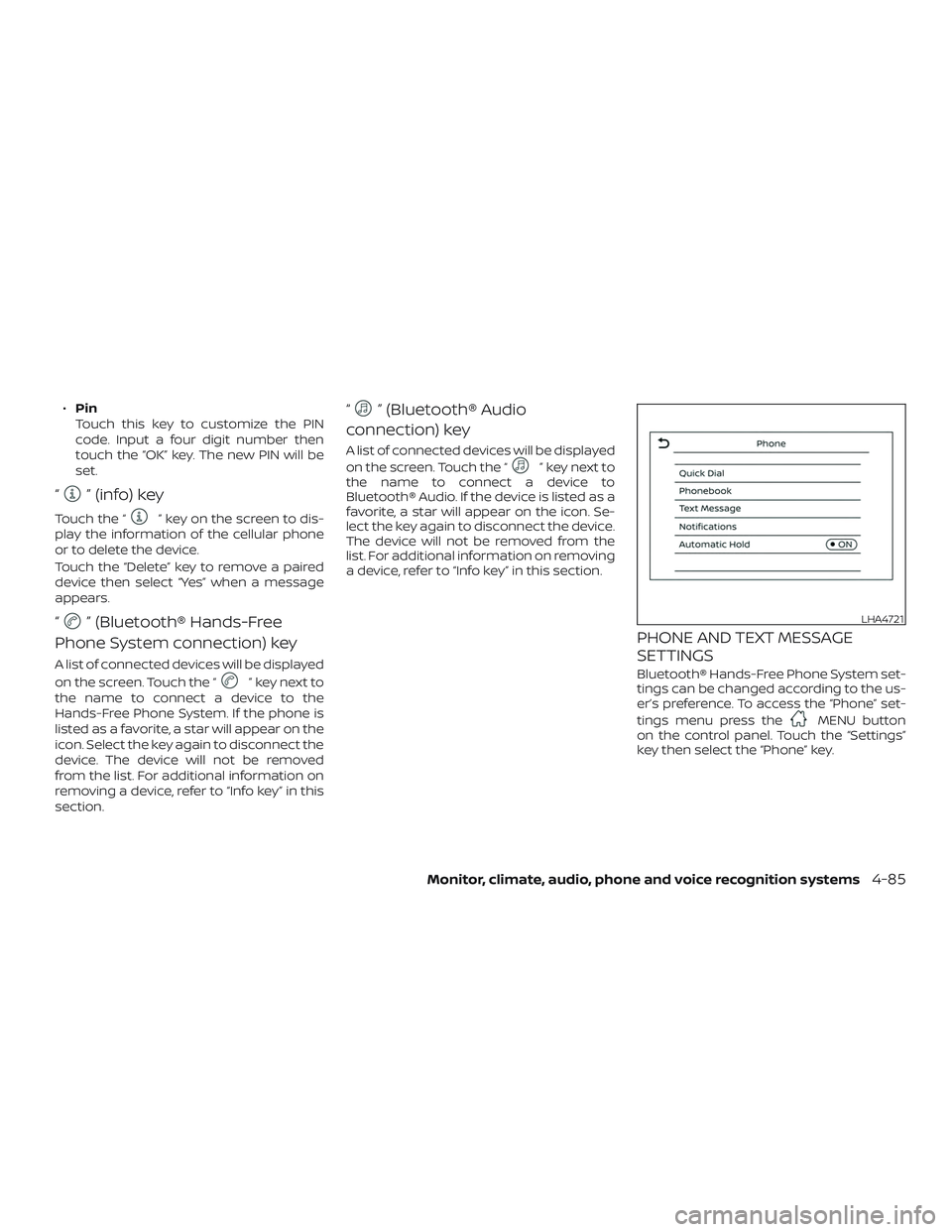
Bluetooth® Hands-Free Phone System set-
tings can be changed according to the us-
er’s preference. To access the “Phone” set-
tings menu press the
MENU button
on the control panel. Touch the “Settings”
key then select the “Phone” key.
LHA4721
Monitor, climate, audio, phone and voice recognition systems4-85
Page 277 of 435
ON (Normal operating position)
This position turns on the ignition system
and electrical accessories.
ON has a battery saver feature that will
place the ignition switch in the OFF posi-
tion, if the vehicle is not running, af ter some
time under the following conditions:∙ The shif t lever is in P (Park).
∙ The hazard lamps are off.
∙ The turn signals are off.
The battery saver feature will be canceled if
any of the following occur: ∙ The shif t lever is moved out of the P (Park) position.
∙ The ignition switch changes position.
∙ The hazard lamps are turned on.
∙ The turn signals are turned on.
CAUTION
Do not leave the vehicle with the igni-
tion switch in the ON or AUTO ACC posi-
tion when the engine is not running for
an extended period. This can discharge
the battery. OFF
The ignition switch is in the OFF position
when the engine is turned off using the
ignition switch.
AUTO ACC:
With the vehicle in the P (Park) position, the
Intelligent Key with you, and the ignition
switch placed from the ON to the OFF po-
sition, the radio can still be used for a period
of time, or until the driver’s door is opened.
Af ter a period of time, functions such as
radio, navigation, and Bluetooth® Hands-
Free Phone System may be restarted by
pressing the “POWER button/VOLUME con-
trol knob” or the key fob unlock button. For
additional information, refer to “Monitor, cli-
mate, audio, phone and voice recognition
systems” in this manual.
EMERGENCY ENGINE SHUT OFF
To shut off the engine in an emergency
situation while driving, perform the follow-
ing procedure:
∙ Rapidly push the ignition switch three consecutive times in less than 1.5 sec-
onds, or
∙ Push and hold the ignition switch for more than 2 seconds.
Starting and driving5-11
Page 427 of 435
11 Index
A
ActiveRideControl(ARC)..........5-60
Air bag (See supplemental restraint
system) .................... .1-42
Air bag system Front (See supplemental front impact
airbagsystem)..............1-53
Air bag warning labels ............1-63
Airbagwarninglight..........1-63, 2-17
Air bag warning light,
supplemental ..............1-63, 2-17
Air cleaner housing filter ..........8-15
Air conditioner Air conditioner operation ....4-34,4-40
Air conditioner specification label . .10-12
Air conditioner system refrigerant and
oil recommendations ..........10-7
Air conditioner system refrigerant
recommendations ............10-7
Heater and air conditioner .......4-39
Heater and air conditioner
(manual) ..................4-31
Servicing air conditioner ........4-42
Air flow charts .................4-35
Alarm system (See vehicle
security system) ...............2-34
Anchor point locations ...........1-25
Antenna ....................4-64
Antifreeze ....................5-61
Anti-lock brake warning light ........2-11
Anti-lock Braking System (ABS) ......5-54Audible reminders
..............2-20
Audiosystem.................4-42 AM/FMradio............4-48,4-50
AM radio operation ...........4-50
AMradioreception............4-43
Auxliliary (AUX) devices operation . . .4-52
Bluetooth® audio .............4-59
FM radio operation ............4-51
FMradioreception............4-43
iPod®Player................4-56
iPod® player operation .........4-56
Radio ....................4-42
Steering wheel audio control
switch....................4-63
USB Connections .............4-54
USBinterface...............4-53
Autolightswitch ...............2-42
Automatic Automatic power window switch . . .2-60
Automatic door locks .............3-6
Automatic Emergency Braking
(AEB) ....................2 -11, 5-41
B
Battery..................5-61,8-11 Charge warning light ...........2-12
Battery replacement .............8-21
Keyfob...................8-21
NISSAN Intelligent Key® .........8-21
Before starting the engine .........5-13
Belt(Seedrivebelt)..............8-13
Blind Spot Warning (BSW) ..........5-22Bluetooth® audio
...............4-59
Bluetooth® hands-free phone
system .....................4-68
Bluetooth® connections ........4-84
Connecting procedure .........4-73
Phone indicators .............4-72
Text messaging .............4-80
Booster seats .................1-39
Brake Anti-lock Braking System (ABS) ....5-54
Brakefluid..................8-9
Brakelight(Seestoplight).......8-25
B
rakesystem...............5-54
Brakewarninglight............2-11
Brakewearindicators.......2-20,8-17
Parking brake operation .........5-21
Self-adjustingbrakes ..........8-17
Brakeassist................. .5-55
Brakefluid....................8-9
Brakes......................8-17
Brakesystem.................5-54
Break-in schedule ..............5-49
Brightness/contrast button .........4-8
Brightness control Instrument panel .............2-44
Bulb check/instrument panel .......2-11
Bulb replacement ..............8-25
C
Capacities and recommended fuel/
lubricants....................10-2
Page 429 of 435
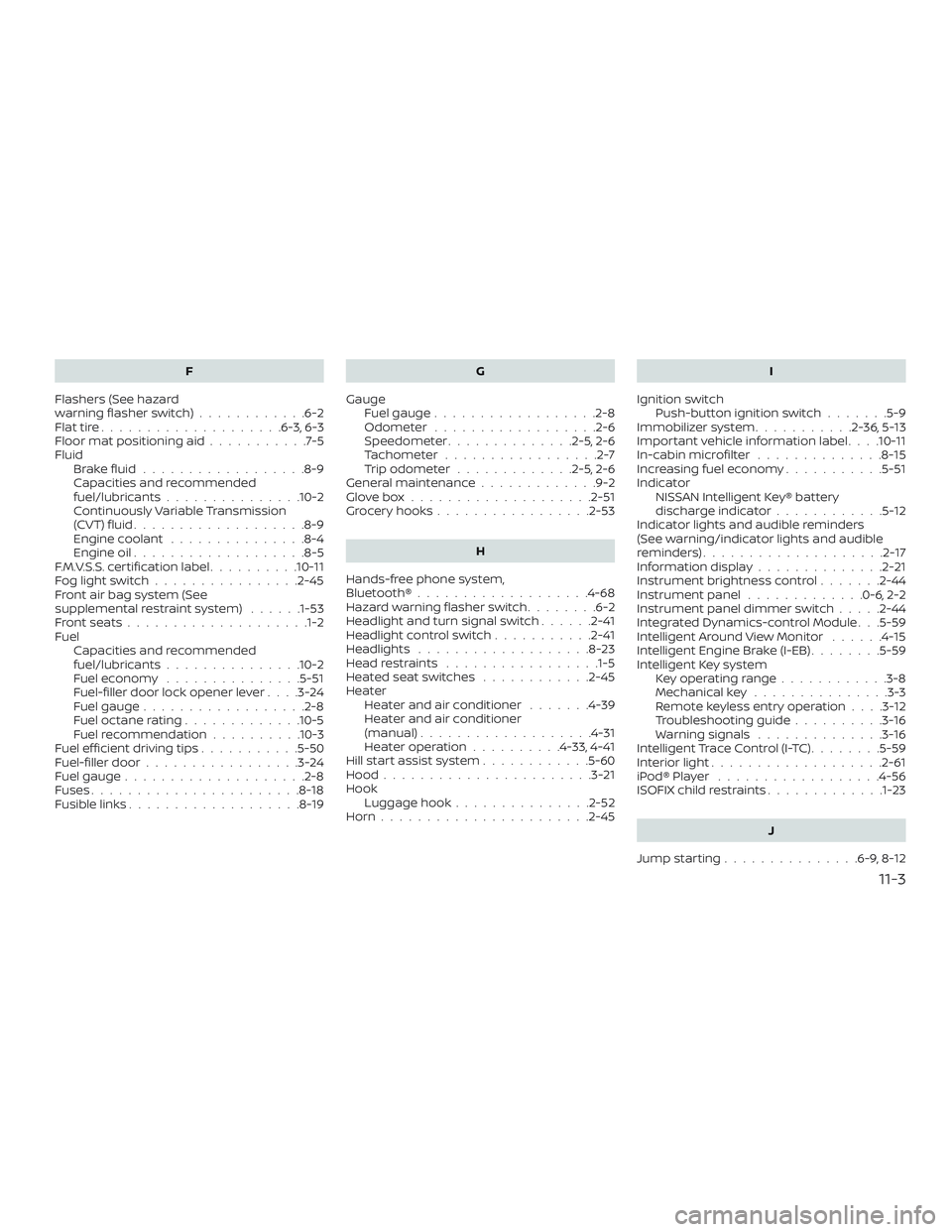
F
Flashers (See hazard
warning flasher switch) ............6-2
Flattire....................6-3,6-3
Floormatpositioningaid...........7-5
Fluid Brakefluid..................8-9
Capacities and recommended
fuel/lubricants...............10-2
Continuously Variable Transmission
(CVT) fluid ...................8-9
Engine coolant ...............8-4
Engine oil ...................8-5
F.M.V.S.S. certification label ..........10-11
Foglightswitch................2-45
Front air bag system (See
supplemental restraint system) ......1-53
Frontseats................... .1-2
Fuel Capacities and recommended
fuel/lubricants...............10-2
Fuel economy ...............5-51
Fuel-filler door lock opener lever ....3-24
Fuel gauge ..................2-8
Fueloctanerating.............10-5
Fuel recommendation ..........10-3
Fuelefficientdrivingtips...........5-50
Fuel-filler door .................3-24
Fuel gauge ....................2-8
Fuses .......................8-18
Fusiblelinks...................8-19 G
Gauge Fuel gauge ..................2-8
Odometer ..................2-6
Speedometer ..............2-5,2-6
Tachometer .................2-7
Trip odometer .............2-5,2-6
General maintenance .............9-2
Glovebox....................2-51
Grocery hooks .................2-53
H
Hands-free phone system,
Bluetooth®...................4-68
Hazard warning flasher switch ........6-2
Headlight and turn signal switch ......2-41
Headlightcontrolswitch...........2-41
Headlights ...................8-23
Headrestraints ................ .1-5
Heated seat switches ............2-45
Heater Heater and air conditioner .......4-39
Heater and air conditioner
(manual) ...................4-31
Heater operation ..........4-33,4-41
Hill start assist system ............5-60
Hood ...................... .3-21
Hook Luggage hook ...............2-52
Horn.......................2-45 I
Ignition switch Push-button ignition switch .......5-9
Immobilizer system ...........2-36,5-13
Important vehicle information label . . . .10-11
In-cabinmicrofilter ..............8-15
Increasing fuel economy ...........5-51
Indicator NISSAN Intelligent Key® battery
discharge indicator ............5-12
Indicator lights and audible reminders
(See warning/indicator lights and audible
reminders) ....................2-17
Informationdisplay............. .2-21
Instrument brightness control .......2-44
Instrument panel .............0-6,2-2
Instrument panel dimmer switch .....2-44
Integr
ated Dynamics-control Module . . .5-59
Intelligent Around View Monitor ......4-15
Intelligent Engine Brake (I-EB) ........5-59
Intelligent Key system Key operating range ............3-8
Mechanical key ...............3-3
Remote keyless entry operation ....3-12
Troubleshooting guide ..........3-16
Warning signals ..............3-16
Intelligent Trace Control (I-TC) ........5-59
Interiorlight...................2-61
iPod®Player ..................4-56
ISOFIX child restraints .............1-23
J
Jumpstarting...............6-9,8-12
11-3
Page 431 of 435
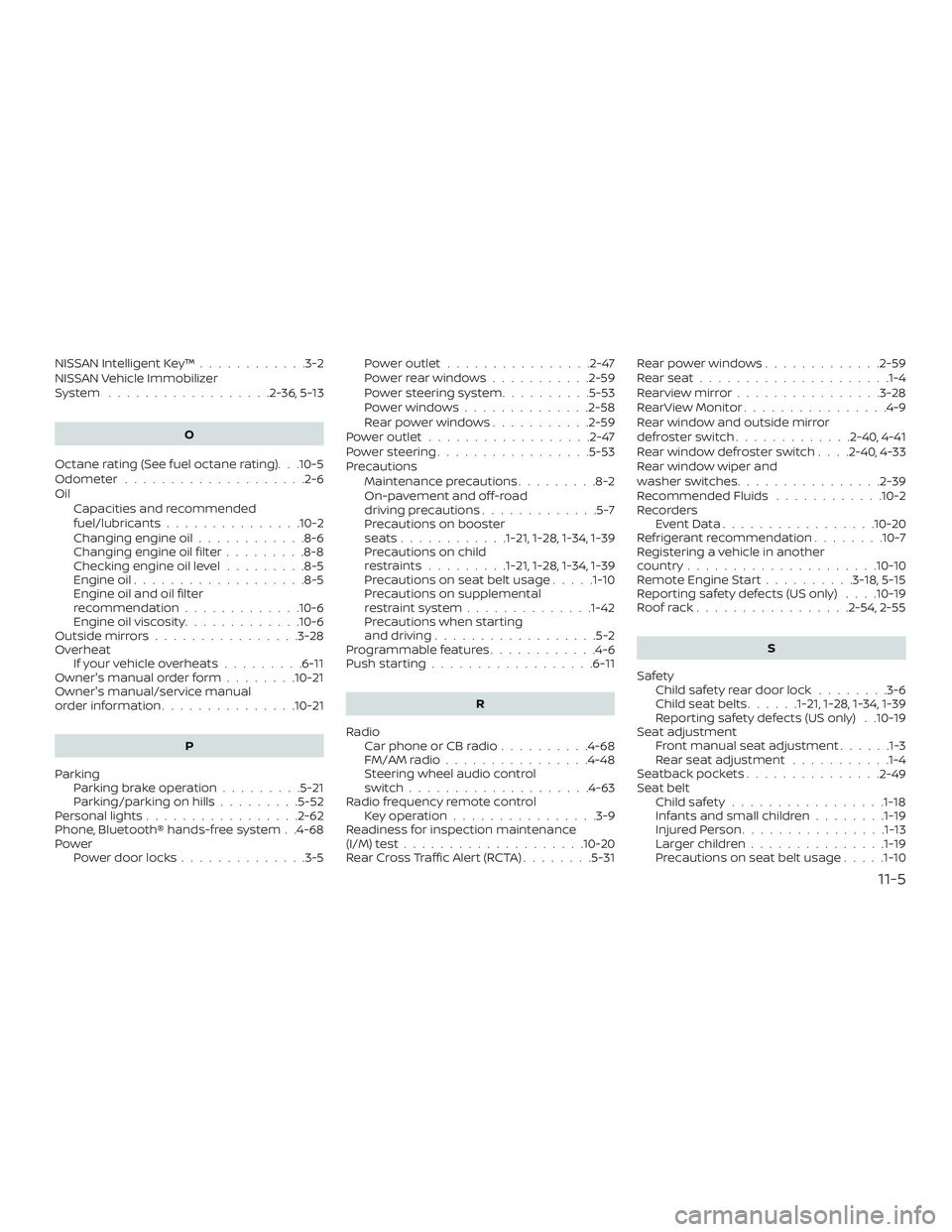
NISSAN Intelligent Key™............3-2
NISSAN Vehicle Immobilizer
System ..................2-36,5-13
O
Octane rating (See fuel octane rating). . .10-5
Odometer ....................2-6
Oil Capacities and recommended
fuel/lubricants...............10-2
Changing engine oil ............8-6
Changing engine oil filter .........8-8
Checking engine oil level .........8-5
Engine oil ...................8-5
Engine oil and oil filter
recommendation .............10-6
Engine oil viscosity .............10-6
Outsidemirrors................3-28
Overheat Ifyourvehicleoverheats.........6-11
Owner's manual order form ........10-21
Owner's manual/service manual
orderinformation...............10-21
P
Parking Parking brake operation .........5-21
Parking/parkingonhills.........5-52
Personal lights .................2-62
Phone, Bluetooth® hands-free system . .4-68
Power Power door locks ..............3-5 Poweroutlet................2-47
Powerrearwindows...........2-59
Power steering system
..........5-53
Powerwindows..............2-58
Rearpowerwindows...........2-59
Poweroutlet..................2-47
Powersteering.................5-53
Precautions Maintenance precautions .........8-2
On-pavement and off-road
drivingprecautions.............5-7
Precautions on booster
seats............1-21, 1-28, 1-34, 1-39
Precautions on child
restraints.........1-21, 1-28, 1-34, 1-39
Precautions on seat belt usage .....1-10
Precautions on supplemental
restraint system ..............1-42
Precautions when starting
and driving ..................5-2
Programmable features ............4-6
Push starting ..................6-11
R
Radio Car phone or CB radio ..........4-68
FM/AMradio................4-48
Steering wheel audio control
switch....................4-63
Radio frequency remote control Key operation ................3-9
Readiness for inspection maintenance
(I/M) test ....................10-20
RearCrossTrafficAlert(RCTA)........5-31 Rearpowerwindows.............2-59
Rearseat.....................1-4
Rearviewmirror................3-28
RearViewMonitor................4-9
Rear window and outside mirror
defrosterswitch.............2-40,4-41
Rearwindowdefrosterswitch....2-40,4-33
Rear window wiper and
washer switches
................2-39
Recommended Fluids ............10-2
Recorders EventData................ .10-20
Refrigerant recommendation ........10-7
Registering a vehicle in another
country .....................10-10
Remote Engine Start ..........3-18,5-15
Reporting safety defects (US only) . . . .10-19
Roofrack.................2-54,2-55
S
Safety Child safety rear door lock ........3-6
Childseatbelts......1-21, 1-28, 1-34, 1-39
Reporting safety defects (US only) . .10-19
Seat adjustment Front manual seat adjustment ......1-3
Rear seat adjustment ...........1-4
Seatback pockets ...............
2-49
Seat belt Childsafety................ .1-18
Infants and small children ........1-19
InjuredPerson............... .1-13
Largerchildren.............. .1-19
Precautionsonseatbeltusage.....1-10
11-5