Parking sensor NISSAN KICKS 2020 Owner´s Manual
[x] Cancel search | Manufacturer: NISSAN, Model Year: 2020, Model line: KICKS, Model: NISSAN KICKS 2020Pages: 500, PDF Size: 3.43 MB
Page 332 of 500
• Do not subject the area around the park-ing sensors
O1to strong impact. Also, do
not remove or disassemble the parking
sensors. If the parking sensors and pe-
ripheral areas are deformed in an acci-
dent, etc., have the sensors checked. It is
recommended that you visit a NISSAN
dealer for this service.
• Do not install any stickers (including transparent stickers) or accessories on
the parking sensors
O1and their sur-
rounding areas. This may cause a mal-
function or improper operation.
WARNING
Failure to follow the warnings and in-
structions for proper use of the AEB
system could result in serious injury or
death.
• The AEB system is a supplemental
aid to the driver. It is not a replace-
ment for the driver’s attention to
traffic conditions or responsibility to
drive safely. It cannot prevent acci-
dents due to carelessness or danger-
ous driving techniques.
• The AEB system does not function in
all driving, traffic, weather and road
conditions.
The AEB system can assist the driver when
there is a risk of a forward collision with the
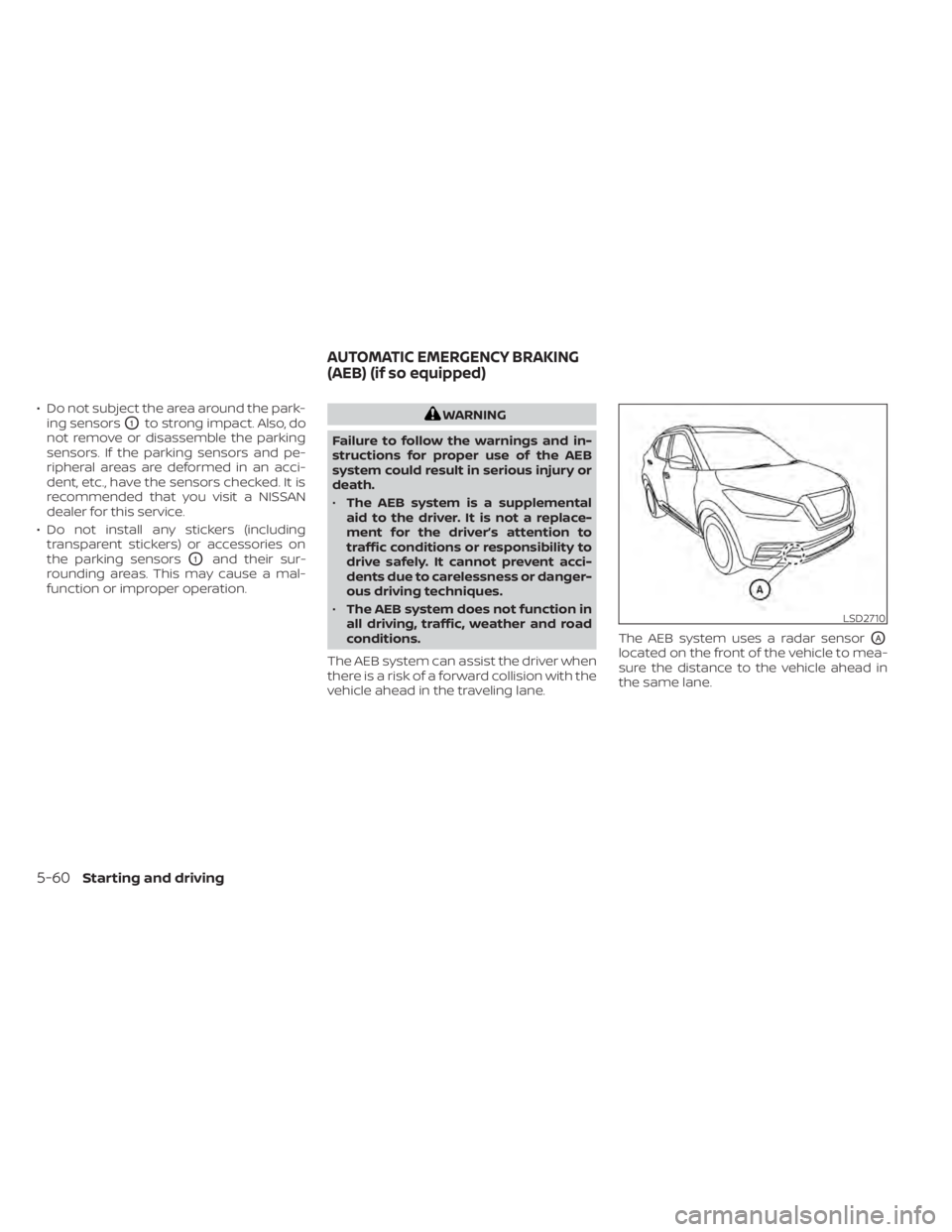
vehicle ahead in the traveling lane. The AEB system uses a radar sensor
OA
located on the front of the vehicle to mea-
sure the distance to the vehicle ahead in
the same lane.
LSD2710
AUTOMATIC EMERGENCY BRAKING
(AEB) (if so equipped)
5-60Starting and driving
Page 371 of 500
Parking brake break-in
Break in the parking brake shoes whenever
the stopping effect of the parking brake is
weakened or whenever the parking brake
shoes and/or drums/rotors are replaced,
in order to assure the best braking perfor-
mance.
This procedure is described in the vehicle
service manual. It is recommended that
you visit a NISSAN dealer for this service.
ANTI-LOCK BRAKING SYSTEM (ABS)
WARNING
• The ABS is a sophisticated device, but
it cannot prevent accidents resulting
from careless or dangerous driving
techniques. It can help maintain ve-
hicle control during braking on slip-
pery surfaces. Remember that stop-
ping distances on slippery surfaces
will be longer than on normal sur-
faces even with ABS. Stopping dis-
tances may also be longer on rough,
gravel or snow covered roads, or if
you are using tire chains. Always
maintain a safe distance from the ve-
hicle in front of you. Ultimately, the
driver is responsible for safety. •
Tire type and condition may also af-
fect braking effectiveness.
– When replacing tires, install the
specified size of tires on all four
wheels.
– When installing a spare tire, make
sure that it is the proper size and
type as specified on the Tire and
Loading Information label. For ad-
ditional information, refer to “Tire
and Loading Information label” in
the “Technical and consumer in-
formation” section of this manual.
– For additional information, refer
to “Wheels and tires” in the “Do-it-
yourself ” section of this manual.
The ABS controls the brakes so the wheels
do not lock during hard braking or when
braking on slippery surfaces. The system
detects the rotation speed at each wheel
and varies the brake fluid pressure to pre-
vent each wheel from locking and sliding.
By preventing each wheel from locking, the
system helps the driver maintain steering
control and helps to minimize swerving
and spinning on slippery surfaces.
Using the system
Depress the brake pedal and hold it down.
Depress the brake pedal with firm steady
pressure, but do not pump the brakes. The
Anti-lock Braking System will operate to
prevent the wheels from locking up. Steer
the vehicle to avoid obstacles.
WARNING
Do not pump the brake pedal. Doing so
may result in increased stopping dis-
tances.
Self-test feature
The Anti-lock Braking System (ABS) in-
cludes electronic sensors, electric pumps,
hydraulic solenoids and a computer. The
computer has a built-in diagnostic feature
that tests the system each time you start
the engine and move the vehicle at a low
speed in forward or reverse. When the self-
test occurs, you may hear a “clunk” noise
and/or feel a pulsation in the brake pedal.
This is normal and does not indicate a mal-
function. If the computer senses a mal-
function, it switches the ABS off and illumi-
nates the ABS warning light on the
Starting and driving5-99
Page 380 of 500
HOW TO ENABLE/DISABLE THE
SONAR SYSTEM
The system is automatically activated
when the ignition is in the ON position and
the shif t lever is in the R (Reverse) position.
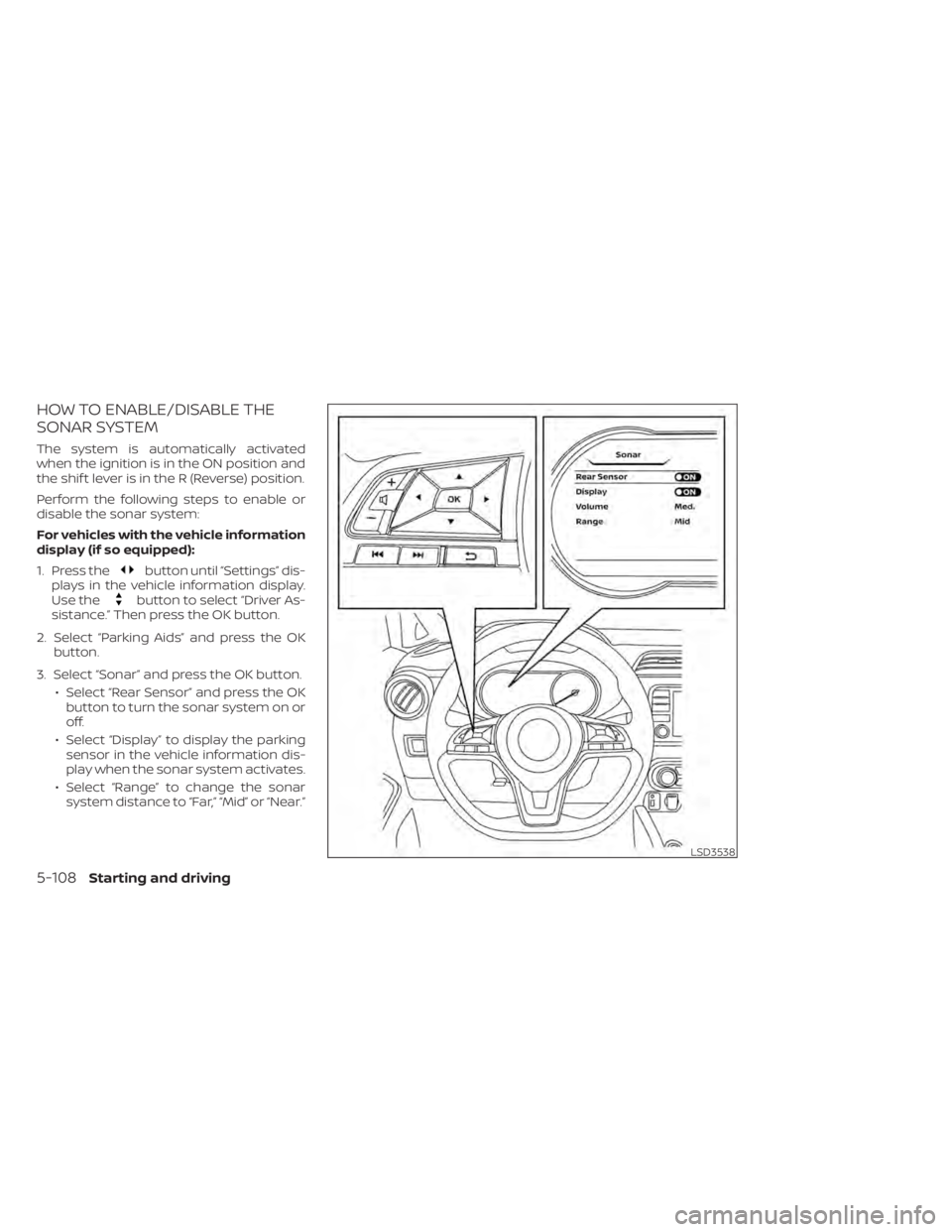
Perform the following steps to enable or
disable the sonar system:
For vehicles with the vehicle information
display (if so equipped):
1. Press the
button until “Settings” dis-
plays in the vehicle information display.
Use the
button to select “Driver As-
sistance.” Then press the OK button.
2. Select “Parking Aids” and press the OK button.
3. Select “Sonar” and press the OK button. • Select “Rear Sensor” and press the OKbutton to turn the sonar system on or
off.
• Select “Display” to display the parking sensor in the vehicle information dis-
play when the sonar system activates.
• Select “Range” to change the sonar system distance to “Far,” “Mid” or “Near.”
LSD3538
5-108Starting and driving
Page 436 of 500
If you have a flat tire, refer to “Flat tire” in
the “In case of emergency ” section of
this manual.
TIRE PRESSURE
Tire Pressure Monitoring System
(TPMS)
WARNING
Radio waves could adversely af-
fect electric medical equipment.
Those who use a pacemaker
should contact the electric medi-
cal equipment manufacturer for
the possible influences before
use.
This vehicle is equipped with the Tire
Pressure Monitoring System (TPMS).
It monitors tire pressure of all tires
except the spare. When the low tire
pressure warning light is lit and the
“Tire Pressure Low – Add Air” warning
appears in the vehicle information display, one or more of your tires is
significantly under-inflated. If
equipped, the system also displays
pressure of all tires (except the spare
tire) on the display screen by send-
ing a signal from a sensor that is
installed in each wheel.
The TPMS will activate only when the
vehicle is driven at speeds above 16
mph (25 km/h). Also, this system
may not detect a sudden drop in tire
pressure (for example a flat tire while
driving).
For additional information, refer to
“Low tire pressure warning light” in
the “Instruments and controls” sec-
tion, “Tire Pressure Monitoring Sys-
tem (TPMS)” in the “Starting and driv-
ing” section and “Flat tire” in the “In
case of emergency” section of this
manual.
Tire inflation pressure
Check the tire pressures (including
the spare) of ten and always prior to
long distance trips. The recom-
mended tire pressure specifications
are shown on the F.M.V.S.S./C.M.V.S.S.
certification label or the Tire and
Loading Information label under the
“Cold Tire Pressure” heading. The Tire
and Loading Information label is af-
fixed to the driver side center pillar.
Tire pressures should be checked
regularly because:
• Most tires naturally lose air over
time.
• Tires can lose air suddenly when driven over potholes or other ob-
jects or if the vehicle strikes a curb
while parking.
WHEELS AND TIRES
8-28Do-it-yourself