service NISSAN KICKS 2023 Workshop Manual
[x] Cancel search | Manufacturer: NISSAN, Model Year: 2023, Model line: KICKS, Model: NISSAN KICKS 2023Pages: 558, PDF Size: 6.25 MB
Page 312 of 558
Af ter the above conditions have finished
and the necessary operating conditions
are satisfied, the LDW functions will resume.
SYSTEM MALFUNCTION
If the LDW system malfunctions, it will can-
cel automatically. The LDW indicator (or-
ange) or LDW indicator light will illuminate
in the instrument panel. If the LDW indicator
(orange) or LDW indicator light illuminates
in the instrument panel, pull off the road to
a safe location and stop the vehicle. Turn
the engine/motor off and restart the
engine/motor. If the LDW indicator (orange)
or LDW indicator light continues to illumi-
nate, have the LDW system checked. It is
recommended that you visit a NISSAN
dealer for this service.
SYSTEM MAINTENANCE
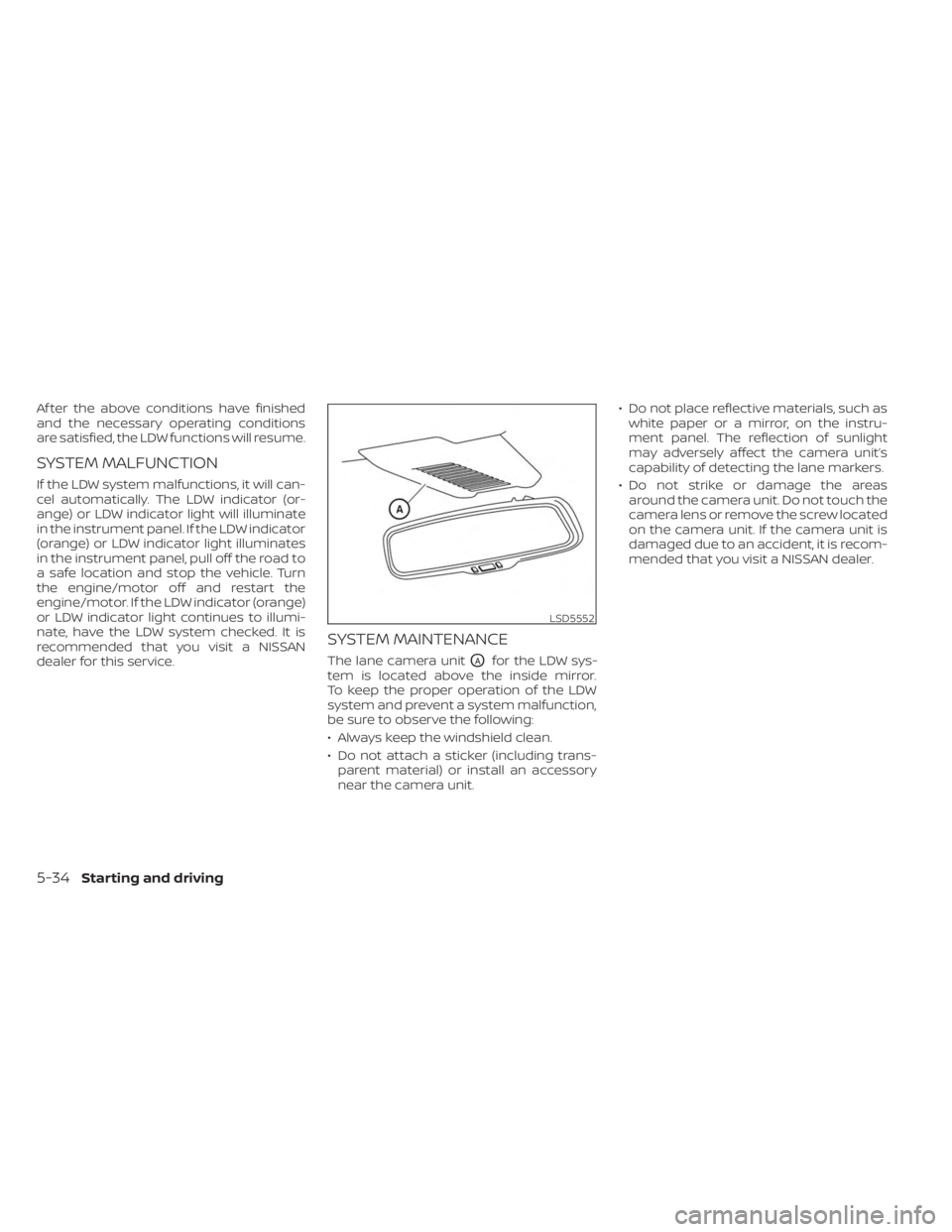
The lane camera unitOAfor the LDW sys-
tem is located above the inside mirror.
To keep the proper operation of the LDW
system and prevent a system malfunction,
be sure to observe the following:
• Always keep the windshield clean.
• Do not attach a sticker (including trans- parent material) or install an accessory
near the camera unit. • Do not place reflective materials, such as
white paper or a mirror, on the instru-
ment panel. The reflection of sunlight
may adversely affect the camera unit’s
capability of detecting the lane markers.
• Do not strike or damage the areas around the camera unit. Do not touch the
camera lens or remove the screw located
on the camera unit. If the camera unit is
damaged due to an accident, it is recom-
mended that you visit a NISSAN dealer.
LSD5552
5-34Starting and driving
Page 322 of 558
SYSTEM TEMPORARILY
UNAVAILABLEWhen radar blockage is detected, the sys-
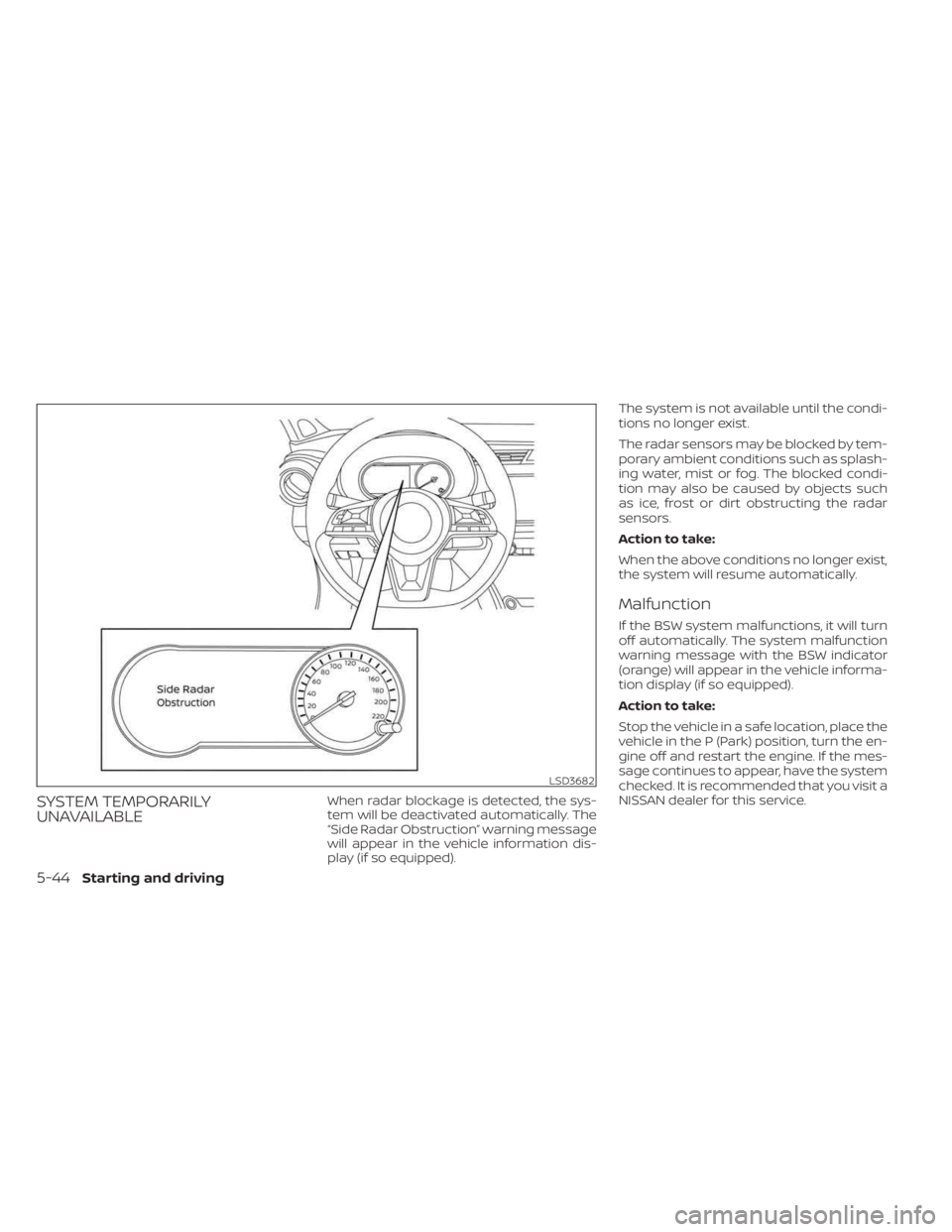
tem will be deactivated automatically. The
“Side Radar Obstruction” warning message
will appear in the vehicle information dis-
play (if so equipped).The system is not available until the condi-
tions no longer exist.
The radar sensors may be blocked by tem-
porary ambient conditions such as splash-
ing water, mist or fog. The blocked condi-
tion may also be caused by objects such
as ice, frost or dirt obstructing the radar
sensors.
Action to take:
When the above conditions no longer exist,
the system will resume automatically.
Malfunction
If the BSW system malfunctions, it will turn
off automatically. The system malfunction
warning message with the BSW indicator
(orange) will appear in the vehicle informa-
tion display (if so equipped).
Action to take:
Stop the vehicle in a safe location, place the
vehicle in the P (Park) position, turn the en-
gine off and restart the engine. If the mes-
sage continues to appear, have the system
checked. It is recommended that you visit a
NISSAN dealer for this service.
LSD3682
5-44Starting and driving
Page 333 of 558
Malfunction
When the RCTA system malfunctions, it will
turn off automatically. The system mal-
function warning message will appear in
the vehicle information display (if so
equipped).
NOTE:
If the BSW system stops working, the
RCTA system will also stop working.
Action to take:
Stop the vehicle in a safe location, place the
vehicle in the P (Park) position, turn the en-
gine off and restart the engine. If the mes-
sage continues to appear, have the system
checked. It is recommended that you visit a
NISSAN dealer for this service.
SYSTEM MAINTENANCE
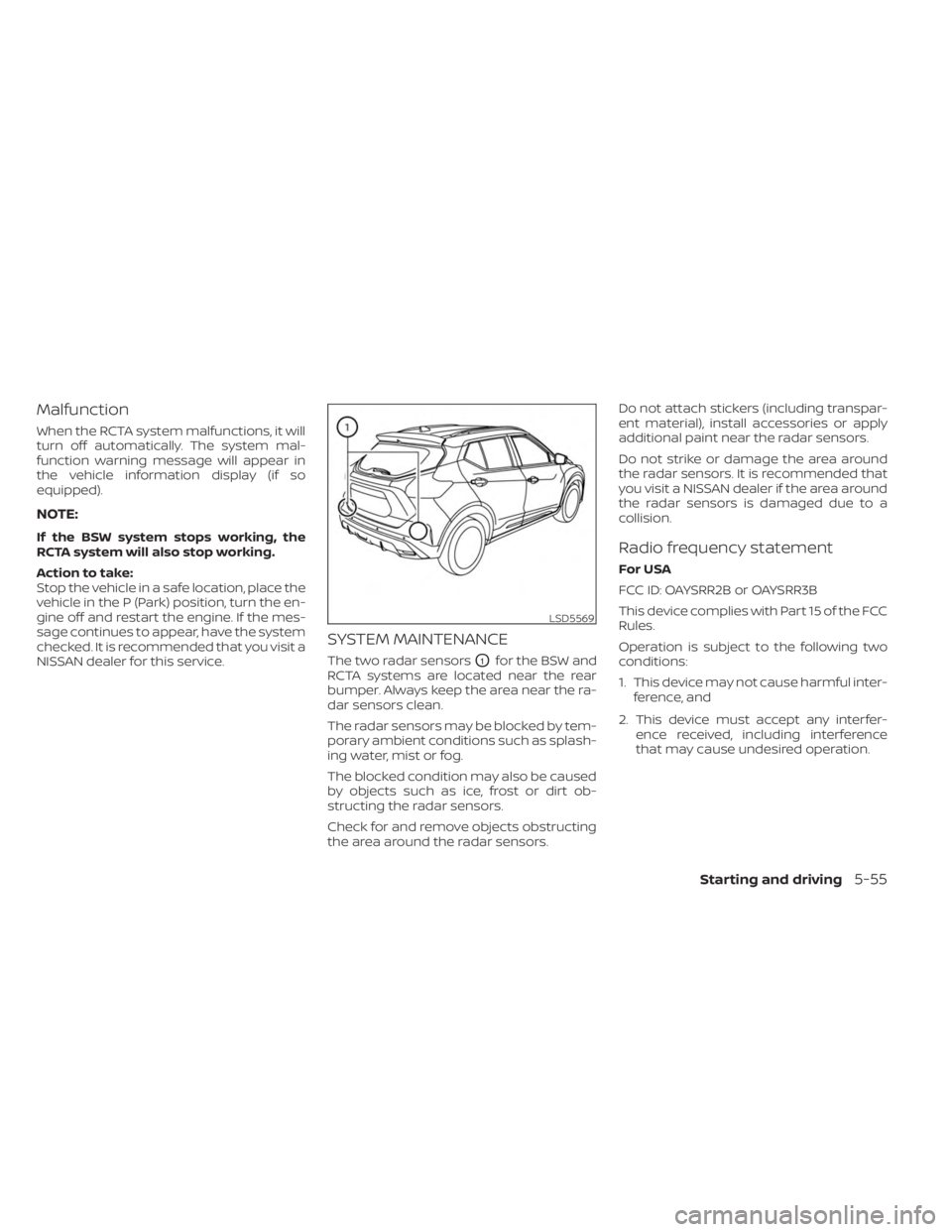
The two radar sensorsO1for the BSW and
RCTA systems are located near the rear
bumper. Always keep the area near the ra-
dar sensors clean.
The radar sensors may be blocked by tem-
porary ambient conditions such as splash-
ing water, mist or fog.
The blocked condition may also be caused
by objects such as ice, frost or dirt ob-
structing the radar sensors.
Check for and remove objects obstructing
the area around the radar sensors. Do not attach stickers (including transpar-
ent material), install accessories or apply
additional paint near the radar sensors.
Do not strike or damage the area around
the radar sensors. It is recommended that
you visit a NISSAN dealer if the area around
the radar sensors is damaged due to a
collision.
Radio frequency statement
For USA
FCC ID: OAYSRR2B or OAYSRR3B
This device complies with Part 15 of the FCC
Rules.
Operation is subject to the following two
conditions:
1. This device may not cause harmful inter-
ference, and
2. This device must accept any interfer- ence received, including interference
that may cause undesired operation.
LSD5569
Starting and driving5-55
Page 352 of 558
Action to take:
When the conditions listed above are no
longer present, turn the system off using
the ICC switch. Turn the ICC system back on
to use the system.
Condition B
When there is inclement weather (rain, fog,
snow, etc.) blocking the front radar sensor,
the ICC system will automatically be can-
celed, the chime will sound and the “For-
ward Driving Aids Temporarily Disabled
Front Sensor Blocked See Owner’s Manual”
warning message will appear in the vehicle
information display.
Action to take:
When the conditions listed above are no
longer present, the warning message will
no longer be available in the vehicle infor-
mation display and the system will operate
normally. If the “Forward Driving Aids Tem-
porarily Disabled Front Sensor Blocked See
Owner’s Manual” warning message contin-
ues to be displayed, have the system
checked. It is recommended that you visit a
NISSAN dealer for this service.Condition C
When the radar sensor area of the front
bumper is covered with dirt or is ob-
structed, the ICC system will automatically
be canceled.
The chime will sound and the “Forward
Driving Aids Temporarily Disabled Front
Sensor Blocked See Owner’s Manual”
warning message will appear in the vehicle
information display.
Action to take:
If the warning message appears, stop the
vehicle in a safe place, place the shif t lever
in the P (Park) position, and turn the engine
off. When the radar signal is temporarily
interrupted, clean the sensor area of the
front bumper and restart the engine. If the
“Forward Driving Aids Temporarily Disabled
Front Sensor Blocked See Owner’s Manual”
warning message continues to be dis-
played, have the system checked. It is rec-
ommended that you visit a NISSAN dealer
for this service.
Condition D
When driving on roads with limited road
structures (for example, long bridges, des-
erts, snow fields, driving next to long walls),
the system may illuminate the system
warning light and display the “Forward
Driving Aids Temporarily Disabled Front
Sensor Blocked See Owner’s Manual”
warning message.
Action to take:
When the above driving conditions no lon-
ger exist, turn the system back on.
Condition E
When the ICC system is not operating
properly, a chime sounds and the ICC sys-
tem warning light (orange) will come on.
5-74Starting and driving
Page 353 of 558
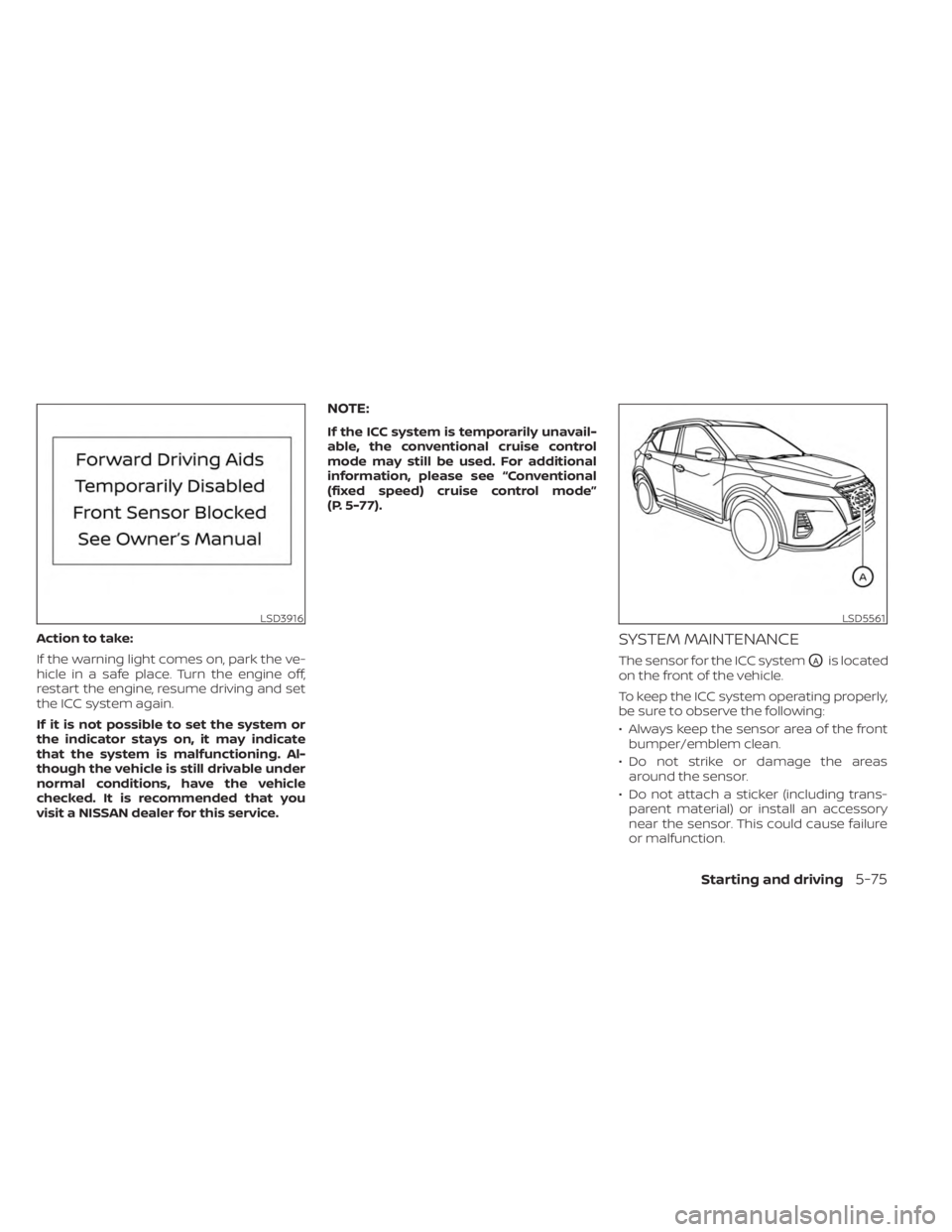
Action to take:
If the warning light comes on, park the ve-
hicle in a safe place. Turn the engine off,
restart the engine, resume driving and set
the ICC system again.
If it is not possible to set the system or
the indicator stays on, it may indicate
that the system is malfunctioning. Al-
though the vehicle is still drivable under
normal conditions, have the vehicle
checked. It is recommended that you
visit a NISSAN dealer for this service.
NOTE:
If the ICC system is temporarily unavail-
able, the conventional cruise control
mode may still be used. For additional
information, please see “Conventional
(fixed speed) cruise control mode”
(P. 5-77).
SYSTEM MAINTENANCE
The sensor for the ICC systemOAis located
on the front of the vehicle.
To keep the ICC system operating properly,
be sure to observe the following:
• Always keep the sensor area of the front bumper/emblem clean.
• Do not strike or damage the areas around the sensor.
• Do not attach a sticker (including trans- parent material) or install an accessory
near the sensor. This could cause failure
or malfunction.
LSD3916LSD5561
Starting and driving5-75
Page 359 of 558
A chime sounds under the following condi-
tions and the control is automatically can-
celed:
• When the vehicle slows down more than8 mph (13 km/h) below the set speed
• When the shif t lever is not in the D (Drive) or manual shif t mode
• When the parking brake is applied
• When the VDC operates (including the traction control system)
• When a wheel slips
When the system is not operating properly,
the chime sounds and the color of the
cruise indicator will change to orange.
Action to take
If the color of the cruise indicator changes
to orange, stop the vehicle in a safe place
and place the shif t lever in the P (Park) po-
sition. Turn the engine off, restart the en-
gine, resume driving, and then perform the
setting again.
If it is not possible to set or the indicator
stays on, it may indicate that the system
is malfunctioning. Although the vehicle
is still drivable under normal conditions,
have the vehicle checked. It is recom-
mended that you visit a NISSAN dealer
for this service.
WARNING
Failure to follow the warnings and in-
structions for proper use of the RAB
system could result in serious injury or
death.
• The RAB system is a supplemental
aid to the driver. It is not a replace-
ment for proper driving procedures.
Always use the side and rear mirrors
and turn and look in the direction you
will move before and while backing
up. Never rely solely on the RAB sys- tem. It is the driver’s responsibility to
stay alert, drive safely, and be in con-
trol of the vehicle at all times.
• There is a limitation to the RAB sys-
tem capability. The RAB system is not
effective in all situations.
• Inclement weather or ultrasonic
sources such as an automatic car
wash, a truck’s compressed air
brakes or a pneumatic drill may af-
fect the function of the system; this
may include reduced performance or
a false activation.
The RAB system can assist the driver when
the vehicle is backing up and approaching
objects directly behind the vehicle.
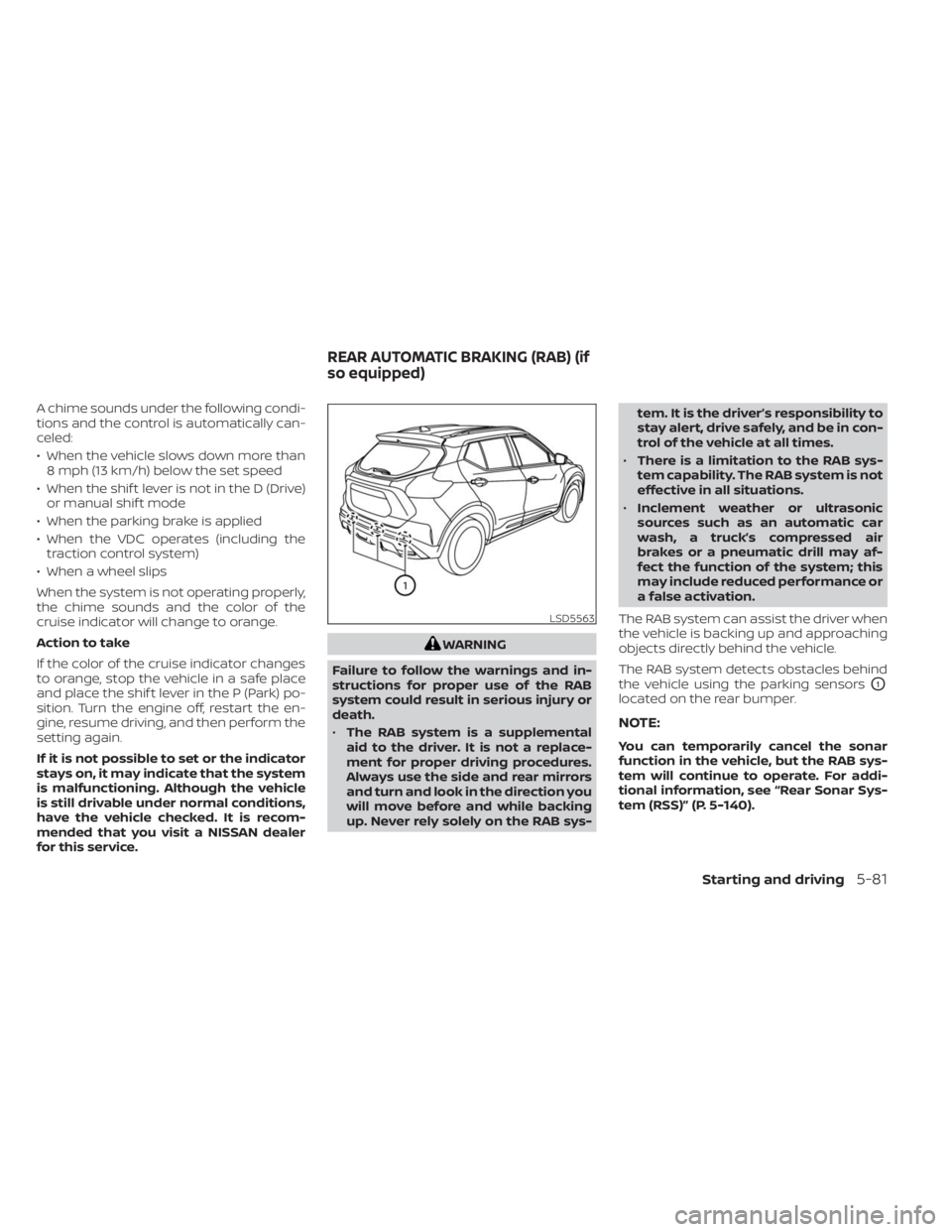
The RAB system detects obstacles behind
the vehicle using the parking sensors
O1
located on the rear bumper.
NOTE:
You can temporarily cancel the sonar
function in the vehicle, but the RAB sys-
tem will continue to operate. For addi-
tional information, see “Rear Sonar Sys-
tem (RSS)” (P. 5-140).
LSD5563
REAR AUTOMATIC BRAKING (RAB) (if
so equipped)
Starting and driving5-81
Page 365 of 558
–Wheels or tires other than NISSAN
recommended are used.
– The brakes are cold at low ambi-
ent temperatures or immediately
af ter driving has started.
– The braking force becomes poor
due to wet brakes af ter driving
through a puddle or washing the
vehicle.
•
Turn the RAB system off in the follow-
ing conditions to prevent the occur-
rence of an unexpected accident re-
sulting from sudden system operation:
– The vehicle is towed.
– The vehicle is carried on a flatbed
truck.
– The vehicle is on the chassis
dynamometer.
– The vehicle drives on an uneven
road surface.
– The vehicle is towing an object (if
so equipped).
–
Suspension parts other than those designated as Genuine NISSAN
parts are used. (If the vehicle height
or the vehicle body inclination is
changed, the system may not de-
tect an obstacle correctly.)
– If the vehicle is using an accessory
like a bike rack, or cargo carrier
that blocks the sensors.
• Excessive noise (e.g., audio system
volume, an open vehicle window) will
interfere with the chime sound, and it
may not be heard.
SYSTEM MALFUNCTION
If the RAB system malfunctions, it will be
turned off automatically, and the RAB sys-
tem warning light will illuminate in the ve-
hicle information display.
Action to take:
If the warning light illuminates, park the ve-
hicle in a safe location, turn the engine off,
and restart the engine. If the warning light
continues to illuminate, have the RAB sys-
tem checked. It is recommended that you
visit a NISSAN dealer for this service.
NOTE:
If the RAB system cannot be operated
temporarily, the RAB system warning
light blinks.
SYSTEM MAINTENANCE
Observe the following items to ensure
proper operation of the system:
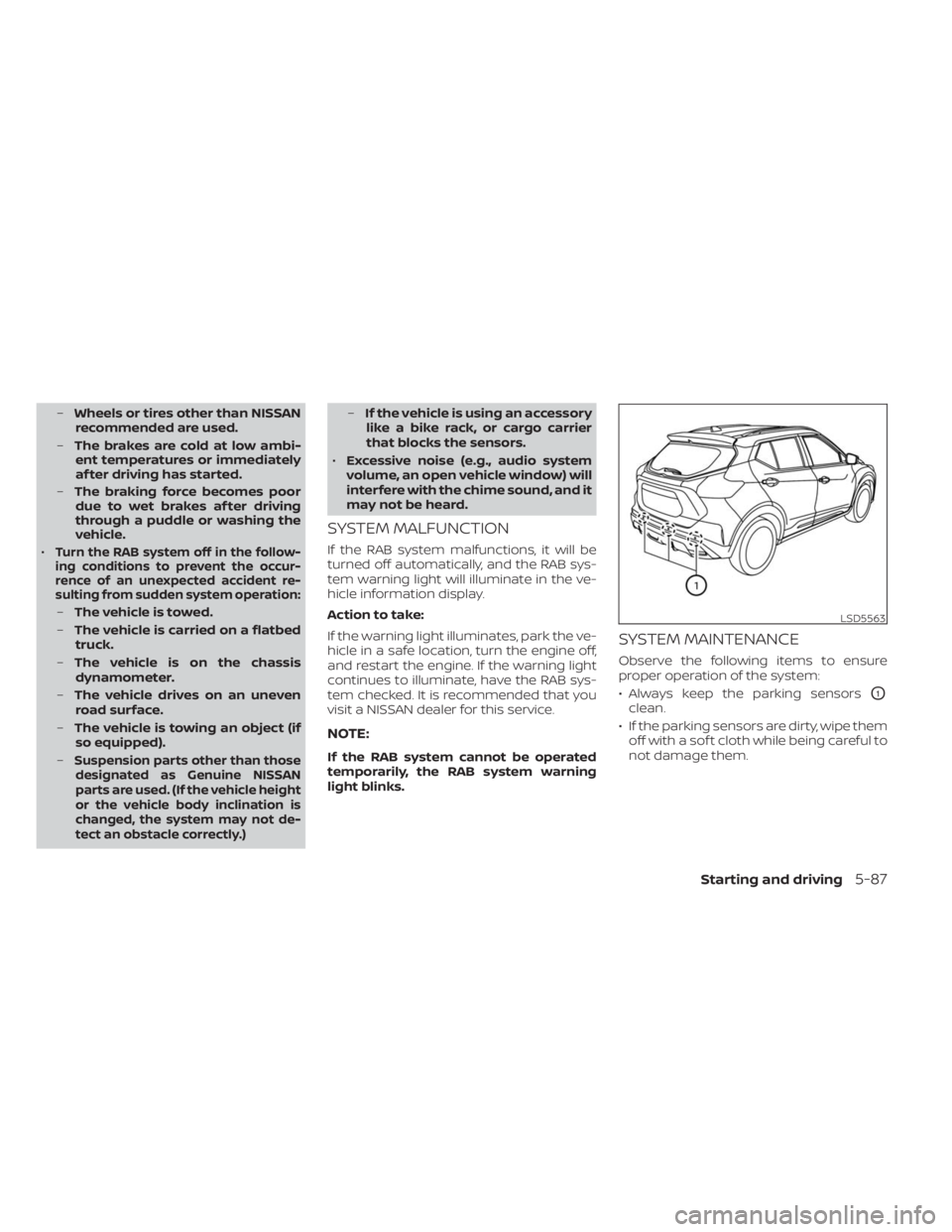
• Always keep the parking sensors
O1
clean.
• If the parking sensors are dirty, wipe them off with a sof t cloth while being careful to
not damage them.
LSD5563
Starting and driving5-87
Page 366 of 558
• Do not subject the area around the park-ing sensors
O1to strong impact. Also, do
not remove or disassemble the parking
sensors. If the parking sensors and pe-
ripheral areas are deformed in an acci-
dent, etc., have the sensors checked. It is
recommended that you visit a NISSAN
dealer for this service.
• Do not install any stickers (including transparent stickers) or accessories on
the parking sensors
O1and their sur-
rounding areas. This may cause a mal-
function or improper operation.
WARNING
Failure to follow the warnings and in-
structions for proper use of the AEB
system could result in serious injury or
death.
• The AEB system is a supplemental
aid to the driver. It is not a replace-
ment for the driver’s attention to
traffic conditions or responsibility to
drive safely. It cannot prevent acci-
dents due to carelessness or danger-
ous driving techniques.
• The AEB system does not function in
all driving, traffic, weather and road
conditions.
The AEB system can assist the driver when
there is a risk of a forward collision with the
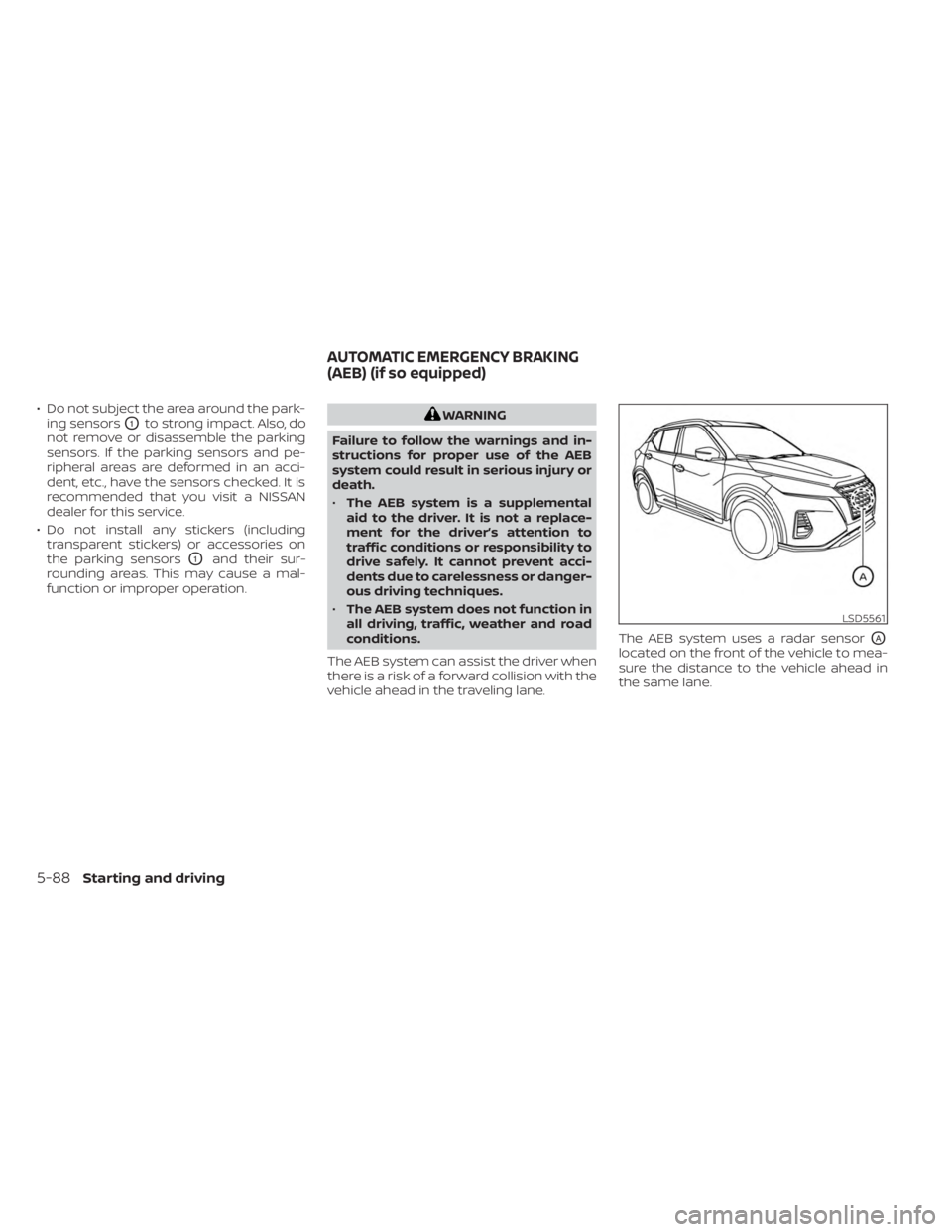
vehicle ahead in the traveling lane. The AEB system uses a radar sensor
OA
located on the front of the vehicle to mea-
sure the distance to the vehicle ahead in
the same lane.
LSD5561
AUTOMATIC EMERGENCY BRAKING
(AEB) (if so equipped)
5-88Starting and driving
Page 373 of 558
Action to take:
When the above conditions are no longer
present, the warning message will no lon-
ger be available in the vehicle information
display. If the “Forward Driving Aids Tempo-
rarily Disabled Front Sensor Blocked See
Owner’s Manual” warning message contin-
ues to be displayed, have the system
checked. It is recommended that you visit a
NISSAN dealer for this service.
Condition C
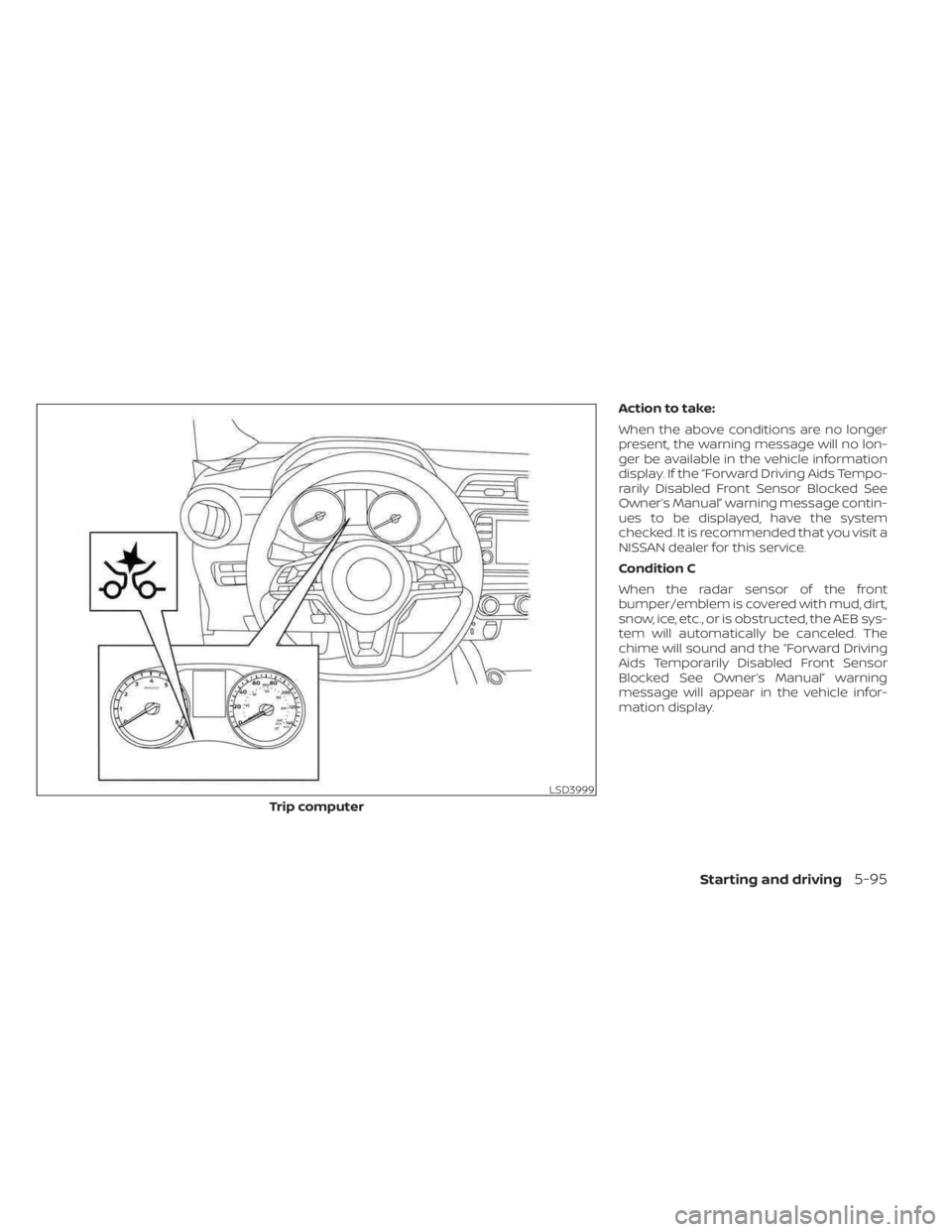
When the radar sensor of the front
bumper/emblem is covered with mud, dirt,
snow, ice, etc., or is obstructed, the AEB sys-
tem will automatically be canceled. The
chime will sound and the “Forward Driving
Aids Temporarily Disabled Front Sensor
Blocked See Owner’s Manual” warning
message will appear in the vehicle infor-
mation display.
LSD3999
Trip computer
Starting and driving5-95
Page 374 of 558
Action to take:
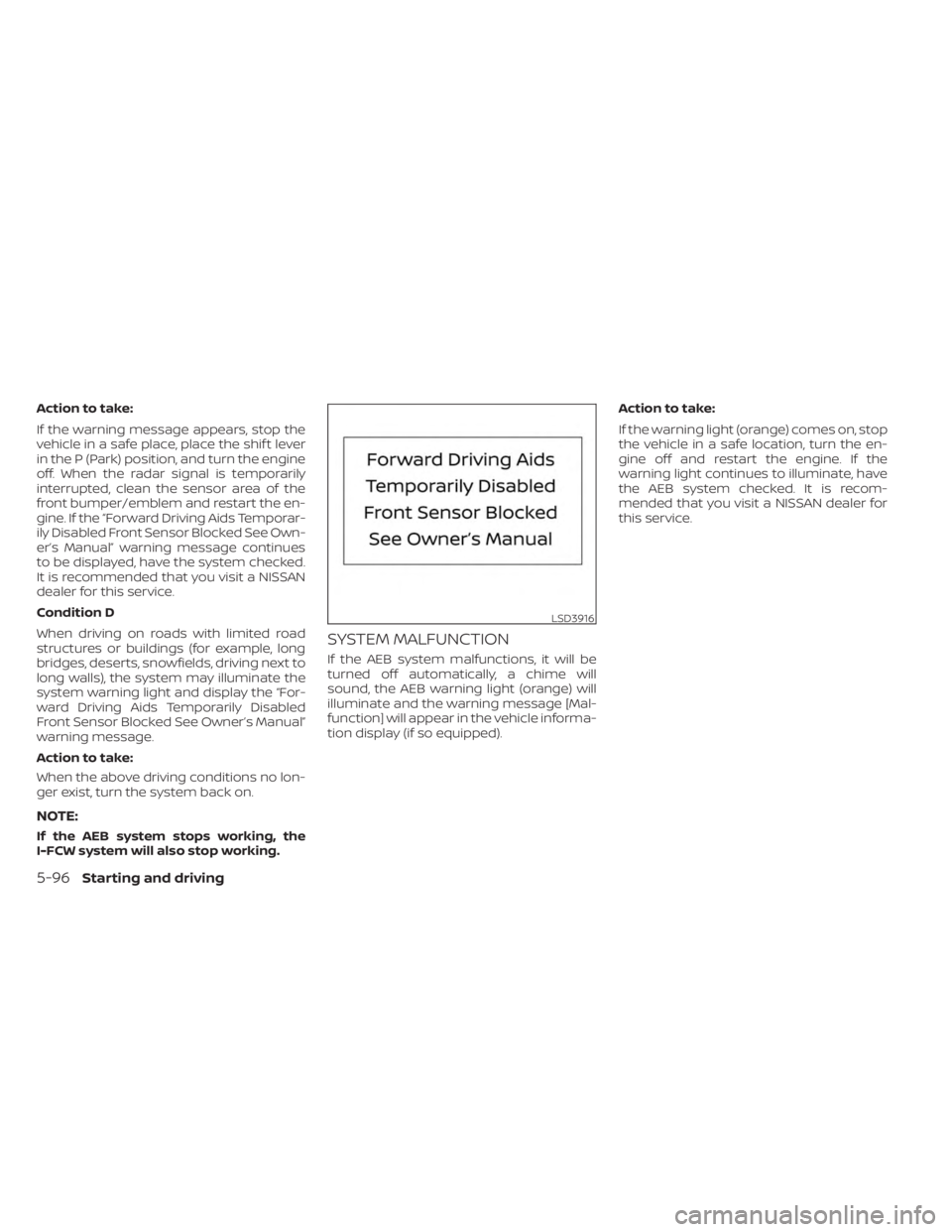
If the warning message appears, stop the
vehicle in a safe place, place the shif t lever
in the P (Park) position, and turn the engine
off. When the radar signal is temporarily
interrupted, clean the sensor area of the
front bumper/emblem and restart the en-
gine. If the “Forward Driving Aids Temporar-
ily Disabled Front Sensor Blocked See Own-
er’s Manual” warning message continues
to be displayed, have the system checked.
It is recommended that you visit a NISSAN
dealer for this service.
Condition D
When driving on roads with limited road
structures or buildings (for example, long
bridges, deserts, snowfields, driving next to
long walls), the system may illuminate the
system warning light and display the “For-
ward Driving Aids Temporarily Disabled
Front Sensor Blocked See Owner’s Manual”
warning message.
Action to take:
When the above driving conditions no lon-
ger exist, turn the system back on.
NOTE:
If the AEB system stops working, the
I-FCW system will also stop working.
SYSTEM MALFUNCTION
If the AEB system malfunctions, it will be
turned off automatically, a chime will
sound, the AEB warning light (orange) will
illuminate and the warning message [Mal-
function] will appear in the vehicle informa-
tion display (if so equipped).Action to take:
If the warning light (orange) comes on, stop
the vehicle in a safe location, turn the en-
gine off and restart the engine. If the
warning light continues to illuminate, have
the AEB system checked. It is recom-
mended that you visit a NISSAN dealer for
this service.
LSD3916
5-96Starting and driving