service NISSAN KICKS 2023 Repair Manual
[x] Cancel search | Manufacturer: NISSAN, Model Year: 2023, Model line: KICKS, Model: NISSAN KICKS 2023Pages: 558, PDF Size: 6.25 MB
Page 385 of 558
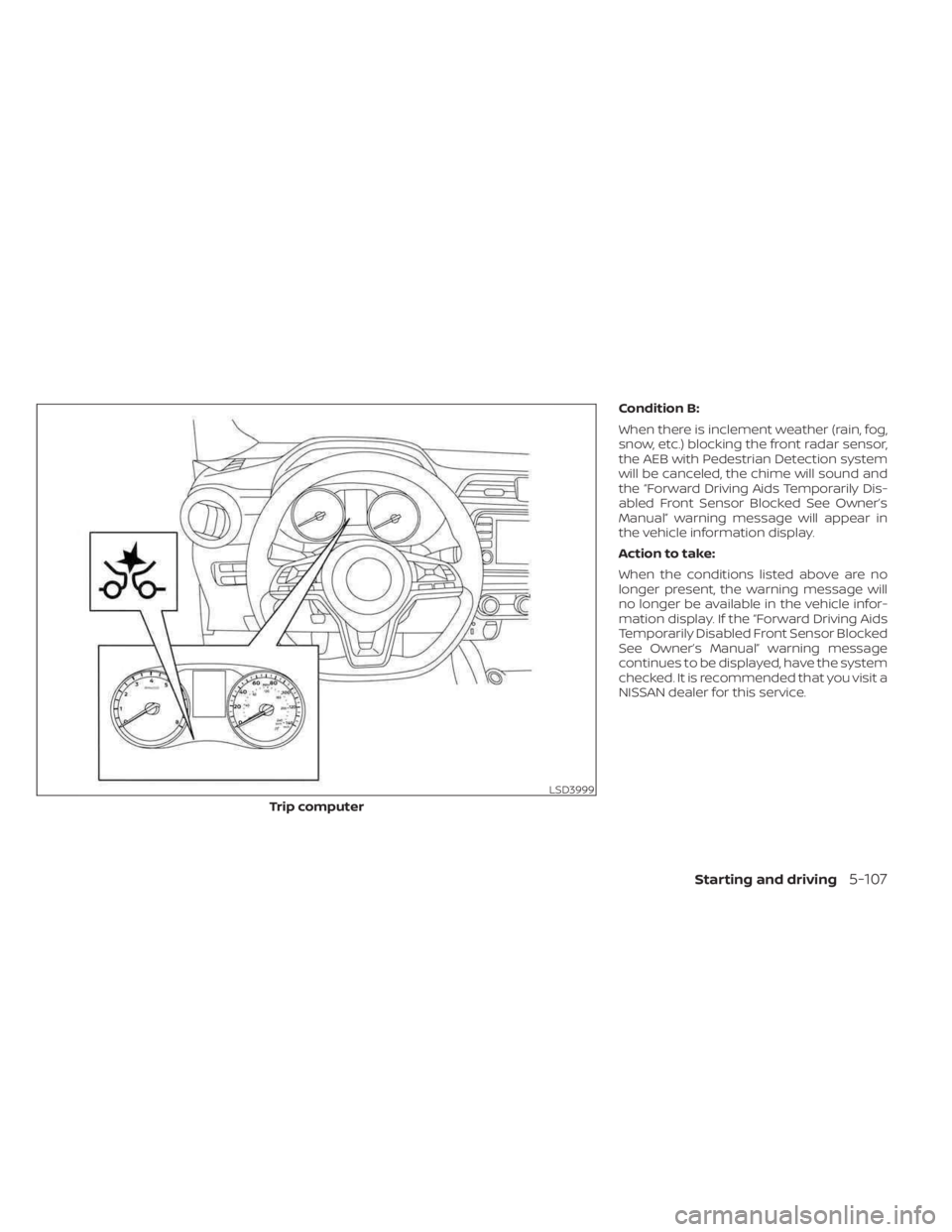
Condition B:
When there is inclement weather (rain, fog,
snow, etc.) blocking the front radar sensor,
the AEB with Pedestrian Detection system
will be canceled, the chime will sound and
the “Forward Driving Aids Temporarily Dis-
abled Front Sensor Blocked See Owner’s
Manual” warning message will appear in
the vehicle information display.
Action to take:
When the conditions listed above are no
longer present, the warning message will
no longer be available in the vehicle infor-
mation display. If the “Forward Driving Aids
Temporarily Disabled Front Sensor Blocked
See Owner’s Manual” warning message
continues to be displayed, have the system
checked. It is recommended that you visit a
NISSAN dealer for this service.
LSD3999
Trip computer
Starting and driving5-107
Page 386 of 558
Condition C:
When the radar sensor of the front
bumper/emblem is covered with mud, dirt,
snow, ice, etc., or is obstructed, the AEB with
Pedestrian Detection system will auto-
matically be canceled. The chime will
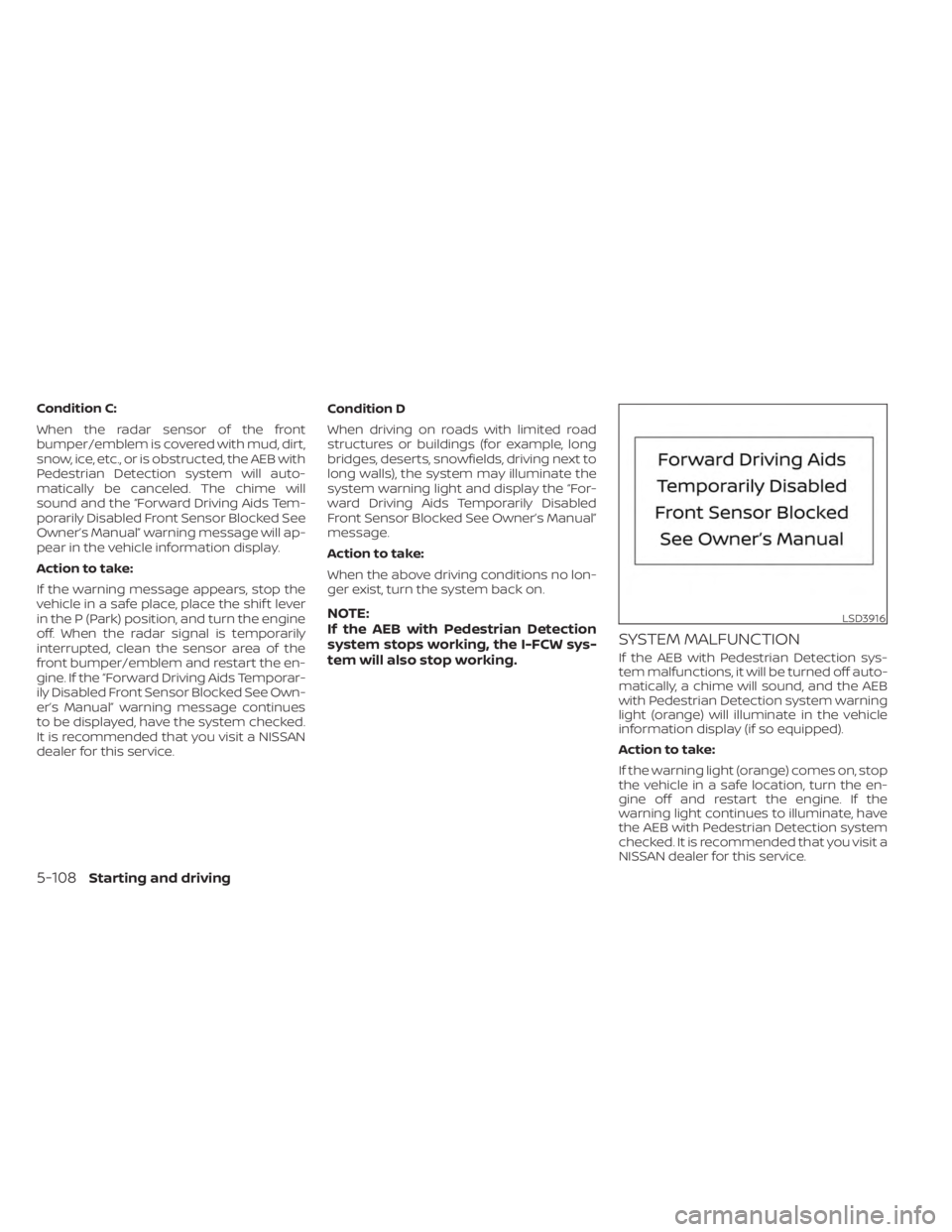
sound and the “Forward Driving Aids Tem-
porarily Disabled Front Sensor Blocked See
Owner’s Manual” warning message will ap-
pear in the vehicle information display.
Action to take:
If the warning message appears, stop the
vehicle in a safe place, place the shif t lever
in the P (Park) position, and turn the engine
off. When the radar signal is temporarily
interrupted, clean the sensor area of the
front bumper/emblem and restart the en-
gine. If the “Forward Driving Aids Temporar-
ily Disabled Front Sensor Blocked See Own-
er’s Manual” warning message continues
to be displayed, have the system checked.
It is recommended that you visit a NISSAN
dealer for this service.Condition D
When driving on roads with limited road
structures or buildings (for example, long
bridges, deserts, snowfields, driving next to
long walls), the system may illuminate the
system warning light and display the “For-
ward Driving Aids Temporarily Disabled
Front Sensor Blocked See Owner’s Manual”
message.
Action to take:
When the above driving conditions no lon-
ger exist, turn the system back on.
NOTE:
If the AEB with Pedestrian Detection
system stops working, the I-FCW sys-
tem will also stop working.
SYSTEM MALFUNCTION
If the AEB with Pedestrian Detection sys-
tem malfunctions, it will be turned off auto-
matically, a chime will sound, and the AEB
with Pedestrian Detection system warning
light (orange) will illuminate in the vehicle
information display (if so equipped).
Action to take:
If the warning light (orange) comes on, stop
the vehicle in a safe location, turn the en-
gine off and restart the engine. If the
warning light continues to illuminate, have
the AEB with Pedestrian Detection system
checked. It is recommended that you visit a
NISSAN dealer for this service.
LSD3916
5-108Starting and driving
Page 400 of 558
Action to take:
When the conditions listed above are no
longer present, the warning message will
no longer be available in the vehicle infor-
mation display. If the “Forward Driving Aids
Temporarily Disabled Front Sensor Blocked
See Owner’s Manual” warning message
continues to be displayed, have the system
checked. It is recommended that you visit a
NISSAN dealer for this service.
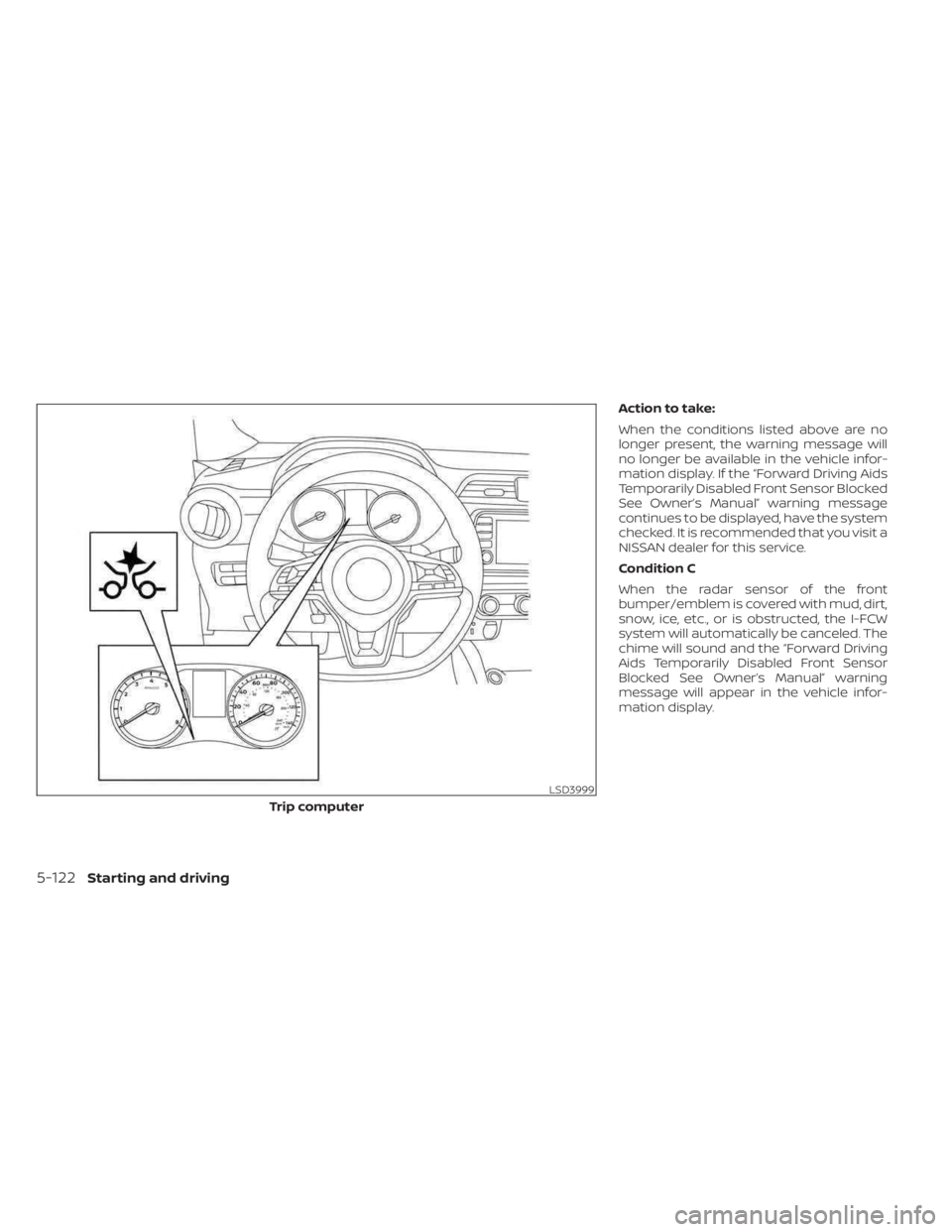
Condition C
When the radar sensor of the front
bumper/emblem is covered with mud, dirt,
snow, ice, etc., or is obstructed, the I-FCW
system will automatically be canceled. The
chime will sound and the “Forward Driving
Aids Temporarily Disabled Front Sensor
Blocked See Owner’s Manual” warning
message will appear in the vehicle infor-
mation display.
LSD3999
Trip computer
5-122Starting and driving
Page 401 of 558
Action to take:
If the warning message appears, stop the
vehicle in a safe place, place the shif t lever
in the P (Park) position, and turn the engine
off. When the radar signal is temporarily
interrupted, clean the sensor area of the
front bumper/emblem and restart the en-
gine. If the “Forward Driving Aids Temporar-
ily Disabled Front Sensor Blocked See Own-
er’s Manual” warning message continues
to be displayed, have the system checked.
It is recommended that you visit a NISSAN
dealer for this service.
Condition D
When driving on roads with limited road
structures or buildings (for example, long
bridges, deserts, snow fields, driving next to
long walls), the system may illuminate the
system warning light (orange) and display
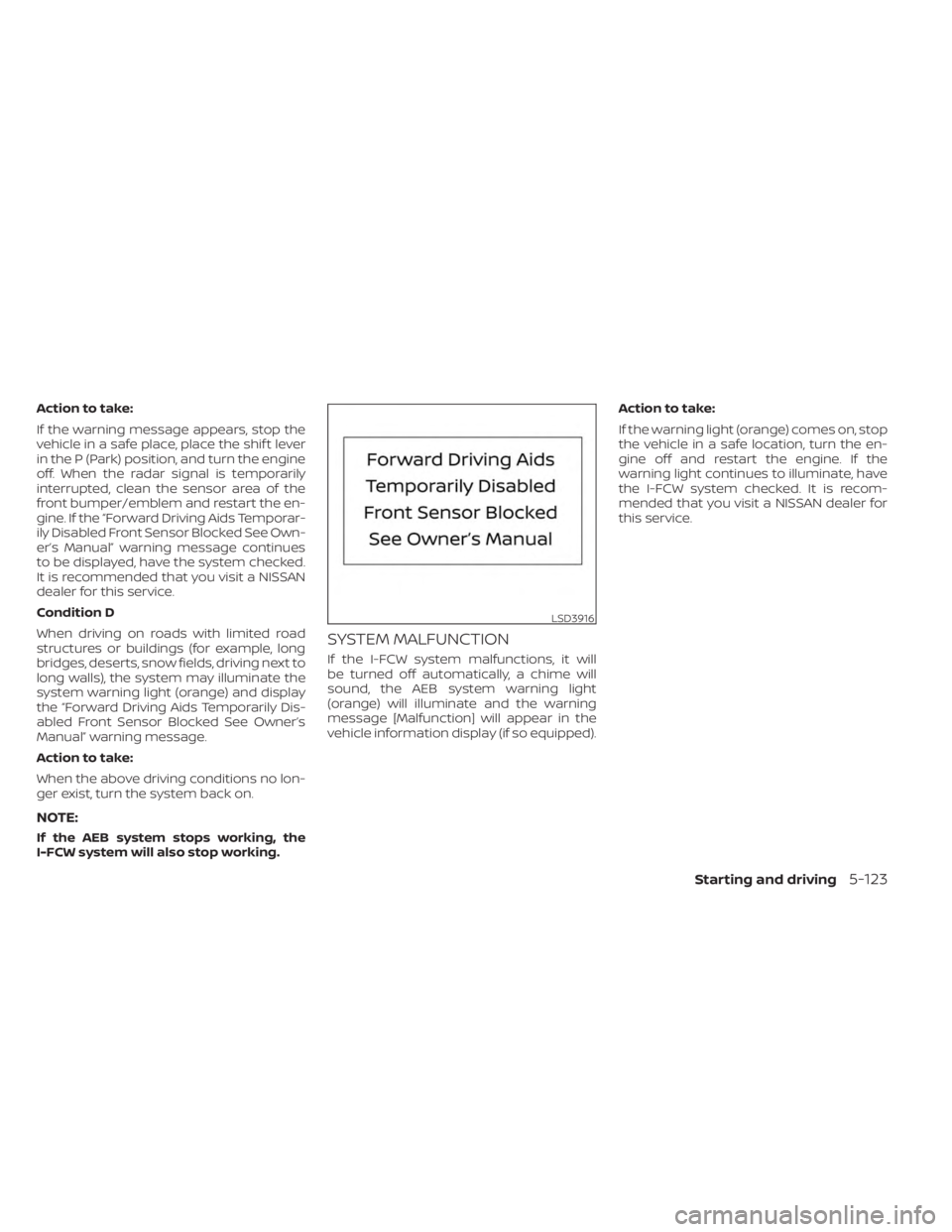
the “Forward Driving Aids Temporarily Dis-
abled Front Sensor Blocked See Owner’s
Manual” warning message.
Action to take:
When the above driving conditions no lon-
ger exist, turn the system back on.
NOTE:
If the AEB system stops working, the
I-FCW system will also stop working.
SYSTEM MALFUNCTION
If the I-FCW system malfunctions, it will
be turned off automatically, a chime will
sound, the AEB system warning light
(orange) will illuminate and the warning
message [Malfunction] will appear in the
vehicle information display (if so equipped).Action to take:
If the warning light (orange) comes on, stop
the vehicle in a safe location, turn the en-
gine off and restart the engine. If the
warning light continues to illuminate, have
the I-FCW system checked. It is recom-
mended that you visit a NISSAN dealer for
this service.
LSD3916
Starting and driving5-123
Page 405 of 558
Perform the following steps to enable or
disable the I–DA system.
1. Press the
button until “Settings” dis-
plays in the vehicle information display
and press the OK button. Use the
button to select “Driver Assistance.” Then
press the OK button.
2. Select “Driver Attention Alert” and press the OK button to turn the system on or
off.
NOTE:
The setting will be retained even if the
engine is restarted.
INTELLIGENT DRIVER ALERTNESS
(I-DA) SYSTEM LIMITATIONS
WARNING
Listed below are the system limitations
for the I–DA system. Failure to operate
the vehicle in accordance with these
system limitations could result in seri-
ous injury or death. •
The I-DA system may not operate
properly and may not provide an
alert in the following conditions:
– Poor road conditions such as an
uneven road surface or pot holes.
– Strong side wind.
– If you have adopted a sporty driv-
ing style with higher cornering
speeds or higher rates of
acceleration.
–
Frequent lane changes or changes to vehicle speed.
• The I–DA system will not provide an
alert in the following conditions:
– Vehicle speeds lower than 37 mph
(60 km/h).
– Short lapses of attention.
– Instantaneous distractions such
as dropping an object.
System malfunction
If the Intelligent Driver Alertness system
malfunctions, the system warning mes-
sage will appear in the vehicle information
display and the function will be stopped
automatically.
Action to take
Stop the vehicle in a safe location, place the
vehicle in P (Park) position, turn the engine off
and restart the engine. If the system warning
message continues to appear, have the sys-
tem checked. It is recommended that you
visit a NISSAN dealer for this service.
LSD3563
Starting and driving5-127
Page 409 of 558
• HEADED UPHILL WITH CURBO2:
Turn the wheels away from the curb
and move the vehicle back until the
curb side wheel gently touches the
curb.
• HEADED UPHILL OR DOWNHILL, NO CURB
O3:
Turn the wheels toward the side of the
road so the vehicle will move away
from the center of the road if it moves.
4. Place the ignition switch in the LOCK po- sition and remove the key from the
vehicle.
WARNING
• If the engine is not running or is
turned off while driving, the power
assist for the steering will not work.
Steering will be harder to operate.
• When the power steering warning
light illuminates with the engine run-
ning, there will be no power assist for
the steering. You will still have control
of the vehicle but the steering will be
harder to operate. Have the power
steering system checked. It is recom-
mended that you visit a NISSAN
dealer for this service.
The power steering system is designed to
provide power assist while driving to oper-
ate the steering wheel with light force.
When the steering wheel is operated re-
peatedly or continuously while parking or
driving at a very low speed, the power as-
sist for the steering wheel will be reduced.
This is to prevent overheating of the power
steering system and protect it from getting
damaged. While the power assist is re-
duced, steering wheel operation will be-
come heavy. When the temperature of the
power steering system goes down, the
power assist level will return to normal. Avoid repeating such steering wheel op-
erations that could cause the power steer-
ing system to overheat.
You may hear a sound when the steering
wheel is operated quickly. However, this is
not a malfunction.
If the power steering warning light illumi-
nates while the engine is running, it may
indicate the power steering system is not
functioning properly and may need servic-
ing. Have the power steering system
checked. It is recommended that you visit a
NISSAN dealer for this service.
When the power steering warning light illu-
minates with the engine running, there will
be no power assist for the steering but you
will still have control of the vehicle. At this
time, greater steering effort is required to
operate the steering wheel, especially in
sharp turns and at low speeds.
For additional information, see “Power
steering warning light” (P. 2-20).
POWER STEERING
Starting and driving5-131
Page 410 of 558
The brake system has two separate hy-
draulic circuits. If one circuit malfunctions,
you will still have braking at two wheels.
BRAKE PRECAUTIONS
Vacuum assisted brakes
The brake booster aids braking by using
engine vacuum. If the engine stops, you
can stop the vehicle by depressing the
brake pedal. However, greater foot pres-
sure on the brake pedal will be required to
stop the vehicle and stopping distance will
be longer.
Using the brakes
Avoid resting your foot on the brake pedal
while driving. This will overheat the brakes,
wear out the brake pads faster, and reduce
gas mileage.
To help reduce brake wear and to prevent
the brakes from overheating, reduce speed
and downshif t to a lower gear before going
down a slope or long grade. Overheated
brakes may reduce braking performance
and could result in loss of vehicle control.
WARNING
• While driving on a slippery surface,
be careful when braking, accelerat-
ing or downshif ting. Abrupt braking
or accelerating could cause the
wheels to skid and result in an
accident.
• If the engine is not running or is
turned off while driving, the power
assist for the brakes will not work.
Braking will be harder.
Wet brakes
When the vehicle is washed or driven
through water, the brakes may get wet. As
a result, your braking distance will be lon-
ger and the vehicle may pull to one side
during braking.
To dry the brakes, drive the vehicle at a safe
speed while lightly pressing the brake
pedal to heat up the brakes. Do this until
the brakes return to normal. Avoid driving
the vehicle at high speeds until the brakes
function correctly.
Parking brake break-in
Break in the parking brake shoes whenever
the stopping effect of the parking brake is
weakened or whenever the parking brake
shoes and/or drums/rotors (if so
equipped) are replaced, in order to assure
the best braking performance.
This procedure is described in the vehicle
service manual. It is recommended that
you visit a NISSAN dealer for this service.
ANTI-LOCK BRAKING SYSTEM (ABS)
WARNING
• The ABS is a sophisticated device, but
it cannot prevent accidents resulting
from careless or dangerous driving
techniques. It can help maintain ve-
hicle control during braking on slip-
pery surfaces. Remember that stop-
ping distances on slippery surfaces
will be longer than on normal sur-
faces even with ABS. Stopping dis-
tances may also be longer on rough,
gravel or snow covered roads, or if
you are using tire chains. Always
maintain a safe distance from the ve-
hicle in front of you. Ultimately, the
driver is responsible for safety.
BRAKE SYSTEM
5-132Starting and driving
Page 411 of 558
•Tire type and condition may also af-
fect braking effectiveness.
– When replacing tires, install the
specified size of tires on all four
wheels.
–
When installing a spare tire, make sure that it is the proper size and
type as specified on the Tire and
Loading Information label. For ad-
ditional information, see “Tire and
Loading Information label” (P. 8-30).
– For additional information, see
“Wheels and tires” (P. 8-28).
The ABS controls the brakes so the wheels
do not lock during hard braking or when
braking on slippery surfaces. The system
detects the rotation speed at each wheel
and varies the brake fluid pressure to pre-
vent each wheel from locking and sliding.
By preventing each wheel from locking, the
system helps the driver maintain steering
control and helps to minimize swerving
and spinning on slippery surfaces.
Using the system
Depress the brake pedal and hold it down.
Depress the brake pedal with firm steady
pressure, but do not pump the brakes. The
Anti-lock Braking System will operate to
prevent the wheels from locking up. Steer
the vehicle to avoid obstacles.
WARNING
Do not pump the brake pedal. Doing so
may result in increased stopping
distances.
Self-test feature
The Anti-lock Braking System (ABS) in-
cludes electronic sensors, electric pumps,
hydraulic solenoids and a computer. The
computer has a built-in diagnostic feature
that tests the system each time you start
the engine and move the vehicle at a low
speed in forward or reverse. When the self-
test occurs, you may hear a “clunk” noise
and/or feel a pulsation in the brake pedal.
This is normal and does not indicate a
malfunction. If the computer senses a mal-
function, it switches the ABS off and illumi-
nates the ABS warning light on the instru- ment panel. The brake system then
operates normally but without anti-lock
assistance.
If the ABS warning light illuminates during
the self-test or while driving, have the ve-
hicle checked. It is recommended that you
visit a NISSAN dealer for this service.
Normal operation
The Anti-lock Braking System (ABS) oper-
ates at speeds abov
e3-6mph(5-10
km/h). The speed varies according to road
conditions.
When the ABS senses that one or more
wheels are close to locking up, the actuator
rapidly applies and releases hydraulic pres-
sure. This action is similar to pumping the
brakes very quickly. You may feel a pulsa-
tion in the brake pedal and hear a noise
from under the hood or feel a vibration
from the actuator when it is operating. This
is normal and indicates that the ABS is op-
erating properly. However, the pulsation
may indicate that road conditions are haz-
ardous and extra care is required while
driving.
Starting and driving5-133
Page 423 of 558
Do not attach stickers (including transpar-
ent material), install accessories or apply
additional paint near the sonar sensors.
Do not strike or damage the area around
the sonar sensors. It is recommended that
you visit a NISSAN dealer if the area around
the sonar sensors is damaged due to a
collision.FREEING A FROZEN DOOR LOCK
To prevent a door lock from freezing, apply
de-icer through the key hole. If the lock
becomes frozen, heat the key before in-
serting it into the key hole or use the re-
mote keyless entry function on the Intelli-
gent Key.
ANTIFREEZE
In the winter when it is anticipated that the
temperature will drop below 32°F (0°C),
check the antifreeze to assure proper win-
ter protection. For additional information,
see “Engine cooling system” (P. 8-4).
BATTERY
If the battery is not fully charged during
extremely cold weather conditions, the
battery fluid may freeze and damage the
battery. To maintain maximum efficiency,
the battery should be checked regularly.
This vehicle is equipped with a sealed
maintenance free battery. It is recom-
mended that you visit a NISSAN dealer for
service.
DRAINING OF COOLANT WATER
If the vehicle is to be lef t outside without
antifreeze, drain the cooling system, includ-
ing the engine block. Refill before operating
the vehicle. For additional information, see
“Changing engine coolant” (P. 8-5).
TIRE EQUIPMENT
1. SUMMER tires have a tread designed toprovide superior performance on dry
pavement. However, the performance of
these tires will be substantially reduced
in snowy and icy conditions. If you oper-
ate your vehicle on snowy or icy roads,
NISSAN recommends the use of MUD &
SNOW or ALL SEASON TIRES on all four
wheels. It is recommended that you visit
a NISSAN dealer for the tire type, size,
speed rating and availability information.
2. For additional traction on icy roads, studded tires may be used. However,
some states, provinces and territories
prohibit their use. Check local laws be-
fore installing studded tires.
Skid and traction capabilities of studded
snow tires on wet or dry surfaces may be
poorer than that of non-studded snow
tires.
COLD WEATHER DRIVING
Starting and driving5-145
Page 429 of 558
TIRE PRESSURE MONITORING
SYSTEM (TPMS)
This vehicle is equipped with the TPMS. It
monitors tire pressure of all tires except the
spare. When the low tire pressure warning
light is lit and the ”CHECK TIRE PRES” (ve-
hicles without a vehicle information dis-
play) or the “Tire Pressure Low — Add Air”
(vehicles with a vehicle information display)
warning appears in the vehicle information
display, one or more of your tires is signifi-
cantly under-inflated. If the vehicle is being
driven with low tire pressure, the TPMS will
activate and warn you of it by the low tire
pressure warning light. This system will ac-
tivate only when the vehicle is driven at
speeds above 16 mph (25 km/h). For addi-
tional information, see “Warning lights, indi-
cator lights and audible reminders” (P. 2-11),
and “Tire Pressure Monitoring System
(TPMS)” (P. 5-5).
WARNING
• Radio waves could adversely affect
electric medical equipment. Those
who use a pacemaker should contact
the electric medical equipment
manufacturer for the possible influ-
ences before use. •
If the low tire pressure warning light
illuminates while driving, avoid sud-
den steering maneuvers or abrupt
braking, reduce vehicle speed, pull
off the road to a safe location and
stop the vehicle as soon as possible.
Driving with underinflated tires may
permanently damage the tires and
increase the likelihood of tire failure.
Serious vehicle damage could occur
and may lead to an accident and
could result in serious personal in-
jury. Check the tire pressure for all
four tires. Adjust the tire pressure to
the recommended COLD tire pres-
sure shown on the Tire and Loading
Information label to turn the low tire
pressure warning light OFF. If the
light still illuminates while driving af-
ter adjusting the tire pressure, a tire
may be flat or the TPMS may be mal-
functioning. If you have a flat tire, re-
place it with a spare tire as soon as
possible. If no tire is flat and all tires
are properly inflated, have the ve-
hicle checked. It is recommended
that you visit a NISSAN dealer for this
service. •
When using a wheel without the
TPMS such as the spare tire, the TPMS
will not function and the low tire
pressure warning light will flash for
approximately 1 minute. The light will
remain on af ter 1 minute. Have your
tires replaced and/or TPMS system
reset as soon as possible. It is recom-
mended that you visit a NISSAN
dealer for these services.
• Replacing tires with those not origi-
nally specified by NISSAN could af-
fect the proper operation of the
TPMS.
• Do not inject any tire liquid or aerosol
tire sealant into the tires, as this may
cause a malfunction of the tire pres-
sure sensors.
• If the light still comes on while driving
af ter adjusting the tire pressure, a
tire may be flat or the TPMS may be
malfunctioning. If you have a flat tire,
replace it with a spare tire as soon as
possible. If no tire is flat and all tires
are properly inflated, it is recom-
mended that you visit a NISSAN
dealer for this service.
FLAT TIRE
In case of emergency6-3