phone NISSAN LEAF 2016 1.G Manual Online
[x] Cancel search | Manufacturer: NISSAN, Model Year: 2016, Model line: LEAF, Model: NISSAN LEAF 2016 1.GPages: 437, PDF Size: 4.56 MB
Page 293 of 437
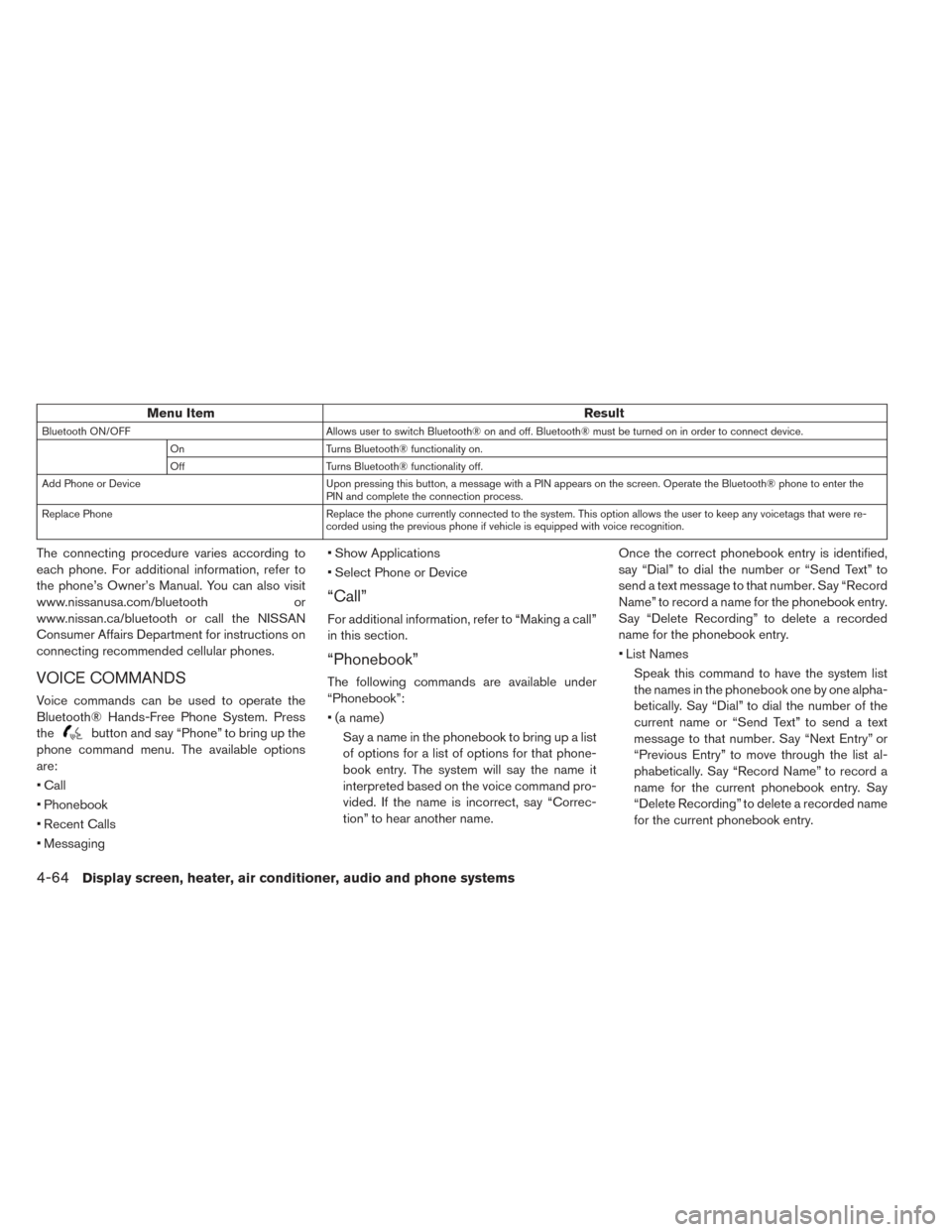
Menu ItemResult
Bluetooth ON/OFFAllows user to switch Bluetooth® on and off. Bluetooth® must be turned on in order to connect device.
On Turns Bluetooth® functionality on.
Off Turns Bluetooth® functionality off.
Add Phone or Device Upon pressing this button, a message with a PIN appears on the screen. Operate the Bluetooth® phone to enter the
PIN and complete the connection process.
Replace Phone Replace the phone currently connected to the system. This option allows the user to keep any voicetags that were re-
corded using the previous phone if vehicle is equipped with voice recognition.
The connecting procedure varies according to
each phone. For additional information, refer to
the phone’s Owner’s Manual. You can also visit
www.nissanusa.com/bluetooth or
www.nissan.ca/bluetooth or call the NISSAN
Consumer Affairs Department for instructions on
connecting recommended cellular phones.
VOICE COMMANDS
Voice commands can be used to operate the
Bluetooth® Hands-Free Phone System. Press
the
button and say “Phone” to bring up the
phone command menu. The available options
are:
• Call
• Phonebook
• Recent Calls
• Messaging • Show Applications
• Select Phone or Device
“Call”
For additional information, refer to “Making a call”
in this section.
“Phonebook”
The following commands are available under
“Phonebook”:
• (a name)
Say a name in the phonebook to bring up a list
of options for a list of options for that phone-
book entry. The system will say the name it
interpreted based on the voice command pro-
vided. If the name is incorrect, say “Correc-
tion” to hear another name. Once the correct phonebook entry is identified,
say “Dial” to dial the number or “Send Text” to
send a text message to that number. Say “Record
Name” to record a name for the phonebook entry.
Say “Delete Recording” to delete a recorded
name for the phonebook entry.
• List Names
Speak this command to have the system list
the names in the phonebook one by one alpha-
betically. Say “Dial” to dial the number of the
current name or “Send Text” to send a text
message to that number. Say “Next Entry” or
“Previous Entry” to move through the list al-
phabetically. Say “Record Name” to record a
name for the current phonebook entry. Say
“Delete Recording” to delete a recorded name
for the current phonebook entry.
4-64Display screen, heater, air conditioner, audio and phone systems
Page 294 of 437
“Recent Calls”
The following commands are available under
“Recent Calls”:
• IncomingSpeak this command to list the last five incom-
ing calls to the vehicle. If the call is from an
entry in the phonebook, the name will be dis-
played. Otherwise, the phone number of the
incoming call will be displayed.
Say “Dial” to call the number or “Send Text” to
send a text message to that number. Say “Next
Entry” or “Previous Entry” to move through the list
of incoming calls.
• Missed Speak this command to list the last five missed
calls to the vehicle. If the call is from an entry in
the phonebook, the name will be displayed.
Otherwise, the phone number of the missed
call will be displayed.
Say “Dial” to call the number or “Send Text” to
send a text message to that number. Say “Next
Entry” or “Previous Entry” to move through the list
of missed calls. • Outgoing
Speak this command to list the last five outgo-
ing calls from the vehicle. If the call was to an
entry in the phonebook, the name will be dis-
played. Otherwise, the phone number of the
outgoing call will be displayed.
Say “Dial” to call the number or “Send Text” to
send a text message to that number. Say “Next
Entry” or “Previous Entry” to move through the list
of outgoing calls.
• Redial Speak this command to call the last number
dialed.
• Call back Speak this command to call the number of the
last incoming call to the vehicle.
“Messaging”
Speak this command to access text messaging
functions. For additional information, refer to
“Text messaging” in this section.
“Show Applications”
Speak this command to display list of smart-
phone apps available.
Note
Compatible smartphone and registration
necessary to access applications. For ad-
ditional information, refer to “Nissan-
Connect
SMMobile Apps” in this section.
“Select Phone or Device”
Speak this command to select a phone to use from
a list of those phones connected to the vehicle.
MAKING A CALL
To make a call from a phone connected to the
vehicle’s Bluetooth® Hands-Free Phone System:
1. Press thebutton.
2. The system will prompt you for a command. Say “Call”.
3. Select on of the available voice commands to continue:
• “(a name)” — Speak the name of a phone- book entry to place a call to that entry. The
system will respond with the name it inter-
preted from your command and will prompt
you to confirm that the name is correct. Say
“Yes” to initiate the call or “No” to hear an-
other name from the phonebook.
Display screen, heater, air conditioner, audio and phone systems4-65
Page 295 of 437
• “Number” — Speak this command to place acall by inputting numbers.
• For 7- and 10-digit phone numbers, speak the numbers. When finished, say “Dial” to
initiate the call. Say “Correction” at any time
in the process to correct a misspoken or
misinterpreted number.
• For phone numbers with more digits or spe- cial characters, say “Special Number”, then
speak the digits. Up to 24 digits can be
entered. Available special characters are
“star”, “pound”, “plus” and “pause”. When
finished, say “Dial” to initiate the call. Say
“Correction” at any time in the process to
correct a misspoken or misinterpreted num-
ber or character.
• “Redial” — Speak this command to dial the number of the last outgoing call. The system
will display “Redialing
The name of the phonebook entry will be
displayed if it available, otherwise the number
being redialed will be displayed.
• “Call Back” — Speak this command to dial the number of the last incoming call. The
system will display “Calling back
will be displayed if it available, otherwise the
number being called back will be displayed.RECEIVING A CALL
When a call is received by the phone connected
to the vehicle’s Bluetooth® Hands-Free Phone
System, the call information is displayed on either
the vehicle information display or both the vehicle
information display and the control panel display.
Press the
button to accept the call. Press
the
button to reject the call.
DURING A CALL
When a call is active, press thebutton to
access additional options. Speak one of the fol-
lowing commands.
• “Send” — Speak this command followed by the digits to enter digits during the phone call.
• “Mute On” or “Mute Off” — Speak the command to mute or unmute the system.
• “Transfer Call” — peak this command to transfer the call to the handset. To transfer the call back
from the handset to the Bluetooth® Hands-
Free Phone System, press the
button and
confirm when prompted. If supported by the phone, the Bluetooth®
Hands-Free Phone System allows for call waiting
functionality. If a call is received while another call
is already active, a message will be displayed on
the screen. Press the
button to hold the
active call and switch to the second call. Press
the
button to reject the second call.
While the second call is active, pressing the
button will allow the same commands that
are available during any calls as well as two
additional commands:
• “Switch Call” — Speak this command to hold the second call and switch back to the original
call.
• “End Other Call” — Speak this command to stay with the second call and end the original call.
Press the
button to accept the call. Press
the
button to reject the call.
ENDING A CALL
To end an active call, press thebutton.
4-66Display screen, heater, air conditioner, audio and phone systems
Page 296 of 437
TEXT MESSAGING
WARNING
• Laws in some jurisdictions may restrict the use of “Text-to-Speech”. Check lo-
cal regulations before using this fea-
ture.
• Laws in some jurisdictions may restrict the use of some of the applications
and features, such as social network-
ing and texting. Check local regula-
tions for any requirements.
• Use the text messaging feature after stopping your vehicle in a safe loca-
tion. If you have to use the feature
while driving, exercise extreme caution
at all times so full attention may be
given to vehicle operation.
• If you are unable to devote full atten- tion to vehicle operation while using
the text messaging feature, pull off the
road to a safe location and stop your
vehicle.
Note
Many phones may require special permis-
sion to enable text messaging. Check the
phone’s screen during Bluetooth® pairing.
For some phones, you may need to enable
‘Notifications’ in the phone’s Bluetooth®
menu for text messages to appear on the
headunit. Please consult your phone’s
Owner’s manual. Text message integration
requires that the phone support MAP (Mes-
sage Access Profile) for both receiving and
sending text messages. Some phones may
not support all text messaging features.
Please visit www.nissanusa.com/
bluetooth or www.nissan.ca/bluetooth for
compatibility information, as well as your
device’s Owner’s manual.
The system allows for the sending and receiving
of text messages through the vehicle interface.
Sending a text message:
1. Press the
button on the steering wheel.
2. Say “Phone” after the tone.
3. Say “Send Text” after the tone.
4. The system will provide a list of available commands in order to determine the recipient of the text message. Choose from the
following:
• (a name)
• Missed Calls
• Incoming Calls
• Outgoing Calls
For additional information, refer to “Voice com-
mands” in this section.
5. Once a recipient is chosen, the system prompts for which message to send. Nine
predefined messages are available as well as
three custom messages. To choose one of the
predefined messages, speak one of the fol-
lowing after the tone:
• “Driving, can’t text”
• “Call me”
• “On my way”
• “Running late”
• “Custom message”
To send one of the custom messages, say
“Custom Messages”. If more than one custom
message is stored, the system will prompt for
the number of the desired custom message.
Display screen, heater, air conditioner, audio and phone systems4-67
Page 297 of 437
For additional information on setting and man-
aging custom text messages, refer to
“Bluetooth® settings” in this section.
Reading a received text message:
1. Press the
button on the steering wheel.
2. Say “Messaging” after the tone.
3. Say “Read Text” after the tone.
The text message, sender and delivery time are
shown on the screen. Use the tuning switch to
scroll through all text messages if more than one
are available. Press the
button to exit the
text message screen. Press the
button to
access the following options for replying to the
text message:
• Call Back
Speak this command to call the sender of the
text message using the Bluetooth® Hands-
Free Phone System.
• Send Text Speak this command to send a text message
response to the sender of the text message.
• Read Text Speak this command to read the text message
again. • Previous Text
Speak this command to move to the previous
text message.
• Next Text Speak this command to move to the next text
message.
Note
Text messages are only displayed if the
vehicle speed is less than 5 mph
(8 km/h) .
BLUETOOTH® SETTINGSTo access and adjust the settings for the
Bluetooth® Hands-Free Phone System:
1. Press the ENTER/SETTING button.
2. Use the TUNE/SCROLL or TUNE/FOLDER knob to select “Bluetooth” and then press the
ENTER button:
• Bluetooth
• Select “On” or “Off” to turn the vehicle’s Bluetooth® system on or off.
• Add Phone or Device
• For additional information, refer to “Connect- ing procedure” in this section.
• Delete Phone or Device
4-68Display screen, heater, air conditioner, audio and phone systems
Page 298 of 437
• Select to delete a phone from the displayedlist. The system will ask to confirm before
deleting the phone.
• Replace Phone
• Select to replace a phone from the displayed list. When a selection is made, the system
will ask to confirm before proceeding. The
recorded phonebook for the phone being
deleted will be saved as long as the new
phone’s phonebook is the same as the old
phone’s phonebook.
• Select Phone or Device
• Select to connect to a previously connected phone from the displayed list.
• Phonebook Download
• Select to turn on or off the automatic down- load of a connected phone’s phonebook.
• Show Incoming Calls
• Select “Driver Only” to have incoming call information displayed only in the vehicle in-
formation display. Select “Both” to have in-
coming call information displayed in both the
vehicle information display and the center
display screen.
• Text Message
• Select to adjust the volume of the sound that plays when a new text is received by a phone connected to the Bluetooth® Hands-Free
Phone System. The setting all the way to the
left indicates that the new text sound will be
muted.
• Show Incoming Text
• Select “Driver Only” to have incoming text messages displayed only in the vehicle infor-
mation display. Select “Both” to have incom-
ing text messages displayed in both the ve-
hicle information display and the center
display screen. Select “None” to have no
display of incoming text messages.
• Edit Custom Messages
• Select to set a custom message that will be available with the standard options when
sending a text message. To set a custom
message, send a text message to your own
phone number while the phone is connected
to the system. Three custom messages can
be set. Custom messages can only be set
while the vehicle is stationary.
• Auto Reply
• Select to turn on or off the Auto Reply func- tion. When enabled, the vehicle will auto-
matically send a predefined text message to
the sender when a text message is received
while driving. • Auto Reply Message
• Select to choose the message that is sent
when the Auto Reply function is enabled.
Choose from “I’m Driving” or one of the three
custom messages stored in the system.
• Vehicle Signature On/Off
• Select to choose whether or not the vehicle signature is added to outgoing text mes-
sages from the vehicle. This message cannot
be changed or customized.
MANUAL CONTROLS
While using the Voice Recognition system, it is
possible to select menu options by using the
steering wheel controls instead of speaking voice
commands. This can be especially helpful if the
noise of driving makes it difficult for Voice Rec-
ognition system to accurately interpret com-
mands. The manual control mode does not allow
dialing a phone number by digits. The user may
select an entry from the Phonebook or Recent
Calls lists. To re-activate Voice Recognition, exit
the manual control mode by pressing and holding
the PHONE/END (
) button. At the time,
pressing the PHONE/SEND (
) button will
start the Hands Free Phone System.
Display screen, heater, air conditioner, audio and phone systems4-69
Page 299 of 437
Operating tips
• To enter manual control mode, start the VoiceRecognition system and tilt the tuning (
)
switch up or down. The system will speak
“Showing Manual Options” when manual con-
trols are initially activated.
• To browse the menu options, tilt the tuning (
) switch up or down. The system will al-
ways speak the current menu option. Depend- ing on the audio display, it will also show the
current menu option.
• To select the current menu option, press the PHONE/SEND (
) button.
• To go back to the previous menu, press the PHOEN/END (
) button. If the current
menu is the Main Menu, pressing the PHONE/
END (
) button will exit the Phone system.
• To exit the manual control mode, press and hold the PHONE/END (
) button for 5 seconds.
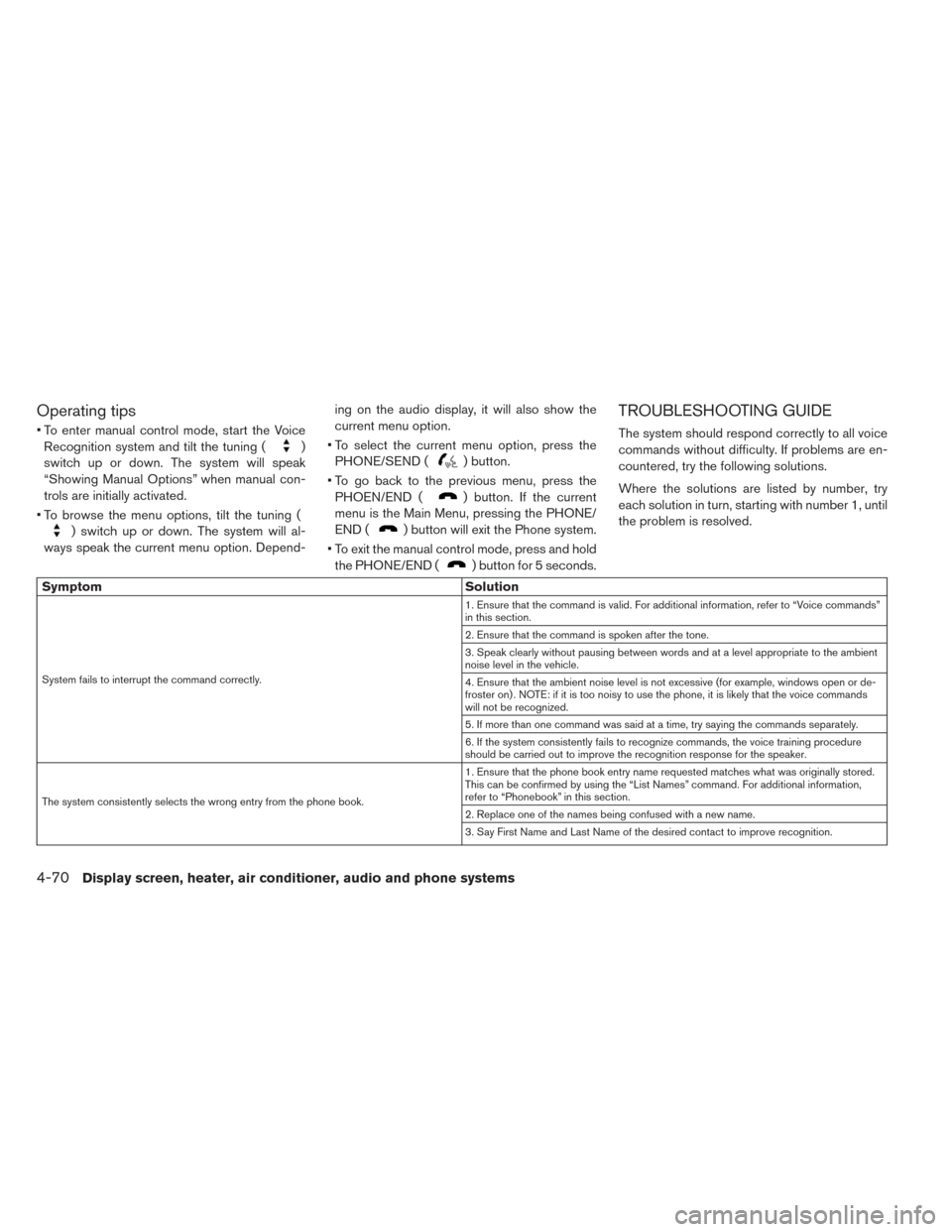
TROUBLESHOOTING GUIDE
The system should respond correctly to all voice
commands without difficulty. If problems are en-
countered, try the following solutions.
Where the solutions are listed by number, try
each solution in turn, starting with number 1, until
the problem is resolved.
Symptom Solution
System fails to interrupt the command correctly. 1. Ensure that the command is valid. For additional information, refer to “Voice commands”
in this section.
2. Ensure that the command is spoken after the tone.
3. Speak clearly without pausing between words and at a level appropriate to the ambient
noise level in the vehicle.
4. Ensure that the ambient noise level is not excessive (for example, windows open or de-
froster on) . NOTE: if it is too noisy to use the phone, it is likely that the voice commands
will not be recognized.
5. If more than one command was said at a time, try saying the commands separately.
6. If the system consistently fails to recognize commands, the voice training procedure
should be carried out to improve the recognition response for the speaker.
The system consistently selects the wrong entry from the phone book. 1. Ensure that the phone book entry name requested matches what was originally stored.
This can be confirmed by using the “List Names” command. For additional information,
refer to “Phonebook” in this section.
2. Replace one of the names being confused with a new name.
3. Say First Name and Last Name of the desired contact to improve recognition.
4-70Display screen, heater, air conditioner, audio and phone systems
Page 300 of 437
For additional information, refer to the separate
Navigation Owner’s Manual.For additional information, refer to the separate
Navigation Owner’s Manual.
BLUETOOTH® HANDS-FREE PHONE
SYSTEM WITH NAVIGATION SYSTEM
(IF SO EQUIPPED)
NISSAN VOICE RECOGNITION
SYSTEM (IF SO EQUIPPED)
Display screen, heater, air conditioner, audio and phone systems4-71
Page 301 of 437

NOTES
4-72Display screen, heater, air conditioner, audio and phone systems
Page 357 of 437
Seat belts:Check that all parts of the seat belt
system (for example, buckles, anchors, adjusters
and retractors) operate properly and smoothly,
and are installed securely. Check the belt web-
bing for cuts, fraying, wear or damage.
Steering wheel: Check for changes in the
steering conditions, such as excessive free play,
hard steering or strange noises.
Warning lights and chimes: Make sure that all
warning lights and chimes are operating properly.
Windshield defroster: Check that the air emits
from the defroster outlets properly and in suffi-
cient quantity when operating the heater or air
conditioner.
Windshield wiper and washer*: Check that
the wipers and washers operate properly and
that the wipers do not streak.
Under hood and vehicle
The maintenance items listed here should be
checked periodically.
12-volt battery (for serviceable battery)*:
Check the fluid level in each cell. It should be
between the MAX and MIN lines. Vehicles oper-
ated in high temperatures or under severe condi- tions require frequent checks of the 12–volt bat-
tery fluid level.
NOTE:
Care should be taken to avoid situations
that can lead to potential battery discharge
and potential no-start conditions such as:
1. Installation or extended use of electronic ac-
cessories that consume battery power when
the engine is not running (Phone chargers,
GPS, DVD players, etc.)
2. Vehicle is not driven regularly and/or only driven short distances.
In these cases, the battery may need to be
charged to maintain battery health.
Brake fluid level*: Make sure that the brake
fluid level is between the “MAX” and “MIN” lines
on the reservoir.
Coolant level*: Check the coolant level when
the motor compartment is cold.
Fluid leaks: Check under the vehicle for water
or other fluid leaks after the vehicle has been
parked for a while. Water dripping from the air
conditioner after use is normal. If you should
notice any leaks, check for cause and have it
corrected immediately. Radiator and hoses:
Check the front of the
radiator and clean off any dirt, insects, leaves,
etc., that may have accumulated. Make sure that
the hoses have no cracks, deformation, rot or
loose connections.
Underbody: The underbody is frequently ex-
posed to corrosive substances such as those
used on icy roads or to control dust. It is very
important to remove these substances, other-
wise rust will form on the floor pan and frame. At
the end of winter, the underbody should be thor-
oughly flushed with plain water, being careful to
clean those areas where mud and dirt may accu-
mulate. For additional information, refer to
“Cleaning exterior” in the “Appearance and care”
section of this manual.
Windshield-washer fluid*: Check that there is
an adequate amount of fluid in the reservoir.
8-4Maintenance and do-it yourself