warning NISSAN LEAF 2019 Owner´s Manual
[x] Cancel search | Manufacturer: NISSAN, Model Year: 2019, Model line: LEAF, Model: NISSAN LEAF 2019Pages: 610, PDF Size: 7.11 MB
Page 323 of 610
• The charging status indicator lights illumi-nate in a specific pattern when the Li-ion
battery warmer operates. The charging
status indicator lights use the same pat-
tern to indicate 12–volt battery charging,
Climate Ctrl. Timer operation or Remote
Climate Control operation. The charging
status indicator lights do not change if the
Li-ion battery warmer operates at the
same time as the above features.
•
The temperature in the passenger com-
partment may not be comfortable if enter-
ing the vehicle too soon before or too long
af ter the scheduled time of departure.
• Air conditioning is limited to the capacity of the electric power when the charge
connector is connected. Therefore, the
temperature may not reach the set tem-
perature due to limitations in air condi-
tioning performance, if ambient tempera-
ture is excessively high or low, or if the
charge connector is connected to a 120–
volt plug outlet.
• The Climate Ctrl. Timer operates the cli- mate control function so that a comfort-
able temperature is provided in the pas-
senger compartment at the scheduled time of departure. The climate control is
set to stop at the scheduled time of
departure.
• Depending on the facilities of charging station, there may be time when it is not
available for charging. Confirm the avail-
ability of the charging facility before set-
ting the Climate Ctrl. Timer. Be sure that
the power switch of the charger is turned
on when setting the Climate Ctrl. Timer.
• When the power switch is turned OFF af- ter changing the setting, the new setting
will be applied.
*models with Navigation SystemRemote climate control
This vehicle incorporates a communica-
tion device that is called a TCU (Telematics
Control Unit). The communication connec-
tion between this unit and Nissan Data
Center allows for various remote function
services.
Even when away from the vehicle, climate
control can be started by accessing the
Web Owner Portal using a cellular phone or
a personal computer. When operation is started, or at the set
start time, the Nissan Data Center ac-
cesses the vehicle. When the vehicle re-
ceives a command for remote operation,
the climate control immediately turns ON
and operates for the specified period of
time. Confirmation of the ON/OFF of the
climate control operation can be checked
by accessing the Web Owner Portal, or by
e-mail.
Completing registration for the
NissanConnect® EV and Services is neces-
sary before using the service. For additional
information, refer to the NissanConnect®
Manual (for Leaf ).WARNING
• Radio waves could adversely affect electric medical equipment. For ad-
ditional information, refer to your
electric medical equipment manu-
facturer for the possible effect on
pacemakers before using the re-
mote climate control.
4-44Monitor, climate, audio, phone and voice recognition systems
Page 332 of 610
USB (Universal Serial Bus)
connection port
WARNING
Do not connect, disconnect or operate
the USB device while driving. Doing so
can be a distraction. If distracted you
could lose control of your vehicle and
cause an accident or serious injury.
CAUTION
• Do not force the USB device into the USB port. Inserting the USB device
tilted or up-side-down into the port
may damage the port. Make sure
that the USB device is connected
correctly into the USB port.
• Do not grab the USB port cover (if so equipped) when pulling the USB de-
vice out of the port. This could dam-
age the port and the cover.
• Do not leave the USB cable in a place where it can be pulled unintention-
ally. Pulling the cable may damage
the port. The vehicle is not equipped with a USB de-
vice. USB devices should be purchased
separately as necessary. This system can-
not be used to format USB devices. To for-
mat a USB device, use a personal com-
puter. In some states/area, the USB device
for the front seats plays only sound without
images for regulatory reasons, even when
the vehicle is parked.
This system supports various USB
memory devices, USB hard drives and
iPod® players. Some USB devices may not
be supported by this system.
Partitioned USB devices may not play cor-
rectly.
Some characters used in other languages
(Chinese, Japanese, etc.) may not appear
properly in the display. Using English lan-
guage characters with a USB device is rec-
ommended.
General notes for USB use:
For additional information refer to your de-
vice manufacturer’s owner information re-
garding the proper use and care of the
device. Notes for iPod® use:
iPod® is a trademark of Apple Inc., regis-
tered in the U.S. and other countries.
• Improperly plugging in the iPod® may
cause a checkmark to be displayed on
and off (flickering). Always make sure that
the iPod® is connected properly.
• An iPod® nano (1st Generation) may re- main in fast forward or rewind mode if it is
connected during a seek operation. In this
case, please manually reset the iPod®.
• An iPod® nano (2nd Generation) will con- tinue to fast-forward or rewind if it is dis-
connected during a seek operation.
• An incorrect song title may appear when the Play Mode is changed while using an
iPod® nano (2nd Generation).
• Audiobooks may not play in the same or- der as they appear on an iPod®.
•
Large video files cause slow responses in an
iPod®. The vehicle center display may mo-
mentarily black out, but will soon recover.
• If an iPod® automatically selects large video files while in the shuffle mode, the
vehicle center display may momentarily
black out, but will soon recover.
Monitor, climate, audio, phone and voice recognition systems4-53
Page 340 of 610
USB (UNIVERSAL SERIAL BUS)
CONNECTION PORT
Connecting a device to the USB
(Universal Serial Bus) connection
port
WARNING
Do not connect, disconnect or operate
the USB device while driving. Doing so
can be a distraction. If distracted you
could lose control of your vehicle and
cause an accident or serious injury.
CAUTION
• Do not force the USB device into the USB port. Inserting the USB device
tilted or up-side-down into the port
may damage the port. Make sure
that the USB device is connected
correctly into the USB port.
• Do not grab the USB port cover (if so equipped) when pulling the USB de-
vice out of the port. This could dam-
age the port and the cover.
• Do not leave the USB cable in a place where it can be pulled unintention-
ally. Pulling the cable my damage
the port.
For additional information, refer to your de-
vice manufacturer’s owner information re-
garding the proper use and care of the
device.
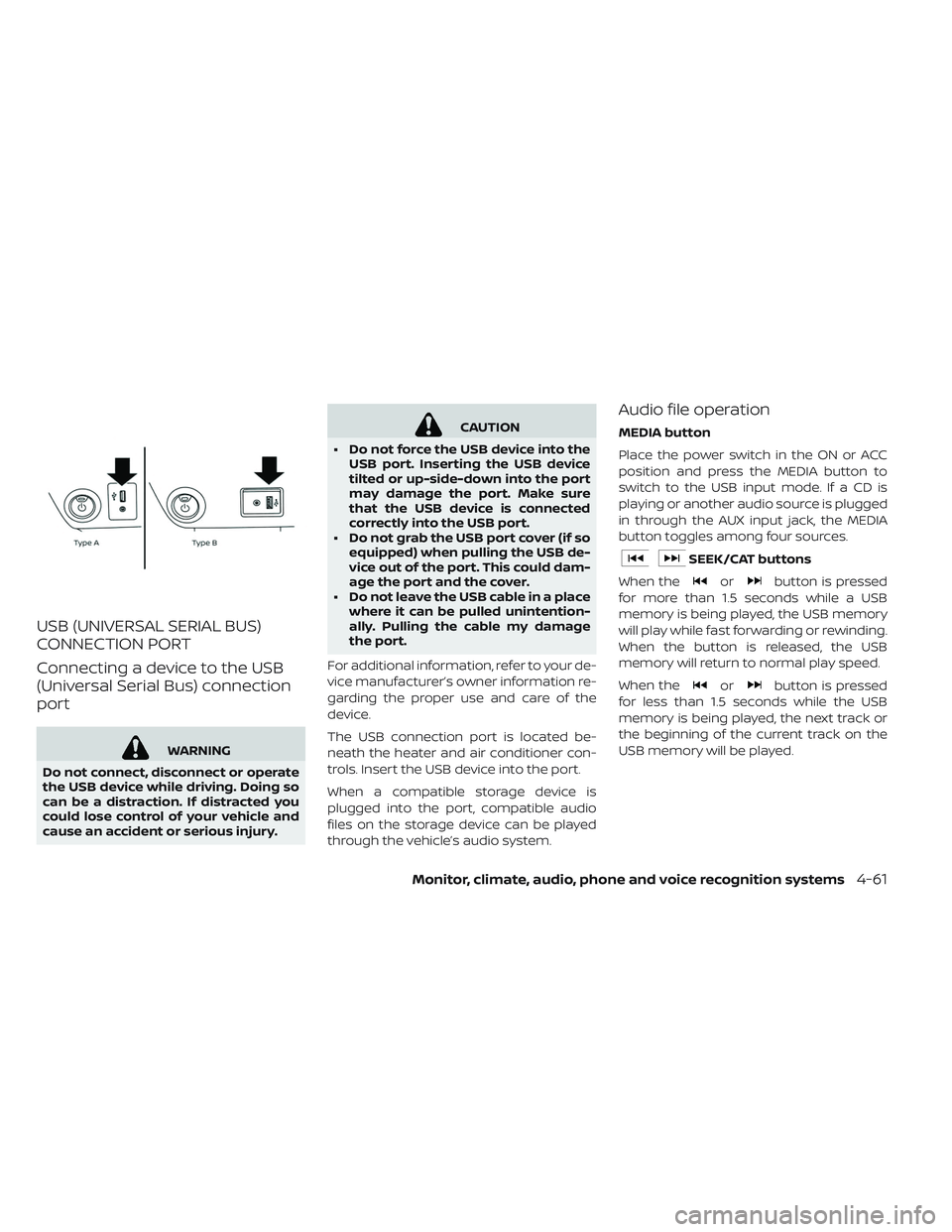
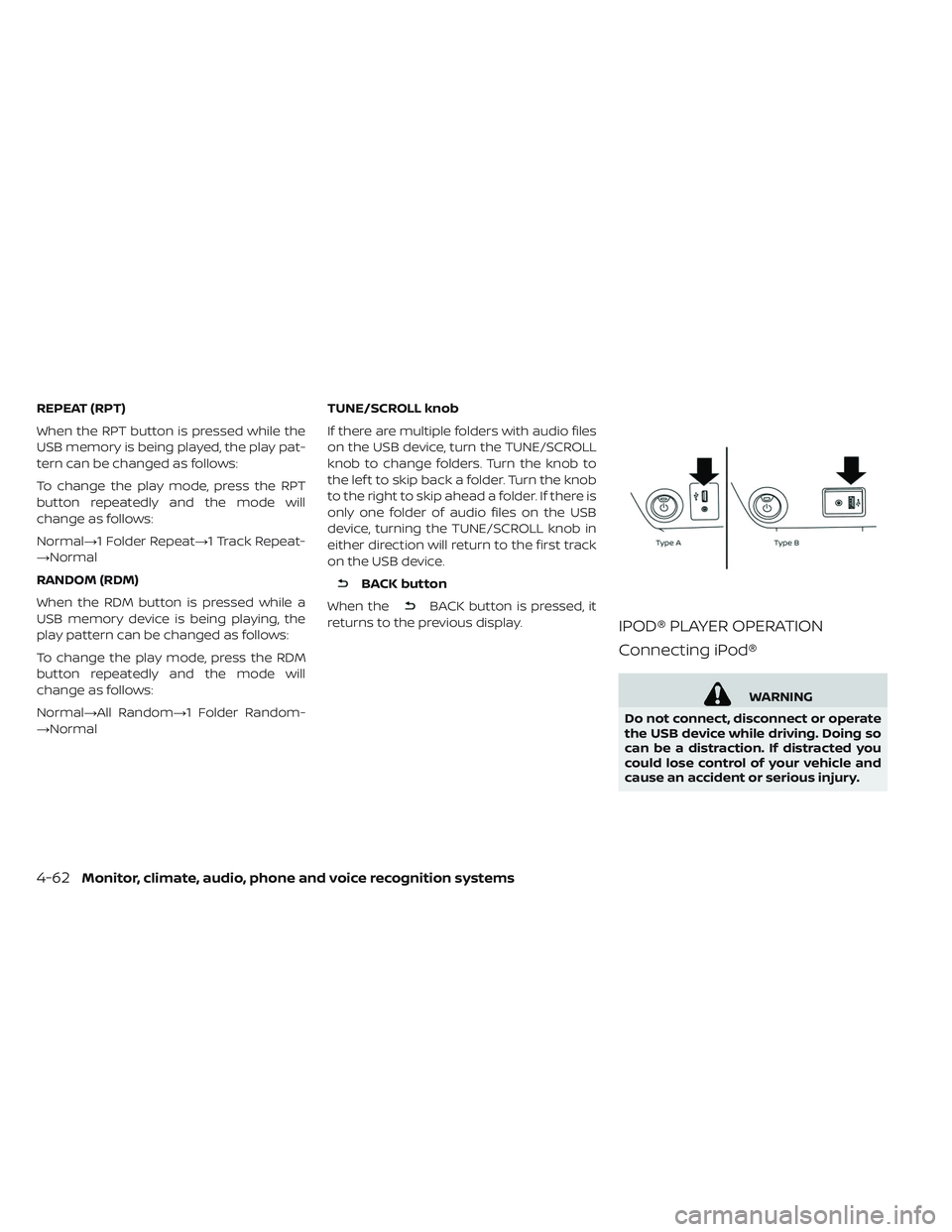
The USB connection port is located be-
neath the heater and air conditioner con-
trols. Insert the USB device into the port.
When a compatible storage device is
plugged into the port, compatible audio
files on the storage device can be played
through the vehicle’s audio system.
Audio file operation
MEDIA button
Place the power switch in the ON or ACC
position and press the MEDIA button to
switch to the USB input mode. If a CD is
playing or another audio source is plugged
in through the AUX input jack, the MEDIA
button toggles among four sources.
SEEK/CAT buttons
When the
orbutton is pressed
for more than 1.5 seconds while a USB
memory is being played, the USB memory
will play while fast forwarding or rewinding.
When the button is released, the USB
memory will return to normal play speed.
When the
orbutton is pressed
for less than 1.5 seconds while the USB
memory is being played, the next track or
the beginning of the current track on the
USB memory will be played.
Monitor, climate, audio, phone and voice recognition systems4-61
Page 341 of 610
REPEAT (RPT)
When the RPT button is pressed while the
USB memory is being played, the play pat-
tern can be changed as follows:
To change the play mode, press the RPT
button repeatedly and the mode will
change as follows:
Normal→1 Folder Repeat→1 Track Repeat-
→Normal
RANDOM (RDM)
When the RDM button is pressed while a
USB memory device is being playing, the
play pattern can be changed as follows:
To change the play mode, press the RDM
button repeatedly and the mode will
change as follows:
Normal→All Random→1 Folder Random-
→NormalTUNE/SCROLL knob
If there are multiple folders with audio files
on the USB device, turn the TUNE/SCROLL
knob to change folders. Turn the knob to
the lef t to skip back a folder. Turn the knob
to the right to skip ahead a folder. If there is
only one folder of audio files on the USB
device, turning the TUNE/SCROLL knob in
either direction will return to the first track
on the USB device.
BACK button
When the
BACK button is pressed, it
returns to the previous display.
IPOD® PLAYER OPERATION
Connecting iPod®
WARNING
Do not connect, disconnect or operate
the USB device while driving. Doing so
can be a distraction. If distracted you
could lose control of your vehicle and
cause an accident or serious injury.
4-62Monitor, climate, audio, phone and voice recognition systems
Page 347 of 610
When installing a CB, ham radio or car
phone in your vehicle, be sure to observe
the following precautions; otherwise, the
new equipment may adversely affect the
EV control system and other electronic
parts.
WARNING
• A cellular phone should not be used for any purpose while driving so full
attention may be given to vehicle
operation. Some jurisdictions pro-
hibit the use of cellular phones while
driving.
• If you must make a call while your vehicle is in motion, the hands free
cellular phone operational mode is
highly recommended. Exercise ex-
treme caution at all times so full at-
tention may be given to vehicle op-
eration.
• If you are unable to devote full at- tention to vehicle operation while
talking on the phone, pull off the
road to a safe location and stop your
vehicle.
CAUTION
• Keep the antenna as far away as possible from the electronic control
modules.
• Keep the antenna wire more than 8 in (20 cm) away from the electronic
control system harnesses. Do not
route the antenna wire next to any
harness.
• Adjust the antenna standing-wave ratio as recommended by the manu-
facturer.
• Connect the ground wire from the CB radio chassis to the body.
• For additional information, it is rec- ommended that you visit a NISSAN
certified LEAF dealer.
WARNING
• Use a phone af ter stopping your ve- hicle in a safe location. If you have to
use a phone while driving, exercise
extreme caution at all times so full
attention may be given to vehicle
operation.
• If you are unable to devote full at- tention to vehicle operation while
talking on the phone, pull off the
road to a safe location and stop your
vehicle.
CAUTION
To avoid draining the vehicle battery,
use a phone af ter the READY to drive
indicator light is on.
CAR PHONE OR CB RADIO BLUETOOTH® HANDS-FREE PHONE
SYSTEM WITHOUT NAVIGATION
SYSTEM (FOR MODELS WITHOUT
NISSANCONNECT® SYSTEM)
4-68Monitor, climate, audio, phone and voice recognition systems
Page 355 of 610
TEXT MESSAGING (IF SO
EQUIPPED)
WARNING
• Laws in some jurisdictions may re- strict the use of “Text-to-Speech”.
Check local regulations before using
this feature.
• Laws in some jurisdictions may re- strict the use of some of the applica-
tions and features, such as social
networking and texting. Check local
regulations for any requirements.
• Use the text messaging feature af- ter stopping your vehicle in a safe
location. If you have to use the fea-
ture while driving, exercise extreme
caution at all times so full attention
may be given to vehicle operation.
• If you are unable to devote full at- tention to vehicle operation while
using the text messaging feature,
pull off the road to a safe location
and stop your vehicle.
NOTE:
Many phones may require special per-
mission to enable text messaging.
Check the phone’s screen during
Bluetooth® pairing. For some phones,
you may need to enable ‘Notifications’
in the phone’s Bluetooth® menu for text
messages to appear on the head unit.
Please consult your phone’s Owner’s
Manual. Text message integration re-
quires that the phone support MAP
(Message Access Profile) for both re-
ceiving and sending text messages.
Some phones may not support all text
messaging features. For additional in-
formation about compatibility, please
visit www.nissanusa.com/bluetooth or
www.nissan.ca/bluetooth, as well as
your device’s Owner’s Manual.
The system allows for the sending and re-
ceiving of text messages through the ve-
hicle interface. Sending a text message:
1. Press the
button on the steering
wheel.
2. Say “Phone” af ter the tone.
3. Say “Send Text” af ter the tone.
4. The system will provide a list of available commands in order to determine the
recipient of the text message. Choose
from the following:
• (a name)
• Missed Calls
• Incoming Calls
• Outgoing Calls
For additional information, refer to
“Voice commands” in this section.
5. Once a recipient is chosen, the system prompts for which message to send.
Five predefined messages are available.
To choose one of the predefined mes-
sages, speak one of the following af ter
the tone:
• “Driving, can’t text”
• “Call me”
• “On my way ”
• “Running late”
4-76Monitor, climate, audio, phone and voice recognition systems
Page 360 of 610
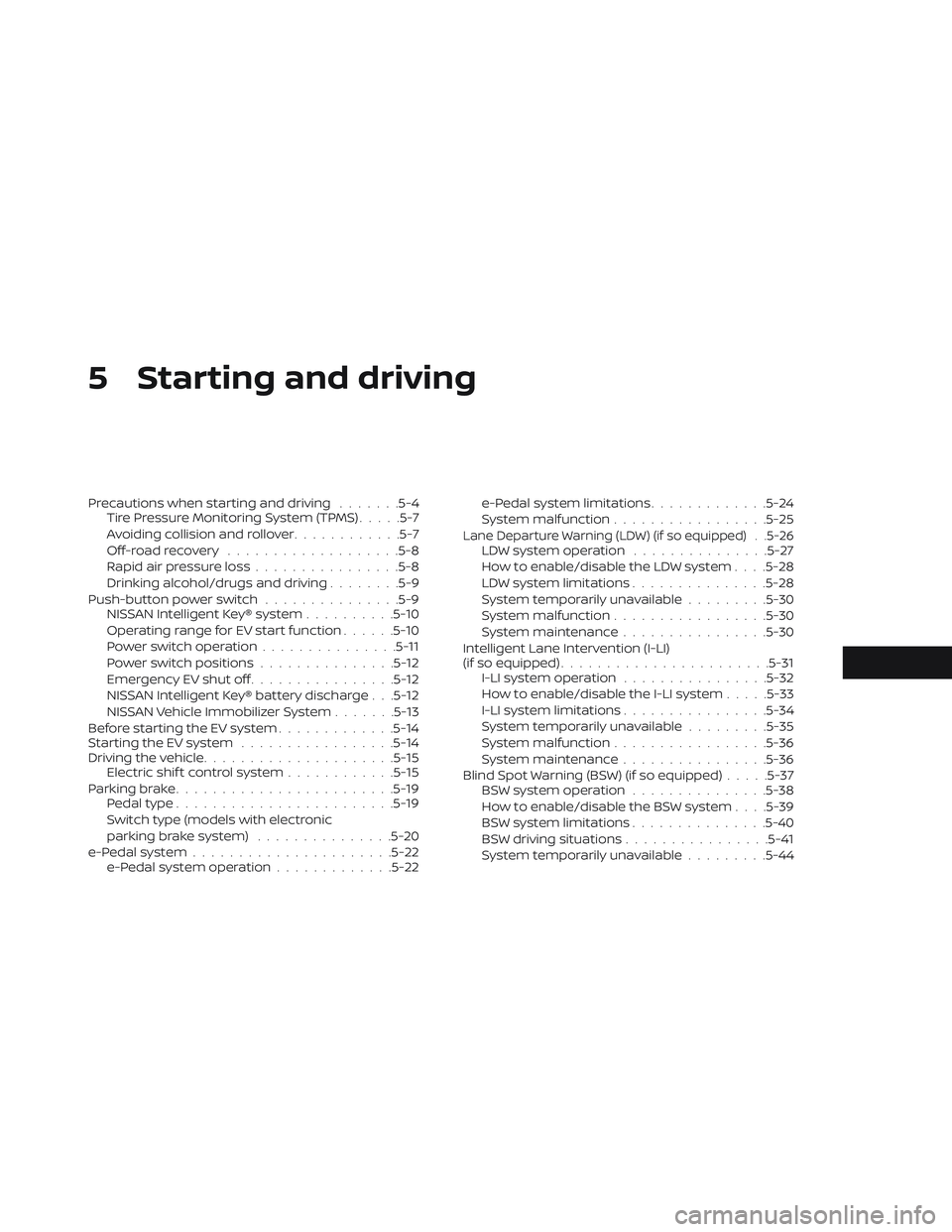
5 Starting and driving
Precautions when starting and driving.......5-4
Tire Pressure Monitoring System (TPMS) .....5-7
Avoiding collision and rollover ............5-7
Off-roadrecovery ...................5-8
Rapid air pressure loss ................5-8
Drinking alcohol/drugs and driving ........5-9
Push-button power switch ...............5-9
NISSAN Intelligent Key® system ..........5-10
Operating range for EV start function ......5-10
Power switch operation ...............5-11
Power switch positions ...............5-12
Emergency EV shut off ................5-12
NISSAN Intelligent Key® battery discharge . . .5-12
NISSAN Vehicle Immobilizer System .......5-13
Before starting the EV system .............5-14
Starting the EV system .................5-14
Driving the vehicle .................... .5-15
Electric shif t control system ............5-15
Parking brake ........................5-19
Pedal type ........................5-19
Switch type (models with electronic
parking brake system) ...............5-20
e-Pedal system ......................5-22
e-Pedal system operation .............5-22 e-Pedal system limitations
.............5-24
System malfunction ................ .5-25
Lane Departure Warning (LDW) (if so equipped) . .5-26LDW system operation ...............5-27
How to enable/disable the LDW system . . . .5-28
LDW system limitations ...............5-28
System temporarily unavailable .........5-30
System malfunction ................ .5-30
System maintenance ................5-30
Intelligent Lane Intervention (I-LI)
(if so equipped) .......................5-31
I-LI system operation ................5-32
How to enable/disable the I-LI system .....5-33
I-LI system limitations ................5-34
System temporarily unavailable .........5-35
System malfunction ................ .5-36
System maintenance ................5-36
Blind Spot Warning (BSW) (if so equipped) .....5-37
BSW system operation ...............5-38
How to enable/disable the BSW system . . . .5-39
BSW system limitations ...............5-40
BSW driving situations ................5-41
System temporarily unavailable .........5-44
Page 362 of 610
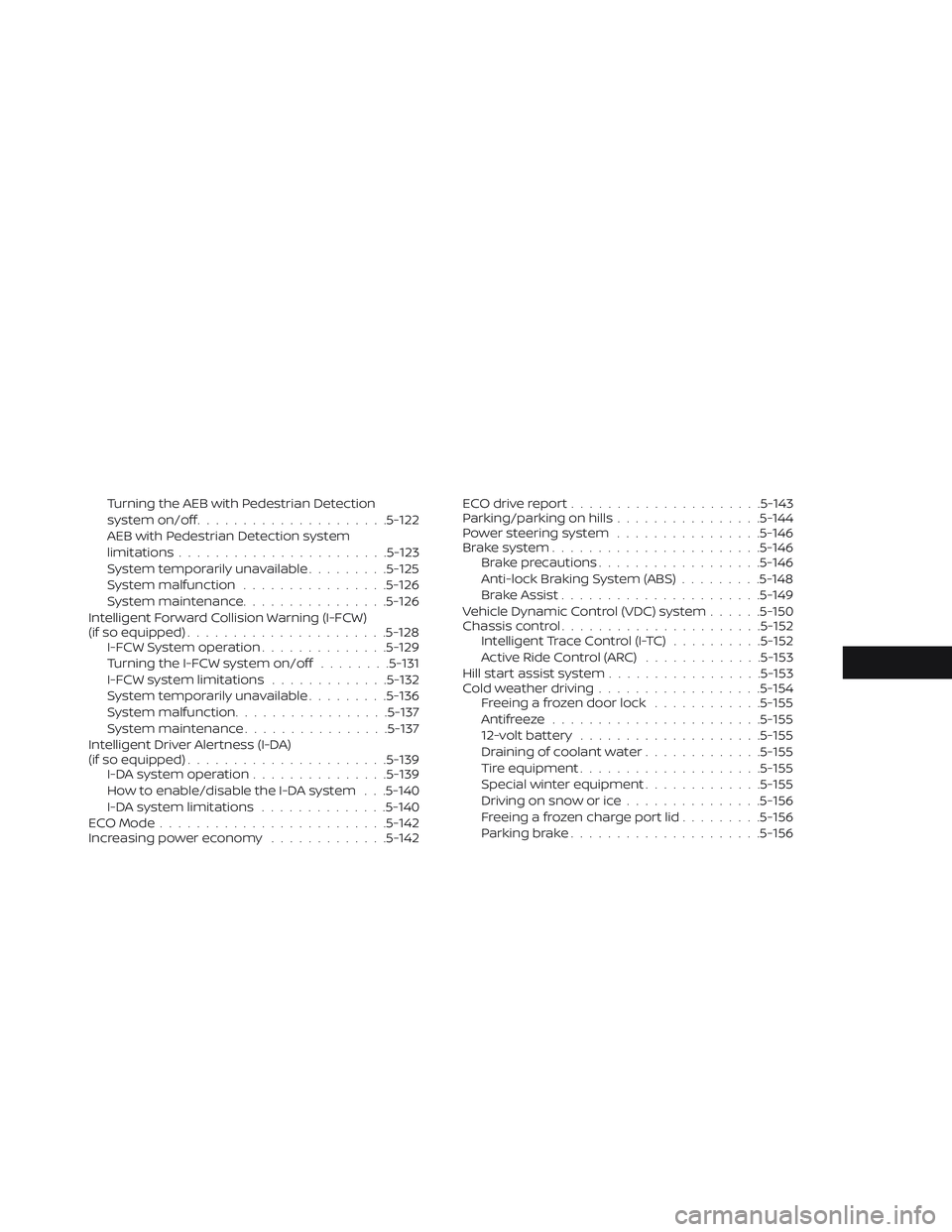
Turning the AEB with Pedestrian Detection
system on/off.................... .5-122
AEB with Pedestrian Detection system
limitations .......................5-123
System temporarily unavailable .........5-125
System malfunction ................5-126
System maintenance ................5-126
Intelligent Forward Collision Warning (I-FCW)
(if so equipped) ......................5-128
I-FCW System operation ..............5-129
Turning the I-FCW system on/off ........5-131
I-FCW system limitations .............5-132
System temporarily unavailable .........5-136
System malfunction ................ .5-137
System maintenance ................5-137
Intelligent Driver Alertness (I-DA)
(if so equipped) ......................5-139
I-DA system operation ...............5-139
How to enable/disable the I-DA system . . .5-140
I-DA system limitations ..............5-140
ECO Mode .........................5-142
Increasing power economy .............5-142 ECO drive report
.................... .5-143
Parking/parking on hills ................5-144
Power steering system ................5-146
Brake system .......................5-146
Brake precautions ................. .5-146
Anti-lock Braking System (ABS) .........5-148
Brake Assist ......................5-149
Vehicle Dynamic Control (VDC) system ......5-150
Chassis control ......................5-152
Intelligent Trace Control (I-TC) ..........5-152
Active Ride Control (ARC) .............5-153
Hill start assist system ................ .5-153
Cold weather driving ................. .5-154
Freeing a frozen door lock ............5-155
Antifreeze .......................5-155
12-volt battery ................... .5-155
Dr aining
of coolant water .............5-155
Tire equipment ................... .5-155
Special winter equipment .............5-155
Driving on snow or ice ...............5-156
Freeing a frozen charge port lid .........5-156
Parking brake .................... .5-156
Page 363 of 610
WARNING
• Do not leave children or adults who would normally require the support
of others alone in your vehicle. Pets
should not be lef t alone either. They
could accidentally injure themselves
or others through inadvertent op-
eration of the vehicle. Also, on hot,
sunny days, temperatures in a
closed vehicle could quickly become
high enough to cause severe or pos-
sibly fatal injuries to people or ani-
mals.
• Properly secure all cargo with ropes or straps to help prevent it from slid-
ing or shif ting. Do not place cargo
higher than the seatbacks. In a sud-
den stop or collision, unsecured
cargo could cause personal injury.
TIRE PRESSURE MONITORING
SYSTEM (TPMS)
Each tire, including the spare (if provided),
should be checked monthly when cold and
inflated to the inflation pressure recom-
mended by the vehicle manufacturer on
the vehicle placard or tire inflation pressure
label. (If your vehicle has tires of a different size than the size indicated on the vehicle
placard or tire inflation pressure label, you
should determine the proper tire inflation
pressure for those tires.)
As an added safety feature, your vehicle
has been equipped with a Tire Pressure
Monitoring System (TPMS) that illuminates
a low tire pressure telltale when one or
more of your tires is significantly under-
inflated. Accordingly, when the low tire
pressure telltale illuminates, you should
stop and check your tires as soon as pos-
sible, and inflate them to the proper pres-
sure. Driving on a significantly under-
inflated tire causes the tire to overheat and
can lead to tire failure. Under-inflation also
reduces power efficiency and tire tread life,
and may affect the vehicle’s handling and
stopping ability.
Please note that the TPMS is not a substi-
tute for proper tire maintenance, and it is
the driver’s responsibility to maintain cor-
rect tire pressure, even if under-inflation
has not reached the level to trigger illumi-
nation of the TPMS low tire pressure telltale.
Your vehicle has also been equipped with a
TPMS malfunction indicator to indicatewhen the system is not operating properly.
The TPMS malfunction indicator is com-
bined with the low tire pressure telltale.
When the system detects a malfunction,
the telltale will flash for approximately one
minute and then remain continuously illu-
minated. This sequence will continue upon
subsequent vehicle start-ups as long as
the malfunction exists. When the malfunc-
tion indicator is illuminated, the system
may not be able to detect or signal low tire
pressure as intended. TPMS malfunctions
may occur for a variety of reasons, includ-
ing the installation of replacement or alter-
nate tires or wheels on the vehicle that
prevent the TPMS from functioning prop-
erly. Always check the TPMS malfunction
telltale af ter replacing one or more tires or
wheels on your vehicle to ensure that the
replacement or alternate tires and wheels
allow the TPMS to continue to function
properly.
Additional information
• When replacing a wheel without the TPMS
such as the spare tire, the TPMS does not
monitor the tire pressure of the spare tire.
PRECAUTIONS WHEN STARTING AND
DRIVING
5-4Starting and driving
Page 364 of 610
• The TPMS will activate only when the ve-hicle is driven at speeds above 16 mph
(25 km/h). Also, this system may not de-
tect a sudden drop in tire pressure (for
example, a flat tire while driving).
• The low tire pressure warning light does not automatically turn off when the tire
pressure is adjusted. Af ter the tire is in-
flated to the recommended pressure, the
vehicle must be driven at speeds above
16 mph (25 km/h) to activate the TPMS
and turn off the low tire pressure warning
light. Use a tire pressure gauge to check
the tire pressure.
• The “Tire Pressure Low - Add Air” warning also appears on the vehicle information
display when the low tire pressure warn-
ing light is illuminated and low tire pres-
sure is detected. The “Tire Pressure Low -
Add Air” warning turns off when the low
tire pressure warning light turns off.
• The “Tire Pressure Low - Add Air” warning appears each time the power switch is
placed in the ON position as long as the
low tire pressure warning light remains
illuminated. • The “Tire Pressure Low - Add Air” warning
does not appear if the low tire pressure
warning light illuminates to indicate a
TPMS malfunction.
• Tire pressure rises and falls depending on the heat caused by operation of the ve-
hicle and the outside temperature. Do not
reduce the tire pressure af ter driving be-
cause the tire pressure rises af ter driving.
Low outside temperature can lower the
temperature of the air inside the tire,
which can cause a lower tire inflation
pressure. This may cause the low tire
pressure warning light to illuminate. If the
warning light illuminates in low ambient
temperature, check the tire pressure for all
four tires.
• The pressure of all tires can also be checked on the display screen. The order
of the tire pressure figures displayed on
the screen does not correspond with the
actual order of the tire position.
For additional information, refer to “Low tire
pressure warning light” in the “Instruments
and controls” section and “Tire Pressure
Monitoring System (TPMS)” in the “In case of
emergency” section of this manual.
WARNING
• Radio waves could adversely affect electric medical equipment. Those
who use a pacemaker should con-
tact the electric medical equipment
manufacturer for the possible influ-
ences before use.
•
If the low tire pressure warning light
illuminates while driving, avoid sud-
den steering maneuvers or abrupt
braking, reduce vehicle speed, pull off
the road to a safe location and stop
the vehicle as soon as possible. Driv-
ing with under-inflated tires may per-
manently damage the tires and in-
crease the likelihood of tire failure.
Serious vehicle damage could occur
and may lead to an accident and
could result in serious personal injury.
Check the tire pressure for all four
tires. Adjust the tire pressure to the
recommended COLD tire pressure
shown on the Tire and Loading Infor-
mation label to turn the low tire pres-
sure warning light off. If the tire is flat,
repair it as soon as possible. (For ad-
ditional information, refer to “Flat tire”
in the “In case of emergency ” section
of this manual.)
Starting and driving5-5