belt NISSAN LEAF 2020 Owner´s Manual
[x] Cancel search | Manufacturer: NISSAN, Model Year: 2020, Model line: LEAF, Model: NISSAN LEAF 2020Pages: 596, PDF Size: 4.33 MB
Page 188 of 596
CHECKING LIGHTS
With all doors closed, apply the parking
brake, fasten the seat belts and place the
power switch for LEAF to the ON position
without starting the EV system. The follow-
ing lights (if so equipped) will come on:
,,or,;
The following lights (if so equipped) come
on briefly and then turn off:
or(yellow),,or
(red),or,,,,
,,,
If any light does not come on or operate in
a way other than described, it may indicate
a burned-out bulb and/or a system mal-
function. Have the system checked. It is
recommended that you visit a NISSAN cer-
tified LEAF dealer for this service.
Some indicators and warnings are also dis-
played on the vehicle information display.
For additional information, refer to “Vehicle
information display” in this section.
WARNING LIGHTS
For additional information, refer to “Vehicle
information display” in this section.
12-volt battery charge
warning light
The DC/DC converter converts 400 volt Li-
ion battery voltage to charge the 12-volt
battery.
This light illuminates continuously af ter the
bulb is checked when the power switch is
in the ON position, and turns off when the
power switch is placed in the READY to
drive position.
When this warning light illuminates, a
chime sounds and the following warnings
are also displayed.
• Master warning (red)
• EV system warning light
The following messages also flash on and
off on the vehicle information display.
If the vehicle is being driven; “Stop the ve-
hicle” and if the vehicle is stopped; “When
parked apply parking brake”. When these
messages flash, immediately stop the ve-
hicle in a safe location, pull the parking
brake switch and push the P (Park) position
switch on the shif t lever to place the vehicle
in the P (Park) position. The warning on the
meter and the chime stops when the park-
ing brake is operated or the vehicle is in the
P (Park) position. Have the system checked.It is recommended that you visit a NISSAN
certified LEAF dealer for this service.CAUTION
• The DC/DC converter system may
not be functioning properly if the 12-
volt battery charge warning light illu-
minates continuously when the
power switch is in the READY to drive
position. Immediately stop the ve-
hicle in a safe location and have the
system checked. It is recommended
that you visit a NISSAN certified LEAF
dealer for this service.
• The DC/DC converter system may
not be functioning properly if the 12-
volt warning light illuminates con-
tinuously when the power switch is in
the READY to drive position. Do not
charge the 12-volt battery while this
warning light is illuminated. It may
lead to a malfunction of the DC/DC
converter system. Have the system
checked. It is recommended that you
visit a NISSAN certified LEAF dealer
for this service.
Instruments and controls2-15
Page 194 of 596
Red master warning light
This light illuminates when a red warning
light within the vehicle information display
is illuminated or when a warning is dis-
played on the vehicle information display.
Power steering
warning light
When the power switch is in the ON posi-
tion, the electric power steering warning
light illuminates and turns off when the
power switch is placed in the READY to
drive position. This indicates the electric
power steering system is operational.
If the electric power steering warning light
illuminates while the READY to drive indica-
tor light is ON, it may indicate the electric
power steering system is not functioning
properly and may need servicing. Have the
electric power steering system checked. It
is recommended that you visit a NISSAN
certified LEAF dealer for this service.
When the electric power steering warning
light illuminates while the READY to drive
indicator is ON, the power assist to the
steering will cease operation but you will
still have control of the vehicle. At this time,
greater steering efforts are required to op-erate the steering wheel, especially in
sharp turns and at low speeds.
For additional information, refer to “Power
steering system” in the “Starting and driv-
ing” section of this manual.
Rear Automatic Braking
(RAB) warning light
This light comes on when the power switch
is placed in the ON position. It turns off af ter
the EV system is started.
This light illuminates when the RAB system
is turned off in the vehicle information dis-
play.
If the light illuminates when the RAB sys-
tem is on, it may indicate that the system is
unavailable. For additional information, re-
fer to “Rear Automatic Braking (RAB)” in the
“Starting and driving” section of this
manual.
Seat belt
warning light
The light and chime remind you to fasten
your seat belts. The light illuminates when-
ever the power switch is placed in the ON
position, and will remain illuminated until
the driver’s seat belt is fastened. At thesame time, the chime will sound for ap-
proximately 6 seconds unless the driver’s
seat belt is securely fastened.
The seat belt warning light for the front
passenger will illuminate if the seat belt is
not fastened when the front passenger’s
seat is occupied. The front passenger seat
belt warning light does not activate until 5
seconds af ter the power switch is in the ON
position.
For additional information, refer to “Seat
belts” in the “Safety — Seats, seat belts and
supplemental restraint system” section of
this manual for precautions on seat belt
usage.
Supplemental air bag
warning light
Af ter turning the power switch to the ON
position, the supplemental air bag warning
light will illuminate. The supplemental air
bag warning light will turn off af ter about 7
seconds if the supplemental front air bag
and supplemental side air bag, curtain
side-impact air bag systems and/or pre-
tensioner seat belt are operational.
If any of the following conditions occur, the
front air bag, side air bag, curtain air bag
and pretensioner systems need servicing
Instruments and controls2-21
Page 195 of 596
and your vehicle must be taken to your
nearest NISSAN certified LEAF dealer.
• The supplemental air bag warning lightremains on af ter approximately 7 sec-
onds.
• The supplemental air bag warning light flashes intermittently.
• The supplemental air bag warning light does not illuminate at all.
Unless checked and repaired, the Supple-
mental Restraint Systems and/or the pre-
tensioners may not function properly.
For additional information, refer to “Supple-
mental restraint system (SRS)” in the “Safety
— Seats, seat belts and supplemental re-
straint system” section of this manual.
WARNING
If the supplemental air bag warning
light is on, it could mean that the front
air bag, side air bag, curtain air bag
and/or pretensioner systems will not
operate in an accident. To help avoid
injury to yourself or others, have your
vehicle checked. It is recommended
that you visit a NISSAN certified LEAF
dealer as soon as possible for this ser-
vice.
INDICATOR LIGHTS
For additional information, refer to “Vehicle
information display” in this section.
orElectronic parking
brake indicator
light
When the power switch is placed in the ON
position, the light comes on when the park-
ing brake is applied.
Exterior light
indicator light
This indicator illuminates when the head-
light switch is turned to the AUTO,orposition and the front parking lights,
side marker lights, tail and license plate
lights are on. The indicator turns off when
these lights are turned off.
Front fog light indicator
light (if so equipped)
The front fog indicator light illuminates
when the front fog lights are on. For addi-
tional information, refer to “Fog light switch”
in this section.
Front passenger air bag
status light
The front passenger air bag status light
(located on the center of the instrument
panel) will be lit and the passenger front air
bag and passenger knee airbag will be
turned off depending on how the front pas-
senger seat is being used.
For front passenger air bag status light op-
eration, refer to “NISSAN Advanced Air Bag
System (front seats)” in the “Safety — Seats,
seat belts and supplemental restraint sys-
tem” section of this manual.
High Beam Assist indicator
light
The indicator light illuminates when the
headlights come on while the headlight
switch is in the AUTO position with the high
beam selected. This indicates that the high
beam assist system is operational. For ad-
ditional information, refer to “Headlight
beam select” in this section.
High beam indicator light
(blue)
This light illuminates when the headlight
high beam is on and goes out when the low
beam is selected.
2-22Instruments and controls
Page 198 of 596
Key reminder chime
A chime will sound if the driver's side door is
opened while the power switch is pushed
to the ON or ACC position.
Make sure that the power switch is pushed
to the OFF position, and take the Intelligent
Key with you when leaving the vehicle.
Light reminder chime
The light reminder chime will sound when
the driver side door is opened with the light
switch in the
orposition, and
the power switch is in the ACC, OFF or LOCK
position.
Turn the light switch off when you leave the
vehicle.
Parking brake reminder chime
A chime sounds if the parking brake is set
and the vehicle is driven. The chime will
stop if the parking brake is released or the
vehicle speed returns to zero.
Power switch reminder chime
The power switch reminder chime will
sound when the driver's door is opened
while the power switch is in the ON or READY to drive position. Push the power
switch to the OFF position.
Seat belt warning chime
The seat belt warning chime will sound for
about 6 seconds unless the driver’s seat
belt is securely fastened.
12-volt battery charge
warning chime
If the 12-volt battery charge warning light
illuminates, the chime will sound when a
warning message is displayed in the ve-
hicle information display.
When the chime sounds, immediately stop
the vehicle in a safe location and push the P
(Park) position switch on the shif t lever and
apply the parking brake. The 12-volt battery
charge warning light turns off and the
chime will stop when the parking brake is
applied or the vehicle is placed in the P
(Park) position. Have the system checked. It
is recommended that you visit a NISSAN
certified LEAF dealer for this service. For
additional information, refer to “12-volt bat-
tery charge warning light” in this section.
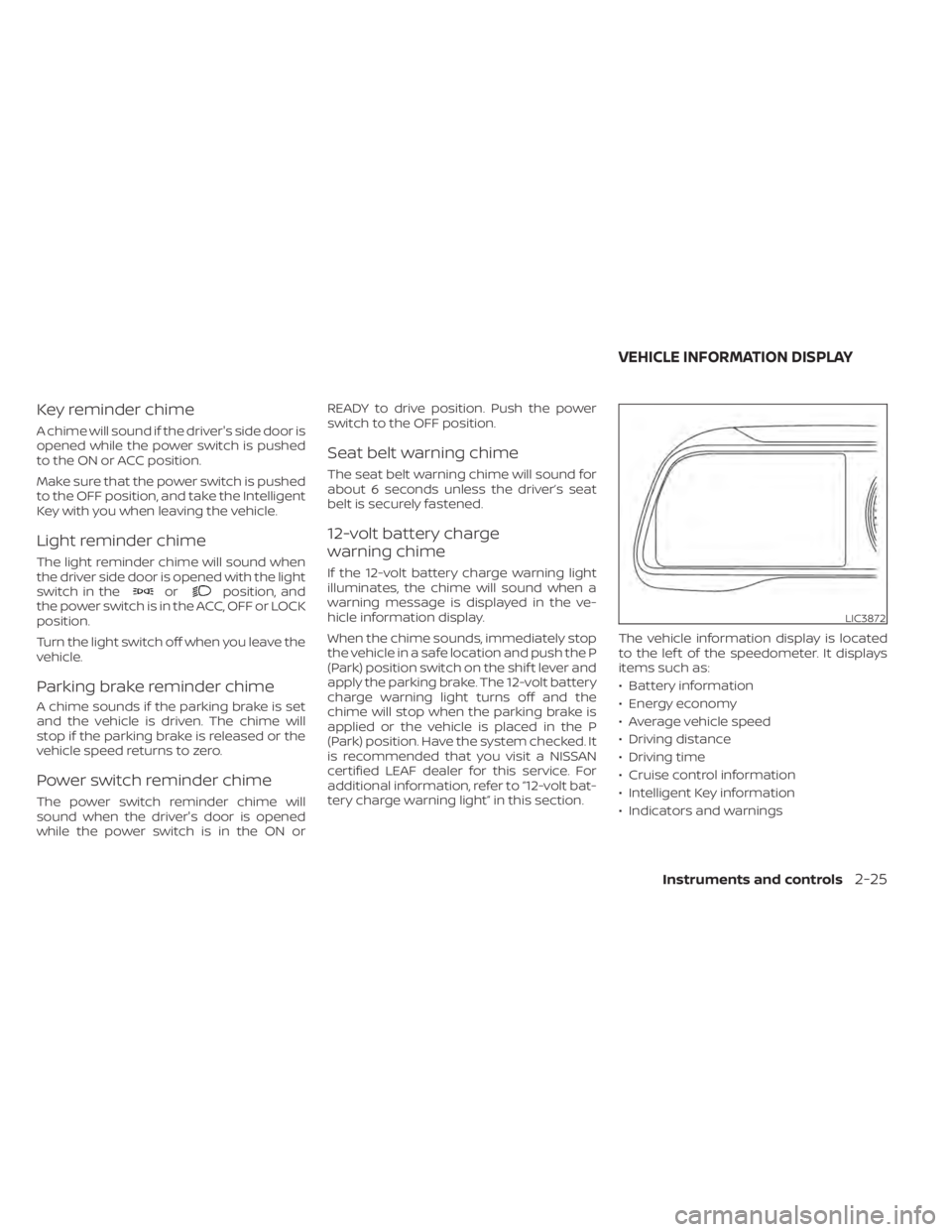
The vehicle information display is located
to the lef t of the speedometer. It displays
items such as:
• Battery information
• Energy economy
• Average vehicle speed
• Driving distance
• Driving time
• Cruise control information
• Intelligent Key information
• Indicators and warnings
LIC3872
VEHICLE INFORMATION DISPLAY
Instruments and controls2-25
Page 207 of 596

1. Push brake and power switch to drive
2. No Key Detected
3. Key Battery Low
4. EV system operation for discharged In-telligent Key system indicator
5. Door open
6. Low battery charge indicator
7. Driver alert
8. Low outside air temperature
9. Low Washer Fluid (if so equipped)
10. Reminder Turn OFF Headlights
11. Tire Pressure Low — Add Air
12. Cruise control indicator (if so equipped)
13. Intelligent Cruise Control (ICC) indica- tors (if so equipped)
14. Shif t to Park
15. Key System Error: See Owner’s Manual
16. Release Parking Brake
17. ProPILOT Assist (if so equipped)/ Intelligent Lane Intervention (I-LI)/
Intelligent Blind Spot Intervention (I-BSI)
indicator 18. Not Available Seat Belt Not Fastened (if
so equipped)
19. Malfunction: See Owner’s Manual
20. Indicators for maintenance
21. Steering Assist indicator (if so equipped)
22. Steering Assist warning (if so equipped)
23. Not Available Front Radar Blocked
24. Unavailable Side Radar Obstruction
25. Not Available Visibility is Impaired (if so equipped)
26. Not Available Bad Weather (if so equipped)
27. Driver Attention Alert Take a Break? (if so equipped)
28. Driver Attention Alert System Fault (if so equipped)
29. Unavailable High Cabin Temperature
30. Not Available Parking Brake On (if so equipped)
31. Not Available Poor Road Conditions (if so equipped)
32. Currently not available (if so equipped) 33. Not Available System Malfunction
34. Press Brake Pedal (if so equipped)
35. Lane Departure Warning (LDW)
indicator
36. Vehicle ahead detection indicator
37. Shipping Mode On Push Storage Fuse
38. Blind Spot Warning (BSW) indicator
39. Rear Automatic Braking (RAB) system warning indicator
40. Headlight System Error: See Owner’s Manual (if so equipped)
41. When Parked Apply Parking Brake
42. T/M system malfunction Visit dealer
43. Check position of shif t lever
44. Chassis Control System Error: See Owner’s Manual
45. Press brake pedal to operate e-Pedal switch
46. Rear Door Alert is activated
47. Check Rear Seat For All Articles
48. e-Pedal system failure! Press brake pedal to slow or stop (if so equipped)
49. Parking Sensor
2-34Instruments and controls
Page 210 of 596
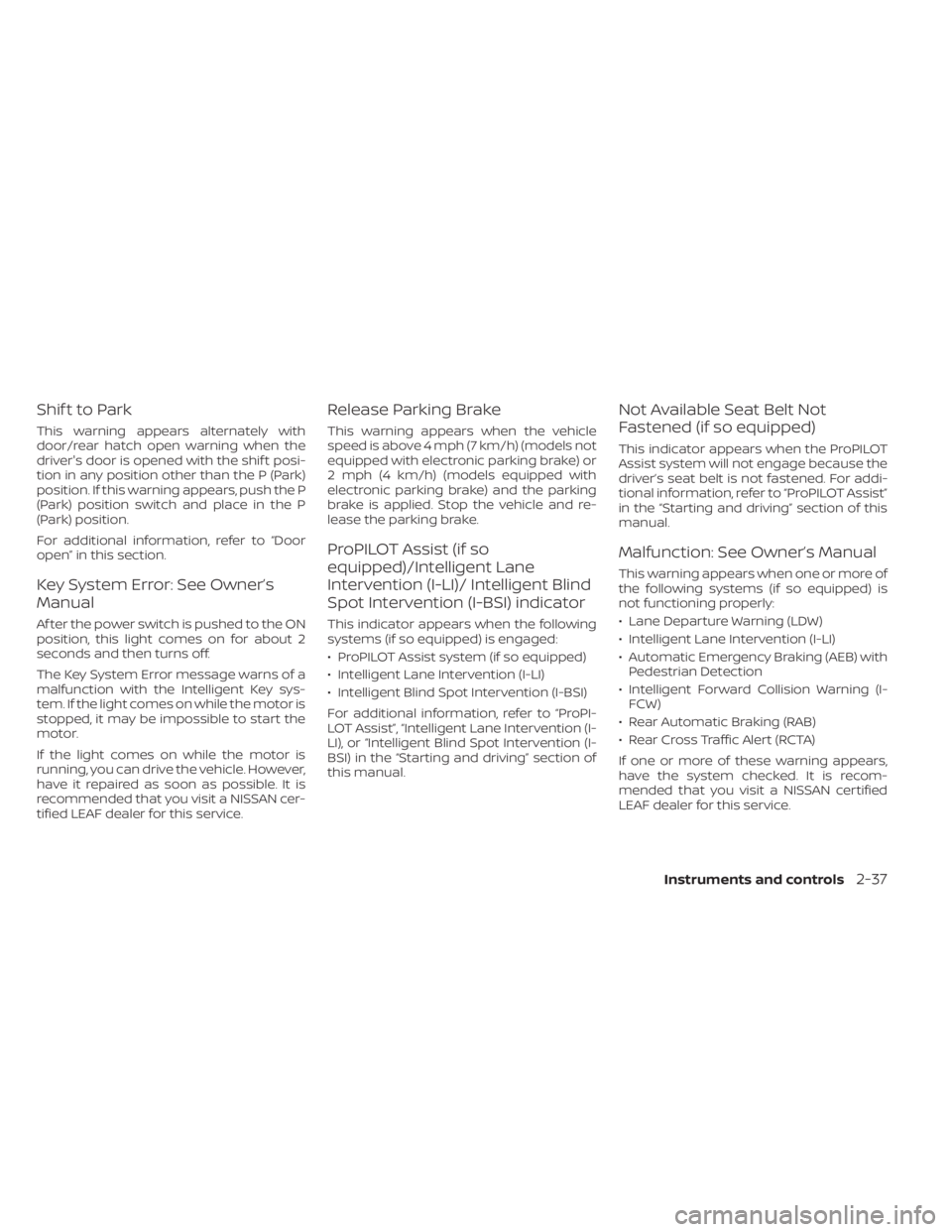
Shif t to Park
This warning appears alternately with
door/rear hatch open warning when the
driver's door is opened with the shif t posi-
tion in any position other than the P (Park)
position. If this warning appears, push the P
(Park) position switch and place in the P
(Park) position.
For additional information, refer to “Door
open” in this section.
Key System Error: See Owner’s
Manual
Af ter the power switch is pushed to the ON
position, this light comes on for about 2
seconds and then turns off.
The Key System Error message warns of a
malfunction with the Intelligent Key sys-
tem. If the light comes on while the motor is
stopped, it may be impossible to start the
motor.
If the light comes on while the motor is
running, you can drive the vehicle. However,
have it repaired as soon as possible. It is
recommended that you visit a NISSAN cer-
tified LEAF dealer for this service.
Release Parking Brake
This warning appears when the vehicle
speed is above 4 mph (7 km/h) (models not
equipped with electronic parking brake) or
2 mph (4 km/h) (models equipped with
electronic parking brake) and the parking
brake is applied. Stop the vehicle and re-
lease the parking brake.
ProPILOT Assist (if so
equipped)/Intelligent Lane
Intervention (I-LI)/ Intelligent Blind
Spot Intervention (I-BSI) indicator
This indicator appears when the following
systems (if so equipped) is engaged:
• ProPILOT Assist system (if so equipped)
• Intelligent Lane Intervention (I-LI)
• Intelligent Blind Spot Intervention (I-BSI)
For additional information, refer to “ProPI-
LOT Assist”, “Intelligent Lane Intervention (I-
LI), or “Intelligent Blind Spot Intervention (I-
BSI) in the “Starting and driving” section of
this manual.
Not Available Seat Belt Not
Fastened (if so equipped)
This indicator appears when the ProPILOT
Assist system will not engage because the
driver’s seat belt is not fastened. For addi-
tional information, refer to “ProPILOT Assist”
in the “Starting and driving” section of this
manual.
Malfunction: See Owner’s Manual
This warning appears when one or more of
the following systems (if so equipped) is
not functioning properly:
• Lane Departure Warning (LDW)
• Intelligent Lane Intervention (I-LI)
• Automatic Emergency Braking (AEB) withPedestrian Detection
• Intelligent Forward Collision Warning (I- FCW)
• Rear Automatic Braking (RAB)
• Rear Cross Traffic Alert (RCTA)
If one or more of these warning appears,
have the system checked. It is recom-
mended that you visit a NISSAN certified
LEAF dealer for this service.
Instruments and controls2-37
Page 253 of 596
the registration process, these compo-
nents will only recognize keys coded into
the NISSAN Vehicle Immobilizer System
during registration. Any key that is not
given to the dealer at the time of registra-
tion will no longer be able to start your
vehicle.
CAUTION
Do not allow the immobilizer system
key, which contains an electrical tran-
sponder, to come into contact with wa-
ter or salt water. This could affect sys-
tem function.
WARNING
• Always have the doors locked while
driving. Along with the use of seat
belts, this provides greater safety in
the event of an accident by helping to
prevent persons from being thrown
from the vehicle. This also helps keep
children and others from uninten-
tionally opening the doors, and will
help keep out intruders.
• Before opening any door, always look
for and avoid oncoming traffic.
•
To help avoid risk of injury or death
through unintended operation of the
vehicle and/or its systems, including
entrapment in windows or inadver-
tent door lock activation, do not leave
children, people who require the assis-
tance of others or pets unattended in
your vehicle. Additionally, the tem-
perature inside a closed vehicle on a
warm day can quickly become high
enough to cause a significant risk of
injury or death to people and pets.
When the doors are locked using one of the
following methods, the doors cannot be
opened using the inside or outside door
handles. The doors must be unlocked to open
the doors.
DOORS
3-4Pre-driving checks and adjustments
Page 272 of 596
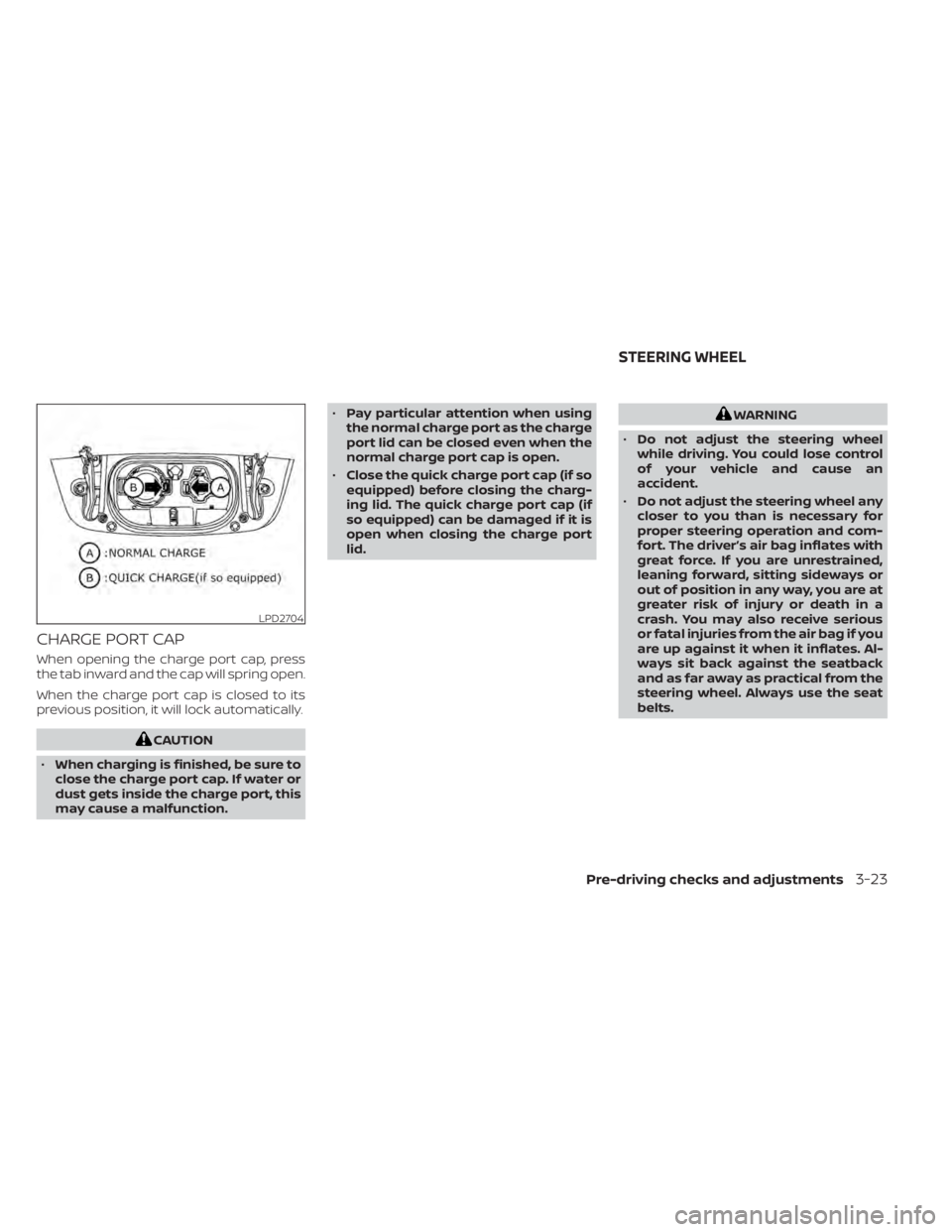
CHARGE PORT CAP
When opening the charge port cap, press
the tab inward and the cap will spring open.
When the charge port cap is closed to its
previous position, it will lock automatically.
CAUTION
• When charging is finished, be sure to
close the charge port cap. If water or
dust gets inside the charge port, this
may cause a malfunction. •
Pay particular attention when using
the normal charge port as the charge
port lid can be closed even when the
normal charge port cap is open.
• Close the quick charge port cap (if so
equipped) before closing the charg-
ing lid. The quick charge port cap (if
so equipped) can be damaged if it is
open when closing the charge port
lid.
WARNING
• Do not adjust the steering wheel
while driving. You could lose control
of your vehicle and cause an
accident.
• Do not adjust the steering wheel any
closer to you than is necessary for
proper steering operation and com-
fort. The driver’s air bag inflates with
great force. If you are unrestrained,
leaning forward, sitting sideways or
out of position in any way, you are at
greater risk of injury or death in a
crash. You may also receive serious
or fatal injuries from the air bag if you
are up against it when it inflates. Al-
ways sit back against the seatback
and as far away as practical from the
steering wheel. Always use the seat
belts.
LPD2704
STEERING WHEEL
Pre-driving checks and adjustments3-23
Page 330 of 596
TPMS with Easy-Fill Tire Alert
When tire pressure is low, the low tire pres-
sure warning light illuminates.
This vehicle provides visual and audible
signals to help you inflate the tires to the
recommended COLD tire pressure.
Vehicle set-up:
1. Park the vehicle in a safe and level place.
2. Apply the parking brake and push the P(Park) position switch on the shif t lever.
3. Place the power switch in the ON posi- tion. Do not place in the READY to drive
mode.
Operation:
1. Add air to the tire.
2. Af ter a few seconds, the hazard indica- tors will start flashing.
3. When the designated pressure is reached, the horn beeps once and the
hazard indicators stop flashing.
4. Perform the above steps for each tire. • If the tire is over-inflated more thanapproximately 4 psi (30 kPa), the horn
beeps and the hazard indicators flash
three times. To correct the pressure,
push the core of the valve stem on the tire briefly to release pressure. When
the pressure reaches the designated
pressure, the horn beeps once.
• If the hazard indicator does not flash within approximately 15 seconds af ter
starting to inflate the tire, it indicates
that the Easy-Fill Tire Alert is not oper-
ating.
• The TPMS will not activate the Easy-Fill Tire Alert under the following condi-
tions:– If there is interference from an exter- nal device or transmitter.
– The air pressure from the inflation device is not sufficient to inflate the
tire, such as those using a power
socket.
– If electrical equipment is being used in or near the vehicle.
– There is a malfunction in the TPMS.
– There is a malfunction in the horn or hazard indicators.
– If the Easy-Fill Tire Alert does not op- erate due to TPMS interference,
move the vehicle about 3 f t (1 m)
backward or forward and try again.
If the Easy-Fill Tire Alert is not working, use a
tire pressure gauge.
AVOIDING COLLISION AND
ROLLOVER
WARNING
Failure to operate this vehicle in a safe
and prudent manner may result in loss
of control or an accident.
Be alert and drive defensively at all times.
Obey all traffic regulations. Avoid excessive
speed, high speed cornering, or sudden
steering maneuvers because these driving
practices could cause you to lose control of
your vehicle. As with any vehicle, a loss of
control could result in a collision with
other vehicles or objects or cause the ve-
hicle to rollover, particularly if the loss of
control causes the vehicle to slide side-
ways. Be attentive at all times, and avoid
driving when tired. Never drive when under
the influence of alcohol or drugs (including
prescription or over-the-counter drugs
which may cause drowsiness). Always
wear your seat belt as outlined in “Seat
belts” in the “Safety — Seats, seat belts and
supplemental restraint system” section of
this manual, and also instruct your passen-
gerstodoso.
Starting and driving5-7
Page 331 of 596
Seat belts help reduce the risk of injury in
collisions and rollovers.In a rollover crash,
an unbelted or improperly belted person
is significantly more likely to be injured
or killed than a person properly wearing
a seat belt.
OFF-ROAD RECOVERY
While driving, the right side or lef t side
wheels may unintentionally leave the road
surface. If this occurs, maintain control of
the vehicle by following the procedure be-
low. Please note that this procedure is only
a general guide. The vehicle must be driven
as appropriate based on the conditions of
the vehicle, road and traffic.
1. Remain calm and do not overreact.
2. Do not apply the brakes.
3. Maintain a firm grip on the steering wheel with both hands and try to hold a
straight course.
4. When appropriate, slowly release the ac- celerator pedal to gradually slow the
vehicle. 5. If there is nothing in the way, steer the
vehicle to follow the road while the ve-
hicle speed is reduced. Do not attempt
to drive the vehicle back onto the road
surface until the vehicle speed is
reduced.
6. When it is safe to do so, gradually turn the steering wheel until both tires return
to the road surface. When all tires are on
the road surface, steer the vehicle to
stay in the appropriate driving lane.
• If you decide that it is not safe to return the vehicle to the road surface based
on vehicle, road or traffic conditions,
gradually slow the vehicle to a stop in
a safe place off the road.
RAPID AIR PRESSURE LOSS
Rapid air pressure loss or a “blow-out” can
occur if the tire is punctured or is damaged
due to hitting a curb or pothole. Rapid air
pressure loss can also be caused by driving
on under-inflated tires.
Rapid air pressure loss can affect the han-
dling and stability of the vehicle, especially
at highway speeds. Help prevent rapid air pressure loss by
maintaining the correct air pressure and
visually inspecting the tires for wear and
damage. For additional information, refer
to “Wheels and tires” in the “Maintenance
and do-it-yourself ” section of this manual.
If a tire rapidly loses air pressure or “blows-
out” while driving, maintain control of the
vehicle by following the procedure below.
Please note that this procedure is only a
general guide. The vehicle must be driven
as appropriate based on the conditions of
the vehicle, road and traffic.
WARNING
The following actions can increase the
chance of losing control of the vehicle if
there is a sudden loss of tire air pressure.
Losing control of the vehicle may cause a
collision and result in personal injury.
•
The vehicle generally moves or pulls
in the direction of the flat tire.
• Do not rapidly apply the brakes.
• Do not rapidly release the accelerator
pedal.
• Do not rapidly turn the steering
wheel.
5-8Starting and driving