light NISSAN LEAF 2021 Owner´s Manual
[x] Cancel search | Manufacturer: NISSAN, Model Year: 2021, Model line: LEAF, Model: NISSAN LEAF 2021Pages: 602, PDF Size: 4.22 MB
Page 200 of 602
The indicator illuminates when a part in the
EV system has malfunctioned. If the indica-
tor illuminates in a situation other than
those described above, or if it does not turn
off, there may be a system malfunction.
Have the system checked. It is recom-
mended that you visit a NISSAN certified
LEAF dealer for this service.
WARNING
Power limitation mode can result in re-
duced power and vehicle speed. The re-
duced speed may be lower than other
traffic, which could increase the chance
of a collision. Be especially careful
when driving. If the vehicle cannot
maintain a safe driving speed, pull to
the side of the road in a safe area.
Charge the Li-ion battery if the charge
is low or allow the Li-ion battery to cool.
NOTE:
You can reduce charging time and keep
the Li-ion battery temperature lower if
you:
• Charge more frequently in smaller amounts, and
• Keep the battery at a higher level of charge.
Power steering
warning light
When the power switch is in the ON posi-
tion, the electric power steering warning
light illuminates and turns off when the
power switch is placed in the READY to
drive position. This indicates the electric
power steering system is operational.
If the electric power steering warning light
illuminates while the READY to drive indica-
tor light is ON, it may indicate the electric
power steering system is not functioning
properly and may need servicing. Have the
electric power steering system checked. It
is recommended that you visit a NISSAN
certified LEAF dealer for this service.
When the electric power steering warning
light illuminates while the READY to drive
indicator is ON, the power assist to the
steering will cease operation but you will
still have control of the vehicle. At this time,
greater steering efforts are required to op-
erate the steering wheel, especially in
sharp turns and at low speeds.
For additional information, see “Power
steering system” (P. 5-156).
Rear Automatic Braking
(RAB) warning light
This light comes on when the power switch
is placed in the ON position. It turns off af ter
the EV system is started.
This light illuminates when the RAB system
is turned off in the vehicle information
display.
If the light illuminates when the RAB sys-
tem is on, it may indicate that the system is
unavailable. For additional information, see
“Rear Automatic Braking (RAB)” (P. 5-132).
Slip indicator light
This indicator light will blink when the VDC
system or the traction control system is
operating, thus alerting that the vehicle is
nearing its traction limits. The road surface
may be slippery.
You may feel or hear the system working;
this is normal. The light will blink for a few
seconds af ter the VDC system stops limit-
ing wheel spin.
The indicator light also comes on when
you place the power switch in the ON
position.
Instruments and controls2-23
Page 201 of 602
The light will turn off af ter approximately 2
seconds if the system is operational. If the
light does not come on, have the system
checked. It is recommended that you visit a
NISSAN certified LEAF dealer for this
service.
Vehicle Dynamic Control
(VDC) OFF indicator light
This light illuminates when the Vehicle Dy-
namic Control (VDC) is turned off in the
vehicle information display. This indicates
that the VDC system is not operating. For
additional information, see “Vehicle Dy-
namic Control (VDC) system” (P. 5-159).
WARNING/INDICATOR LIGHTS
(other)
For additional information, see “Vehicle in-
formation display” (P. 2-26)
Exterior light
indicator light (green)
This indicator illuminates when the head-
light switch is turned to the AUTO,orposition and the front parking lights,
side marker lights, tail and license plate
lights are on. The indicator turns off when
these lights are turned off.
Front fog light indicator
light (green) (if so
equipped)
The front fog indicator light illuminates
when the front fog lights are on. For addi-
tional information, see “Fog light switch”
(P. 2-54).
High Beam Assist indicator
light (green)
The indicator light illuminates when the
headlights come on while the headlight
switch is in the AUTO position with the high
beam selected. This indicates that the high
beam assist system is operational. For ad-
ditional information, see “Headlight beam
select” (P. 2-50).
High beam indicator light
(blue)
This light illuminates when the headlight
high beam is on and goes out when the low
beam is selected.
Plug-in
indicator light (green)
This light illuminates when the charge con-
nector is connected to the vehicle and
blinks during charging.
NOTE:
If the charge connector is connected to
the vehicle, the power switch cannot be
placed in the READY to drive position.
READY to drive
indicator light (green)
The READY to drive indicator light illumi-
nates when the EV system is powered and
the vehicle may be driven.
The READY to drive indicator light will turn
off in the following conditions.
• Certain EV system malfunctions.
• The READY to drive indicator light turns off immediately before the Li-ion battery
is completely discharged. If the Li-ion bat-
tery becomes completely discharged,
the vehicle must be charged in order to
be driven. For additional information, see
“Low battery charge indicator” (P. 2-36).
2-24Instruments and controls
Page 202 of 602
Turn signal/hazard
indicator lights (green)
This light flashes when the turn signal
switch lever or hazard switch is turned on.
AUDIBLE REMINDERS
Brake pad wear warning
The disc brake pads have audible wear
warnings. When a brake pad requires re-
placement, it will make a high-pitched
scraping sound when the vehicle is in mo-
tion. This scraping sound will first occur
only when the brake pedal is depressed.
Af ter more wear of the brake pad, the
sound will always be heard even if the
brake pedal is not depressed. Have the
brakes checked as soon as possible if the
warning sound is heard.
Electric shif t control system
reminder chime
If an improper shif t operation is performed,
for safety reasons a chime will sound and
at the same time, depending on the condi-
tions, the operation will be canceled or the
shif t position will switch to the N (Neutral)
position.For additional information, see “Driving the
vehicle” (P. 5-14).
Key reminder chime
A chime will sound if the driver's side door is
opened while the power switch is pushed
to the ON or ACC position.
Make sure that the power switch is pushed
to the OFF position, and take the Intelligent
Key with you when leaving the vehicle.
Light reminder chime
The light reminder chime will sound when
the driver side door is opened with the light
switch in the
orposition, and
the power switch is in the ACC, OFF or LOCK
position.
Turn the light switch off when you leave the
vehicle.
Parking brake reminder chime
A chime sounds if the parking brake is set
and the vehicle is driven. The chime will
stop if the parking brake is released or the
vehicle speed returns to zero.
Power switch reminder chime
The power switch reminder chime will
sound when the driver's door is opened
while the power switch is in the ON or
READY to drive position. Push the power
switch to the OFF position.
12-volt battery charge
warning chime
If the 12-volt battery charge warning light
illuminates, the chime will sound when a
warning message is displayed in the ve-
hicle information display.
When the chime sounds, immediately stop
the vehicle in a safe location and push the P
(Park) position switch on the shif t lever and
apply the parking brake. The 12-volt battery
charge warning light turns off and the
chime will stop when the parking brake is
applied or the vehicle is placed in the P
(Park) position. Have the system checked. It
is recommended that you visit a NISSAN
certified LEAF dealer for this service. For
additional information, see “12-volt battery
charge warning light” (P. 2-15).
Instruments and controls2-25
Page 208 of 602
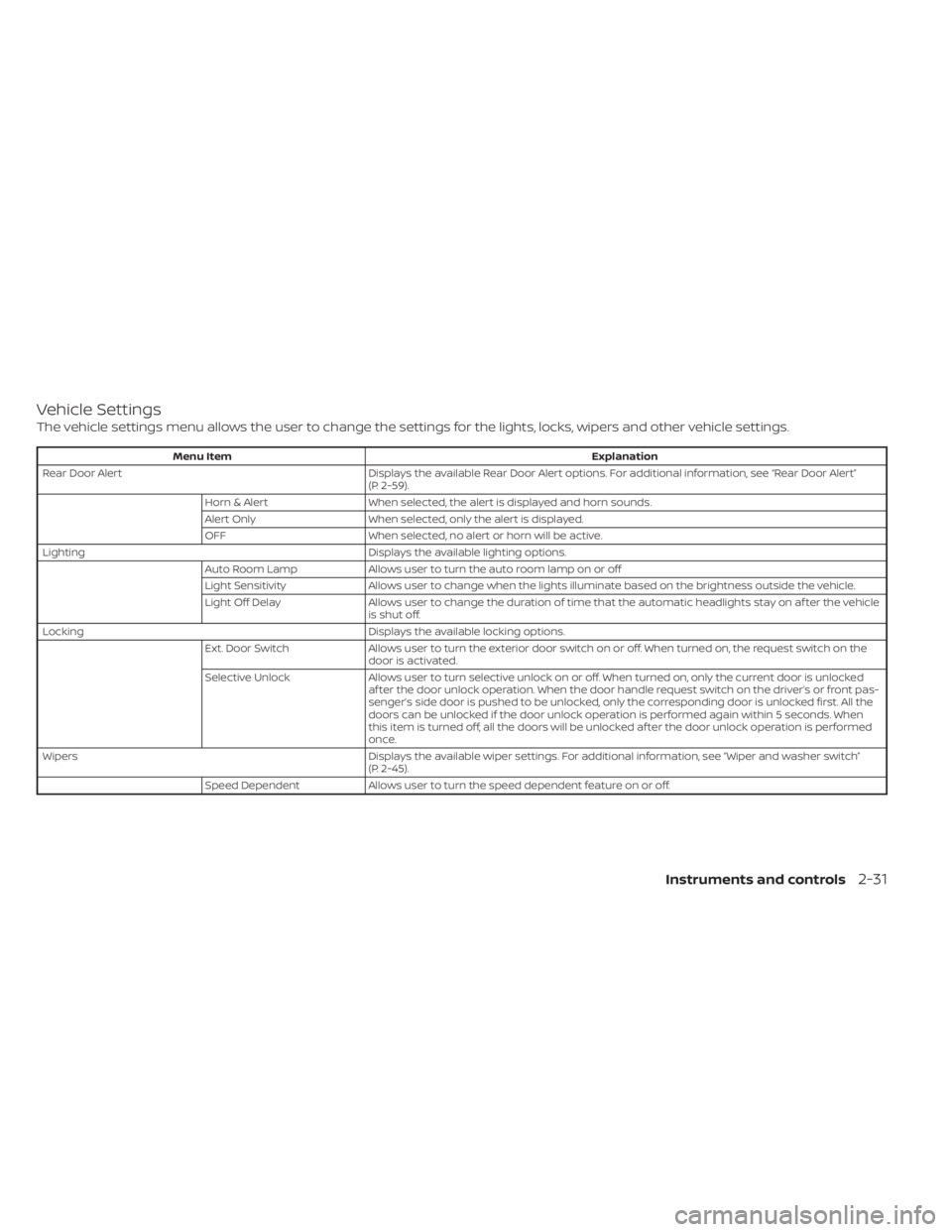
Vehicle Settings
The vehicle settings menu allows the user to change the settings for the lights, locks, wipers and other vehicle settings.
Menu ItemExplanation
Rear Door Alert Displays the available Rear Door Alert options. For additional information, see “Rear Door Alert”
(P. 2-59).
Horn & Alert When selected, the alert is displayed and horn sounds.
Alert Only When selected, only the alert is displayed.
OFF When selected, no alert or horn will be active.
Lighting Displays the available lighting options.
Auto Room Lamp Allows user to turn the auto room lamp on or off
Light Sensitivity Allows user to change when the lights illuminate based on the brightness outside the vehicle.
Light Off Delay Allows user to change the duration of time t hat the automatic headlights stay on af ter the vehicle
is shut off.
Locking Displays the available locking options.
Ext. Door Switch Allows user to turn the exterior door switch on or off. When turned on, the request switch on the
door is activated.
Selective Unlock Allows user to turn selective unlock on or off. When turned on, only the current door is unlocked
af ter the door unlock operation. When the door handle request switch on the driver’s or front pas-
senger’s side door is pushed to be unlocked, only the corresponding door is unlocked first. All the
doors can be unlocked if the door unlock operation is performed again within 5 seconds. When
this item is turned off, all the doors will be unlocked af ter the door unlock operation is performed
once.
Wipers Displays the available wiper settings. For additional information, see “Wiper and washer switch”
(P. 2-45).
Speed Dependent Allows user to turn the speed dependent feature on or off.
Instruments and controls2-31
Page 210 of 602
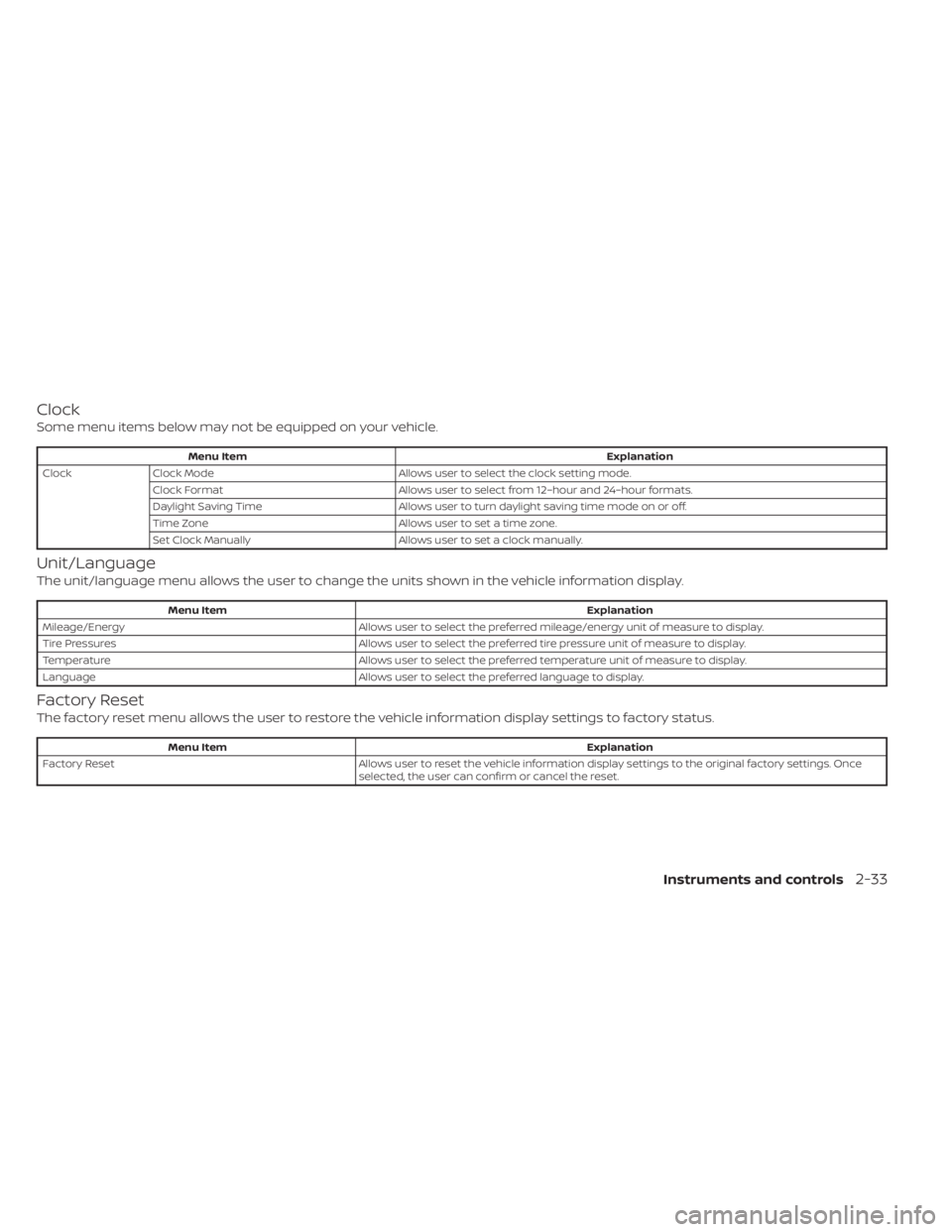
Clock
Some menu items below may not be equipped on your vehicle.
Menu ItemExplanation
Clock Clock Mode Allows user to select the clock setting mode.
Clock Format Allows user to select from 12–hour and 24–hour formats.
Daylight Saving Time Allows user to turn daylight saving time mode on or off.
Time Zone Allows user to set a time zone.
Set Clock Manually Allows user to set a clock manually.
Unit/Language
The unit/language menu allows the user to change the units shown in the vehicle information display.
Menu Item Explanation
Mileage/Energy Allows user to select the preferred mileage/energy unit of measure to display.
Tire Pressures Allows user to select the preferred tire pressure unit of measure to display.
Temperature Allows user to select the preferred temperature unit of measure to display.
Language Allows user to select the preferred language to display.
Factory Reset
The factory reset menu allows the user to restore the vehicle information display settings to factory status.
Menu Item Explanation
Factory Reset Allows user to reset the vehicle information display settings to the original factory settings. Once
selected, the user can confirm or cancel the reset.
Instruments and controls2-33
Page 212 of 602
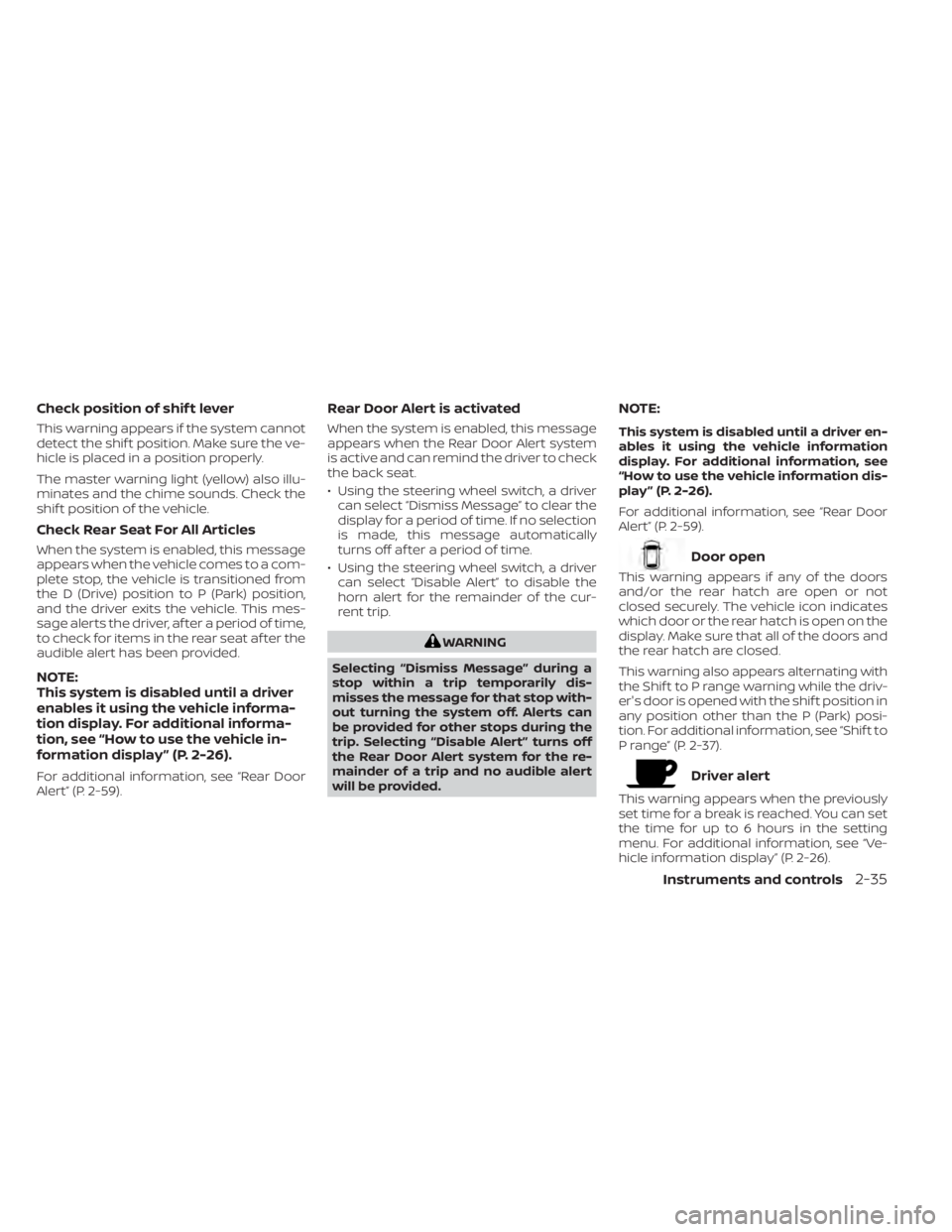
Check position of shif t lever
This warning appears if the system cannot
detect the shif t position. Make sure the ve-
hicle is placed in a position properly.
The master warning light (yellow) also illu-
minates and the chime sounds. Check the
shif t position of the vehicle.
Check Rear Seat For All Articles
When the system is enabled, this message
appears when the vehicle comes to a com-
plete stop, the vehicle is transitioned from
the D (Drive) position to P (Park) position,
and the driver exits the vehicle. This mes-
sage alerts the driver, af ter a period of time,
to check for items in the rear seat af ter the
audible alert has been provided.
NOTE:
This system is disabled until a driver
enables it using the vehicle informa-
tion display. For additional informa-
tion, see “How to use the vehicle in-
formation display ” (P. 2-26).
For additional information, see “Rear Door
Alert” (P. 2-59).
Rear Door Alert is activated
When the system is enabled, this message
appears when the Rear Door Alert system
is active and can remind the driver to check
the back seat.
• Using the steering wheel switch, a drivercan select “Dismiss Message” to clear the
display for a period of time. If no selection
is made, this message automatically
turns off af ter a period of time.
• Using the steering wheel switch, a driver can select “Disable Alert” to disable the
horn alert for the remainder of the cur-
rent trip.
WARNING
Selecting “Dismiss Message” during a
stop within a trip temporarily dis-
misses the message for that stop with-
out turning the system off. Alerts can
be provided for other stops during the
trip. Selecting “Disable Alert” turns off
the Rear Door Alert system for the re-
mainder of a trip and no audible alert
will be provided.
NOTE:
This system is disabled until a driver en-
ables it using the vehicle information
display. For additional information, see
“How to use the vehicle information dis-
play ” (P. 2-26).
For additional information, see “Rear Door
Alert” (P. 2-59).
Door open
This warning appears if any of the doors
and/or the rear hatch are open or not
closed securely. The vehicle icon indicates
which door or the rear hatch is open on the
display. Make sure that all of the doors and
the rear hatch are closed.
This warning also appears alternating with
the Shif t to P range warning while the driv-
er's door is opened with the shif t position in
any position other than the P (Park) posi-
tion. For additional information, see “Shif t to
P range” (P. 2-37).
Driver alert
This warning appears when the previously
set time for a break is reached. You can set
the time for up to 6 hours in the setting
menu. For additional information, see “Ve-
hicle information display” (P. 2-26).
Instruments and controls2-35
Page 213 of 602
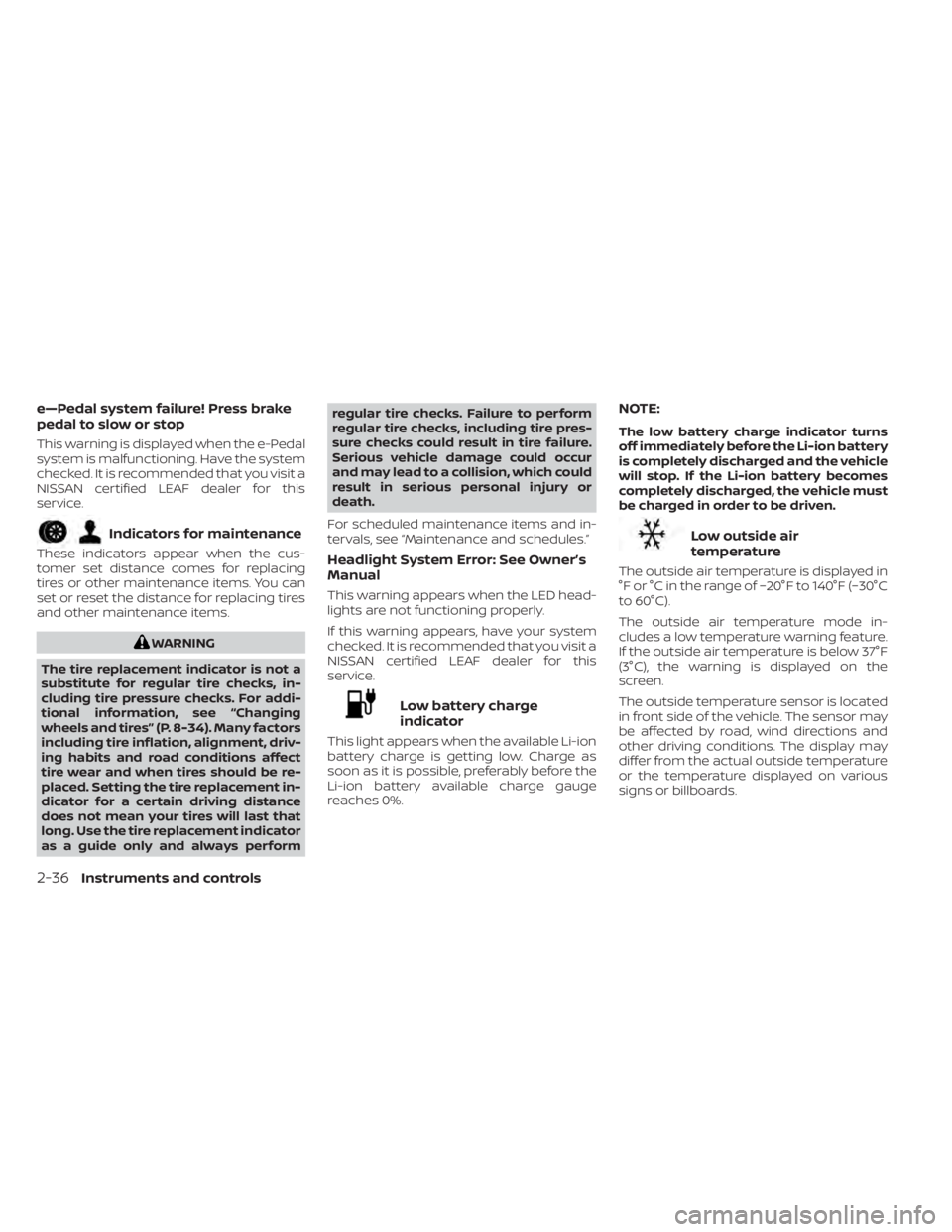
e—Pedal system failure! Press brake
pedal to slow or stop
This warning is displayed when the e-Pedal
system is malfunctioning. Have the system
checked. It is recommended that you visit a
NISSAN certified LEAF dealer for this
service.
Indicators for maintenance
These indicators appear when the cus-
tomer set distance comes for replacing
tires or other maintenance items. You can
set or reset the distance for replacing tires
and other maintenance items.
WARNING
The tire replacement indicator is not a
substitute for regular tire checks, in-
cluding tire pressure checks. For addi-
tional information, see “Changing
wheels and tires” (P. 8-34). Many factors
including tire inflation, alignment, driv-
ing habits and road conditions affect
tire wear and when tires should be re-
placed. Setting the tire replacement in-
dicator for a certain driving distance
does not mean your tires will last that
long. Use the tire replacement indicator
as a guide only and always perform regular tire checks. Failure to perform
regular tire checks, including tire pres-
sure checks could result in tire failure.
Serious vehicle damage could occur
and may lead to a collision, which could
result in serious personal injury or
death.
For scheduled maintenance items and in-
tervals, see “Maintenance and schedules.”
Headlight System Error: See Owner’s
Manual
This warning appears when the LED head-
lights are not functioning properly.
If this warning appears, have your system
checked. It is recommended that you visit a
NISSAN certified LEAF dealer for this
service.
Low battery charge
indicator
This light appears when the available Li-ion
battery charge is getting low. Charge as
soon as it is possible, preferably before the
Li-ion battery available charge gauge
reaches 0%.
NOTE:
The low battery charge indicator turns
off immediately before the Li-ion battery
is completely discharged and the vehicle
will stop. If the Li-ion battery becomes
completely discharged, the vehicle must
be charged in order to be driven.
Low outside air
temperature
The outside air temperature is displayed in
°F or °C in the range of −20°F to 140°F (−30°C
to 60°C).
The outside air temperature mode in-
cludes a low temperature warning feature.
If the outside air temperature is below 37°F
(3°C), the warning is displayed on the
screen.
The outside temperature sensor is located
in front side of the vehicle. The sensor may
be affected by road, wind directions and
other driving conditions. The display may
differ from the actual outside temperature
or the temperature displayed on various
signs or billboards.
2-36Instruments and controls
Page 214 of 602
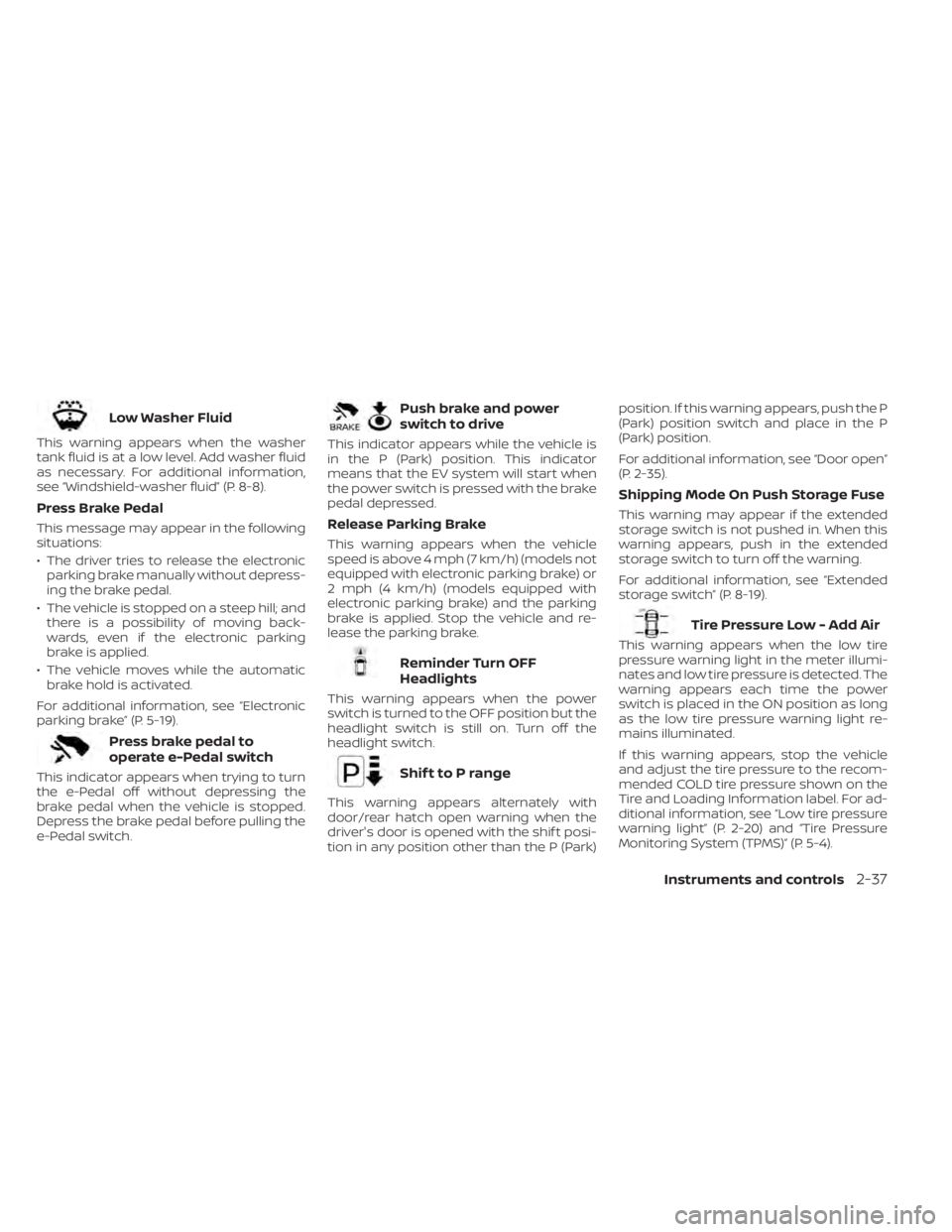
Low Washer Fluid
This warning appears when the washer
tank fluid is at a low level. Add washer fluid
as necessary. For additional information,
see “Windshield-washer fluid” (P. 8-8).
Press Brake Pedal
This message may appear in the following
situations:
• The driver tries to release the electronicparking brake manually without depress-
ing the brake pedal.
• The vehicle is stopped on a steep hill; and there is a possibility of moving back-
wards, even if the electronic parking
brake is applied.
• The vehicle moves while the automatic brake hold is activated.
For additional information, see “Electronic
parking brake” (P. 5-19).
Press brake pedal to
operate e-Pedal switch
This indicator appears when trying to turn
the e-Pedal off without depressing the
brake pedal when the vehicle is stopped.
Depress the brake pedal before pulling the
e-Pedal switch.
Push brake and power
switch to drive
This indicator appears while the vehicle is
in the P (Park) position. This indicator
means that the EV system will start when
the power switch is pressed with the brake
pedal depressed.
Release Parking Brake
This warning appears when the vehicle
speed is above 4 mph (7 km/h) (models not
equipped with electronic parking brake) or
2 mph (4 km/h) (models equipped with
electronic parking brake) and the parking
brake is applied. Stop the vehicle and re-
lease the parking brake.
Reminder Turn OFF
Headlights
This warning appears when the power
switch is turned to the OFF position but the
headlight switch is still on. Turn off the
headlight switch.
Shif t to P range
This warning appears alternately with
door/rear hatch open warning when the
driver's door is opened with the shif t posi-
tion in any position other than the P (Park) position. If this warning appears, push the P
(Park) position switch and place in the P
(Park) position.
For additional information, see “Door open”
(P. 2-35).
Shipping Mode On Push Storage Fuse
This warning may appear if the extended
storage switch is not pushed in. When this
warning appears, push in the extended
storage switch to turn off the warning.
For additional information, see “Extended
storage switch” (P. 8-19).
Tire Pressure Low - Add Air
This warning appears when the low tire
pressure warning light in the meter illumi-
nates and low tire pressure is detected. The
warning appears each time the power
switch is placed in the ON position as long
as the low tire pressure warning light re-
mains illuminated.
If this warning appears, stop the vehicle
and adjust the tire pressure to the recom-
mended COLD tire pressure shown on the
Tire and Loading Information label. For ad-
ditional information, see “Low tire pressure
warning light” (P. 2-20) and “Tire Pressure
Monitoring System (TPMS)” (P. 5-4).
Instruments and controls2-37
Page 215 of 602
T/M system malfunction Visit dealer
This warning appears if there is a malfunc-
tion in the electric shif t control system but
operation of the electric shif t control is still
possible. The master warning light (yellow)
also illuminates and the chime sounds.
When this occurs, check the shif t position
indicator by the shif t lever or in the vehicle
information display to make sure that
shif ting has been performed properly. It is
recommended that you contact a NISSAN
certified LEAF dealer as soon as possible.
When Parked Apply Parking
Brake
This warning appears if there is a malfunc-
tion in the electric shif t control system. This
warning appears when the parking brake
is not applied, even af ter the vehicle has
been parked. The master warning light
(red) also illuminates and the chime
sounds.
If the power switch cannot be placed in the
OFF position, apply the parking brake and
then place the power switch in the OFF
position. The warning turns off and the
chime stops.If this warning appears, have your system
checked. It is recommended that you visit a
NISSAN certified LEAF dealer for this
service.
Blind Spot Warning (BSW)
indicator
This indicator appears when the BSW/I-BSI
systems are engaged.
For additional information, see “Blind Spot
Warning (BSW)” (P. 5-36) or “Intelligent Blind
Spot Intervention (I-BSI)” (P. 5-46).
Cruise control indicator
This indicator shows the cruise control sys-
tem status.
When cruise control is activated, a green
circle will appear to indicate it is set. The
vehicle information display will also display
the speed the cruise control was set at. If
you accelerate past the set speed, the
speed will blink until you either cancel
cruise control or go back to the set speed. If
cruise control is on and canceled, the
speed will be displayed to show the speed
the vehicle will return to if the resume but-
ton is activated.
For additional information, see “Cruise con-
trol” (P. 5-65).
Currently not available
This message may appear when the Intel-
ligent Cruise Control (ICC) (with ProPILOT
Assist) system, Intelligent Blind Spot Inter-
vention (I-BSI), Intelligent Lane Intervention
(I-LI) or the ICC system is engaged.
Under the following condition, the ICC (with
ProPILOT Assist) system, Intelligent Blind
Spot Intervention (I-BSI), Intelligent Lane In-
tervention (I-LI) or the ICC system is auto-
matically canceled:
• When the VDC system is turned off.
The above system cannot be used in some
situations (VDC operates, wheel slip, and
VDC system is off.)
Driver Attention Alert
System Fault
This warning appears when the Intelligent
Driver Alertness (I-DA) system is not func-
tioning properly.
For additional information, see “Intelligent
Driver Alertness (I-DA)” (P. 5-149).
Driver Attention Alert Take
a Break?
This alert appears when the system has
detected the driver may be displaying fa-
tigue or a lack of attention.
2-38Instruments and controls
Page 217 of 602
Under the following conditions, the ICC
(with ProPILOT Assist) system, ICC system,
Intelligent Blind Intervention (I-BSI) or Intel-
ligent Lane Intervention (I-LI) is automati-
cally canceled:
• When the VDC operates.
• When a wheel slips.
The above system cannot be used in some
situations (VDC operates and wheel slip.)
Not Available Seat Belt Not Fastened
This indicator appears when the ProPILOT
Assist system will not engage because the
driver’s seat belt is not fastened. For addi-
tional information, see “ProPILOT Assist”
(P. 5-91).
Not Available System Malfunction
This warning appears when one or more of
the following systems (if so equipped) are
not functioning properly:
• Intelligent Blind Spot Intervention (I-BSI)
• Blind Spot Warning (BSW)
• ProPILOT Assist
If one or more of these warning appears,
have the system checked. It is recom-
mended that you visit a NISSAN certified
LEAF dealer for this service.
Not Available Visibility is Impaired
This message may appear when the Intel-
ligent Cruise Control (ICC) (with ProPILOT
Assist) system is engaged.
Under the following conditions, the ICC
(with ProPILOT Assist) system is automati-
cally canceled:
• The camera area of the windshield isfogged up or covered with dirt, water, ice,
snow, etc.
• Strong light, such as sunlight or high beams from oncoming vehicles, enters
the front camera
The system will be available when the
above conditions no longer exist.
If the warning message continues to ap-
pear, stop the vehicle in a safe location, turn
the EV system off and clean the windshield.
Parking Sensor
This indicator illuminates when the sensor
is activated. Pressing the OK button while
the sonar screen is displayed will dismiss
this message until the next time the sen-
sors are activated. The Parking Sensor sys-
tem will remain on, unless it is disabled in
the vehicle information display. For addi-
tional information, see “Rear Sonar System
(RSS) (P. 5-163).
Parking Sensor Error: See Owner’s
Manual
This warning illuminates when there is an
error with the system. For additional infor-
mation, see “Rear Sonar System (RSS)
(P. 5-163).
ProPILOT Assist/Intelligent
Lane Intervention (I-LI)/
Intelligent Blind Spot
Intervention (I-BSI)
indicator
This indicator appears when the following
systems (if so equipped) is engaged:
• ProPILOT Assist system (if so equipped)
• Intelligent Lane Intervention (I-LI)
• Intelligent Blind Spot Intervention (I-BSI)
For additional information, see “ProPILOT
Assist” (P. 5-91), “Intelligent Lane Interven-
tion (I-LI) (P. 5-30), or “Intelligent Blind Spot
Intervention (I-BSI) (P. 5-46).
Rear Automatic Braking
(RAB) system warning
indicator
This indicator appears to indicate the sta-
tus of the Rear Automatic Braking (RAB)
system.
2-40Instruments and controls