remote control NISSAN LEAF 2021 Owner´s Manual
[x] Cancel search | Manufacturer: NISSAN, Model Year: 2021, Model line: LEAF, Model: NISSAN LEAF 2021Pages: 602, PDF Size: 4.22 MB
Page 315 of 602
• Timer setting can also be changed whileClimate Ctrl. Timer is operated. When the
power position is switched to OFF, the air
conditioner starts or enters waiting
mode depending on the new timer
settings.
• When the difference in temperature be- tween the air conditioner setting tem-
perature and the temperature outside
the vehicle is large, the temperature in-
side the vehicle may not be maintained
at the setting temperature.
• The charging status indicator lights illu- minate in a specific pattern when the Li-
ion battery warmer operates. The charg-
ing status indicator lights use the same
pattern to indicate 12–volt battery charg-
ing, Climate Ctrl. Timer operation or Re-
mote Climate Control operation. The
charging status indicator lights do not
change if the Li-ion battery warmer oper-
ates at the same time as the above
features.
• The temperature in the passenger com- partment may not be comfortable if en-
tering the vehicle too soon before or too
long af ter the scheduled time of
departure. • Air conditioning is limited to the capacity
of the electric power when the charge
connector is connected. Therefore, the
temperature may not reach the set tem-
perature due to limitations in air condi-
tioning performance, if ambient tem-
perature is excessively high or low, or if
the charge connector is connected to a
120–volt plug outlet.
• The Climate Ctrl. Timer operates the cli- mate control function so that a comfort-
able temperature is provided in the pas-
senger compartment at the scheduled
time of departure. The climate control is
set to stop at the scheduled time of
departure.
• Depending on the facilities of charging station, there may be time when it is not
available for charging. Confirm the avail-
ability of the charging facility before set-
ting the Climate Ctrl. Timer. Be sure that
the power switch of the charger is turned
on when setting the Climate Ctrl. Timer.
• When the power switch is turned OFF af- ter changing the setting, the new setting
will be applied.
*models with Navigation SystemRemote climate control
This vehicle incorporates a communica-
tion device that is called a TCU (Telematics
Control Unit). The communication connec-
tion between this unit and Nissan Data
Center allows for various remote function
services.
Even when away from the vehicle, climate
control can be started by accessing the
Web Owner Portal using a cellular phone or
a personal computer.
When operation is started, or at the set
start time, the Nissan Data Center ac-
cesses the vehicle. When the vehicle re-
ceives a command for remote operation,
the climate control immediately turns ON
and operates for the specified period of
time. Confirmation of the ON/OFF of the
climate control operation can be checked
by accessing the Web Owner Portal, or by
e-mail.
Completing registration for the
NissanConnect® EV Services is necessary
before using the service. For additional in-
formation, refer to the NissanConnect®
Manual.
4-38Monitor, climate, audio, phone and voice recognition systems
Page 316 of 602
WARNING
• Radio waves could adversely affect
electric medical equipment. For ad-
ditional information, refer to your
electric medical equipment manu-
facturer for the possible effect on
pacemakers before using the remote
climate control.
• Even if the remote climate control is
set, the temperature in the passen-
ger room may become high if the
system automatically stops. Do not
leave children or adults who would
normally require the support of oth-
ers alone in your vehicle. Pets should
not be lef t alone either. On hot, sunny
days, temperatures in a closed ve-
hicle could quickly become high
enough to cause severe or possibly
fatal injuries to people or animals.
NOTE:
• To check the Li-ion battery charging status using an internet enabled smart
phone or personal computer.– The vehicle must be located in a cel- lular phone coverage area.
– The cellular phone must be located in an area with cellular phone
coverage. – The computer must be connected to
the internet.
• Some cellular phones are not compat- ible with this system and cannot be
used to check the Li-ion battery charg-
ing status. Confirm this beforehand.
Operating tips
• When the charge connector is con-nected, the climate control operates us-
ing electric power. When the charge con-
nector is disconnected from the vehicle,
the climate control operates using ve-
hicle battery electric power.
• The climate control can be operated for a maximum of 2 hours when the charge
connector is connected to the vehicle, or
a maximum of 15 minutes when the
charge connector is disconnected.
• The remote climate control will only start to operate when the power switch is in
the LOCK/OFF or ACC position.
• Remote climate control operation is not available when the vehicle is in an area of
cellular communication range. • Communication becomes unavailable
when the vehicle is not used for two
weeks or more. When the power switch is
placed in the ON position, communica-
tion with the Nissan Data Center can be
restored.
• Air conditioning is limited to the capacity of the electric power when the charge
connector is connected to the vehicle.
Therefore, the temperature may not
reach a comfortable level due to perfor-
mance of the air conditioning being lim-
ited, if the outside temperature is exces-
sively high or low, or if the charge
connector is connected to a 110 – 120-volt
outlet.
• If the power switch is in the ON position or the charge connector is disconnected,
while the remote climate control is being
operated, remote climate control opera-
tion is automatically stopped and an
e-mail is sent.
• If remote climate control operation is started while the vehicle is in normal
charge mode, the climate control oper-
ates in climate control priority mode and
charging is continued.
Monitor, climate, audio, phone and voice recognition systems4-39
Page 317 of 602
• If remote climate control operation isstarted and charging is stopped while
the vehicle is in quick charge mode, cli-
mate control operation is also stopped.
• If the quick charge connector is con- nected and charging is not performed,
remote climate control operation starts
using the battery electric power of the
vehicle.
Servicing climate control
The climate control system in your NISSAN
is charged with a refrigerant designed with
the environment in mind. This refrigerant
will not harm the earth’s ozone layer. Spe-
cial charging equipment and lubricant are
required when servicing your NISSAN cli-
mate control. Using improper refrigerants
or lubricants will cause severe damage to
your climate control system. For additional
information, see “Recommended fluids/
lubricants and capacities” (P. 10-2).
It is recommended that you visit a NISSAN
certified LEAF dealer to service your envi-
ronmentally friendly climate control
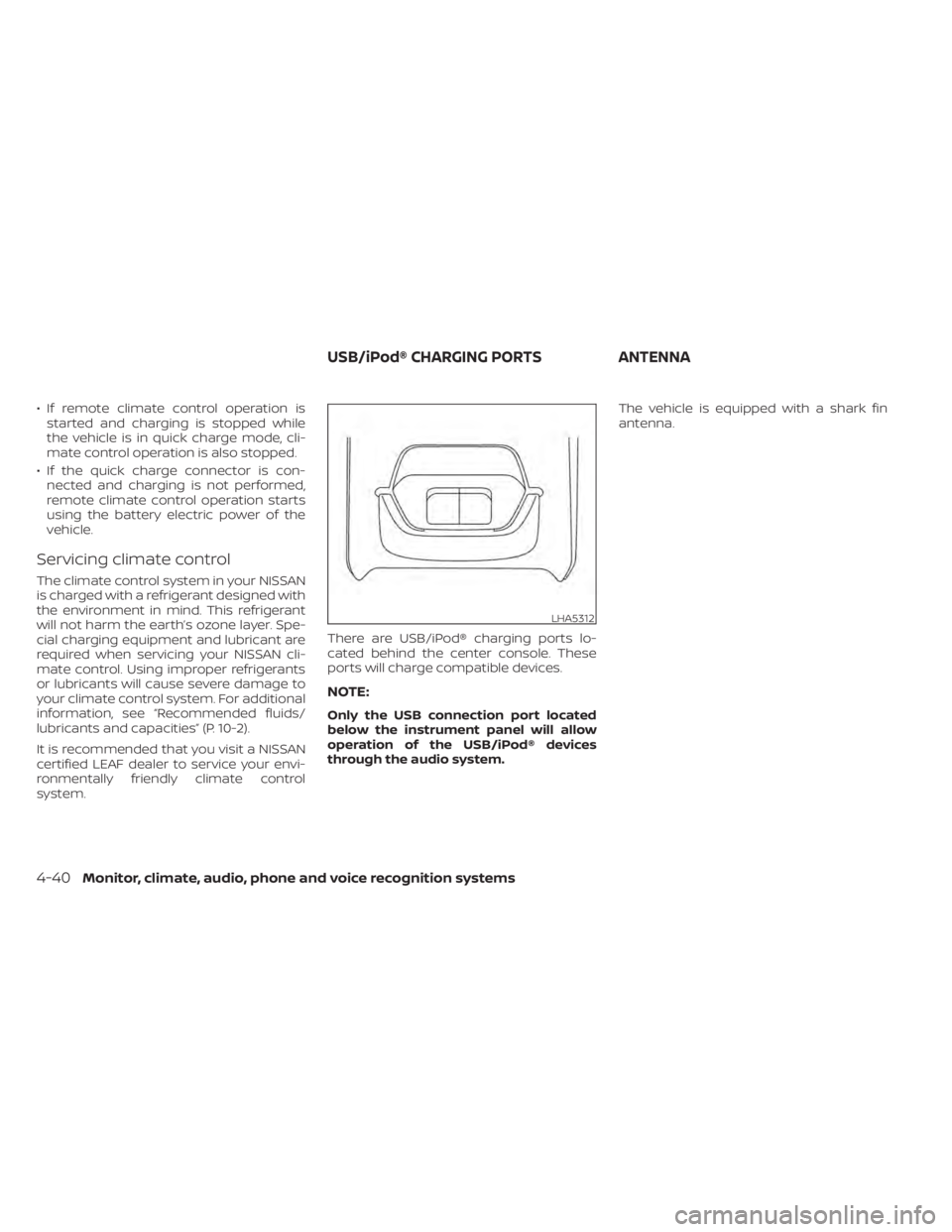
system. There are USB/iPod® charging ports lo-
cated behind the center console. These
ports will charge compatible devices.
NOTE:
Only the USB connection port located
below the instrument panel will allow
operation of the USB/iPod® devices
through the audio system.The vehicle is equipped with a shark fin
antenna.
LHA5312
USB/iPod® CHARGING PORTS
ANTENNA
4-40Monitor, climate, audio, phone and voice recognition systems
Page 488 of 602
CAUTION
To prevent damage to the Li-ion bat-
tery: Do not store the vehicle in tem-
peratures below -13°F (-25°C) for over
seven days. If the outside temperature
is -13°F (-25°C) or less, the Li-ion battery
may freeze and it cannot be charged or
provide power to run the vehicle. Move
the vehicle to a warm location.
NOTE:
• Connect the charger to the vehicle and place the power switch in the OFF po-
sition when parking the vehicle if tem-
peratures may go below -4°F (-20°C).
For models with 40 kWh battery
model, this provides external power to
the Li-ion battery warmer (if so
equipped) when it operates and does
not discharge the Li-ion battery. Ve-
hicle driving range is reduced if the Li-
ion battery warmer (if so equipped) op-
erates (Li-ion battery temperature
approximately -4°F (-20°C) or colder)
while driving the vehicle. You may need
to charge the Li-ion battery sooner
than in warmer temperatures.
• The Li-ion battery requires more time to charge when the Li-ion battery
warmer (if so equipped) operates. • The predicted charging time displayed
on the meter and navigation system (if
so equipped) increases when the Li-ion
battery warmer (if so equipped)
operates.
• Vehicle range may be substantially re- duced in extremely cold conditions (for
example under -4°F (-20°C)).
• Using the climate control system to heat the cabin when outside tempera-
ture is below 32°F (0°C) uses more elec-
tricity and affects vehicle range more
than when using the heater when the
temperature is above 32°F (0°C).
• Climate control performance is re- duced when using the Climate Ctrl.
Timer or Remote Climate Control while
the Li-ion battery warmer (if so
equipped) operates (for models with
40 kWh battery model). Set only the
charging timer [End Time] when charg-
ing in cold weather. The vehicle auto-
matically determines when to start
charging to fully charge the Li-ion bat-
tery, even if the Li-ion battery warmer
operates. Charging ends before the set
end time if the Li-ion battery is fully
charged.
FREEING A FROZEN DOOR LOCK
To prevent a door lock from freezing, apply
deicer through the key hole. If the lock be-
comes frozen, heat the key before inserting
it into the key hole or use the remote key-
less entry key fob.
ANTIFREEZE
In the winter when it is possible that the
outside temperature will drop below 32°F
(0°C), check the antifreeze to ensure proper
winter protection. For additional informa-
tion, see “Cooling system” (P. 8-5).
12-VOLT BATTERY
If the 12-volt battery is not fully charged
during extremely cold weather conditions,
the 12-volt battery fluid may freeze and
damage the 12-volt battery. To maintain
maximum efficiency, the 12-volt battery
should be checked regularly. For additional
information, see “12-volt battery” (P. 8-9).
DRAINING OF COOLANT WATER
If the vehicle is to be lef t outside without
antifreeze, drain the cooling system. Refill
before operating the vehicle. For additional
information, see “Cooling system” (P. 8-5).
COLD WEATHER DRIVING
Starting and driving5-169
Page 584 of 602
In addition to Event Data Recorders (EDRs)
mentioned in this Owner's Manual, this ve-
hicle is equipped with electronic modules
that monitor, control and record data con-
cerning various vehicle systems, including
the motor, batteries, braking and electrical
systems. Other electronic modules record
information concerning driving conditions,
including idling, braking, acceleration, trip
and other related data, information about
your use of the car and its features such as
air conditioner or headlight usage, diag-
nostic trouble codes, vehicle charging, ve-
hicle speed, direction and/or location.
Some of this data is stored by the vehicle
for use during vehicle servicing. Other data
concerning your vehicle's operation and
performance is wirelessly transmitted by
cellular connection through the vehicle on-
board telematics system upon vehicle
start-up or at other intervals to NISSAN.
This data may be used by NISSAN for vari-
ous purposes, including: to provide you
with NissanConnect® EV & Services or
NissanConnect® EV with Services powered
by SiriusXM® (For additional information, re-
fer to “NissanConnect® Manual”); trouble-
shooting; evaluation of your vehicle's qual-
ity, functionality and performance; analysis
and research by NISSAN designed to,
among other things, optimize perfor-mance of future electric vehicles including
improvements in future battery life; to offer
you new or additional products or services;
and as otherwise may be required by law.
Such data may be shared with NISSAN's
parents, subsidiaries, affiliates, successors
or assignees; authorized NISSAN certified
LEAF dealers; NISSAN's marketing part-
ners; your fleet company, if your vehicle is a
fleet vehicle; your rental company, if your
vehicle is a rental vehicle; and third party
service providers such as cellular, informa-
tion systems and data management
providers.
State and provincial laws allow access and
use of data recorded by vehicle devices
with the consent of the vehicle owner or
pursuant to subscription agreement. While
you are not required to allow such access
and use, if you do not so agree NISSAN may
be unable under applicable law to activate
the vehicle telematics system in your ve-
hicle, and certain features of your vehicle
which are dependent on vehicle telematics
will not operate as intended or designed.
These may include features such as auto-
matic charging station map updates, re-
mote battery state of charge check, charg-
ing complete notice, remote plug in
reminder, remote charging on, remote cli-
mate control on, drive route planning, driv-ing tips to improve range, driving history,
billing simulation, ECO ranking, ECO forest,
maintenance reminders, etc. Other fea-
tures that may be developed and offered
by NISSAN in the future may also not func-
tion without telematics data transmission.
NissanConnect® EV with Services powered
by SiriusXM® are provided by NISSAN pur-
suant to a subscription services agree-
ment covering your vehicle. This agree-
ment is necessary for all owners. This
agreement, and an explanation of its terms
and conditions, can be found at the NISSAN
Owner’s Portal webpage. Further, the op-
erator of the vehicle must also touch [OK]
on the Navi screen to indicate assent each
time he or she starts the car. If you decide
at any time that you do not want your ve-
hicle to transmit data to NISSAN, you can
deactivate the telematics account associ-
ated with this vehicle by canceling the sub-
scription services agreement by visiting
the NISSAN Owner’s Portal Webpage or
calling NISSAN at 1-877-NOGASEV (1-877-
664-2738). The service can be reactivated
later upon request if you choose. Simply
visit the same website or call the number
above. Alternatively, you can turn off the
transmission of certain categories of data
through the use of settings found in the
navigation system under Menu,
TELEMATICS OVERVIEW (models
with Navigation System)
Technical and consumer information10-17
Page 585 of 602

NissanConnect® EV with Services powered
by SiriusXM®, Vehicle Information Sharing
with NISSAN. Note, turning off “Vehicle Infor-
mation Sharing with NISSAN” will only dis-
able the automatic sharing of information
at vehicle start-up. Certain categories of
data may still be transmitted if vehicle tele-
matics features are accessed either in the
vehicle or remotely.
Your agreement to the transmission and
use of data by NISSAN can be provided in
various ways. The vehicle is equipped with
a “pop up” screen on the vehicle navigation
system that will ask for your consent to this
data transfer. A version of the following
message will appear: “Pursuant to sub-
scription agreement, your vehicle wire-
lessly transmits recorded vehicle data to
NISSAN for various purposes, including
NissanConnect® EV with Services powered
by SiriusXM®, product evaluation, research
and development. By touching OK, you
consent to the transmission and use of
your vehicle data. See Owner's Manual or
NISSAN Owner's portal webpage for terms
and details.” If you touch [OK], your vehicle
will transmit data as designed in connec-
tion with the vehicle telematics system. If
you touch [Decline] your vehicle will not
transmit data. However, the telematics fea-
tures referenced above, and perhaps oth-ers, will not be available to you. The vehicle’s
static navigation system will remain opera-
tional, and you will be able to access your
radio and climate controls.
Telematics features are dependent on cel-
lular data transmission. Some areas may
have limited or no cellular connectivity, re-
sulting in a loss or interruption of data
transmission and, as a result, certain fea-
tures may be temporarily unavailable. Even
if areas with good signal reception, cellular
connectivity can be adversely affected by
things such as tall buildings, apartments,
tunnels, underground parking, mountain-
ous areas, etc. Even if the signal strength
bar of the in-vehicle data communication
module indicates good reception, connec-
tivity may be disrupted. This does not indi-
cate a malfunction. Operate the system
again af ter a few minutes to restore con-
nectivity. NissanConnect® EV with Services
powered by SiriusXM® features are offered
as a convenience to the vehicle owner.
NISSAN is not responsible for, and owner
assumes all risk of, interruptions in service
or errors based on incomplete or inaccu-
rate data. NissanConnect® EV with Services
powered by SiriusXM® communications
may be received at a verified e-mail ad-
dress or by SMS/text messaging-enabled
mobile phone. Standard text rates and/or
data usage may apply depending on your
carrier.
If your vehicle’s telematics account is ac-
tive, and you are not the original owner,
please contact NISSAN at the website or
phone number above as soon as possible
to update the telematics enrollment infor-
mation. Upon sale of the vehicle, please
contact NISSAN at the website or phone
number above so that NISSAN’s records
may be updated. NissanConnect® EV with
Services powered by SiriusXM® subscrip-
tion services will automatically terminate
at the end of the initial free term if you do
not wish to renew your subscription agree-
ment at the prices then in effect.
10-18Technical and consumer information
Page 593 of 602
C
Capacities and recommended
fuel/lubricants.................10-2Car phone or CB radio............4-41Care of wheels..................7-3Ceiling light.................. .2-69Center console................2-62Charge port lid.................3-20Charge port lid switch............2-57Charging
Charge port lid...............3-20Charging related indicator light. . .CH-49Normal charge..............CH-9Precautions on charging........CH-2Quick charge..........CH-35, CH-38Specifications................10-4Trickle charge...............CH-11Charging information............10-22Charging methods.............CH-43Charging related indicator light.....CH-49Charging related remote function. . .CH-48Charging status indicator light.....CH-49Charging the Li-ion battery........EV-12Charging troubleshooting guide. . . .CH-56CheckingChecking bulbs...............2-15Checking coolant level...........8-6Child restraint with top tether strap. . . .1-27Child restraints.................1-22Booster seats................1-41LATCH (Lower Anchors and Tethers for
CHildren) System..............1-24Precautions on child restraints.....1-22
Top tether strap...............1-27Child safety...................1-19Child safety rear door lock..........3-6Chimes, audible reminders.........2-25Circuit breaker, fusible link..........8-17Cleaning exterior and interior......7-2,7-4ClimateClimate control system refrigerant and
lubricant recommendations
......4-40Climate controlClimate control service..........4-40Climate control systemAir conditioner...............4-26Climate control operation........4-26Heater....................4-26Climate Ctrl. Timer..............4-35Clock.......................2-12Cold tire pressures..............10-24Cold weather driving............5-169ConsoleCenter console...............2-62CoolantCapacities and recommended
fuel/lubricants
...............10-2Changing coolant..............8-6Checking coolant level...........8-6Cooling system................ .8-5Corrosion protection..............7-7Cruise control.................5-65Cup holders................. .2-63
D
Defroster switch
Rear window and outside mirror defroster
switch
................... .2-47Dimensions and weights..........10-6Dimmer switch for instrument panel. . .2-53Display
Information display............2-26Door locks................... .3-4Driving
Cold weather driving...........5-169Driving vehicle...............5-14Precautions when starting and
driving.................... .5-4Driving range..................2-8Driving the vehicle..............EV-18Driving vehicle.................5-14Dynamic driver assistance switch.....2-58
E
E-call (SOS) Button..............2-57e-Pedal......................2-13e-Pedal system................5-21ECO
ECO switch................ .2-55Eco Drive Report...............5-153ECO mode...............2-13,5-152ECO switch.................. .2-55Efficient use of your vehicle........EV-22Electric shif t control system........5-14Electronic parking brake...........5-19
11-2
Page 595 of 602
Instrument panel dimmer switch.....2-53Intelligent Around View Monitor (I-AVM). .4-11Intelligent Cruise Control (ICC)
(for vehicles without ProPILOT Assist). . .5-67Intelligent Driver Alertness (I-DA).....5-149Intelligent Forward Collision Warning
(I-FCW).....................5-137Intelligent Key battery............8-19Intelligent Key systemKey operating range............3-8Key operation................3-9Mechanical key................3-3Remote keyless entry operation. . . .3-12Troubleshooting guide..........3-16Warning signals...............3-16Intelligent Lane Intervention (I-LI).....5-30Intelligent Ride Control...........5-161Intelligent Trace Control...........5-161Interior light replacement..........8-23Interior lights................. .2-68ISOFIX child restraints.............1-24
J
Jump starting.................6-10
K
Key.........................3-2Key fob battery replacement........8-19Keyless entry
With Intelligent Key system
(See Intelligent Key system)
.......3-12
KeysNISSAN Intelligent Key®........3-2,3-7
L
LabelsAir bag warning labels..........1-66Air conditioner specification label. . .10-9Emission control information label. . .10-8F.M.V.S.S./C.M.V.S.S. certification label. .10-8Motor serial number...........10-8Tire and Loading Information
label..................8-28, 10-9Vehicle identification number (VIN)
plate..................... .10-7Lane Departure Warning (LDW).......5-25LATCH (Lower Anchors and Tethers for
CHildren) System...............1-24Li-ion battery...............EV-2, 2-7Li-ion battery available charge gauge. . .2-9Li-ion battery status check........CH-48Li-ion battery temperature gauge......2-7Li-ion battery warmer............EV-5License plate, Installing front license
plate......................10-10Light
Air bag warning light........1-66, 2-18Bulb replacement..........8-21,8-22Ceiling light................ .2-69Fog light bulb replacement.......8-22Fog light switch..............2-54Headlight switch..............2-48Headlights..................8-22
Headlights bulb replacement......8-22Indicator lights...............2-24Interior lights................2-68Low tire pressure warning light.....2-20Map lights................. .2-68Warning lights............2-15,2-18Warning/indicator lights and audible
reminders..................2-14Lights, Exterior and interior light
replacement..................8-23Loading information (Refer to vehicle loading
information)..................10-11Lock
Automatic door lock............3-6Child safety rear door lock.........3-6Door locks................. .3-4Power door locks...........3-5, 3-6Low tire pressure warning light......2-20Low tire pressure warning system
(Refer to Tire Pressure Monitoring System
(TPMS))
..................... .5-4
M
Maintenance
12-volt battery................8-9General maintenance...........9-2Indicators for maintenance.......2-36Inside the vehicle..............9-3Maintenance precautions.........8-2Outside the vehicle.............9-3Seat belt maintenance..........1-19Under the hood and vehicle.......9-4
11-4
Page 596 of 602
Maintenance requirements..........9-2Maintenance schedules............9-6Map lights...................2-68Meters and gauges
Instrument brightness control.....2-53MirrorAutomatic anti-glare inside mirror. . .3-24Outside mirrors..............3-25Rearview...................3-24Vanity mirror................3-24Mirrors......................3-24Motor..................... .10-5Before starting system..........5-13Starting the traction motor.......5-14Motor compartment..............8-4Motor serial number.............10-8Moving Object Detection (MOD)......4-20
N
NISSAN Intelligent Key®..........3-2,3-7NISSAN Intelligent Key® system.......5-10NissanConnectOwner's Manual.......4-2Normal charge................CH-9Home charge...............CH-9Occasional charge............CH-9Public charge...............CH-9
O
Occasional charge..............CH-9Odometer....................2-5Off-road recovery................5-8
Oil
Capacities and recommended
fuel/lubricants
...............10-2Opening rear hatch..............3-12Outside air temperature...........2-12Outside mirrors................3-25Owner's manual/service manual order
information................. .10-21
P
Parking..................5-18,5-19Parking brake operation.........5-19Parking/parking on hills.........5-154Parking brake.................5-18Parking brake break-in...........5-158Power
Power door locks...........3-5, 3-6Power outlet................2-60Power steering system.........5-156Power windows..............2-65Power economy...............5-152Power meter...................2-7Power outlet................. .2-60Power steering................5-156Power switch...............5-9, 5-11Precautions
Brake precautions............5-156Charging................. .CH-2Cruise control...............5-65High voltage precautions........EV-8Maintenance precautions.........8-2Precautions on booster seats......1-22
Precautions on child restraints.....1-22Precautions on seat belt usage.....1-11Precautions on supplemental restraint
system................... .1-45Precautions when starting and
driving.................... .5-4Road accident precautions.......EV-9ProPILOT Assist................5-91Public charge.................CH-9Push starting..................6-13
Q
Quick charge............CH-35, CH-38
R
Radio
Car phone or CB radio..........4-41Radio frequency remote controlWarning signals...............3-16Rapid air pressure loss............5-8Rear Automatic Braking (RAB).......5-132Rear center seat belt.............1-18Rear Cross Traffic Alert (RCTA).......5-58Rear Door Alert................2-59Rear hatch...................3-19Rear seats................... .1-6Rear window and outside mirror defroster
switch..................... .2-47Rear window wiper and washer
switches....................2-46Rearview mirror................3-24
11-5
Page 597 of 602
RearView Monitor................4-3RecordersEvent Data................ .10-20Reduction gear fluid..............8-7Registering a vehicle in another
country..................... .10-7Remote charge...............CH-48Remote climate control...........4-38Repairing flat tire................6-4Repairing tire..................6-6Reporting safety defects (US only). . . .10-16Road accident precautions.........EV-9Roadside assistance program........6-2Rollover......................5-7Roof-mounted curtain side-impact
supplemental air bag system........1-62
S
Safety
Child safety rear door lock.........3-6Child seat belts...............1-19Reporting safety defects (US only). . .10-16Scene guideAt home af ter driving..........EV-21Before driving your vehicle
(models with navigation system). . .EV-14Charging the Li-ion battery......EV-12Driving the vehicle............EV-18Parking the vehicle...........EV-20Starting your vehicle...........EV-17Seat beltChild safety.................1-19
Infants....................1-20Injured person................1-15Larger children...............1-20Precautions on seat belt usage.....1-11Pregnant women..............1-15Rear center seat belt............1-18Seat belt cleaning..............7-6Seat belt extenders............1-18Seat belt maintenance..........1-19Seat belt warning light..........2-18Seat belts...................1-11Seat belts with pretensioners......1-65Shoulder belt height adjustment. . . .1-18Small children................1-20Three-point type..............1-15Seat belt warning light............1-14Seats........................1-2Heated seats................2-55Security system................2-42Security system (NISSAN Vehicle Immobilizer
System), EV system start.......2-43, 5-13Servicing climate control..........4-40Shif tingElectric shif t control system.......5-14Shoulder belt height adjustment......1-18Shoulder belt height adjustment, For front
seats.......................1-18Speedometer................. .2-5Stability control................5-159Standard maintenance............9-8Starting
Before starting system..........5-13Jump starting................6-10
Precautions when starting and
driving.................... .5-4Push starting................6-13Starting the traction motor.......5-14Status light, Front passenger
air bag..................1-56, 1-58Steering
Heated steering wheel..........2-56Power steering system.........5-156Steering assist switch (models with
ProPILOT assist)................2-59Steering wheel.................3-22Stopping the vehicle..............6-5Storage.................... .2-61Stowing golf bags...............2-65Sun visors....................3-23Sunglasses holder..............2-62Supplemental air bag warning labels. . .1-66Supplemental air bag warning
light....................1-66, 2-18Supplemental restraint system
Precautions on supplemental restraint
system
................... .1-45Supplemental Restraint System (SRS). . .1-45Switch
Autolight switch..............2-48ECO switch................ .2-55Fog light switch..............2-54Hazard warning flasher switch......6-2Headlight switch..............2-48Immediate charge switch. . .CH-48, 2-58Instrument brightness control.....2-53Power door lock switch........3-5, 3-6
11-6