instrument panel NISSAN LEAF 2021 Owner´s Manual
[x] Cancel search | Manufacturer: NISSAN, Model Year: 2021, Model line: LEAF, Model: NISSAN LEAF 2021Pages: 602, PDF Size: 4.22 MB
Page 269 of 602
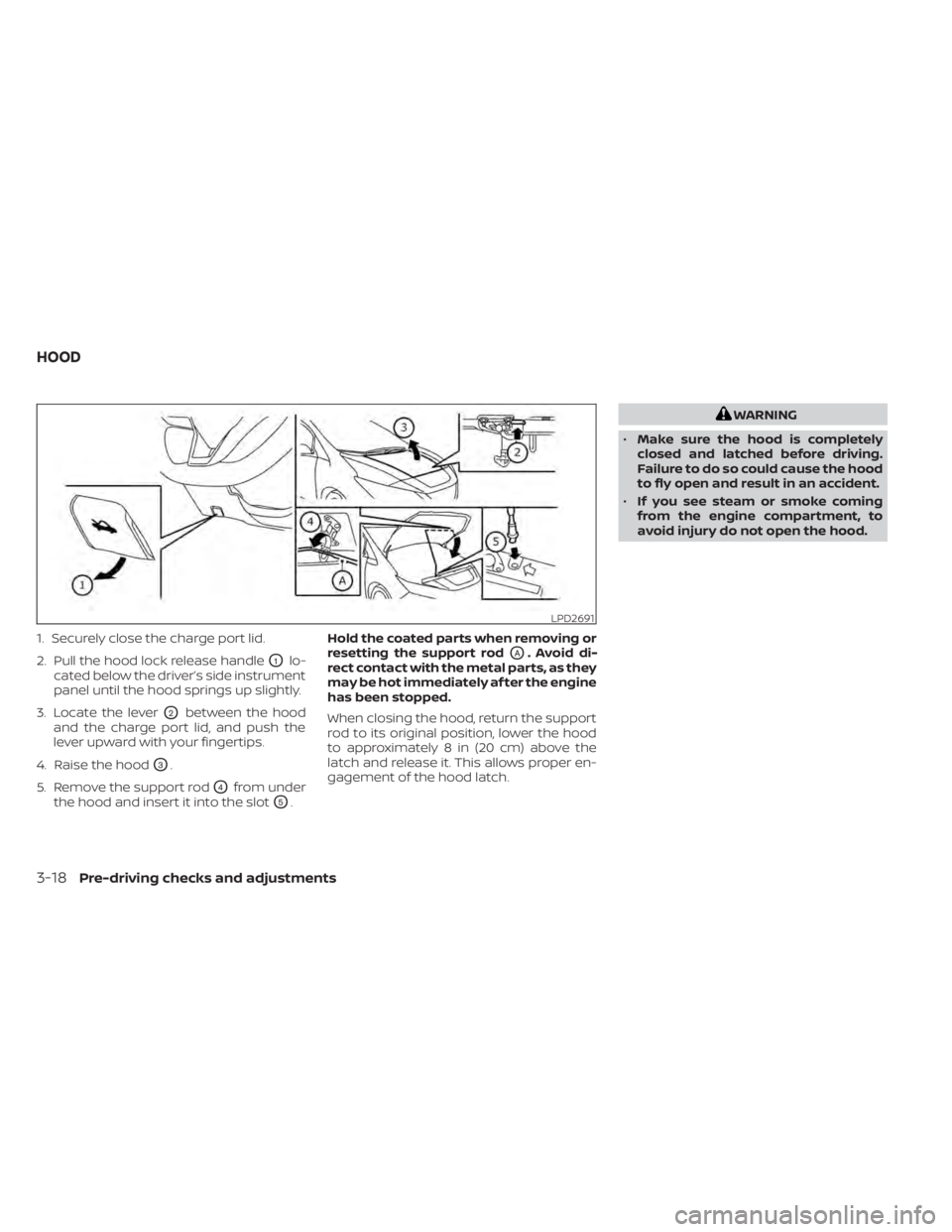
1. Securely close the charge port lid.
2. Pull the hood lock release handle
O1lo-
cated below the driver’s side instrument
panel until the hood springs up slightly.
3. Locate the lever
O2between the hood
and the charge port lid, and push the
lever upward with your fingertips.
4. Raise the hood
O3.
5. Remove the support rod
O4from under
the hood and insert it into the slot
O5. Hold the coated parts when removing or
resetting the support rod
OA. Avoid di-
rect contact with the metal parts, as they
may be hot immediately af ter the engine
has been stopped.
When closing the hood, return the support
rod to its original position, lower the hood
to approximately 8 in (20 cm) above the
latch and release it. This allows proper en-
gagement of the hood latch.
WARNING
• Make sure the hood is completely
closed and latched before driving.
Failure to do so could cause the hood
to fly open and result in an accident.
• If you see steam or smoke coming
from the engine compartment, to
avoid injury do not open the hood.
LPD2691
HOOD
3-18Pre-driving checks and adjustments
Page 271 of 602
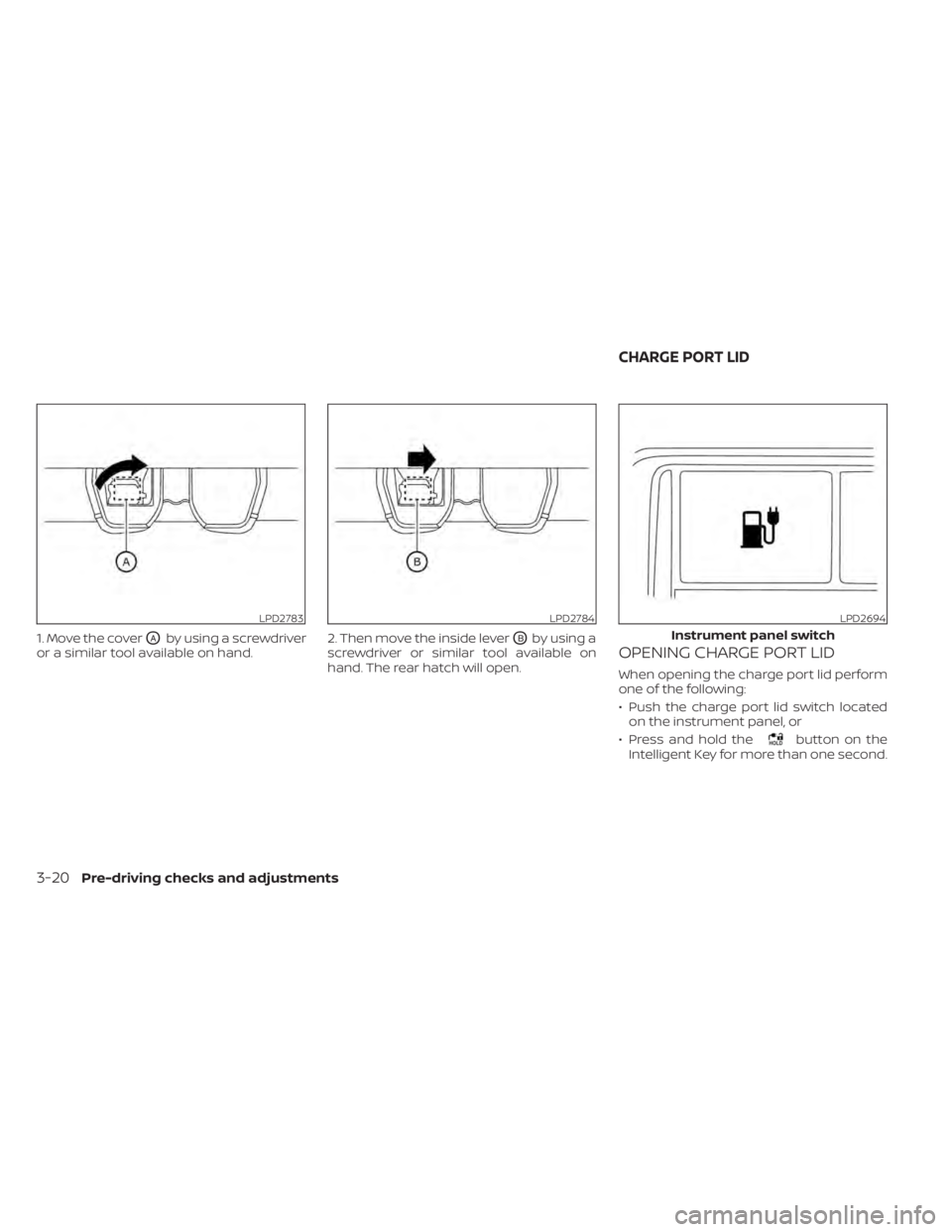
1. Move the coverOAby using a screwdriver
or a similar tool available on hand. 2. Then move the inside leverOBby using a
screwdriver or similar tool available on
hand. The rear hatch will open.OPENING CHARGE PORT LID
When opening the charge port lid perform
one of the following:
• Push the charge port lid switch located on the instrument panel, or
• Press and hold the
button on the
Intelligent Key for more than one second.
LPD2783LPD2784LPD2694
Instrument panel switch
CHARGE PORT LID
3-20Pre-driving checks and adjustments
Page 317 of 602
• If remote climate control operation isstarted and charging is stopped while
the vehicle is in quick charge mode, cli-
mate control operation is also stopped.
• If the quick charge connector is con- nected and charging is not performed,
remote climate control operation starts
using the battery electric power of the
vehicle.
Servicing climate control
The climate control system in your NISSAN
is charged with a refrigerant designed with
the environment in mind. This refrigerant
will not harm the earth’s ozone layer. Spe-
cial charging equipment and lubricant are
required when servicing your NISSAN cli-
mate control. Using improper refrigerants
or lubricants will cause severe damage to
your climate control system. For additional
information, see “Recommended fluids/
lubricants and capacities” (P. 10-2).
It is recommended that you visit a NISSAN
certified LEAF dealer to service your envi-
ronmentally friendly climate control
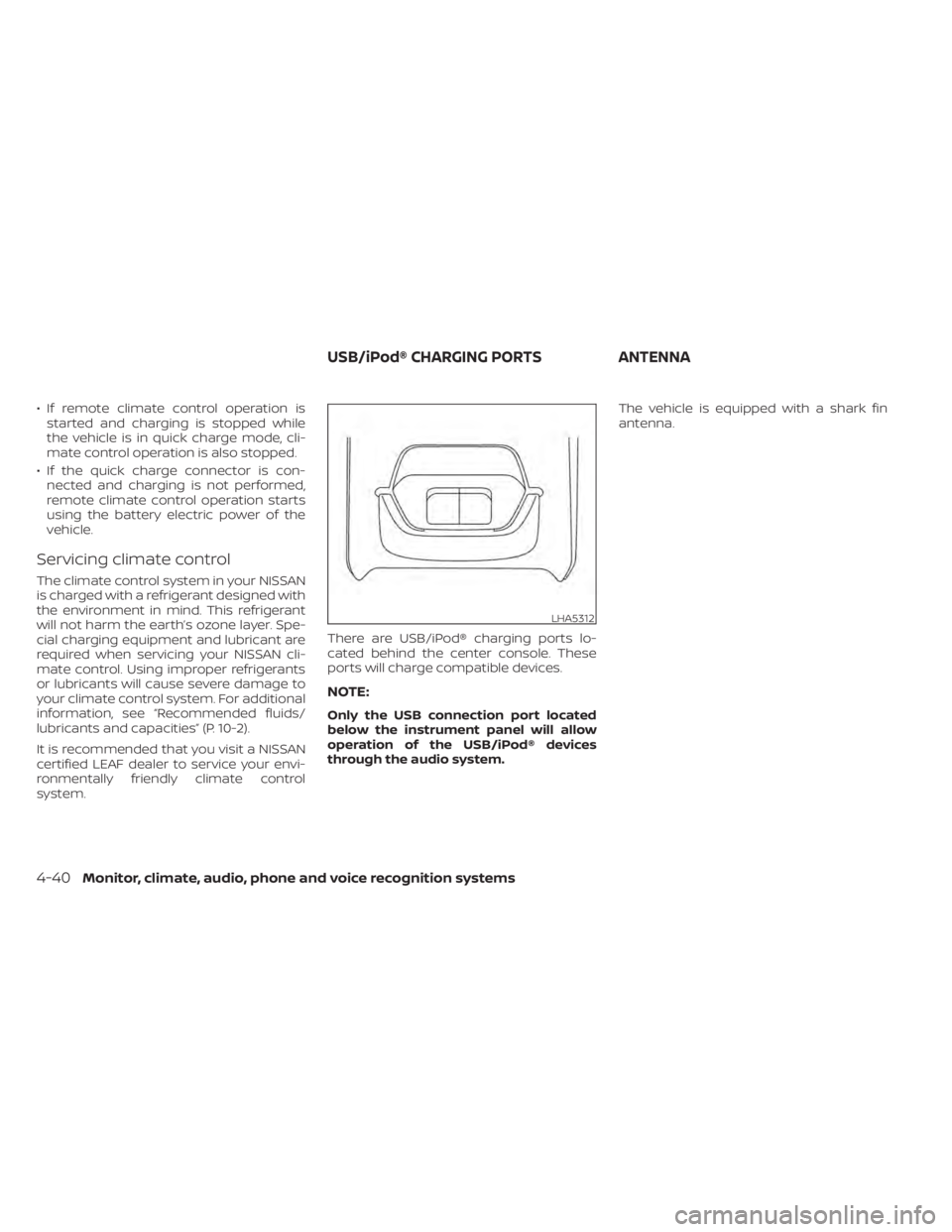
system. There are USB/iPod® charging ports lo-
cated behind the center console. These
ports will charge compatible devices.
NOTE:
Only the USB connection port located
below the instrument panel will allow
operation of the USB/iPod® devices
through the audio system.The vehicle is equipped with a shark fin
antenna.
LHA5312
USB/iPod® CHARGING PORTS
ANTENNA
4-40Monitor, climate, audio, phone and voice recognition systems
Page 433 of 602
2.Steering Assist status indicator/warning
Displays the status of the Steering Assist
by the color of the indicator/warning• Steering Assist indicator (gray): Steer- ing Assist standby
• Steering Assist indicator (green): Steering Assist active
• Steering Assist indicator (yellow): Steering Assist malfunction
3. Lane marker indicator
Indicates whether the system detects
the lane marker • Lane marker indicator (gray): Lane markers not detected
• Lane marker indicator (green): Lane markers detected
• Lane marker indicator (yellow): Lane departure is detected
When the Steering Assist is in operation,
the Steering Assist status indicator (1), the
Steering Assist indicator (2), and the lane
marker indicator (3) on the vehicle informa-
tion display turn green. A chime sounds
when the Steering Assist initially activates. When the Steering Assist deactivates, the
Steering Assist status indicator (1), the
Steering Assist indicator (2), and the lane
marker indicator (3) on the vehicle informa-
tion display turn gray and a chime sounds
twice.
Intelligent Lane Intervention (I-LI)
When a curve or strong cross wind exceeds
the capabilities of the Steering Assist and
your vehicle approaches either the lef t or
the right side of the traveling lane, a warn-
ing chime sounds and the I-LI indicator
light (orange) on the instrument panel
flashes to alert the driver. Then, the I-LI sys-
tem automatically applies the brakes for a
short period of time to help assist the
driver to return the vehicle to the center of
the traveling lane. This action is in addition
to any Steering Assist actions.
5-114Starting and driving
Page 478 of 602
Self-test feature
The Anti-lock Braking System (ABS) in-
cludes electronic sensors, electric pumps,
hydraulic solenoids and a computer. The
computer has a built-in diagnostic feature
that tests the system each time you place
the power switch in the READY to drive po-
sition and move the vehicle at a low speed
in forward or reverse. When the self-test
occurs, you may hear a “clunk” noise
and/or feel a pulsation in the brake pedal.
This is normal and does not indicate a mal-
function. If the computer senses a mal-
function, it switches the ABS off and illumi-
nates the ABS warning light on the
instrument panel. The brake system then
operates normally, but without anti-lock
assistance.
If the ABS warning light illuminates during
the self-test or while driving, have the ve-
hicle checked. It is recommended that you
visit a NISSAN certified LEAF dealer for this
service.
Normal operation
The Anti-lock Braking System (ABS) oper-
ates at speeds above 3 to 6 mph (5 to 10
km/h). The speed varies according to road
conditions.When the ABS senses that one or more
wheels are close to locking up, the actuator
rapidly applies and releases hydraulic pres-
sure. This action is similar to pumping the
brakes very quickly. You may feel a pulsa-
tion in the brake pedal and hear a noise
from under the hood or feel a vibration
from the actuator when it is operating. This
is normal and indicates that the ABS is op-
erating properly. However, the pulsation
may indicate that road conditions are haz-
ardous and extra care is required while
driving.
BRAKE ASSIST
When the force applied to the brake pedal
exceeds a certain level, the Brake Assist is
activated generating greater braking force
than a conventional brake booster even
with light pedal force.
WARNING
The Brake Assist is only an aid to assist
braking operation and is not a collision
warning or avoidance device. It is the
drivers responsibility to stay alert, drive
safely and be in control of the vehicle at
all times. The VDC system uses various sensors to
monitor driver inputs and vehicle motion.
Under certain driving conditions, the VDC
system helps to perform the following
functions.
• Controls brake pressure to reduce wheel
slip on one slipping drive wheel so power
is transferred to a drive wheel on the
same axle that is not slipping.
• Controls brake pressure and traction motor output to reduce drive wheel slip
based on vehicle speed (traction control
function).
• Controls brake pressure at individual wheels and traction motor output to help
the driver maintain control of the vehicle
in the following conditions:– Understeer (vehicle tends to not follow the steered path despite increased
steering input).
– Oversteer (vehicle tends to spin due to certain road or driving conditions).
The VDC system can help the driver main-
tain control of the vehicle, but it cannot
prevent loss of vehicle control in all driving
situations.
VEHICLE DYNAMIC CONTROL (VDC)
SYSTEM
Starting and driving5-159
Page 479 of 602
When the VDC system operates, theindicator light in the instrument panel
flashes. When the indicator light flashes,
note the following items:
• The road may be slippery or the systemmay determine some action is required
to help keep the vehicle on the steered
path.
• You may feel a pulsation in the brake pedal and hear a noise or vibration from
under the hood. This is normal and indi-
cates that the VDC system is working
properly.
• Adjust your speed and driving according to the road conditions.
For additional information, see “Slip indica-
tor light” (P. 2-23) and “Vehicle Dynamic Con-
trol (VDC) OFF indicator light” (P. 2-24).
If a malfunction occurs in the system, the
indicator light illuminates in the ve-
hicle information display. The VDC system
automatically turns off when this indicator
light is lit. The vehicle information display is used to
turn off the VDC system. The VDC OFF indi-
cator light
, along with the AEB with
Pedestrian Detection and RAB warning
lights illuminate to indicate that the VDC,
AEB with Pedestrian Detection, and RAB
systems are off. When the vehicle informa-
tion display is used to turn off the system,
the VDC system still operates to prevent
one drive wheel from slipping by transfer-
ring power to a non-slipping wheel. The
indicator light flashes if this occurs. All
other VDC functions are off and the
indicator light will not flash. The VDC sys-
tem is automatically reset to on when the
power switch is placed in the OFF position
then back to the ON position. For additional
information, see “Vehicle information dis-
play ” (P. 2-26).
The computer has a built-in diagnostic fea-
ture that tests the system each time you
start the EV and move the vehicle forward
or in reverse at a slow speed. When the
self-test occurs, you may hear a “clunk”
noise and/or feel a pulsation in the brake
pedal. This is normal and is not an indica-
tion of a malfunction.
WARNING
• The VDC system is designed to help
the driver maintain stability but does
not prevent accidents due to abrupt
steering operation at high speeds or
by careless or dangerous driving
techniques. Reduce vehicle speed
and be especially careful when driv-
ing and cornering on slippery sur-
faces and always drive carefully.
• Do not modif y the vehicle’s suspen-
sion. If suspension parts such as
shock absorbers, struts, springs, sta-
bilizer bars, bushings and wheels are
not NISSAN recommended for your
vehicle or are extremely deteriorated
the VDC system may not operate
properly. This could adversely affect
vehicle handling performance, and
the
indicator light may flash or
theindicator light may
illuminate.
• If brake related parts such as brake
pads, rotors and calipers are not
NISSAN recommended or are ex-
tremely deteriorated, the VDC sys-
tem may not operate properly and
the
indicator light may
illuminate.
5-160Starting and driving
Page 502 of 602
WARNING
If the vehicle is in the N (Neutral) posi-
tion and the Li-ion battery and the 12-
volt battery become completely dis-
charged, the vehicle cannot be placed
in the P (Park) position. If this occurs,
place suitable blocks at both the front
and back of a wheel to prevent the ve-
hicle from moving. Failure to block a
wheel may allow the vehicle to move
unexpectedly which may result in seri-
ous personal injury or death.
To place the vehicle in the READY to drive
position so the vehicle can be driven,
charge the Li-ion battery until the driving
range on the instrument panel changes
from “---” to a numeric distance.
NOTE:
• Some vibration may occur when the vehicle is stopped in case the Li-ion
battery becomes completely dis-
charged. This is not the malfunction of
the system.
• If the Li-ion battery is completely dis- charged, it is required to charge until
the low battery charge warning light
turns off (white) from on (yellow). Do not attempt to start the system by
pushing the vehicle.
CAUTION
An EV cannot be push-started or tow-
started. Attempting to do so may cause
traction motor damage. When towing your vehicle, all State (Provin-
cial in Canada) and local regulations for
towing must be followed.
Incorrect towing equipment could dam-
age your vehicle. Towing instructions are
available from a NISSAN certified LEAF
dealer. Local service operators are familiar
with the applicable laws and procedures
for towing. To assure proper towing and to
prevent accidental damage to your vehicle,
NISSAN recommends that you have a ser-
vice operator tow your vehicle. It is advis-
able to have the service operator carefully
read the following precautions.
WARNING
• Never ride in a vehicle that is being
towed.
• Never get under your vehicle af ter it
has been lif ted by a tow truck.
PUSH STARTING TOWING YOUR VEHICLE
In case of emergency6-13
Page 592 of 602
11 Index
1
12-volt battery.................8-9
A
ABS (Anti-lock Braking System).....5-158Additional data recording (on vehicles
equipped with optional ProPILOT
Assist)
.................... .10-20Advanced air bag system..........1-53Air bag system
Advanced air bag system........1-53Front-seat mounted side-impact
supplemental air bag system.....1-62Roof-mounted curtain side-impact
supplemental air bag system.....1-62Air bag warning labels............1-66Air bag warning light.........1-66, 2-18Air bag warning light,
supplemental.............1-66, 2-18Air conditionerAir conditioner specification label. . .10-9Air conditioning system refrigerant and
lubricant recommendations......10-3AlarmHowtostopalarm
(refer to, vehicle security system)
. . .2-43Alcohol, drugs and driving..........5-9Android Auto™.................4-2
Antenna................... .4-40Anti-lock Braking System (ABS).....5-158Anti-lock Braking System (ABS) warning
light.......................2-19Antifreeze...................5-169Appearance care
Exterior appearance care.........7-2Interior appearance care.........7-4Apple CarPlay®.................4-2At home af ter driving...........EV-21Audible reminders..............2-25Autolight switch...............2-48Autolight system...............2-48Automatic anti-glare inside mirror. . . .3-24Automatic climate control
(models with Navigation System).....4-32Automatic climate control
(models without Navigation System). .4-29Automatic door locks.............3-6Automatic Emergency Braking (AEB) with
Pedestrian Detection............5-123Avoiding collision and rollover........5-7
B
Battery.....................8-1912-volt battery...............8-9Battery saver system..........2-52Li-ion battery.............EV-2, 2-7
Li-ion battery available charge
gauge.................... .2-9Li-ion battery temperature gauge. . .2-7Battery replacement
Key fob...................8-19Before driving your vehicle
(models with navigation system). . . .EV-14Before starting system...........5-13Blind Spot Intervention® (BSI).......5-46Blind Spot Warning (BSW)..........5-36Booster seats................ .1-41Brake...............5-18,5-19,8-14Anti-lock Braking System (ABS). . . .5-158Brake fluid..................8-7Brake system...............5-156BRAKE system warning light
(yellow)...................2-19BRAKE warning light (red)........2-16Parking brake operation.........5-19Brake fluid....................8-7Brake precautions.............5-156Brake system................5-156BRAKE system warning light (yellow). . .2-19BRAKE warning light (red)..........2-16Brightness control
Instrument panel.............2-53Bulb replacement...........8-21,8-22
Page 593 of 602
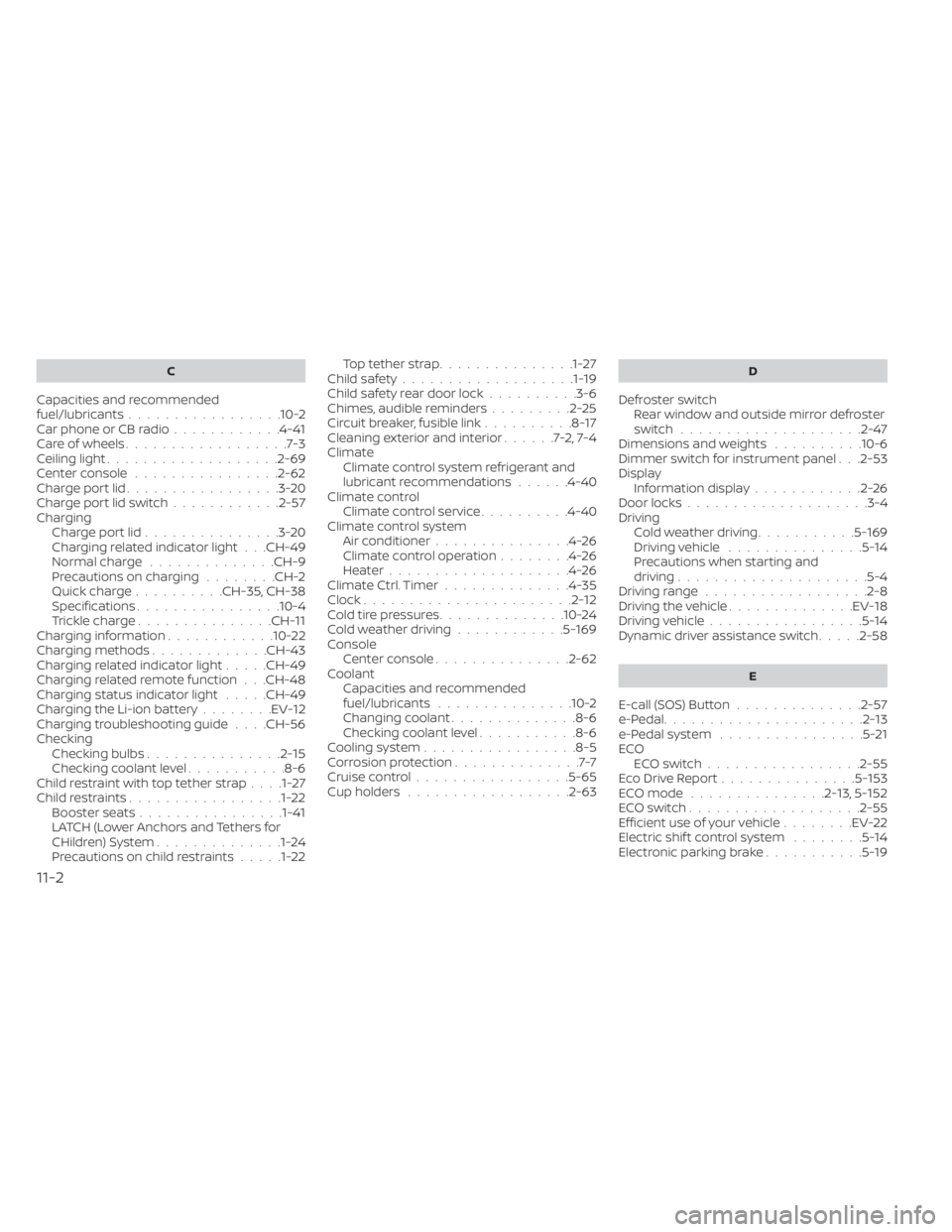
C
Capacities and recommended
fuel/lubricants.................10-2Car phone or CB radio............4-41Care of wheels..................7-3Ceiling light.................. .2-69Center console................2-62Charge port lid.................3-20Charge port lid switch............2-57Charging
Charge port lid...............3-20Charging related indicator light. . .CH-49Normal charge..............CH-9Precautions on charging........CH-2Quick charge..........CH-35, CH-38Specifications................10-4Trickle charge...............CH-11Charging information............10-22Charging methods.............CH-43Charging related indicator light.....CH-49Charging related remote function. . .CH-48Charging status indicator light.....CH-49Charging the Li-ion battery........EV-12Charging troubleshooting guide. . . .CH-56CheckingChecking bulbs...............2-15Checking coolant level...........8-6Child restraint with top tether strap. . . .1-27Child restraints.................1-22Booster seats................1-41LATCH (Lower Anchors and Tethers for
CHildren) System..............1-24Precautions on child restraints.....1-22
Top tether strap...............1-27Child safety...................1-19Child safety rear door lock..........3-6Chimes, audible reminders.........2-25Circuit breaker, fusible link..........8-17Cleaning exterior and interior......7-2,7-4ClimateClimate control system refrigerant and
lubricant recommendations
......4-40Climate controlClimate control service..........4-40Climate control systemAir conditioner...............4-26Climate control operation........4-26Heater....................4-26Climate Ctrl. Timer..............4-35Clock.......................2-12Cold tire pressures..............10-24Cold weather driving............5-169ConsoleCenter console...............2-62CoolantCapacities and recommended
fuel/lubricants
...............10-2Changing coolant..............8-6Checking coolant level...........8-6Cooling system................ .8-5Corrosion protection..............7-7Cruise control.................5-65Cup holders................. .2-63
D
Defroster switch
Rear window and outside mirror defroster
switch
................... .2-47Dimensions and weights..........10-6Dimmer switch for instrument panel. . .2-53Display
Information display............2-26Door locks................... .3-4Driving
Cold weather driving...........5-169Driving vehicle...............5-14Precautions when starting and
driving.................... .5-4Driving range..................2-8Driving the vehicle..............EV-18Driving vehicle.................5-14Dynamic driver assistance switch.....2-58
E
E-call (SOS) Button..............2-57e-Pedal......................2-13e-Pedal system................5-21ECO
ECO switch................ .2-55Eco Drive Report...............5-153ECO mode...............2-13,5-152ECO switch.................. .2-55Efficient use of your vehicle........EV-22Electric shif t control system........5-14Electronic parking brake...........5-19
11-2
Page 595 of 602
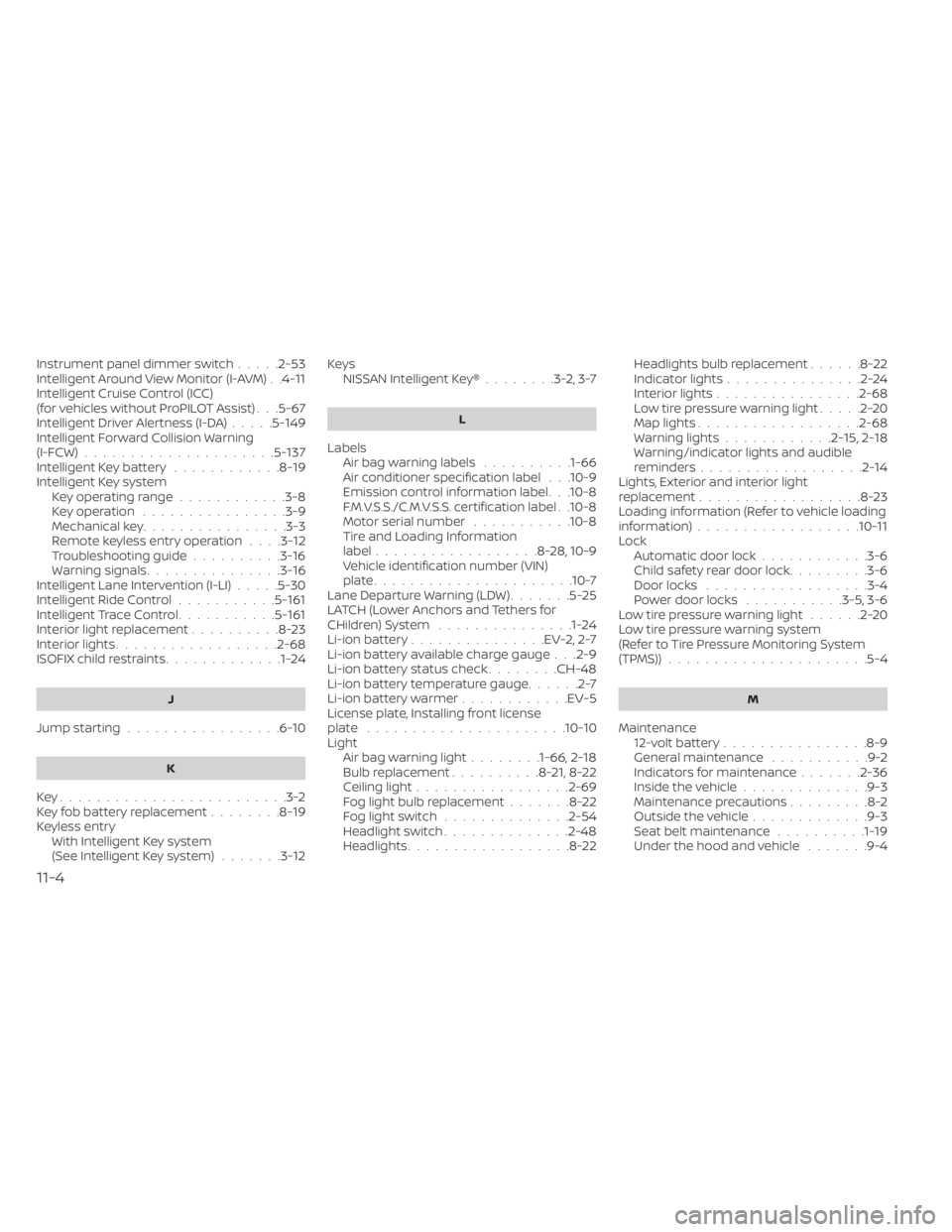
Instrument panel dimmer switch.....2-53Intelligent Around View Monitor (I-AVM). .4-11Intelligent Cruise Control (ICC)
(for vehicles without ProPILOT Assist). . .5-67Intelligent Driver Alertness (I-DA).....5-149Intelligent Forward Collision Warning
(I-FCW).....................5-137Intelligent Key battery............8-19Intelligent Key systemKey operating range............3-8Key operation................3-9Mechanical key................3-3Remote keyless entry operation. . . .3-12Troubleshooting guide..........3-16Warning signals...............3-16Intelligent Lane Intervention (I-LI).....5-30Intelligent Ride Control...........5-161Intelligent Trace Control...........5-161Interior light replacement..........8-23Interior lights................. .2-68ISOFIX child restraints.............1-24
J
Jump starting.................6-10
K
Key.........................3-2Key fob battery replacement........8-19Keyless entry
With Intelligent Key system
(See Intelligent Key system)
.......3-12
KeysNISSAN Intelligent Key®........3-2,3-7
L
LabelsAir bag warning labels..........1-66Air conditioner specification label. . .10-9Emission control information label. . .10-8F.M.V.S.S./C.M.V.S.S. certification label. .10-8Motor serial number...........10-8Tire and Loading Information
label..................8-28, 10-9Vehicle identification number (VIN)
plate..................... .10-7Lane Departure Warning (LDW).......5-25LATCH (Lower Anchors and Tethers for
CHildren) System...............1-24Li-ion battery...............EV-2, 2-7Li-ion battery available charge gauge. . .2-9Li-ion battery status check........CH-48Li-ion battery temperature gauge......2-7Li-ion battery warmer............EV-5License plate, Installing front license
plate......................10-10Light
Air bag warning light........1-66, 2-18Bulb replacement..........8-21,8-22Ceiling light................ .2-69Fog light bulb replacement.......8-22Fog light switch..............2-54Headlight switch..............2-48Headlights..................8-22
Headlights bulb replacement......8-22Indicator lights...............2-24Interior lights................2-68Low tire pressure warning light.....2-20Map lights................. .2-68Warning lights............2-15,2-18Warning/indicator lights and audible
reminders..................2-14Lights, Exterior and interior light
replacement..................8-23Loading information (Refer to vehicle loading
information)..................10-11Lock
Automatic door lock............3-6Child safety rear door lock.........3-6Door locks................. .3-4Power door locks...........3-5, 3-6Low tire pressure warning light......2-20Low tire pressure warning system
(Refer to Tire Pressure Monitoring System
(TPMS))
..................... .5-4
M
Maintenance
12-volt battery................8-9General maintenance...........9-2Indicators for maintenance.......2-36Inside the vehicle..............9-3Maintenance precautions.........8-2Outside the vehicle.............9-3Seat belt maintenance..........1-19Under the hood and vehicle.......9-4
11-4