steering NISSAN LEAF 2021 Owner´s Manual
[x] Cancel search | Manufacturer: NISSAN, Model Year: 2021, Model line: LEAF, Model: NISSAN LEAF 2021Pages: 602, PDF Size: 4.22 MB
Page 415 of 602
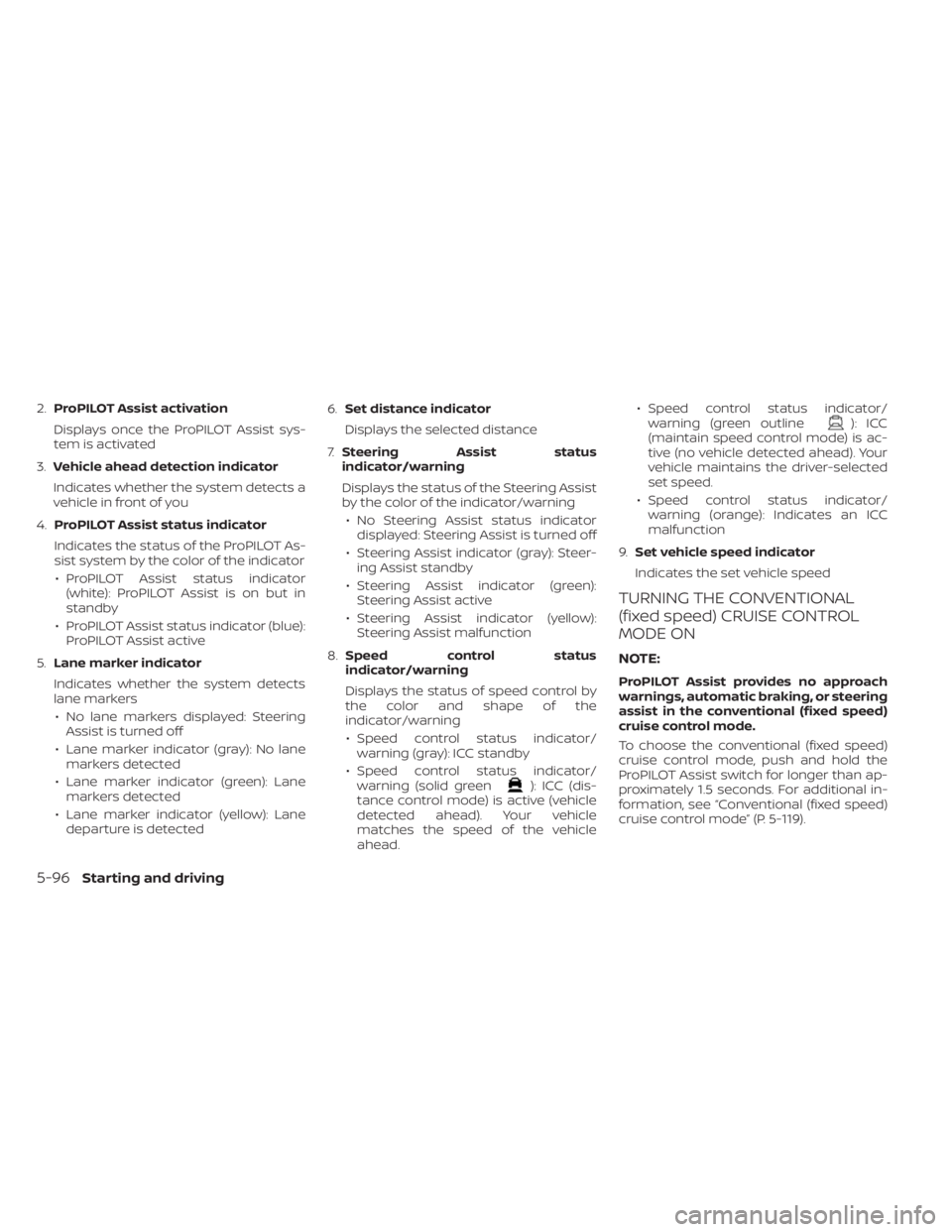
2.ProPILOT Assist activation
Displays once the ProPILOT Assist sys-
tem is activated
3. Vehicle ahead detection indicator
Indicates whether the system detects a
vehicle in front of you
4. ProPILOT Assist status indicator
Indicates the status of the ProPILOT As-
sist system by the color of the indicator • ProPILOT Assist status indicator (white): ProPILOT Assist is on but in
standby
• ProPILOT Assist status indicator (blue): ProPILOT Assist active
5. Lane marker indicator
Indicates whether the system detects
lane markers • No lane markers displayed: Steering Assist is turned off
• Lane marker indicator (gray): No lane markers detected
• Lane marker indicator (green): Lane markers detected
• Lane marker indicator (yellow): Lane departure is detected 6.
Set distance indicator
Displays the selected distance
7. Steering Assist status
indicator/warning
Displays the status of the Steering Assist
by the color of the indicator/warning
• No Steering Assist status indicator displayed: Steering Assist is turned off
• Steering Assist indicator (gray): Steer- ing Assist standby
• Steering Assist indicator (green): Steering Assist active
• Steering Assist indicator (yellow): Steering Assist malfunction
8. Speed control status
indicator/warning
Displays the status of speed control by
the color and shape of the
indicator/warning
• Speed control status indicator/ warning (gray): ICC standby
• Speed control status indicator/ warning (solid green
): ICC (dis-
tance control mode) is active (vehicle
detected ahead). Your vehicle
matches the speed of the vehicle
ahead. • Speed control status indicator/
warning (green outline
): ICC
(maintain speed control mode) is ac-
tive (no vehicle detected ahead). Your
vehicle maintains the driver-selected
set speed.
• Speed control status indicator/ warning (orange): Indicates an ICC
malfunction
9. Set vehicle speed indicator
Indicates the set vehicle speed
TURNING THE CONVENTIONAL
(fixed speed) CRUISE CONTROL
MODE ON
NOTE:
ProPILOT Assist provides no approach
warnings, automatic braking, or steering
assist in the conventional (fixed speed)
cruise control mode.
To choose the conventional (fixed speed)
cruise control mode, push and hold the
ProPILOT Assist switch for longer than ap-
proximately 1.5 seconds. For additional in-
formation, see “Conventional (fixed speed)
cruise control mode” (P. 5-119).
5-96Starting and driving
Page 420 of 602
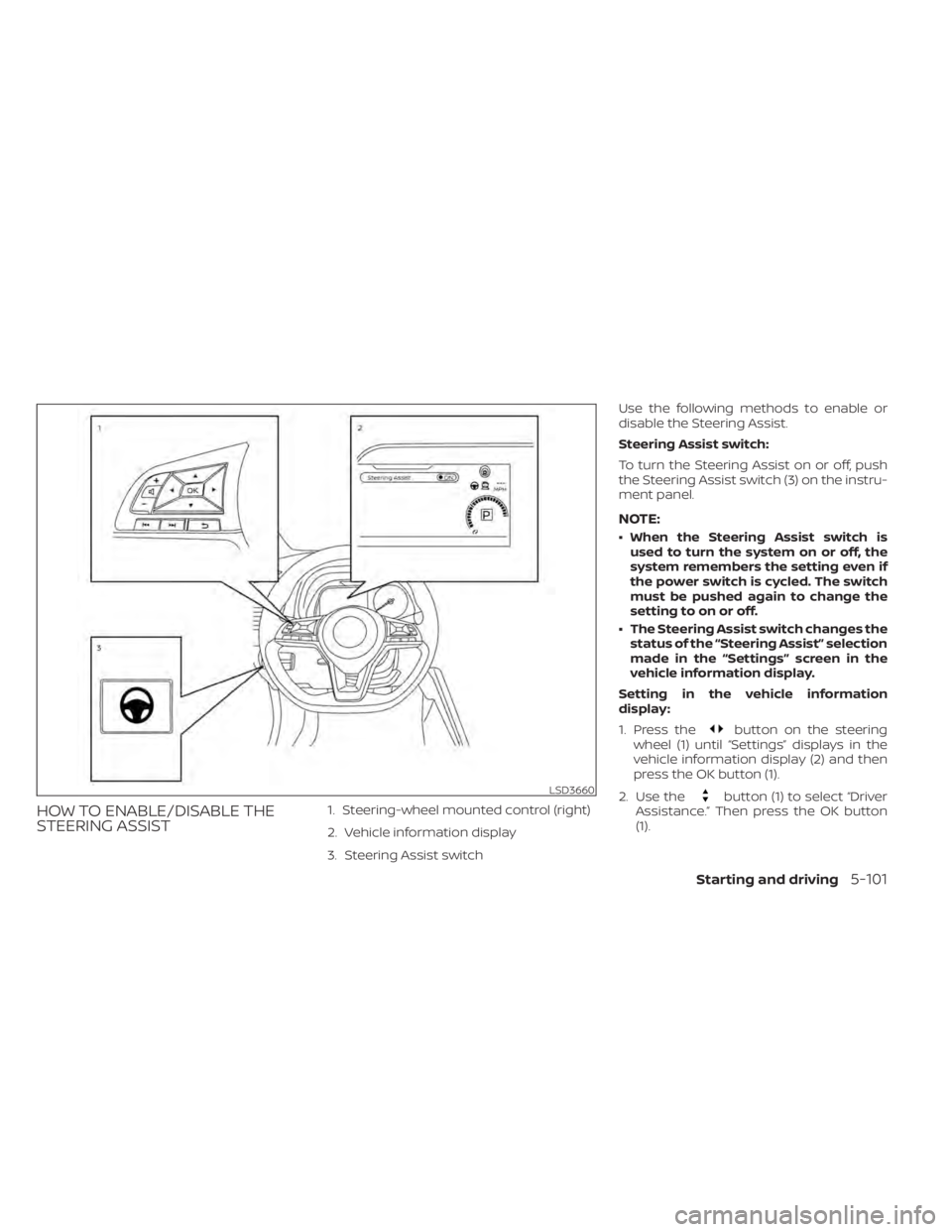
HOW TO ENABLE/DISABLE THE
STEERING ASSIST1. Steering-wheel mounted control (right)
2. Vehicle information display
3. Steering Assist switchUse the following methods to enable or
disable the Steering Assist.
Steering Assist switch:
To turn the Steering Assist on or off, push
the Steering Assist switch (3) on the instru-
ment panel.
NOTE:
• When the Steering Assist switch is
used to turn the system on or off, the
system remembers the setting even if
the power switch is cycled. The switch
must be pushed again to change the
setting to on or off.
• The Steering Assist switch changes the status of the “Steering Assist” selection
made in the “Settings” screen in the
vehicle information display.
Setting in the vehicle information
display:
1. Press the
button on the steering
wheel (1) until “Settings” displays in the
vehicle information display (2) and then
press the OK button (1).
2. Use the
button (1) to select “Driver
Assistance.” Then press the OK button
(1).LSD3660
Starting and driving5-101
Page 421 of 602
3. Select “Steering Assist” and press the OKbutton (1).
NOTE:
• When the Cruise screen is displayed onthe vehicle information display, press
the OK button on the steering wheel to
call up the “Driver Assistance” setting
display.
• When enabling/disabling the system through the vehicle information dis-
play or when pressing the Steering As-
sist switch, the system retains the cur-
rent settings even if the EV system is
restarted.
How to cancel the ProPILOT Assist
system
To cancel the ProPILOT Assist system, use
one of the following methods:
• Push the CANCEL switch.
• Tap the brake pedal (except at astandstill).
• Push the ProPILOT Assist switch to turn the system off. The ProPILOT Assist status
indicator will go out. When the ProPILOT Assist system is can-
celed while the vehicle is stopped, the elec-
tronic parking brake is automatically
activated.
WARNING
To prevent the vehicle from moving or
rolling unexpectedly, which could re-
sult in serious personal injury or prop-
erty damage, before exiting the vehicle
make sure to push the ProPILOT Assist
switch to turn the system off, place the
shif t lever in the P (Park) position, and
turn the EV system off.
INTELLIGENT CRUISE CONTROL
(ICC) (for vehicles with ProPILOT
Assist)
WARNING
Failure to follow the warnings and in-
structions for proper use of the ICC sys-
tem could result in serious injury or
death. •
The ICC system is only an aid to assist
the driver and is not a collision warn-
ing or avoidance device. It is recom-
mended for highway use only and it
is not intended for city driving. It is
the driver’s responsibility to stay
alert, drive safely, and be in control of
the vehicle at all times.
• There are limitations to the ICC sys-
tem capability. The ICC system does
not function in all driving, traffic,
weather, and road conditions. It is the
driver’s responsibility to stay alert,
drive safely, keep the vehicle in the
traveling lane, and be in control of the
vehicle at all times.
• Always observe posted speed limits
and do not set the speed over them.
• The ICC system does not react to sta-
tionary and slow-moving vehicles.
5-102Starting and driving
Page 425 of 602
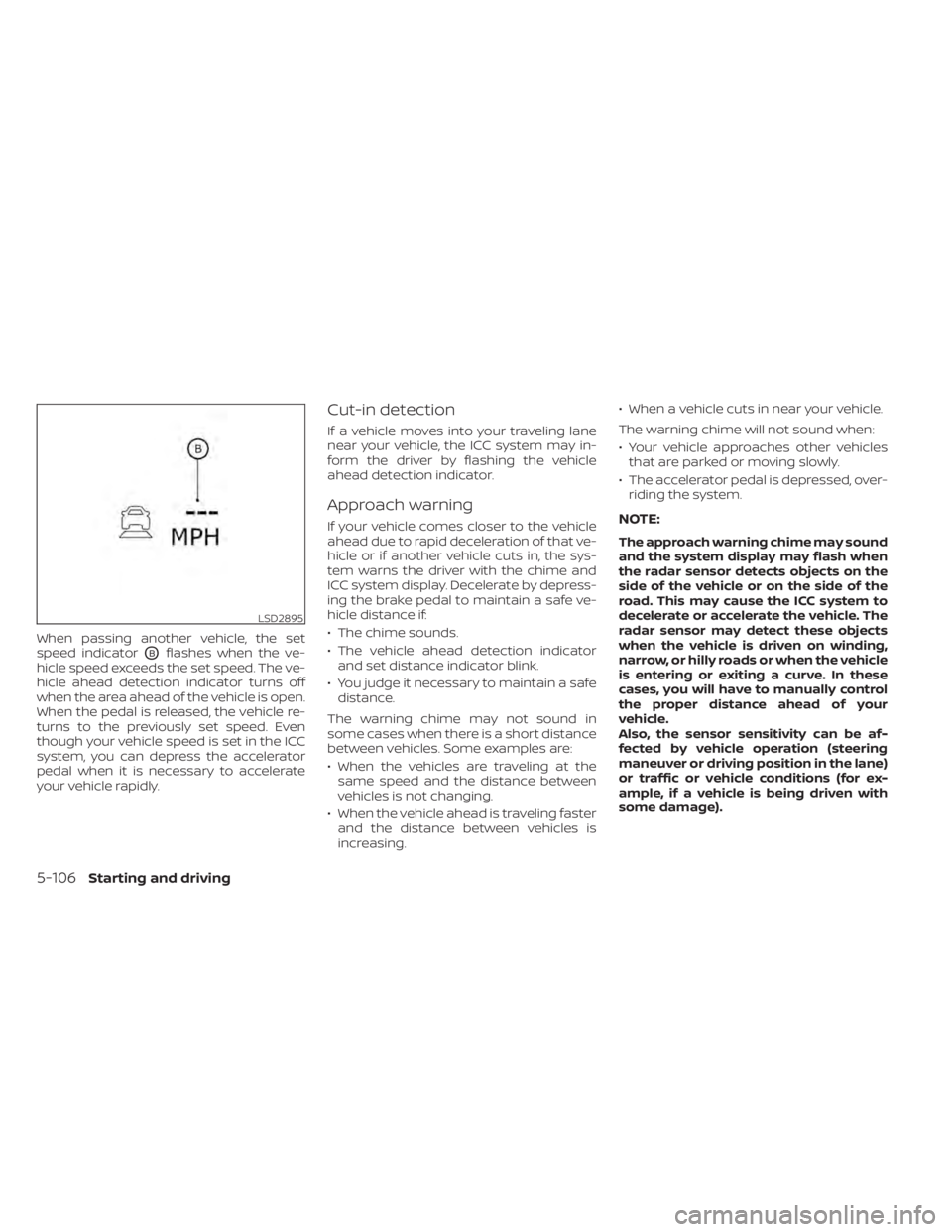
When passing another vehicle, the set
speed indicator
OBflashes when the ve-
hicle speed exceeds the set speed. The ve-
hicle ahead detection indicator turns off
when the area ahead of the vehicle is open.
When the pedal is released, the vehicle re-
turns to the previously set speed. Even
though your vehicle speed is set in the ICC
system, you can depress the accelerator
pedal when it is necessary to accelerate
your vehicle rapidly.
Cut-in detection
If a vehicle moves into your traveling lane
near your vehicle, the ICC system may in-
form the driver by flashing the vehicle
ahead detection indicator.
Approach warning
If your vehicle comes closer to the vehicle
ahead due to rapid deceleration of that ve-
hicle or if another vehicle cuts in, the sys-
tem warns the driver with the chime and
ICC system display. Decelerate by depress-
ing the brake pedal to maintain a safe ve-
hicle distance if:
• The chime sounds.
• The vehicle ahead detection indicator and set distance indicator blink.
• You judge it necessary to maintain a safe distance.
The warning chime may not sound in
some cases when there is a short distance
between vehicles. Some examples are:
• When the vehicles are traveling at the same speed and the distance between
vehicles is not changing.
• When the vehicle ahead is traveling faster and the distance between vehicles is
increasing. • When a vehicle cuts in near your vehicle.
The warning chime will not sound when:
• Your vehicle approaches other vehicles
that are parked or moving slowly.
• The accelerator pedal is depressed, over- riding the system.NOTE:
The approach warning chime may sound
and the system display may flash when
the radar sensor detects objects on the
side of the vehicle or on the side of the
road. This may cause the ICC system to
decelerate or accelerate the vehicle. The
radar sensor may detect these objects
when the vehicle is driven on winding,
narrow, or hilly roads or when the vehicle
is entering or exiting a curve. In these
cases, you will have to manually control
the proper distance ahead of your
vehicle.
Also, the sensor sensitivity can be af-
fected by vehicle operation (steering
maneuver or driving position in the lane)
or traffic or vehicle conditions (for ex-
ample, if a vehicle is being driven with
some damage).
LSD2895
5-106Starting and driving
Page 426 of 602
Acceleration when passing
When the ICC system is engaged above 43
mph and following a slower vehicle (below
ICC set speed), and the turn signal is acti-
vated to the lef t, the ICC system will auto-
matically start to accelerate the vehicle to
help initiate passing on the lef t and will
begin to reduce the distance to the vehicle
directly ahead. Only the lef t side turn signal
operates this feature. As the driver steers
the vehicle and moves into the passing
lane, if no vehicle is detected ahead the ICC
system will continue to accelerate to the
ICC system set speed. If another vehicle is
detected ahead, then the vehicle will accel-
erate up to the following speed of that ve-
hicle. If the vehicle is not steered into the
lef t lane to pass, the acceleration will stop
af ter a short time and regain the set follow-
ing distance. Acceleration can be stopped
at any point by depressing the brake pedal
or the CANCEL switch on the steering
wheel.
WARNING
In order to reduce the risk of a collision
that may result in serious injury or
death, please be aware of the following: •
This function is only activated with
the lef t turn signal and will briefly ac-
celerate the vehicle even if a lane
change is not initiated. This can in-
clude non-passing situations such as
lef t side exits.
• Ensure that when passing another
vehicle, the adjacent lane is clear be-
fore initiating the pass. Sudden
changes in traffic may occur while
passing.
– Always manually steer or brake as
needed
– Never solely rely on the system
ICC system limitations
WARNING
Listed below are the system limitations
for the ICC system. Failure to operate
the vehicle in accordance with these
system limitations could result in seri-
ous injury or death:
• The ICC system is primarily intended
for use on straight, dry, open roads
with light traffic. It is not advisable to
use the ICC system in city traffic or
congested areas. •
The ICC system will not adapt auto-
matically to road conditions. This
system should be used in evenly
flowing traffic. Do not use the system
on roads with sharp curves or on icy
roads, in heavy rain or in fog.
• As there is a performance limit to the
distance control function, never rely
solely on the ICC system. This system
does not correct careless, inattentive
or absentminded driving or over-
come poor visibility in rain, fog, or
other bad weather. Decelerate the
vehicle speed by depressing the
brake pedal, depending on the dis-
tance to the vehicle ahead and the
surrounding circumstances in order
to maintain a safe distance between
vehicles.
• When the ICC system automatically
brings the car to a stop, your vehicle
can automatically accelerate if the
vehicle is stopped for less than ap-
proximately 3 seconds. Be prepared
to stop your vehicle if necessary.
Starting and driving5-107
Page 429 of 602
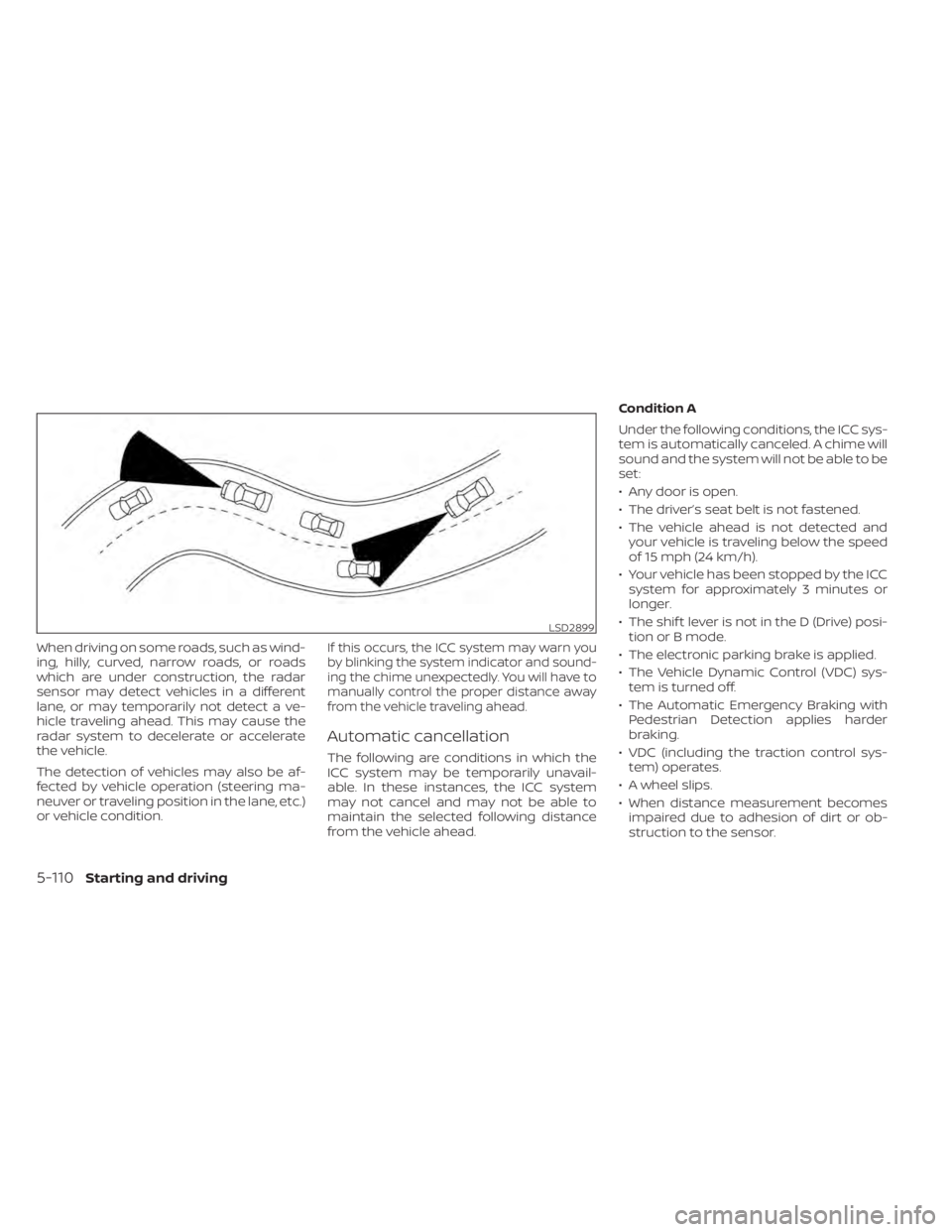
When driving on some roads, such as wind-
ing, hilly, curved, narrow roads, or roads
which are under construction, the radar
sensor may detect vehicles in a different
lane, or may temporarily not detect a ve-
hicle traveling ahead. This may cause the
radar system to decelerate or accelerate
the vehicle.
The detection of vehicles may also be af-
fected by vehicle operation (steering ma-
neuver or traveling position in the lane, etc.)
or vehicle condition.If this occurs, the ICC system may warn you
by blinking the system indicator and sound-
ing the chime unexpectedly. You will have to
manually control the proper distance away
from the vehicle traveling ahead.
Automatic cancellation
The following are conditions in which the
ICC system may be temporarily unavail-
able. In these instances, the ICC system
may not cancel and may not be able to
maintain the selected following distance
from the vehicle ahead.Condition A
Under the following conditions, the ICC sys-
tem is automatically canceled. A chime will
sound and the system will not be able to be
set:
• Any door is open.
• The driver’s seat belt is not fastened.
• The vehicle ahead is not detected and
your vehicle is traveling below the speed
of 15 mph (24 km/h).
• Your vehicle has been stopped by the ICC system for approximately 3 minutes or
longer.
• The shif t lever is not in the D (Drive) posi- tion or B mode.
• The electronic parking brake is applied.
• The Vehicle Dynamic Control (VDC) sys- tem is turned off.
• The Automatic Emergency Braking with Pedestrian Detection applies harder
braking.
• VDC (including the traction control sys- tem) operates.
• A wheel slips.
• When distance measurement becomes impaired due to adhesion of dirt or ob-
struction to the sensor.
LSD2899
5-110Starting and driving
Page 431 of 602
ICC sensor maintenance
The radar sensor is located on the front of
the vehicle.
To keep the ICC system operating properly,
be sure to observe the following:
• Always keep the sensor area clean.
• Do not strike or damage the areasaround the sensor.
• Do not attach a sticker (including trans- parent material) or install an accessory
near the sensor. This could cause failure
or malfunction.
• Do not attach metallic objects near the sensor area (brush guard, etc.). This could
cause failure or malfunction.
• Do not alter, remove, or paint the front bumper.
Before customizing or restoring the front
bumper, it is recommended that you visit a
NISSAN certified LEAF dealer.
The camera sensor is located above the
inside mirror.
To keep the proper operation of the sys-
tems and prevent a system malfunction,
be sure to observe the following:
• Always keep the windshield clean. • Do not attach a sticker (including trans-
parent material) or install an accessory
near the camera unit.
• Do not place reflective materials, such as white paper or a mirror, on the instru-
ment panel. The reflection of sunlight
may adversely affect the camera unit’s
capability of detecting the lane markers.
• Do not strike or damage the areas around the camera unit. Do not touch the
camera lens or remove the screw located
on the camera unit.
If the camera unit is damaged due to an
accident, it is recommended that you visit a
NISSAN certified LEAF dealer.
STEERING ASSIST
WARNING
Failure to follow the warnings and in-
structions for proper use of the Steer-
ing Assist could result in serious injury
or death. •
The Steering Assist is not a replace-
ment for proper driving procedures
and is not designed to correct care-
less, inattentive or absent-minded
driving. The Steering Assist will not
always steer the vehicle to keep it in
the lane. It is not designed to prevent
loss of control. It is the driver’s re-
sponsibility to stay alert, drive safely,
keep the vehicle in the traveling lane,
and be in control of the vehicle at all
times.
• As there is a performance limit to the
Steering Assist’s capability, never
rely solely on the system. The Steer-
ing Assist does not function in all
driving, traffic, weather, and road
conditions. Always drive safely, pay
attention to the operation of the ve-
hicle, and manually control your ve-
hicle appropriately.
• The Steering Assist is intended for
use on well-developed freeways or
highways with gentle (moderate)
curves. To avoid risk of an accident,
do not use this system on local or
non-highway roads.
5-112Starting and driving
Page 432 of 602
•The Steering Assist only steers the
vehicle to maintain its position in the
center of a lane. The vehicle will not
steer to avoid objects in the road in
front of the vehicle or to avoid a ve-
hicle moving into your lane.
• It is the driver’s responsibility to stay
alert, drive safely, keep the vehicle in
the traveling lane, and be in control of
the vehicle at all times. Never take
your hands off the steering wheel
when driving. Always keep your
hands on the steering wheel and
drive your vehicle safely.
• Always drive carefully and atten-
tively when using the Steering Assist.
Read and understand the Owner’s
Manual thoroughly before using the
Steering Assist. To avoid serious in-
jury or death, do not rely on the sys-
tem to prevent accidents or to con-
trol the vehicle’s speed in emergency
situations. Do not use the Steering
Assist except in appropriate road and
traffic conditions.Steering Assist operation
The Steering Assist controls the steering
system to help keep your vehicle near the
center of the lane when driving. The Steer-
ing Assist is combined with the Intelligent
Cruise Control (ICC) system. For additional
information, see “Intelligent Cruise Control
(ICC) (with ProPILOT Assist)” (P. 5-102).
The Steering Assist can be activated when
the following conditions are met:
• The ICC system is activated.
• Lane markers on both sides are clearly detected.
• A vehicle ahead is detected (when the vehicle is driven at speeds under 37 mph
[60 km/h]).
• The driver grips the steering wheel.
• The vehicle is driven at the center of the lane.
• The turn signals are not operated.
• The windshield wiper is not operated in the high (HI) speed operation (the steer-
ing assist function is disabled af ter the
wiper operates for approximately 10
seconds).
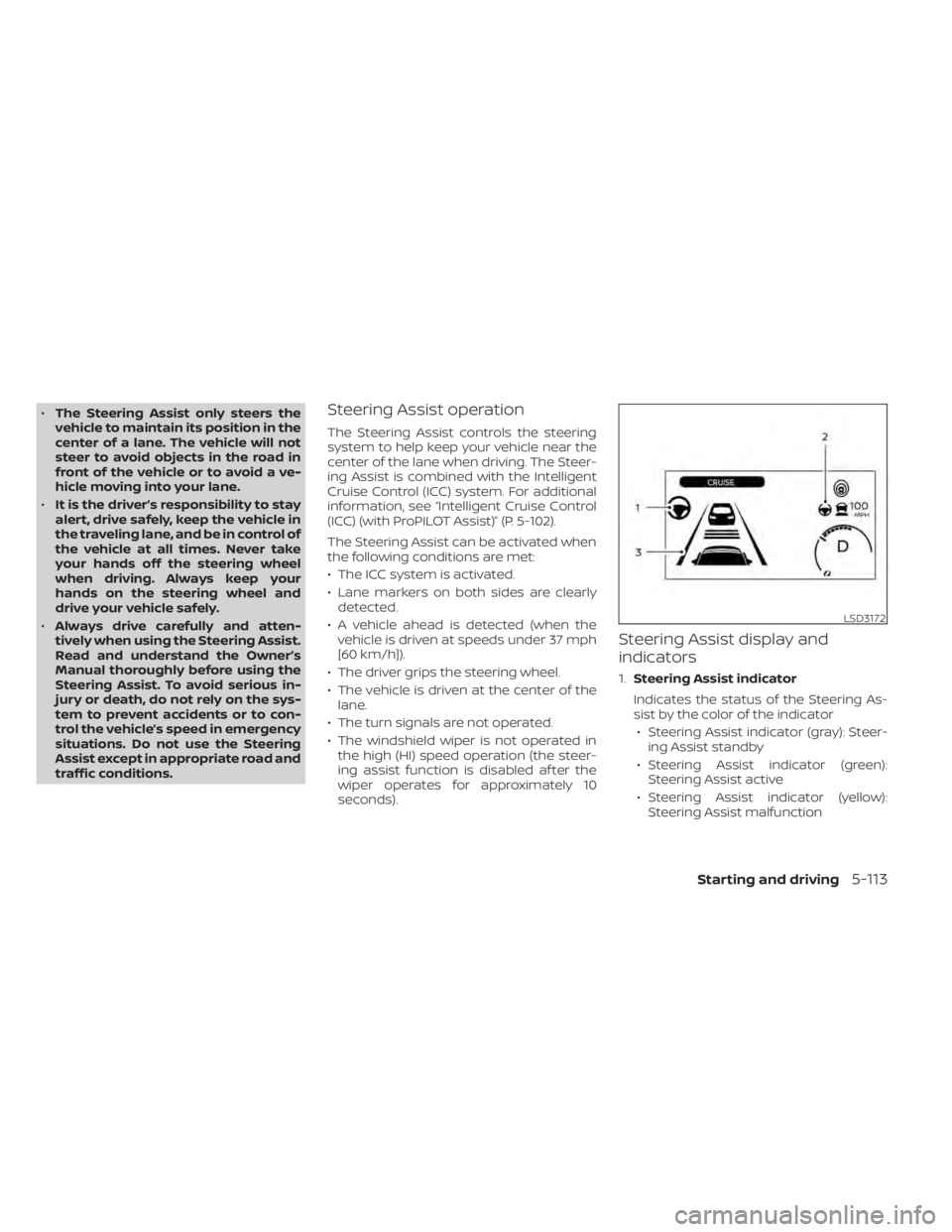
Steering Assist display and
indicators
1. Steering Assist indicator
Indicates the status of the Steering As-
sist by the color of the indicator • Steering Assist indicator (gray): Steer- ing Assist standby
• Steering Assist indicator (green): Steering Assist active
• Steering Assist indicator (yellow): Steering Assist malfunction
LSD3172
Starting and driving5-113
Page 433 of 602
2.Steering Assist status indicator/warning
Displays the status of the Steering Assist
by the color of the indicator/warning• Steering Assist indicator (gray): Steer- ing Assist standby
• Steering Assist indicator (green): Steering Assist active
• Steering Assist indicator (yellow): Steering Assist malfunction
3. Lane marker indicator
Indicates whether the system detects
the lane marker • Lane marker indicator (gray): Lane markers not detected
• Lane marker indicator (green): Lane markers detected
• Lane marker indicator (yellow): Lane departure is detected
When the Steering Assist is in operation,
the Steering Assist status indicator (1), the
Steering Assist indicator (2), and the lane
marker indicator (3) on the vehicle informa-
tion display turn green. A chime sounds
when the Steering Assist initially activates. When the Steering Assist deactivates, the
Steering Assist status indicator (1), the
Steering Assist indicator (2), and the lane
marker indicator (3) on the vehicle informa-
tion display turn gray and a chime sounds
twice.
Intelligent Lane Intervention (I-LI)
When a curve or strong cross wind exceeds
the capabilities of the Steering Assist and
your vehicle approaches either the lef t or
the right side of the traveling lane, a warn-
ing chime sounds and the I-LI indicator
light (orange) on the instrument panel
flashes to alert the driver. Then, the I-LI sys-
tem automatically applies the brakes for a
short period of time to help assist the
driver to return the vehicle to the center of
the traveling lane. This action is in addition
to any Steering Assist actions.
5-114Starting and driving
Page 434 of 602
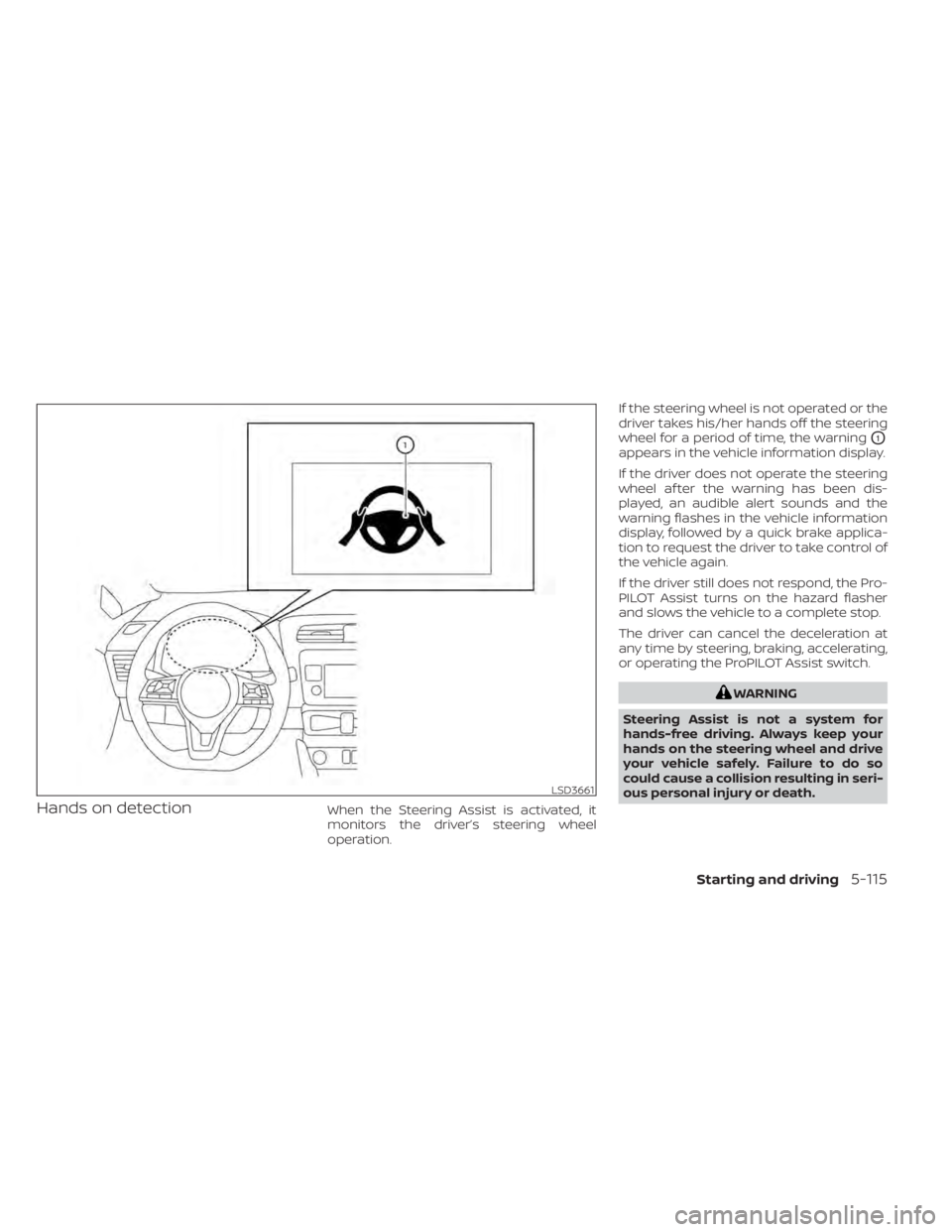
Hands on detectionWhen the Steering Assist is activated, it
monitors the driver’s steering wheel
operation.If the steering wheel is not operated or the
driver takes his/her hands off the steering
wheel for a period of time, the warning
O1
appears in the vehicle information display.
If the driver does not operate the steering
wheel af ter the warning has been dis-
played, an audible alert sounds and the
warning flashes in the vehicle information
display, followed by a quick brake applica-
tion to request the driver to take control of
the vehicle again.
If the driver still does not respond, the Pro-
PILOT Assist turns on the hazard flasher
and slows the vehicle to a complete stop.
The driver can cancel the deceleration at
any time by steering, braking, accelerating,
or operating the ProPILOT Assist switch.
WARNING
Steering Assist is not a system for
hands-free driving. Always keep your
hands on the steering wheel and drive
your vehicle safely. Failure to do so
could cause a collision resulting in seri-
ous personal injury or death.
LSD3661
Starting and driving5-115