warning NISSAN LEAF 2022 Owner´s Manual
[x] Cancel search | Manufacturer: NISSAN, Model Year: 2022, Model line: LEAF, Model: NISSAN LEAF 2022Pages: 618, PDF Size: 4.3 MB
Page 344 of 618
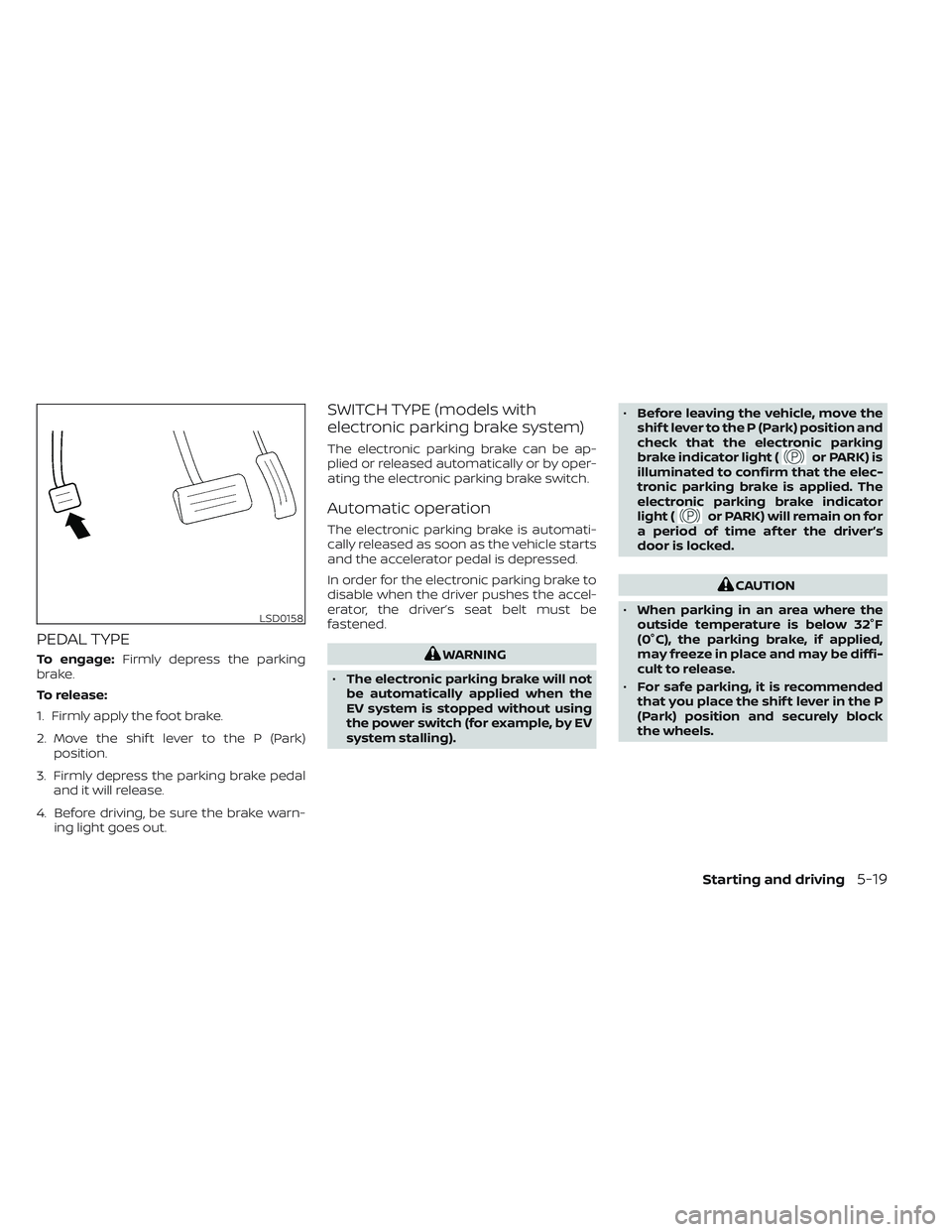
PEDAL TYPE
To engage:Firmly depress the parking
brake.
To release:
1. Firmly apply the foot brake.
2. Move the shif t lever to the P (Park) position.
3. Firmly depress the parking brake pedal and it will release.
4. Before driving, be sure the brake warn- ing light goes out.
SWITCH TYPE (models with
electronic parking brake system)
The electronic parking brake can be ap-
plied or released automatically or by oper-
ating the electronic parking brake switch.
Automatic operation
The electronic parking brake is automati-
cally released as soon as the vehicle starts
and the accelerator pedal is depressed.
In order for the electronic parking brake to
disable when the driver pushes the accel-
erator, the driver’s seat belt must be
fastened.
WARNING
• The electronic parking brake will not
be automatically applied when the
EV system is stopped without using
the power switch (for example, by EV
system stalling). •
Before leaving the vehicle, move the
shif t lever to the P (Park) position and
check that the electronic parking
brake indicator light (
or PARK) is
illuminated to confirm that the elec-
tronic parking brake is applied. The
electronic parking brake indicator
light (
or PARK) will remain on for
a period of time af ter the driver’s
door is locked.
CAUTION
• When parking in an area where the
outside temperature is below 32°F
(0°C), the parking brake, if applied,
may freeze in place and may be diffi-
cult to release.
• For safe parking, it is recommended
that you place the shif t lever in the P
(Park) position and securely block
the wheels.
LSD0158
Starting and driving5-19
Page 345 of 618
NOTE:
• If a malfunction occurs in the elec-tronic parking brake system (for ex-
ample, due to battery discharge), it is
recommended that you visit a NISSAN
certified LEAF dealer.
• When the ICC system (if so equipped) is canceled under the following condi-
tions at a standstill, the electronic
parking brake is automatically
activated:– Any door is open.
– The driver’s seat belt is not fastened.
– Your vehicle has been stopped by the ICC system for approximately 3
minutes or longer.
– The shif t lever is not in the D (Drive) position or B mode.
– The Vehicle Dynamic Control system is turned off.
– When distance measurement be- comes impaired due to adhesion of
dirt or obstruction to the sensor.
– When the radar signal is temporarily interrupted.
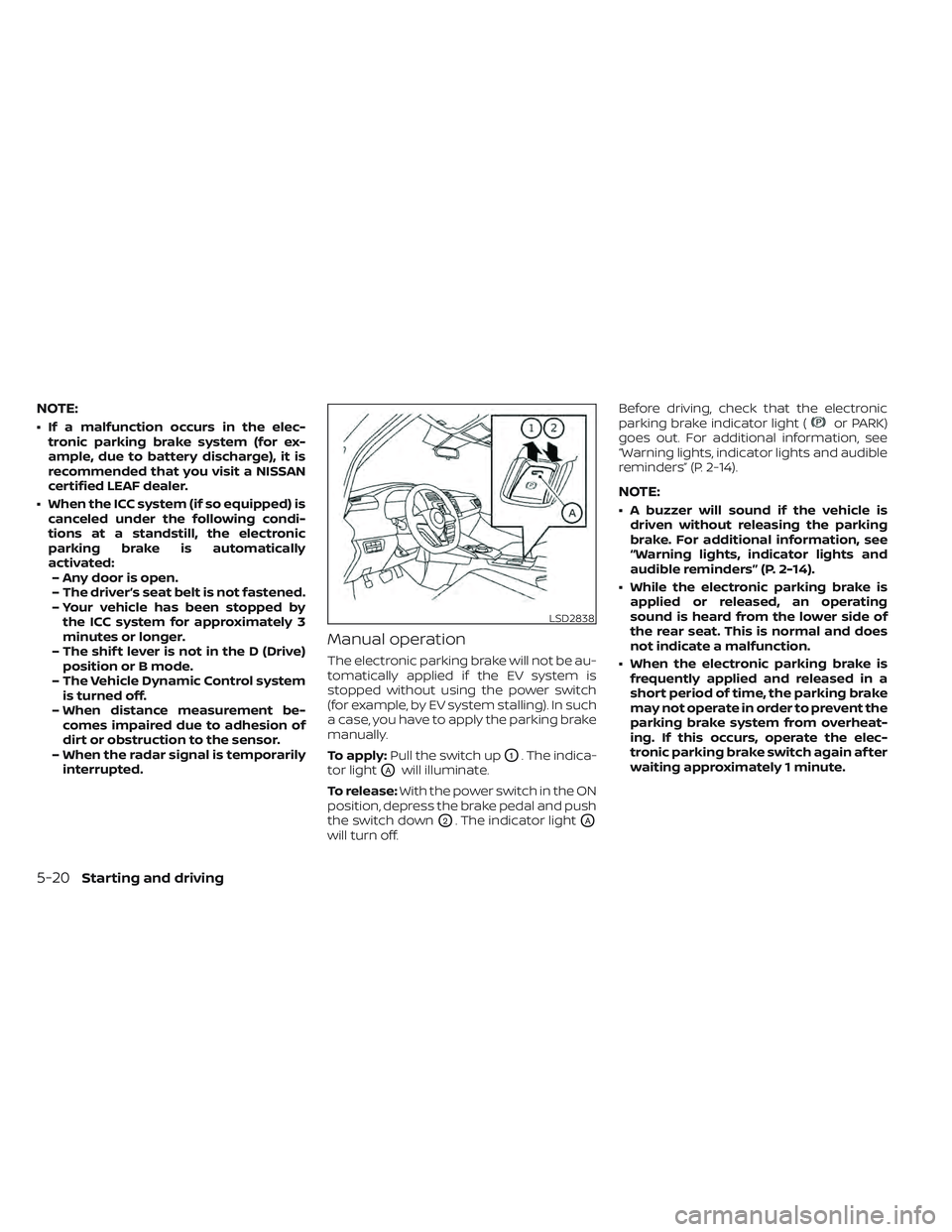
Manual operation
The electronic parking brake will not be au-
tomatically applied if the EV system is
stopped without using the power switch
(for example, by EV system stalling). In such
a case, you have to apply the parking brake
manually.
To apply: Pull the switch up
O1. The indica-
tor light
OAwill illuminate.
To release: With the power switch in the ON
position, depress the brake pedal and push
the switch down
O2. The indicator lightOA
will turn off. Before driving, check that the electronic
parking brake indicator light (
or PARK)
goes out. For additional information, see
“Warning lights, indicator lights and audible
reminders” (P. 2-14).
NOTE:
• A buzzer will sound if the vehicle is driven without releasing the parking
brake. For additional information, see
“Warning lights, indicator lights and
audible reminders” (P. 2-14).
• While the electronic parking brake is applied or released, an operating
sound is heard from the lower side of
the rear seat. This is normal and does
not indicate a malfunction.
• When the electronic parking brake is frequently applied and released in a
short period of time, the parking brake
may not operate in order to prevent the
parking brake system from overheat-
ing. If this occurs, operate the elec-
tronic parking brake switch again af ter
waiting approximately 1 minute.
LSD2838
5-20Starting and driving
Page 346 of 618
• If the electronic parking brake must beapplied while driving in an emergency,
pull up and hold the electronic parking
brake switch. When you release the
electronic parking brake switch, the
parking brake will be released.
• While pulling up the electronic parking brake switch during driving, the park-
ing brake is applied and a chime
sounds. The electronic parking brake
indicator light (
or PARK) in the me-
ter and in the electronic parking brake
switch illuminates. This does not indi-
cate a malfunction. The electronic
parking brake indicator light (
or
PARK) in the meter and in the elec-
tronic parking brake switch turns off
when the parking brake is released.
• When pulling the electronic parking brake switch up with the power switch
in the OFF or ACC position, the elec-
tronic parking brake switch indicator
light will continue to illuminate for a
short period of time.
WARNING
Never rely solely on the e-Pedal system,
as there is a performance limit to the
system function. Always drive carefully
and attentively. The brake pedal should
be operated to slow or stop the vehicle,
depending on traffic or road
conditions.
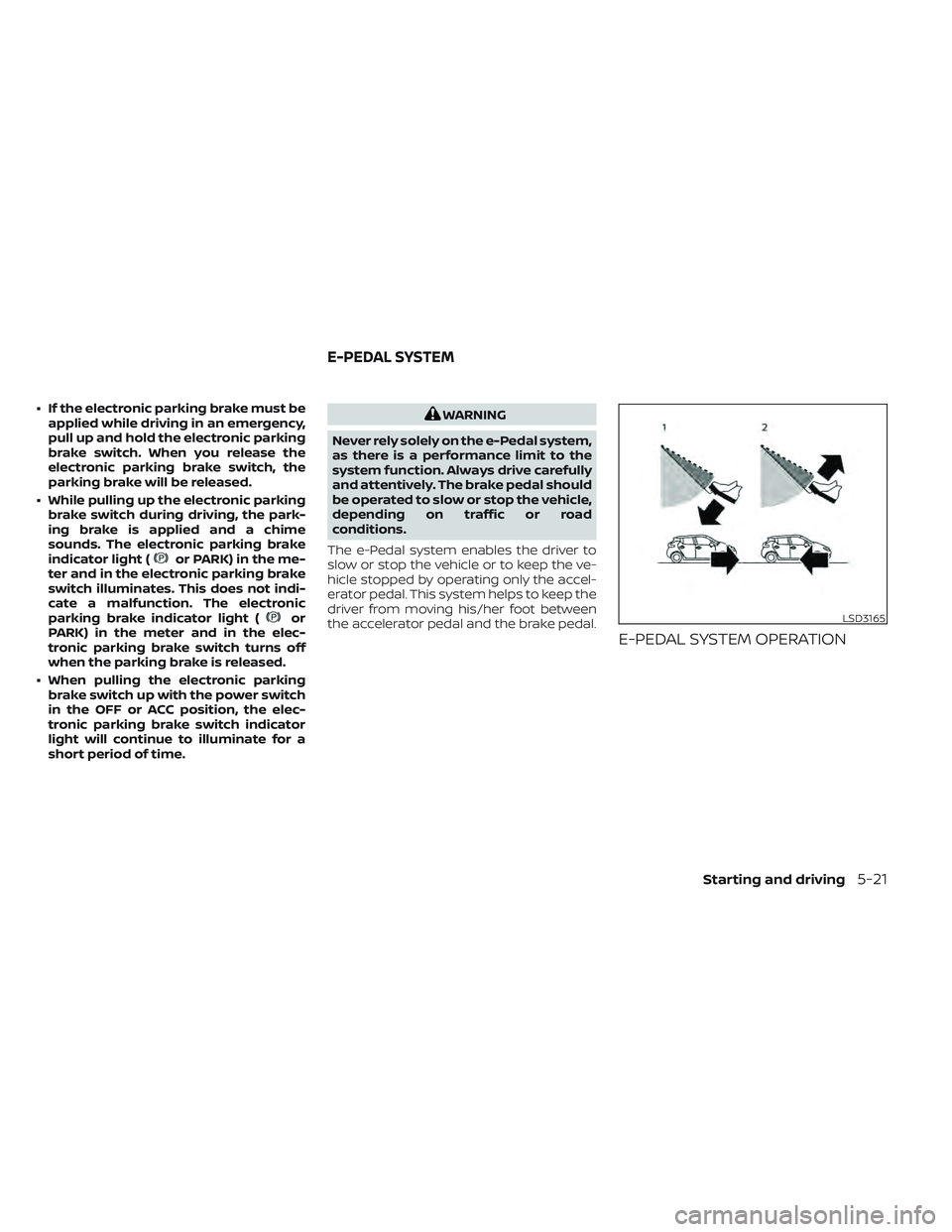
The e-Pedal system enables the driver to
slow or stop the vehicle or to keep the ve-
hicle stopped by operating only the accel-
erator pedal. This system helps to keep the
driver from moving his/her foot between
the accelerator pedal and the brake pedal.
E-PEDAL SYSTEM OPERATION
LSD3165
E-PEDAL SYSTEM
Starting and driving5-21
Page 349 of 618
E-PEDAL SYSTEM LIMITATIONS
WARNING
Listed below are the system limitations
for the e-Pedal system. Failure to oper-
ate the vehicle in accordance with
these system limitations could result in
serious injury or death.
• If the “Press brake pedal to prevent
rolling” warning message appears in
the vehicle information display, de-
press the brake pedal. The vehicle
may start moving.
• If the deceleration force provided by
the e-Pedal system is not sufficient,
depress the brake pedal.
• If the vehicle starts to move while it is
stopped by the e-Pedal system, de-
press the brake pedal immediately.
• Under the following conditions, place
the vehicle in the P (Park) position
and make sure the parking brake is
securely applied. The vehicle may
start moving suddenly.
– When getting in and out of the
vehicle
– When loading and unloading the
vehicle –
When stopping the vehicle for a
long period of time
• Under the following conditions, the
e-Pedal system may not decelerate
or stop the vehicle sufficiently. De-
press the brake pedal whenever
necessary.
– When excessively heavy baggage
is loaded in the vehicle
– When driving on steep downhill
roads
– When driving on icy roads
• On a slope, the e-Pedal system may
not stop the vehicle completely or
may not keep the vehicle stopped.
Depress the brake pedal whenever
necessary.
CAUTION
•
Turn the e-Pedal system off and place
the vehicle in the N (Neutral) position
under the following conditions:
– When the vehicle enters an auto-
matic car wash
– When the vehicle is towed
• Be careful not to operate the e-Pedal
switch mistakenly or unintentionally.
SYSTEM MALFUNCTION
If the e-Pedal system malfunctions, the “e-
Pedal system failure! Press brake pedal to
slow or stop” warning message appears in
the vehicle information display. When the
warning message appears, the e-Pedal
system will be turned off automatically.
Have the system checked as soon as pos-
sible. It is recommended that you visit a
NISSAN certified LEAF dealer for this
service.
5-24Starting and driving
Page 350 of 618
WARNING
Failure to follow the warnings and in-
structions for proper use of the LDW
system could result in serious injury or
death.
• This system is only a warning device
to inform the driver of a potential un-
intended lane departure. It will not
steer the vehicle or prevent loss of
control. It is the driver’s responsibility
to stay alert, drive safely, keep the
vehicle in the traveling lane, and be in
control of the vehicle at all times. The LDW system will operate when the ve-
hicle is driven at speeds of approximately
37 mph (60 km/h) and above, and only
when the lane markings are clearly visible
on the road.
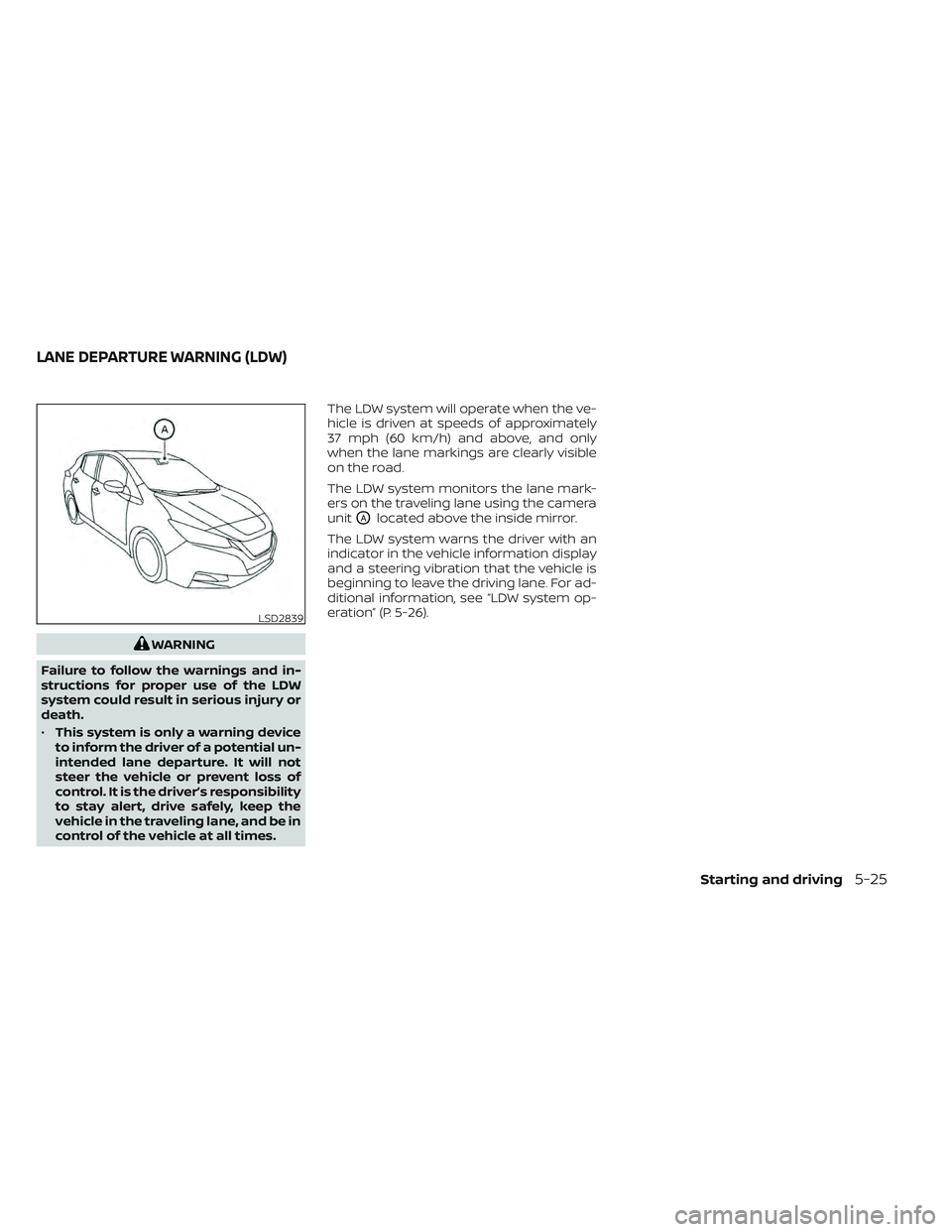
The LDW system monitors the lane mark-
ers on the traveling lane using the camera
unit
OAlocated above the inside mirror.
The LDW system warns the driver with an
indicator in the vehicle information display
and a steering vibration that the vehicle is
beginning to leave the driving lane. For ad-
ditional information, see “LDW system op-
eration” (P. 5-26).
LSD2839
LANE DEPARTURE WARNING (LDW)
Starting and driving5-25
Page 351 of 618
LDW SYSTEM OPERATION
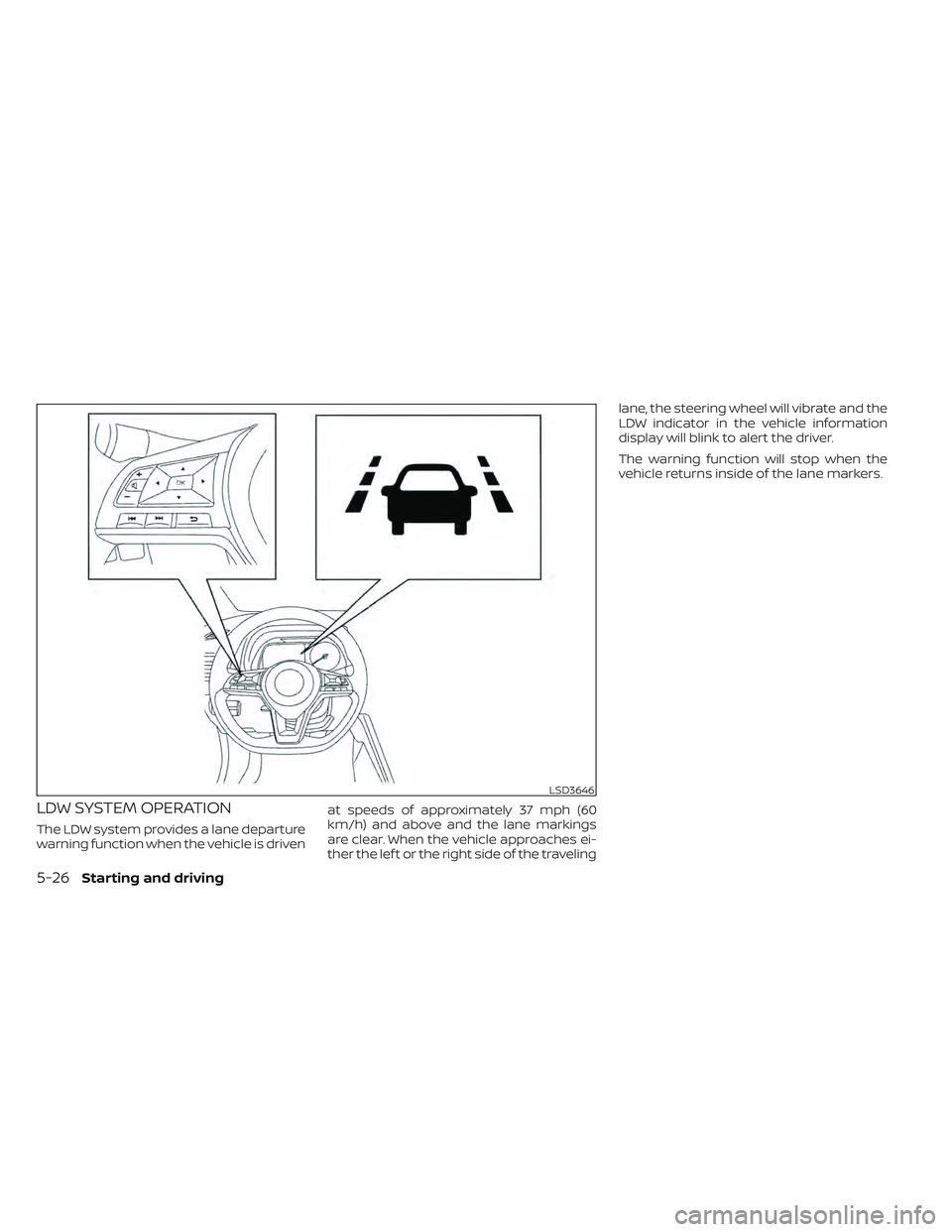
The LDW system provides a lane departure
warning function when the vehicle is drivenat speeds of approximately 37 mph (60
km/h) and above and the lane markings
are clear. When the vehicle approaches ei-
ther the lef t or the right side of the travelinglane, the steering wheel will vibrate and the
LDW indicator in the vehicle information
display will blink to alert the driver.
The warning function will stop when the
vehicle returns inside of the lane markers.
LSD3646
5-26Starting and driving
Page 352 of 618
HOW TO ENABLE/DISABLE THE
LDW SYSTEM
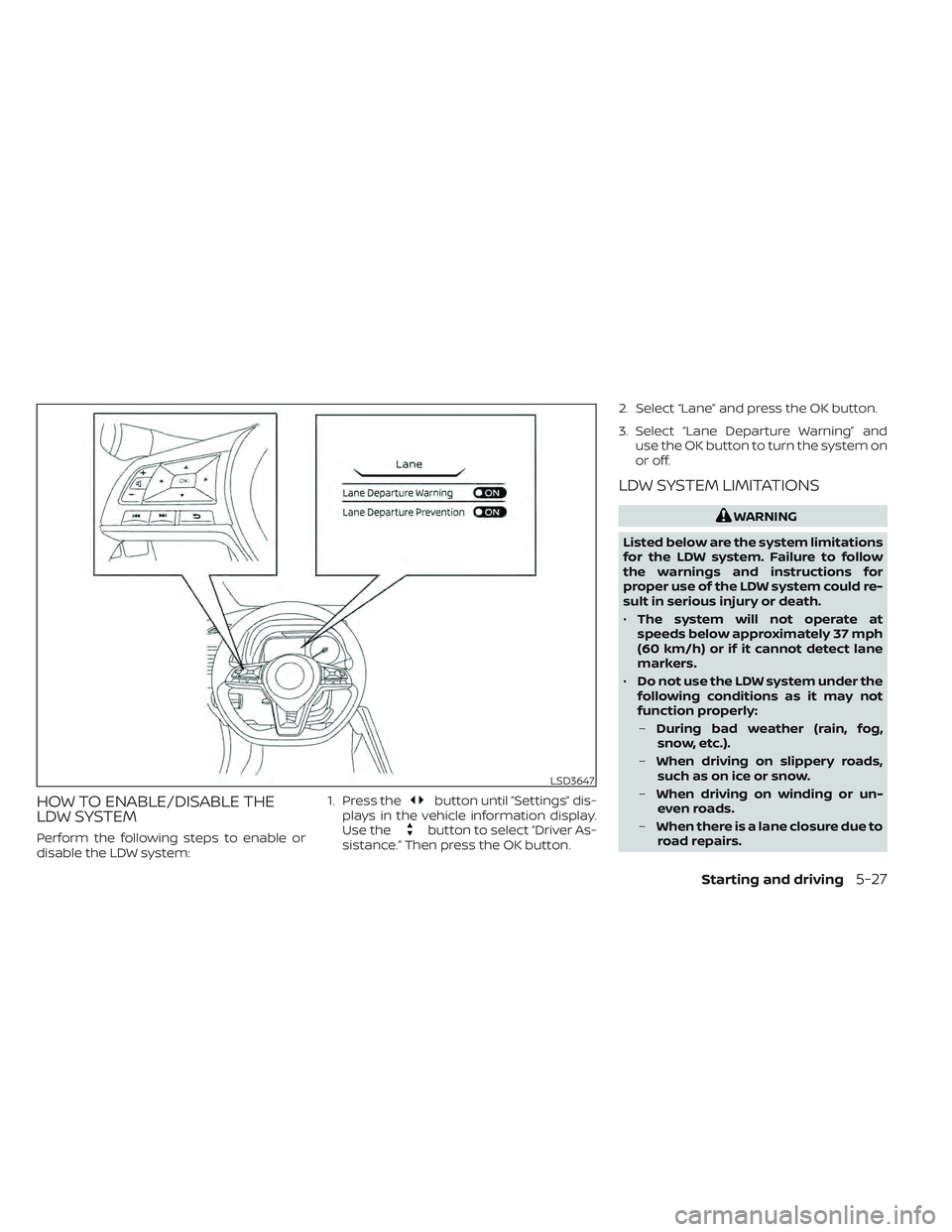
Perform the following steps to enable or
disable the LDW system:1. Press the
button until “Settings” dis-
plays in the vehicle information display.
Use the
button to select “Driver As-
sistance.” Then press the OK button. 2. Select “Lane” and press the OK button.
3. Select “Lane Departure Warning” and
use the OK button to turn the system on
or off.
LDW SYSTEM LIMITATIONS
WARNING
Listed below are the system limitations
for the LDW system. Failure to follow
the warnings and instructions for
proper use of the LDW system could re-
sult in serious injury or death.
• The system will not operate at
speeds below approximately 37 mph
(60 km/h) or if it cannot detect lane
markers.
• Do not use the LDW system under the
following conditions as it may not
function properly:
– During bad weather (rain, fog,
snow, etc.).
– When driving on slippery roads,
such as on ice or snow.
– When driving on winding or un-
even roads.
– When there is a lane closure due to
road repairs.
LSD3647
Starting and driving5-27
Page 355 of 618
WARNING
Failure to follow the warnings and in-
structions for proper use of the I-LI sys-
tem could result in serious injury or
death.
• The I-LI system will not steer the ve-
hicle or prevent loss of control. It is
the driver’s responsibility to stay
alert, drive safely, keep the vehicle in
the traveling lane, and be in control of
the vehicle at all times. •
The I-LI system is primarily intended
for use on well-developed freeways
or highways. It may not detect the
lane markers in certain road,
weather, or driving conditions.
The I-LI system must be turned on with the
ProPILOT Assist switch on the steering
wheel (models with ProPILOT Assist) or the
dynamic driver assistance switch (models
without ProPILOT Assist) every time the
power switch is placed in the ON position.
The I-LI system will operate when the ve-
hicle is driven at speeds of approximately
37 mph (60 km/h) and above, and only
when the lane markings are clearly visible
on the road.
The I-LI system warns the driver when the
vehicle has lef t the center of the traveling
lane with an indicator in the vehicle infor-
mation display and a steering vibration.
The system helps assist the driver to return
the vehicle to the center of the traveling
lane by applying the brakes to the lef t or
right wheels individually (for a short period
of time).
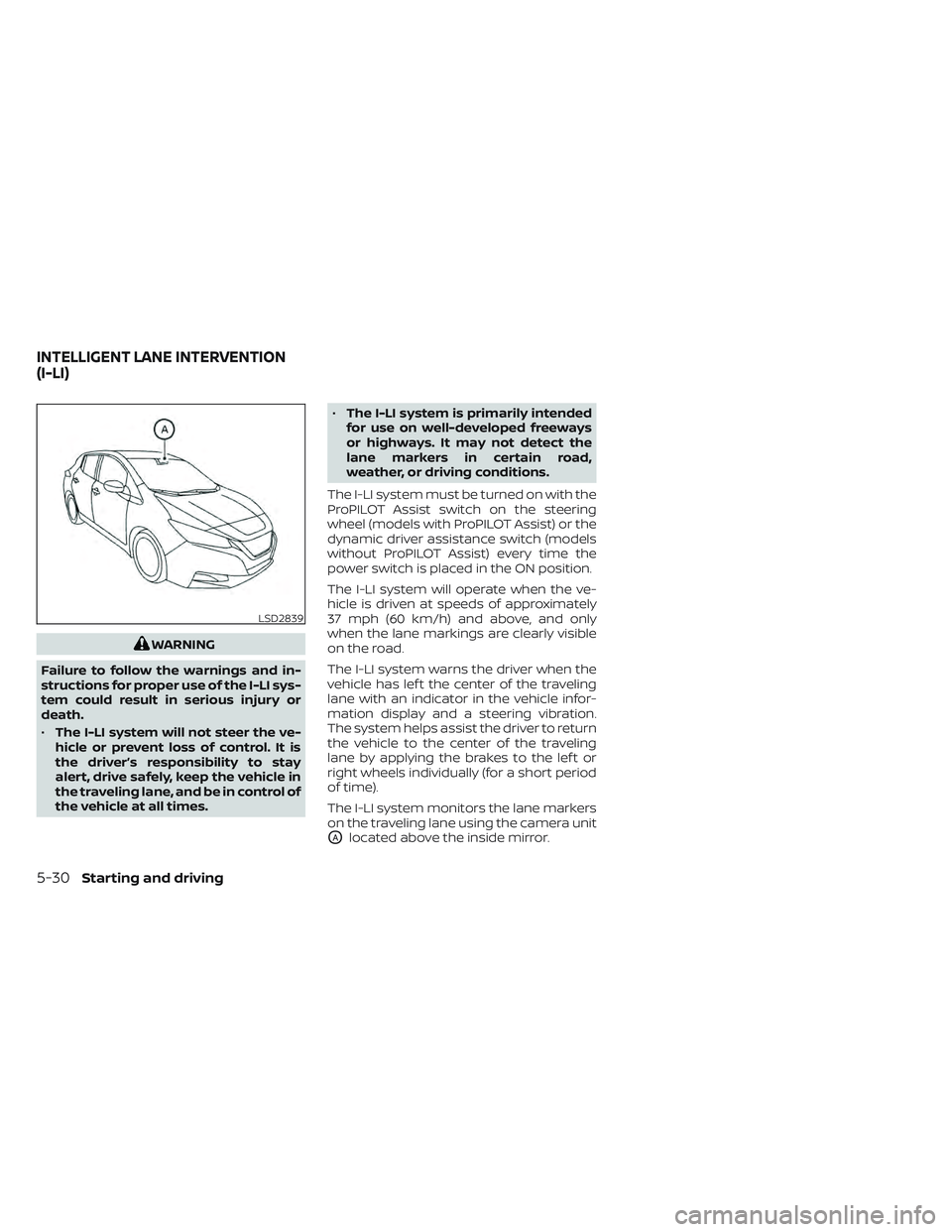
The I-LI system monitors the lane markers
on the traveling lane using the camera unit
OAlocated above the inside mirror.
LSD2839
INTELLIGENT LANE INTERVENTION
(I-LI)
5-30Starting and driving
Page 356 of 618
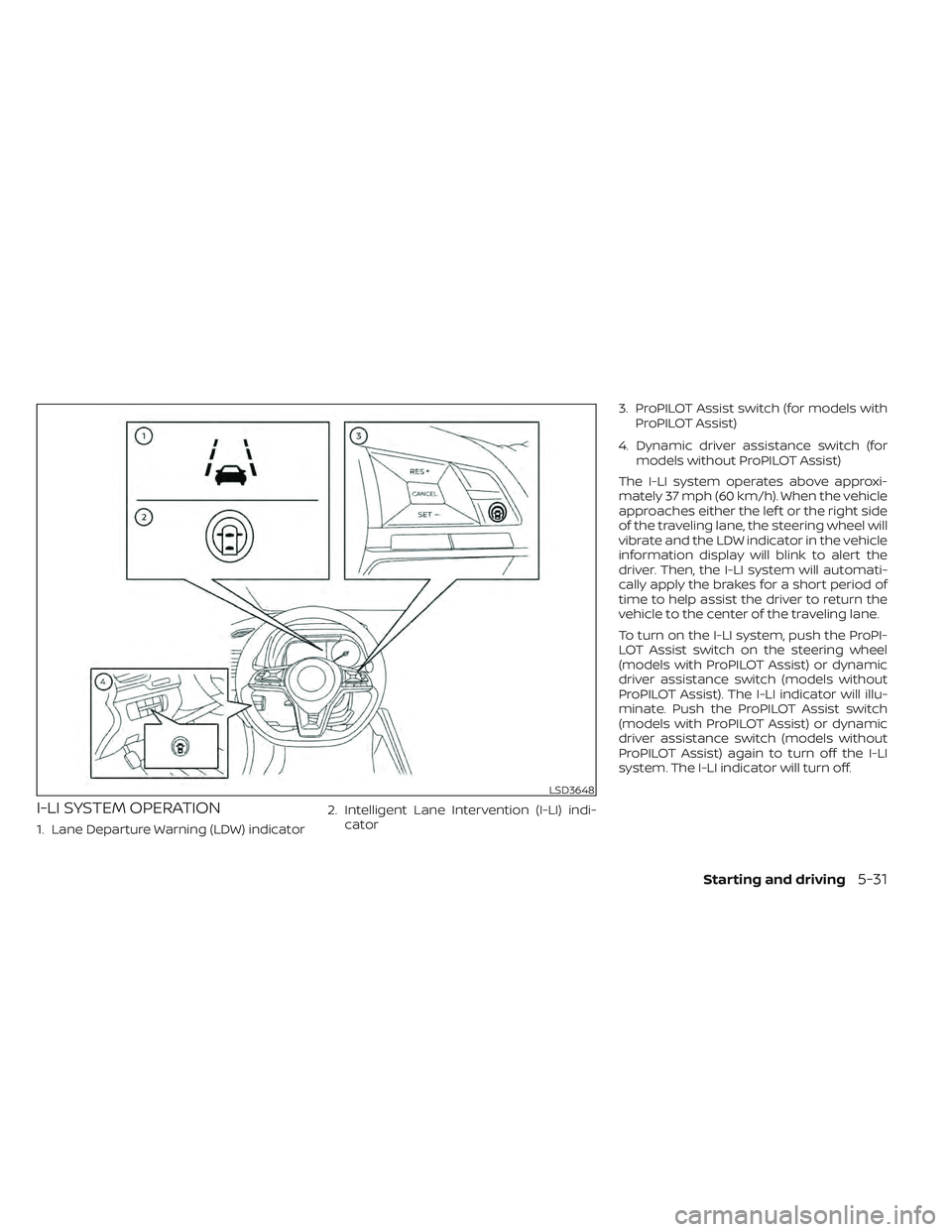
I-LI SYSTEM OPERATION
1. Lane Departure Warning (LDW) indicator2. Intelligent Lane Intervention (I-LI) indi-
cator 3. ProPILOT Assist switch (for models with
ProPILOT Assist)
4. Dynamic driver assistance switch (for models without ProPILOT Assist)
The I-LI system operates above approxi-
mately 37 mph (60 km/h). When the vehicle
approaches either the lef t or the right side
of the traveling lane, the steering wheel will
vibrate and the LDW indicator in the vehicle
information display will blink to alert the
driver. Then, the I-LI system will automati-
cally apply the brakes for a short period of
time to help assist the driver to return the
vehicle to the center of the traveling lane.
To turn on the I-LI system, push the ProPI-
LOT Assist switch on the steering wheel
(models with ProPILOT Assist) or dynamic
driver assistance switch (models without
ProPILOT Assist). The I-LI indicator will illu-
minate. Push the ProPILOT Assist switch
(models with ProPILOT Assist) or dynamic
driver assistance switch (models without
ProPILOT Assist) again to turn off the I-LI
system. The I-LI indicator will turn off.
LSD3648
Starting and driving5-31
Page 358 of 618
I-LI SYSTEM LIMITATIONS
WARNING
Listed below are the system limitations
for the I-LI system. Failure to follow the
warnings and instructions for proper
use of the I-LI system could result in
serious injury or death.
• The I-LI system may activate if you
change lanes without first activating
your turn signal or, for example, if a
construction zone directs traffic to
cross an existing lane marker. If this
occurs you may need to apply correc-
tive steering to complete your lane
change.
• Because the I-LI may not activate un-
der the road, weather, and lane
marker conditions described in this
section, it may not activate every
time your vehicle begins to leave its
lane and you will need to apply cor-
rective steering.
• When the I-LI system is operating,
avoid excessive or sudden steering
maneuvers. Otherwise, you could
lose control of the vehicle. •
The I-LI system will not operate at
speeds below approximately 37 mph
(60 km/h) or if it cannot detect lane
markers.
• Do not use the I-LI system under the
following conditions as it may not
function properly:
– During bad weather (rain, fog,
snow, etc.).
– When driving on slippery roads,
such as on ice or snow.
– When driving on winding or un-
even roads.
– When there is a lane closure due to
road repairs.
– When driving in a makeshif t or
temporary lane.
– When driving on roads where the
lane width is too narrow.
– When driving without normal tire
conditions (for example, tire wear,
low tire pressure, installation of
spare tire, tire chains, nonstan-
dard wheels).
– When the vehicle is equipped with
nonoriginal brake parts or sus-
pension parts. –
On roads where there are multiple
parallel lane markers; lane mark-
ers that are faded or not painted
clearly; yellow painted lane mark-
ers; non-standard lane markers;
or lane markers covered with wa-
ter, dirt, snow, etc.
– On roads where discontinued lane
markers are still detectable.
– On roads where there are sharp
curves.
– On roads where there are sharply
contrasting objects, such as shad-
ows, snow, water, wheel ruts,
seams or lines remaining af ter
road repairs. (The I-LI system
could detect these items as lane
markers.)
– On roads where the traveling lane
merges or separates.
– When the vehicle’s traveling direc-
tion does not align with the lane
marker.
– When traveling close to the ve-
hicle in front of you, which ob-
structs the lane camera unit de-
tection range.
Starting and driving5-33