reset NISSAN LEAF 2022 Owner´s Manual
[x] Cancel search | Manufacturer: NISSAN, Model Year: 2022, Model line: LEAF, Model: NISSAN LEAF 2022Pages: 618, PDF Size: 4.3 MB
Page 401 of 618
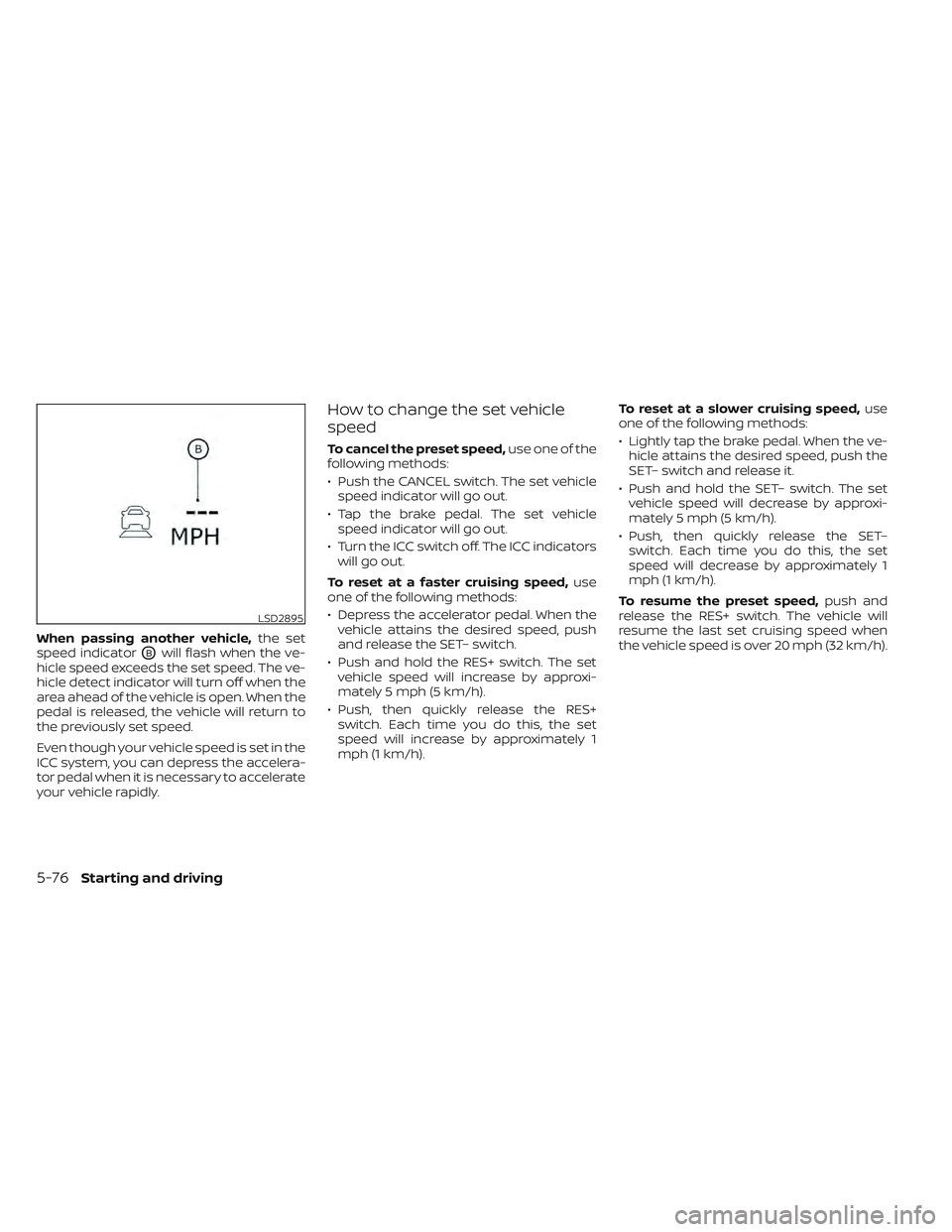
When passing another vehicle,the set
speed indicator
OBwill flash when the ve-
hicle speed exceeds the set speed. The ve-
hicle detect indicator will turn off when the
area ahead of the vehicle is open. When the
pedal is released, the vehicle will return to
the previously set speed.
Even though your vehicle speed is set in the
ICC system, you can depress the accelera-
tor pedal when it is necessary to accelerate
your vehicle rapidly.
How to change the set vehicle
speed
To cancel the preset speed, use one of the
following methods:
• Push the CANCEL switch. The set vehicle speed indicator will go out.
• Tap the brake pedal. The set vehicle speed indicator will go out.
• Turn the ICC switch off. The ICC indicators will go out.
To reset at a faster cruising speed, use
one of the following methods:
• Depress the accelerator pedal. When the vehicle attains the desired speed, push
and release the SET– switch.
• Push and hold the RES+ switch. The set vehicle speed will increase by approxi-
mately 5 mph (5 km/h).
• Push, then quickly release the RES+ switch. Each time you do this, the set
speed will increase by approximately 1
mph (1 km/h). To reset at a slower cruising speed,
use
one of the following methods:
• Lightly tap the brake pedal. When the ve- hicle attains the desired speed, push the
SET– switch and release it.
• Push and hold the SET– switch. The set vehicle speed will decrease by approxi-
mately 5 mph (5 km/h).
• Push, then quickly release the SET– switch. Each time you do this, the set
speed will decrease by approximately 1
mph (1 km/h).
To resume the preset speed, push and
release the RES+ switch. The vehicle will
resume the last set cruising speed when
the vehicle speed is over 20 mph (32 km/h).
LSD2895
5-76Starting and driving
Page 415 of 618
To cancel the preset speed, use any of the
following methods:
1. Push the CANCEL switch. The vehiclespeed indicator will turn off.
2. Tap the brake pedal. The vehicle speed indicator will turn off.
3. Turn the ICC switch off. Both the cruise indicator and vehicle speed indicator will
turn off.
To reset at a faster cruising speed, use one
of the following three methods:
1. Depress the accelerator pedal. When the vehicle attains the desired speed, push
and release the SET- switch.
2. Push and hold the RES+ switch. When the vehicle attains the desired speed,
release the switch.
3. Push, then quickly release the RES+ switch. Each time you do this, the set
speed will increase by about 1 mph (1.6
km/h). To reset at a slower cruising speed, use one
of the following three methods:
1. Lightly tap the brake pedal. When the
vehicle attains the desired speed, push
the SET- switch and release it.
2. Push and hold the SET- switch. Release the switch when the vehicle slows down
to the desired speed.
3. Push, then quickly release the SET- switch. Each time you do this, the set
speed will decrease by about 1 mph (1.6
km/h).
To resume the preset speed, push and re-
lease the RES+ switch. The vehicle will re-
sume the last set cruising speed when the
vehicle speed is over 25 mph (40 km/h).
5-90Starting and driving
Page 419 of 618
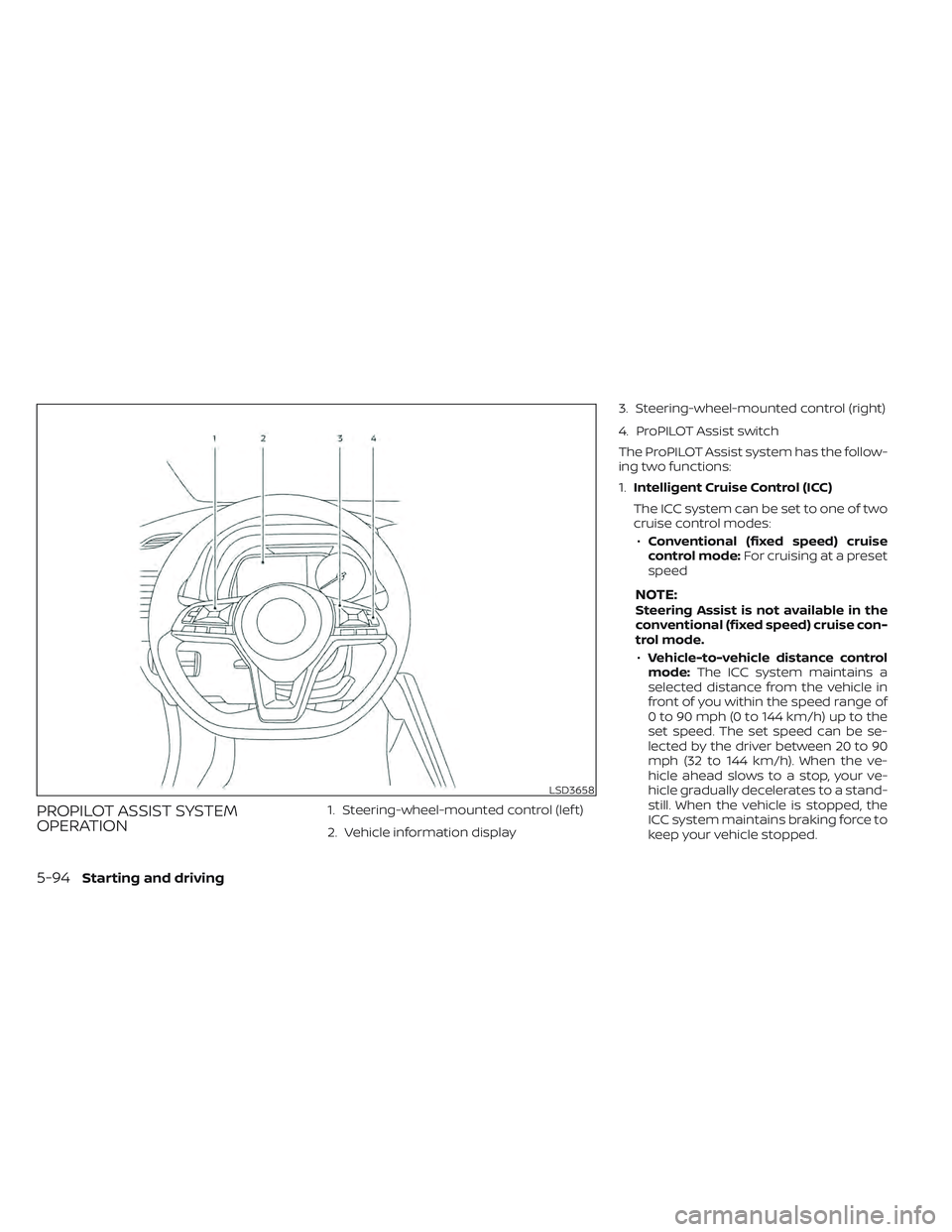
PROPILOT ASSIST SYSTEM
OPERATION1. Steering-wheel-mounted control (lef t)
2. Vehicle information display3. Steering-wheel-mounted control (right)
4. ProPILOT Assist switch
The ProPILOT Assist system has the follow-
ing two functions:
1.
Intelligent Cruise Control (ICC)
The ICC system can be set to one of two
cruise control modes: • Conventional (fixed speed) cruise
control mode: For cruising at a preset
speed
NOTE:Steering Assist is not available in the
conventional (fixed speed) cruise con-
trol mode.
• Vehicle-to-vehicle distance control
mode: The ICC system maintains a
selected distance from the vehicle in
front of you within the speed range of
0 to 90 mph (0 to 144 km/h) up to the
set speed. The set speed can be se-
lected by the driver between 20 to 90
mph (32 to 144 km/h). When the ve-
hicle ahead slows to a stop, your ve-
hicle gradually decelerates to a stand-
still. When the vehicle is stopped, the
ICC system maintains braking force to
keep your vehicle stopped.
LSD3658
5-94Starting and driving
Page 449 of 618
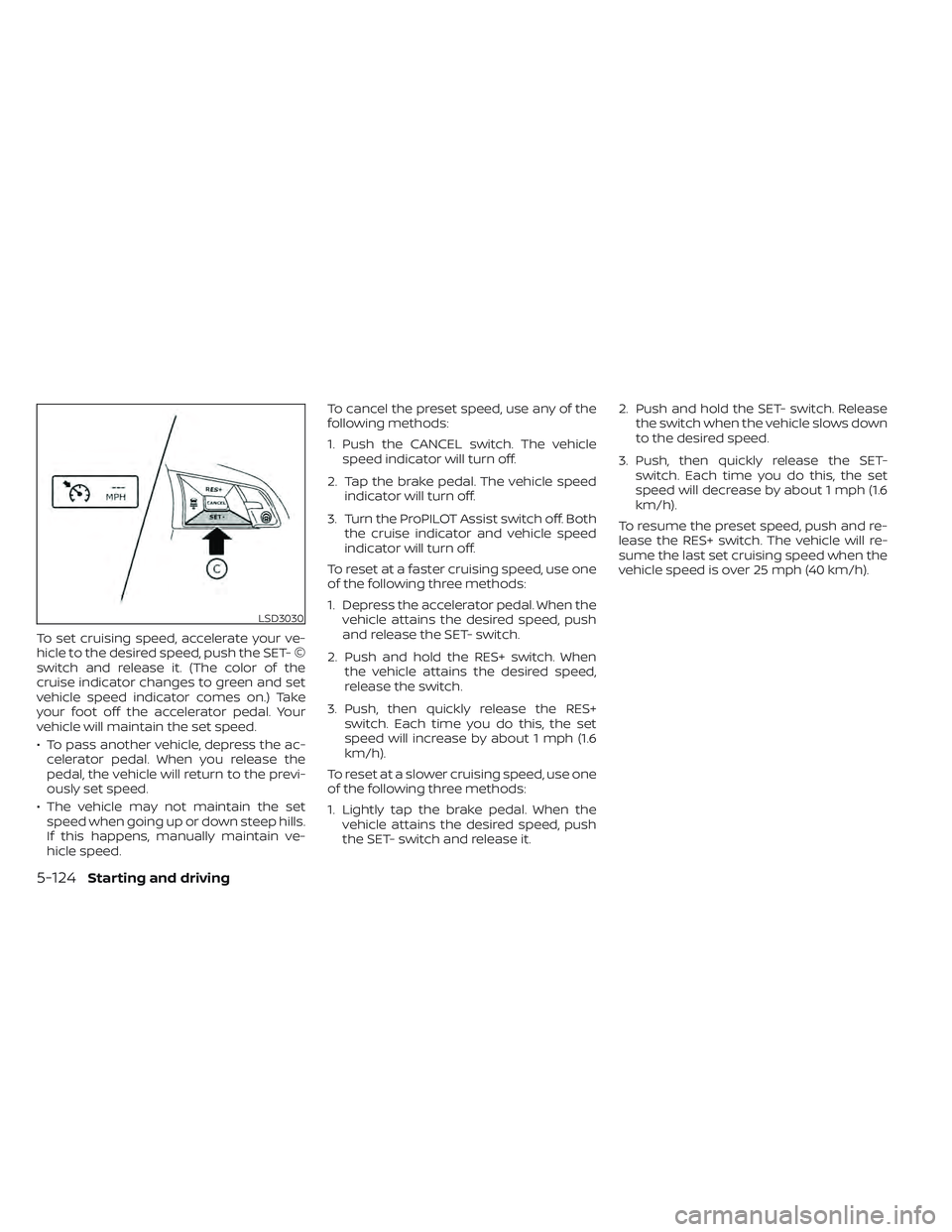
To set cruising speed, accelerate your ve-
hicle to the desired speed, push the SET- ©
switch and release it. (The color of the
cruise indicator changes to green and set
vehicle speed indicator comes on.) Take
your foot off the accelerator pedal. Your
vehicle will maintain the set speed.
• To pass another vehicle, depress the ac-celerator pedal. When you release the
pedal, the vehicle will return to the previ-
ously set speed.
• The vehicle may not maintain the set speed when going up or down steep hills.
If this happens, manually maintain ve-
hicle speed. To cancel the preset speed, use any of the
following methods:
1. Push the CANCEL switch. The vehicle
speed indicator will turn off.
2. Tap the brake pedal. The vehicle speed indicator will turn off.
3. Turn the ProPILOT Assist switch off. Both the cruise indicator and vehicle speed
indicator will turn off.
To reset at a faster cruising speed, use one
of the following three methods:
1. Depress the accelerator pedal. When the vehicle attains the desired speed, push
and release the SET- switch.
2. Push and hold the RES+ switch. When the vehicle attains the desired speed,
release the switch.
3. Push, then quickly release the RES+ switch. Each time you do this, the set
speed will increase by about 1 mph (1.6
km/h).
To reset at a slower cruising speed, use one
of the following three methods:
1. Lightly tap the brake pedal. When the vehicle attains the desired speed, push
the SET- switch and release it. 2. Push and hold the SET- switch. Release
the switch when the vehicle slows down
to the desired speed.
3. Push, then quickly release the SET- switch. Each time you do this, the set
speed will decrease by about 1 mph (1.6
km/h).
To resume the preset speed, push and re-
lease the RES+ switch. The vehicle will re-
sume the last set cruising speed when the
vehicle speed is over 25 mph (40 km/h).
LSD3030
5-124Starting and driving
Page 479 of 618
WARNING
Failure to follow the warnings and in-
structions for proper use of the I-DA
system could result in serious injury or
death.
• The I–DA system is only a warning to
inform the driver of a potential lack
of driver attention or drowsiness. It
will not steer the vehicle or prevent
loss of control.
• The I–DA system does not detect and
provide an alert of the driver’s lack
of attention or fatigue in every
situation.
• It’s the driver’s responsibility to:
– stay alert,
– drive safely,
– keep the vehicle in the traveling
lane,
– be in control of the vehicle at all
times,
– avoid driving when tired,
– avoid distractions (texting, etc.). The I–DA system helps alert the driver if the
system detects a lack of attention or driv-
ing fatigue.
The system monitors driving style and
steering behavior over a period of time,
and it detects changes from the normal
pattern. If the system detects that driver
attention is decreasing over a period of
time, the system uses audible and visual
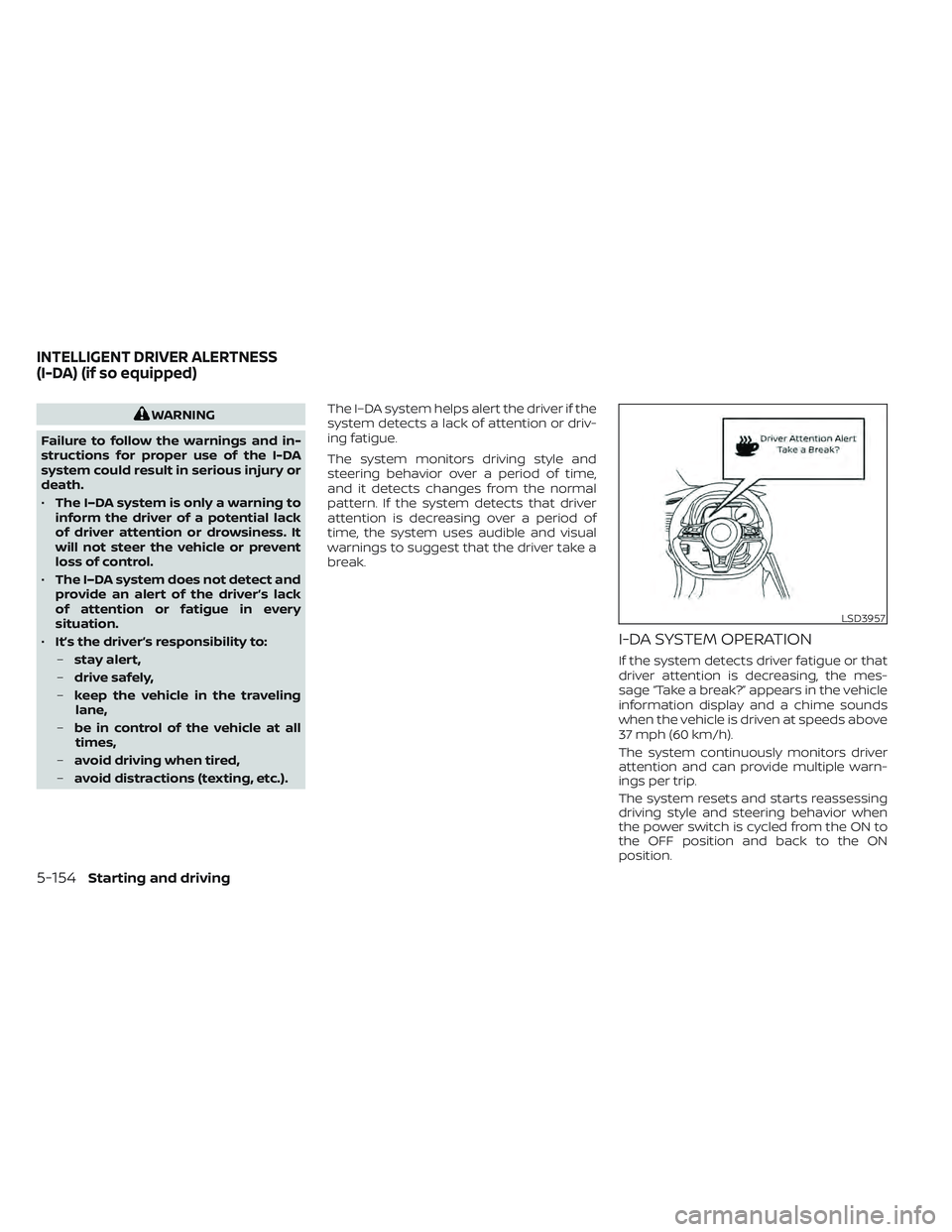
warnings to suggest that the driver take a
break.
I-DA SYSTEM OPERATION
If the system detects driver fatigue or that
driver attention is decreasing, the mes-
sage “Take a break?” appears in the vehicle
information display and a chime sounds
when the vehicle is driven at speeds above
37 mph (60 km/h).
The system continuously monitors driver
attention and can provide multiple warn-
ings per trip.
The system resets and starts reassessing
driving style and steering behavior when
the power switch is cycled from the ON to
the OFF position and back to the ON
position.
LSD3957
INTELLIGENT DRIVER ALERTNESS
(I-DA) (if so equipped)
5-154Starting and driving
Page 484 of 618
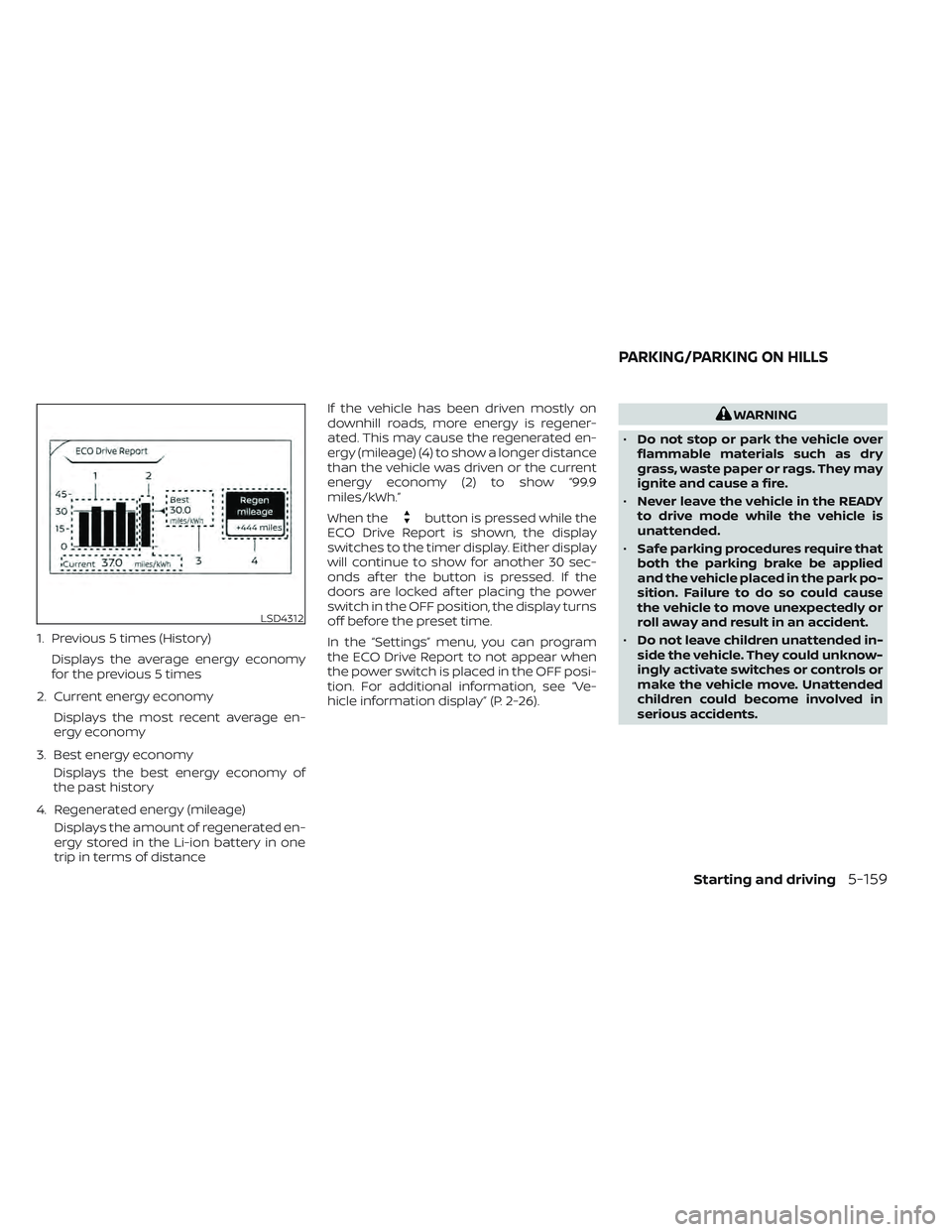
1. Previous 5 times (History)Displays the average energy economy
for the previous 5 times
2. Current energy economy Displays the most recent average en-
ergy economy
3. Best energy economy Displays the best energy economy of
the past history
4. Regenerated energy (mileage) Displays the amount of regenerated en-
ergy stored in the Li-ion battery in one
trip in terms of distance If the vehicle has been driven mostly on
downhill roads, more energy is regener-
ated. This may cause the regenerated en-
ergy (mileage) (4) to show a longer distance
than the vehicle was driven or the current
energy economy (2) to show “99.9
miles/kWh.”
When the
button is pressed while the
ECO Drive Report is shown, the display
switches to the timer display. Either display
will continue to show for another 30 sec-
onds af ter the button is pressed. If the
doors are locked af ter placing the power
switch in the OFF position, the display turns
off before the preset time.
In the “Settings” menu, you can program
the ECO Drive Report to not appear when
the power switch is placed in the OFF posi-
tion. For additional information, see “Ve-
hicle information display” (P. 2-26).
WARNING
• Do not stop or park the vehicle over
flammable materials such as dry
grass, waste paper or rags. They may
ignite and cause a fire.
• Never leave the vehicle in the READY
to drive mode while the vehicle is
unattended.
• Safe parking procedures require that
both the parking brake be applied
and the vehicle placed in the park po-
sition. Failure to do so could cause
the vehicle to move unexpectedly or
roll away and result in an accident.
• Do not leave children unattended in-
side the vehicle. They could unknow-
ingly activate switches or controls or
make the vehicle move. Unattended
children could become involved in
serious accidents.
LSD4312
PARKING/PARKING ON HILLS
Starting and driving5-159
Page 490 of 618
When the VDC system operates, theindicator light in the instrument panel
flashes. When the indicator light flashes,
note the following items:
• The road may be slippery or the systemmay determine some action is required
to help keep the vehicle on the steered
path.
• You may feel a pulsation in the brake pedal and hear a noise or vibration from
under the hood. This is normal and indi-
cates that the VDC system is working
properly.
• Adjust your speed and driving according to the road conditions.
For additional information, see “Slip indica-
tor light” (P. 2-23) and “Vehicle Dynamic Con-
trol (VDC) OFF indicator light” (P. 2-24).
If a malfunction occurs in the system, the
indicator light illuminates in the ve-
hicle information display. The VDC system
automatically turns off when this indicator
light is lit. The vehicle information display is used to
turn off the VDC system. The VDC OFF indi-
cator light
, along with the AEB with
Pedestrian Detection and RAB warning
lights illuminate to indicate that the VDC,
AEB with Pedestrian Detection, and RAB
systems are off. When the vehicle informa-
tion display is used to turn off the system,
the VDC system still operates to prevent
one drive wheel from slipping by transfer-
ring power to a non-slipping wheel. The
indicator light flashes if this occurs. All
other VDC functions are off and the
indicator light will not flash. The VDC sys-
tem is automatically reset to on when the
power switch is placed in the OFF position
then back to the ON position. For additional
information, see “Vehicle information dis-
play ” (P. 2-26).
The computer has a built-in diagnostic fea-
ture that tests the system each time you
start the EV and move the vehicle forward
or in reverse at a slow speed. When the
self-test occurs, you may hear a “clunk”
noise and/or feel a pulsation in the brake
pedal. This is normal and is not an indica-
tion of a malfunction.
WARNING
• The VDC system is designed to help
the driver maintain stability but does
not prevent accidents due to abrupt
steering operation at high speeds or
by careless or dangerous driving
techniques. Reduce vehicle speed
and be especially careful when driv-
ing and cornering on slippery sur-
faces and always drive carefully.
•
Do not modif y the vehicle’s suspen-
sion. If suspension parts such as shock
absorbers, struts, springs, stabilizer
bars, bushings and wheels are not
NISSAN recommended for your vehicle
or are extremely deteriorated the VDC
system may not operate properly.
This could adversely affect vehicle
handling performance, and the
indicator light may flash or the
indicator light may illuminate.
•If brake related parts such as brake
pads, rotors and calipers are not
NISSAN recommended or are ex-
tremely deteriorated, the VDC system
may not operate properly and the
indicator light may illuminate.
Starting and driving5-165
Page 505 of 618
•When using a wheel without the
TPMS such as the spare tire, the TPMS
will not function and the low tire
pressure warning light will flash for
approximately 1 minute. The light will
remain on af ter 1 minute. Have your
tires replaced and/or TPMS system
reset as soon as possible. It is recom-
mended that you visit a NISSAN cer-
tified LEAF dealer for these services.
• Replacing tires with those not origi-
nally specified by NISSAN could af-
fect the proper operation of the
TPMS.
• The Genuine NISSAN Emergency Tire
Repair Sealant or equivalent can be
used for temporarily repairing a tire.
Do not inject any other tire liquid or
aerosol tire sealant into the tires, as
this may cause a malfunction of tire
pressure sensors. •
NISSAN recommends using only
Genuine NISSAN Emergency Tire
Sealant provided with your vehicle.
Other tire sealants may damage the
valve stem seal which can cause the
tire to lose air pressure. It is recom-
mended that you visit a NISSAN cer-
tified LEAF dealer as soon as possible
af ter using tire repair sealant (for
models equipped with the emer-
gency tire puncture repair kit).
REPAIRING FLAT TIRE
WARNING
• Af ter using Genuine NISSAN Emer-
gency Tire Sealant to repair a minor
tire puncture, do not drive the vehicle
at speeds faster than 50 mph (80
km/h).
• Immediately af ter using the Genuine
NISSAN Emergency Tire Sealant to
repair a minor tire puncture, it is rec-
ommended that you visit a NISSAN
certified LEAF dealer. The Genuine
NISSAN Emergency Tire Sealant can-
not permanently seal a punctured
tire. Continuing operation of the ve-
hicle without a permanent tire repair
can lead to a crash. •
If you used the Genuine NISSAN
Emergency Tire Sealant to repair a
minor tire puncture, it is recom-
mended that you visit a NISSAN cer-
tified LEAF dealer to replace the
TPMS sensor in addition to repairing
or replacing the tire.
• NISSAN recommends using only
Genuine NISSAN Emergency Tire
Sealant provided with your vehicle.
Other tire sealants may damage the
valve stem seal which can cause the
tire to lose air pressure.
This vehicle does not have a spare tire. The
emergency tire puncture repair kit (Genu-
ine NISSAN Emergency Tire Sealant) is sup-
plied with the vehicle instead of a spare tire.
It can be used to temporarily repair minor
tire punctures.
If possible, have the vehicle towed to a fa-
cility that can repair or replace the flat tire.
Using the emergency tire puncture repair
kit may cause a malfunction of the tire
pressure sensor and cause the low tire
pressure warning light to illuminate.
6-4In case of emergency