seats NISSAN LEAF 2023 Manual PDF
[x] Cancel search | Manufacturer: NISSAN, Model Year: 2023, Model line: LEAF, Model: NISSAN LEAF 2023Pages: 612, PDF Size: 7.42 MB
Page 195 of 612
•If the brake fluid level is below the
minimum or MIN mark on the brake
fluid reservoir, do not drive until the
brake system has been checked. It is
recommended that you visit a
NISSAN certified LEAF dealer for this
service.
Electric shif t control system
warning light
This light illuminates to warn when a mal-
function occurs in the electric shif t control
system. When the master warning light illu-
minates, the chime sounds and the mes-
sage, “When parked apply parking brake”, is
displayed on the vehicle information
display.
When the power switch is in the OFF posi-
tion, the chime sounds continuously. Make
sure the parking brake is applied.
Have the system checked. It is recom-
mended that you visit a NISSAN certified
LEAF dealer for this service.
orElectronic parking
brake indicator
light (if so
equipped)
When the power switch is placed in the ON
position, the light comes on when the park-
ing brake is applied.
Master warning light
There are two types of master warning
lights: yellow and red. These lights illumi-
nate if any warning lights or indicator lights
are illuminated or if various vehicle infor-
mation warnings appear in the vehicle in-
formation display.
This light illuminates when a red warning
light within the vehicle information display
is illuminated or when a warning is dis-
played on the vehicle information display.
Seat belt
warning light
The light and chime remind you to fasten
the driver and passenger seat belts.
The rear seats may also be equipped with a
seat belt reminder warning. For additional information, see “Seat belts”
(P. 1-11) or “Rear seat belt reminder” (P. 2-39)
for precautions on seat belt usage.
Security
indicator light
This light blinks when the power switch is in
the ACC, OFF or LOCK position. This func-
tion indicates the security system
equipped on the vehicle is operational.
If the security system is malfunctioning,
this light will remain on while the power
switch is in the ON position. For additional
information, see “Security systems” (P. 2-44).
Supplemental air bag
warning light
Af ter turning the power switch to the ON
position, the supplemental air bag warning
light will illuminate. The supplemental air
bag warning light will turn off af ter about 7
seconds if the supplemental front air bag
and supplemental side air bag, curtain
side-impact air bag systems and/or pre-
tensioner seat belt are operational.
If any of the following conditions occur, the
front air bag, side air bag, curtain air bag
and pretensioner systems need servicing
2-18Instruments and controls
Page 198 of 612
orElectronic
parking brake
system warning
light (if so
equipped)
The electronic parking brake system
warning light function for the electronic
braking brake system. When the power
switch is placed in the ON position, the light
illuminates for a few seconds. If the
warning light illuminates at any other time,
it may indicate that the electronic parking
brake system is not function properly. Have
the system checked immediately. It is rec-
ommended that you visit a NISSAN certi-
fied LEAF dealer for this service.
Front passenger air bag
status light
The front passenger air bag status light
(located on the center of the instrument
panel) will be lit and the passenger front air
bag and passenger knee airbag will be
turned off depending on how the front pas-
senger seat is being used.
For front passenger air bag status light op-
eration, see “NISSAN Advanced Air Bag Sys-
tem (front seats)” (P. 1-52).
Low tire pressure warning
light
Your vehicle is equipped with a Tire Pres-
sure Monitoring System (TPMS) that moni-
tors the tire pressure of all tires.
The low tire pressure warning light warns
of low tire pressure or indicates that the
TPMS is not functioning properly.
Af ter the power switch is placed in the ON
position, this light illuminates for about 1
second and then turns off.
Low tire pressure warning
If the vehicle is being driven with low tire
pressure, the warning light will illuminate.
The “Tire Pressure Low— Add Air” warning
also appears on the vehicle information
display.
When the low tire pressure warning light
illuminates, you should stop and adjust the
tire pressure to the recommended COLD
tire pressure shown on the Tire and Load-
ing Information label. The low tire pressure
warning light does not automatically turn
off when the tire pressure is adjusted. Af ter
the tire is inflated to the recommended
pressure, the vehicle must be driven at
speeds above 16 mph (25 km/h) to activate
the TPMS and turn off the low tire pressure warning light. Use a tire pressure gauge to
check the tire pressure.
The “Tire Pressure Low— Add Air” warning
appears each time the power switch is
placed in the ON position as long as the low
tire pressure warning light remains
illuminated.
For additional information, see “Vehicle in-
formation display” (P. 2-26, “Tire Pressure
Monitoring System (TPMS)” (P. 5-4) and
(P. 6-3).
TPMS malfunction
If the TPMS is not functioning properly, the
low tire pressure warning light will flash for
approximately 1 minute when the power
switch is placed in the ON position. The
light will remain on af ter the 1 minute. Have
the system checked. It is recommended
that you visit a NISSAN certified LEAF dealer
for this service. The “Tire Pressure Low—
Add Air” warning does not appear if the low
tire pressure warning light illuminates to
indicate a TPMS malfunction.
For additional information, see “Vehicle in-
formation display” (P. 2-26, “Tire Pressure
Monitoring System (TPMS)” (P. 5-4 and (P.
6-3).
Instruments and controls2-21
Page 235 of 612
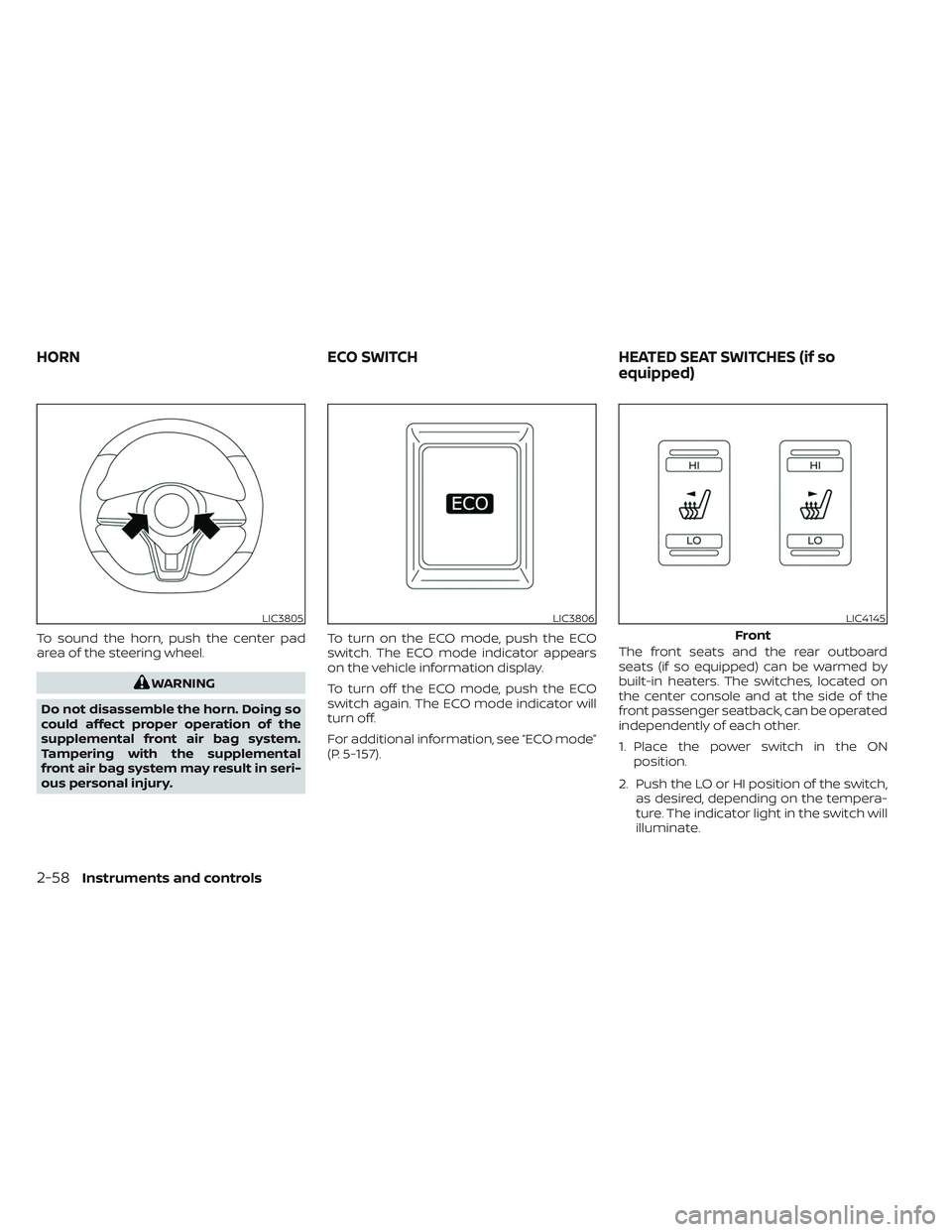
To sound the horn, push the center pad
area of the steering wheel.
WARNING
Do not disassemble the horn. Doing so
could affect proper operation of the
supplemental front air bag system.
Tampering with the supplemental
front air bag system may result in seri-
ous personal injury. To turn on the ECO mode, push the ECO
switch. The ECO mode indicator appears
on the vehicle information display.
To turn off the ECO mode, push the ECO
switch again. The ECO mode indicator will
turn off.
For additional information, see “ECO mode”
(P. 5-157).
The front seats and the rear outboard
seats (if so equipped) can be warmed by
built-in heaters. The switches, located on
the center console and at the side of the
front passenger seatback, can be operated
independently of each other.
1. Place the power switch in the ON
position.
2. Push the LO or HI position of the switch, as desired, depending on the tempera-
ture. The indicator light in the switch will
illuminate.
LIC3805LIC3806LIC4145
Front
HORN ECO SWITCHHEATED SEAT SWITCHES (if so
equipped)
2-58Instruments and controls
Page 236 of 612
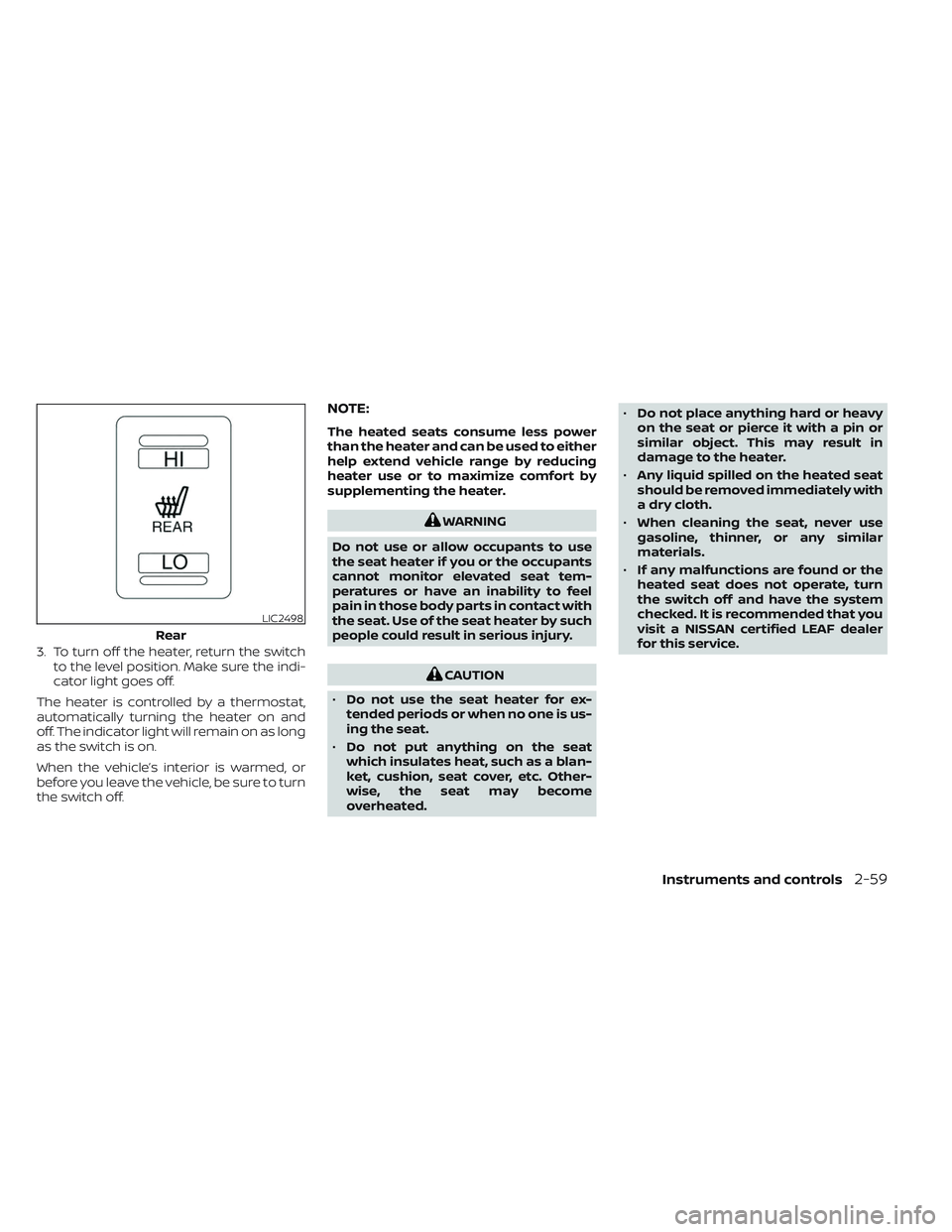
3. To turn off the heater, return the switchto the level position. Make sure the indi-
cator light goes off.
The heater is controlled by a thermostat,
automatically turning the heater on and
off. The indicator light will remain on as long
as the switch is on.
When the vehicle’s interior is warmed, or
before you leave the vehicle, be sure to turn
the switch off.
NOTE:
The heated seats consume less power
than the heater and can be used to either
help extend vehicle range by reducing
heater use or to maximize comfort by
supplementing the heater.
WARNING
Do not use or allow occupants to use
the seat heater if you or the occupants
cannot monitor elevated seat tem-
peratures or have an inability to feel
pain in those body parts in contact with
the seat. Use of the seat heater by such
people could result in serious injury.
CAUTION
• Do not use the seat heater for ex-
tended periods or when no one is us-
ing the seat.
• Do not put anything on the seat
which insulates heat, such as a blan-
ket, cushion, seat cover, etc. Other-
wise, the seat may become
overheated. •
Do not place anything hard or heavy
on the seat or pierce it with a pin or
similar object. This may result in
damage to the heater.
• Any liquid spilled on the heated seat
should be removed immediately with
a dry cloth.
• When cleaning the seat, never use
gasoline, thinner, or any similar
materials.
• If any malfunctions are found or the
heated seat does not operate, turn
the switch off and have the system
checked. It is recommended that you
visit a NISSAN certified LEAF dealer
for this service.
LIC2498
Rear
Instruments and controls2-59
Page 519 of 612
ALUMINUM ALLOY WHEELS (if so
equipped)
Wash regularly with a sponge dampened in
a mild soap solution, especially during win-
ter months in areas where road salt is used.
Salt could discolor the wheels if not
removed.
CAUTION
Follow the directions below to avoid
staining or discoloring the wheels:
• Do not use a cleaner that uses strong
acid or alkali contents to clean the
wheels.
• Do not apply wheel cleaners to the
wheels when they are hot. The wheel
temperature should be the same as
ambient temperature.
• Rinse the wheel to completely re-
move the cleaner within 15 minutes
af ter the cleaner is applied.
CHROME PARTS
Clean chrome parts regularly with a non-
abrasive chrome polish to maintain the
finish.
TIRE DRESSING
NISSAN does not recommend the use of
tire dressings. Tire manufacturers apply a
coating to the tires to help reduce discolor-
ation of the rubber. If a tire dressing is ap-
plied to the tires, it may react with the coat-
ing and form a compound. This compound
may come off the tire while driving and
stain the vehicle paint.
If you choose to use a tire dressing, take the
following precautions:
• Use a water-based tire dressing. The coating on the tire dissolves more easily
with an oil-based tire dressing.
• Apply a light coat of tire dressing to help prevent it from entering the tire tread/
grooves (where it would be difficult to
remove).
• Wipe off excess tire dressing using a dry towel. Make sure the tire dressing is com-
pletely removed from the tire
tread/grooves.
• Allow the tire dressing to dry as recom- mended by the tire dressing
manufacturer. Occasionally remove loose dust from the
interior trim, plastic parts and seats using a
vacuum cleaner or sof t bristled brush. Wipe
the vinyl and leather surfaces (if so
equipped) with a clean, sof t cloth damp-
ened in mild soap solution, then wipe clean
with a dry sof t cloth.
Regular care and cleaning is required in
order to maintain the appearance of the
leather (if so equipped).
Before using any fabric protector, read the
manufacturer’s recommendations. Some
fabric protectors contain chemicals that
may stain or bleach the seat material.
Use a cloth dampened only with water to
clean the meter and gauge lens.
WARNING
Do not use water or acidic cleaners (hot
steam cleaners) on the seat. This can
damage the seat or occupant classifi-
cation sensor (weight sensor). This can
also affect the operation of the air bag
system and result in serious personal
injury.
CLEANING INTERIOR
7-4Appearance and care
Page 565 of 612
Electric shif t P (Park) position mecha-
nism:On a steep hill check that the vehicle
is held securely while the vehicle is in the P
(Park) position without applying any
brakes.
Parking brake: Check the parking brake
operation regularly. The vehicle should be
securely held on a steep hill with only the
parking brake applied. If the parking brake
cannot keep a vehicle position, it is recom-
mended that you visit a NISSAN certified
LEAF dealer for this service.
Seats: Check seat position controls such
as seat adjusters, seatback recliner, etc., to
ensure they operate smoothly and all
latches lock securely in every position.
Check that the head restraints/headrests
move up and down smoothly and the locks
(if so equipped) hold securely in all latched
positions.
Seat belts: Check that all parts of the seat
belt system (for example, buckles, anchors,
adjusters and retractors) operate properly
and smoothly, and are installed securely.
Check the belt webbing for cuts, fraying,
wear or damage. Steering wheel:
Check for changes in the
steering conditions, such as excessive free
play, hard steering or strange noises.
Warning lights and chimes: Make sure all
warning lights and chimes are operating
properly.
Windshield defroster: Check that the air
emits from the defroster outlets properly
and in sufficient quantity when operating
the heater or air conditioner.
Windshield wiper and washer*: Check
that the wipers and washer operate prop-
erly and that the wipers do not streak.
Under the hood and vehicle
The maintenance items listed here should
be checked periodically.
12–volt battery (except for maintenance
free batteries)*: Check the fluid level in
each cell. The fluid should be at the bottom
of the filler opening. Vehicles operated in
high temperatures or under severe condi-
tions require frequent checks of the 12–volt
battery fluid level.
NOTE:
Care should be taken to avoid situations
that can lead to potential battery dis-
charge and potential no-start conditions
such as:
1. Installation or extended use of elec- tronic accessories that consume bat-
tery power when the EV system is not
running (Phone chargers, GPS, DVD
players, etc.)
2. Vehicle is not driven regularly and/or only driven short distances.
In these cases, the battery may need to
be charged to maintain battery health
Brake fluid level*: Make sure that the brake
fluid levels are between the MAX and MIN
lines on the reservoir.
Coolant level*: Check the coolant level
when the high voltage parts are cold. Make
sure that the coolant level is between the
MAX and MIN lines on the reservoir.
Fluid leaks: Check under the vehicle for
water or other fluid leaks af ter the vehicle
has been parked for a while. Water dripping
from the air conditioner af ter use is normal.
If you should notice any leaks, check for
cause and have it corrected immediately.
9-4Maintenance and schedules
Page 588 of 612
WARNING
•
It is extremely dangerous to ride
in the cargo area inside the ve-
hicle. In a collision, people riding
in these areas are more likely to
be seriously injured or killed.
•Do not allow people to ride in
any area of your vehicle that is
not equipped with seats and
seat belts.
•Be sure everyone in your ve-
hicle is in a seat and using a
seat belt properly.
TERMS
It is important to familiarize yourself
with the following terms before
loading your vehicle:
• Curb Weight (actual weight of your vehicle) - vehicle weight including:
standard and optional equipment,
fluids and emergency tools. This
weight does not include passen-
gers and cargo. • GVW (Gross Vehicle Weight) - curb
weight plus the combined weight
of passengers and cargo.
• GVWR (Gross Vehicle Weight Rat- ing) - maximum total combined
weight of the unloaded vehicle,
passengers, cargo, hitch, trailer
tongue load and any other op-
tional equipment. This information
is located on the F.M.V.S.S./
C.M.V.S.S. label.
• GAWR (Gross Axle Weight Rating) - maximum weight (load) limit
specified for the front or rear axle.
This information is located on the
F.M.V.S.S./C.M.V.S.S. label.
• GCWR (Gross Combined Weight Rating) - The maximum total
weight rating of the vehicle, pas-
sengers, cargo, and trailer. • Vehicle Capacity Weight, Load limit,
Total load capacity - maximum to-
tal weight limit specified of the load
(passengers and cargo) for the ve-
hicle. This is the maximum com-
bined weight of occupants and
cargo that can be loaded into the
vehicle. If the vehicle is used to tow
a trailer, the trailer tongue weight
must be included as part of the
cargo load. This information is lo-
cated on the Tire and Loading In-
formation label.
• Cargo capacity - permissible weight of cargo, the subtracted
weight of occupants from the load
limit.
VEHICLE LOADING INFORMATION
Technical and consumer information10-11
Page 604 of 612
11 Index
1
12-volt battery.................8-9
A
ABS (Anti-lock Braking System).....5-163Advanced air bag system..........1-52Air bag system
Advanced air bag system........1-52Front-seat mounted side-impact
supplemental air bag system......1-61Roof-mounted curtain side-impact
supplemental air bag system......1-61Air bag warning labels............1-65Air bag warning light.........1-66, 2-18Air bag warning light,
supplemental.............1-66, 2-18Air conditionerAir conditioner specification label. . .10-9Air conditioning system refrigerant and
lubricant recommendations......10-3AlarmHow to stop alarm (refer to, vehicle
security system)
.............2-45Alcohol, drugs and driving..........5-9Android Auto™.................4-2Antenna................... .4-43Anti-lock Braking System (ABS).....5-163
Anti-lock Braking System (ABS) warning
light.......................2-19Antifreeze...................5-174Appearance care
Exterior appearance care.........7-2Interior appearance care.........7-4Apple CarPlay®.................4-2At home af ter driving...........EV-22Audible reminders..............2-25Autolight switch...............2-51Autolight system...............2-51Automatic anti-glare inside mirror. . . .3-24Automatic climate control
(models with Navigation System). . . .4-35Automatic climate control
(models without Navigation System). .4-32Automatic door locks.............3-6Automatic Emergency Braking (AEB) with
Pedestrian Detection...........5-130Avoiding collision and rollover........5-7
B
Battery.....................8-1912-volt battery...............8-9Battery saver system..........2-55Li-ion battery.............EV-2, 2-7Li-ion battery available charge
gauge.................... .2-9Li-ion battery temperature gauge. . .2-7
Battery replacement
Key fob...................8-19Before driving your vehicle
(models with navigation system). . . .EV-14Before starting system...........5-13Blind Spot Intervention® (BSI).......5-45Blind Spot Warning (BSW)..........5-36Booster seats................ .1-40Brake...............5-18,5-19,8-14Anti-lock Braking System (ABS). . . .5-163Brake fluid..................8-7Brake system...............5-161BRAKE system warning light
(yellow)...................2-20BRAKE warning light (red)........2-17Parking brake operation.........5-19Brake fluid....................8-7Brake precautions..............5-161Brake system................5-161BRAKE system warning light (yellow). . .2-20BRAKE warning light (red)..........2-17Brightness control
Instrument panel.............2-56Bulb replacement...........8-21,8-22
C
Capacities and recommended
fuel/lubricants................10-2Car phone or CB radio...........4-43Care of wheels.................7-3
Page 605 of 612
Ceiling light...................2-73Center console................2-66Charge port lid.................3-20Charge port lid switch............2-61ChargingCharge port lid...............3-20Charging related indicator light. . .CH-49Normal charge..............CH-9Precautions on charging........CH-2Quick charge..........CH-35, CH-38Specifications................10-4Trickle charge...............CH-11Charging information............10-23Charging methods.............CH-43Charging related indicator light.....CH-49Charging related remote function. . .CH-48Charging status indicator light.....CH-49Charging the Li-ion battery........EV-12Charging troubleshooting guide. . . .CH-56CheckingChecking bulbs...............2-16Checking coolant level...........8-6Child restraint with top tether strap. . . .1-27Child restraints..............1-22,1-24Booster seats................1-40LATCH (Lower Anchors and Tethers for
CHildren) System..............1-24Precautions on child restraints.....1-22Top tether strap...............1-27Child safety...................1-19Child safety rear door lock..........3-6Chimes, audible reminders.........2-25Circuit breaker, fusible link..........8-17Cleaning exterior and interior......7-2,7-4
ClimateClimate control system refrigerant and
lubricant recommendations
......4-43Climate controlClimate control service..........4-43Climate control systemAir conditioner...............4-29Climate control operation........4-29Heater....................4-29Climate Ctrl. Timer..............4-38Clock.......................2-12Cold tire pressures..............10-25Cold weather driving............5-173ConsoleCenter console...............2-66CoolantCapacities and recommended
fuel/lubricants
...............10-2Changing coolant..............8-6Checking coolant level...........8-6Cooling system................ .8-5Corrosion protection..............7-7Cruise control.................5-65Cup holders................. .2-67
D
Defroster switch
Rear window and outside mirror defroster
switch
................... .2-49Dimensions and weights..........10-6Dimmer switch for instrument panel. . .2-56
Display
Information display............2-26Door locks................... .3-4Driving
Cold weather driving...........5-173Driving vehicle...............5-14Precautions when starting and
driving.................... .5-4Driving range..................2-8Driving the vehicle..............EV-18Driving vehicle.................5-14Dynamic driver assistance switch.....2-61e-Pedal......................2-13e-Pedal system................5-21
E
ECO
ECO switch................ .2-58Eco Drive Report...............5-157ECO mode...............2-13,5-157ECO switch.................. .2-58Efficient use of your vehicle........EV-23Electric shif t control system........5-14Electronic parking brake...........5-19Emblem light..................2-57Emergency call (SOS) button........2-60Emergency charge.............CH-11Emergency EV (Electric Vehicle)
shut off...................5-12,6-3Emergency shutoff system........EV-10Emission control information label. . . .10-8EV Characteristics..............EV-11
11-2
Page 606 of 612
EV system...................EV-2EV unique information...........EV-25Event Data recorders............10-21EVSE
(Electric Vehicle Supply Equipment). . .CH-11Explanation of maintenance items.....9-2Explanation of scheduled maintenance
items...................... .9-5Extended storage switch..........8-19
F
F.M.V.S.S./C.M.V.S.S. certification label. . .10-8Flashers (See hazard warning flasher
switch)......................6-2Flat tire......................6-3Flat towing...................10-15Floor mat cleaning...............7-5Fluid
Brake fluid...................8-7Capacities and recommended
fuel/lubricants...............10-2Coolant................... .8-5Reduction gear fluid............8-7Windshield-washer fluid..........8-8Fog light switch................2-57Fog lights
Bulb replacement.............8-22Front and rear sonar system.......5-169Front passenger air bag status
light................... .1-55, 1-57Front-seat mounted side-impact
supplemental air bag system........1-61
Fuses.......................8-15Fusible links...................8-17
G
Gauge
Driving range................ .2-8Li-ion battery available charge
gauge.................... .2-9Li-ion battery temperature gauge. . . .2-7Odometer...................2-5Power meter.................2-7Speedometer................2-5General maintenance.............9-2Glove box................... .2-66
H
Hazard warning flasher switch........6-2Head restraints
Headrests...................1-7Headlights...................8-22Bulb replacement.............8-22Headlight switch..............2-50Heated mirrors................3-26Heated seat switches............2-58Heated seats................. .2-58Heated steering wheel............2-60Heated steering wheel switch.......2-60Heater......................4-29High voltage precautions..........EV-8Hill start....................5-168Hill start assist................5-168
Home charge.................CH-9Hood.......................3-18Horn...................... .2-58How to normal charge...........CH-9How to quick charge.......CH-35, CH-38How to trickle charge............CH-11
I
If the Li-ion battery becomes completely
discharged...................6-12Immediate charge..........CH-48, 2-61Immediate charge switch.....CH-48, 2-61Immobilizer system..............5-13Indicator lights.................2-24Indicator lights and audible reminders
(See warning/indicator lights and audible
reminders)
...................2-14Indicators for maintenance.........2-38Indicators for operation...........2-36Infants......................1-20Inside automatic anti-glare mirror. . . .3-24Instrument brightness control.......2-56Instrument panel dimmer switch.....2-56Intelligent Around View® Monitor......4-11Intelligent Cruise Control (ICC)
(for vehicles without ProPILOT Assist). . .5-67Intelligent Driver Alertness (I-DA).....5-154Intelligent Forward Collision Warning
(I-FCW).....................5-141Intelligent Key battery............8-19Intelligent Key system
Key operating range............3-8Key operation................3-9
11-3