NISSAN MAXIMA 2004 A34 / 6.G Navigation Manual
MAXIMA 2004 A34 / 6.G
NISSAN
NISSAN
https://www.carmanualsonline.info/img/5/674/w960_674-0.png
NISSAN MAXIMA 2004 A34 / 6.G Navigation Manual
Trending: tire type, height, brake, phone, ECU, radio, battery location
Page 51 of 186
Setting with theState key
TheState key is used when you select a
state/province to set the destination.
1. Select the
State key.2. The display shows the screen to select
states. Input a state/province name.When the
Last 5 States key is selected, the
history of the previous five settings will be listed.
INV1804INV0950INV1806
How do I program a destination?5-11
ZREVIEW COPYÐ2004 Maxima(max)
Navigation System OM(navi)ÐUSA_English(nna)
04/27/04Ðtbrooks
X
Page 52 of 186
3. The display shows the state list. Select a
state/province name.4. The screen returns to the [DEST. SETTING
(Address/Street)] screen. When the
state/province is set, the display shows the
selected state/province next to the
State key.
Input the street name.
Please refer to “Setting with the
List key” on page 5-8.
Setting with theCity key
TheCity key is used when you select a city to
set the destination.
1. Select the
City key.
cThe display shows the screen to retrieve
cities.
INV1807INV1808INV1809
5-12How do I program a destination?
ZREVIEW COPYÐ2004 Maxima(max)
Navigation System OM(navi)ÐUSA_English(nna)
04/27/04Ðtbrooks
X
Page 53 of 186
2. Input a city name. When theLast 5 Cities key is selected, the
history of the previous five settings will be listed.
INFO:
It is not possible to select cities if they are not in
the state/province you set.3. The display shows the city list.
Select a city of your choice.
INV0955INV1811INV1812
How do I program a destination?5-13
ZREVIEW COPYÐ2004 Maxima(max)
Navigation System OM(navi)ÐUSA_English(nna)
04/27/04Ðtbrooks
X
Page 54 of 186
4. The screen returns to the [DEST. SETTING
(Address/Street)] screen.
When the city is set, the display shows the
selected city next to the
City key.
Input the street name of your choice.
Proceed to “Setting with the
List key” on page
5-8.
SETTING WITH THEIntersection
KEY
This will allow you to set an intersection as a
destination (waypoints) .
1. Press the DEST button.
2. Select the
Intersection key.
A keyboard will be displayed.
INV1813INV1814
5-14How do I program a destination?
ZREVIEW COPYÐ2004 Maxima(max)
Navigation System OM(navi)ÐUSA_English(nna)
04/27/04Ðtbrooks
X
Page 55 of 186
Setting with theList key
TheList key is used when you know the names
of the destinations and waypoints.
1. Enter the first street name where the desti-
nation (waypoints) is located using the
keyboard, then select the
List key.2. Select the first street name using the same
procedures as “Setting with the
Address/Street key”.
INFO:
cWhen the
Next Search key is selected, it is
possible to narrow down states and cities. To
use this function, refer to “Setting with the
City key” on page 5-21.
cFor a road where lanes with different traffic di-
rections are shown separately, the list shows
first street name, second street name, ...cWhen entering a street name, enter a minor
street name as the first street and the calcula-
tion will be easier and quicker.
INV1815INV1816
How do I program a destination?5-15
ZREVIEW COPYÐ2004 Maxima(max)
Navigation System OM(navi)ÐUSA_English(nna)
04/27/04Ðtbrooks
X
Page 56 of 186
3. Enter the 2nd (intersecting) street name,
then select the
List key.
INFO:
If there are less than 5 streets which intersect
the first street, they will be displayed
automatically.4. Select the name of the second street.
The [DEST. SETTING (Intersection)] screen
will appear.5. To set the destination (waypoints) , refer to
“Making the system guide the route with de-
tailed options” on page 5-31.
INV1817INV1818INV1819
5-16How do I program a destination?
ZREVIEW COPYÐ2004 Maxima(max)
Navigation System OM(navi)ÐUSA_English(nna)
04/27/04Ðtbrooks
X
Page 57 of 186
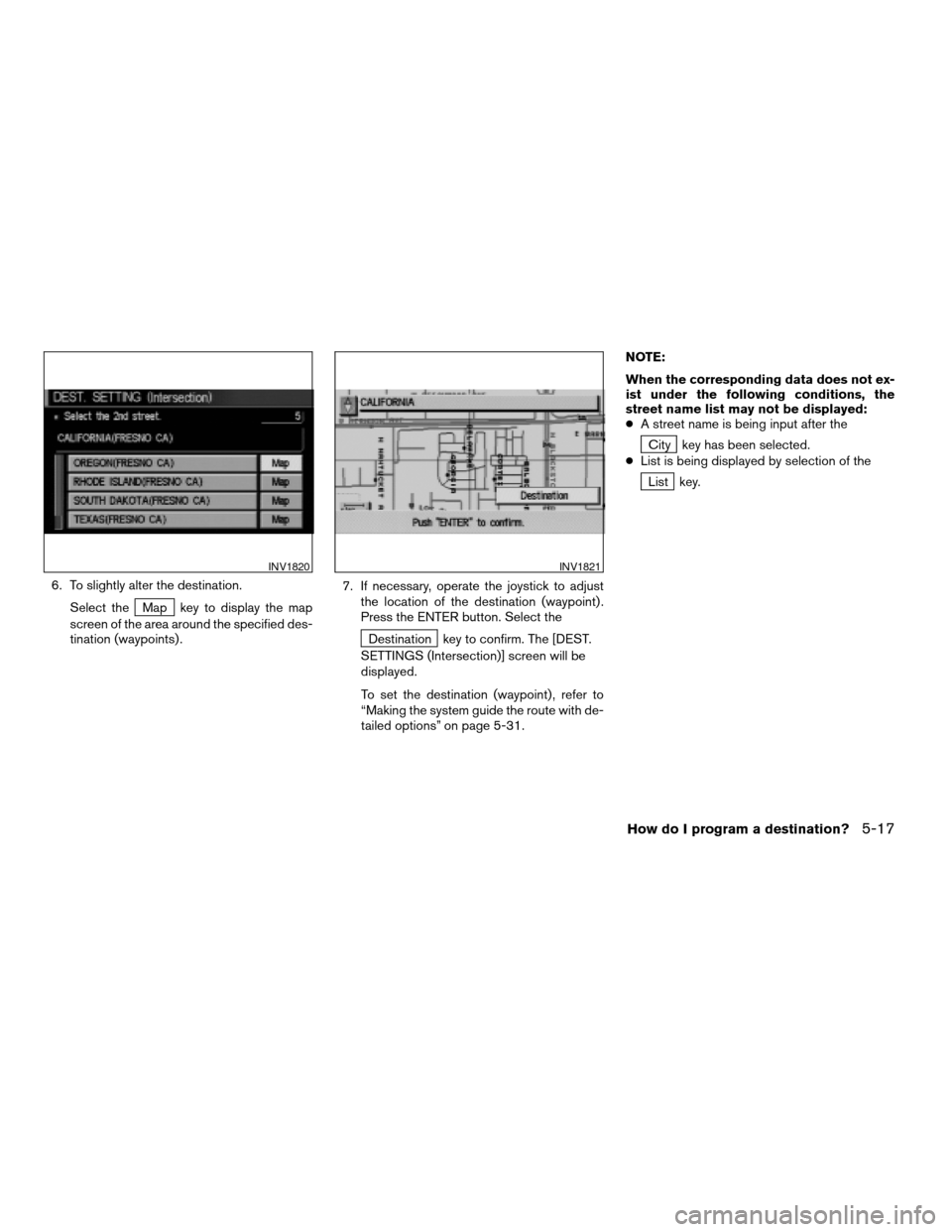
6. To slightly alter the destination.
Select the
Map key to display the map
screen of the area around the specified des-
tination (waypoints) .7. If necessary, operate the joystick to adjust
the location of the destination (waypoint) .
Press the ENTER button. Select the
Destination key to confirm. The [DEST.
SETTINGS (Intersection)] screen will be
displayed.
To set the destination (waypoint) , refer to
“Making the system guide the route with de-
tailed options” on page 5-31.NOTE:
When the corresponding data does not ex-
ist under the following conditions, the
street name list may not be displayed:
cA street name is being input after the
City key has been selected.
cList is being displayed by selection of the
List key.
INV1820INV1821
How do I program a destination?5-17
ZREVIEW COPYÐ2004 Maxima(max)
Navigation System OM(navi)ÐUSA_English(nna)
04/27/04Ðtbrooks
X
Page 58 of 186
Setting with theState key
TheState key is used when you select a
state/province to set the destination.
1. Select the
State key.2. The display shows the screen to select
states.
Input a state/province name.When the
Last 5 States key is selected, the
history of the previous five settings will be listed.
INV1822INV1823INV1824
5-18How do I program a destination?
ZREVIEW COPYÐ2004 Maxima(max)
Navigation System OM(navi)ÐUSA_English(nna)
04/27/04Ðtbrooks
X
Page 59 of 186
3. The display shows the state list.
Select a state/province name.4. The screen returns to the [DEST. SETTING
(Intersection)] screen.
When the state/province is set, the display
shows the selected state/province next to
the
State key.
Input the street name.
Please refer to “Setting with the
List key” on page 5-15.
Setting with theCity key
TheCity key is used to retrieve an intersection
from the specified city to set the destination.
1. Select the
City key.
cThe display shows the screen to retrieve
cities.
INV1825INV1826INV1827
How do I program a destination?5-19
ZREVIEW COPYÐ2004 Maxima(max)
Navigation System OM(navi)ÐUSA_English(nna)
04/27/04Ðtbrooks
X
Page 60 of 186
2. Input a city name. When theLast 5 Cities key is selected, the his-
tory of the previous five settings will be listed.
INFO:
It is not possible to select cities if they are not in
the state/province you set.3. The display shows the city list.
Select a city of your choice.
INV0973INV1829INV1830
5-20How do I program a destination?
ZREVIEW COPYÐ2004 Maxima(max)
Navigation System OM(navi)ÐUSA_English(nna)
04/27/04Ðtbrooks
X
Trending: start stop button, tire size, service, check engine, fuel, light, tires

![NISSAN MAXIMA 2004 A34 / 6.G Navigation Manual 3. The display shows the state list. Select a
state/province name.4. The screen returns to the [DEST. SETTING
(Address/Street)] screen. When the
state/province is set, the display shows the
selected s](/img/5/674/w960_674-51.png "NISSAN MAXIMA 2004 A34 / 6.G Navigation Manual 3. The display shows the state list. Select a
state/province name.4. The screen returns to the [DEST. SETTING
(Address/Street)] screen. When the
state/province is set, the display shows the
selected s")

![NISSAN MAXIMA 2004 A34 / 6.G Navigation Manual 4. The screen returns to the [DEST. SETTING
(Address/Street)] screen.
When the city is set, the display shows the
selected city next to the
City key.
Input the street name of your choice.
Proceed to â](/img/5/674/w960_674-53.png "NISSAN MAXIMA 2004 A34 / 6.G Navigation Manual 4. The screen returns to the [DEST. SETTING
(Address/Street)] screen.
When the city is set, the display shows the
selected city next to the
City key.
Input the street name of your choice.
Proceed to â")



![NISSAN MAXIMA 2004 A34 / 6.G Navigation Manual 3. The display shows the state list.
Select a state/province name.4. The screen returns to the [DEST. SETTING
(Intersection)] screen.
When the state/province is set, the display
shows the selected sta](/img/5/674/w960_674-58.png "NISSAN MAXIMA 2004 A34 / 6.G Navigation Manual 3. The display shows the state list.
Select a state/province name.4. The screen returns to the [DEST. SETTING
(Intersection)] screen.
When the state/province is set, the display
shows the selected sta")
