key NISSAN MAXIMA 2010 Owner´s Manual
[x] Cancel search | Manufacturer: NISSAN, Model Year: 2010, Model line: MAXIMA, Model: NISSAN MAXIMA 2010Pages: 457, PDF Size: 4.66 MB
Page 267 of 457
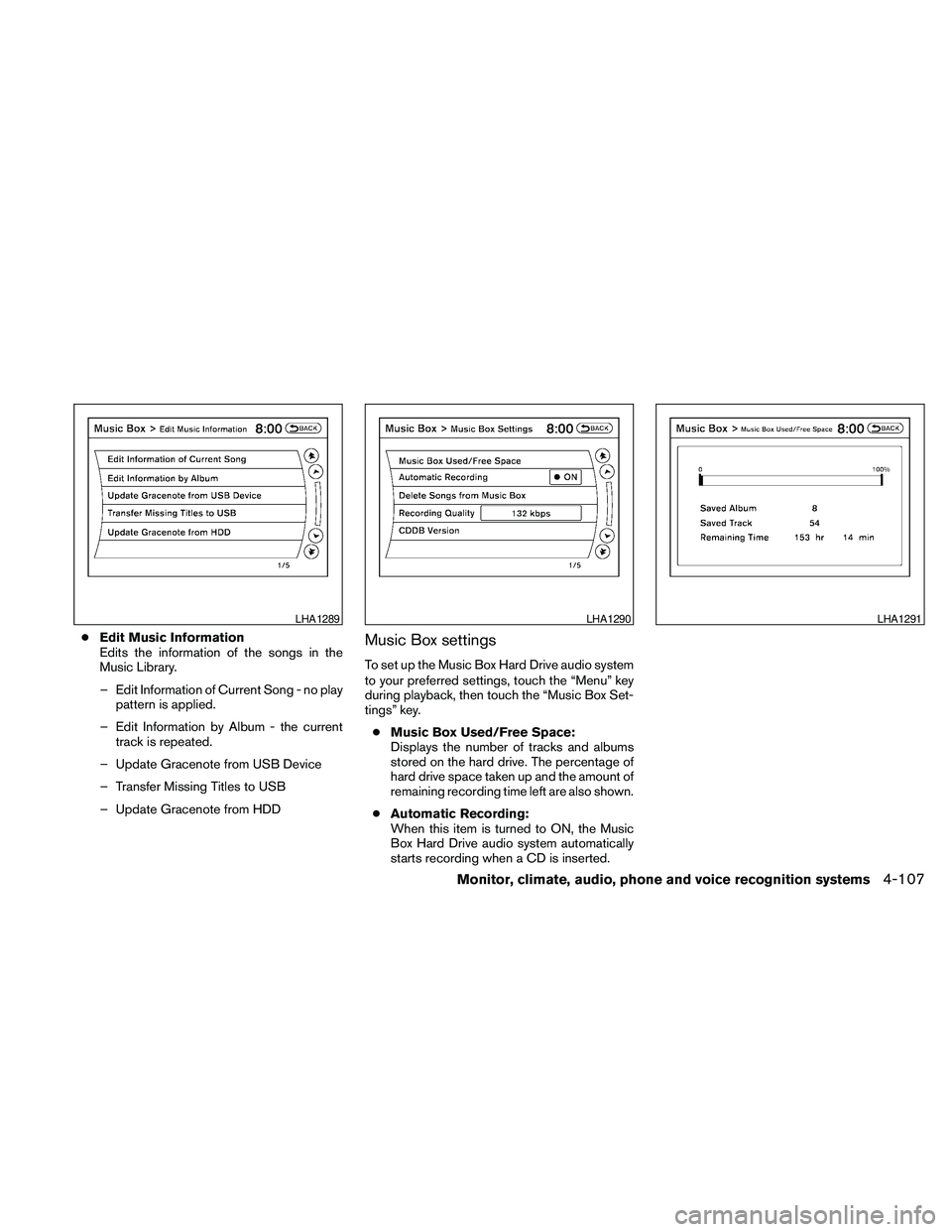
cEdit Music Information
Edits the information of the songs in the
Music Library.
– Edit Information of Current Song - no play
pattern is applied.
– Edit Information by Album - the current
track is repeated.
– Update Gracenote from USB Device
– Transfer Missing Titles to USB
– Update Gracenote from HDDMusic Box settings
To set up the Music Box Hard Drive audio system
to your preferred settings, touch the “Menu” key
during playback, then touch the “Music Box Set-
tings” key.
cMusic Box Used/Free Space:
Displays the number of tracks and albums
stored on the hard drive. The percentage of
hard drive space taken up and the amount of
remaining recording time left are also shown.
cAutomatic Recording:
When this item is turned to ON, the Music
Box Hard Drive audio system automatically
starts recording when a CD is inserted.
LHA1289LHA1290LHA1291
Monitor, climate, audio, phone and voice recognition systems4-107
Page 270 of 457
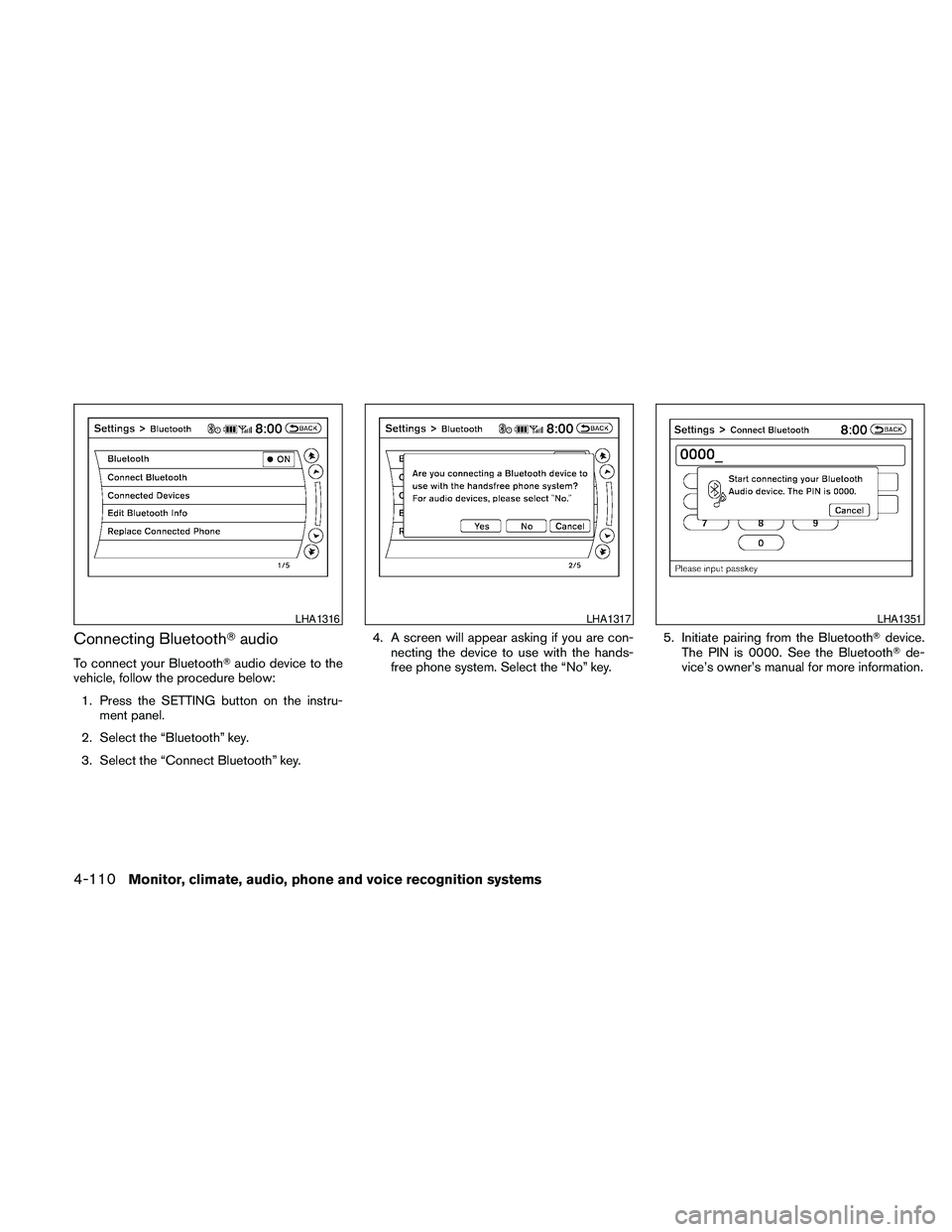
Connecting BluetoothTaudio
To connect your BluetoothTaudio device to the
vehicle, follow the procedure below:
1. Press the SETTING button on the instru-
ment panel.
2. Select the “Bluetooth” key.
3. Select the “Connect Bluetooth” key.4. A screen will appear asking if you are con-
necting the device to use with the hands-
free phone system. Select the “No” key.5. Initiate pairing from the BluetoothTdevice.
The PIN is 0000. See the BluetoothTde-
vice’s owner’s manual for more information.
LHA1316LHA1317LHA1351
4-110Monitor, climate, audio, phone and voice recognition systems
Page 271 of 457
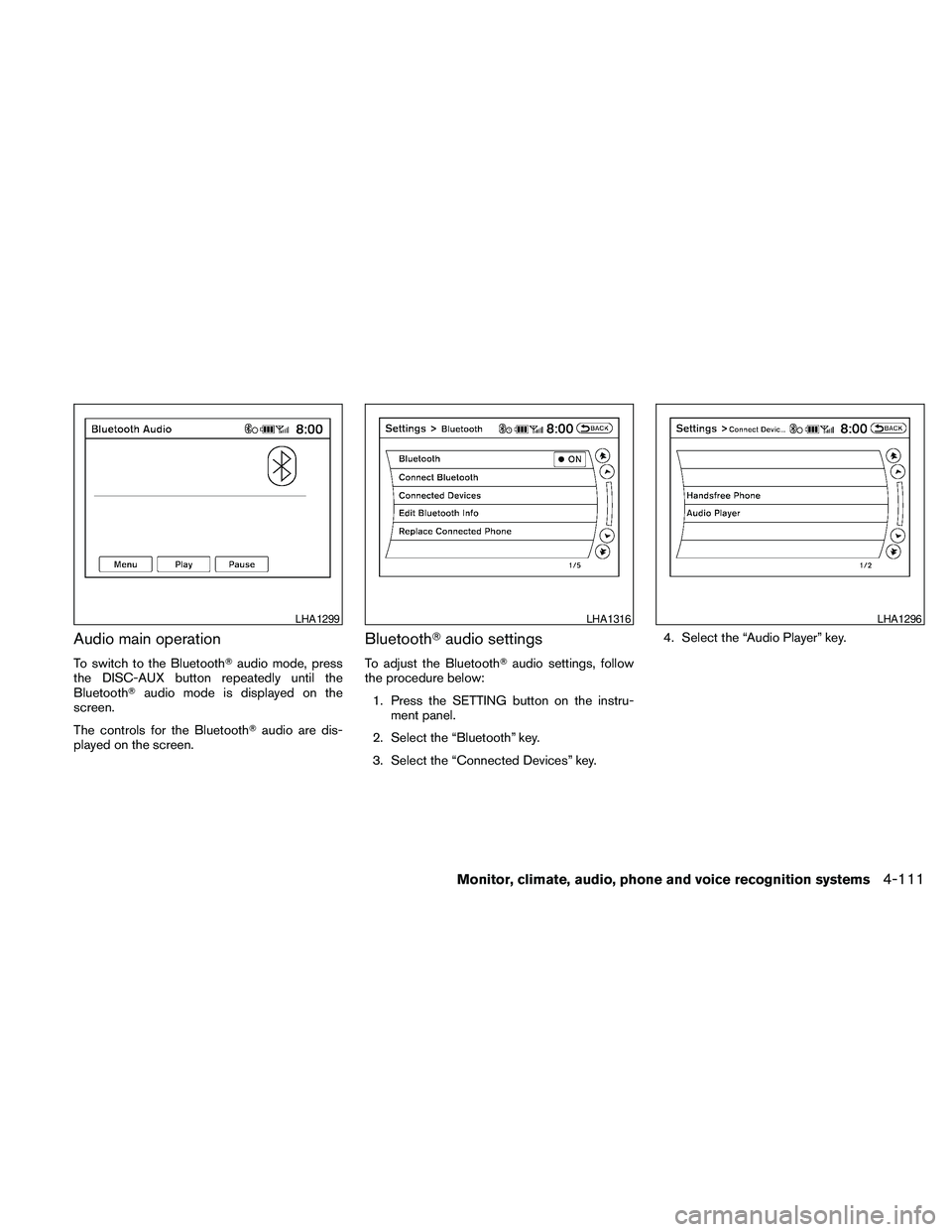
Audio main operation
To switch to the BluetoothTaudio mode, press
the DISC-AUX button repeatedly until the
BluetoothTaudio mode is displayed on the
screen.
The controls for the BluetoothTaudio are dis-
played on the screen.
BluetoothTaudio settings
To adjust the BluetoothTaudio settings, follow
the procedure below:
1. Press the SETTING button on the instru-
ment panel.
2. Select the “Bluetooth” key.
3. Select the “Connected Devices” key.4. Select the “Audio Player” key.
LHA1299LHA1316LHA1296
Monitor, climate, audio, phone and voice recognition systems4-111
Page 272 of 457
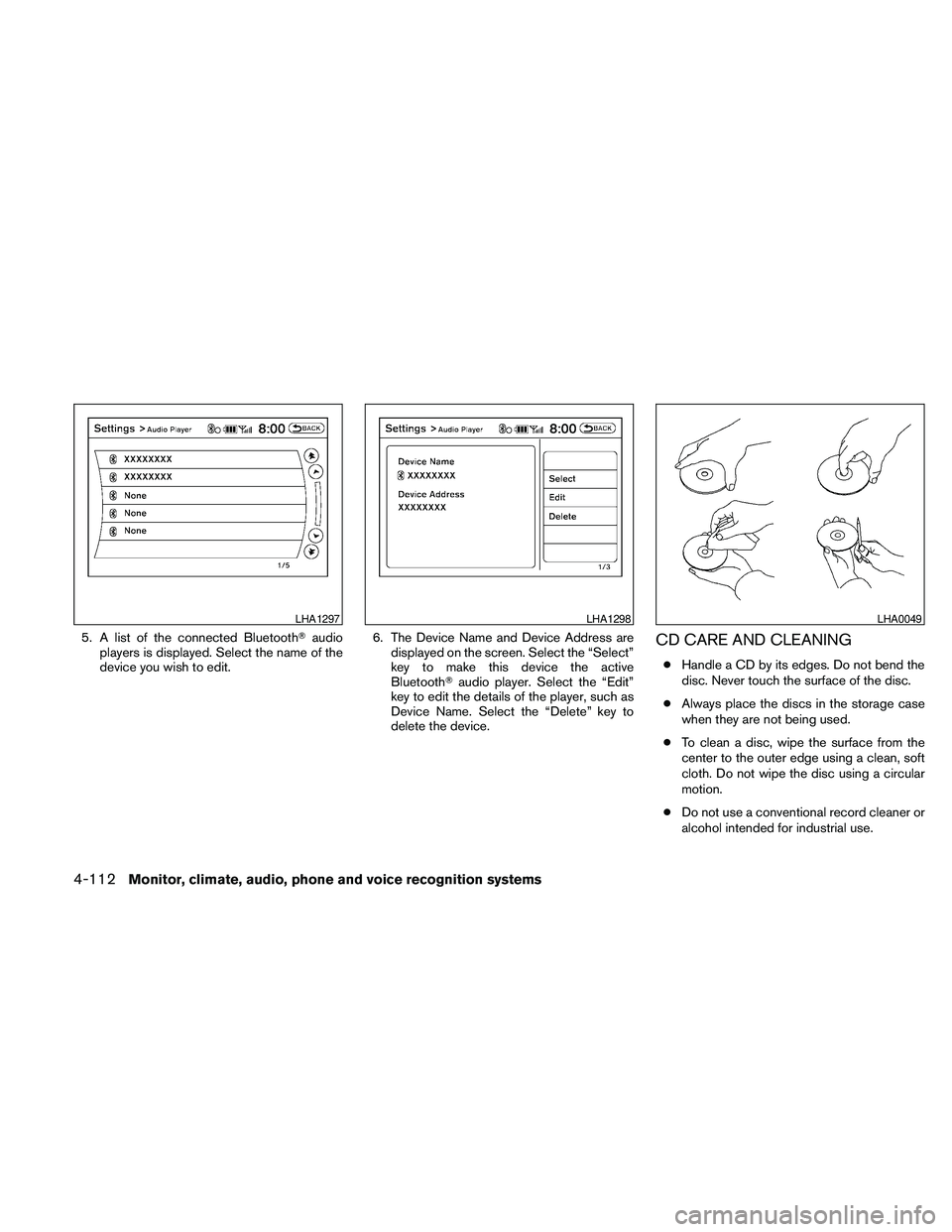
5. A list of the connected BluetoothTaudio
players is displayed. Select the name of the
device you wish to edit.6. The Device Name and Device Address are
displayed on the screen. Select the “Select”
key to make this device the active
BluetoothTaudio player. Select the “Edit”
key to edit the details of the player, such as
Device Name. Select the “Delete” key to
delete the device.CD CARE AND CLEANING
cHandle a CD by its edges. Do not bend the
disc. Never touch the surface of the disc.
cAlways place the discs in the storage case
when they are not being used.
cTo clean a disc, wipe the surface from the
center to the outer edge using a clean, soft
cloth. Do not wipe the disc using a circular
motion.
cDo not use a conventional record cleaner or
alcohol intended for industrial use.
LHA1297LHA1298LHA0049
4-112Monitor, climate, audio, phone and voice recognition systems
Page 283 of 457
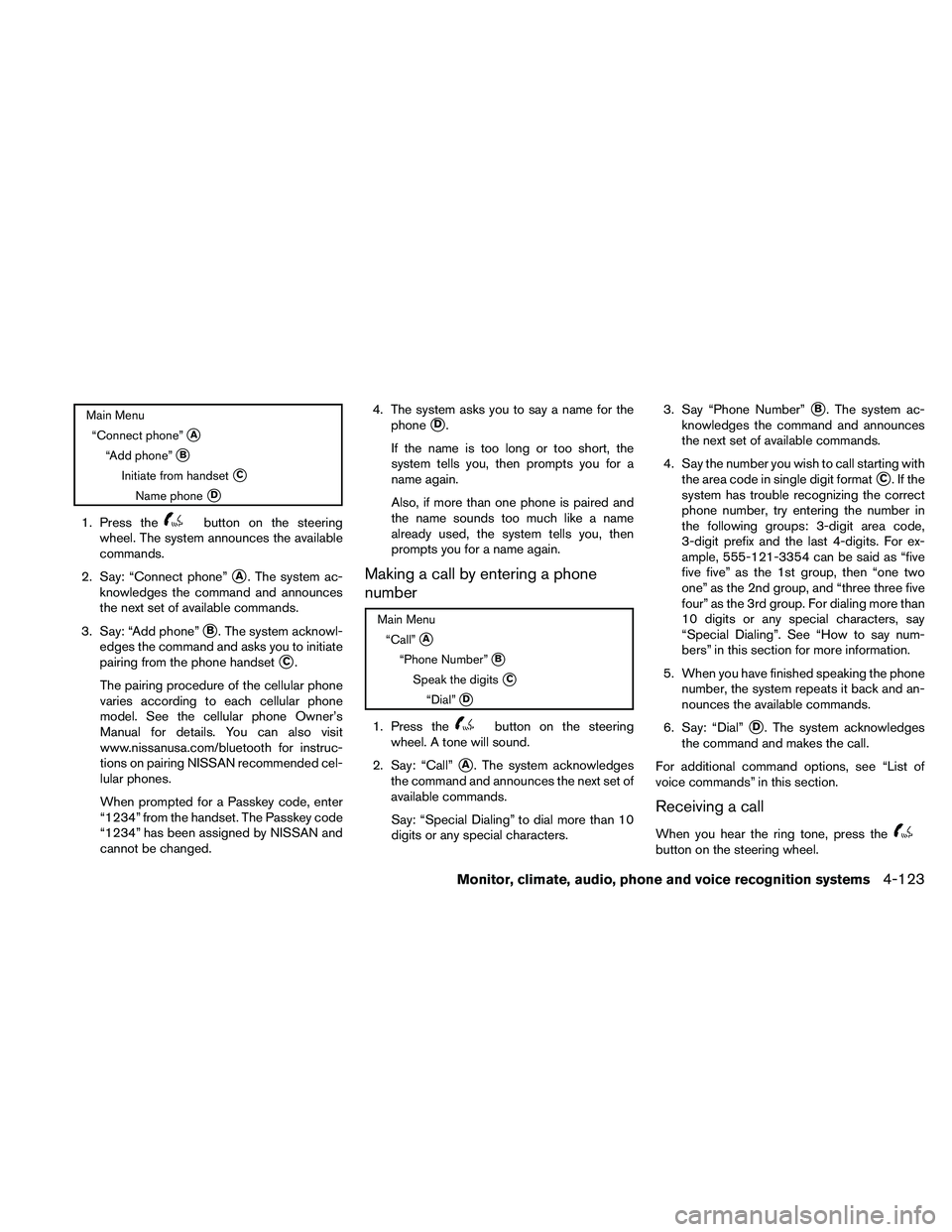
Main Menu
“Connect phone”
sA
“Add phone”sB
Initiate from handsetsC
Name phonesD
1. Press thebutton on the steering
wheel. The system announces the available
commands.
2. Say: “Connect phone”
sA. The system ac-
knowledges the command and announces
the next set of available commands.
3. Say: “Add phone”
sB. The system acknowl-
edges the command and asks you to initiate
pairing from the phone handset
sC.
The pairing procedure of the cellular phone
varies according to each cellular phone
model. See the cellular phone Owner’s
Manual for details. You can also visit
www.nissanusa.com/bluetooth for instruc-
tions on pairing NISSAN recommended cel-
lular phones.
When prompted for a Passkey code, enter
“1234” from the handset. The Passkey code
“1234” has been assigned by NISSAN and
cannot be changed.4. The system asks you to say a name for the
phone
sD.
If the name is too long or too short, the
system tells you, then prompts you for a
name again.
Also, if more than one phone is paired and
the name sounds too much like a name
already used, the system tells you, then
prompts you for a name again.
Making a call by entering a phone
number
Main Menu
“Call”
sA
“Phone Number”sB
Speak the digitssC
“Dial”sD
1. Press thebutton on the steering
wheel. A tone will sound.
2. Say: “Call”
sA. The system acknowledges
the command and announces the next set of
available commands.
Say: “Special Dialing” to dial more than 10
digits or any special characters.3. Say “Phone Number”
sB. The system ac-
knowledges the command and announces
the next set of available commands.
4. Say the number you wish to call starting with
the area code in single digit format
sC.Ifthe
system has trouble recognizing the correct
phone number, try entering the number in
the following groups: 3-digit area code,
3-digit prefix and the last 4-digits. For ex-
ample, 555-121-3354 can be said as “five
five five” as the 1st group, then “one two
one” as the 2nd group, and “three three five
four” as the 3rd group. For dialing more than
10 digits or any special characters, say
“Special Dialing”. See “How to say num-
bers” in this section for more information.
5. When you have finished speaking the phone
number, the system repeats it back and an-
nounces the available commands.
6. Say: “Dial”
sD. The system acknowledges
the command and makes the call.
For additional command options, see “List of
voice commands” in this section.
Receiving a call
When you hear the ring tone, press thebutton on the steering wheel.
Monitor, climate, audio, phone and voice recognition systems4-123
Page 294 of 457
REGULATORY INFORMATION
FCC Regulatory information
– CAUTION: To maintain compliance with
FCC’s RF exposure guidelines, use only the
supplied antenna. Unauthorized antenna,
modification, or attachments could damage
the transmitter and may violate FCC regula-
tions.
– Operation is subject to the following two con-
ditions:
1. This device may not cause interference and
2. this device must accept any interference,
including interference that may cause un-
desired operation of the device.
IC Regulatory information
– Operation is subject to the following two con-
ditions: (1) this device may not cause interfer-
ence, and (2) this device must accept any
interference, including interference that may
cause undesired operation of the device.
– This Class B digital apparatus meets all re-
quirements of the Canadian Interference-
Causing Equipment Regulations.
BLUETOOTHtis a
trademark owned by
Bluetooth SIG, Inc.,
U.S.A. and licensed to
Xanavi Informatics
Corporation.
VOICE COMMANDS
You can use voice commands to operate various
BluetoothTHands-Free Phone System features
using the NISSAN Voice Recognition system. For
more details, see “NISSAN Voice Recognition
System” in this section.
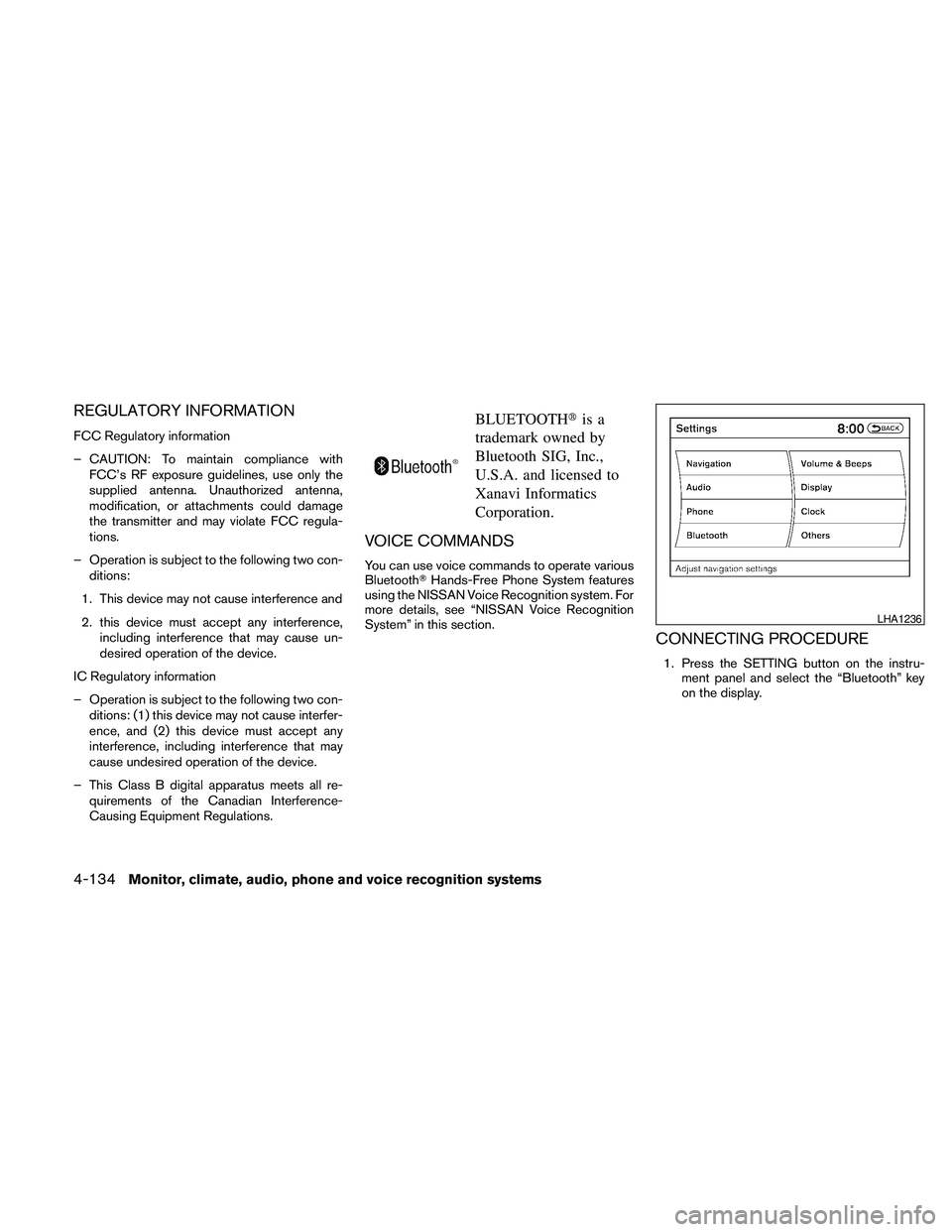
CONNECTING PROCEDURE
1. Press the SETTING button on the instru-
ment panel and select the “Bluetooth” key
on the display.
LHA1236
4-134Monitor, climate, audio, phone and voice recognition systems
Page 295 of 457
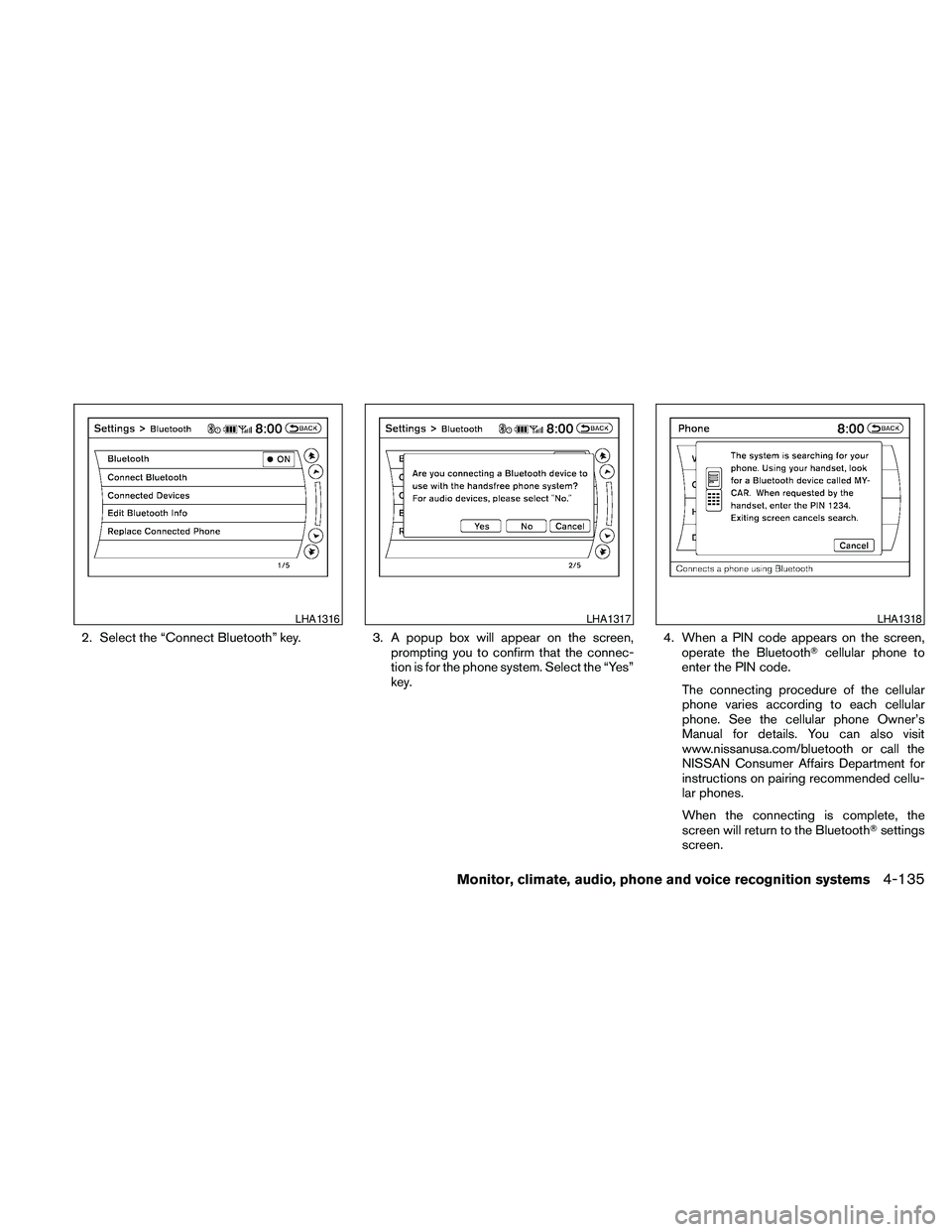
2. Select the “Connect Bluetooth” key. 3. A popup box will appear on the screen,
prompting you to confirm that the connec-
tion is for the phone system. Select the “Yes”
key.4. When a PIN code appears on the screen,
operate the BluetoothTcellular phone to
enter the PIN code.
The connecting procedure of the cellular
phone varies according to each cellular
phone. See the cellular phone Owner’s
Manual for details. You can also visit
www.nissanusa.com/bluetooth or call the
NISSAN Consumer Affairs Department for
instructions on pairing recommended cellu-
lar phones.
When the connecting is complete, the
screen will return to the BluetoothTsettings
screen.
LHA1316LHA1317LHA1318
Monitor, climate, audio, phone and voice recognition systems4-135
Page 296 of 457
VEHICLE PHONEBOOK
This vehicle has two phonebooks available for
your use. Depending on your phone, the system
may automatically download your entire cell
phone’s phonebook into the “Handset Phone-
book”. For the details on downloading your
phonebook, see “Handset phonebook” in this
section. If your phonebook does not automati-
cally download, you may set up the vehicle
phonebook for up to 40 entries. This phonebook
allows you to record a name to speak while using
voice recognition.
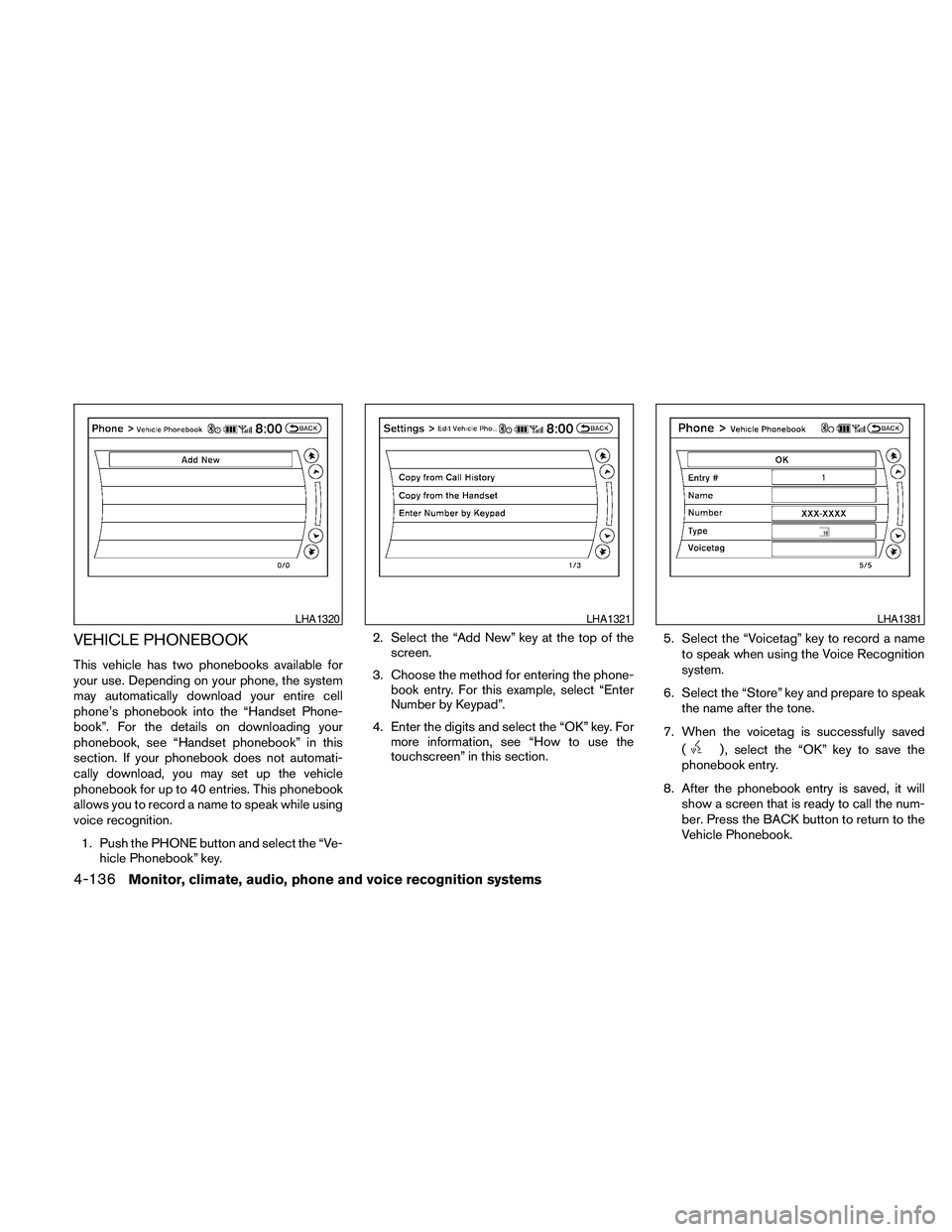
1. Push the PHONE button and select the “Ve-
hicle Phonebook” key.2. Select the “Add New” key at the top of the
screen.
3. Choose the method for entering the phone-
book entry. For this example, select “Enter
Number by Keypad”.
4. Enter the digits and select the “OK” key. For
more information, see “How to use the
touchscreen” in this section.5. Select the “Voicetag” key to record a name
to speak when using the Voice Recognition
system.
6. Select the “Store” key and prepare to speak
the name after the tone.
7. When the voicetag is successfully saved
(
) , select the “OK” key to save the
phonebook entry.
8. After the phonebook entry is saved, it will
show a screen that is ready to call the num-
ber. Press the BACK button to return to the
Vehicle Phonebook.
LHA1320LHA1321LHA1381
4-136Monitor, climate, audio, phone and voice recognition systems
Page 297 of 457
cCopy from Call History
The system will show a list of your incoming,
outgoing or missed calls that were down-
loaded from your cell phone (depending on
your phone’s compatibility) . You may select
one of these entries to save in the vehicle
phonebook.
cCopy from the Handset
The system will show your cell phone’s
phonebook that was downloaded (depend-
ing on your phone’s compatibility) . You may
select one of these entries to save in the
vehicle phonebook.
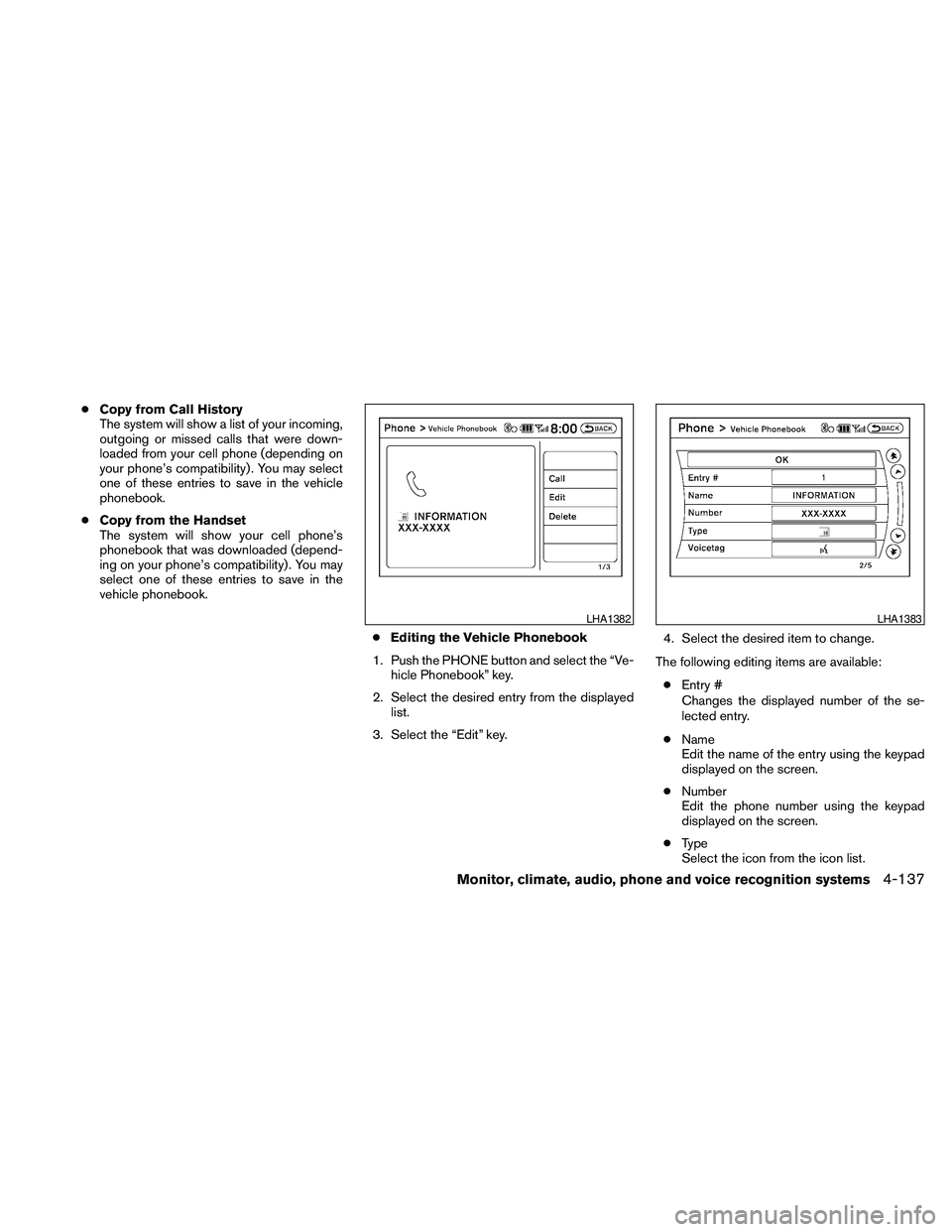
cEditing the Vehicle Phonebook
1. Push the PHONE button and select the “Ve-
hicle Phonebook” key.
2. Select the desired entry from the displayed
list.
3. Select the “Edit” key.4. Select the desired item to change.
The following editing items are available:
cEntry #
Changes the displayed number of the se-
lected entry.
cName
Edit the name of the entry using the keypad
displayed on the screen.
cNumber
Edit the phone number using the keypad
displayed on the screen.
cType
Select the icon from the icon list.
LHA1382LHA1383
Monitor, climate, audio, phone and voice recognition systems4-137
Page 298 of 457
cVoicetag
Confirm and store the voicetag. Voicetags
allow easy dialing using the NISSAN Voice
Recognition system. For more information,
see “Nissan Voice Recognition System” in
this section.
To delete an entry, select the “Delete” key at step
3.
HANDSET PHONEBOOK
Many phones will support an automatic down-
load of the cellular phone’s phonebook. Since
this method allows for up to 1000 numbers to be
stored and entries are automatically assigned
voice tags by the system, this is a useful function
for easy dialing supported by the Voice Recogni-
tion system.
Transferring the handset phonebook
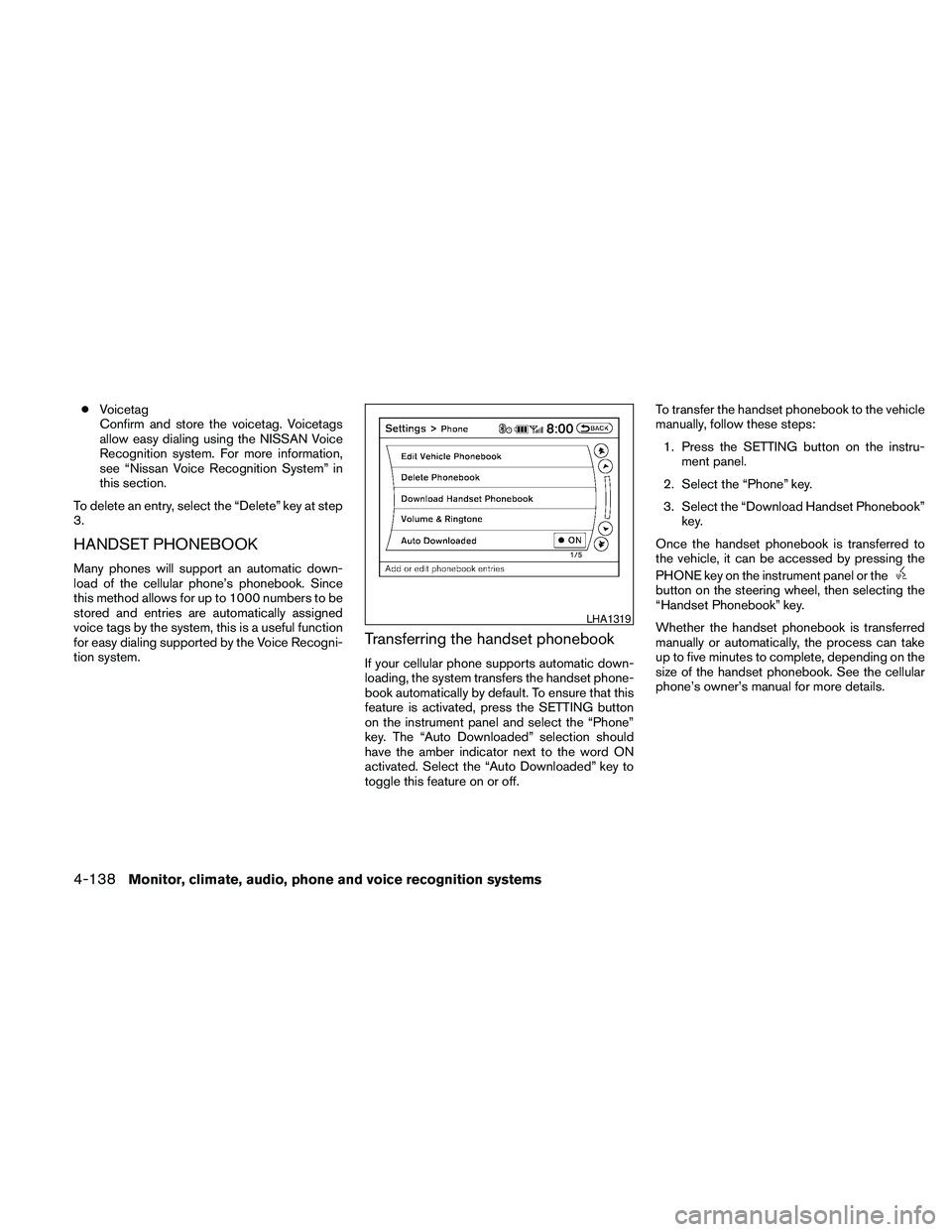
If your cellular phone supports automatic down-
loading, the system transfers the handset phone-
book automatically by default. To ensure that this
feature is activated, press the SETTING button
on the instrument panel and select the “Phone”
key. The “Auto Downloaded” selection should
have the amber indicator next to the word ON
activated. Select the “Auto Downloaded” key to
toggle this feature on or off.To transfer the handset phonebook to the vehicle
manually, follow these steps:
1. Press the SETTING button on the instru-
ment panel.
2. Select the “Phone” key.
3. Select the “Download Handset Phonebook”
key.
Once the handset phonebook is transferred to
the vehicle, it can be accessed by pressing the
PHONE key on the instrument panel or the
button on the steering wheel, then selecting the
“Handset Phonebook” key.
Whether the handset phonebook is transferred
manually or automatically, the process can take
up to five minutes to complete, depending on the
size of the handset phonebook. See the cellular
phone’s owner’s manual for more details.
LHA1319
4-138Monitor, climate, audio, phone and voice recognition systems