instrument panel NISSAN MAXIMA 2010 Owner´s Manual
[x] Cancel search | Manufacturer: NISSAN, Model Year: 2010, Model line: MAXIMA, Model: NISSAN MAXIMA 2010Pages: 457, PDF Size: 4.66 MB
Page 74 of 457
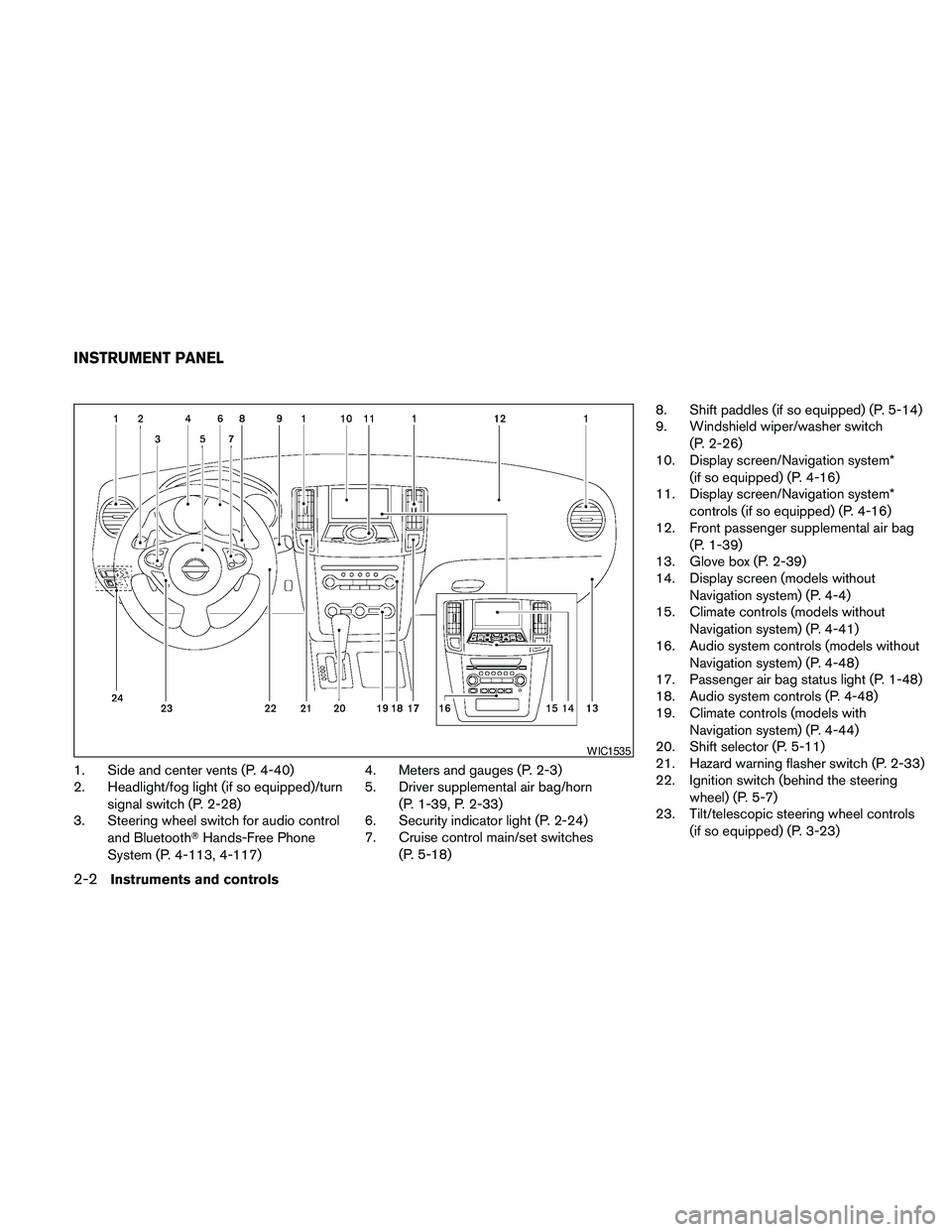
1. Side and center vents (P. 4-40)
2. Headlight/fog light (if so equipped)/turn
signal switch (P. 2-28)
3. Steering wheel switch for audio control
and BluetoothTHands-Free Phone
System (P. 4-113, 4-117)4. Meters and gauges (P. 2-3)
5. Driver supplemental air bag/horn
(P. 1-39, P. 2-33)
6. Security indicator light (P. 2-24)
7. Cruise control main/set switches
(P. 5-18)8. Shift paddles (if so equipped) (P. 5-14)
9. Windshield wiper/washer switch
(P. 2-26)
10. Display screen/Navigation system*
(if so equipped) (P. 4-16)
11. Display screen/Navigation system*
controls (if so equipped) (P. 4-16)
12. Front passenger supplemental air bag
(P. 1-39)
13. Glove box (P. 2-39)
14. Display screen (models without
Navigation system) (P. 4-4)
15. Climate controls (models without
Navigation system) (P. 4-41)
16. Audio system controls (models without
Navigation system) (P. 4-48)
17. Passenger air bag status light (P. 1-48)
18. Audio system controls (P. 4-48)
19. Climate controls (models with
Navigation system) (P. 4-44)
20. Shift selector (P. 5-11)
21. Hazard warning flasher switch (P. 2-33)
22. Ignition switch (behind the steering
wheel) (P. 5-7)
23. Tilt/telescopic steering wheel controls
(if so equipped) (P. 3-23)
WIC1535
INSTRUMENT PANEL
2-2Instruments and controls
Page 76 of 457
SPEEDOMETER AND ODOMETER
Speedometer
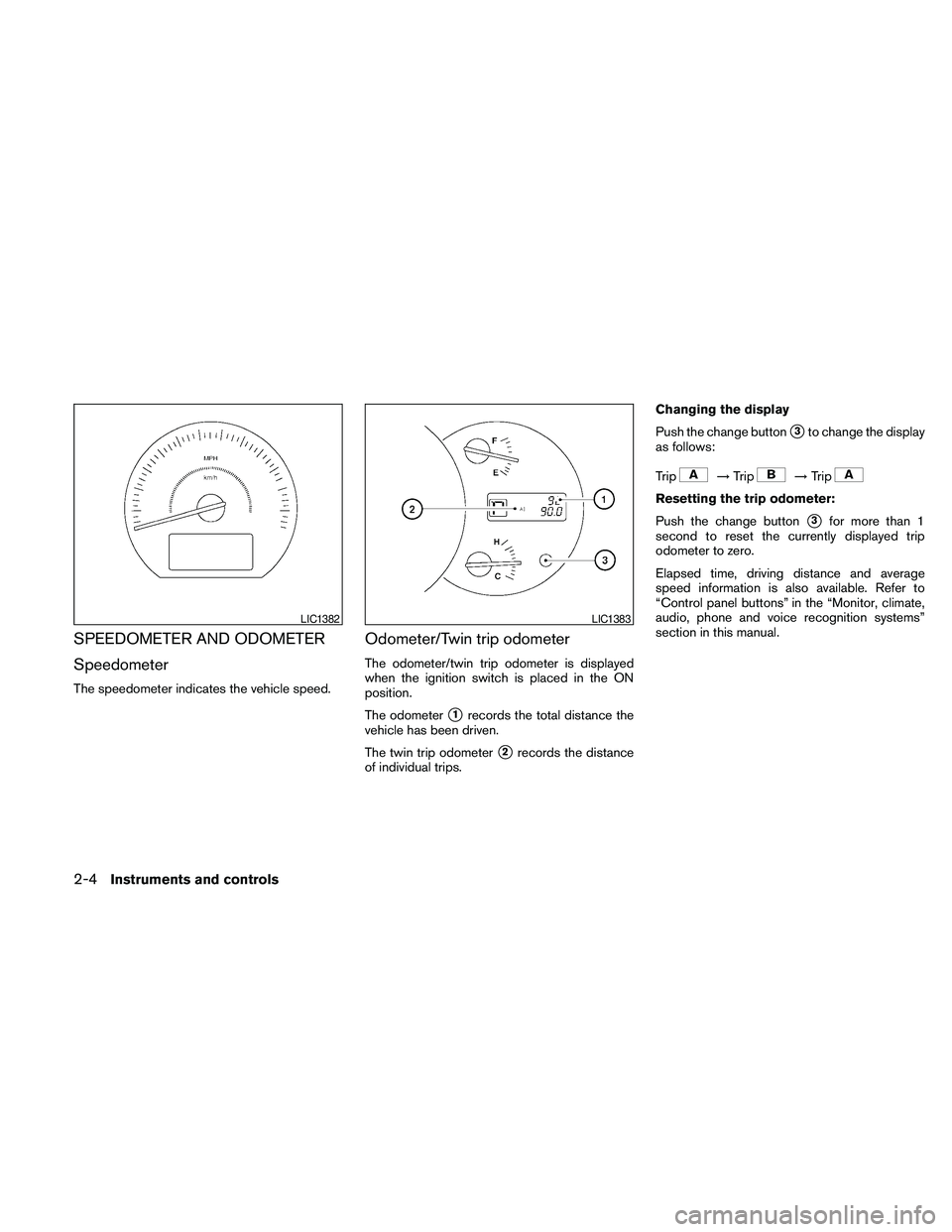
The speedometer indicates the vehicle speed.
Odometer/Twin trip odometer
The odometer/twin trip odometer is displayed
when the ignition switch is placed in the ON
position.
The odometer
s1records the total distance the
vehicle has been driven.
The twin trip odometer
s2records the distance
of individual trips.Changing the display
Push the change button
s3to change the display
as follows:
Trip
!Trip!Trip
Resetting the trip odometer:
Push the change button
s3for more than 1
second to reset the currently displayed trip
odometer to zero.
Elapsed time, driving distance and average
speed information is also available. Refer to
“Control panel buttons” in the “Monitor, climate,
audio, phone and voice recognition systems”
section in this manual.
LIC1382LIC1383
2-4Instruments and controls
Page 89 of 457
Light reminder chime
With the ignition switch placed in the OFF posi-
tion, a chime sounds when the driver’s door is
opened if the headlights or parking lights are on.
Turn the headlight control switch off before leav-
ing the vehicle.
NISSAN Intelligent Key™ door buzzer
The Intelligent Key door buzzer sounds if the
Intelligent Key is left inside the vehicle when
locking the doors. When the buzzer sounds, be
sure to check both the vehicle and the Intelligent
Key. See “NISSAN Intelligent Key™” in the “Pre-
driving checks and adjustments” section.
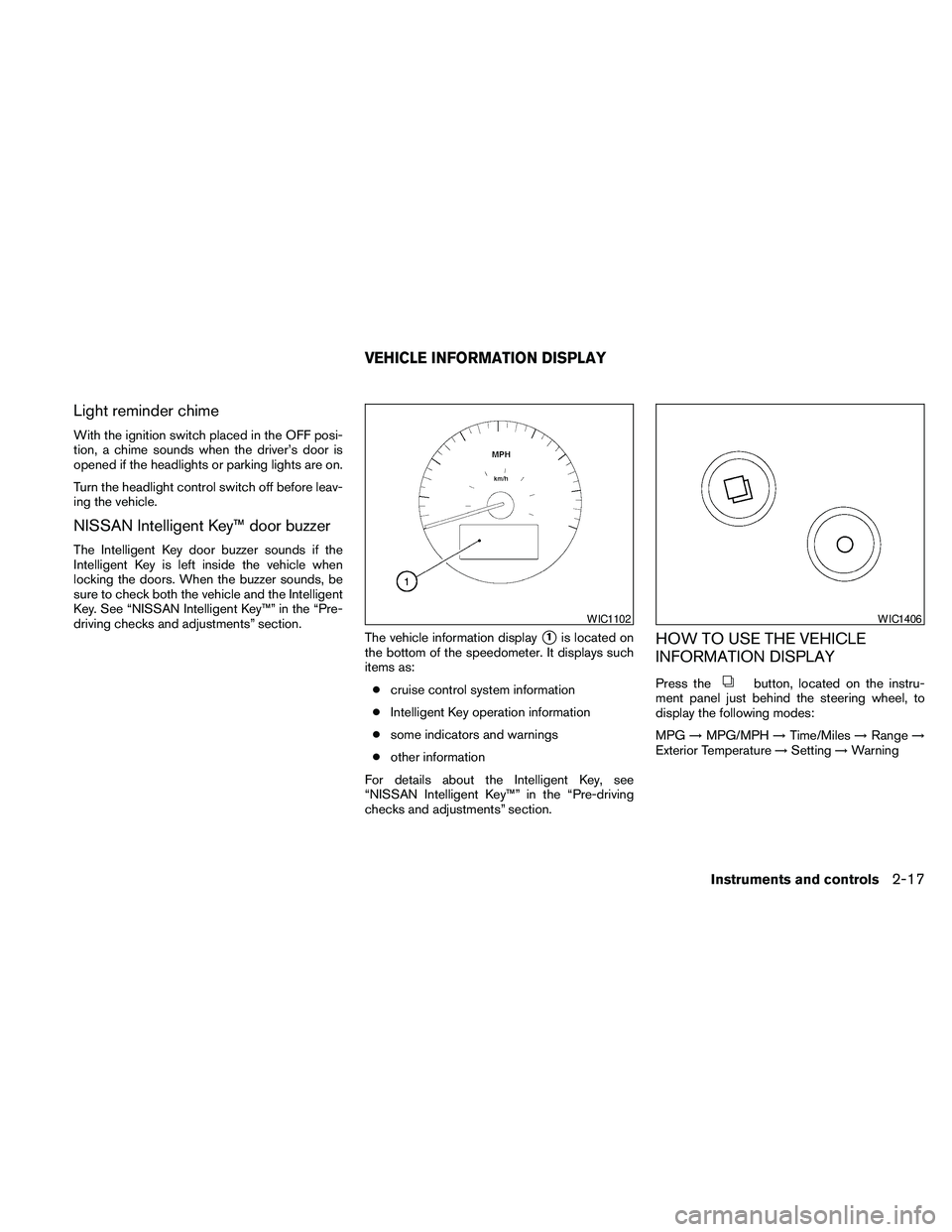
The vehicle information display
s1is located on
the bottom of the speedometer. It displays such
items as:
ccruise control system information
cIntelligent Key operation information
csome indicators and warnings
cother information
For details about the Intelligent Key, see
“NISSAN Intelligent Key™” in the “Pre-driving
checks and adjustments” section.HOW TO USE THE VEHICLE
INFORMATION DISPLAY
Press thebutton, located on the instru-
ment panel just behind the steering wheel, to
display the following modes:
MPG!MPG/MPH!Time/Miles!Range!
Exterior Temperature!Setting!Warning
WIC1102WIC1406
VEHICLE INFORMATION DISPLAY
Instruments and controls2-17
Page 101 of 457
HEADLIGHT CONTROL SWITCH
Lighting
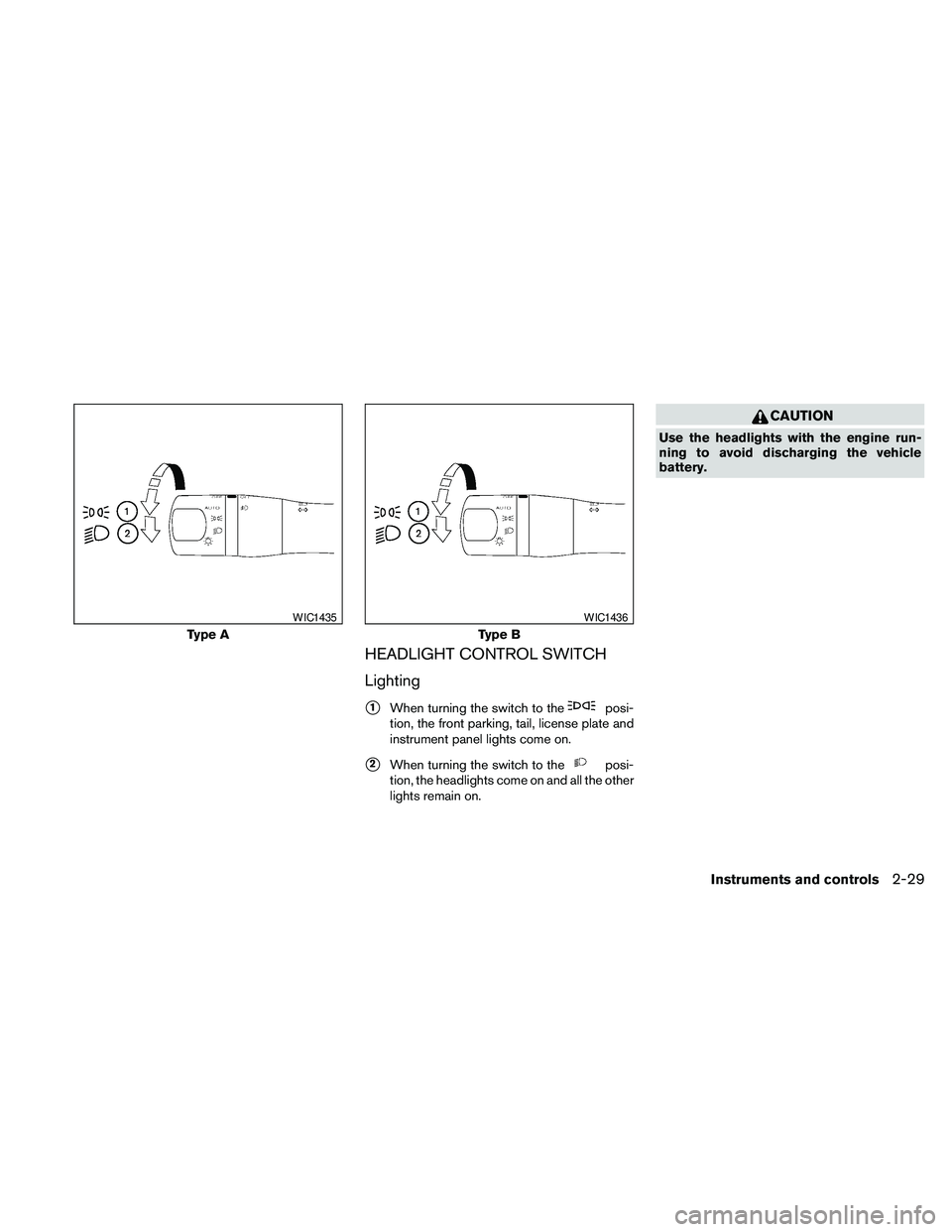
s1When turning the switch to theposi-
tion, the front parking, tail, license plate and
instrument panel lights come on.
s2When turning the switch to theposi-
tion, the headlights come on and all the other
lights remain on.
CAUTION
Use the headlights with the engine run-
ning to avoid discharging the vehicle
battery.
Type A
WIC1435
Type B
WIC1436
Instruments and controls2-29
Page 102 of 457
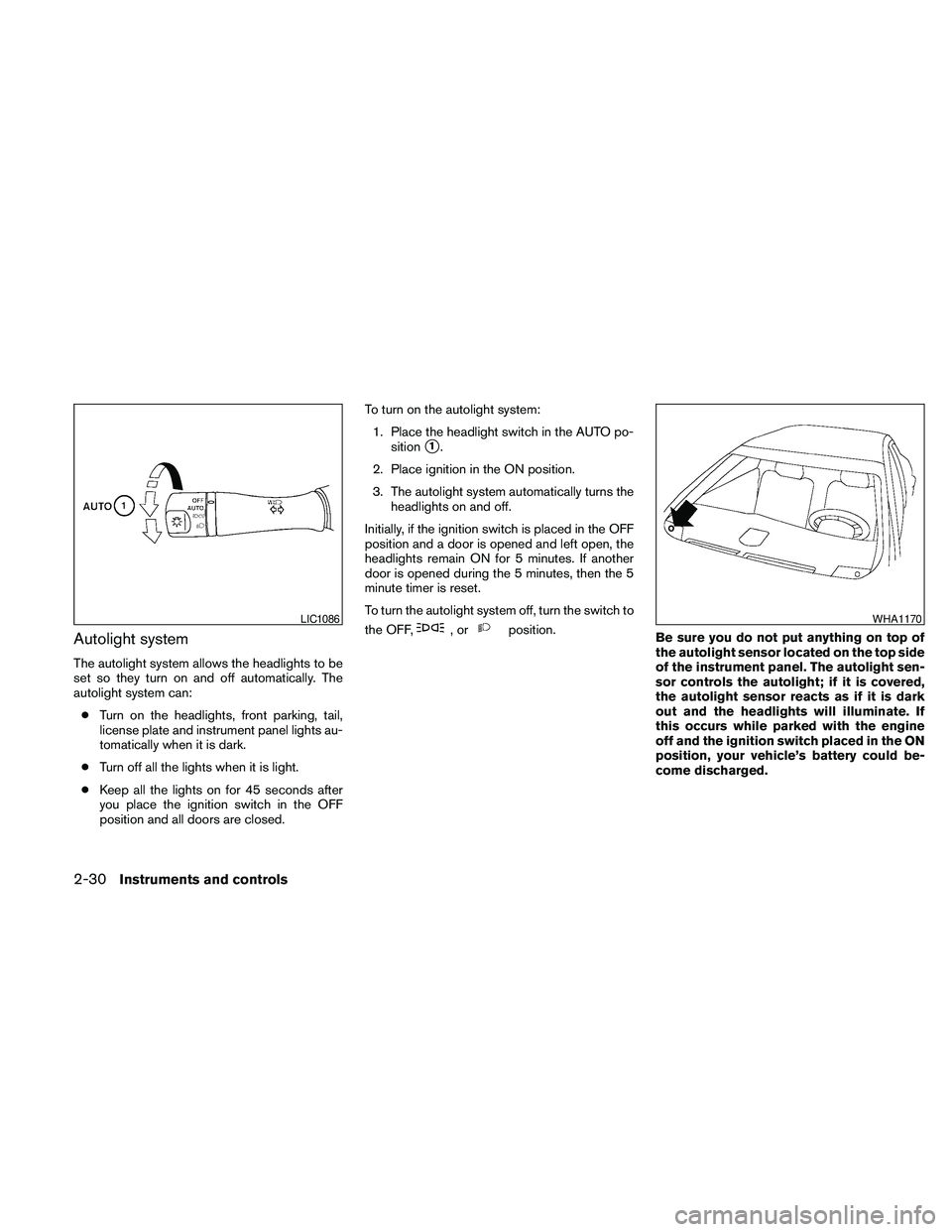
Autolight system
The autolight system allows the headlights to be
set so they turn on and off automatically. The
autolight system can:
cTurn on the headlights, front parking, tail,
license plate and instrument panel lights au-
tomatically when it is dark.
cTurn off all the lights when it is light.
cKeep all the lights on for 45 seconds after
you place the ignition switch in the OFF
position and all doors are closed.To turn on the autolight system:
1. Place the headlight switch in the AUTO po-
sition
s1.
2. Place ignition in the ON position.
3. The autolight system automatically turns the
headlights on and off.
Initially, if the ignition switch is placed in the OFF
position and a door is opened and left open, the
headlights remain ON for 5 minutes. If another
door is opened during the 5 minutes, then the 5
minute timer is reset.
To turn the autolight system off, turn the switch to
the OFF,
,orposition.
Be sure you do not put anything on top of
the autolight sensor located on the top side
of the instrument panel. The autolight sen-
sor controls the autolight; if it is covered,
the autolight sensor reacts as if it is dark
out and the headlights will illuminate. If
this occurs while parked with the engine
off and the ignition switch placed in the ON
position, your vehicle’s battery could be-
come discharged.LIC1086WHA1170
2-30Instruments and controls
Page 104 of 457
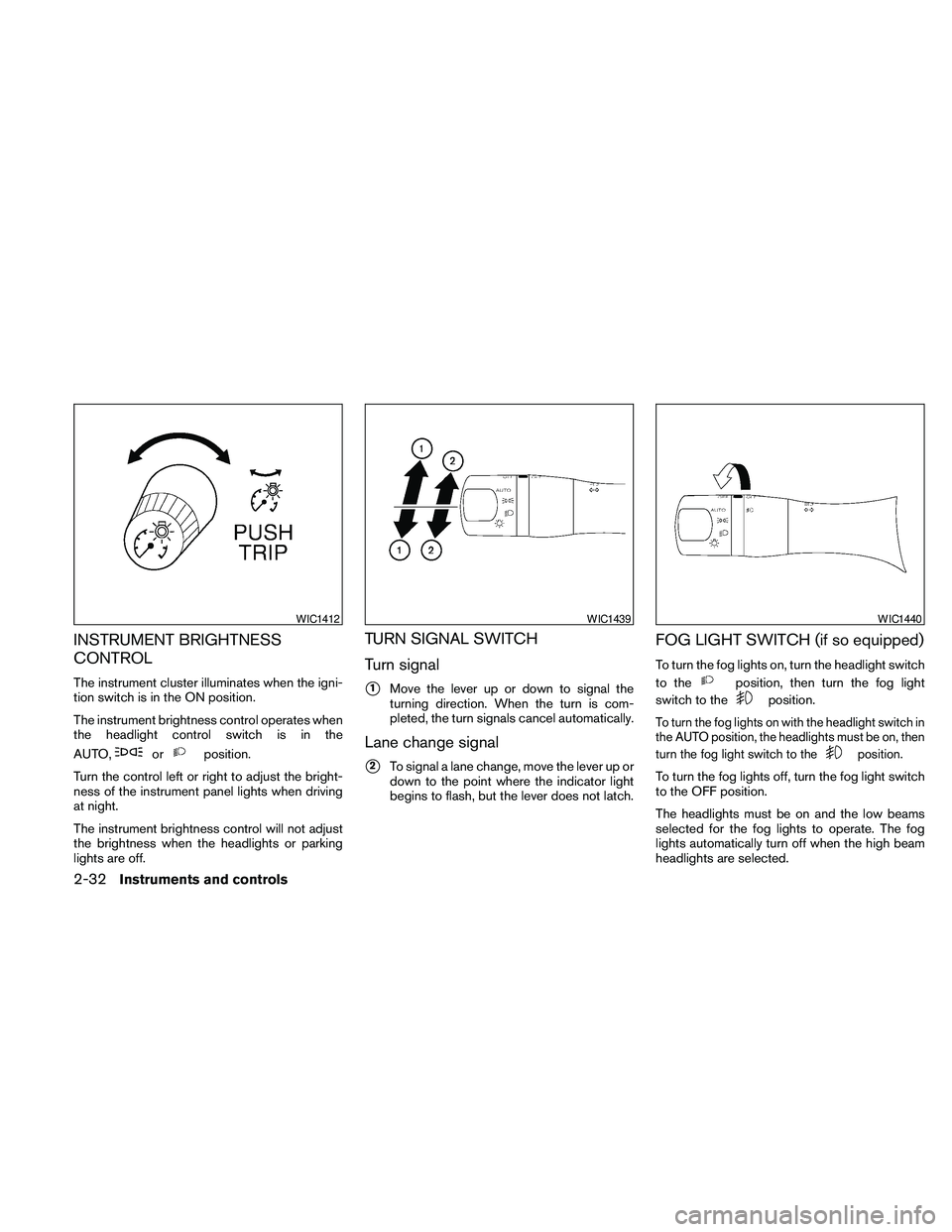
INSTRUMENT BRIGHTNESS
CONTROL
The instrument cluster illuminates when the igni-
tion switch is in the ON position.
The instrument brightness control operates when
the headlight control switch is in the
AUTO,
orposition.
Turn the control left or right to adjust the bright-
ness of the instrument panel lights when driving
at night.
The instrument brightness control will not adjust
the brightness when the headlights or parking
lights are off.
TURN SIGNAL SWITCH
Turn signal
s1Move the lever up or down to signal the
turning direction. When the turn is com-
pleted, the turn signals cancel automatically.
Lane change signal
s2To signal a lane change, move the lever up or
down to the point where the indicator light
begins to flash, but the lever does not latch.
FOG LIGHT SWITCH (if so equipped)
To turn the fog lights on, turn the headlight switch
to the
position, then turn the fog light
switch to the
position.
To turn the fog lights on with the headlight switch in
the AUTO position, the headlights must be on, then
turn the fog light switch to the
position.
To turn the fog lights off, turn the fog light switch
to the OFF position.
The headlights must be on and the low beams
selected for the fog lights to operate. The fog
lights automatically turn off when the high beam
headlights are selected.
WIC1412WIC1439WIC1440
2-32Instruments and controls
Page 114 of 457
POWER WINDOWS
WARNING
cMake sure that all passengers have
their hands, etc. inside the vehicle while
it is in motion and before closing the
windows. Use the window lock switch
to prevent unexpected use of the power
windows.
cDo not leave children unattended inside
the vehicle. They could unknowingly ac-
tivate switches or controls and become
trapped in a window. Unattended chil-
dren could become involved in serious
accidents.
The power windows operate when the ignition
switch is placed in the ON position, or for about
45 seconds after the ignition switch is placed in
the OFF position. If the driver’s or passenger’s
door is opened during this period of about 45
seconds, power to the windows is canceled.
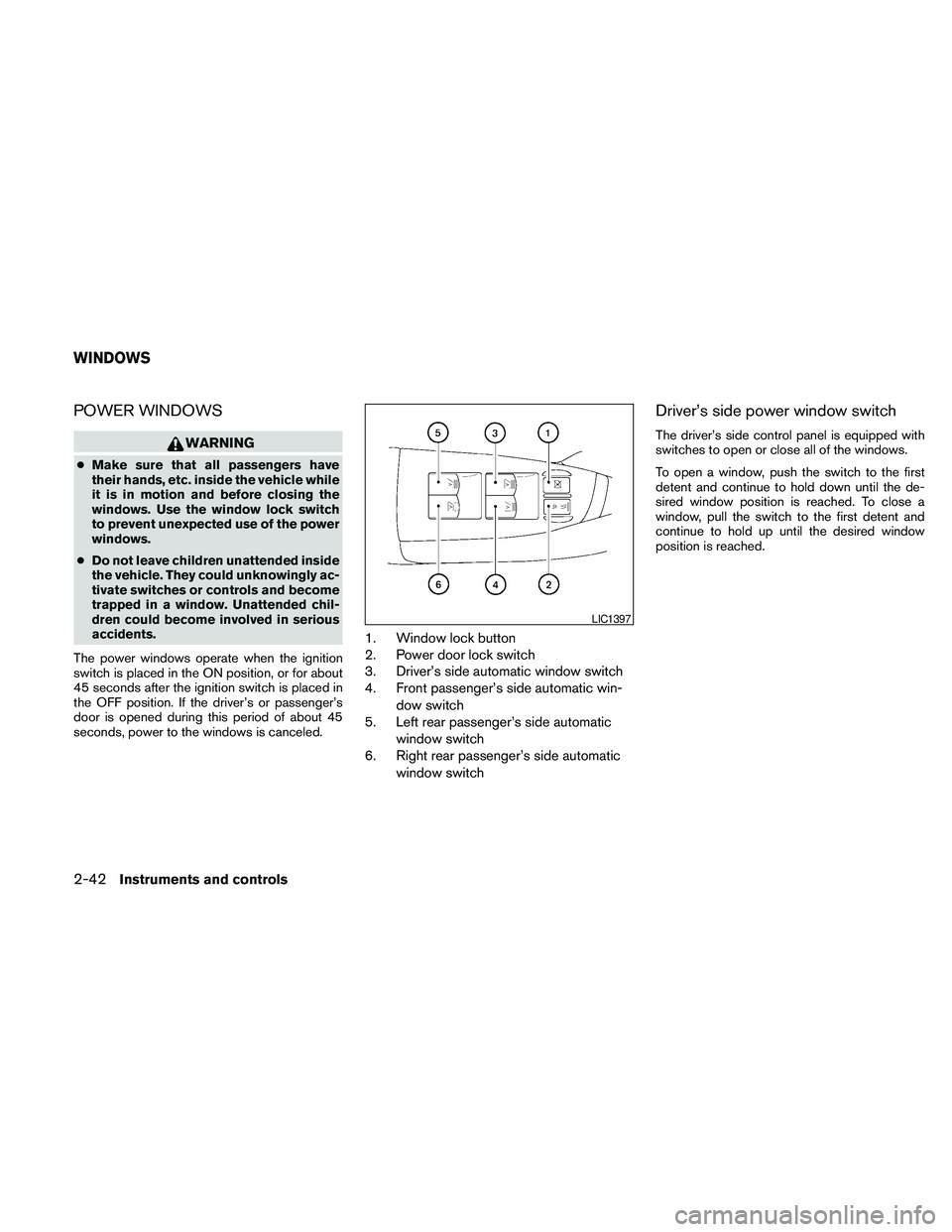
1. Window lock button
2. Power door lock switch
3. Driver’s side automatic window switch
4. Front passenger’s side automatic win-
dow switch
5. Left rear passenger’s side automatic
window switch
6. Right rear passenger’s side automatic
window switch
Driver’s side power window switch
The driver’s side control panel is equipped with
switches to open or close all of the windows.
To open a window, push the switch to the first
detent and continue to hold down until the de-
sired window position is reached. To close a
window, pull the switch to the first detent and
continue to hold up until the desired window
position is reached.
LIC1397
WINDOWS
2-42Instruments and controls
Page 118 of 457
AUTOMATIC MOONROOF
The moonroof will only operate when the ignition
switch is in the ON position. The automatic
moonroof is operational for about 45 seconds,
even if the ignition switch is placed in the ACC or
OFF position. If the driver’s door or the front
passenger’s door is opened during this period of
about 45 seconds, power to the moonroof is
canceled.
Sliding the moonroof
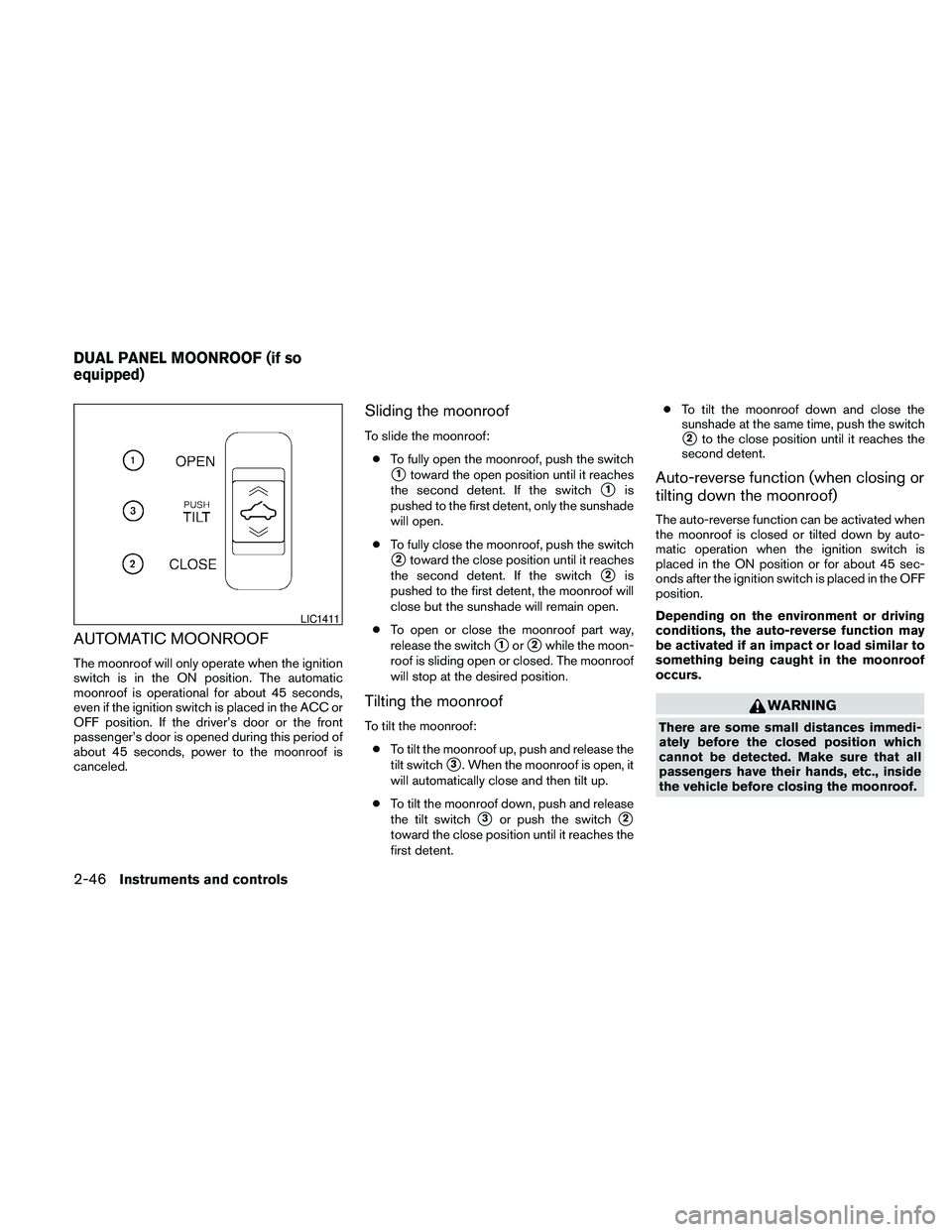
To slide the moonroof:
cTo fully open the moonroof, push the switch
s1toward the open position until it reaches
the second detent. If the switch
s1is
pushed to the first detent, only the sunshade
will open.
cTo fully close the moonroof, push the switch
s2toward the close position until it reaches
the second detent. If the switch
s2is
pushed to the first detent, the moonroof will
close but the sunshade will remain open.
cTo open or close the moonroof part way,
release the switch
s1ors2while the moon-
roof is sliding open or closed. The moonroof
will stop at the desired position.
Tilting the moonroof
To tilt the moonroof:
cTo tilt the moonroof up, push and release the
tilt switch
s3. When the moonroof is open, it
will automatically close and then tilt up.
cTo tilt the moonroof down, push and release
the tilt switch
s3or push the switchs2
toward the close position until it reaches the
first detent.cTo tilt the moonroof down and close the
sunshade at the same time, push the switch
s2to the close position until it reaches the
second detent.
Auto-reverse function (when closing or
tilting down the moonroof)
The auto-reverse function can be activated when
the moonroof is closed or tilted down by auto-
matic operation when the ignition switch is
placed in the ON position or for about 45 sec-
onds after the ignition switch is placed in the OFF
position.
Depending on the environment or driving
conditions, the auto-reverse function may
be activated if an impact or load similar to
something being caught in the moonroof
occurs.
WARNING
There are some small distances immedi-
ately before the closed position which
cannot be detected. Make sure that all
passengers have their hands, etc., inside
the vehicle before closing the moonroof.
LIC1411
DUAL PANEL MOONROOF (if so
equipped)
2-46Instruments and controls
Page 120 of 457
To close the sunshade:
cTo fully close the sunshade, push the switch
s2toward the close position until it reaches
the second detent.
cPushing the switch
s2to the first detent will
close the moonroof only.
If the moonroof does not close
Have your NISSAN dealer check and repair the
moonroof.
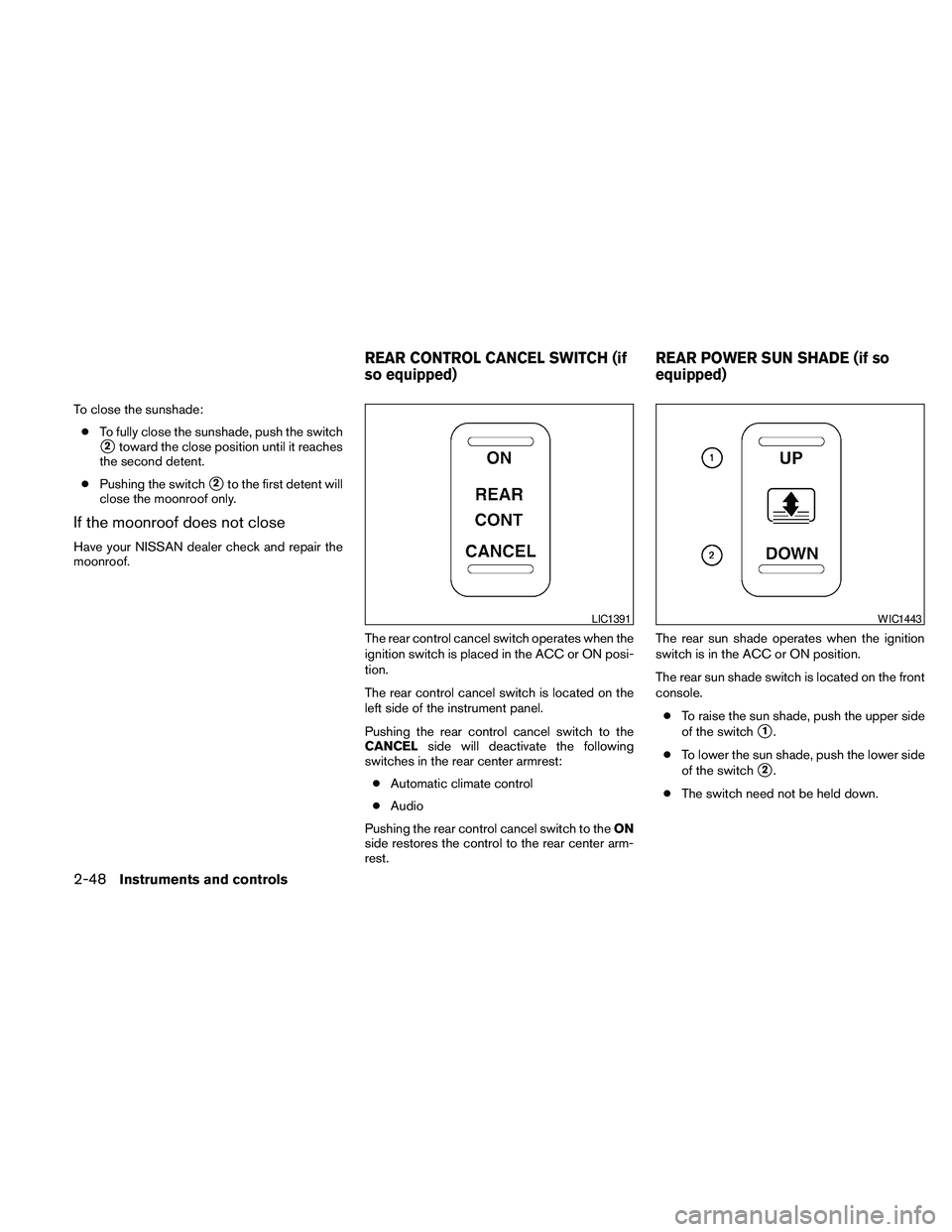
The rear control cancel switch operates when the
ignition switch is placed in the ACC or ON posi-
tion.
The rear control cancel switch is located on the
left side of the instrument panel.
Pushing the rear control cancel switch to the
CANCELside will deactivate the following
switches in the rear center armrest:
cAutomatic climate control
cAudio
Pushing the rear control cancel switch to theON
side restores the control to the rear center arm-
rest.The rear sun shade operates when the ignition
switch is in the ACC or ON position.
The rear sun shade switch is located on the front
console.
cTo raise the sun shade, push the upper side
of the switch
s1.
cTo lower the sun shade, push the lower side
of the switch
s2.
cThe switch need not be held down.
LIC1391WIC1443
REAR CONTROL CANCEL SWITCH (if
so equipped)REAR POWER SUN SHADE (if so
equipped)
2-48Instruments and controls
Page 123 of 457
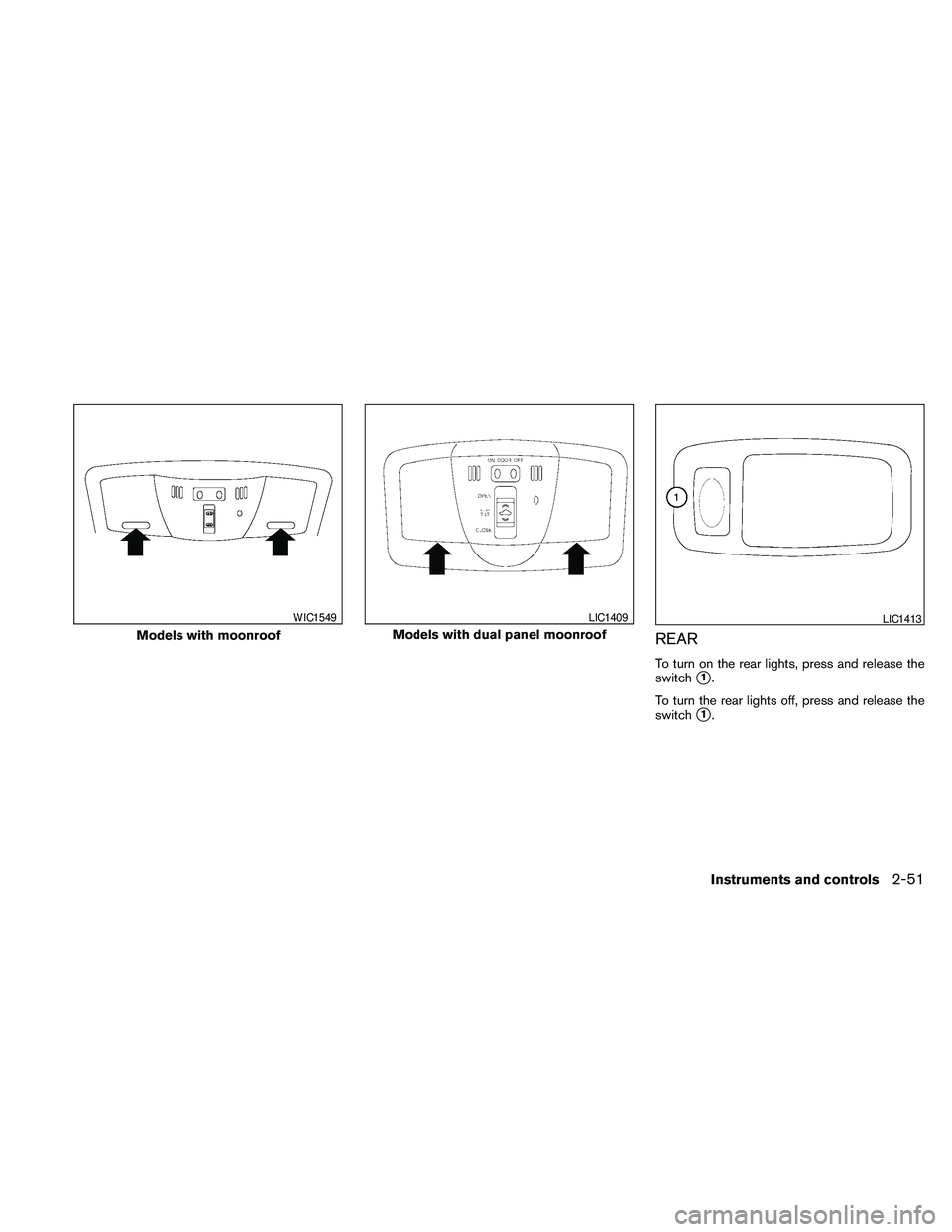
REAR
To turn on the rear lights, press and release the
switch
s1.
To turn the rear lights off, press and release the
switch
s1.
Models with moonroof
WIC1549
Models with dual panel moonroof
LIC1409LIC1413
Instruments and controls2-51