window NISSAN MAXIMA 2019 Owner´s Manual
[x] Cancel search | Manufacturer: NISSAN, Model Year: 2019, Model line: MAXIMA, Model: NISSAN MAXIMA 2019Pages: 492, PDF Size: 5.82 MB
Page 11 of 492
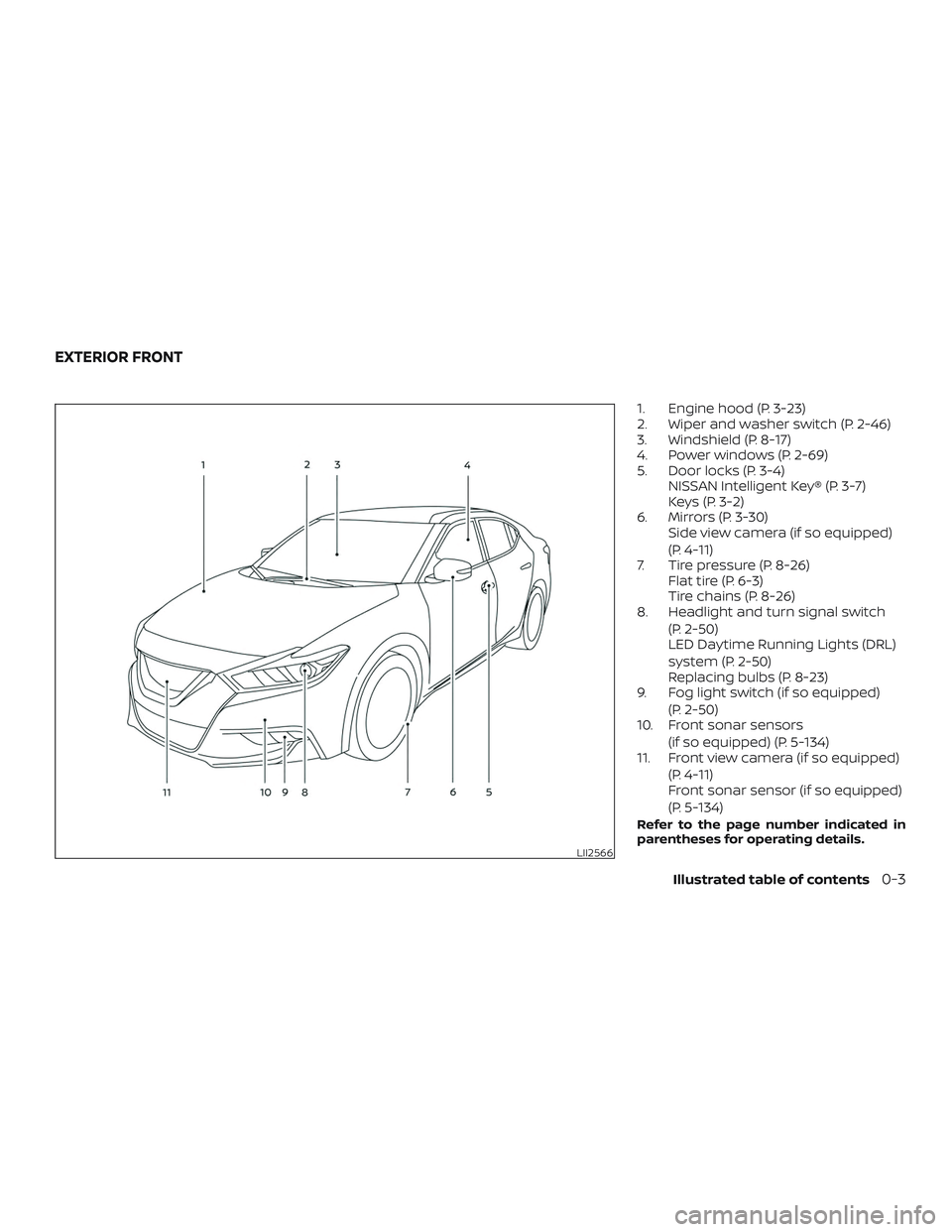
1. Engine hood (P. 3-23)
2. Wiper and washer switch (P. 2-46)
3. Windshield (P. 8-17)
4. Power windows (P. 2-69)
5. Door locks (P. 3-4)NISSAN Intelligent Key® (P. 3-7)
Keys (P. 3-2)
6. Mirrors (P. 3-30) Side view camera (if so equipped)
(P. 4-11)
7. Tire pressure (P. 8-26) Flat tire (P. 6-3)
Tire chains (P. 8-26)
8. Headlight and turn signal switch
(P. 2-50)
LED Daytime Running Lights (DRL)
system (P. 2-50)
Replacing bulbs (P. 8-23)
9. Fog light switch (if so equipped)
(P. 2-50)
10. Front sonar sensors
(if so equipped) (P. 5-134)
11. Front view camera (if so equipped)
(P. 4-11)
Front sonar sensor (if so equipped)
(P. 5-134)
Refer to the page number indicated in
parentheses for operating details.
LII2566
EXTERIOR FRONT
Illustrated table of contents0-3
Page 12 of 492
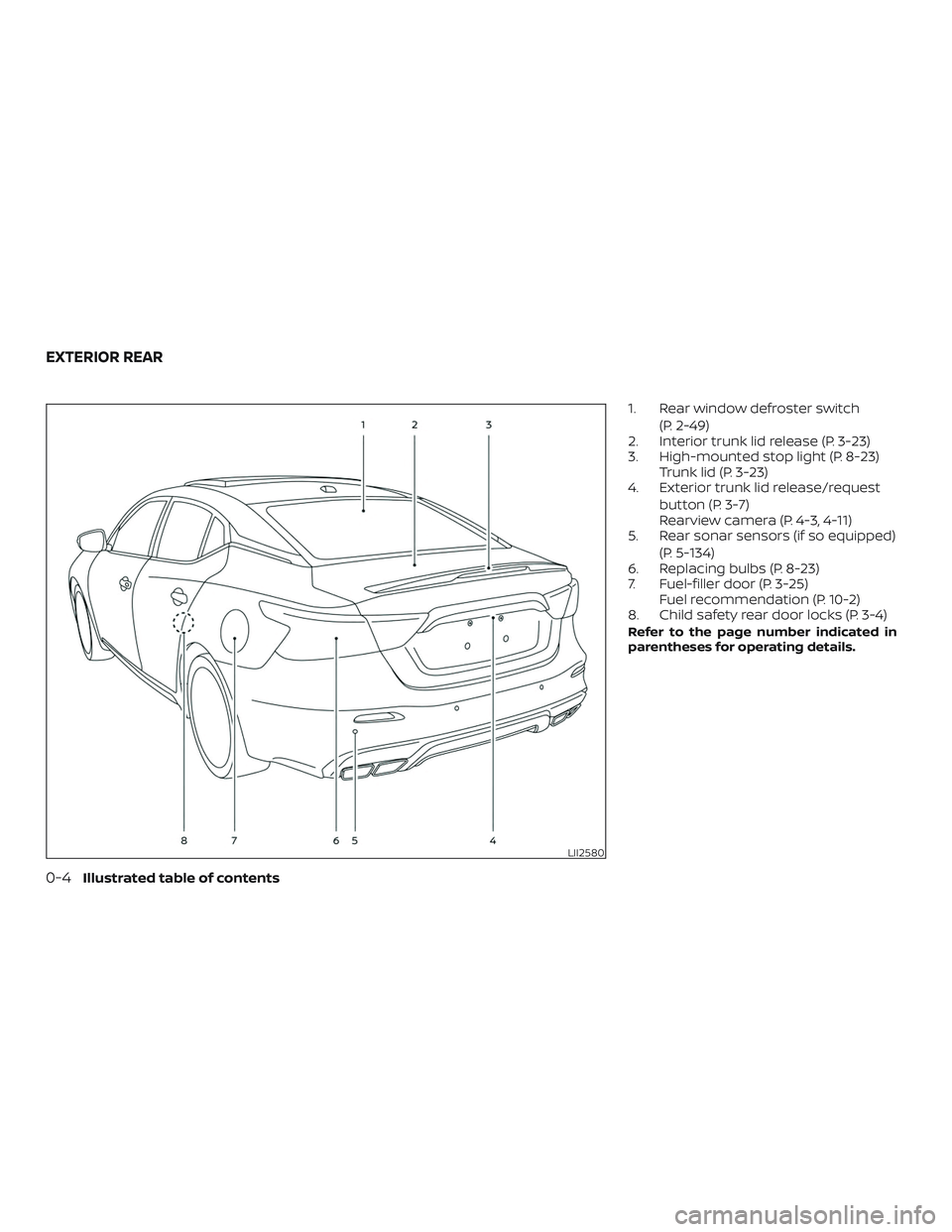
1. Rear window defroster switch(P. 2-49)
2. Interior trunk lid release (P. 3-23)
3. High-mounted stop light (P. 8-23) Trunk lid (P. 3-23)
4. Exterior trunk lid release/request
button (P. 3-7)
Rearview camera (P. 4-3, 4-11)
5. Rear sonar sensors (if so equipped)
(P. 5-134)
6. Replacing bulbs (P. 8-23)
7. Fuel-filler door (P. 3-25) Fuel recommendation (P. 10-2)
8. Child safety rear door locks (P. 3-4)
Refer to the page number indicated in
parentheses for operating details.
LII2580
EXTERIOR REAR
0-4Illustrated table of contents
Page 64 of 492
WARNING
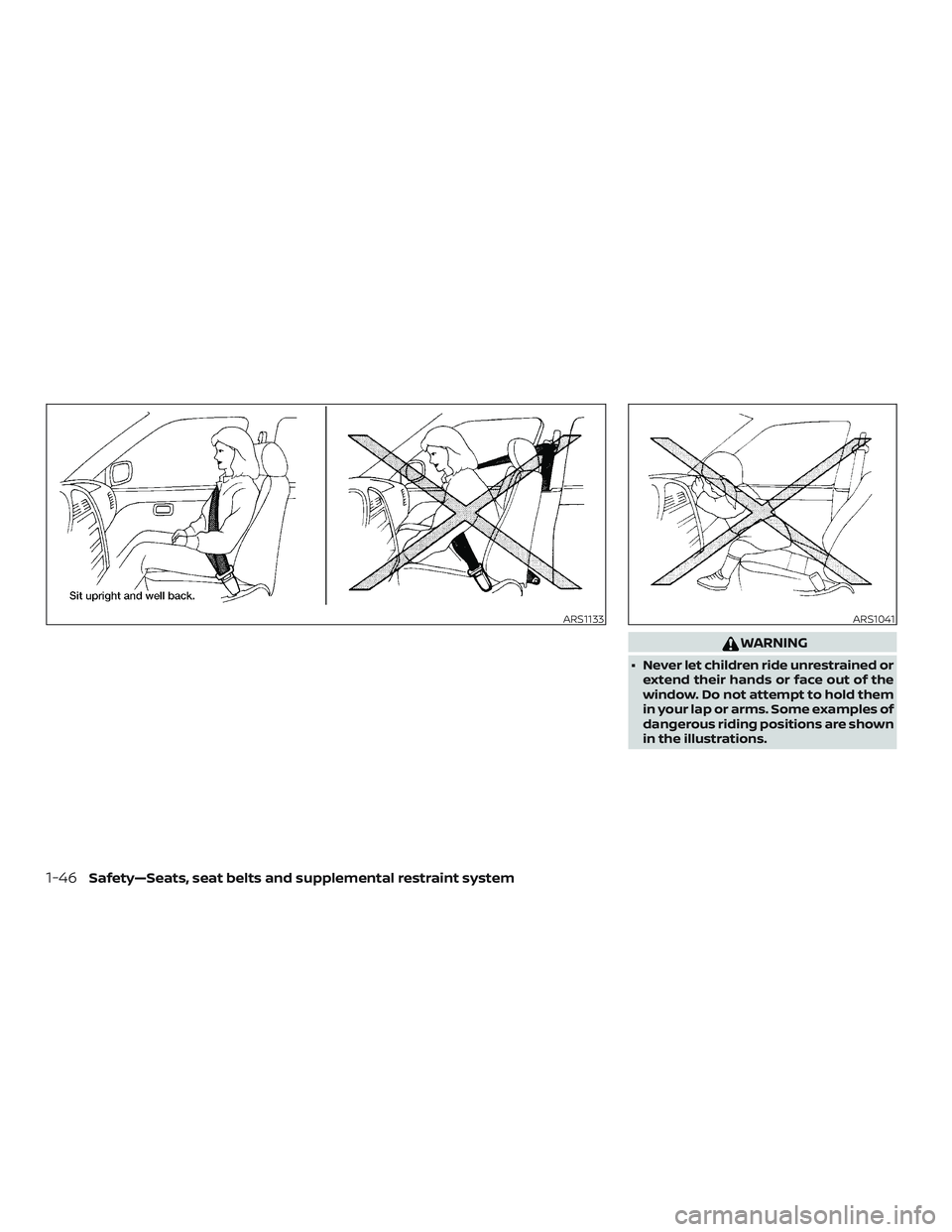
∙ Never let children ride unrestrained orextend their hands or face out of the
window. Do not attempt to hold them
in your lap or arms. Some examples of
dangerous riding positions are shown
in the illustrations.
ARS1133ARS1041
1-46Safety—Seats, seat belts and supplemental restraint system
Page 67 of 492
WARNING
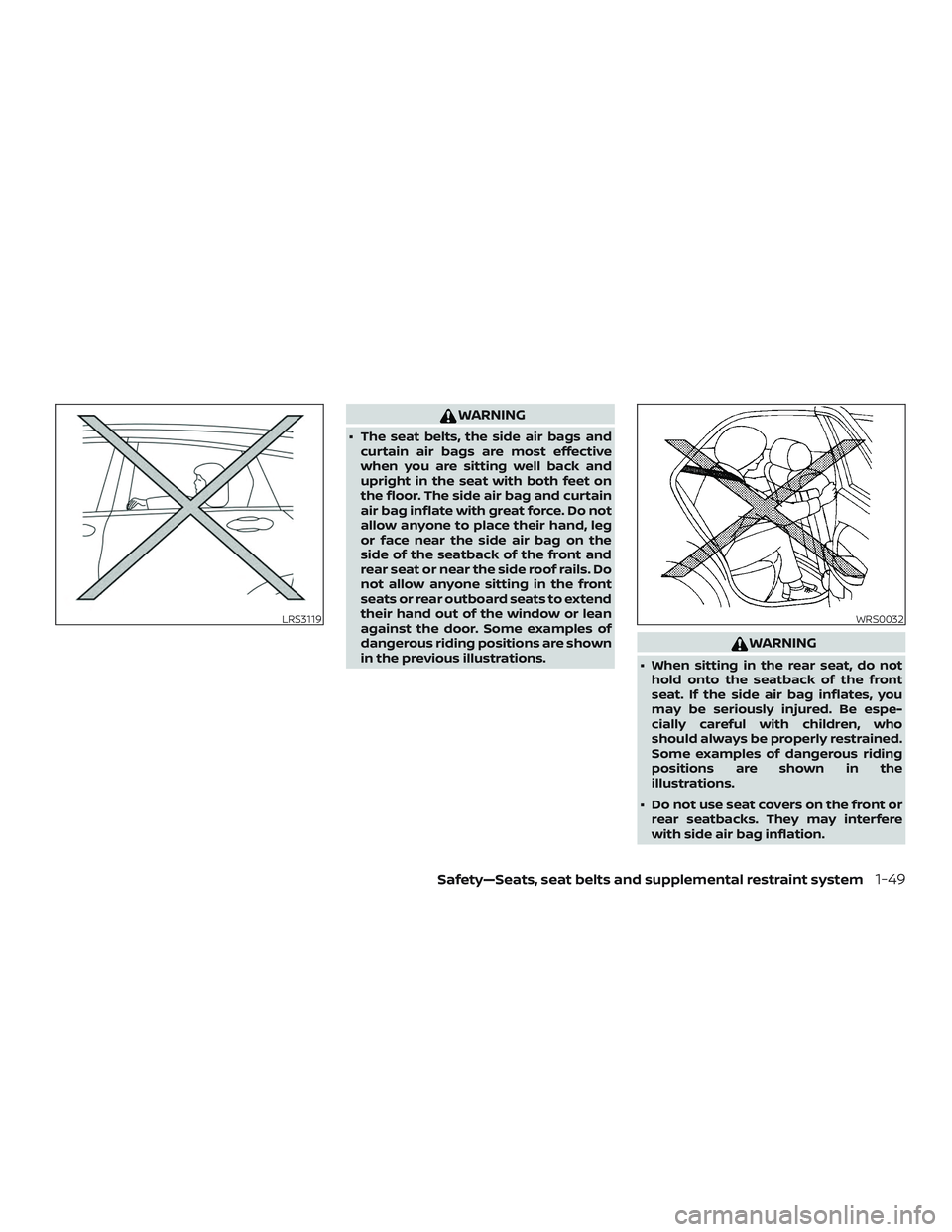
∙ The seat belts, the side air bags andcurtain air bags are most effective
when you are sitting well back and
upright in the seat with both feet on
the floor. The side air bag and curtain
air bag inflate with great force. Do not
allow anyone to place their hand, leg
or face near the side air bag on the
side of the seatback of the front and
rear seat or near the side roof rails. Do
not allow anyone sitting in the front
seats or rear outboard seats to extend
their hand out of the window or lean
against the door. Some examples of
dangerous riding positions are shown
in the previous illustrations.
WARNING
∙ When sitting in the rear seat, do nothold onto the seatback of the front
seat. If the side air bag inflates, you
may be seriously injured. Be espe-
cially careful with children, who
should always be properly restrained.
Some examples of dangerous riding
positions are shown in the
illustrations.
∙ Do not use seat covers on the front or rear seatbacks. They may interfere
with side air bag inflation.
LRS3119WRS0032
Safety—Seats, seat belts and supplemental restraint system1-49
Page 86 of 492
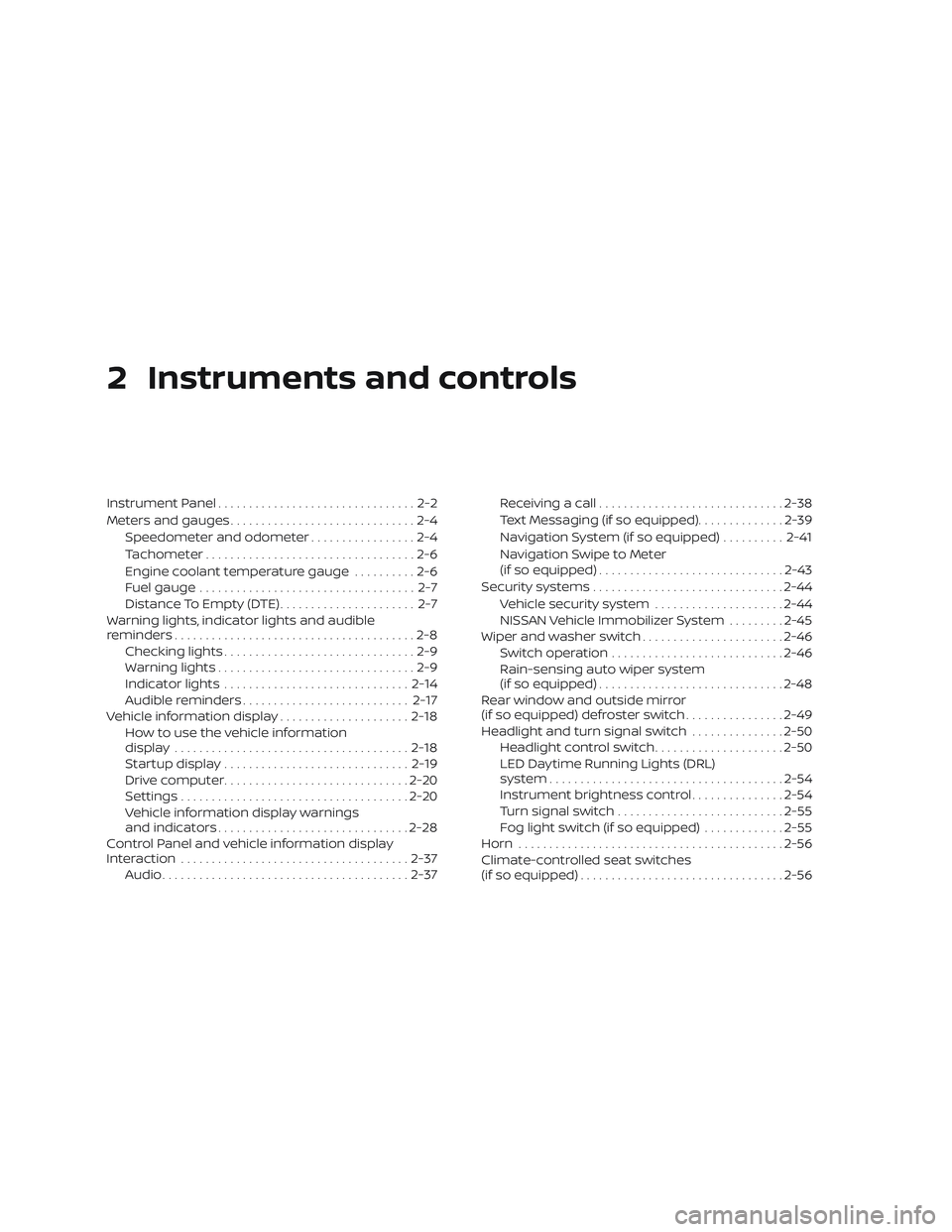
2 Instruments and controls
Instrument Panel................................2-2
Meters and gauges ..............................2-4
Speedometer and odometer .................2-4
Tachometer ..................................2-6
Engine coolant temperature gauge ..........2-6
Fuel gauge ................................... 2-7
Distance To Empty (DTE) ...................... 2-7
Warning lights, indicator lights and audible
reminders .......................................2-8
Checking lights ...............................2-9
Warning lights ................................2-9
Indicator lights .............................. 2-14
Audible reminders ........................... 2-17
Vehicle information display .....................2-18
How to use the vehicle information
display ...................................... 2-18
Startup display .............................. 2-19
Drive computer .............................. 2-20
Settings ..................................... 2-20
Vehicle information display warnings
and indicators ............................... 2-28
Control Panel and vehicle information display
Interaction ..................................... 2-37
Audio ........................................ 2-37Receiving a call
.............................. 2-38
Text Messaging (if so equipped) ..............2-39
Navigation System (if so equipped) ..........2-41
Navigation Swipe to Meter
(if so equipped) .............................. 2-43
Security systems ............................... 2-44
Vehicle security system .....................2-44
NISSAN Vehicle Immobilizer System .........2-45
Wiper and washer switch .......................2-46
Switch operation ............................ 2-46
Rain-sensing auto wiper system
(if so equipped) .............................. 2-48
Rear window and outside mirror
(if so equipped) defroster switch ................2-49
Headlight and turn signal switch ...............2-50
Headlight control switch .....................2-50
LED Daytime Running Lights (DRL)
system ...................................... 2-54
Instrument brightness control ...............2-54
T urn
signal switch ........................... 2-55
Fog light switch (if so equipped) .............2-55
Horn ........................................... 2-56
Climate-controlled seat switches
(if so equipped) ................................. 2-56
Page 87 of 492
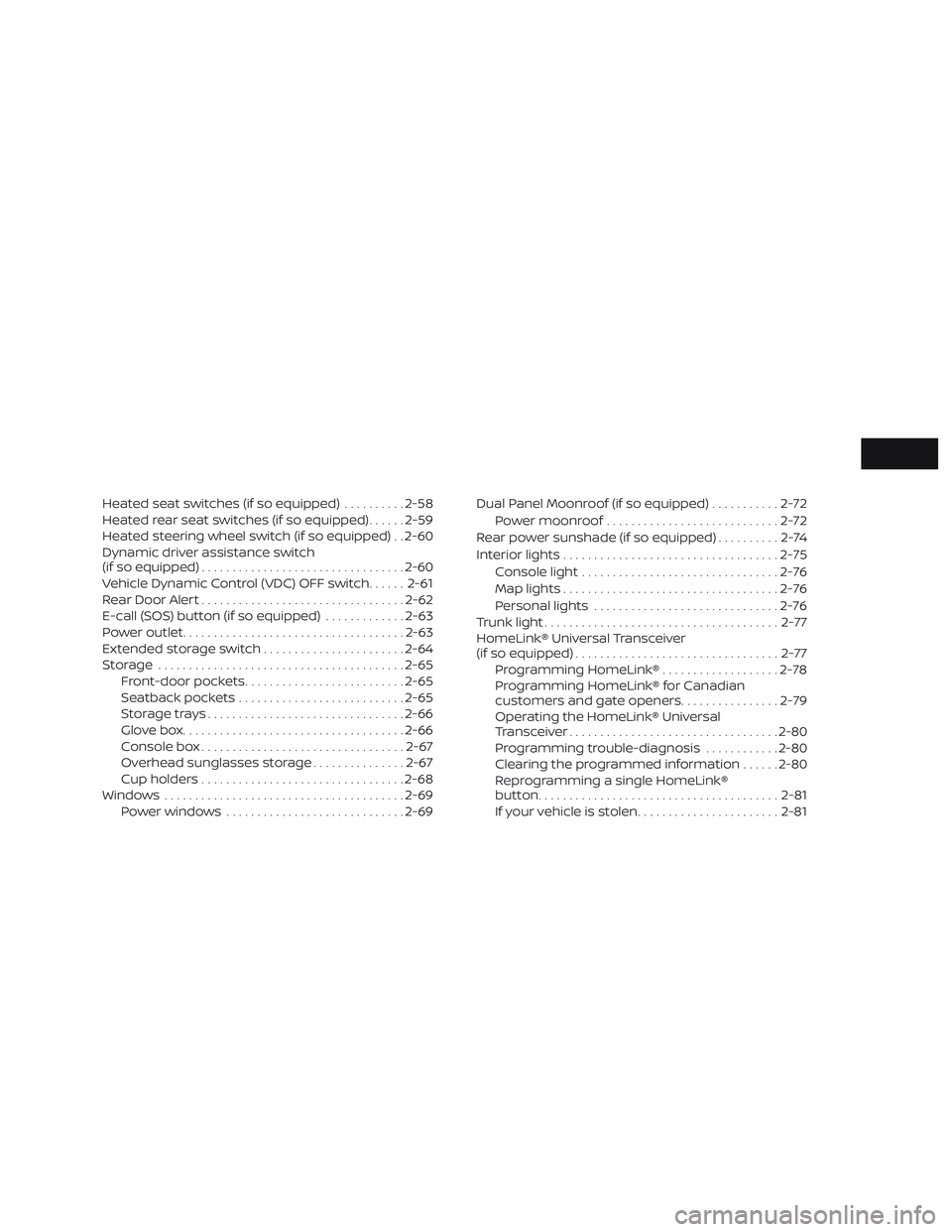
Heated seat switches (if so equipped)..........2-58
Heated rear seat switches (if so equipped) ......2-59
Heated steering wheel switch (if so equipped) . . 2-60
Dynamic driver assistance switch
(if so equipped) ................................. 2-60
Vehicle Dynamic Control (VDC) OFF switch ......2-61
Rear Door Alert ................................. 2-62
E-call (SOS) button (if so equipped) .............2-63
Power outlet .................................... 2-63
Extended storage switch .......................2-64
Storage ........................................ 2-65
Front-door pockets .......................... 2-65
Seatback pockets ........................... 2-65
Storagetrays................................ 2-66
Glovebox.................................... 2-66
Console box ................................. 2-67
Overhead sunglasses storage ...............2-67
Cup holders ................................. 2-68
Windows ....................................... 2-69
Power windows ............................. 2-69Dual Panel Moonroof (if so equipped)
...........2-72
Power moonroof ............................ 2-72
Rear power sunshade (if so equipped) ..........2-74
Interior lights ................................... 2-75
Console light ................................ 2-76
Map lights ................................... 2-76
Personal lights .............................. 2-76
Trunk light ...................................... 2-77
HomeLink® Universal Transceiver
(if so equipped) ................................. 2-77
Programming HomeLink® ...................2-78
Programming HomeLink® for Canadian
customers and gate openers ................2-79
Operating the HomeLink® Universal
Transceiver .................................. 2-80
Programming trouble-diagnosis ............2-80
Clearing the programmed information ......2-80
Reprogramming a single HomeLink®
button....................................... 2-81
If your vehicle is stolen ....................... 2-81
Page 125 of 492
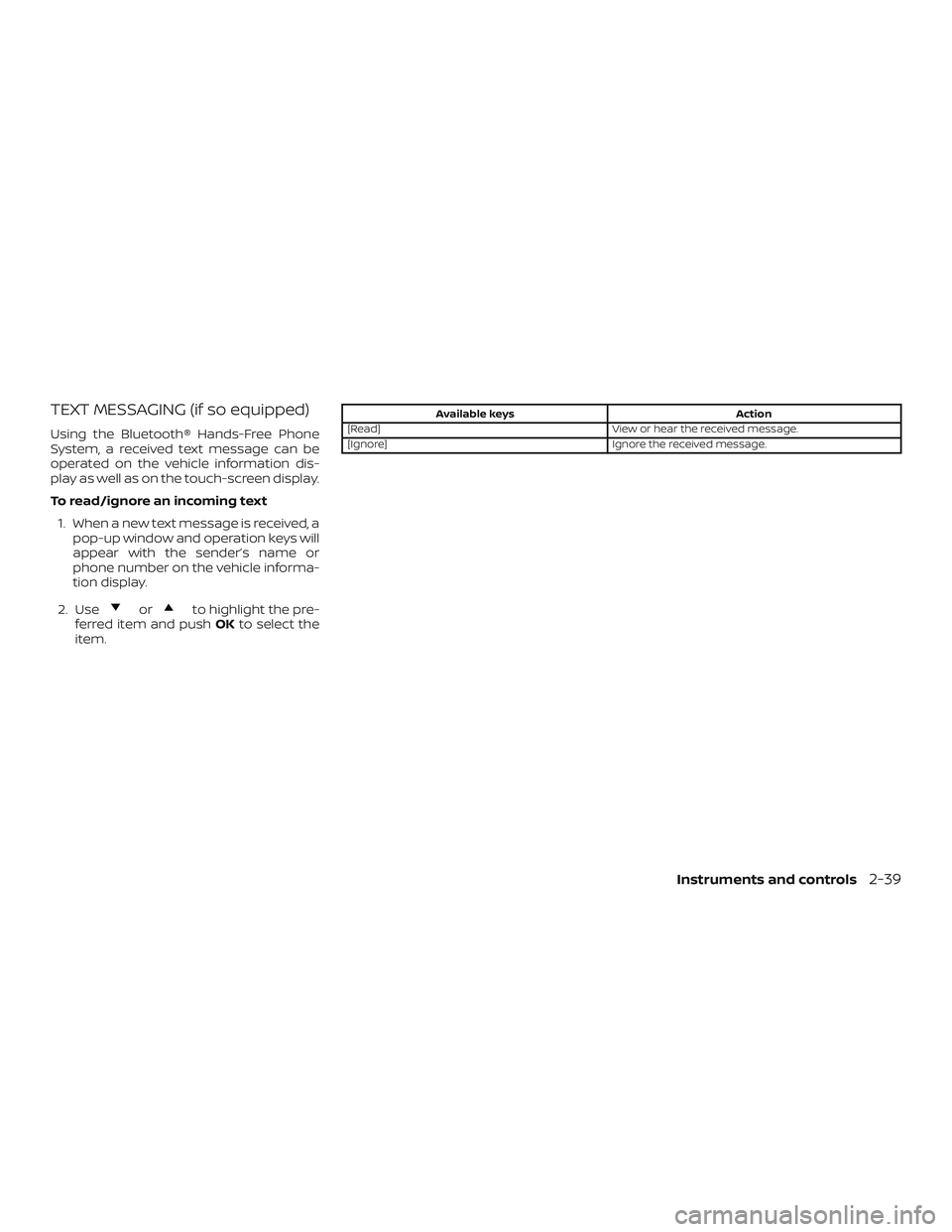
TEXT MESSAGING (if so equipped)
Using the Bluetooth® Hands-Free Phone
System, a received text message can be
operated on the vehicle information dis-
play as well as on the touch-screen display.
To read/ignore an incoming text1. When a new text message is received, a pop-up window and operation keys will
appear with the sender’s name or
phone number on the vehicle informa-
tion display.
2. Use
orto highlight the pre-
ferred item and push OKto select the
item.
Available keys Action
[Read] View or hear the received message.
[Ignore] Ignore the received message.
Instruments and controls2-39
Page 130 of 492
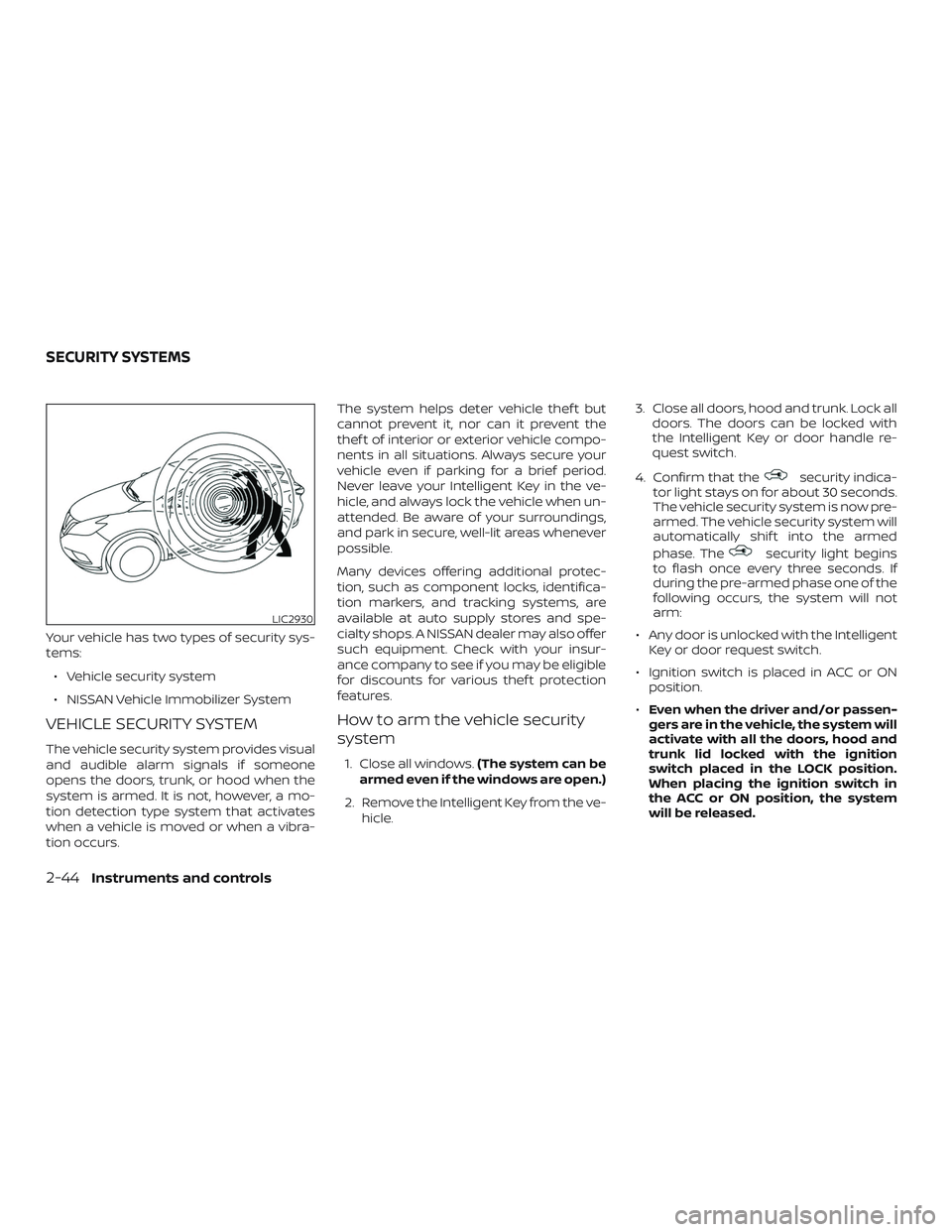
Your vehicle has two types of security sys-
tems:∙ Vehicle security system
∙ NISSAN Vehicle Immobilizer System
VEHICLE SECURITY SYSTEM
The vehicle security system provides visual
and audible alarm signals if someone
opens the doors, trunk, or hood when the
system is armed. It is not, however, a mo-
tion detection type system that activates
when a vehicle is moved or when a vibra-
tion occurs. The system helps deter vehicle thef t but
cannot prevent it, nor can it prevent the
thef t of interior or exterior vehicle compo-
nents in all situations. Always secure your
vehicle even if parking for a brief period.
Never leave your Intelligent Key in the ve-
hicle, and always lock the vehicle when un-
attended. Be aware of your surroundings,
and park in secure, well-lit areas whenever
possible.
Many devices offering additional protec-
tion, such as component locks, identifica-
tion markers, and tracking systems, are
available at auto supply stores and spe-
cialty shops. A NISSAN dealer may also offer
such equipment. Check with your insur-
ance company to see if you may be eligible
for discounts for various thef t protection
features.
How to arm the vehicle security
system
1. Close all windows.
(The system can be
armed even if the windows are open.)
2. Remove the Intelligent Key from the ve- hicle. 3. Close all doors, hood and trunk. Lock all
doors. The doors can be locked with
the Intelligent Key or door handle re-
quest switch.
4. Confirm that the
security indica-
tor light stays on for about 30 seconds.
The vehicle security system is now pre-
armed. The vehicle security system will
automatically shif t into the armed
phase. The
security light begins
to flash once every three seconds. If
during the pre-armed phase one of the
following occurs, the system will not
arm:
∙ Any door is unlocked with the Intelligent Key or door request switch.
∙ Ignition switch is placed in ACC or ON position.
∙ Even when the driver and/or passen-
gers are in the vehicle, the system will
activate with all the doors, hood and
trunk lid locked with the ignition
switch placed in the LOCK position.
When placing the ignition switch in
the ACC or ON position, the system
will be released.
LIC2930
SECURITY SYSTEMS
2-44Instruments and controls
Page 135 of 492
∙ When the windshield glass is coatedwith water repellent, the speed of the
rain-sensing auto wipers may be
higher even though the amount of the
rainfall is small.
∙ Be sure to turn off the rain-sensing auto wiper system when you use a car
wash.
∙ The rain-sensing auto wipers may not operate if rain does not hit the rain
sensor even if it is raining.
∙ Using Genuine NISSAN wiper blades is recommended for proper operation
of the rain-sensing auto wiper sys-
tem. For additional information, refer
to “Windshield wiper blades” in the
“Do-it-yourself ” section of this
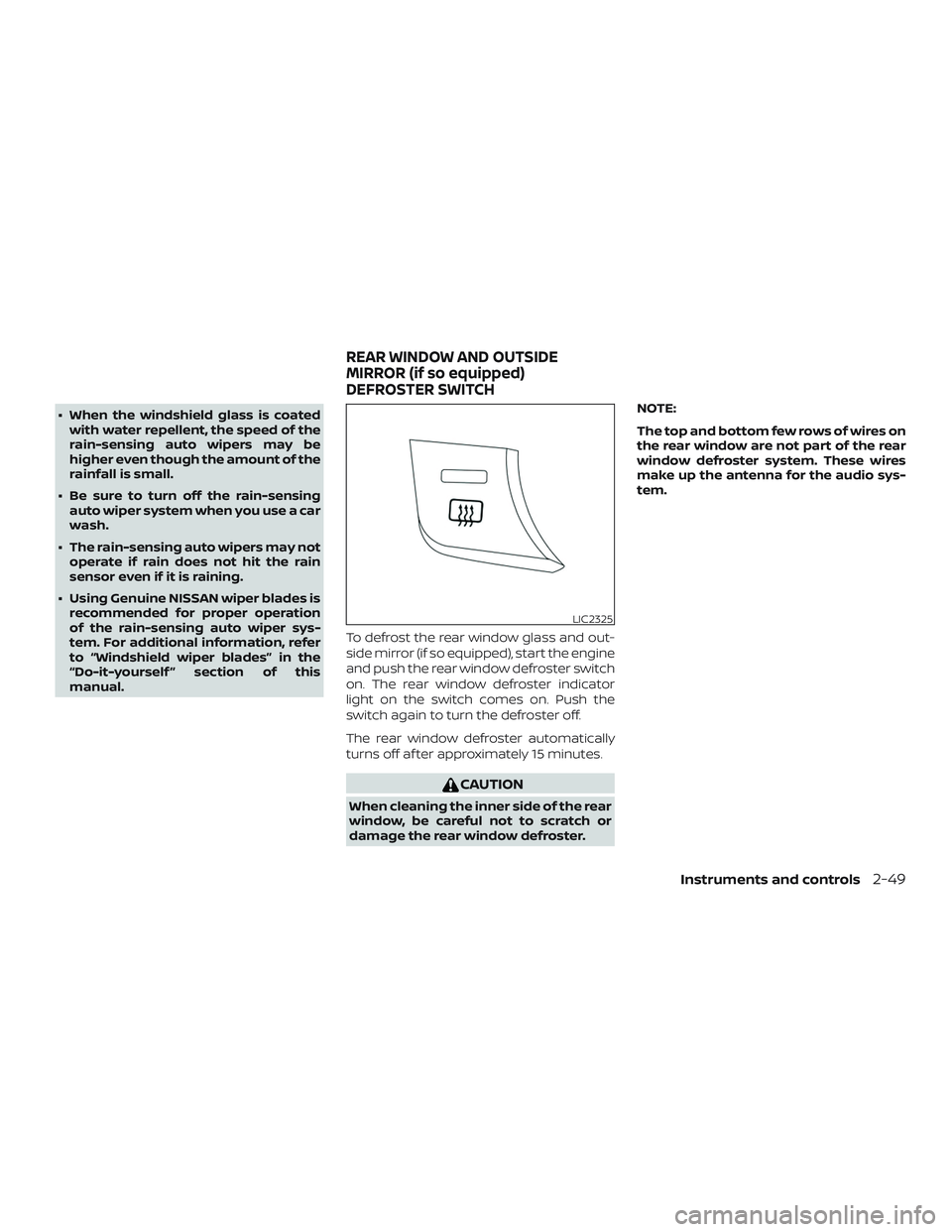
manual. To defrost the rear window glass and out-
side mirror (if so equipped), start the engine
and push the rear window defroster switch
on. The rear window defroster indicator
light on the switch comes on. Push the
switch again to turn the defroster off.
The rear window defroster automatically
turns off af ter approximately 15 minutes.
CAUTION
When cleaning the inner side of the rear
window, be careful not to scratch or
damage the rear window defroster. NOTE:
The top and bottom few rows of wires on
the rear window are not part of the rear
window defroster system. These wires
make up the antenna for the audio sys-
tem.
LIC2325
REAR WINDOW AND OUTSIDE
MIRROR (if so equipped)
DEFROSTER SWITCH
Instruments and controls2-49
Page 149 of 492
The E-call (SOS) button is used in combina-
tion with a NissanConnect® Services sub-
scription to call for assistance in case of an
emergency.
Pressing the button will (with a paid sub-
scription) reach a response specialist that
will provide assistance based on the situa-
tion described by the vehicle’s occupant. For
additional information, or to enroll your ve-
hicle, refer to www.NissanUSA.com/connect,
www.Nissan.ca/NissanConnect, or
www.Nissan.ca/NissanConnect/fr or call
855–426–6628.
The power outlet is for powering electrical
accessories such as cellular telephones. It
is rated at 12 volt, 120W (10A) maximum.
The power outlet is powered only when the
ignition switch is in the ACC or ON position.
CAUTION
∙ The outlet and plug may be hot duringor immediately af ter use. ∙ Only certain power outlets are de-
signed for use with a cigarette lighter
unit. Do not use any other power out-
let for an accessory lighter. It is rec-
ommended that you visit a NISSAN
dealer for additional information.
∙ Do not use with accessories that ex- ceed a 12 volt, 120W (10A) power draw.
∙ Do not use double adapters or more than one electrical accessory.
∙ Use power outlets with the engine running to avoid discharging the ve-
hicle battery.
∙ Avoid using power outlets when the air conditioner, headlights, or rear
window defroster is on.
∙ Before inserting or disconnecting a plug, be sure the electrical accessory
being used is turned off.
∙ Push the plug in as far as it will go. If good contact is not made, the plug
may overheat or the internal tem-
perature fuse may open.
∙ When not in use, be sure to close the cap. Do not allow water or any other
liquid to contact the outlet.
LIC3357Console Box
WIC1119
E-CALL (SOS) BUTTON (if so
equipped) POWER OUTLET
Instruments and controls2-63