warning lights NISSAN MAXIMA 2020 Owner´s Manual
[x] Cancel search | Manufacturer: NISSAN, Model Year: 2020, Model line: MAXIMA, Model: NISSAN MAXIMA 2020Pages: 500, PDF Size: 6.37 MB
Page 204 of 500
CONDITIONS THE REMOTE ENGINE
START WILL NOT WORK
The Remote Engine Start will not operate if
any of the following conditions are present:∙ The ignition switch is placed in the ON position.
∙ The hood is not securely closed.
∙ The hazard indicator lights are on.
∙ The engine is still running. The engine must be completely stopped. Wait at
least 6 seconds if the engine goes from
running to off. This is not applicable
when extending engine run time.
∙ The
button is not pressed and
held for at least 2 seconds.
∙ The
button is not pressed and
held within 5 seconds of pressing the
lock button.
∙ The brake is pressed.
∙ The doors are not closed and locked. ∙ The trunk (if so equipped) or trunk (if so
equipped) is open.
∙ The Key System Fault warning message appears in the vehicle information dis-
play.
∙ The alarm sounds due to illegal entry into the vehicle.
∙ Two Remote Engine Starts, or a single Remote Engine Start with an extension,
have already been used.
∙ The vehicle is not in P (Park).
∙ There is a detected registered key al- ready inside of the vehicle.
∙ The Remote Engine Start feature has been switched to the OFF position us-
ing the “Vehicle Settings” menu on the
vehicle information display. For addi-
tional information, refer to “Vehicle in-
formation display” in the “Instruments
and controls” section of this manual. The Remote Engine Start may display a
warning or indicator in the vehicle informa-
tion display. For additional information, re-
fer to “Vehicle information display” in the
“Instruments and controls” section of this
manual.
3-20Pre-driving checks and adjustments
Page 214 of 500
WARNING
∙ Objects viewed in the outside mirroron the passenger side are closer than
they appear. Be careful when moving
to the right. Using only this mirror
could cause an accident. Use the in-
side mirror or glance over your shoul-
der to properly judge distances to
other objects.
∙ Do not adjust the mirrors while driv- ing. You could lose control of your ve-
hicle and cause an accident.
Foldable outside mirrors
Pull the outside mirror toward the door to
fold it.
Automatic anti-glare outside
mirror (Driver’s side only) (if so
equipped)
The outside mirror will automatically dim
during nighttime conditions to reduce the
glare from the headlights of trailing ve-
hicles. The automatic anti-glare feature
operates only when the ignition switch is
placed in the ON position. The automatic anti-glare feature will be on
when starting the vehicle. The indicator
light on the automatic anti-glare rearview
mirror will illuminate when the automatic
anti-glare feature is operating.
To turn off the anti-glare feature, press the
O button on the inside rearview mirror. The
indicator light will turn off.
To turn on the anti-glare feature again,
press the I button on the inside rearview
mirror. The indicator light will turn on.
For additional information, refer to “Auto-
matic anti-glare rearview mirror” in this
section.
Heated mirrors (if so equipped)
The electric control type outside mirrors
can be heated to defrost, defog, or de-ice
for improved visibility. Push the rear win-
dow defroster switch to activate the heat-
ing function. Push the switch again to de-
activate, or the heating function will
automatically turn off af ter approximately
15 minutes.
MPA0008
3-30Pre-driving checks and adjustments
Page 268 of 500
(Af ter step 3 is performed, when the
ignition switch is pushed without de-
pressing the brake pedal, the ignition
switch position will change to ON.)
4. Push the ignition switch while depress- ing the brake pedal within 10 seconds
af ter the chime sounds. The engine will
start.
NOTE: ∙ When the ignition switch is pushed to
the ON position or the engine is
started by the above procedure, the
Intelligent Key battery discharge in-
dicator appears in the vehicle infor-
mation display even when the Intelli-
gent Key is inside the vehicle. This is
not a malfunction. To turn off the In-
telligent Key battery discharge indi-
cator, touch the ignition switch with
the Intelligent Key again.
∙ If the Intelligent Key battery dis-
charge indicator appears, replace the
battery as soon as possible. For addi-
tional information, refer to “Battery
replacement” in the “Do-it-yourself ”
section of this manual.NISSAN VEHICLE IMMOBILIZER
SYSTEM
The NISSAN Vehicle Immobilizer System
will not allow the engine to start without
the use of the registered key.
If the engine fails to start using a registered
key (for example, when interference is
caused by another registered key, an auto-
mated toll road device or automatic pay-
ment device on the key ring), restart the
engine using the following procedure:
1. Leave the ignition switch in the ON po- sition for approximately 5 seconds.
2. Place the ignition switch in the OFF or LOCK position, and wait approximately
10 seconds.
3. Repeat steps 1 and 2.
4. Restart the engine while holding the device (which may have caused the in-
terference) separate from the regis-
tered key.
If the no start condition re-occurs, NISSAN
recommends placing the registered key on
a separate key ring to avoid interference
from other devices. ∙ Make sure the area around the vehicle is
clear.
∙ Check fluid levels such as engine oil, coolant, brake fluid, and window washer
fluid as frequently as possible, or at least
whenever you refuel.
∙ Check that all windows and lights are clean.
∙ Visually inspect tires for their appear- ance and condition. Also check tires for
proper inflation.
∙ Lock all doors.
∙ Position seat and adjust head restraints/headrests.
∙ Adjust inside and outside mirrors.
∙ Fasten seat belts and ask all passen- gers to do likewise.
∙ Check the operation of warning lights when the ignition switch is pushed to
the ON position. For additional informa-
tion, refer to “Warning lights, indicator
lights and audible reminders” in the “In-
struments and controls” section of this
manual.
BEFORE STARTING THE ENGINE
5-14Starting and driving
Page 275 of 500
To move the shif t lever, complete the fol-
lowing procedure:1. Push the ignition switch to the LOCK position.
2. Apply the parking brake.
3. Using a protective cloth on the tip of a small (1/8 inch or 3 mm) flat-head
screwdriver, remove the shif t lock re-
lease cover.
∙ If available, a plastic trim tool can also be used.
4. Insert the car key into the shif t lock release slot and press straight down. A
small screwdriver or small trim tool
may also be used.
∙ For additional information, refer to “NISSAN Intelligent Key®” in the “Pre-
driving checks and adjustments”
section of this manual.
5. Move the shif t lever to the N (Neutral) position while holding down the shif t
lock release.
6. Push the ignition switch to the ON po- sition to unlock the steering wheel.
Now the vehicle may be moved to the
desired location. If the shif t lever cannot be moved out of P
(Park), have the transmission checked as
soon as possible. It is recommended that
you visit a NISSAN dealer for this service.
CAUTION
Make sure to take extra care during the
removal of the shif t lock cap as this part
is easily damaged.
WARNING
If the shif t lever cannot be moved from
the P (Park) position while the engine is
running and the brake pedal is de-
pressed, the stop lights may not work.
Malfunctioning stop lights could cause
an accident injuring yourself and
others.
Accelerator downshif t
— in D (Drive) position and manual
shif t mode
For passing or hill climbing, depress the
accelerator pedal to the floor. This shif ts
the transmission down into lower range,
depending on the vehicle speed.
High fluid temperature protection
mode
This transmission has a high fluid tem-
perature protection mode. If the fluid tem-
perature becomes too high (for example,
when climbing steep grades in high tem-
peratures with heavy loads, such as when
towing a trailer), engine power and, under
some conditions, vehicle speed will be de-
creased automatically to reduce the
chance of transmission damage. Vehicle
speed can be controlled with the accelera-
tor pedal, but the engine and vehicle speed
may be limited.
Fail-safe
If the vehicle is driven under extreme
conditions, such as excessive wheel
spinning and subsequent hard braking,
the fail-safe system may be activated.
The Malfunction Indicator Light (MIL)
may come on to indicate the fail-safe
mode is activated. For additional infor-
mation, refer to “Malfunction Indicator
Light (MIL)” in the “Instruments and con-
trols” section of this manual. This will oc-
cur even if all electrical circuits are func-
tioning properly. In this case, place the
ignition switch in the OFF position and
wait for 10 seconds. Then place the igni-
Starting and driving5-21
Page 279 of 500
∙ The TSR system may not functionproperly under the following
conditions:
– When the road sign is not clearly visible, for example, due to dam-
age or weather conditions.
– When rain, snow or dirt adheres to the windshield in front of the multi-
sensing camera unit.
– When the headlights are not bright due to dirt on the lens or if the aim-
ing is not adjusted properly.
– When strong light enters the cam- era unit. (For example, the light di-
rectly shines on the front of the ve-
hicle at sunrise or sunset.)
– When a sudden change in bright- ness occurs. (For example, when
the vehicle enters or exits a tunnel
or under a bridge.)
– In areas not covered by the naviga- tion system.
– If there are deviations in relation to the navigation, for example due to
changes in the road routing.
– When overtaking buses or trucks with speed stickers.
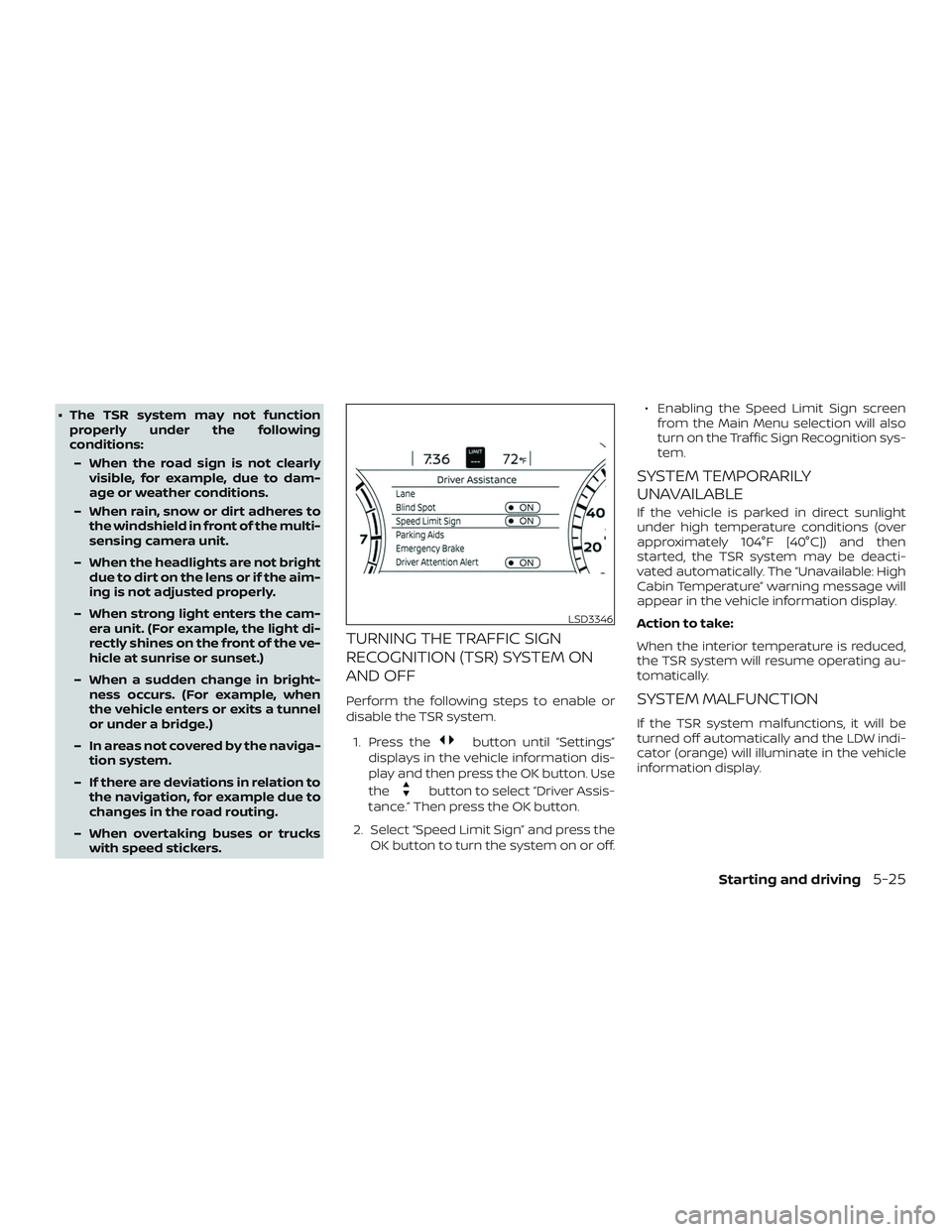
TURNING THE TRAFFIC SIGN
RECOGNITION (TSR) SYSTEM ON
AND OFF
Perform the following steps to enable or
disable the TSR system.
1. Press the
button until “Settings”
displays in the vehicle information dis-
play and then press the OK button. Use
the
button to select “Driver Assis-
tance.” Then press the OK button.
2. Select “Speed Limit Sign” and press the OK button to turn the system on or off. ∙ Enabling the Speed Limit Sign screen
from the Main Menu selection will also
turn on the Traffic Sign Recognition sys-
tem.
SYSTEM TEMPORARILY
UNAVAILABLE
If the vehicle is parked in direct sunlight
under high temperature conditions (over
approximately 104°F [40°C]) and then
started, the TSR system may be deacti-
vated automatically. The “Unavailable: High
Cabin Temperature” warning message will
appear in the vehicle information display.
Action to take:
When the interior temperature is reduced,
the TSR system will resume operating au-
tomatically.
SYSTEM MALFUNCTION
If the TSR system malfunctions, it will be
turned off automatically and the LDW indi-
cator (orange) will illuminate in the vehicle
information display.
LSD3346
Starting and driving5-25
Page 283 of 500
LDW SYSTEM LIMITATIONS
WARNING
Listed below are the system limitations
for the LDW system. Failure to follow the
warnings and instructions for proper
use of the LDW system could result in
serious injury or death.
∙ The system will not operate at speedsbelow approximately 37 mph
(60 km/h) or if it cannot detect lane
markers.
∙ Do not use the LDW system under the following conditions as it may not
function properly:
– During bad weather (rain, fog, snow, etc.).
– When driving on slippery roads, such as on ice or snow.
– When driving on winding or un- even roads.
– When there is a lane closure due to road repairs.
– When driving in a makeshif t or temporary lane. – When driving on roads where the
lane width is too narrow.
– When driving without normal tire conditions (for example, tire wear,
low tire pressure, installation of
spare tire, tire chains, nonstandard
wheels).
– When the vehicle is equipped with non-original brake parts or sus-
pension parts.
– When you are towing a trailer or other vehicle.
∙ The system may not function prop- erly under the following conditions:
– On roads where there are multiple parallel lane markers; lane mark-
ers that are faded or not painted
clearly; yellow painted lane mark-
ers; non-standard lane markers; or
lane markers covered with water,
dirt, snow, etc.
– On roads where the discontinued lane markers are still detectable.
– On roads where there are sharp curves. – On roads where there are sharply
contrasting objects, such as shad-
ows, snow, water, wheel ruts,
seams or lines remaining af ter
road repairs. (The LDW system
could detect these items as lane
markers.)
– On roads where the traveling lane merges or separates.
– When the vehicle’s traveling direc- tion does not align with the lane
marker.
– When traveling close to the vehicle in front of you, which obstructs the
lane camera unit detection range.
– When rain, snow, dirt or an object adheres to the windshield in front
of the lane camera unit.
– When the headlights are not bright due to dirt on the lens or if the aim-
ing is not adjusted properly.
– When strong light enters the lane camera unit. (For example, the light
directly shines on the front of the
vehicle at sunrise or sunset.)
Starting and driving5-29
Page 289 of 500
– When the vehicle is equipped withnonoriginal brake parts or suspen-
sion parts.
– When you are towing a trailer or other vehicle.
– On roads where there are multiple parallel lane markers; lane mark-
ers that are faded or not painted
clearly; yellow painted lane mark-
ers; non-standard lane markers; or
lane markers covered with water,
dirt, snow, etc.
– On roads where discontinued lane markers are still detectable.
– On roads where there are sharp curves.
– On roads where there are sharply contrasting objects, such as shad-
ows, snow, water, wheel ruts,
seams or lines remaining af ter
road repairs. (The I-LI system could
detect these items as lane
markers.)
– On roads where the traveling lane merges or separates. – When the vehicle’s traveling direc-
tion does not align with the lane
marker.
– When traveling close to the vehicle in front of you, which obstructs the
lane camera unit detection range.
– When rain, snow or dirt adheres to the windshield in front of the lane
camera unit.
– When the headlights are not bright due to dirt on the lens or if the aim-
ing is not adjusted properly.
– When strong light enters the lane camera unit. (For example, the light
directly shines on the front of the
vehicle at sunrise or sunset.)
– When a sudden change in bright- ness occurs. (For example, when
the vehicle enters or exits a tunnel
or under a bridge.)
While the I-LI system is operating, you may
hear a sound of brake operation. This is
normal and indicates that the I-LI system is
operating properly.SYSTEM TEMPORARILY
UNAVAILABLE
Condition A:
The warning and assist functions of the I-LI
system are not designed to work under the
following conditions: ∙ When you operate the lane change sig- nal and change the traveling lanes in
the direction of the signal. (The I-LI sys-
tem will be deactivated for approxi-
mately 2 seconds af ter the lane change
signal is turned off.)
∙ When the vehicle speed lowers to less than approximately 37 mph (60 km/h).
Af ter the above conditions have finished
and the necessary operating conditions
are satisfied, the warning and assist func-
tions will resume.
Condition B:
The assist function of the I-LI system is not
designed to work under the following con-
ditions (warning is still functional): ∙ When the brake pedal is depressed.
∙ When the steering wheel is turned as far as necessary for the vehicle to change
lanes.
Starting and driving5-35
Page 347 of 500
If the driver does not take action, the AEB
with Pedestrian Detection system issues
the second visual (flashing) (red and white)
and audible warning. If the driver releases
the accelerator pedal, then the system ap-
plies partial braking. If the risk of a collision
becomes imminent, the AEB with Pedes-
trian Detection system applies harder
braking automatically.
While the AEB with Pedestrian Detection
system is operating, you may hear the
sound of brake operation. This is normal
and indicates that the AEB with Pedestrian
Detection system is operating properly.
NOTE:
The vehicle’s brake lights come on when
any braking is performed by the AEB
with Pedestrian Detection system.
Depending on vehicle speed and distance
to the vehicle or pedestrian ahead, as well
as driving and roadway conditions, the sys-
tem may help the driver avoid a forward
collision or may help mitigate the conse-
quences if a collision should be unavoid-
able. If the driver is handling the steering
wheel, accelerating or braking, the AEB with
Pedestrian Detection system will function
later or will not function.The automatic braking will cease under the
following conditions:
∙ When the steering wheel is turned to avoid a collision.
∙ When the accelerator pedal is de- pressed.
∙ When there is no longer a vehicle or a pedestrian detected ahead.
If the AEB with Pedestrian Detection sys-
tem has stopped the vehicle, the vehicle
will remain at a standstill for approximately
2 seconds before the brakes are released.
Starting and driving5-93
Page 376 of 500

WARNING
The Brake Assist is only an aid to assist
braking operation and is not a collision
warning or avoidance device. It is the
driver’s responsibility to stay alert, drive
safely and be in control of the vehicle at
all times.The VDC system uses various sensors to
monitor driver inputs and vehicle motion.
Under certain driving conditions, the VDC
system helps to perform the following
functions:
∙ Controls brake pressure to reduce wheel slip on one slipping drive wheel
so power is transferred to a non-
slipping drive wheel on the same axle.
∙ Controls brake pressure and engine output to reduce drive wheel slip based
on vehicle speed (traction control func-
tion).
∙ Controls brake pressure at individual wheels and engine output to help the
driver maintain control of the vehicle in
the following conditions:
– Understeer (vehicle tends to not fol- low the steered path despite in-
creased steering input)
– Oversteer (vehicle tends to spin due to certain road or driving conditions)
The VDC system can help the driver to
maintain control of the vehicle, but it can-
not prevent loss of vehicle control in all driv-
ing situations. When the VDC system operates, theindicator light in the instrument panel
flashes to note the following:
∙ The road may be slippery or the system may determine some action is required
to help keep the vehicle on the steered
path.
∙ You may feel a pulsation in the brake pedal and hear a noise or vibration from
under the hood. This is normal and indi-
cates that the VDC system is working
properly.
∙ Adjust your speed and driving to the road conditions.
For additional information, refer to “Slip in-
dicator light” and “Vehicle Dynamic Control
(VDC) OFF indicator light” in the “Instru-
ments and controls” section of this manual.
If a malfunction occurs in the system,
the
indicator light comes on in the
instrument panel. The VDC system auto-
matically turns off when the indicator light
is on.
The VDC OFF switch is used to turn off the
VDC system. The
, RAB, and AEB with
Pedestrian Detection indicator lights illumi-
nate to indicate the VDC, RAB, and AEB with
Pedestrian Detection systems are off.
VEHICLE DYNAMIC CONTROL (VDC)
SYSTEM
5-122Starting and driving
Page 388 of 500
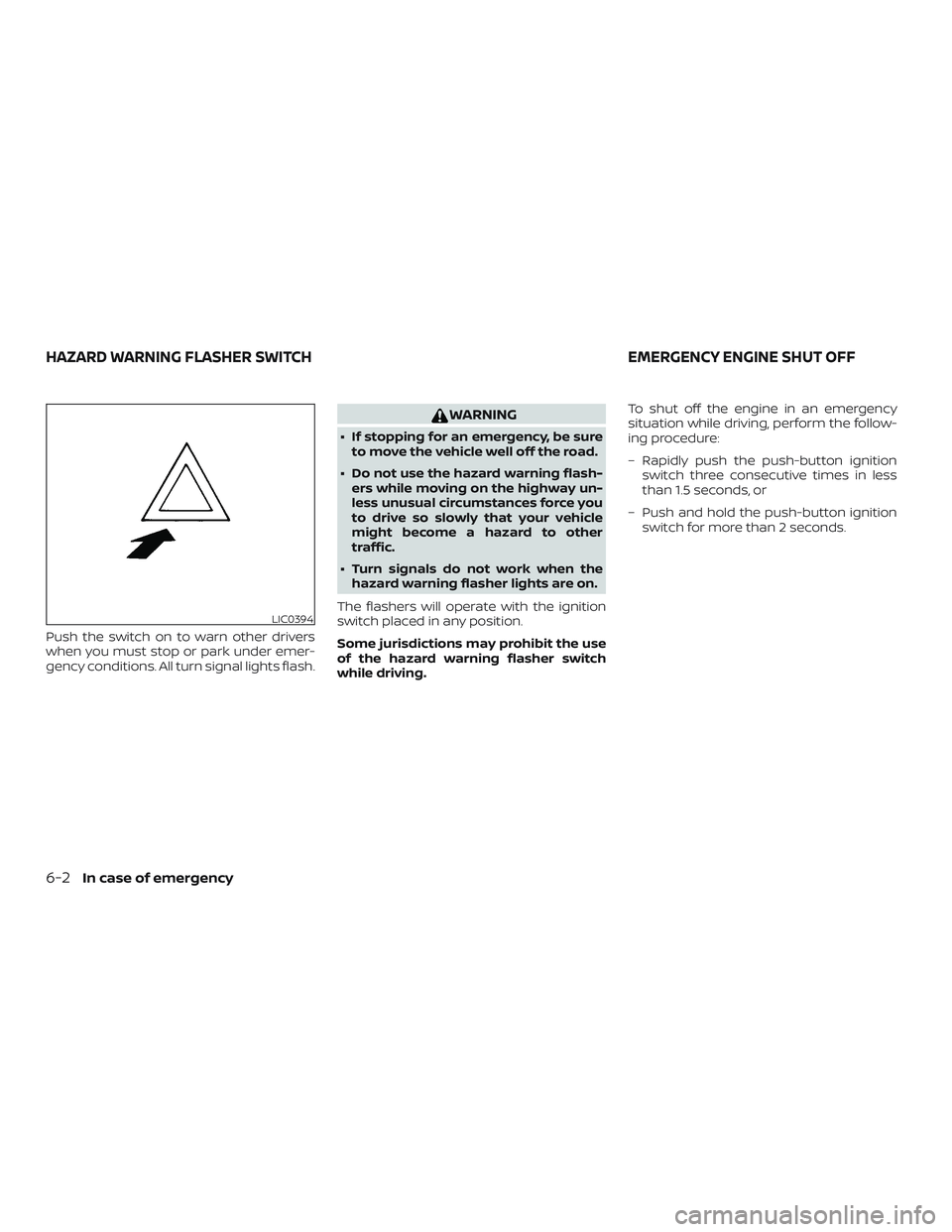
Push the switch on to warn other drivers
when you must stop or park under emer-
gency conditions. All turn signal lights flash.
WARNING
∙ If stopping for an emergency, be sureto move the vehicle well off the road.
∙ Do not use the hazard warning flash- ers while moving on the highway un-
less unusual circumstances force you
to drive so slowly that your vehicle
might become a hazard to other
traffic.
∙ Turn signals do not work when the hazard warning flasher lights are on.
The flashers will operate with the ignition
switch placed in any position.
Some jurisdictions may prohibit the use
of the hazard warning flasher switch
while driving. To shut off the engine in an emergency
situation while driving, perform the follow-
ing procedure:
– Rapidly push the push-button ignition
switch three consecutive times in less
than 1.5 seconds, or
– Push and hold the push-button ignition switch for more than 2 seconds.
LIC0394
HAZARD WARNING FLASHER SWITCH EMERGENCY ENGINE SHUT OFF
6-2In case of emergency