wing mirror NISSAN MICRA 2016 Owner´s Manual
[x] Cancel search | Manufacturer: NISSAN, Model Year: 2016, Model line: MICRA, Model: NISSAN MICRA 2016Pages: 299, PDF Size: 3.54 MB
Page 123 of 299
WARNING
●Failure to follow the warnings and in-
structions for proper use of the Rear-
View Monitor system could result in se-
rious injury or death. ●
RearView Monitor is a convenience fea-
ture and is not a substitute for proper
backing. Always turn and look out the
windows and check mirrors to be sure
that it is safe to move before operating
the vehicle. Always back up slowly. ●
The system is designed as an aid to the
driver in showing large stationary ob-
jects directly behind the vehicle, to help
avoid damaging the vehicle.
LHA3823
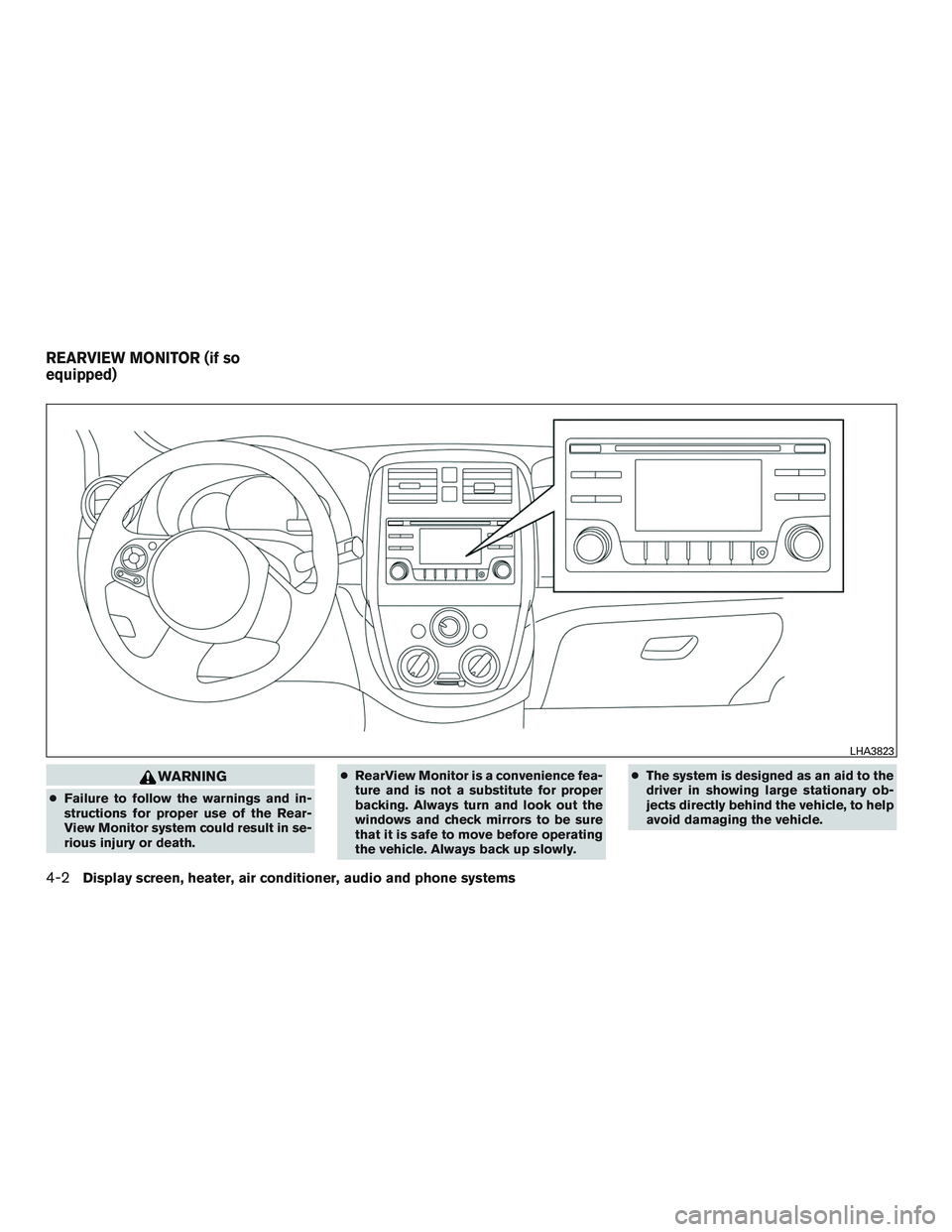
REARVIEW MONITOR (if so
equipped)
4-2Display screen, heater, air conditioner, audio and phone systems
Page 128 of 299
5. Press the ENTER/SETTING button again todisplay the Contrast settings.
6. Turn the TUNE/FOLDER knob to adjust the setting up or down.
7. Press the ENTER/SETTING button to com- plete the adjustment.
NOTE:
Do not adjust any of the display settings of
the RearView Monitor while the vehicle is
moving. Make sure the parking brake is
firmly applied.
REARVIEW MONITOR SYSTEM
LIMITATIONS
WARNING
Listed below are the system limitations for
RearView Monitor. Failure to operate the
vehicle in accordance with these system
limitations could result in serious injury or
death.
● The system cannot completely elimi-
nate blind spots and may not show ev-
ery object. ●
Underneath the bumper and the corner
areas of the bumper cannot be viewed
on the RearView Monitor because of its
monitoring range limitation. The system
will not show small objects below the
bumper, and may not show objects
close to the bumper or on the ground.
● Objects viewed in the RearView Moni-
tor differ from actual distance because
a wide-angle lens is used.
● Objects in the RearView Monitor will
appear visually opposite compared to
when viewed in the rearview and out-
side mirrors.
● Use the displayed lines as a reference.
The lines are highly affected by the
number of occupants, fuel level, vehicle
position, road conditions and road
grade.
● Make sure that the trunk is securely
closed when backing up.
● Do not put anything on the rearview
camera. The rearview camera is in-
stalled above the license plate. ●
When washing the vehicle with high
pressure water, be sure not to spray it
around the camera. Otherwise, water
may enter the camera unit causing wa-
ter condensation on the lens, a mal-
function, fire or an electric shock.
● Do not strike the camera. It is a preci-
sion instrument. Otherwise, it may mal-
function or cause damage resulting in a
fire or an electric shock.
The following are operating limitations and do not
represent a system malfunction: ● When the temperature is extremely high or
low, the screen may not clearly display ob-
jects.
● When strong light directly shines on the
camera, objects may not be displayed
clearly.
● Vertical lines may be seen in objects on the
screen. This is due to strong reflected light
from the bumper.
● The screen may flicker under fluorescent
light.
● The colors of objects on the RearView Moni-
tor may differ somewhat from the actual
color of objects.
Display screen, heater, air conditioner, audio and phone systems4-7
Page 186 of 299
NISSAN VEHICLE IMMOBILIZER
SYSTEM
The NISSAN Vehicle Immobilizer System will not
allow the engine to start without the use of the
registered key.
If the engine fails to start using a registered key
(for example, when interference is caused by
another registered key, an automated toll road
device or automatic payment device on the key
ring) , restart the engine using the following pro-
cedure:1. Leave the ignition switch in the ON position for approximately 5 seconds.
2. Place the ignition switch in the OFF or LOCK position, and wait approximately
10 seconds.
3. Repeat steps 1 and 2.
4. Restart the engine while holding the device (which may have caused the interference)
separate from the registered key.
If the no start condition re-occurs, NISSAN rec-
ommends placing the registered key on a sepa-
rate key ring to avoid interference from other
devices. ●
Make sure the area around the vehicle is
clear.
● Check fluid levels such as engine oil, cool-
ant, brake and clutch fluid (if so equipped) ,
and windshield-washer fluid as frequently as
possible, or at least whenever you refuel.
● Check that all windows and lights are clean.
● Visually inspect tires for their appearance
and condition. Also check tires for proper
inflation.
● Lock all doors.
● Position seat and adjust head restraints.
● Adjust inside and outside mirrors.
● Fasten seat belts and ask all passengers to
do likewise.
● Check the operation of warning lights when
the key is turned to the ON position. For
additional information, refer to “Warning
lights, indicator lights and audible remind-
ers” in the “Instruments and controls” sec-
tion of this manual. 1. Apply the parking brake.
2.
Automatic transmission:
Move the shift lever to P (Park) or N (Neu-
tral) . P (Park) is recommended.
The shift lever cannot be moved out of
the P (Park) position and into any of the
other gear positions if the ignition
switch is placed in the OFF position or if
the key is removed from the ignition
switch.
The starter is designed not to operate if
the shift lever is in any of the driving
positions.
Manual transmission:
Move the shift lever to N (Neutral) . Depress
the clutch pedal to the floor while cranking
the engine.
3. Crank the engine with your foot off the
accelerator pedal by placing the ignition
switch in the START position. Release the
key when the engine starts. If the engine
starts, but fails to run, repeat the above
procedure.
● If the engine is very hard to start in ex-
tremely cold weather or when restarting,
depress the accelerator pedal a little (ap-
proximately 1/3 to the floor) and hold it
BEFORE STARTING THE ENGINE STARTING THE ENGINE
Starting and driving5-7
Page 297 of 299
Theft (NISSAN Vehicle Immobilizer System) ,
engine start.................2-13,5-7
Three-way catalyst ................5-2
Tilting steering wheel ..............3-12
Tire Flat tire .....................6-2
Spare tire ................6-3,8-41
Tire and Loading Information label .....9-12
Tire chains ..................8-39
Tirepressure.................8-33
Tirerotation..................8-39
Types of tires .................8-38
Uniform tire quality grading .........9-17
Wheels and tires ............8-33,9-9
Wheel/tire size .................9-9
Tirepressure...................8-33
Towing Flattowing..................9-16
Trailertowing.................9-16
Towing a trailer ..................9-16
Towingyourvehicle...............6-13
Transmission Automatic transmission fluid (ATF) .....8-11
Driving with automatic transmission .....5-8
Driving with manual transmission ......5-13
Shiftleverlockrelease............5-11
Travel (See registering a vehicle in another
country) ......................9-10
Trip computer ...................2-6
Trip odometer ...................2-4
Turnsignalswitch................2-20
U
Uniform tire quality grading ...........9-17USB interface
..................4-42
Audio file operation .............4-43
V
Vanity mirror ...................3-13
Vehicle dimensions and weights .........9-9
Vehicle dynamic control (VDC) off switch . . .2-21
Vehicle dynamic control (VDC) system .....5-23
Vehicle Dynamic Control (VDC) system ....5-23
Vehicle identification ...............9-10
Vehicle identification number (VIN) .......9-10
Vehicle identification number (VIN)
(Chassis number) ................9-10
Vehicle identification number (VIN) plate ....9-10
Vehicle immobilizer system ........2-13,5-7
Vehicle loading information ........9-13,9-13
Vehicle recovery .................6-15
Vehicle security system .............2-13
Vehicle security system (NISSAN Vehicle
Immobilizer System) , engine start .....2-13,5-7
Ventilators .....................4-8
Visors.......................3-12
Voice Prompt Interrupt ..............4-51
W
Warning Air bag warning light .........1-56,2-10
Anti-lock brake warning light .........2-8
Battery charge warning light .........2-8
Brake warning light ..............2-8
Door open warning light ...........2-8
Engine oil pressure warning light .......2-8Hazard warning flasher switch
........6-2
Low fuel warning light .............2-9
Low windshield-washer fluid warning light..2-9
Passenger air bag and status light .....1-48
Seat belt warning light ........1-12,2-10
Supplemental air bag warning light .1-56, 2-10
Vehicle security system ...........2-13
Warning/indicator lights and audible
reminders .............2-7,2-8,2-10
Warning labels (for SRS) ..........1-55
Warning/indicator lights and audible
reminders ...............2-7,2-8,2-10
Audible reminders .........2-7,2-8,2-10
Indicatorlights...........2-7,2-8,2-10
Warninglights...........2-7,2-8,2-10
Warninglights.............2-7,2-8,2-10
Washer switch Rear window wiper and washer
switches ...................2-16
Weights(Seedimensionsandweights).....9-9
Wheels and tires ..............8-33,9-9
Wheel/tire size ...................9-9
When traveling or registering in another
country ......................9-10
Windows .....................2-26
Locking passengers’ windows .......2-27
Manual windows ...............2-28
Power rear windows .............2-27
Power windows ...............2-26
Rear power windows ............2-27
Windshield-washer fluid .............8-13
Windshield wiper blades ............8-17
Wiper
Rear window wiper and washer switches. .2-16
Wiperblades.................8-17
Wiper and washer switch ............2-15
10-6