CD player NISSAN MICRA 2018 Owner´s Manual
[x] Cancel search | Manufacturer: NISSAN, Model Year: 2018, Model line: MICRA, Model: NISSAN MICRA 2018Pages: 330, PDF Size: 3.9 MB
Page 168 of 330
4. Other buttons can be set in the samemanner.
If the battery cable is disconnected, or if the
fuse opens, the radio memory will be can-
celed. In that case, reset the desired sta-
tions.
Compact disc (CD) player
operation
If the radio is already operating, it automati-
cally turns off and the compact disc begins
to play.
CD button
When the CD button is pressed with a com-
pact disc loaded and the radio playing, the
radio turns off and the compact disc starts
to play.
CD/MP3 display mode
While listening to an MP3/WMA CD, certain
text may be displayed on the screen if the
CD has been encoded with text informa-
tion. Depending on how the MP3/WMA CD
is encoded, information such as Artist,
Song and Folder will be displayed. The track number and the total number of
tracks in the current folder or on the cur-
rent disc are displayed on the screen as
well.
SEEK/TRACK (Reverse or
Fast Forward) button
Press and hold the
orSEEK/TRACK button or for 1.5 seconds
while the compact disc is playing to re-
verse or fast forward the track being
played. The compact disc plays at an in-
creased speed while reversing or fast for-
warding. When the button is released, the
compact disc returns to normal play
speed.
SEEK/TRACK button
Press the
SEEK/TRACK button while a
CD or MP3/WMA CD is playing to return to
the beginning of the current track. Press
the
SEEK/TRACK button several
times to skip backward several tracks.
Press the
SEEK/TRACK button while a
CD or MP3/WMA CD is playing to advance
one track. Press the
SEEK/TRACK
button several times to skip forward sev-
eral tracks. If the last track on a CD is
skipped, the first track on the disc is played. If the last track in a folder of an MP3/WMA
CD is skipped, the first track of the next
folder is played.
TUNE/FOLDER knob, ENTER/SETTING
button (MP3/WMA CD only)
If a MP3/WMA CD with multiple folders is
playing, turn the TUNE/FOLDER knob to
change folders. Turn the knob to the lef t to
skip back a folder. Turn the knob to the right
to skip ahead a folder.
RPT (repeat) button
When the RPT button is pressed while a
compact disc is playing, the play pattern
can be changed as follows:
CD:
1 Track Repeat
←→OFF
CD with MP3 or WMA:
1 Folder Repeat →1 Track Repeat →OFF
1 Track Repeat: the current track will be
repeated.
1 Folder Repeat: the current folder will be
repeated.
OFF: No repeat play pattern is applied. The
indicator on the display will turn off.
Heater, air conditioner, audio and phone systems4-39
Page 169 of 330
The current play pattern of the CD is dis-
played on the screen unless no pattern is
applied.
RDM (random) button
When the RDM button is pressed while a
compact disc is playing, the play pattern
can be changed as follows:
CD:
1 Disc Random←→OFF
CD with MP3 or WMA:
1 Disc Random →1 Folder Random →OFF
1 Disc Random: all tracks on the disc will be
played randomly.
1 Folder Random: all tracks in the current
folder will be played randomly.
OFF: No random play pattern is applied. The
indicator on the display will turn off.
The current play pattern of the CD is dis-
played on the screen unless no pattern is
applied.
AUX button
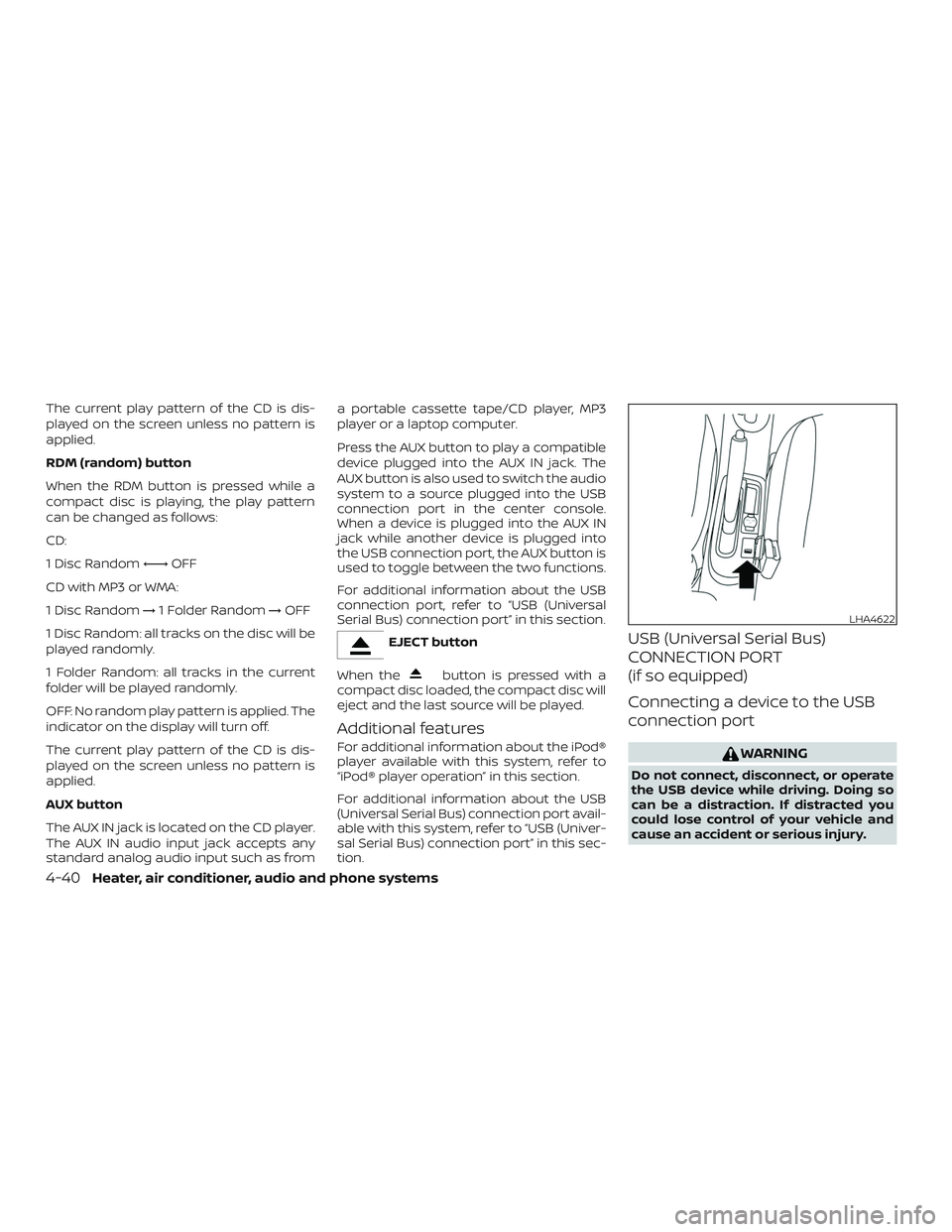
The AUX IN jack is located on the CD player.
The AUX IN audio input jack accepts any
standard analog audio input such as from a portable cassette tape/CD player, MP3
player or a laptop computer.
Press the AUX button to play a compatible
device plugged into the AUX IN jack. The
AUX button is also used to switch the audio
system to a source plugged into the USB
connection port in the center console.
When a device is plugged into the AUX IN
jack while another device is plugged into
the USB connection port, the AUX button is
used to toggle between the two functions.
For additional information about the USB
connection port, refer to “USB (Universal
Serial Bus) connection port” in this section.
EJECT button
When the
button is pressed with a
compact disc loaded, the compact disc will
eject and the last source will be played.
Additional features
For additional information about the iPod®
player available with this system, refer to
“iPod® player operation” in this section.
For additional information about the USB
(Universal Serial Bus) connection port avail-
able with this system, refer to “USB (Univer-
sal Serial Bus) connection port” in this sec-
tion.
USB (Universal Serial Bus)
CONNECTION PORT
(if so equipped)
Connecting a device to the USB
connection port
WARNING
Do not connect, disconnect, or operate
the USB device while driving. Doing so
can be a distraction. If distracted you
could lose control of your vehicle and
cause an accident or serious injury.
LHA4622
4-40Heater, air conditioner, audio and phone systems
Page 171 of 330
The current play pattern of the USB device
is displayed on the screen unless no pat-
tern is applied.
RPT (repeat) button
When the RPT button is pressed while an
audio file on the USB device is playing, the
play pattern can be changed as follows:
1 Folder Repeat→1 Track Repeat →OFF
1 Track Repeat: the current track will be
repeated.
1 Folder Repeat: the current folder will be
repeated.
OFF: No repeat play pattern is applied. The
indicator on the display will turn off.
The current play pattern of the USB device
is displayed on the screen unless no pat-
tern is applied. TUNE/FOLDER knob, ENTER/SETTING
button
If there are multiple folders with audio files
on the USB device, turn the TUNE/FOLDER
knob to change folders. Turn the knob to
the lef t to skip back a folder. Turn the knob
to the right to skip ahead a folder. If there is
only one folder of audio files on the USB
device, turning the TUNE/FOLDER knob in
either direction will return to the first track
on the USB device.
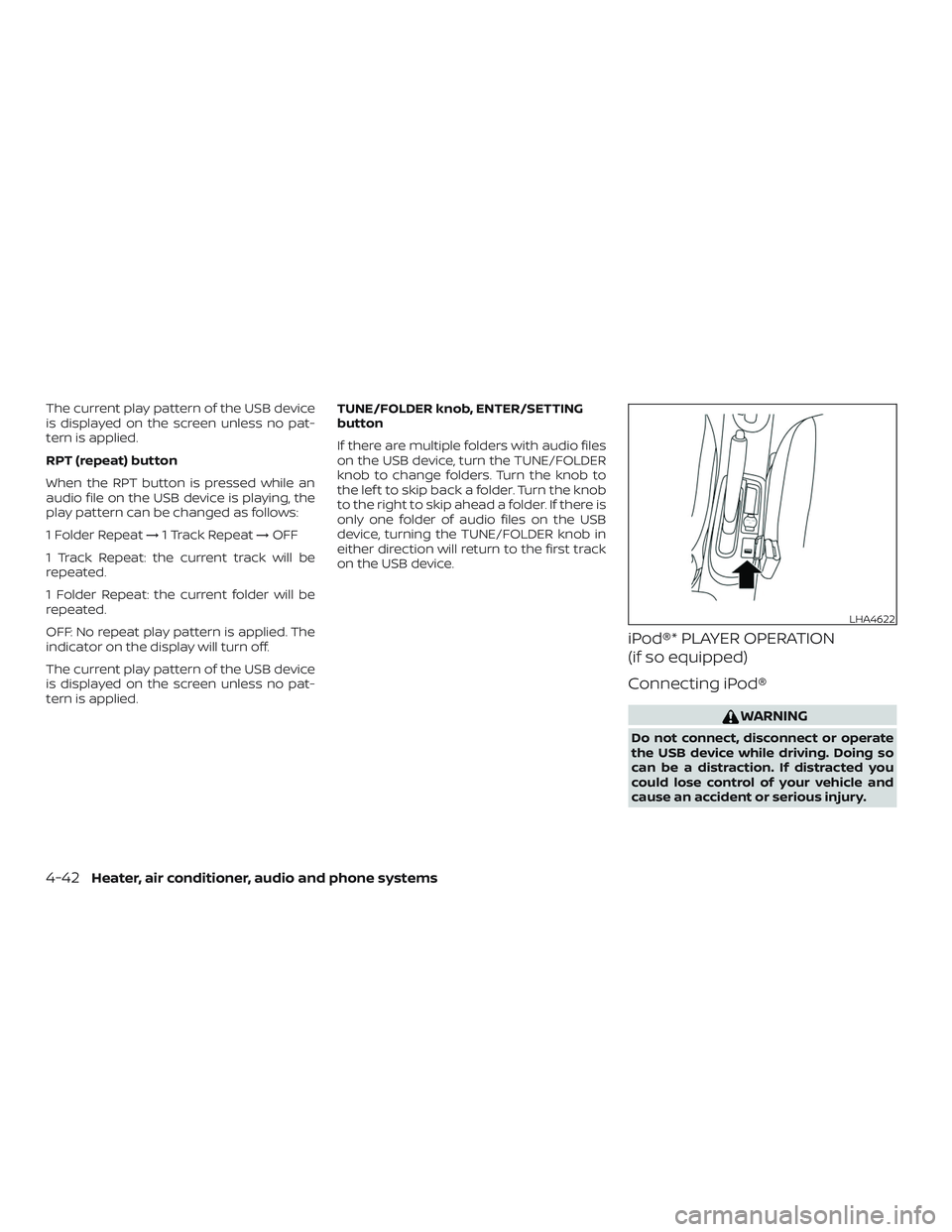
iPod®* PLAYER OPERATION
(if so equipped)
Connecting iPod®
WARNING
Do not connect, disconnect or operate
the USB device while driving. Doing so
can be a distraction. If distracted you
could lose control of your vehicle and
cause an accident or serious injury.
LHA4622
4-42Heater, air conditioner, audio and phone systems
Page 195 of 330
1. Apply the parking brake.
2.Automatic transmission:
Move the shif t lever to P (Park) or N
(Neutral). P (Park) is recommended.
The shif t lever cannot be moved out
of the P (Park) position and into any
of the other gear positions if the ig-
nition switch is placed in the OFF po-
sition or if the key is removed from
the ignition switch.
The starter is designed not to oper-
ate if the shif t lever is in any of the
driving positions.
Manual transmission:
Move the shif t lever to N (Neutral). De-
press the clutch pedal to the floor
while cranking the engine.
3. Crank the engine with your foot off
the accelerator pedal by placing the
ignition switch in the START position.
Release the key when the engine
starts. If the engine starts, but fails to
run, repeat the above procedure.
∙ If the engine is very hard to start in extremely cold weather or when re-
starting, depress the accelerator
pedal a little (approximately 1/3 to the floor) and hold it and then crank the
engine. Release the key and the ac-
celerator pedal when the engine
starts.
∙ If the engine is very hard to start be- cause it is flooded, depress the accel-
erator pedal all the way to the floor
and hold it. Crank the engine for
5-6 seconds. Af ter cranking the en-
gine, release the accelerator pedal.
Crank the engine with your foot off
the accelerator pedal by placing the
ignition in the START position. Re-
lease the key when the engine starts.
If the engine starts, but fails to run,
repeat the above procedure.
CAUTION
Do not operate the starter for more
than 15 seconds at a time. If the engine
does not start, turn the key off and wait
10 seconds before cranking again, oth-
erwise the starter could be damaged.
4. Allow the engine to idle for at least 30 seconds af ter starting. Do not race
the engine while warming it up. Drive at
moderate speed for a short distance
first, especially in cold weather. NOTE:
Care should be taken to avoid situations
that can lead to potential battery dis-
charge and potential no-start conditions
such as:
1. Installation or extended use of elec-
tronic accessories that consume bat-
tery power when the engine is not
running (phone chargers, GPS, DVD
players, etc.).
2. The vehicle is not driven regularly
and/or only driven short distances.
In these cases, the battery may need to
be charged to maintain battery health.
STARTING THE ENGINE
5-8Starting and driving
Page 252 of 330
windshield-washer antifreeze. Follow the
manufacturer’s instructions for the mix-
ture ratio.
Refill the reservoir more frequently when
driving conditions require an increased
amount of windshield-washer fluid.
Recommended fluid is Genuine NISSAN
Windshield Washer Concentrate Cleaner &
Anti-freeze or equivalent.
CAUTION
∙ Do not substitute engine antifreezecoolant for windshield-washer fluid.
This may result in damage to the
paint.
∙ Do not fill the windshield-washer fluid reservoir with washer fluid concen-
trates at full strength. Some methyl
alcohol based washer fluid concen-
trates may permanently stain the
grille if spilled while filling the
windshield-washer fluid reservoir. ∙ Pre-mix washer fluid concentrates
with water to the manufacturer’s rec-
ommended levels before pouring the
fluid into the windshield-washer fluid
reservoir. Do not use the windshield-
washer fluid reservoir to mix the
washer fluid concentrate and water. ∙ Keep the battery surface clean and dry.
Clean the battery with a solution of bak-
ing soda and water.
∙ Make certain the terminal connections are clean and securely tightened.
∙ If the vehicle is not to be used for 30 days or longer, disconnect the nega-
tive (-) battery terminal cable to prevent
discharge.
NOTE:
Care should be taken to avoid situations
that can lead to potential battery dis-
charge and potential no-start conditions
such as: 1. Installation or extended use of elec-
tronic accessories that consume bat-
tery power when the engine is not
running (Phone chargers, GPS, DVD
players, etc.).
2. Vehicle is not driven regularly and/or
only driven short distances.
In these cases, the battery may need to
be charged to maintain battery health.
BATTERY
Do-it-yourself8-11
Page 287 of 330
Seats:Check seat position controls such
as seat adjusters, seatback recliner, etc., to
ensure they operate smoothly and all
latches lock securely in every position.
Check that the head restraints/headrests
move up and down smoothly and the locks
(if so equipped) hold securely in all latched
positions.
Seat belts: Check that all parts of the seat
belt system (for example, buckles, anchors,
adjusters and retractors) operate properly
and smoothly, and are installed securely.
Check the belt webbing for cuts, fraying,
wear or damage.
Steering wheel: Check for changes in the
steering system, such as excessive free
play, hard steering or strange noises.
Warning lights and chimes: Make sure all
warning lights and chimes are operating
properly.
Windshield defroster: Check that the air
comes out of the defroster outlets properly
and in sufficient quantity when operating
the heater or air conditioner.
Windshield wiper and washer*: Check
that the wipers and washer operate prop-
erly and that the wipers do not streak.Under the hood and vehicle
The maintenance items listed here should
be checked periodically (for example, each
time you check the engine oil or refuel).
Battery* (for serviceable batteries):
Check the fluid level in each cell. The fluid
should be at the bottom of the filler open-
ing. Vehicles operated in high tempera-
tures or under severe conditions require
frequent checks of the battery fluid level.
NOTE:
Care should be taken to avoid situations
that can lead to potential battery dis-
charge and potential no-start conditions
such as:
1. Installation or extended use of elec-
tronic accessories that consume bat-
tery power when the engine is not
running (Phone chargers, GPS, DVD
players, etc.).
2. Vehicle is not driven regularly and/or
only driven short distances.
In these cases, the battery may need to
be charged to maintain battery health. Brake and clutch (if so equipped) fluid
level*:
Make sure that the brake and clutch
fluid levels are between the MIN and MAX
lines on the reservoir.
Engine coolant level*: Check the coolant
level when the engine is cold.
Engine drive belts*: Make sure the drive
belts are not frayed, worn, cracked or oily.
Engine oil level*: Check the level af ter
parking the vehicle on a level surface with
the engine off. Wait more than 15 minutes
for the oil to drain back into the oil pan.
Exhaust system: Make sure there are no
loose supports, cracks or holes. If the
sound of the exhaust seems unusual or
there is a smell of exhaust fumes, immedi-
ately have the exhaust system inspected. It
is recommended that you visit a NISSAN
dealer for this service. For additional infor-
mation, refer to “Exhaust gas (carbon mon-
oxide)” in the “Starting and driving” section
of this manual.
Fluid leaks: Check under the vehicle for
fuel, oil, water or other fluid leaks af ter the
vehicle has been parked for a while. Water
dripping from the air conditioner af ter use
is normal. If you should notice any leaks or if
9-4Maintenance and schedules
Page 320 of 330
11 Index
A
Air bag (See supplemental restraint
system) .................... .1-44
Air bag system Front (See supplemental front
impact air bag system) .........1-54
Air bag warning labels ............1-62
Airbagwarninglight..........1-63, 2-11
Air bag warning light,
supplemental ..............1-63, 2-11
Air cleaner housing filter ..........8-15
Air conditioner Air conditioner operation ........4-18
Air conditioner service ..........4-23
Air conditioner specification label . .10-12
Air conditioner system refrigerant
and oil recommendations .......10-7
Air conditioner system refrigerant
recommendations ............10-7
Heater and air conditioner
controls...................4-15
Servicing air conditioner ........4-23
Air flow charts ..............4-12,4-19
Alarm system (See vehicle
security system) ...............2-14
Anchor point locations ...........1-28
Antenna ....................4-46
Anti-lock brake warning light ........2-9
Anti-lock Braking System (ABS) ......5-22
Audible reminders ..............2-14
Audio system .................4-23 AMradioreception............4-24
Compact disc (CD) player
....4-34,4-39
FM/AM radio with compact disc (CD)
player.................4-31,4-36
FMradioreception............4-23
iPod®Player................4-42
iPod® player operation .........4-42
Radio ....................4-23
Steering wheel audio control
switch ...................4-45
USBinterface...............4-40
USB (Universal Serial Bus)
Connection Port .............4-40
Automatic Automatic power window switch . . .2-29
Automatic transmission fluid (ATF). . .8-9
Automatic transmission position
indicatorlight...............2-12
Driving with automatic
transmission ................5-9
Transmission shif t lever lock
release ...................5-12
Automatic door locks .............3-6
AUXjack.................4-35,4-40
B
Battery..................5-26,8-11 Charge warning light ...........2-9
Battery replacement .............8-21
Keyfob................8-21,8-21
Before starting the engine ..........5-7Belt(Seedrivebelt)..............8-14
Block heater
Engine ...................5-28
Bluetooth® hands-free phone system . .4-47
Booster seats .................1-41
Brake Anti-lock Braking System (ABS) ....5-22
Brakefluid..................8-9
Brakelight(Seestoplight).......8-27
Brakesystem...............5-22
Brakewarninglight............2-9
Brakewearindicators.......2-14, 8-17
Parking brake operation .........5-15
Self-adjustingbrakes ..........8-17
Brakeassist................. .5-24
Brakefluid....................8-9
Brakes......................8-17
Brakesystem.................5-22
Break-in schedule ...............5-17
Brightness control Instrument panel .............2-20
Bulb check/instrument panel ........2-8
Bulb replacement ..............
8
-27
C
Capacities and recommended
fuel/lubricants.................10-2
Cargo (See vehicle
loading information) ............10-13
Car phone or CB radio ............4-47
CDcareandcleaning............4-44
Page 321 of 330
CD player (See audio system)....4-34,4-39
Childrestraints........1-20, 1-21, 1-23, 1-25 LATCH (Lower Anchors and Tethers
forCHildren)System ...........1-25
Precautions on child
restraints .........1-23, 1-30, 1-36, 1-41
Top tether strap anchor point
locations.................. .1-28
Child safety rear door lock ..........3-6
Chimes, audible reminders .........2-14
Cleaningexteriorandinterior......7-2,7-4
Clockset.................4-33,4-38
Clutch Clutchfluid.................8-10
C.M.V.S.S. certification label .........10-11
Coldweatherdriving.............5-26
Compact disc (CD) player .......4-34,4-39
Controls Audio controls (steering wheel) ....4-45
Heater and air conditioner controls . .4-15
Coolant Capacities and recommended
fuel/lubricants...............10-2
Changing engine coolant .........8-5
Checking engine coolant level ......8-5
Corrosionprotection..............7-7
Cruisecontrol..................5-16
Cupholders...............2-24,2-25
Curtain side-impact and rollover
airbag......................1-60
D
Daytime light system .............2-19 Defroster switch
Rear window and outside mirror
defrosterswitch..............2-18
Dimensions and weights ...........10-9
Dimmer switch for instrument panel . . .2-20
Door locks ..................3-3,3-4
Door open warning light ...........2-10
Drivebelt ....................8-14
Driving Cold weather driving ...........5-26
Driving with automatic transmission . .5-9
Driving with manual transmission . . .5-13
Precautions when starting and
driving.....................5-2
Drivingthevehicle ...............5-9
E
Economy - fuel .................5-19
Emission control information label . . . .10-11
Emission control system warranty . . . .10-18
Engine Before starting the engine ........5-7
Blockheater................5-28
Capacities and recommended
fuel/lubricants...............10-2
Changing engine coolant .........8-5
Changing engine oil ............8-7
Changing engine oil filter .........8-8
Checking engine coolant level ......8-5
Checking engine oil level .........8-6
Engine compartment check
locations...................8-3
Engine cooling system ..........8-4
Engine oil ...................8-6 Engine oil and oil filter
recommendation
.............10-6
Engine oil pressure warning light . . . .2-10
Engine oil viscosity .............10-6
Engine serial number ...........10-11
Engine specifications ...........10-8
Starting the engine .............5-8
EventDatarecorders............10-20
Exhaust gas (Carbon monoxide) .......5-2
Explanation of maintenance items .....9-2
Explanation of scheduled maintenance
items .......................9-5
Extended storage switch ..........8-20
F
Flashers (See hazard
warningflasherswitch)............6-2
Flattire......................6-2
Floormatpositioningaid...........7-6
Fluid Automatic transmission fluid (ATF) . . .8-9
Brakefluid..................8-9
Capacities and recommended
fuel/lubricants...............10-2
Clutchfluid.................8-10
Engine coolant ...............8-4
Engine oil ...................8-6
Front air bag system (See
supplemental restraint system) ......1-54
Front-door pocket ...............
2
-23
Frontseats....................1-2
Fuel Capacities and recommended
fuel/lubricants...............10-2
11-2
Page 322 of 330
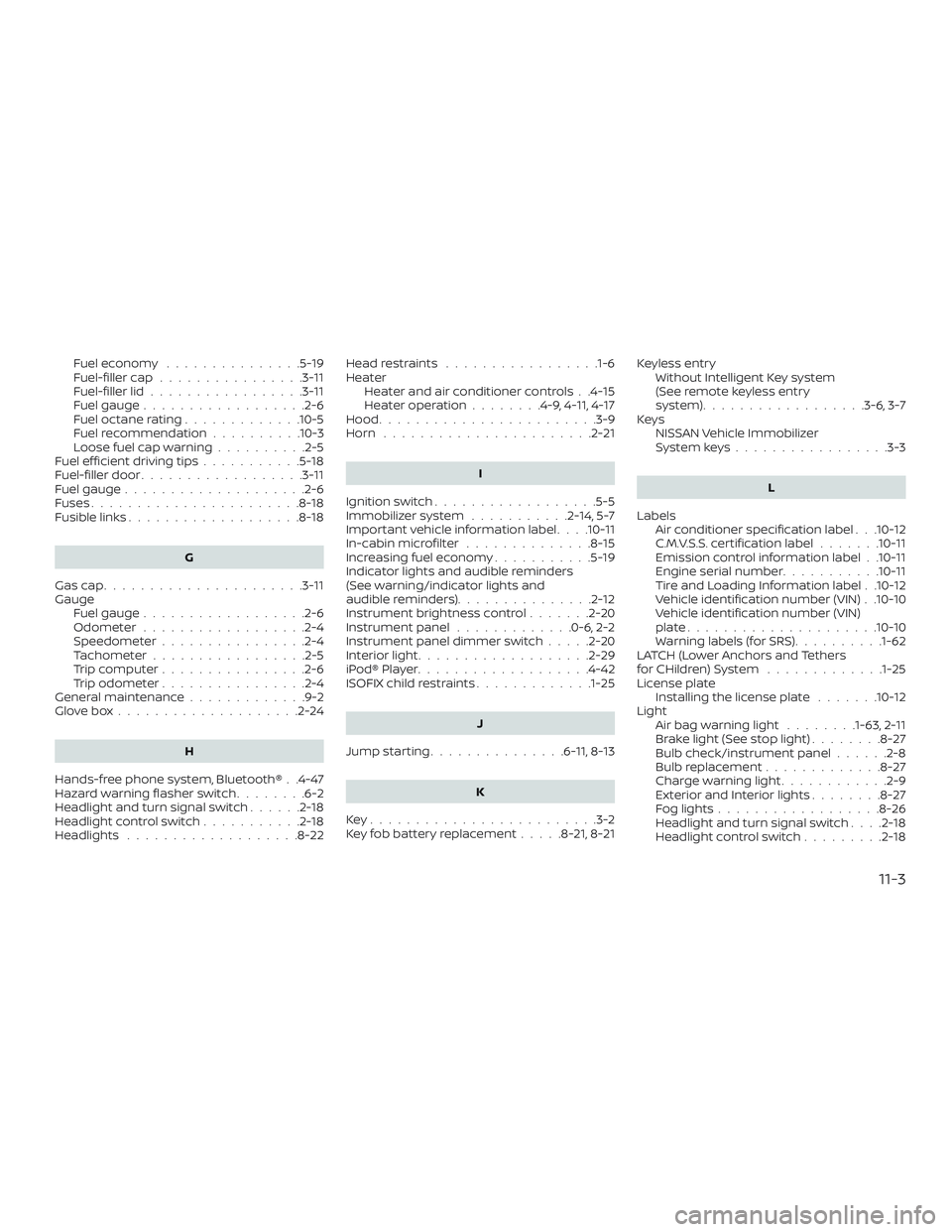
Fuel economy...............5-19
Fuel-filler cap ................3-11
Fuel-filler lid .................3-11
Fuel gauge ..................2-6
Fueloctanerating.............10-5
Fuel recommendation ..........10-3
Loose fuel cap warning ..........2-5
Fuelefficientdrivingtips...........5-18
Fuel-filler door ..................3-11
Fuel gauge ....................2-6
Fuses .......................8-18
Fusiblelinks...................8-18
G
Gascap......................3-11
Gauge Fuel gauge ..................2-6
Odometer ..................2-4
Speedometer ................2-4
Tachometer .................2-5
Trip computer ................2-6
Trip odometer ................2-4
General maintenance .............9-2
Glovebox....................2-24
H
Hands-free phone system, Bluetooth® . .4-47
Hazard warning flasher switch ........6-2
Headlight and turn signal switch ......2-18
Headlightcontrolswitch...........2-18
Headlights ...................8-22 Headrestraints .................1-6
Heater
Heater and air conditioner controls . .4-15
Heater operation ........4-9,4-11, 4-17
Hood ........................3-9
Horn .......................2-21
I
Ignition switch ..................5-5
Immobilizer system ...........2-14,5-7
Important vehicle information label . . . .10-11
In-cabinmicrofilter ..............8-15
Increasing fuel economy ...........5-19
Indicator lights and audible reminders
(See warning/indicator lights and
audible reminders) ...............2-12
Instrument brightness control .......2-20
Instrument panel .............0-6,2-2
Instrument panel dimmer switch .....2-20
Interiorlight...................2-29
iPod®Player...................4-42
ISOFIX child restraints .............1-25
J
Jumpstarting...............6 -11, 8-13
K
Key.........................3-2
Key fob battery replacement .....8-21,8-21Keyless entry
Without Intelligent Key system
(See remote keyless entry
system)..................3-6, 3-7
Keys NISSAN Vehicle Immobilizer
Systemkeys.................3-3
L
Labels Air conditioner specification label . . .10-12
C.M.V.S.S. certification label .......10-11
Emission control information label . .10-11
Engine serial number ...........10-11
Tire and Loading Information label . .10-12
Vehicle identification number (VIN) . .10-10
Vehicle identification number (VIN)
plate.....................10-10
Warning labels (for SRS) ..........1-62
LATCH (Lower Anchors and Tethers
forCHildren)System .............1-25
License plate Installing the license plate .......10-12
Light Airbagwarninglight ........1-63, 2-11
B
rakelight(Seestoplight)........8-27
Bulb check/instrument panel ......2-8
Bulb replacement .............8-27
Charge warning light ............2-9
ExteriorandInteriorlights........8-27
Foglights..................8-26
Headlight and turn signal switch ....2-18
Headlightcontrolswitch.........2-18
11-3
Page 324 of 330
R
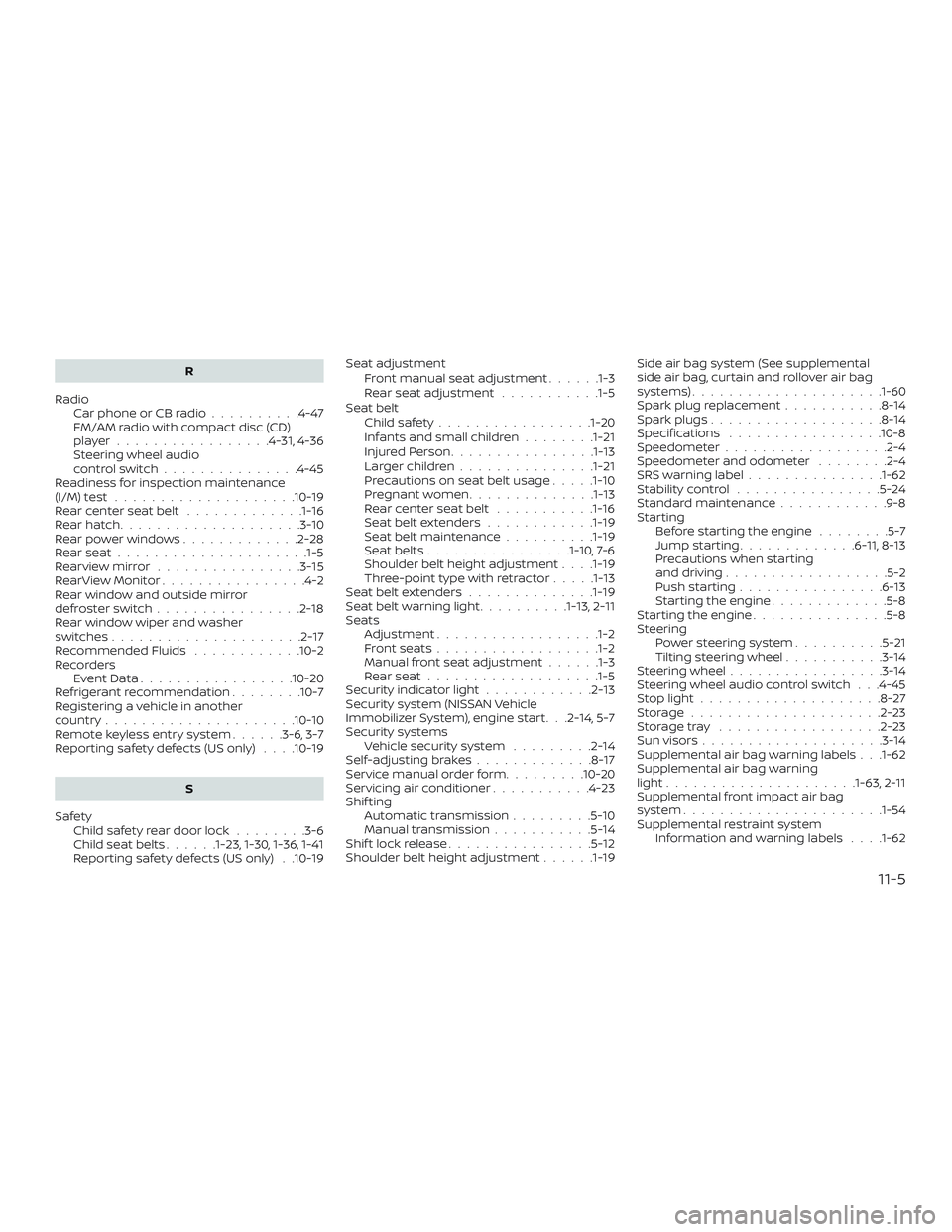
Radio Car phone or CB radio ..........4-47
FM/AM radio with compact disc (CD)
player.................4-31,4-36
Steering wheel audio
controlswitch...............4-45
Readiness for inspection maintenance
(I/M)test....................10-19
Rearcenterseatbelt .............1-16
Rearhatch....................3-10
Rearpowerwindows.............2-28
Rearseat.....................1-5
Rearviewmirror ................3-15
RearViewMonitor................4-2
Rear window and outside mirror
defrosterswitch................2-18
Rear window wiper and washer
switches .....................2-17
Recommended Fluids ............10-2
Recorders EventData.................10-20
Refrigerant recommendation ........10-7
Registering a vehicle in another
country .....................10-10
Remote keyless entry system ......3-6,3-7
Reporting safety defects (US only) . . . .10-19
S
Safety Child safety rear door lock ........3-6
Childseatbelts......1-23, 1-30, 1-36, 1-41
Reporting safety defects (US only) . .10-19 Seat adjustment
Front manual seat adjustment ......1-3
Rear seat adjustment ...........1-5
Seat belt Childsafety.................1-20
Infants and small children ........1-21
InjuredPerson............... .1-13
Largerchildren.............. .1-21
Precautions on seat belt usage .....1-10
Pregnant women ..............1-13
Rearcenterseatbelt ...........1-16
Seat belt extenders ............1-19
Seat belt maintenance ..........1-19
Seatbelts................1-10, 7-6
Shoulder belt height adjustment . . . .1-19
Three-pointtypewithretractor.....1-13
Seat belt extenders ..............1-19
Seatbeltwarninglight..........1-13, 2-11
Seats Adjustment ..................1-2
Frontseats..................1-2
Manual front seat adjustment ......1-3
Rearseat...................1-5
Security indicator light ............2-13
Security system (NISSAN Vehicle
Immobilizer System), engine start . . .2-14, 5-7
Security systems Vehicle security system .........2-14
Self-adjustingbrakes.............8-17
Service manual order form .........10-20
Servicing air conditioner ...........4-23
Shif ting Automatic transmission .........5-10
Manual transmission ...........5-14
Shiftlockrelease................5-12
Shoulder belt height adjustment ......1-19Side air bag system (See supplemental
side air bag, curtain and rollover air bag
s
y
stems).....................1-60
Spark plug replacement ...........8-14
Spark plugs ...................8-14
Specifications .................10-8
Speedometer ..................2-4
Speedometer and odometer ........2-4
SRS warning label ...............1-62
Stability control ................5-24
Standard maintenance ............9-8
Starting Before starting the engine ........5-7
Jumpstarting.............6 -11, 8-13
Precautions when starting
anddriving..................5-2
Push starting ................6-13
Starting the engine .............5-8
Starting the engine ...............5-8
Steering Power steering system ..........5-21
Tilting steering wheel ...........3-14
Steering wheel .................3-14
Steering wheel audio control switch . . .4-45
Stoplight....................8-27
Storage.....................2-23
Storagetray ..................2-23
Sunvisors....................3-14
Supplemental air bag warning labels . . .1-62
Supplemental air bag warning
light.................... .1-63, 2-11
Supplemental front impact air bag
system......................1-54
Supplemental restraint system Information and warning labels . . . .1-62
11-5