Fuel NISSAN MURANO 2008 User Guide
[x] Cancel search | Manufacturer: NISSAN, Model Year: 2008, Model line: MURANO, Model: NISSAN MURANO 2008Pages: 444, PDF Size: 6.09 MB
Page 91 of 444
Black plate (87,1)
Model "Z51-D" EDITED: 2008/ 6/ 26
If this indicator appears, insert the key into the
key port in the correct direction. (See “PUSH-
BUTTON IGNITION SWITCH” in the “5. Start-
ing and driving” section.)4. Key removal indicatorThis indicator appears when the driver’s door is
opened with the ignition switch in the OFF or
LOCK position and the key placed in the key
port. A key reminder chime also sounds.
If this indicator appears, remove the key from the
key port and take it with you when leaving the
vehicle.5. NO KEY warningThis warning appears in either of the following
conditions.
No key inside the vehicle:
With Intelligent Key system:
The warning appears when the door is closed
with the key left outside the vehicle and the
ignition switch in the ACC or ON position. Make
sure that the key is inside the vehicle.
Without Intelligent Key system:
The warning appears when the key is removed
from the key port and the ignition switch is in the
ACC or ON position. Make sure that the key is
inserted into the key port.Unregistered key:
The warning appears when the ignition switch is
pushed from the LOCK position and the key
cannot be recognized by the system. You cannot
start the engine with an unregistered key. Use
the registered key.
See “INTELLIGENT KEY SYSTEM” in the “3.
Pre-driving checks and adjustments” section for
more details.
6. SHIFT “P” warningThis warning appears when the ignition switch is
pushed to stop the engine with the selector lever
in any position except the P (Park) position.
If this warning appears, move the selector lever
to the P (Park) position or push the ignition
switch to the ON position.
An inside warning chime will also sound. (See
“INTELLIGENT KEY SYSTEM” in the “3. Pre-
driving checks and adjustments” section.)7. “PUSH” warningThis warning appears when the selector lever is
moved to the P (Park) position with the ignition
switch in the ACC position after the SHIFT “P”
warning appears.
To push the ignition switch to the OFF position,
perform the following procedure:SHIFT “P” warning?(Move the selector
lever to “P”)?PUSH warning?(Push
the ignition switch?ignition switch position
is turned to ON)?PUSH warning?
(Push the ignition switch?ignition switch
position is turned to OFF)
8. Key battery discharge indicatorThis indicator appears when the key battery is
running out of power.
If this indicator appears, replace the battery with
a new one. (See “BATTERY REPLACEMENT” in
the “8. Maintenance and do-it-yourself” section.)9. Parking brake release warningThis warning appears when the vehicle speed is
above 4 MPH (7 km/h) and the parking brake is
applied.10. Low fuel warningThis warning appears when the fuel level in the
tank is getting low. Refuel as soon as it is
convenient, preferably before the fuel gauge
reaches the empty (E) position.
There is a small reserve of fuel remaining
in the tank when the fuel gauge reaches
the empty (E) position.
Instruments and controls
2-19
Page 93 of 444
Black plate (89,1)
Model "Z51-D" EDITED: 2008/ 6/ 26
SIC3580
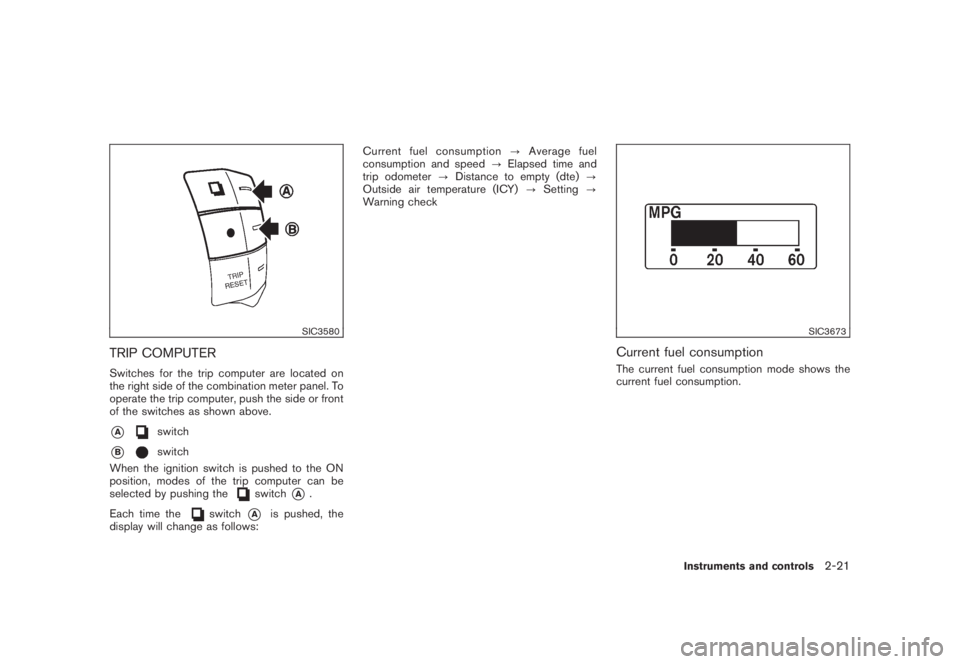
TRIP COMPUTERSwitches for the trip computer are located on
the right side of the combination meter panel. To
operate the trip computer, push the side or front
of the switches as shown above.*A
switch
*B
switch
When the ignition switch is pushed to the ON
position, modes of the trip computer can be
selected by pushing the
switch
*A
.
Each time the
switch
*A
is pushed, the
display will change as follows:Current fuel consumption?Average fuel
consumption and speed?Elapsed time and
trip odometer?Distance to empty (dte)?
Outside air temperature (ICY)?Setting?
Warning check
SIC3673
Current fuel consumptionThe current fuel consumption mode shows the
current fuel consumption.
Instruments and controls
2-21
Page 94 of 444
Black plate (90,1)
Model "Z51-D" EDITED: 2008/ 6/ 26
SIC3674
Average fuel consumption (MPG or l
(liter)/100 km) and speed (MPH or km/h)Fuel consumption:
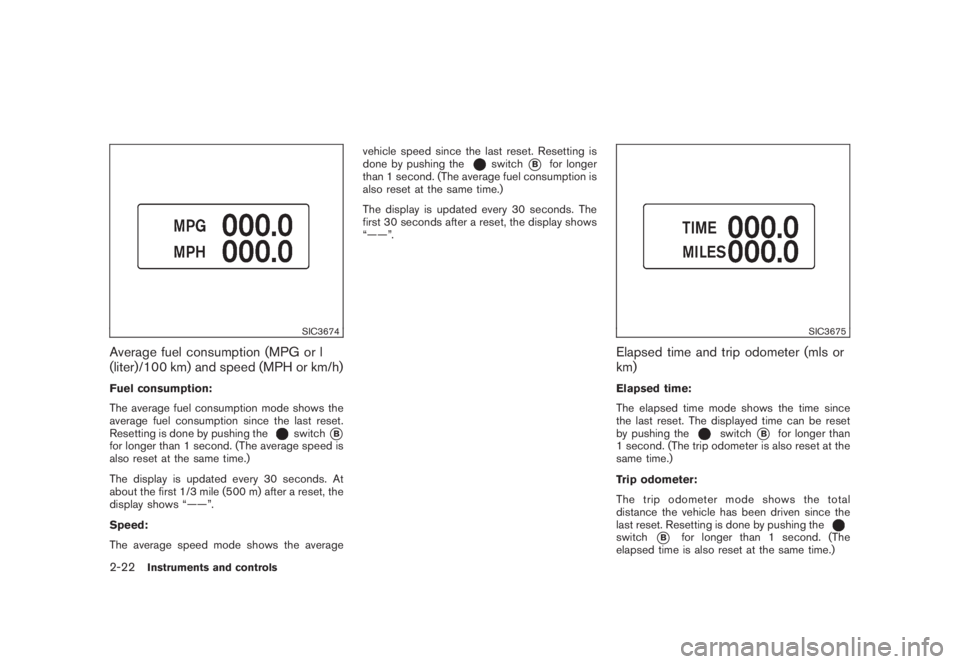
The average fuel consumption mode shows the
average fuel consumption since the last reset.
Resetting is done by pushing the
switch
*B
for longer than 1 second. (The average speed is
also reset at the same time.)
The display is updated every 30 seconds. At
about the first 1/3 mile (500 m) after a reset, the
display shows “——”.
Speed:
The average speed mode shows the averagevehicle speed since the last reset. Resetting is
done by pushing the
switch
*B
for longer
than 1 second. (The average fuel consumption is
also reset at the same time.)
The display is updated every 30 seconds. The
first 30 seconds after a reset, the display shows
“——”.
SIC3675
Elapsed time and trip odometer (mls or
km)Elapsed time:
The elapsed time mode shows the time since
the last reset. The displayed time can be reset
by pushing the
switch
*B
for longer than
1 second. (The trip odometer is also reset at the
same time.)
Trip odometer:
The trip odometer mode shows the total
distance the vehicle has been driven since the
last reset. Resetting is done by pushing the
switch
*B
for longer than 1 second. (The
elapsed time is also reset at the same time.)
2-22
Instruments and controls
Page 95 of 444
Black plate (91,1)
Model "Z51-D" EDITED: 2008/ 6/ 26
SIC3676
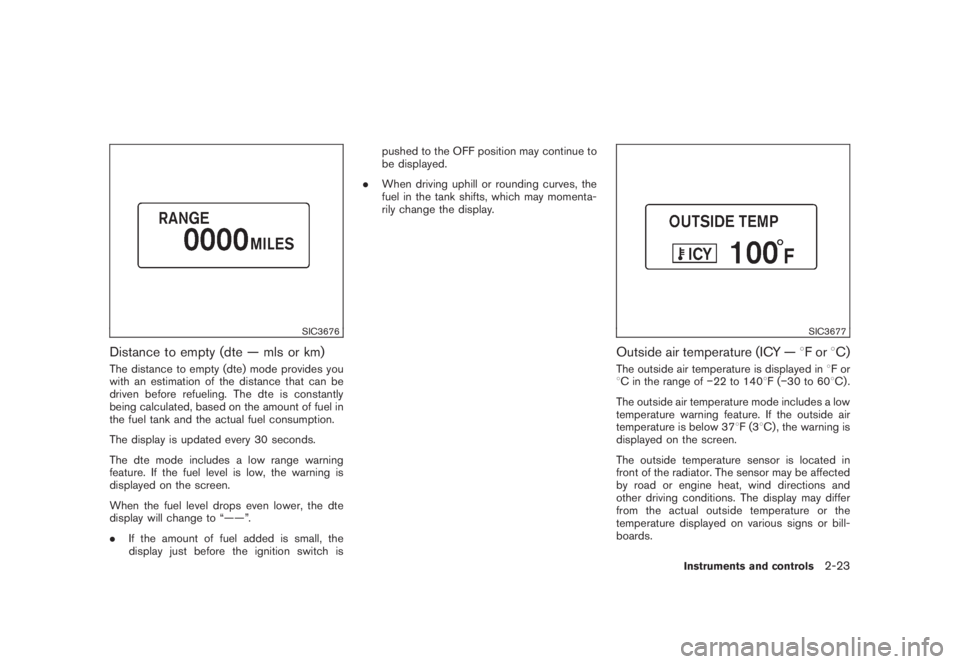
Distance to empty (dte — mls or km)The distance to empty (dte) mode provides you
with an estimation of the distance that can be
driven before refueling. The dte is constantly
being calculated, based on the amount of fuel in
the fuel tank and the actual fuel consumption.
The display is updated every 30 seconds.
The dte mode includes a low range warning
feature. If the fuel level is low, the warning is
displayed on the screen.
When the fuel level drops even lower, the dte
display will change to “——”.
.If the amount of fuel added is small, the
display just before the ignition switch ispushed to the OFF position may continue to
be displayed.
.When driving uphill or rounding curves, the
fuel in the tank shifts, which may momenta-
rily change the display.
SIC3677
Outside air temperature (ICY —8For8C)The outside air temperature is displayed in8For
8C in the range of22 to 1408F(30 to 608C) .
The outside air temperature mode includes a low
temperature warning feature. If the outside air
temperature is below 378F(38C) , the warning is
displayed on the screen.
The outside temperature sensor is located in
front of the radiator. The sensor may be affected
by road or engine heat, wind directions and
other driving conditions. The display may differ
from the actual outside temperature or the
temperature displayed on various signs or bill-
boards.
Instruments and controls
2-23
Page 97 of 444
Black plate (93,1)
Model "Z51-D" EDITED: 2008/ 6/ 26
SIC3679
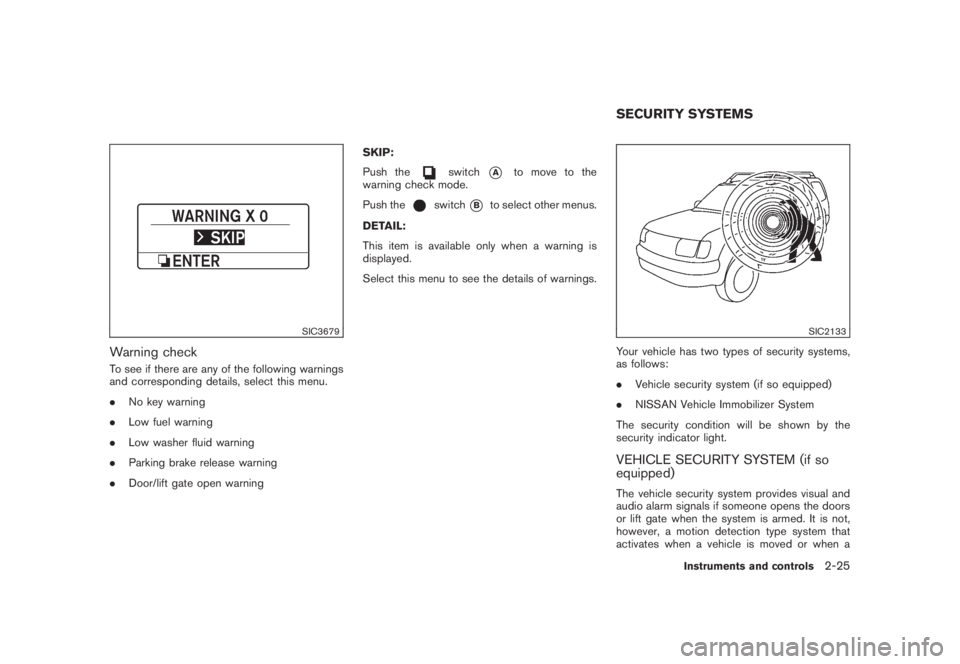
Warning checkTo see if there are any of the following warnings
and corresponding details, select this menu.
.No key warning
.Low fuel warning
.Low washer fluid warning
.Parking brake release warning
.Door/lift gate open warningSKIP:
Push the
switch
*A
to move to the
warning check mode.
Push the
switch
*B
to select other menus.
DETAIL:
This item is available only when a warning is
displayed.
Select this menu to see the details of warnings.
SIC2133
Your vehicle has two types of security systems,
as follows:
.Vehicle security system (if so equipped)
.NISSAN Vehicle Immobilizer System
The security condition will be shown by the
security indicator light.VEHICLE SECURITY SYSTEM (if so
equipped)The vehicle security system provides visual and
audio alarm signals if someone opens the doors
or lift gate when the system is armed. It is not,
however, a motion detection type system that
activates when a vehicle is moved or when aSECURITY SYSTEMS
Instruments and controls
2-25
Page 133 of 444
Black plate (10,1)
3 Pre-driving checks and adjustments
Model "Z51-D" EDITED: 2008/ 6/ 23
Keys ............................................................... 3-2
NISSAN Vehicle Immobilizer System keys............ 3-2
Intelligent Key system (if so equipped)................ 3-3
Mechanical key.............................................. 3-4
Valet hand-off................................................ 3-4
Doors.............................................................. 3-4
Locking with mechanical key............................. 3-5
Opening and closing windows with the
mechanical key.............................................. 3-5
Locking with inside lock knob........................... 3-5
Locking with power door lock switch.................. 3-6
Automatic door locks...................................... 3-6
Child safety rear door lock............................... 3-7
Intelligent Key system (if so equipped).................... 3-7
Intelligent Key operating range.......................... 3-9
Door locks/unlocks precaution.......................... 3-9
Intelligent Key operation................................. 3-10
Battery saver system..................................... 3-13
Warning signals........................................... 3-13
Troubleshooting guide................................... 3-14
Remote keyless entry system.............................. 3-15
How to use remote keyless entry system........... 3-16Hood............................................................ 3-18
Lift gate......................................................... 3-19
Operating manual lift gate.............................. 3-19
Operating power lift gate (if so equipped).......... 3-19
Auto closure............................................... 3-22
Lift gate release........................................... 3-23
Fuel-filler door................................................. 3-23
Opening fuel-filler door.................................. 3-23
Fuel-filler cap.............................................. 3-24
Tilting telescopic steering column........................ 3-25
Manual operation......................................... 3-25
Electric operation......................................... 3-26
Sun visors...................................................... 3-26
Mirrors........................................................... 3-27
Inside mirror................................................ 3-27
Outside mirrors............................................ 3-29
Vanity mirror................................................ 3-30
Automatic drive positioner (if so equipped)............. 3-30
Entry/exit function......................................... 3-30
Memory storage........................................... 3-31
System operation......................................... 3-32
Page 155 of 444
Black plate (153,1)
Model "Z51-D" EDITED: 2008/ 6/ 26
pinching, keep hands and fingers
away from lift gate opening.
.Do not let children operate the lift
gate.
SPA1915
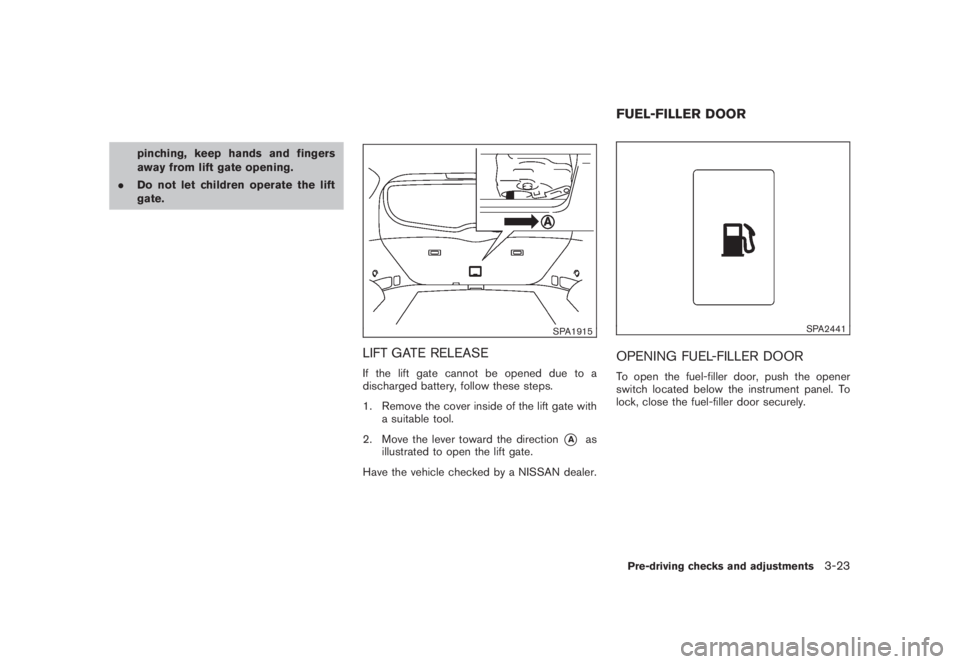
LIFT GATE RELEASEIf the lift gate cannot be opened due to a
discharged battery, follow these steps.
1. Remove the cover inside of the lift gate with
a suitable tool.
2. Move the lever toward the direction
*A
as
illustrated to open the lift gate.
Have the vehicle checked by a NISSAN dealer.
SPA2441
OPENING FUEL-FILLER DOORTo open the fuel-filler door, push the opener
switch located below the instrument panel. To
lock, close the fuel-filler door securely.FUEL-FILLER DOORPre-driving checks and adjustments
3-23
Page 156 of 444
Black plate (154,1)
Model "Z51-D" EDITED: 2008/ 6/ 26
FUEL-FILLER CAP
WARNING
.Gasoline is extremely flammable
and highly explosive under certain
conditions. You could be burned or
seriously injured if it is misused or
mishandled. Always stop engine
and do not smoke or allow open
flames or sparks near the vehicle
when refueling.
.Do not attempt to top off the fuel
tank after the fuel pump nozzle
shuts off automatically. Continued
refueling may cause fuel overflow,
resulting in fuel spray and possibly
a fire.
.Use only an original equipment type
fuel-filler cap as a replacement. It
has a built-in safety valve needed
for proper operation of the fuel
system and emission control sys-
tem. An incorrect cap can result in a
serious malfunction and possible
injury. It could also cause the mal-
function indicator light to come on.
.Never pour fuel into the throttle
body to attempt to start your vehi-cle.
.Do not fill a portable fuel container
in the vehicle or trailer. Static elec-
tricity can cause an explosion of
flammable liquid, vapor or gas in
any vehicle or trailer. To reduce the
risk of serious injury or death when
filling portable fuel containers:
— Always place the container on
the ground when filling.
— Do not use electronic devices
when filling.
— Keep the pump nozzle in contact
with the container while you are
filling it.
— Use only approved portable fuel
containers for flammable liquid.
CAUTION
.If fuel is spilled on the vehicle body,
flush it away with water to avoid
paint damage.
.Tighten until the fuel-filler cap
clicks. Failure to tighten the fuel-
filler cap properly may cause the
malfunction indicator light
(MIL) to illuminate. If the
lightilluminates because the fuel-filler
cap is loose or missing, tighten or
install the cap and continue to drive
the vehicle. The
light should
turn off after a few driving trips. If
the
light does not turn off after
a few driving trips, have the vehicle
inspected by a NISSAN dealer.
3-24
Pre-driving checks and adjustments
Page 157 of 444
Black plate (155,1)
Model "Z51-D" EDITED: 2008/ 6/ 26
SPA2442
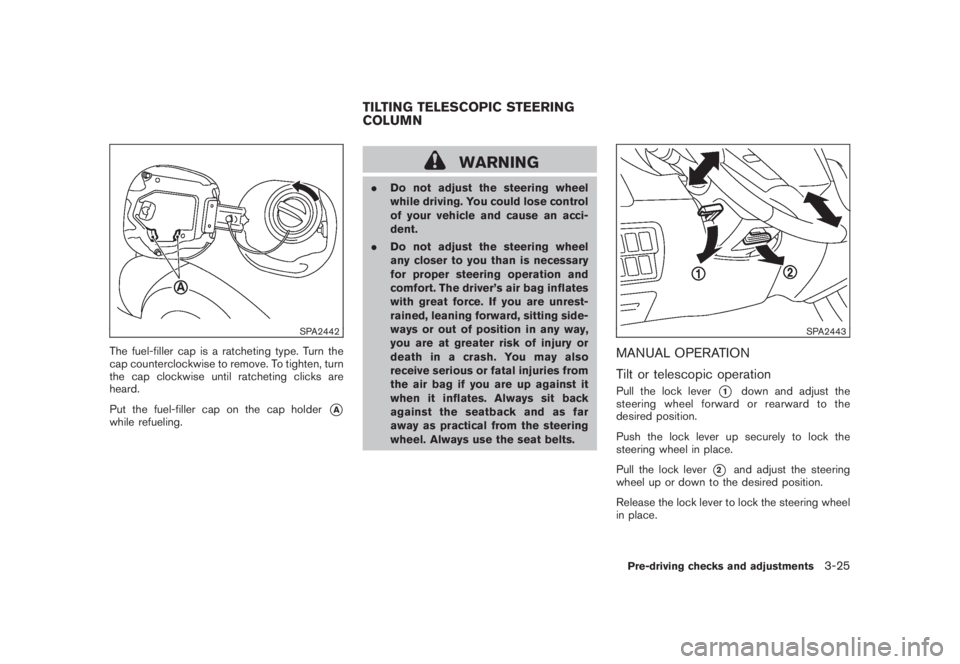
The fuel-filler cap is a ratcheting type. Turn the
cap counterclockwise to remove. To tighten, turn
the cap clockwise until ratcheting clicks are
heard.
Put the fuel-filler cap on the cap holder
*A
while refueling.
WARNING
.Do not adjust the steering wheel
while driving. You could lose control
of your vehicle and cause an acci-
dent.
.Do not adjust the steering wheel
any closer to you than is necessary
for proper steering operation and
comfort. The driver’s air bag inflates
with great force. If you are unrest-
rained, leaning forward, sitting side-
ways or out of position in any way,
you are at greater risk of injury or
death in a crash. You may also
receive serious or fatal injuries from
the air bag if you are up against it
when it inflates. Always sit back
against the seatback and as far
away as practical from the steering
wheel. Always use the seat belts.
SPA2443
MANUAL OPERATION
Tilt or telescopic operationPull the lock lever
*1
down and adjust the
steering wheel forward or rearward to the
desired position.
Push the lock lever up securely to lock the
steering wheel in place.
Pull the lock lever
*2
and adjust the steering
wheel up or down to the desired position.
Release the lock lever to lock the steering wheel
in place.
TILTING TELESCOPIC STEERING
COLUMN
Pre-driving checks and adjustments
3-25
Page 174 of 444
Black plate (170,1)
Model "Z51-D" EDITED: 2008/ 6/ 26
HOW TO USE STATUS BUTTONTo display the status of the audio, climate control
system, fuel consumption and navigation system
(if so equipped) , push theSTATUSbutton. The
following information will appear when the
STATUSbutton is pushed.
Audio?Audio and Climate control system?
Audio and fuel consumption?Audio and
Navigation system (if so equipped)?AudioHOW TO USE BRIGHTNESS CON-
TROL AND DISPLAY ON/OFF BUTTONPush the “
OFF” button to switch the
display brightness to the daytime mode or the
nighttime mode, and to adjust the display
brightness using the multi-function controller
while the indicator is displayed at the bottom of
the screen.
The display brightness can also be adjusted
using the brightness UP button (+) or bright-
ness DOWN button ().
Push the “OFF” button for more than 2
seconds to turn the display off. Push the button
again to turn the display on.
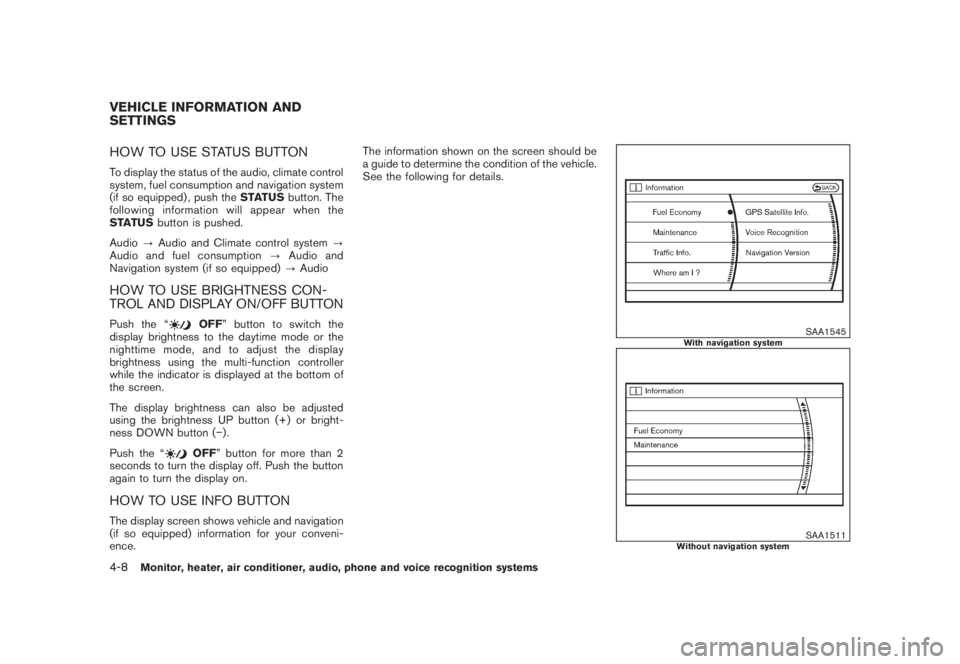
HOW TO USE INFO BUTTONThe display screen shows vehicle and navigation
(if so equipped) information for your conveni-
ence.The information shown on the screen should be
a guide to determine the condition of the vehicle.
See the following for details.
SAA1545
With navigation system
SAA1511
Without navigation system
VEHICLE INFORMATION AND
SETTINGS4-8
Monitor, heater, air conditioner, audio, phone and voice recognition systems