change wheel NISSAN MURANO 2008 User Guide
[x] Cancel search | Manufacturer: NISSAN, Model Year: 2008, Model line: MURANO, Model: NISSAN MURANO 2008Pages: 444, PDF Size: 6.09 MB
Page 278 of 444
Black plate (274,1)
Model "Z51-D" EDITED: 2008/ 6/ 26
commands. If the TALK
switch is pushed
before the initialization completes, the display
will show the message: “Phonetic data down-
loaded. Please wait.” or a beep sounds.
BEFORE STARTINGTo get the best recognition performance from
NISSAN Voice Recognition, observe the follow-
ing:
.The interior of the vehicle should be as quiet
as possible. Close the windows to eliminate
the surrounding noises (traffic noise and
vibration sounds, etc.) , which may prevent
the system from correctly recognizing the
voice commands.
.Wait until the tone sounds before speaking a
command.
.Speak in a natural conversational voice
without pausing between words.
.If the air conditioner is set to “Auto”, the fan
speed is automatically lowered so that your
commands can be recognized more easily.
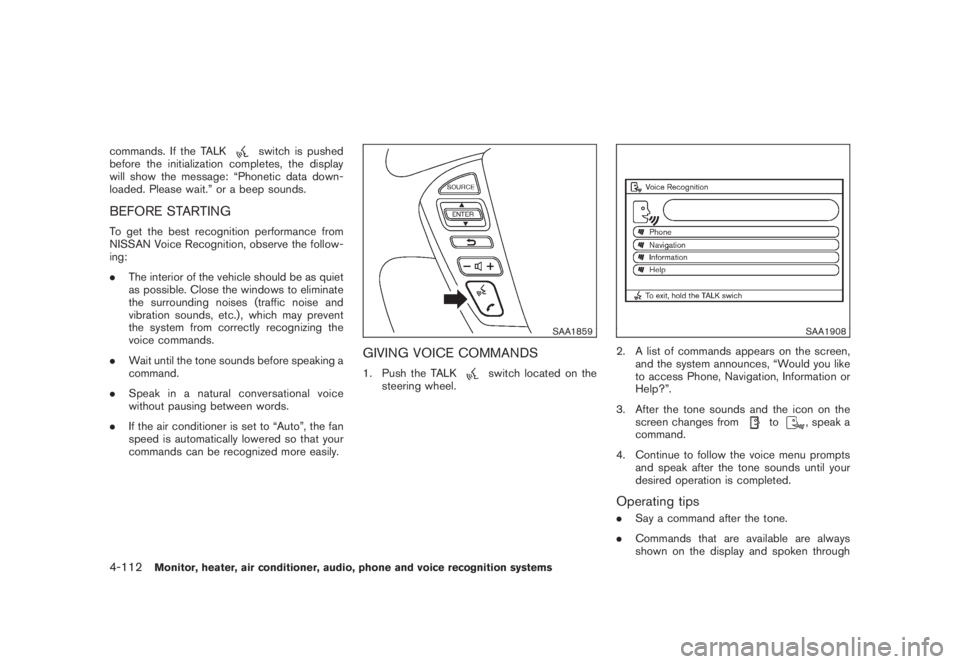
SAA1859
GIVING VOICE COMMANDS1. Push the TALK
switch located on the
steering wheel.
SAA1908
2. A list of commands appears on the screen,
and the system announces, “Would you like
to access Phone, Navigation, Information or
Help?”.
3. After the tone sounds and the icon on the
screen changes from
to
, speak a
command.
4. Continue to follow the voice menu prompts
and speak after the tone sounds until your
desired operation is completed.
Operating tips.Say a command after the tone.
.Commands that are available are always
shown on the display and spoken through
4-112
Monitor, heater, air conditioner, audio, phone and voice recognition systems
Page 293 of 444
Black plate (289,1)
Model "Z51-D" EDITED: 2008/ 6/ 26
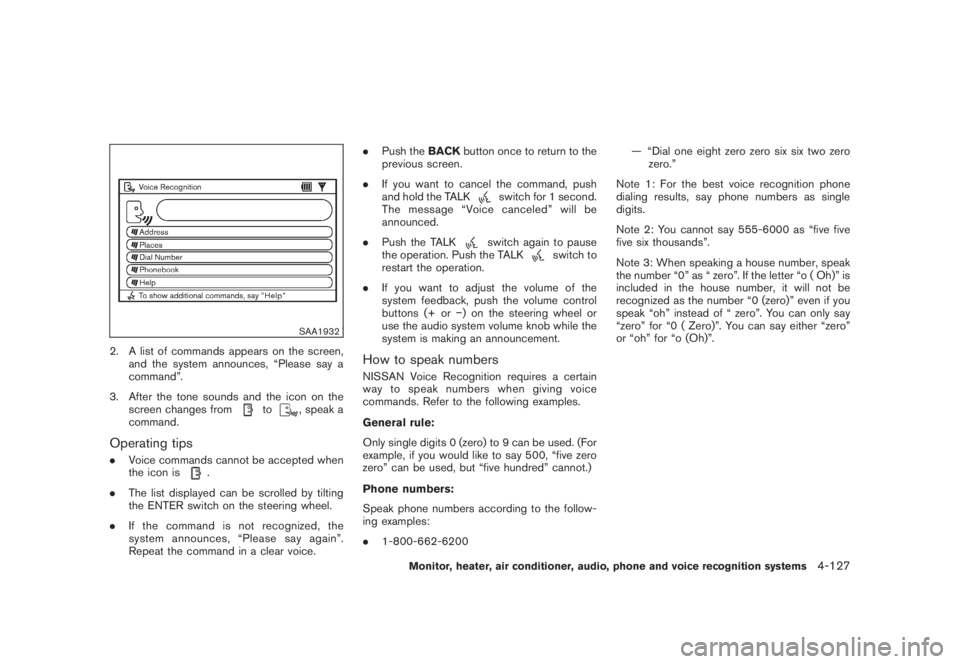
SAA1932
2. A list of commands appears on the screen,
and the system announces, “Please say a
command”.
3. After the tone sounds and the icon on the
screen changes from
to
, speak a
command.
Operating tips.Voice commands cannot be accepted when
the icon is
.
.The list displayed can be scrolled by tilting
the ENTER switch on the steering wheel.
.If the command is not recognized, the
system announces, “Please say again”.
Repeat the command in a clear voice..Push theBACKbutton once to return to the
previous screen.
.If you want to cancel the command, push
and hold the TALK
switch for 1 second.
The message “Voice canceled” will be
announced.
.Push the TALKswitch again to pause
the operation. Push the TALK
switch to
restart the operation.
.If you want to adjust the volume of the
system feedback, push the volume control
buttons (+ or) on the steering wheel or
use the audio system volume knob while the
system is making an announcement.
How to speak numbersNISSAN Voice Recognition requires a certain
way to speak numbers when giving voice
commands. Refer to the following examples.
General rule:
Only single digits 0 (zero) to 9 can be used. (For
example, if you would like to say 500, “five zero
zero” can be used, but “five hundred” cannot.)
Phone numbers:
Speak phone numbers according to the follow-
ing examples:
.1-800-662-6200— “Dial one eight zero zero six six two zero
zero.”
Note 1: For the best voice recognition phone
dialing results, say phone numbers as single
digits.
Note 2: You cannot say 555-6000 as “five five
five six thousands”.
Note 3: When speaking a house number, speak
the number “0” as “ zero”. If the letter “o ( Oh)” is
included in the house number, it will not be
recognized as the number “0 (zero)” even if you
speak “oh” instead of “ zero”. You can only say
“zero” for “0 ( Zero)”. You can say either “zero”
or “oh” for “o (Oh)”.
Monitor, heater, air conditioner, audio, phone and voice recognition systems
4-127
Page 308 of 444
Black plate (304,1)
Model "Z51-D" EDITED: 2008/ 6/ 26
possible. Close the windows to eliminate the
surrounding noises (traffic noises, vibration
sounds, etc.) , which may prevent the system
from recognizing the voice commands cor-
rectly.
.When the climate control is in the AUTO
mode, the fan speed decreases automati-
cally for easy recognition.
.Wait until a tone sounds before speaking a
command.
.Speak in a natural voice without pausing
between words.
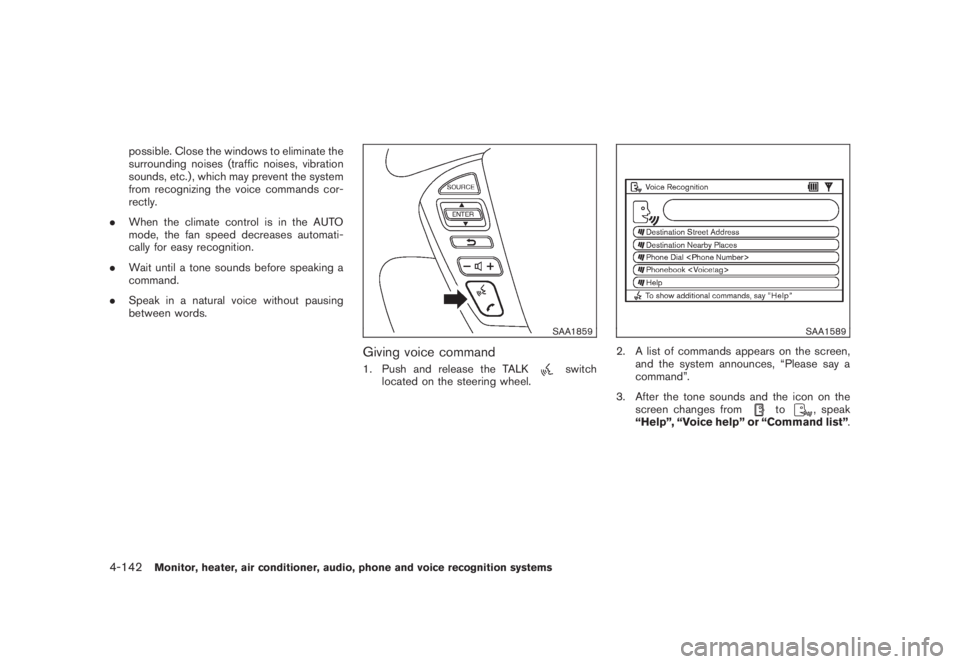
SAA1859
Giving voice command1. Push and release the TALK
switch
located on the steering wheel.
SAA1589
2. A list of commands appears on the screen,
and the system announces, “Please say a
command”.
3. After the tone sounds and the icon on the
screen changes from
to
, speak
“Help”, “Voice help” or “Command list”.
4-142
Monitor, heater, air conditioner, audio, phone and voice recognition systems
Page 320 of 444
Black plate (318,1)
Model "Z51-D" EDITED: 2008/ 6/ 26
OFF-ROAD RECOVERYWhile driving, the right side or left side wheels
may unintentionally leave the road surface. If this
occurs, maintain control of the vehicle by
following the procedure below. Please note that
this procedure is only a general guide. The
vehicle must be driven as appropriate based on
the conditions of the vehicle, road and traffic.
1. Remain calm and do not overreact.
2. Do not apply the brakes.
3. Maintain a firm grip on the steering wheel
with both hands and try to hold a straight
course.
4. When appropriate, slowly release the accel-
erator pedal to gradually slow the vehicle.
5. If there is nothing in the way, steer the
vehicle to follow the road while the vehicle
speed is reduced. Do not attempt to drive
the vehicle back onto the road surface until
vehicle speed is reduced.
6. When it is safe to do so, gradually turn the
steering wheel until both tires return to the
road surface. When all tires are on the road
surface, steer the vehicle to stay in the
appropriate driving lane.
.If you decide that it is not safe to return
the vehicle to the road surface based on
vehicle, road or traffic conditions, gra-dually slow the vehicle to a stop in a safe
place off the road.
RAPID AIR PRESSURE LOSSRapid air pressure loss or a “blow-out” can
occur if the tire is punctured or is damaged due
to hitting a curb or pothole. Rapid air pressure
loss can also be caused by driving on under-
inflated tires.
Rapid air pressure loss can affect the handling
and stability of the vehicle, especially at highway
speeds.
Help prevent rapid air pressure loss by main-
taining the correct air pressure and visually
inspect the tires for wear and damage. See
“WHEELS AND TIRES” in the “8. Maintenance
and do-it-yourself” section of this manual.
If a tire rapidly loses air pressure or “blows-out”
while driving maintain control of the vehicle by
following the procedure below. Please note that
this procedure is only a general guide. The
vehicle must be driven as appropriate based on
the conditions of the vehicle, road and traffic.
WARNING
The following actions can increase the
chance of losing control of the vehicle if
there is a sudden loss of tire air
pressure. Losing control of the vehiclemay cause a collision and result in
personal injury.
.The vehicle generally moves or pulls
in the direction of the flat tire.
.Do not rapidly apply the brakes.
.Do not rapidly release the accelera-
tor pedal.
.Do not rapidly turn the steering
wheel.
1. Remain calm and do not overreact.
2. Maintain a firm grip on the steering wheel
with both hands and try to hold a straight
course.
3. When appropriate, slowly release the accel-
erator pedal to gradually slow the vehicle.
4. Gradually steer the vehicle to a safe location
off the road and away from traffic if possible.
5. Lightly apply the brake pedal to gradually
stop the vehicle.
6. Turn on the hazard warning flashers and
either contact a roadside emergency service
to change the tire or see “CHANGING A
FLAT TIRE” in the “6. In case of emergency”
section of this Owner’s Manual.
5-6
Starting and driving
Page 325 of 444
Black plate (323,1)
Model "Z51-D" EDITED: 2008/ 6/ 26
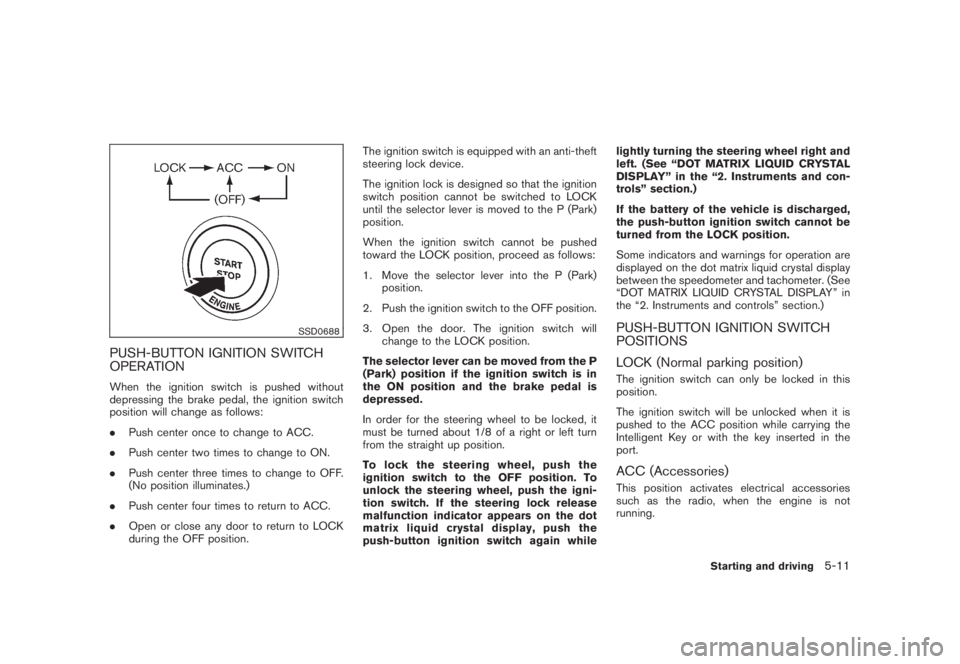
SSD0688
PUSH-BUTTON IGNITION SWITCH
OPERATIONWhen the ignition switch is pushed without
depressing the brake pedal, the ignition switch
position will change as follows:
.Push center once to change to ACC.
.Push center two times to change to ON.
.Push center three times to change to OFF.
(No position illuminates.)
.Push center four times to return to ACC.
.Open or close any door to return to LOCK
during the OFF position.The ignition switch is equipped with an anti-theft
steering lock device.
The ignition lock is designed so that the ignition
switch position cannot be switched to LOCK
until the selector lever is moved to the P (Park)
position.
When the ignition switch cannot be pushed
toward the LOCK position, proceed as follows:
1. Move the selector lever into the P (Park)
position.
2. Push the ignition switch to the OFF position.
3. Open the door. The ignition switch will
change to the LOCK position.
The selector lever can be moved from the P
(Park) position if the ignition switch is in
the ON position and the brake pedal is
depressed.
In order for the steering wheel to be locked, it
must be turned about 1/8 of a right or left turn
from the straight up position.
To lock the steering wheel, push the
ignition switch to the OFF position. To
unlock the steering wheel, push the igni-
tion switch. If the steering lock release
malfunction indicator appears on the dot
matrix liquid crystal display, push the
push-button ignition switch again whilelightly turning the steering wheel right and
left. (See “DOT MATRIX LIQUID CRYSTAL
DISPLAY” in the “2. Instruments and con-
trols” section.)
If the battery of the vehicle is discharged,
the push-button ignition switch cannot be
turned from the LOCK position.
Some indicators and warnings for operation are
displayed on the dot matrix liquid crystal display
between the speedometer and tachometer. (See
“DOT MATRIX LIQUID CRYSTAL DISPLAY” in
the “2. Instruments and controls” section.)
PUSH-BUTTON IGNITION SWITCH
POSITIONS
LOCK (Normal parking position)The ignition switch can only be locked in this
position.
The ignition switch will be unlocked when it is
pushed to the ACC position while carrying the
Intelligent Key or with the key inserted in the
port.ACC (Accessories)This position activates electrical accessories
such as the radio, when the engine is not
running.
Starting and driving
5-11
Page 336 of 444
Black plate (334,1)
Model "Z51-D" EDITED: 2008/ 6/ 26
WARNING
.For AWD equipped vehicles, do not
attempt to raise two wheels off the
ground and shift the transmission to
any drive or reverse position with
the engine running. Doing so may
result in drivetrain damage or un-
expected vehicle movement which
could result in serious vehicle da-
mage or personal injury.
.Do not attempt to test an AWD
equipped vehicle on a 2-wheel dy-
namometer (such as the dynam-
ometers used by some states for
emissions testing) or similar equip-
ment even if the other two wheels
are raised off the ground. Make sure
that you inform the test facility
personnel that your vehicle is
equipped with AWD before it is
placed on a dynamometer. Using
the wrong test equipment may re-
sult in drivetrain damage or unex-
pected vehicle movement which
could result in serious vehicle da-
mage or personal injury.
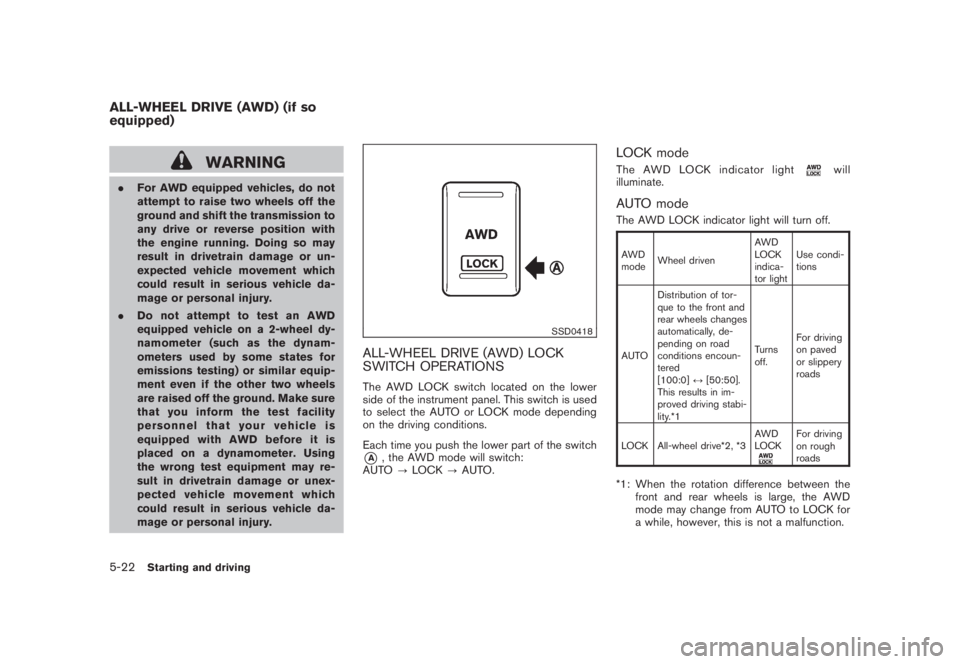
SSD0418
ALL-WHEEL DRIVE (AWD) LOCK
SWITCH OPERATIONSThe AWD LOCK switch located on the lower
side of the instrument panel. This switch is used
to select the AUTO or LOCK mode depending
on the driving conditions.
Each time you push the lower part of the switch*A
, the AWD mode will switch:
AUTO?LOCK?AUTO.
LOCK modeThe AWD LOCK indicator light
will
illuminate.
AUTO modeThe AWD LOCK indicator light will turn off.AWD
modeWheel drivenAWD
LOCK
indica-
tor lightUse condi-
tions
AUTODistribution of tor-
que to the front and
rear wheels changes
automatically, de-
pending on road
conditions encoun-
tered
[100:0]↔[50:50].
This results in im-
proved driving stabi-
lity.*1Turns
off.For driving
on paved
or slippery
roads
LOCK All-wheel drive*2, *3AWD
LOCK
For driving
on rough
roads
*1: When the rotation difference between the
front and rear wheels is large, the AWD
mode may change from AUTO to LOCK for
a while, however, this is not a malfunction.
ALL-WHEEL DRIVE (AWD) (if so
equipped)5-22
Starting and driving
Page 337 of 444
Black plate (335,1)
Model "Z51-D" EDITED: 2008/ 6/ 26
*2: LOCK mode will change to AUTO mode
automatically when the vehicle has been
driven at a high speed. The AWD LOCK
indicator light turns off.
*3: LOCK mode will automatically be cancelled
when the ignition switch is turned to the OFF
position.
.If the AWD LOCK switch is operated while
accelerating or decelerating, or if the ignition
switch is turned off, you may feel a jolt. This
is normal.
.The oil temperature of power train parts will
increase if the vehicle is continuously
operated under conditions where the differ-
ence in rotation between the front and rear
wheels is large (wheel slip) , such as when
driving the vehicle on rough roads through
sand, mud or freeing a stuck vehicle. In
these cases, the AWD warning light blinks
rapidly and the AWD mode changes to
2WD to protect the powertrain parts. If you
stop driving with the engine idling and wait
until the warning light stops blinking, the
AWD returns to the AUTO mode.
WARNING
.When driving straight, shift the AWD
LOCK switch to AUTO. Do not oper-
ate the AWD LOCK switch when
making a turn or backing up.
.Do not operate the AWD LOCK
switch with the front wheel spin-
ning.
.Engine idling speed is high while
warming up the engine. Be espe-
cially careful when starting or driv-
ing on slippery surfaces.
.When turning the vehicle in LOCK
mode on paved roads, you may feel
a braking effect. This is a normal
condition of the AWD model.
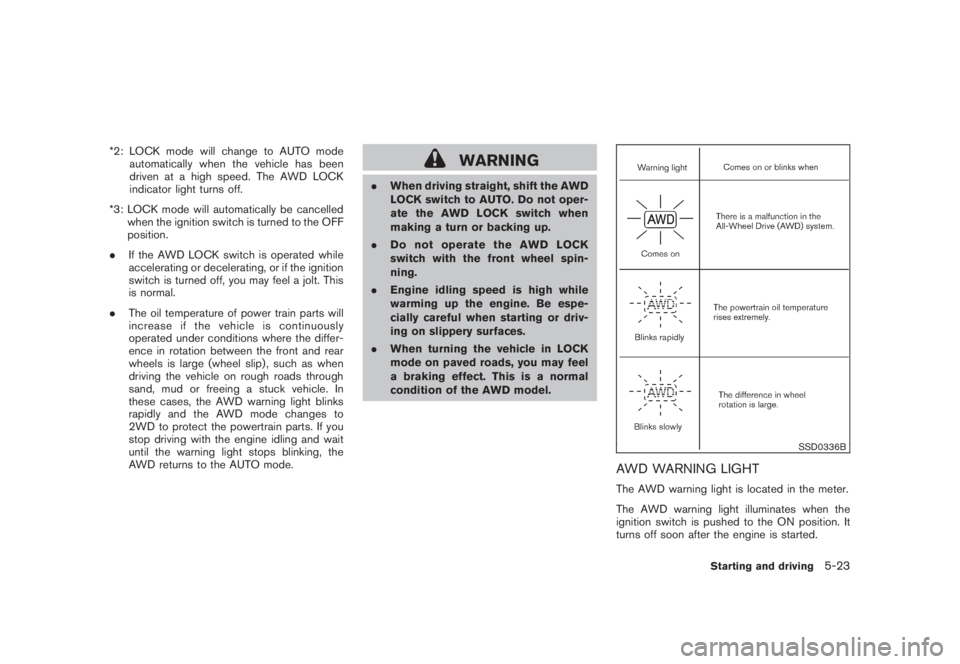
SSD0336B
AWD WARNING LIGHTThe AWD warning light is located in the meter.
The AWD warning light illuminates when the
ignition switch is pushed to the ON position. It
turns off soon after the engine is started.
Starting and driving
5-23
Page 338 of 444
Black plate (336,1)
Model "Z51-D" EDITED: 2008/ 6/ 26
If any malfunction occurs in the AWD system
while the engine is running, the warning light will
come on.
The warning light may blink rapidly (about twice
per second) while trying to free a stuck vehicle
due to high powertrain oil temperature. The
driving mode may change to 2WD. AUTO mode
may change to LOCK mode before the warning
light blinks. If the warning light blinks rapidly
during operation, stop the vehicle with the
engine idling in a safe place immediately. Then
if the light turns off after a while, you can
continue driving.
A large difference between the diameters of
front and rear wheels will make the warning light
blink slowly (about once per two seconds) . Pull
off the road in a safe area, and idle the engine.
Check that all tire sizes are the same, tire
pressure is correct and tires are not worn.
CAUTION
.If the warning light remains on after
the above operation, have your
vehicle checked by a NISSAN dealer
as soon as possible.
.If the warning light comes on while
driving there may be a malfunction
in the AWD system. Reduce the
vehicle speed and have your vehiclechecked by a NISSAN dealer as
soon as possible.
.The powertrain may be damaged if
you continue driving with the warn-
ing light blinking rapidly.
.Never drive on dry hard surface
roads in the LOCK mode, as this
will overload the powertrain and
may cause a serious malfunction.5-24
Starting and driving
Page 348 of 444
Black plate (346,1)
Model "Z51-D" EDITED: 2008/ 6/ 26
TIRE PRESSURE MONITORING SYS-
TEM (TPMS)This vehicle is equipped with the Tire Pressure
Monitoring System (TPMS) . It monitors tire
pressure of all tires except the spare. When
the low tire pressure warning light is lit, one or
more of your tires is significantly under-inflated.
If the vehicle is being driven with low tire
pressure, the TPMS will activate and warn you
of it by the low tire pressure warning light. This
system will activate only when the vehicle is
driven at speeds above 16 MPH (25 km/h) . For
more details, see “WARNING/INDICATOR
LIGHTS AND AUDIBLE REMINDERS” in the
“2. Instruments and controls” section and “TIRE
PRESSURE MONITORING SYSTEM (TPMS)”
in the “5. Starting and driving” section.
WARNING
.If the low tire pressure warning light
illuminates while driving, avoid sud-
den steering maneuvers or abrupt
braking, reduce vehicle speed, pull
off the road to a safe location and
stop the vehicle as soon as possi-
ble. Driving with under-inflated tires
may permanently damage the tires
and increase the likelihood of tire
failure. Serious vehicle damagecould occur and may lead to an
accident and could result in serious
personal injury. Check the tire pres-
sure for all four tires. Adjust the tire
pressure to the recommended COLD
tire pressure shown on the Tire and
Loading Information label to turn
the low tire pressure warning light
OFF. If you have a flat tire, replace it
with a spare tire as soon as possi-
ble.
.When a spare tire is mounted or a
wheel is replaced, the TPMS will not
function and the low tire pressure
warning light will flash for approxi-
mately 1 minute. The light will
remain on after 1 minute. Contact
your NISSAN dealer as soon as
possible for tire replacement and/
or system resetting.
.Replacing tires with those not ori-
ginally specified by NISSAN could
affect the proper operation of the
TPMS.
.Do not inject any tire liquid or
aerosol tire sealant into the tires,
as this may cause a malfunction of
the tire pressure sensors.
CHANGING A FLAT TIREIf you have a flat tire, follow the instructions
below.Stopping the vehicle1. Safely move the vehicle off the road and
away from traffic.
2. Turn on the hazard warning flashers.
3. Park on a level surface and apply the parking
brake. Move the selector lever to the P
(Park) position.
4. Turn off the engine.
5. Raise the hood to warn other traffic, and to
signal professional road assistance person-
nel that you need assistance.
6. Have all passengers get out of the vehicle
and stand in a safe place, away from traffic
and clear of the vehicle.
WARNING
.Make sure the parking brake is
securely applied and the transmis-
sion is shifted into the P (Park)
position.
.Never change tires when the vehicle
is on a slope, ice or slippery areas.
This is hazardous.
FLAT TIRE6-2
In case of emergency
Page 349 of 444
Black plate (347,1)
Model "Z51-D" EDITED: 2008/ 6/ 26
.Never change tires if oncoming
traffic is close to your vehicle. Wait
for professional road assistance.
MCE0001A
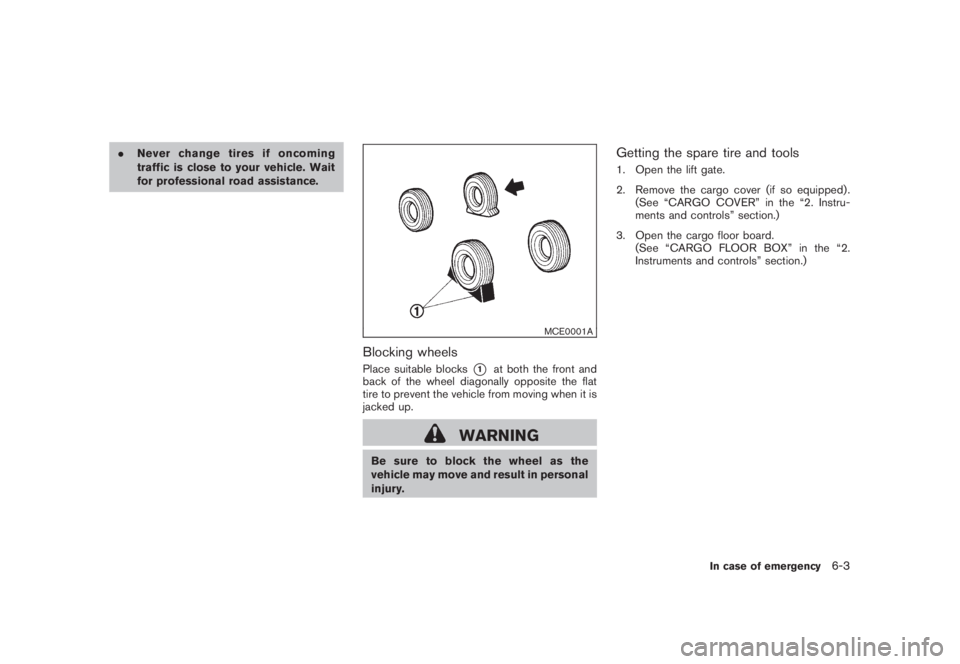
Blocking wheelsPlace suitable blocks
*1
at both the front and
back of the wheel diagonally opposite the flat
tire to prevent the vehicle from moving when it is
jacked up.
WARNING
Be sure to block the wheel as the
vehicle may move and result in personal
injury.
Getting the spare tire and tools1. Open the lift gate.
2. Remove the cargo cover (if so equipped) .
(See “CARGO COVER” in the “2. Instru-
ments and controls” section.)
3. Open the cargo floor board.
(See “CARGO FLOOR BOX” in the “2.
Instruments and controls” section.)
In case of emergency
6-3