seat adjustment NISSAN MURANO 2008 User Guide
[x] Cancel search | Manufacturer: NISSAN, Model Year: 2008, Model line: MURANO, Model: NISSAN MURANO 2008Pages: 444, PDF Size: 6.09 MB
Page 54 of 444
Black plate (51,1)
Model "Z51-D" EDITED: 2008/ 6/ 26
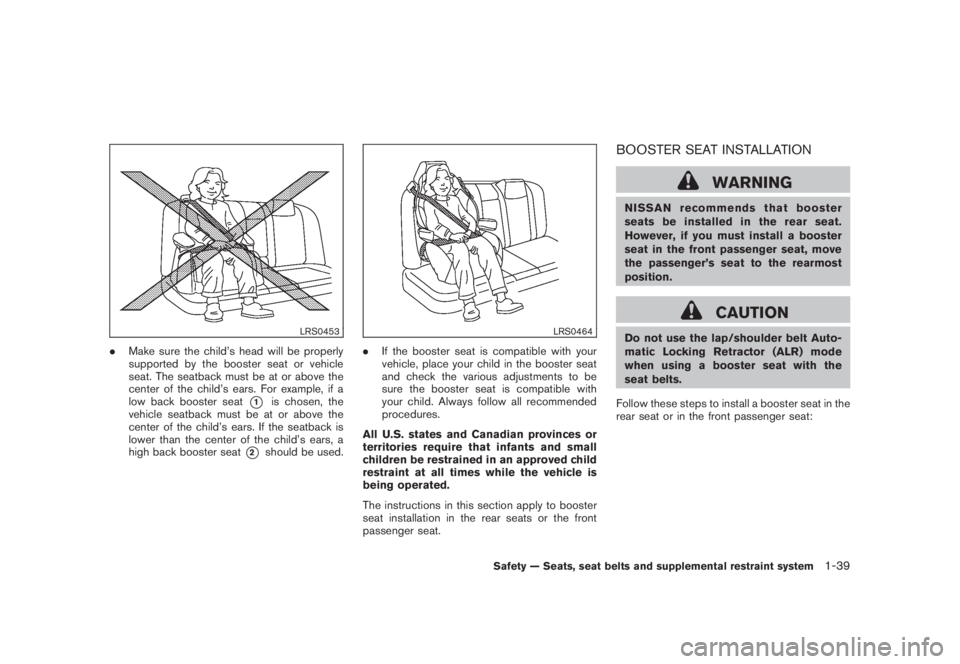
LRS0453
.Make sure the child’s head will be properly
supported by the booster seat or vehicle
seat. The seatback must be at or above the
center of the child’s ears. For example, if a
low back booster seat
*1
is chosen, the
vehicle seatback must be at or above the
center of the child’s ears. If the seatback is
lower than the center of the child’s ears, a
high back booster seat
*2
should be used.
LRS0464
.If the booster seat is compatible with your
vehicle, place your child in the booster seat
and check the various adjustments to be
sure the booster seat is compatible with
your child. Always follow all recommended
procedures.
All U.S. states and Canadian provinces or
territories require that infants and small
children be restrained in an approved child
restraint at all times while the vehicle is
being operated.
The instructions in this section apply to booster
seat installation in the rear seats or the front
passenger seat.
BOOSTER SEAT INSTALLATION
WARNING
NISSAN recommends that booster
seats be installed in the rear seat.
However, if you must install a booster
seat in the front passenger seat, move
the passenger’s seat to the rearmost
position.
CAUTION
Do not use the lap/shoulder belt Auto-
matic Locking Retractor (ALR) mode
when using a booster seat with the
seat belts.
Follow these steps to install a booster seat in the
rear seat or in the front passenger seat:
Safety — Seats, seat belts and supplemental restraint system
1-39
Page 89 of 444
Black plate (85,1)
Model "Z51-D" EDITED: 2008/ 6/ 26
AUDIBLE REMINDERS
Key reminder chimeA chime will sound if the driver side door is
opened while the ignition switch is pushed to
the ACC position or pushed to the OFF or
LOCK position with the key left in the key port.
Make sure the ignition switch is pushed to the
OFF position, and take the Intelligent Key with
you when leaving the vehicle.Light reminder chimeA chime will sound when the driver side door is
opened with the light switch in the
or
position and the ignition switch in the ACC
or OFF position.
Turn the light switch off when you leave the
vehicle.
Parking brake reminder chimeThe chime will sound if the vehicle is driven with
the parking brake applied. Stop the vehicle and
release the parking brake.Seat belt warning chimeThe chime will sound for about 6 seconds
unless the driver’s seat belt is securely fastened.Brake pad wear warningThe disc brake pads have audible wear warn-
ings. When a brake pad requires replacement, it
will make a high pitched scraping sound whenthe vehicle is in motion whether or not the brake
pedal is depressed. Have the brakes checked as
soon as possible if the warning sound is heard.
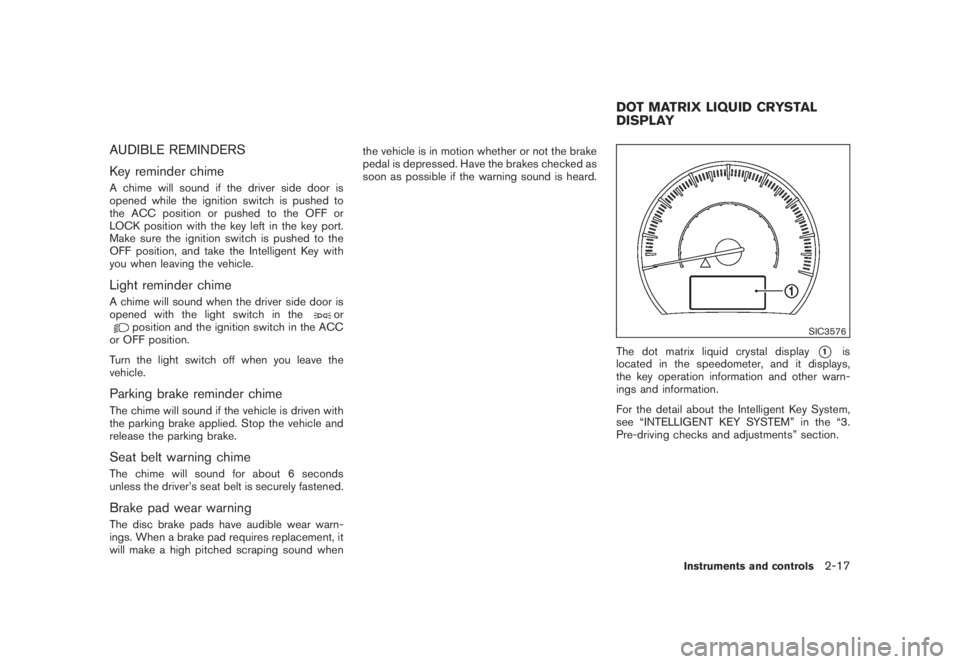
SIC3576
The dot matrix liquid crystal display
*1
is
located in the speedometer, and it displays,
the key operation information and other warn-
ings and information.
For the detail about the Intelligent Key System,
see “INTELLIGENT KEY SYSTEM” in the “3.
Pre-driving checks and adjustments” section.
DOT MATRIX LIQUID CRYSTAL
DISPLAY
Instruments and controls
2-17
Page 136 of 444
Black plate (134,1)
Model "Z51-D" EDITED: 2008/ 6/ 26
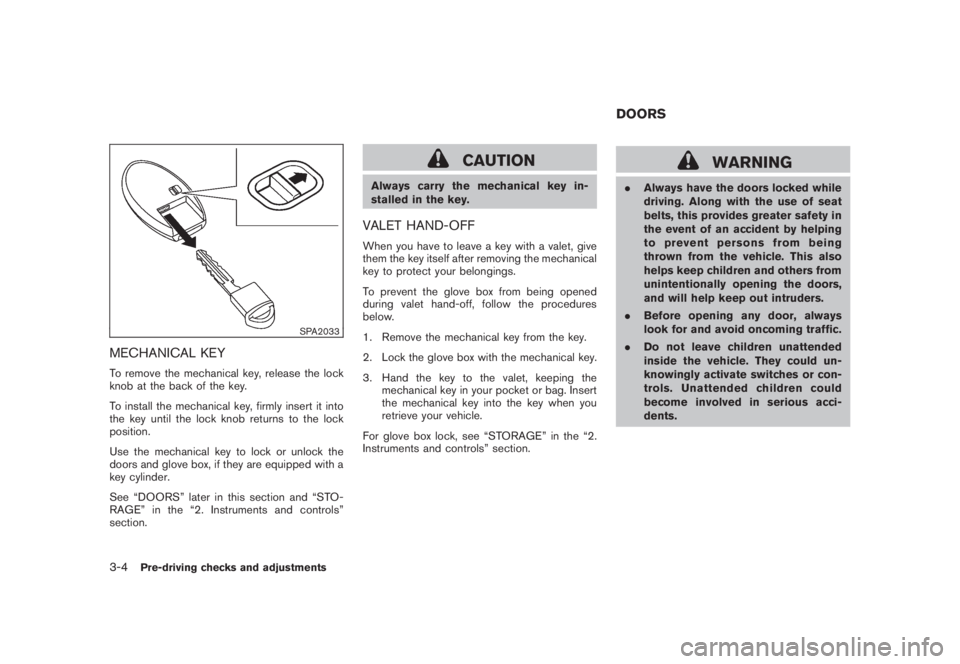
SPA2033
MECHANICAL KEYTo remove the mechanical key, release the lock
knob at the back of the key.
To install the mechanical key, firmly insert it into
the key until the lock knob returns to the lock
position.
Use the mechanical key to lock or unlock the
doors and glove box, if they are equipped with a
key cylinder.
See “DOORS” later in this section and “STO-
RAGE” in the “2. Instruments and controls”
section.
CAUTION
Always carry the mechanical key in-
stalled in the key.VALET HAND-OFFWhen you have to leave a key with a valet, give
them the key itself after removing the mechanical
key to protect your belongings.
To prevent the glove box from being opened
during valet hand-off, follow the procedures
below.
1. Remove the mechanical key from the key.
2. Lock the glove box with the mechanical key.
3. Hand the key to the valet, keeping the
mechanical key in your pocket or bag. Insert
the mechanical key into the key when you
retrieve your vehicle.
For glove box lock, see “STORAGE” in the “2.
Instruments and controls” section.
WARNING
.Always have the doors locked while
driving. Along with the use of seat
belts, this provides greater safety in
the event of an accident by helping
to prevent persons from being
thrown from the vehicle. This also
helps keep children and others from
unintentionally opening the doors,
and will help keep out intruders.
.Before opening any door, always
look for and avoid oncoming traffic.
.Do not leave children unattended
inside the vehicle. They could un-
knowingly activate switches or con-
trols. Unattended children could
become involved in serious acci-
dents.DOORS
3-4
Pre-driving checks and adjustments
Page 157 of 444
Black plate (155,1)
Model "Z51-D" EDITED: 2008/ 6/ 26
SPA2442
The fuel-filler cap is a ratcheting type. Turn the
cap counterclockwise to remove. To tighten, turn
the cap clockwise until ratcheting clicks are
heard.
Put the fuel-filler cap on the cap holder
*A
while refueling.
WARNING
.Do not adjust the steering wheel
while driving. You could lose control
of your vehicle and cause an acci-
dent.
.Do not adjust the steering wheel
any closer to you than is necessary
for proper steering operation and
comfort. The driver’s air bag inflates
with great force. If you are unrest-
rained, leaning forward, sitting side-
ways or out of position in any way,
you are at greater risk of injury or
death in a crash. You may also
receive serious or fatal injuries from
the air bag if you are up against it
when it inflates. Always sit back
against the seatback and as far
away as practical from the steering
wheel. Always use the seat belts.
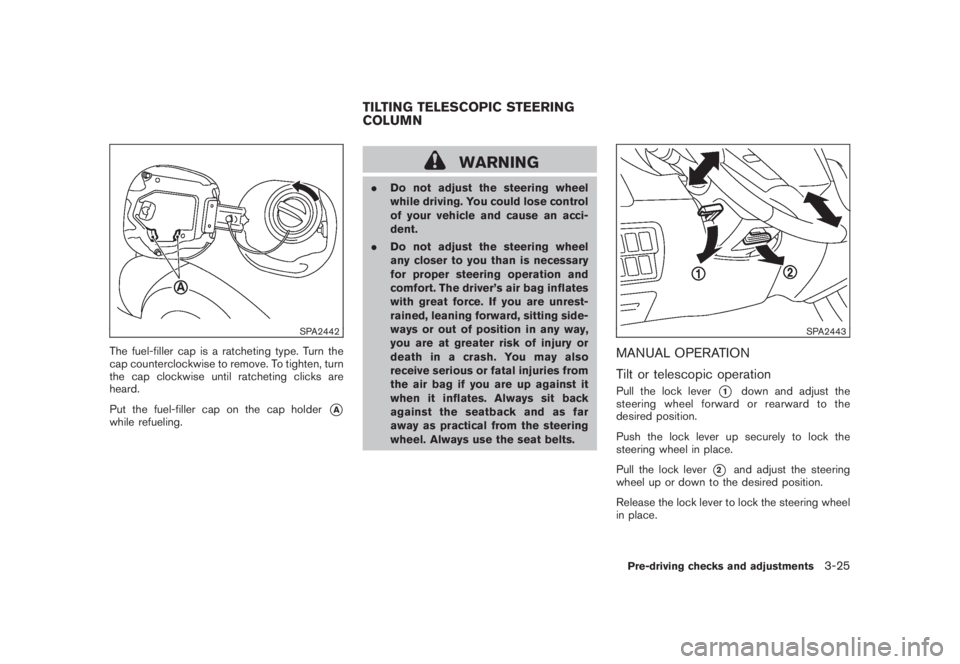
SPA2443
MANUAL OPERATION
Tilt or telescopic operationPull the lock lever
*1
down and adjust the
steering wheel forward or rearward to the
desired position.
Push the lock lever up securely to lock the
steering wheel in place.
Pull the lock lever
*2
and adjust the steering
wheel up or down to the desired position.
Release the lock lever to lock the steering wheel
in place.
TILTING TELESCOPIC STEERING
COLUMN
Pre-driving checks and adjustments
3-25
Page 158 of 444
Black plate (156,1)
Model "Z51-D" EDITED: 2008/ 6/ 26
SPA2444A
ELECTRIC OPERATION
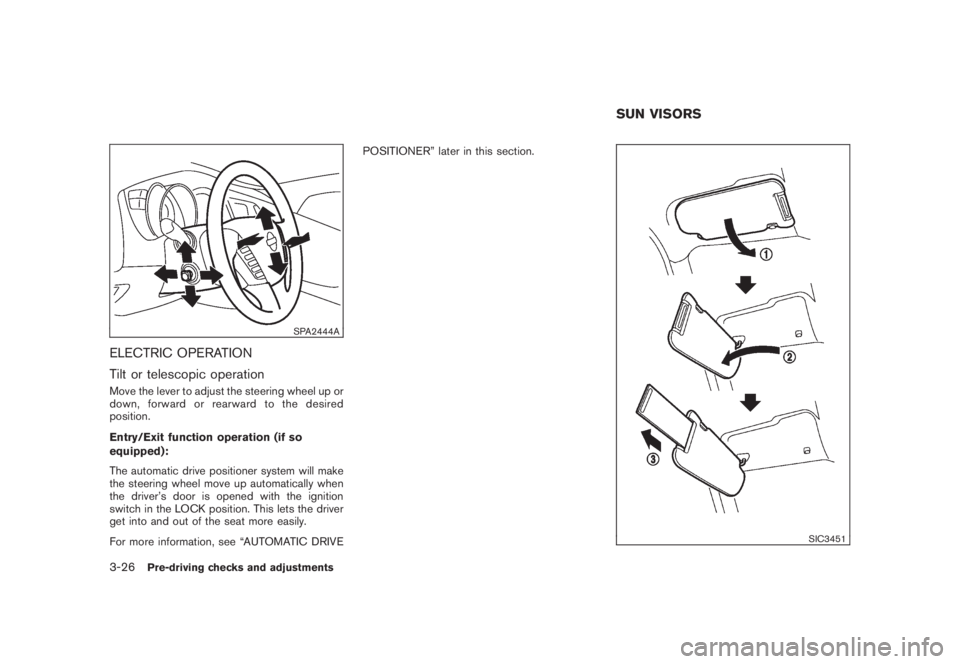
Tilt or telescopic operationMove the lever to adjust the steering wheel up or
down, forward or rearward to the desired
position.
Entry/Exit function operation (if so
equipped):
The automatic drive positioner system will make
the steering wheel move up automatically when
the driver’s door is opened with the ignition
switch in the LOCK position. This lets the driver
get into and out of the seat more easily.
For more information, see “AUTOMATIC DRIVEPOSITIONER” later in this section.
SIC3451
SUN VISORS
3-26
Pre-driving checks and adjustments
Page 162 of 444
Black plate (160,1)
Model "Z51-D" EDITED: 2008/ 6/ 26
SIC2064
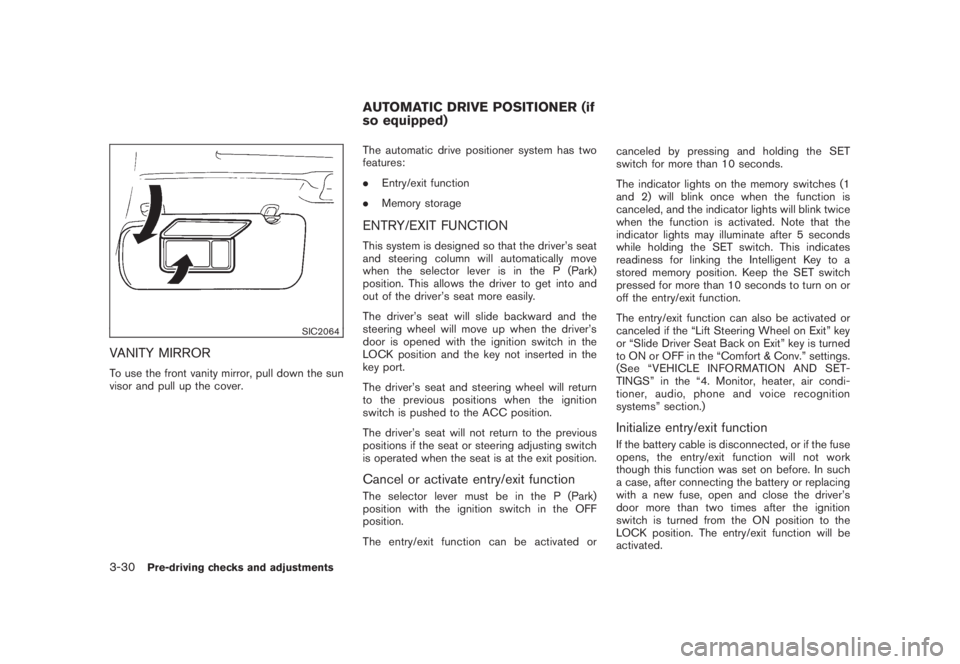
VANITY MIRRORTo use the front vanity mirror, pull down the sun
visor and pull up the cover.The automatic drive positioner system has two
features:
.Entry/exit function
.Memory storage
ENTRY/EXIT FUNCTIONThis system is designed so that the driver’s seat
and steering column will automatically move
when the selector lever is in the P (Park)
position. This allows the driver to get into and
out of the driver’s seat more easily.
The driver’s seat will slide backward and the
steering wheel will move up when the driver’s
door is opened with the ignition switch in the
LOCK position and the key not inserted in the
key port.
The driver’s seat and steering wheel will return
to the previous positions when the ignition
switch is pushed to the ACC position.
The driver’s seat will not return to the previous
positions if the seat or steering adjusting switch
is operated when the seat is at the exit position.Cancel or activate entry/exit functionThe selector lever must be in the P (Park)
position with the ignition switch in the OFF
position.
The entry/exit function can be activated orcanceled by pressing and holding the SET
switch for more than 10 seconds.
The indicator lights on the memory switches (1
and 2) will blink once when the function is
canceled, and the indicator lights will blink twice
when the function is activated. Note that the
indicator lights may illuminate after 5 seconds
while holding the SET switch. This indicates
readiness for linking the Intelligent Key to a
stored memory position. Keep the SET switch
pressed for more than 10 seconds to turn on or
off the entry/exit function.
The entry/exit function can also be activated or
canceled if the “Lift Steering Wheel on Exit” key
or “Slide Driver Seat Back on Exit” key is turned
to ON or OFF in the “Comfort & Conv.” settings.
(See “VEHICLE INFORMATION AND SET-
TINGS” in the “4. Monitor, heater, air condi-
tioner, audio, phone and voice recognition
systems” section.)
Initialize entry/exit functionIf the battery cable is disconnected, or if the fuse
opens, the entry/exit function will not work
though this function was set on before. In such
a case, after connecting the battery or replacing
with a new fuse, open and close the driver’s
door more than two times after the ignition
switch is turned from the ON position to the
LOCK position. The entry/exit function will be
activated.
AUTOMATIC DRIVE POSITIONER (if
so equipped)
3-30
Pre-driving checks and adjustments
Page 163 of 444
Black plate (161,1)
Model "Z51-D" EDITED: 2008/ 6/ 26
SPA2445
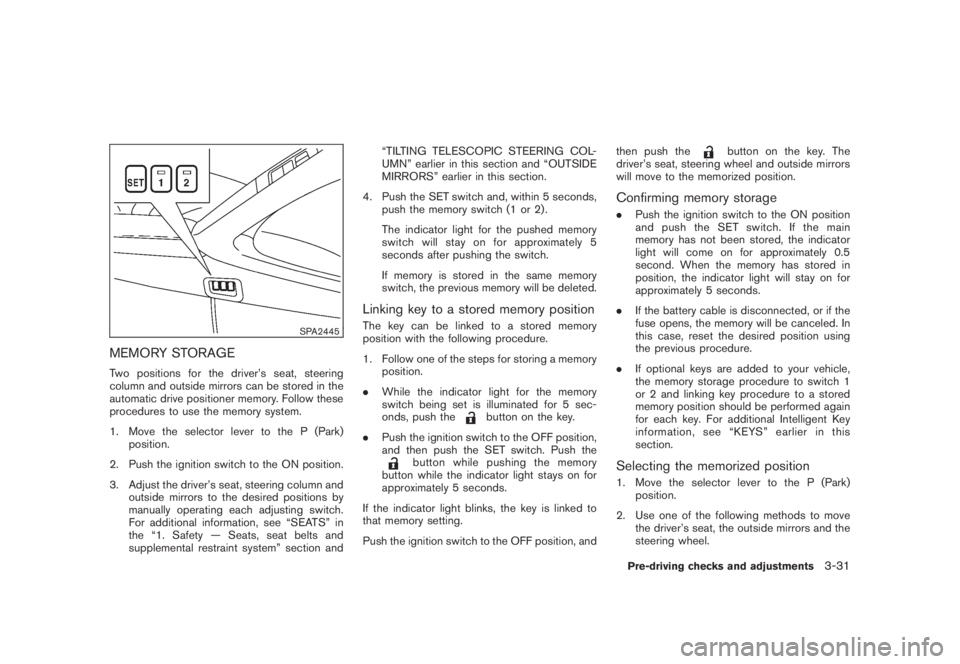
MEMORY STORAGETwo positions for the driver’s seat, steering
column and outside mirrors can be stored in the
automatic drive positioner memory. Follow these
procedures to use the memory system.
1. Move the selector lever to the P (Park)
position.
2. Push the ignition switch to the ON position.
3. Adjust the driver’s seat, steering column and
outside mirrors to the desired positions by
manually operating each adjusting switch.
For additional information, see “SEATS” in
the “1. Safety — Seats, seat belts and
supplemental restraint system” section and“TILTING TELESCOPIC STEERING COL-
UMN” earlier in this section and “OUTSIDE
MIRRORS” earlier in this section.
4. Push the SET switch and, within 5 seconds,
push the memory switch (1 or 2) .
The indicator light for the pushed memory
switch will stay on for approximately 5
seconds after pushing the switch.
If memory is stored in the same memory
switch, the previous memory will be deleted.
Linking key to a stored memory positionThe key can be linked to a stored memory
position with the following procedure.
1. Follow one of the steps for storing a memory
position.
.While the indicator light for the memory
switch being set is illuminated for 5 sec-
onds, push the
button on the key.
.Push the ignition switch to the OFF position,
and then push the SET switch. Push the
button while pushing the memory
button while the indicator light stays on for
approximately 5 seconds.
If the indicator light blinks, the key is linked to
that memory setting.
Push the ignition switch to the OFF position, andthen push the
button on the key. The
driver’s seat, steering wheel and outside mirrors
will move to the memorized position.
Confirming memory storage.Push the ignition switch to the ON position
and push the SET switch. If the main
memory has not been stored, the indicator
light will come on for approximately 0.5
second. When the memory has stored in
position, the indicator light will stay on for
approximately 5 seconds.
.If the battery cable is disconnected, or if the
fuse opens, the memory will be canceled. In
this case, reset the desired position using
the previous procedure.
.If optional keys are added to your vehicle,
the memory storage procedure to switch 1
or 2 and linking key procedure to a stored
memory position should be performed again
for each key. For additional Intelligent Key
information, see “KEYS” earlier in this
section.Selecting the memorized position1. Move the selector lever to the P (Park)
position.
2. Use one of the following methods to move
the driver’s seat, the outside mirrors and the
steering wheel.Pre-driving checks and adjustments
3-31
Page 164 of 444
Black plate (162,1)
Model "Z51-D" EDITED: 2008/ 6/ 26
.Push the ignition switch to the ON
position and push the memory switch
(1 or 2) .
.Within 45 seconds of opening the
driver’s door, push the memory switch
(1 or 2) .
The driver’s seat, steering column and
outside mirrors will move to the memorized
position with the indicator light flashing, and
then the light will stay on for approximately 5
seconds.
SYSTEM OPERATIONThe automatic drive positioner system will not
work or will stop operating under the following
conditions:
.When the vehicle speed is above 4 MPH (7
km/h) (entry/exit function) .
.When the vehicle is driven (memory sto-
rage) .
.When the adjusting switch for the driver’s
seat and steering column is turned on while
the automatic drive positioner is operating.
.When the seat, steering column and outside
mirrors have already been moved to the
memorized position.
.When no position is stored in the memory
switch..When the engine is started while moving the
automatic drive positioner.
.When the selector lever is moved from the P
(Park) position to any other position. (How-
ever, it will not be canceled while the seat
and steering column are returning to the
previous positions (entry/exit function) .)
.When the driver’s door remains open for
more than 45 seconds and the ignition
switch is not in the ON position.3-32
Pre-driving checks and adjustments
Page 371 of 444
Black plate (369,1)
Model "Z51-D" EDITED: 2008/ 6/ 26
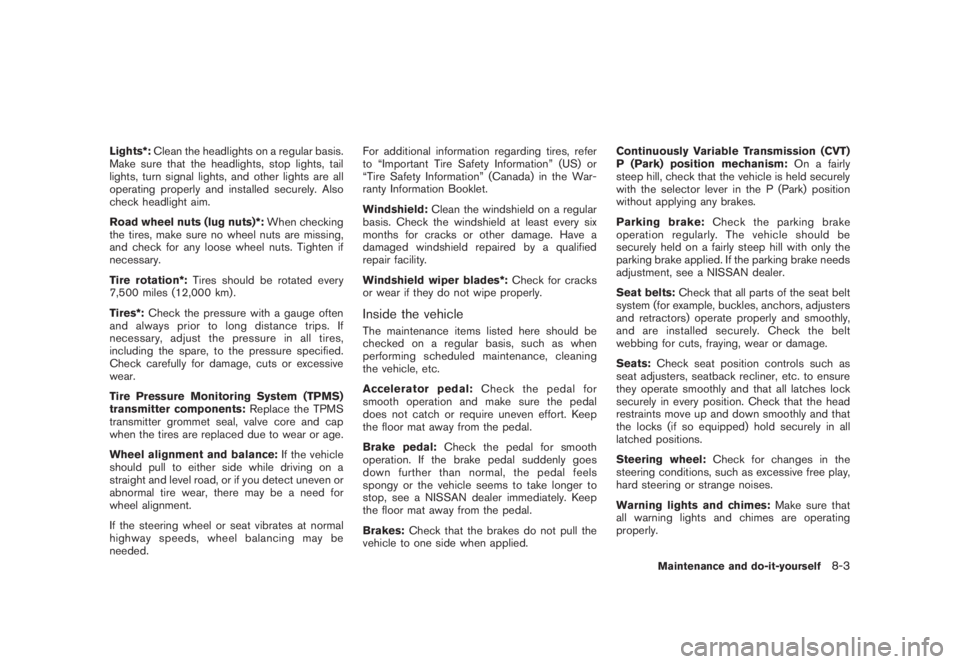
Lights*:Clean the headlights on a regular basis.
Make sure that the headlights, stop lights, tail
lights, turn signal lights, and other lights are all
operating properly and installed securely. Also
check headlight aim.
Road wheel nuts (lug nuts)*:When checking
the tires, make sure no wheel nuts are missing,
and check for any loose wheel nuts. Tighten if
necessary.
Tire rotation*:Tires should be rotated every
7,500 miles (12,000 km).
Tires*:Check the pressure with a gauge often
and always prior to long distance trips. If
necessary, adjust the pressure in all tires,
including the spare, to the pressure specified.
Check carefully for damage, cuts or excessive
wear.
Tire Pressure Monitoring System (TPMS)
transmitter components:Replace the TPMS
transmitter grommet seal, valve core and cap
when the tires are replaced due to wear or age.
Wheel alignment and balance:If the vehicle
should pull to either side while driving on a
straight and level road, or if you detect uneven or
abnormal tire wear, there may be a need for
wheel alignment.
If the steering wheel or seat vibrates at normal
highway speeds, wheel balancing may be
needed.For additional information regarding tires, refer
to “Important Tire Safety Information” (US) or
“Tire Safety Information” (Canada) in the War-
ranty Information Booklet.
Windshield:Clean the windshield on a regular
basis. Check the windshield at least every six
months for cracks or other damage. Have a
damaged windshield repaired by a qualified
repair facility.
Windshield wiper blades*:Check for cracks
or wear if they do not wipe properly.
Inside the vehicleThe maintenance items listed here should be
checked on a regular basis, such as when
performing scheduled maintenance, cleaning
the vehicle, etc.
Accelerator pedal:Check the pedal for
smooth operation and make sure the pedal
does not catch or require uneven effort. Keep
the floor mat away from the pedal.
Brake pedal:Check the pedal for smooth
operation. If the brake pedal suddenly goes
down further than normal, the pedal feels
spongy or the vehicle seems to take longer to
stop, see a NISSAN dealer immediately. Keep
the floor mat away from the pedal.
Brakes:Check that the brakes do not pull the
vehicle to one side when applied.Continuously Variable Transmission (CVT)
P (Park) position mechanism:On a fairly
steep hill, check that the vehicle is held securely
with the selector lever in the P (Park) position
without applying any brakes.
Parking brake:Check the parking brake
operation regularly. The vehicle should be
securely held on a fairly steep hill with only the
parking brake applied. If the parking brake needs
adjustment, see a NISSAN dealer.
Seat belts:Check that all parts of the seat belt
system (for example, buckles, anchors, adjusters
and retractors) operate properly and smoothly,
and are installed securely. Check the belt
webbing for cuts, fraying, wear or damage.
Seats:Check seat position controls such as
seat adjusters, seatback recliner, etc. to ensure
they operate smoothly and that all latches lock
securely in every position. Check that the head
restraints move up and down smoothly and that
the locks (if so equipped) hold securely in all
latched positions.
Steering wheel:Check for changes in the
steering conditions, such as excessive free play,
hard steering or strange noises.
Warning lights and chimes:Make sure that
all warning lights and chimes are operating
properly.
Maintenance and do-it-yourself
8-3
Page 439 of 444
Black plate (3,1)
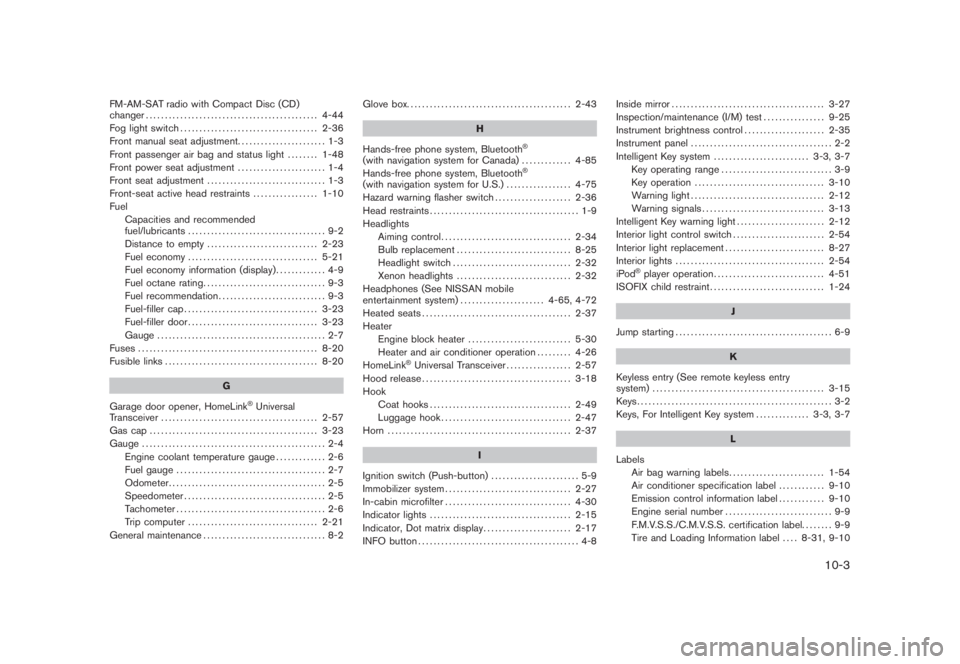
FM-AM-SAT radio with Compact Disc (CD)
changer............................................. 4-44
Fog light switch.................................... 2-36
Front manual seat adjustment....................... 1-3
Front passenger air bag and status light........ 1-48
Front power seat adjustment....................... 1-4
Front seat adjustment............................... 1-3
Front-seat active head restraints................. 1-10
Fuel
Capacities and recommended
fuel/lubricants.................................... 9-2
Distance to empty............................. 2-23
Fuel economy.................................. 5-21
Fuel economy information (display)............. 4-9
Fuel octane rating................................ 9-3
Fuel recommendation............................ 9-3
Fuel-filler cap................................... 3-23
Fuel-filler door.................................. 3-23
Gauge ............................................ 2-7
Fuses............................................... 8-20
Fusible links........................................ 8-20
G
Garage door opener, HomeLink
®Universal
Transceiver......................................... 2-57
Gas cap ............................................ 3-23
Gauge ................................................ 2-4
Engine coolant temperature gauge............. 2-6
Fuel gauge ....................................... 2-7
Odometer......................................... 2-5
Speedometer..................................... 2-5
Tachometer....................................... 2-6
Trip computer.................................. 2-21
General maintenance................................ 8-2Glove box........................................... 2-43
H
Hands-free phone system, Bluetooth
®
(with navigation system for Canada)............. 4-85
Hands-free phone system, Bluetooth
®
(with navigation system for U.S.)................. 4-75
Hazard warning flasher switch.................... 2-36
Head restraints....................................... 1-9
Headlights
Aiming control.................................. 2-34
Bulb replacement.............................. 8-25
Headlight switch............................... 2-32
Xenon headlights.............................. 2-32
Headphones (See NISSAN mobile
entertainment system)...................... 4-65, 4-72
Heated seats....................................... 2-37
Heater
Engine block heater........................... 5-30
Heater and air conditioner operation......... 4-26
HomeLink
®Universal Transceiver................. 2-57
Hood release....................................... 3-18
Hook
Coat hooks..................................... 2-49
Luggage hook.................................. 2-47
Horn ................................................ 2-37
I
Ignition switch (Push-button)....................... 5-9
Immobilizer system................................. 2-27
In-cabin microfilter................................. 4-30
Indicator lights..................................... 2-15
Indicator, Dot matrix display....................... 2-17
INFO button.......................................... 4-8Inside mirror........................................ 3-27
Inspection/maintenance (I/M) test................ 9-25
Instrument brightness control..................... 2-35
Instrument panel..................................... 2-2
Intelligent Key system......................... 3-3, 3-7
Key operating range............................. 3-9
Key operation.................................. 3-10
Warning light................................... 2-12
Warning signals................................ 3-13
Intelligent Key warning light....................... 2-12
Interior light control switch........................ 2-54
Interior light replacement.......................... 8-27
Interior lights....................................... 2-54
iPod
®player operation............................. 4-51
ISOFIX child restraint.............................. 1-24
J
Jump starting......................................... 6-9
K
Keyless entry (See remote keyless entry
system)............................................. 3-15
Keys................................................... 3-2
Keys, For Intelligent Key system.............. 3-3, 3-7
L
Labels
Air bag warning labels......................... 1-54
Air conditioner specification label............ 9-10
Emission control information label............ 9-10
Engine serial number ............................ 9-9
F.M.V.S.S./C.M.V.S.S. certification label........ 9-9
Tire and Loading Information label.... 8-31, 9-10
10-3
Model "Z51-D" EDITED: 2008/ 6/ 23