eco mode NISSAN MURANO 2008 Owners Manual
[x] Cancel search | Manufacturer: NISSAN, Model Year: 2008, Model line: MURANO, Model: NISSAN MURANO 2008Pages: 444, PDF Size: 6.09 MB
Page 299 of 444
Black plate (295,1)
Model "Z51-D" EDITED: 2008/ 6/ 26
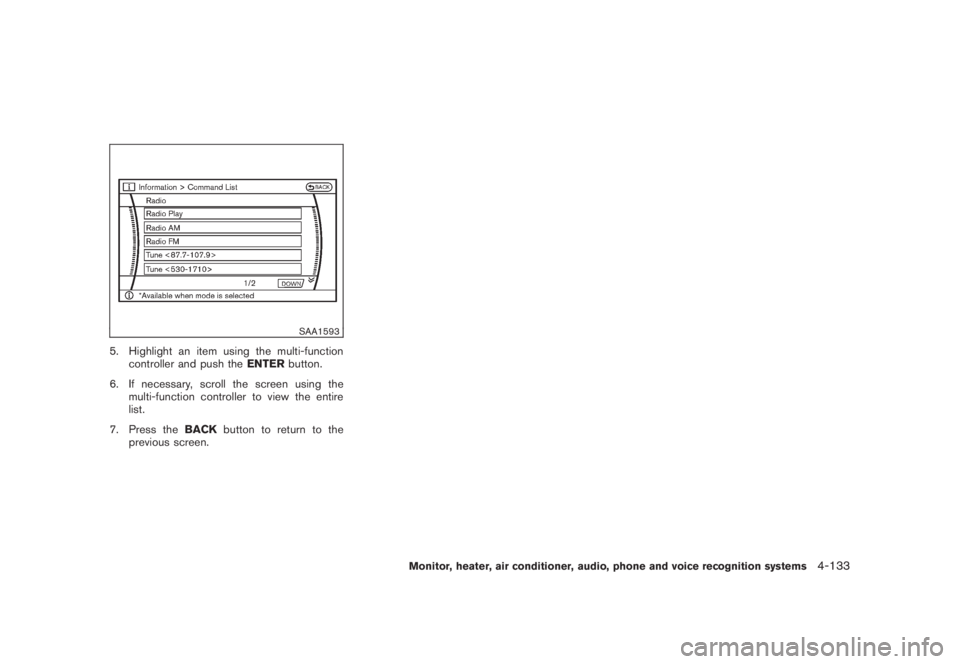
SAA1593
5. Highlight an item using the multi-function
controller and push theENTERbutton.
6. If necessary, scroll the screen using the
multi-function controller to view the entire
list.
7. Press theBACKbutton to return to the
previous screen.
Monitor, heater, air conditioner, audio, phone and voice recognition systems
4-133
Page 300 of 444
Black plate (296,1)
Model "Z51-D" EDITED: 2008/ 6/ 26
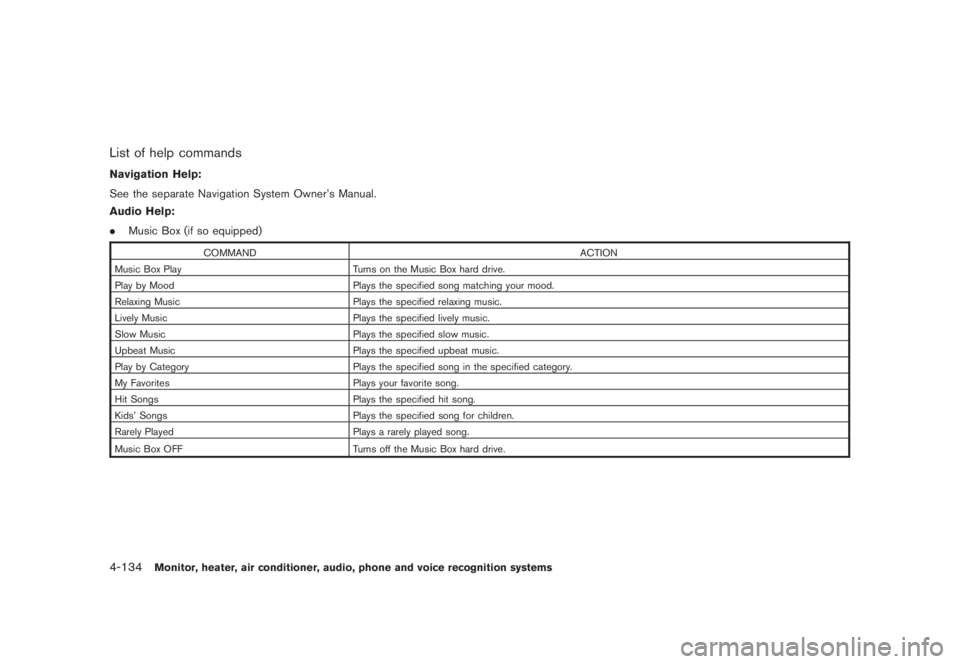
List of help commandsNavigation Help:
See the separate Navigation System Owner’s Manual.
Audio Help:
.Music Box (if so equipped)
COMMAND ACTION
Music Box Play Turns on the Music Box hard drive.
Play by Mood Plays the specified song matching your mood.
Relaxing Music Plays the specified relaxing music.
Lively Music Plays the specified lively music.
Slow Music Plays the specified slow music.
Upbeat Music Plays the specified upbeat music.
Play by Category Plays the specified song in the specified category.
My Favorites Plays your favorite song.
Hit Songs Plays the specified hit song.
Kids’ Songs Plays the specified song for children.
Rarely Played Plays a rarely played song.
Music Box OFF
Turns off the Music Box hard drive.
4-134
Monitor, heater, air conditioner, audio, phone and voice recognition systems
Page 301 of 444
Black plate (297,1)
Model "Z51-D" EDITED: 2008/ 6/ 26
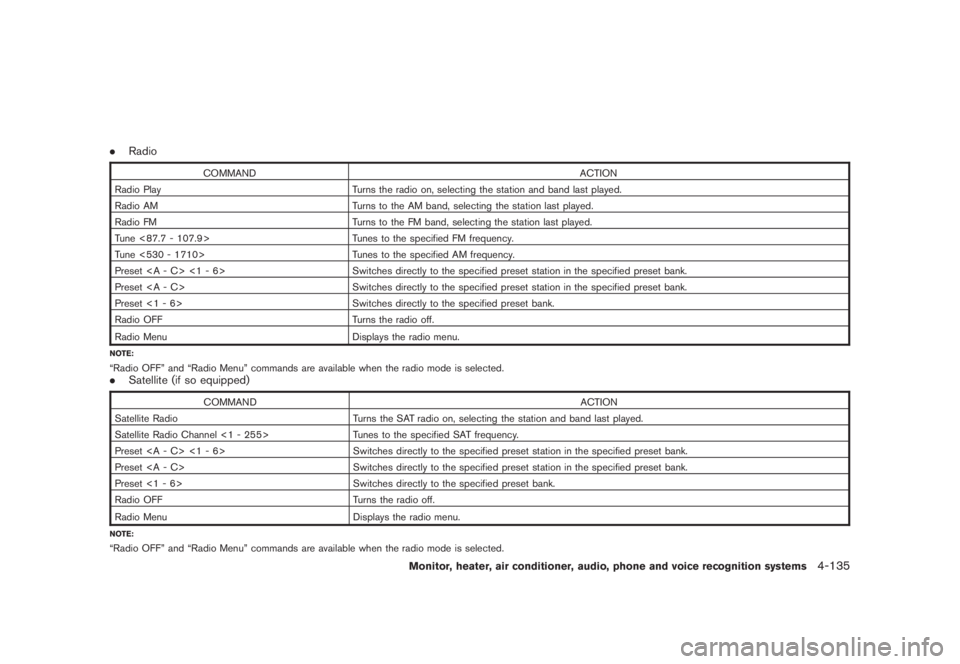
.Radio
COMMAND ACTION
Radio Play Turns the radio on, selecting the station and band last played.
Radio AM Turns to the AM band, selecting the station last played.
Radio FM Turns to the FM band, selecting the station last played.
Tune <87.7 - 107.9> Tunes to the specified FM frequency.
Tune <530 - 1710> Tunes to the specified AM frequency.
Preset <1 - 6> Switches directly to the specified preset station in the specified preset bank.
Preset Switches directly to the specified preset station in the specified preset bank.
Preset <1 - 6> Switches directly to the specified preset bank.
Radio OFF Turns the radio off.
Radio Menu
Displays the radio menu.
NOTE:“Radio OFF” and “Radio Menu” commands are available when the radio mode is selected..Satellite (if so equipped)
COMMAND ACTION
Satellite Radio Turns the SAT radio on, selecting the station and band last played.
Satellite Radio Channel <1 - 255> Tunes to the specified SAT frequency.
Preset <1 - 6> Switches directly to the specified preset station in the specified preset bank.
Preset Switches directly to the specified preset station in the specified preset bank.
Preset <1 - 6> Switches directly to the specified preset bank.
Radio OFF Turns the radio off.
Radio Menu
Displays the radio menu.
NOTE:“Radio OFF” and “Radio Menu” commands are available when the radio mode is selected.
Monitor, heater, air conditioner, audio, phone and voice recognition systems
4-135
Page 302 of 444
Black plate (298,1)
Model "Z51-D" EDITED: 2008/ 6/ 26
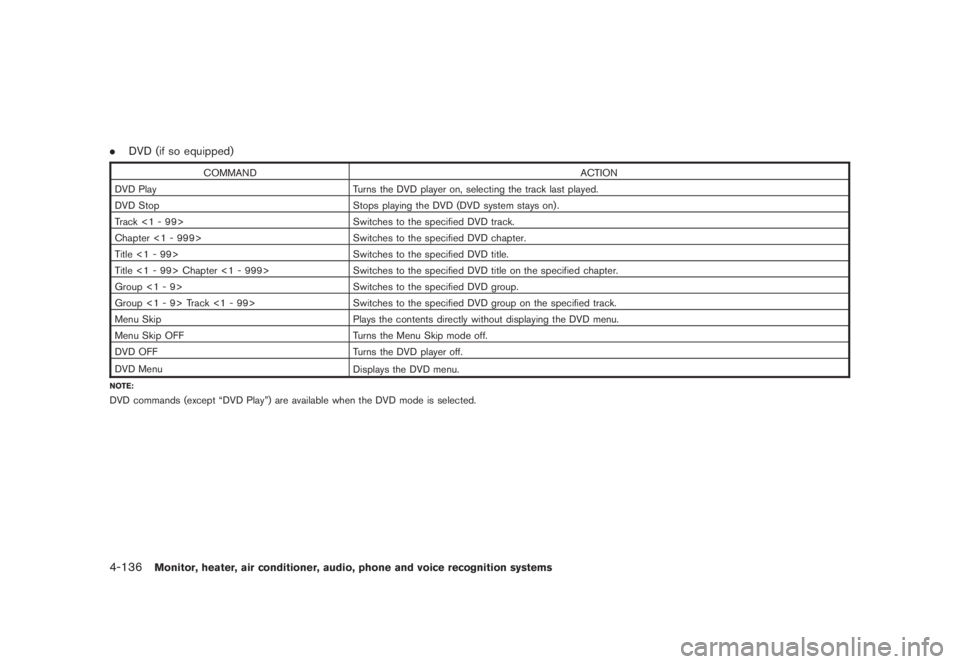
.DVD (if so equipped)
COMMAND ACTION
DVD Play Turns the DVD player on, selecting the track last played.
DVD Stop Stops playing the DVD (DVD system stays on) .
Track <1 - 99> Switches to the specified DVD track.
Chapter <1 - 999> Switches to the specified DVD chapter.
Title <1 - 99> Switches to the specified DVD title.
Title <1 - 99> Chapter <1 - 999> Switches to the specified DVD title on the specified chapter.
Group <1 - 9> Switches to the specified DVD group.
Group <1 - 9> Track <1 - 99> Switches to the specified DVD group on the specified track.
Menu Skip Plays the contents directly without displaying the DVD menu.
Menu Skip OFF Turns the Menu Skip mode off.
DVD OFF Turns the DVD player off.
DVD Menu
Displays the DVD menu.
NOTE:DVD commands (except “DVD Play”) are available when the DVD mode is selected.4-136
Monitor, heater, air conditioner, audio, phone and voice recognition systems
Page 303 of 444
Black plate (299,1)
Model "Z51-D" EDITED: 2008/ 6/ 26
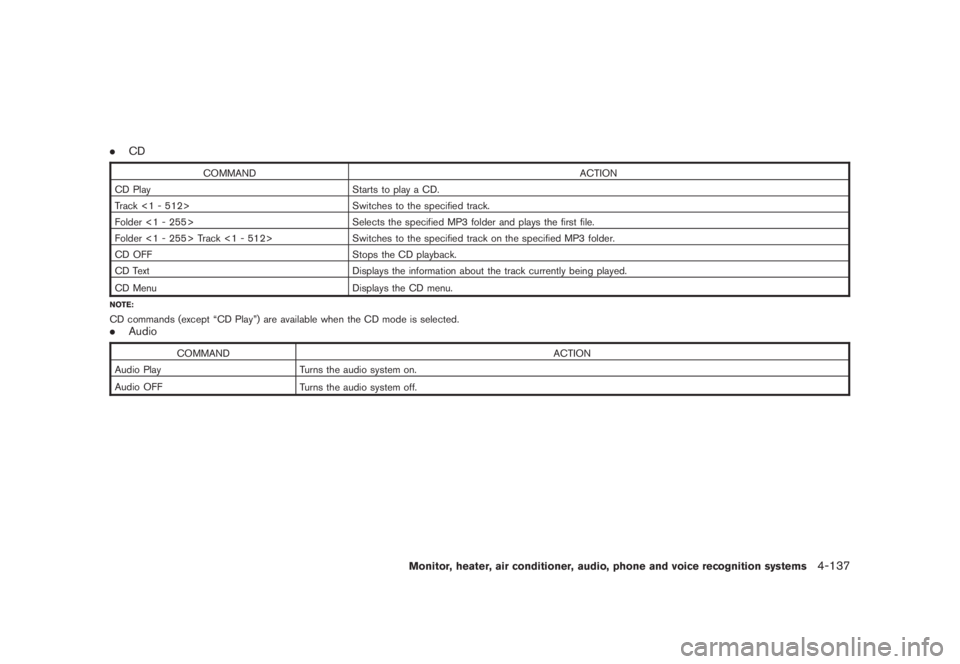
.CD
COMMAND ACTION
CD Play Starts to play a CD.
Track <1 - 512> Switches to the specified track.
Folder <1 - 255> Selects the specified MP3 folder and plays the first file.
Folder <1 - 255> Track <1 - 512> Switches to the specified track on the specified MP3 folder.
CD OFF Stops the CD playback.
CD Text Displays the information about the track currently being played.
CD Menu
Displays the CD menu.
NOTE:CD commands (except “CD Play”) are available when the CD mode is selected..Audio
COMMAND ACTION
Audio Play Turns the audio system on.
Audio OFF
Turns the audio system off.
Monitor, heater, air conditioner, audio, phone and voice recognition systems
4-137
Page 304 of 444
Black plate (300,1)
Model "Z51-D" EDITED: 2008/ 6/ 26
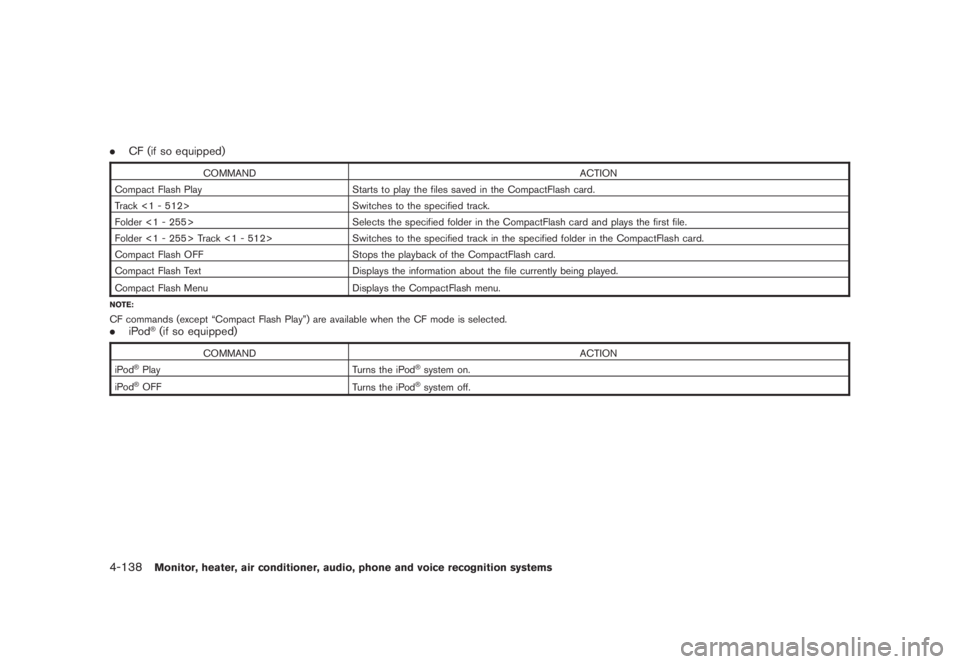
.CF (if so equipped)
COMMAND ACTION
Compact Flash Play Starts to play the files saved in the CompactFlash card.
Track <1 - 512> Switches to the specified track.
Folder <1 - 255> Selects the specified folder in the CompactFlash card and plays the first file.
Folder <1 - 255> Track <1 - 512> Switches to the specified track in the specified folder in the CompactFlash card.
Compact Flash OFF Stops the playback of the CompactFlash card.
Compact Flash Text Displays the information about the file currently being played.
Compact Flash Menu
Displays the CompactFlash menu.
NOTE:CF commands (except “Compact Flash Play”) are available when the CF mode is selected..iPod
®(if so equipped)
COMMAND ACTION
iPod
®Play Turns the iPod
®system on.
iPod
®OFF
Turns the iPod
®system off.
4-138
Monitor, heater, air conditioner, audio, phone and voice recognition systems
Page 305 of 444
Black plate (301,1)
Model "Z51-D" EDITED: 2008/ 6/ 26
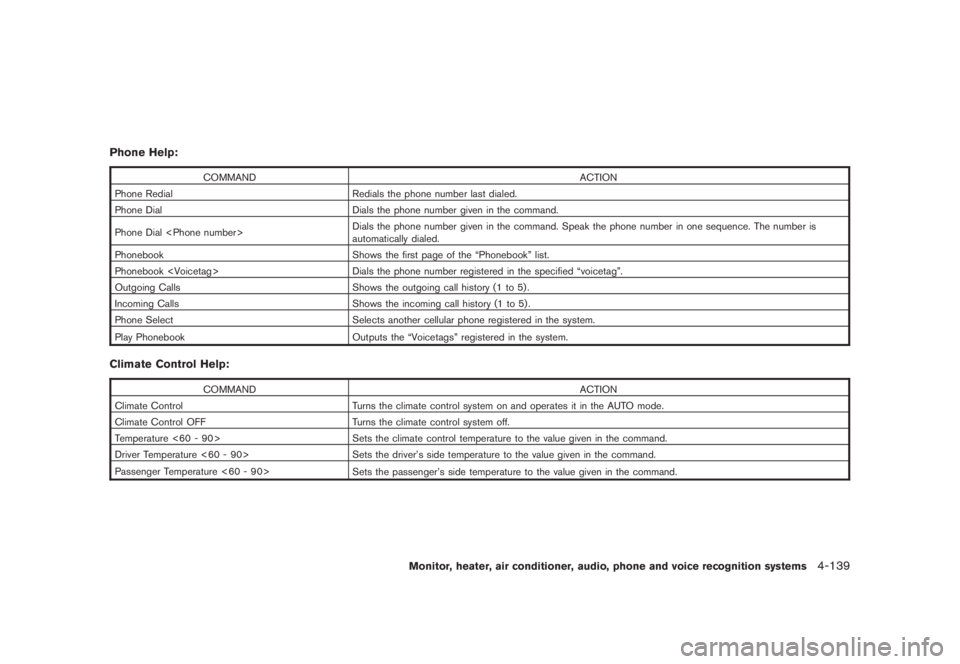
Phone Help:
COMMAND ACTION
Phone Redial Redials the phone number last dialed.
Phone Dial Dials the phone number given in the command.
Phone Dial
automatically dialed.
Phonebook Shows the first page of the “Phonebook” list.
Phonebook
Outgoing Calls Shows the outgoing call history (1 to 5) .
Incoming Calls Shows the incoming call history (1 to 5) .
Phone Select Selects another cellular phone registered in the system.
Play Phonebook
Outputs the “Voicetags” registered in the system.
Climate Control Help:
COMMAND ACTION
Climate Control Turns the climate control system on and operates it in the AUTO mode.
Climate Control OFF Turns the climate control system off.
Temperature <60 - 90> Sets the climate control temperature to the value given in the command.
Driver Temperature <60 - 90> Sets the driver’s side temperature to the value given in the command.
Passenger Temperature <60 - 90>
Sets the passenger’s side temperature to the value given in the command.
Monitor, heater, air conditioner, audio, phone and voice recognition systems
4-139
Page 306 of 444
Black plate (302,1)
Model "Z51-D" EDITED: 2008/ 6/ 26
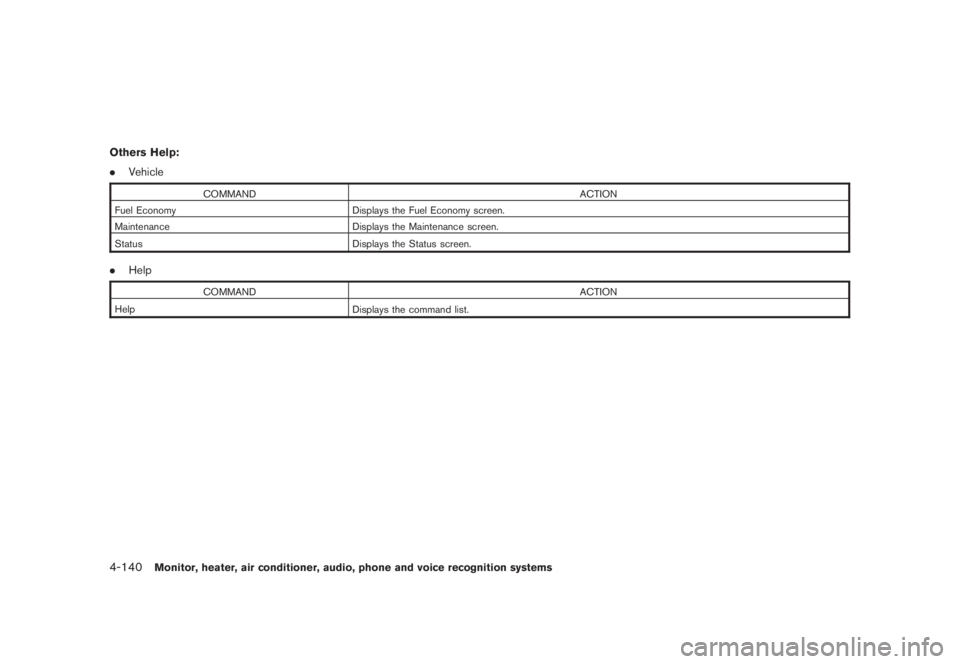
Others Help:
.Vehicle
COMMAND ACTION
Fuel Economy Displays the Fuel Economy screen.
Maintenance Displays the Maintenance screen.
Status
Displays the Status screen.
.Help
COMMAND ACTION
Help
Displays the command list.
4-140
Monitor, heater, air conditioner, audio, phone and voice recognition systems
Page 307 of 444
Black plate (303,1)
Model "Z51-D" EDITED: 2008/ 6/ 26
SAA1783
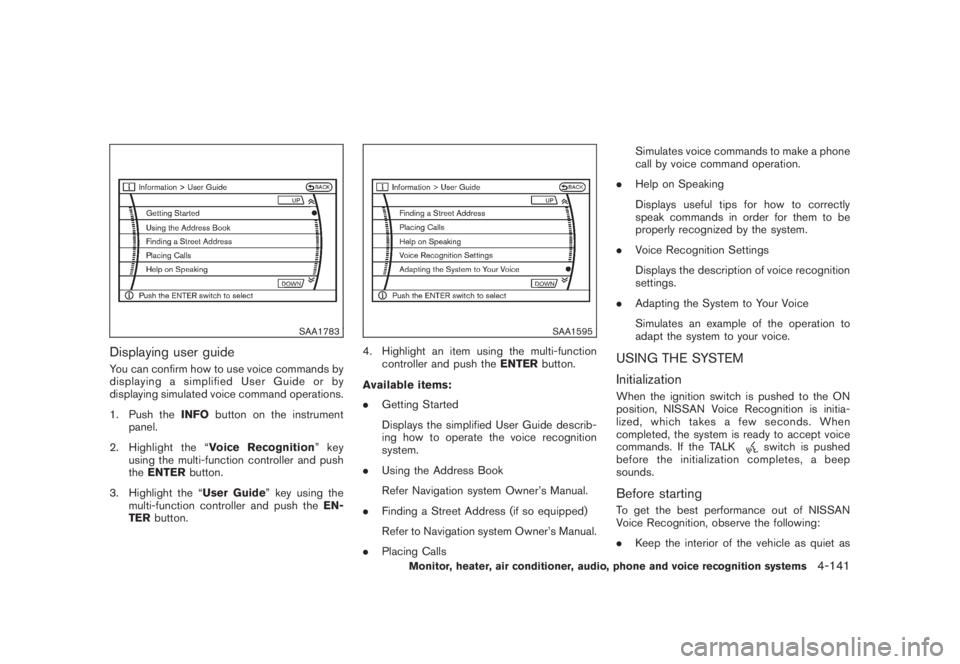
Displaying user guideYou can confirm how to use voice commands by
displaying a simplified User Guide or by
displaying simulated voice command operations.
1. Push theINFObutton on the instrument
panel.
2. Highlight the “Voice Recognition”key
using the multi-function controller and push
theENTERbutton.
3. Highlight the “User Guide” key using the
multi-function controller and push theEN-
TERbutton.
SAA1595
4. Highlight an item using the multi-function
controller and push theENTERbutton.
Available items:
.Getting Started
Displays the simplified User Guide describ-
ing how to operate the voice recognition
system.
.Using the Address Book
Refer Navigation system Owner’s Manual.
.Finding a Street Address (if so equipped)
Refer to Navigation system Owner’s Manual.
.Placing CallsSimulates voice commands to make a phone
call by voice command operation.
.Help on Speaking
Displays useful tips for how to correctly
speak commands in order for them to be
properly recognized by the system.
.Voice Recognition Settings
Displays the description of voice recognition
settings.
.Adapting the System to Your Voice
Simulates an example of the operation to
adapt the system to your voice.
USING THE SYSTEM
InitializationWhen the ignition switch is pushed to the ON
position, NISSAN Voice Recognition is initia-
lized, which takes a few seconds. When
completed, the system is ready to accept voice
commands. If the TALK
switch is pushed
before the initialization completes, a beep
sounds.
Before startingTo get the best performance out of NISSAN
Voice Recognition, observe the following:
.Keep the interior of the vehicle as quiet as
Monitor, heater, air conditioner, audio, phone and voice recognition systems
4-141
Page 308 of 444
Black plate (304,1)
Model "Z51-D" EDITED: 2008/ 6/ 26
possible. Close the windows to eliminate the
surrounding noises (traffic noises, vibration
sounds, etc.) , which may prevent the system
from recognizing the voice commands cor-
rectly.
.When the climate control is in the AUTO
mode, the fan speed decreases automati-
cally for easy recognition.
.Wait until a tone sounds before speaking a
command.
.Speak in a natural voice without pausing
between words.
SAA1859
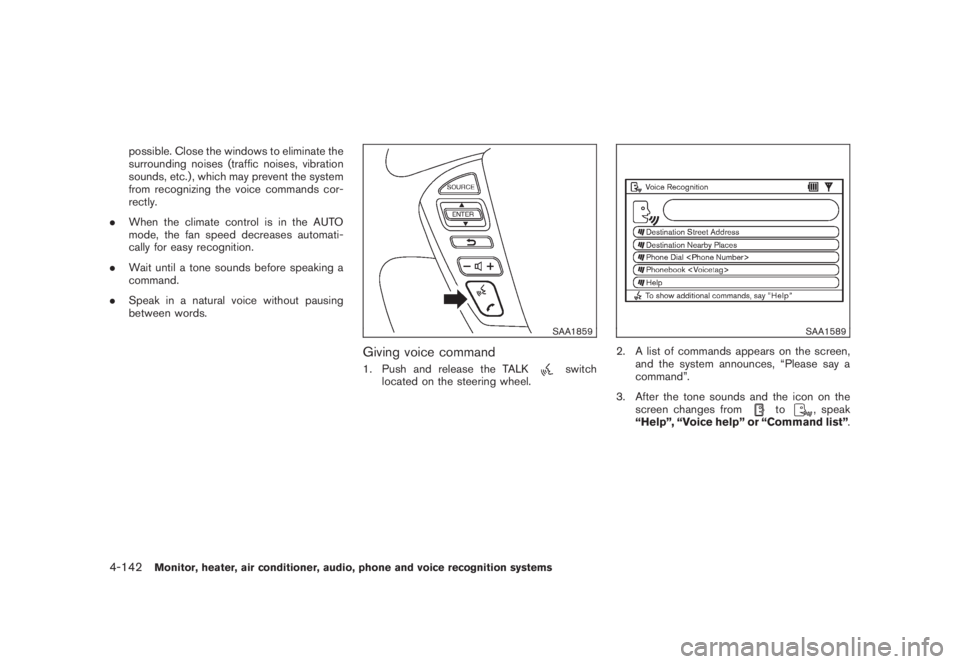
Giving voice command1. Push and release the TALK
switch
located on the steering wheel.
SAA1589
2. A list of commands appears on the screen,
and the system announces, “Please say a
command”.
3. After the tone sounds and the icon on the
screen changes from
to
, speak
“Help”, “Voice help” or “Command list”.
4-142
Monitor, heater, air conditioner, audio, phone and voice recognition systems