eco mode NISSAN MURANO 2008 Owners Manual
[x] Cancel search | Manufacturer: NISSAN, Model Year: 2008, Model line: MURANO, Model: NISSAN MURANO 2008Pages: 444, PDF Size: 6.09 MB
Page 309 of 444
Black plate (305,1)
Model "Z51-D" EDITED: 2008/ 6/ 26
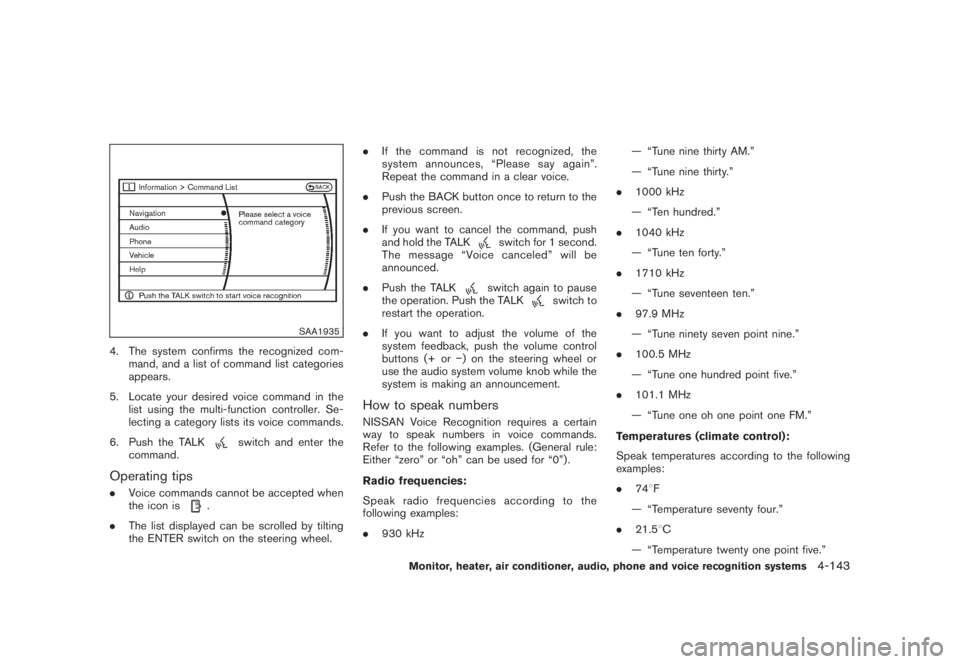
SAA1935
4. The system confirms the recognized com-
mand, and a list of command list categories
appears.
5. Locate your desired voice command in the
list using the multi-function controller. Se-
lecting a category lists its voice commands.
6. Push the TALK
switch and enter the
command.
Operating tips.Voice commands cannot be accepted when
the icon is
.
.The list displayed can be scrolled by tilting
the ENTER switch on the steering wheel..If the command is not recognized, the
system announces, “Please say again”.
Repeat the command in a clear voice.
.Push the BACK button once to return to the
previous screen.
.If you want to cancel the command, push
and hold the TALK
switch for 1 second.
The message “Voice canceled” will be
announced.
.Push the TALKswitch again to pause
the operation. Push the TALK
switch to
restart the operation.
.If you want to adjust the volume of the
system feedback, push the volume control
buttons (+ or) on the steering wheel or
use the audio system volume knob while the
system is making an announcement.
How to speak numbersNISSAN Voice Recognition requires a certain
way to speak numbers in voice commands.
Refer to the following examples. (General rule:
Either “zero” or “oh” can be used for “0”) .
Radio frequencies:
Speak radio frequencies according to the
following examples:
.930 kHz— “Tune nine thirty AM.”
— “Tune nine thirty.”
.1000 kHz
— “Ten hundred.”
.1040 kHz
— “Tune ten forty.”
.1710 kHz
— “Tune seventeen ten.”
.97.9 MHz
— “Tune ninety seven point nine.”
.100.5 MHz
— “Tune one hundred point five.”
.101.1 MHz
— “Tune one oh one point one FM.”
Temperatures (climate control):
Speak temperatures according to the following
examples:
.748F
— “Temperature seventy four.”
.21.58C
— “Temperature twenty one point five.”
Monitor, heater, air conditioner, audio, phone and voice recognition systems
4-143
Page 310 of 444
Black plate (306,1)
Model "Z51-D" EDITED: 2008/ 6/ 26
— “Temperature twenty one and a half.”
.19.08C
— “Temperature nineteen point zero.”
— “Temperature nineteen point oh.”
— “Temperature nineteen.”
Phone numbers:
Speak phone numbers according to the follow-
ing examples:
.1-800-662-6200
— “Dial one eight oh oh six six two six two oh
oh.”
— “Dial one eight hundred six six two six two
oh oh.”
— “Dial one eight zero zero six six two oh
oh.”
Note 1: For the best voice recognition phone
dialing results, say phone numbers as single
digits.
Note 2: You cannot say 555-6000 as “five five
five six thousands”.
Personal vocabulary (voicetags)NISSAN Voice Recognition provides the func-
tion called “voicetags,” which can be associated
with the phone and the navigation system (if soequipped) . Using your own voice, 40 voicetags
can be registered in the “Phonebook” (phone)
and 10 locations can be registered in the
“Address Book” (navigation system) .
See “BLUETOOTH
®HANDS-FREE PHONE
SYSTEM WITH NAVIGATION SYSTEM” earlier
in this section and/or the separate Navigation
System Owner’s Manual (if so equipped) for the
method of “voicetag” registration.
SAA1601
VOICE COMMAND LEARNING FUNC-
TIONThe voice recognition system has a function to
learn the user’s voice for better voice recognition
performance. The system can memorize the
voices of up to three persons.Having the system learn the user’s voice1. Push theSETTINGbutton on the instrument
panel, highlight the “Others” key on the
display and then push theENTERbutton.
2. Highlight the “Voice Recognition” key and
then push theENTERbutton.
3. Highlight the “Voice Command Learning”
4-144
Monitor, heater, air conditioner, audio, phone and voice recognition systems
Page 311 of 444
Black plate (307,1)
Model "Z51-D" EDITED: 2008/ 6/ 26
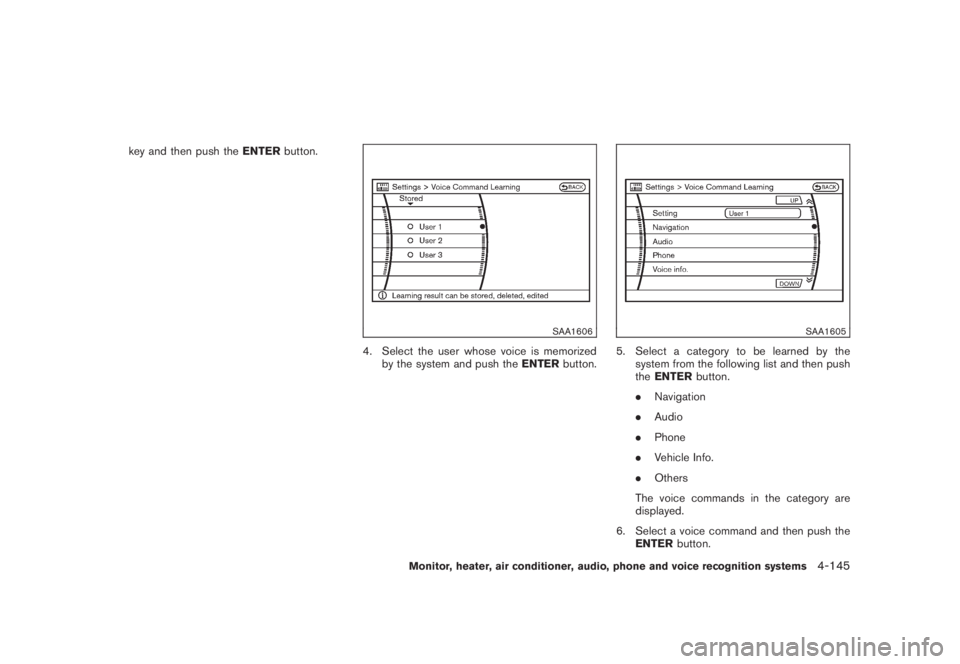
key and then push theENTERbutton.
SAA1606
4. Select the user whose voice is memorized
by the system and push theENTERbutton.
SAA1605
5. Select a category to be learned by the
system from the following list and then push
theENTERbutton.
.Navigation
.Audio
.Phone
.Vehicle Info.
.Others
The voice commands in the category are
displayed.
6. Select a voice command and then push the
ENTERbutton.
Monitor, heater, air conditioner, audio, phone and voice recognition systems
4-145
Page 312 of 444
Black plate (308,1)
Model "Z51-D" EDITED: 2008/ 6/ 26
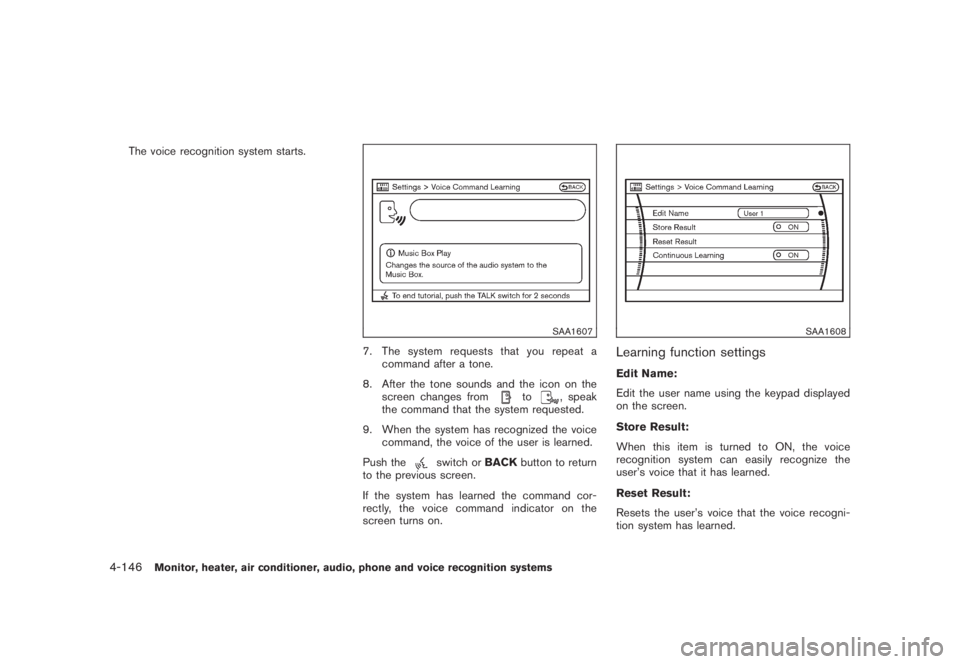
The voice recognition system starts.
SAA1607
7. The system requests that you repeat a
command after a tone.
8. After the tone sounds and the icon on the
screen changes from
to
, speak
the command that the system requested.
9. When the system has recognized the voice
command, the voice of the user is learned.
Push the
switch orBACKbutton to return
to the previous screen.
If the system has learned the command cor-
rectly, the voice command indicator on the
screen turns on.
SAA1608
Learning function settingsEdit Name:
Edit the user name using the keypad displayed
on the screen.
Store Result:
When this item is turned to ON, the voice
recognition system can easily recognize the
user’s voice that it has learned.
Reset Result:
Resets the user’s voice that the voice recogni-
tion system has learned.
4-146
Monitor, heater, air conditioner, audio, phone and voice recognition systems
Page 313 of 444

Black plate (309,1)
Model "Z51-D" EDITED: 2008/ 6/ 26
Continuous Learning:
When this item is turned to ON, you can have
the system learn the voice commands in
succession, without selecting commands one
by one.
Monitor, heater, air conditioner, audio, phone and voice recognition systems
4-147
Page 314 of 444
Black plate (310,1)
Model "Z51-D" EDITED: 2008/ 6/ 26
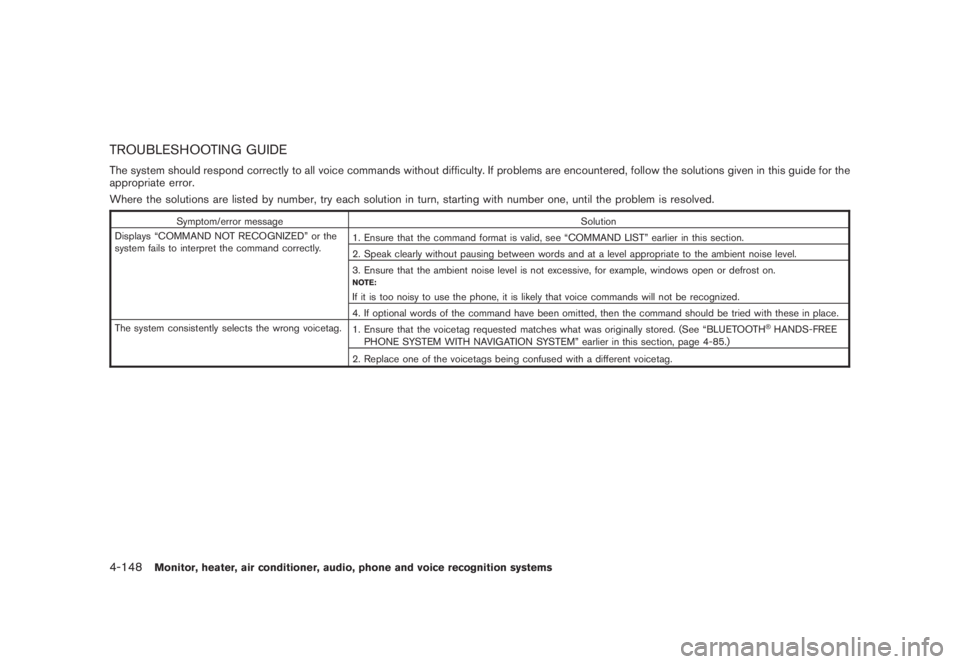
TROUBLESHOOTING GUIDEThe system should respond correctly to all voice commands without difficulty. If problems are encountered, follow the solutions given in this guide for the
appropriate error.
Where the solutions are listed by number, try each solution in turn, starting with number one, until the problem is resolved.
Symptom/error message Solution
Displays “COMMAND NOT RECOGNIZED” or the
system fails to interpret the command correctly.1. Ensure that the command format is valid, see “COMMAND LIST” earlier in this section.
2. Speak clearly without pausing between words and at a level appropriate to the ambient noise level.
3. Ensure that the ambient noise level is not excessive, for example, windows open or defrost on.
NOTE:If it is too noisy to use the phone, it is likely that voice commands will not be recognized.
4. If optional words of the command have been omitted, then the command should be tried with these in place.
The system consistently selects the wrong voicetag.
1. Ensure that the voicetag requested matches what was originally stored. (See “BLUETOOTH
®HANDS-FREE
PHONE SYSTEM WITH NAVIGATION SYSTEM” earlier in this section, page 4-85.)
2. Replace one of the voicetags being confused with a different voicetag.
4-148
Monitor, heater, air conditioner, audio, phone and voice recognition systems
Page 315 of 444
Black plate (16,1)
5 Starting and driving
Model "Z51-D" EDITED: 2008/ 6/ 23
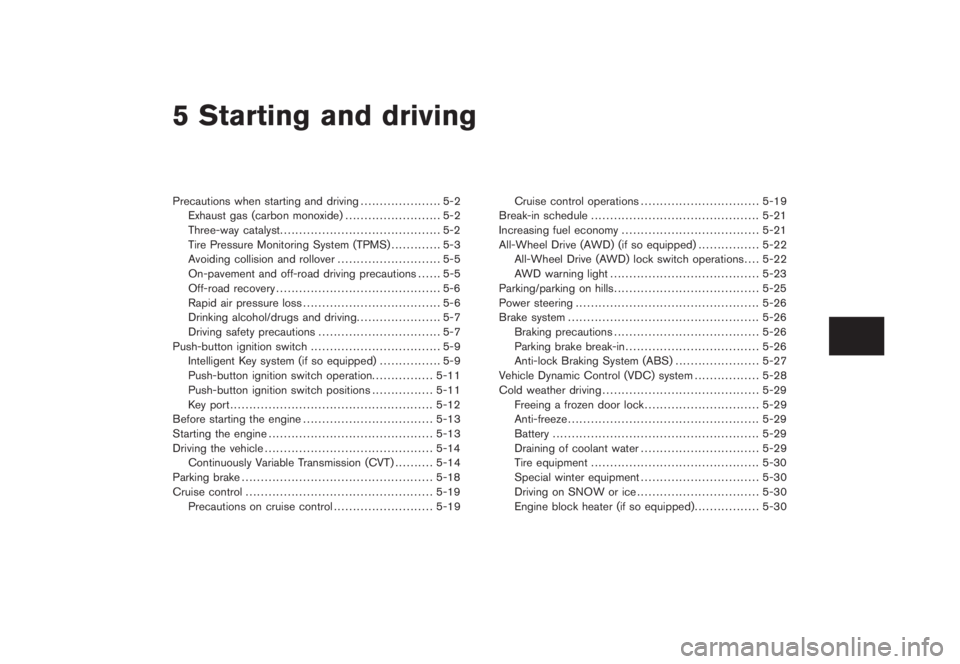
Precautions when starting and driving..................... 5-2
Exhaust gas (carbon monoxide)......................... 5-2
Three-way catalyst.......................................... 5-2
Tire Pressure Monitoring System (TPMS)............. 5-3
Avoiding collision and rollover........................... 5-5
On-pavement and off-road driving precautions...... 5-5
Off-road recovery........................................... 5-6
Rapid air pressure loss.................................... 5-6
Drinking alcohol/drugs and driving...................... 5-7
Driving safety precautions................................ 5-7
Push-button ignition switch.................................. 5-9
Intelligent Key system (if so equipped)................ 5-9
Push-button ignition switch operation................ 5-11
Push-button ignition switch positions................ 5-11
Key port..................................................... 5-12
Before starting the engine.................................. 5-13
Starting the engine........................................... 5-13
Driving the vehicle............................................ 5-14
Continuously Variable Transmission (CVT).......... 5-14
Parking brake.................................................. 5-18
Cruise control................................................. 5-19
Precautions on cruise control.......................... 5-19Cruise control operations............................... 5-19
Break-in schedule............................................ 5-21
Increasing fuel economy.................................... 5-21
All-Wheel Drive (AWD) (if so equipped)................ 5-22
All-Wheel Drive (AWD) lock switch operations.... 5-22
AWD warning light....................................... 5-23
Parking/parking on hills...................................... 5-25
Power steering................................................ 5-26
Brake system.................................................. 5-26
Braking precautions...................................... 5-26
Parking brake break-in................................... 5-26
Anti-lock Braking System (ABS)...................... 5-27
Vehicle Dynamic Control (VDC) system................. 5-28
Cold weather driving......................................... 5-29
Freeing a frozen door lock.............................. 5-29
Anti-freeze.................................................. 5-29
Battery...................................................... 5-29
Draining of coolant water............................... 5-29
Tire equipment............................................ 5-30
Special winter equipment............................... 5-30
Driving on SNOW or ice................................ 5-30
Engine block heater (if so equipped)................. 5-30
Page 316 of 444
Black plate (314,1)
Model "Z51-D" EDITED: 2008/ 6/ 26
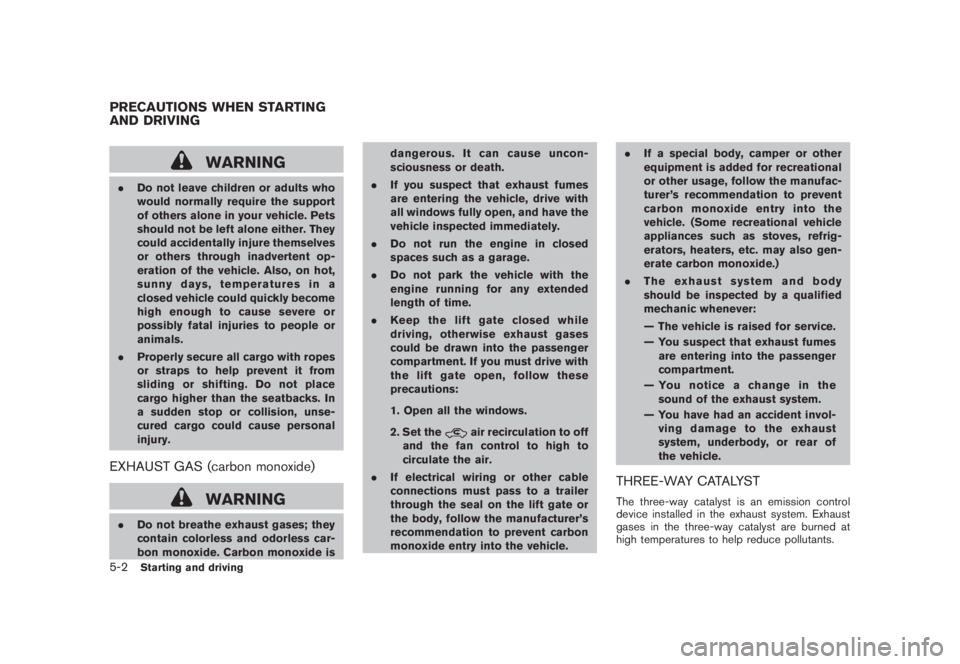
WARNING
.Do not leave children or adults who
would normally require the support
of others alone in your vehicle. Pets
should not be left alone either. They
could accidentally injure themselves
or others through inadvertent op-
eration of the vehicle. Also, on hot,
sunny days, temperatures in a
closed vehicle could quickly become
high enough to cause severe or
possibly fatal injuries to people or
animals.
.Properly secure all cargo with ropes
or straps to help prevent it from
sliding or shifting. Do not place
cargo higher than the seatbacks. In
a sudden stop or collision, unse-
cured cargo could cause personal
injury.EXHAUST GAS (carbon monoxide)
WARNING
.Do not breathe exhaust gases; they
contain colorless and odorless car-
bon monoxide. Carbon monoxide isdangerous. It can cause uncon-
sciousness or death.
.If you suspect that exhaust fumes
are entering the vehicle, drive with
all windows fully open, and have the
vehicle inspected immediately.
.Do not run the engine in closed
spaces such as a garage.
.Do not park the vehicle with the
engine running for any extended
length of time.
.Keep the lift gate closed while
driving, otherwise exhaust gases
could be drawn into the passenger
compartment. If you must drive with
the lift gate open, follow these
precautions:
1. Open all the windows.
2. Set the
air recirculation to off
and the fan control to high to
circulate the air.
.If electrical wiring or other cable
connections must pass to a trailer
through the seal on the lift gate or
the body, follow the manufacturer’s
recommendation to prevent carbon
monoxide entry into the vehicle..If a special body, camper or other
equipment is added for recreational
or other usage, follow the manufac-
turer’s recommendation to prevent
carbon monoxide entry into the
vehicle. (Some recreational vehicle
appliances such as stoves, refrig-
erators, heaters, etc. may also gen-
erate carbon monoxide.)
.The exhaust system and body
should be inspected by a qualified
mechanic whenever:
— The vehicle is raised for service.
— You suspect that exhaust fumes
are entering into the passenger
compartment.
— You notice a change in the
sound of the exhaust system.
— You have had an accident invol-
ving damage to the exhaust
system, underbody, or rear of
the vehicle.
THREE-WAY CATALYSTThe three-way catalyst is an emission control
device installed in the exhaust system. Exhaust
gases in the three-way catalyst are burned at
high temperatures to help reduce pollutants.
PRECAUTIONS WHEN STARTING
AND DRIVING5-2
Starting and driving
Page 317 of 444
Black plate (315,1)
Model "Z51-D" EDITED: 2008/ 6/ 26
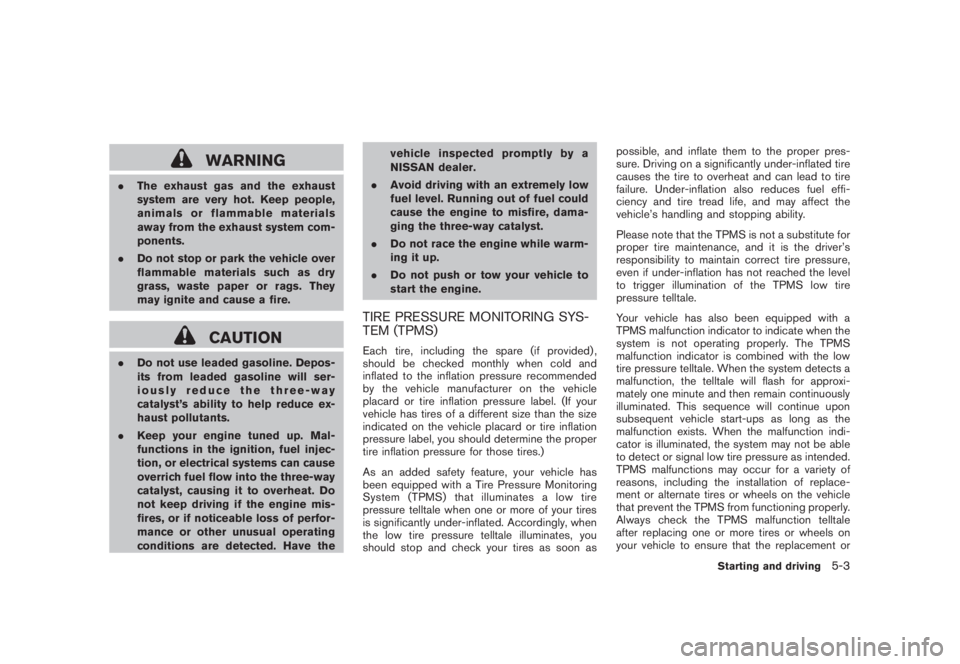
WARNING
.The exhaust gas and the exhaust
system are very hot. Keep people,
animals or flammable materials
away from the exhaust system com-
ponents.
.Do not stop or park the vehicle over
flammable materials such as dry
grass, waste paper or rags. They
may ignite and cause a fire.
CAUTION
.Do not use leaded gasoline. Depos-
its from leaded gasoline will ser-
iously reduce the three-way
catalyst’s ability to help reduce ex-
haust pollutants.
.Keep your engine tuned up. Mal-
functions in the ignition, fuel injec-
tion, or electrical systems can cause
overrich fuel flow into the three-way
catalyst, causing it to overheat. Do
not keep driving if the engine mis-
fires, or if noticeable loss of perfor-
mance or other unusual operating
conditions are detected. Have thevehicle inspected promptly by a
NISSAN dealer.
.Avoid driving with an extremely low
fuel level. Running out of fuel could
cause the engine to misfire, dama-
ging the three-way catalyst.
.Do not race the engine while warm-
ing it up.
.Do not push or tow your vehicle to
start the engine.
TIRE PRESSURE MONITORING SYS-
TEM (TPMS)Each tire, including the spare (if provided) ,
should be checked monthly when cold and
inflated to the inflation pressure recommended
by the vehicle manufacturer on the vehicle
placard or tire inflation pressure label. (If your
vehicle has tires of a different size than the size
indicated on the vehicle placard or tire inflation
pressure label, you should determine the proper
tire inflation pressure for those tires.)
As an added safety feature, your vehicle has
been equipped with a Tire Pressure Monitoring
System (TPMS) that illuminates a low tire
pressure telltale when one or more of your tires
is significantly under-inflated. Accordingly, when
the low tire pressure telltale illuminates, you
should stop and check your tires as soon aspossible, and inflate them to the proper pres-
sure. Driving on a significantly under-inflated tire
causes the tire to overheat and can lead to tire
failure. Under-inflation also reduces fuel effi-
ciency and tire tread life, and may affect the
vehicle’s handling and stopping ability.
Please note that the TPMS is not a substitute for
proper tire maintenance, and it is the driver’s
responsibility to maintain correct tire pressure,
even if under-inflation has not reached the level
to trigger illumination of the TPMS low tire
pressure telltale.
Your vehicle has also been equipped with a
TPMS malfunction indicator to indicate when the
system is not operating properly. The TPMS
malfunction indicator is combined with the low
tire pressure telltale. When the system detects a
malfunction, the telltale will flash for approxi-
mately one minute and then remain continuously
illuminated. This sequence will continue upon
subsequent vehicle start-ups as long as the
malfunction exists. When the malfunction indi-
cator is illuminated, the system may not be able
to detect or signal low tire pressure as intended.
TPMS malfunctions may occur for a variety of
reasons, including the installation of replace-
ment or alternate tires or wheels on the vehicle
that prevent the TPMS from functioning properly.
Always check the TPMS malfunction telltale
after replacing one or more tires or wheels on
your vehicle to ensure that the replacement or
Starting and driving
5-3
Page 318 of 444
Black plate (316,1)
Model "Z51-D" EDITED: 2008/ 6/ 26
alternate tires and wheels allow the TPMS to
continue to function properly.Additional information.The TPMS does not monitor the tire
pressure of the spare tire.
.The TPMS will activate only when the
vehicle is driven at speeds above 16 MPH
(25 km/h) . Also, this system may not detect
a sudden drop in tire pressure (for example a
flat tire while driving) .
.The low tire pressure warning light does not
automatically turn off when the tire pressure
is adjusted. After the tire is inflated to the
recommended pressure, the vehicle must be
driven at speeds above 16 MPH (25 km/h)
to activate the TPMS and turn off the low tire
pressure warning light. Use a tire pressure
gauge to check the tire pressure.
.Tire pressure rises and falls depending on
the heat caused by the vehicle’s operation
and the outside temperature. Low outside
temperature can lower the temperature of
the air inside the tire which can cause a
lower tire inflation pressure. This may cause
the low tire pressure warning light to
illuminate. If the warning light illuminates in
low ambient temperature, check the tire
pressure for all four tires.
For additional information, see “Low tire pres-sure warning light” in the “2. Instruments and
controls” section and “TIRE PRESSURE MON-
ITORING SYSTEM (TPMS)” in the “6. In case of
emergency” section.
WARNING
.If the low tire pressure warning light
illuminates while driving, avoid sud-
den steering maneuvers or abrupt
braking, reduce vehicle speed, pull
off the road to a safe location and
stop the vehicle as soon as possi-
ble. Driving with under-inflated tires
may permanently damage the tires
and increase the likelihood of tire
failure. Serious vehicle damage
could occur and may lead to an
accident and could result in serious
personal injury. Check the tire pres-
sure for all four tires. Adjust the tire
pressure to the recommended COLD
tire pressure shown on the Tire and
Loading Information label to turn
the low tire pressure warning light
OFF. If you have a flat tire, replace it
with a spare tire as soon as possi-
ble. (See “FLAT TIRE” in the “6. In
case of emergency” section for
changing a flat tire.).When a spare tire is mounted or a
wheel is replaced, the TPMS will not
function and the low tire pressure
warning light will flash for approxi-
mately 1 minute. The light will
remain on after 1 minute. Contact
your NISSAN dealer as soon as
possible for tire replacement and/
or system resetting.
.Replacing tires with those not ori-
ginally specified by NISSAN could
affect the proper operation of the
TPMS.
.Do not inject any tire liquid or
aerosol tire sealant into the tires,
as this may cause a malfunction of
the tire pressure sensors.
CAUTION
.The TPMS may not function properly
when the wheels are equipped with
tire chains or the wheels are buried
in snow.
.Do not place metalized film or any
metal parts (antenna, etc.) on the
windows. This may cause poor re-
ception of the signals from the tire
5-4
Starting and driving