warning NISSAN MURANO 2008 Repair Manual
[x] Cancel search | Manufacturer: NISSAN, Model Year: 2008, Model line: MURANO, Model: NISSAN MURANO 2008Pages: 444, PDF Size: 6.09 MB
Page 107 of 444
Black plate (103,1)
Model "Z51-D" EDITED: 2008/ 6/ 26
WARNING
Xenon headlights are extremely bright
compared to conventional headlights. If
the xenon headlights hit the rearview
mirror of the vehicle ahead or the
windshield of oncoming vehicle, the
driver of these vehicles may have
difficulty driving because of the bright-
ness. Use the headlight aiming control
switch to lower the light axis. See
“XENON HEADLIGHTS” earlier in this
section for additional information.Daytime running light system (Canada
only)The daytime running lights automatically illumi-
nate when the engine is started with the parking
brake released. The daytime running lights
operate with the headlight switch in the OFF
position or in the
position. Turn the
headlight switch to the
position for full
illumination when driving at night.
If the parking brake is applied before the engine
is started, the daytime running lights do not
illuminate. The daytime running lights illuminate
once the parking brake is released. The daytime
running lights will remain on until the ignition
switch is pushed to the OFF position.
WARNING
When the daytime running light system
is active, tail lights on your vehicle are
not on. It is necessary at dusk to turn on
your headlights. Failure to do so could
cause an accident injuring yourself and
others.
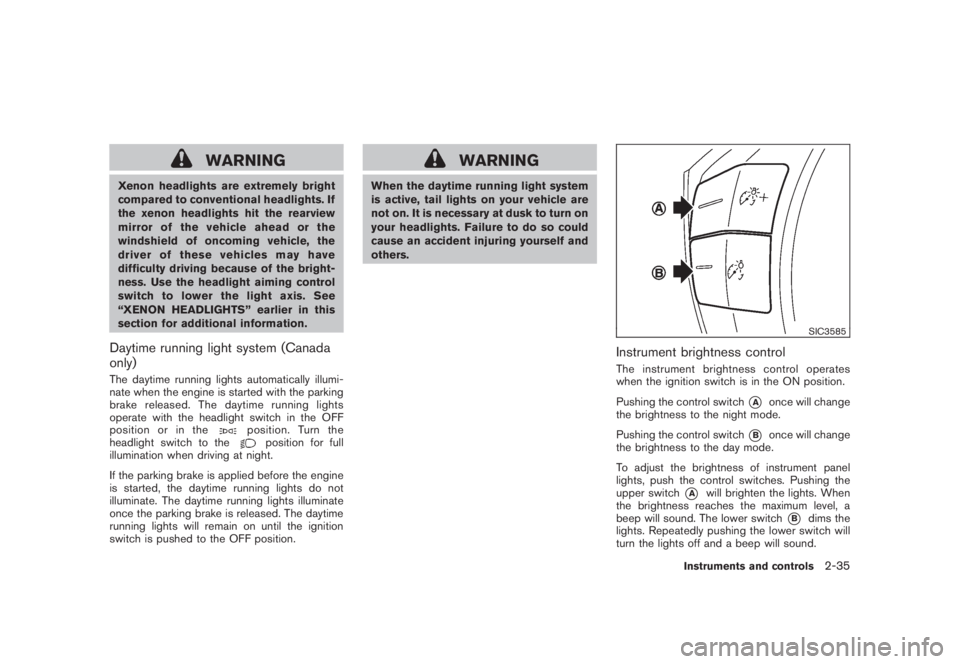
SIC3585
Instrument brightness controlThe instrument brightness control operates
when the ignition switch is in the ON position.
Pushing the control switch
*A
once will change
the brightness to the night mode.
Pushing the control switch
*B
once will change
the brightness to the day mode.
To adjust the brightness of instrument panel
lights, push the control switches. Pushing the
upper switch
*A
will brighten the lights. When
the brightness reaches the maximum level, a
beep will sound. The lower switch
*B
dims the
lights. Repeatedly pushing the lower switch will
turn the lights off and a beep will sound.
Instruments and controls
2-35
Page 108 of 444
Black plate (104,1)
Model "Z51-D" EDITED: 2008/ 6/ 26
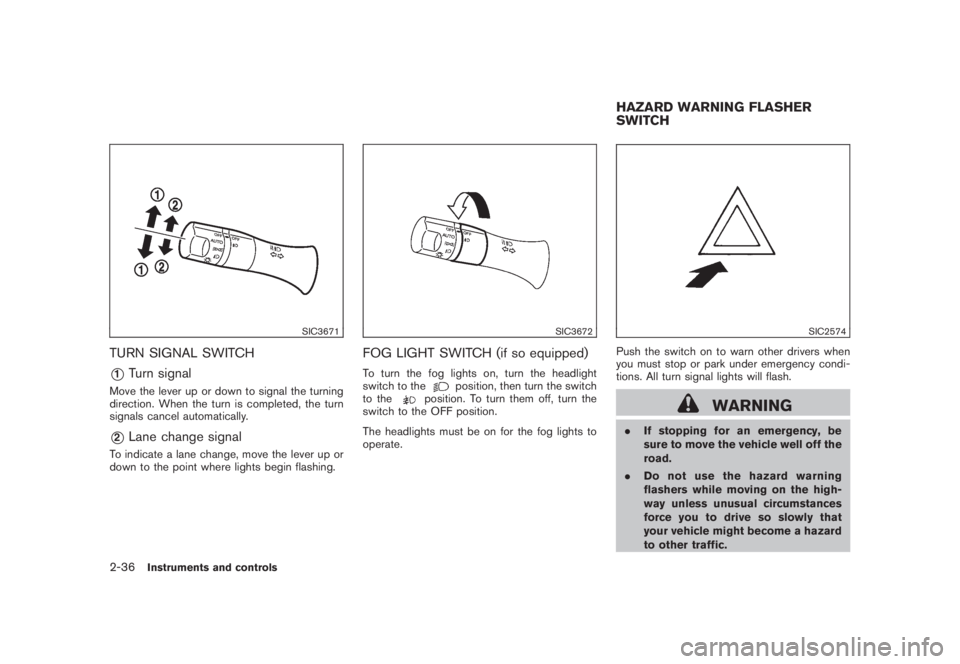
SIC3671
TURN SIGNAL SWITCH*1
Turn signal
Move the lever up or down to signal the turning
direction. When the turn is completed, the turn
signals cancel automatically.*2
Lane change signal
To indicate a lane change, move the lever up or
down to the point where lights begin flashing.
SIC3672
FOG LIGHT SWITCH (if so equipped)To turn the fog lights on, turn the headlight
switch to the
position, then turn the switch
to the
position. To turn them off, turn the
switch to the OFF position.
The headlights must be on for the fog lights to
operate.
SIC2574
Push the switch on to warn other drivers when
you must stop or park under emergency condi-
tions. All turn signal lights will flash.
WARNING
.If stopping for an emergency, be
sure to move the vehicle well off the
road.
.Do not use the hazard warning
flashers while moving on the high-
way unless unusual circumstances
force you to drive so slowly that
your vehicle might become a hazard
to other traffic.HAZARD WARNING FLASHER
SWITCH
2-36
Instruments and controls
Page 109 of 444
Black plate (105,1)
Model "Z51-D" EDITED: 2008/ 6/ 26
.Turn signals do not work when the
hazard warning flasher lights are
on.
The flasher can be actuated with the ignition
switch in any position.
Some state laws may prohibit the use of
the hazard warning flasher switch while
driving.
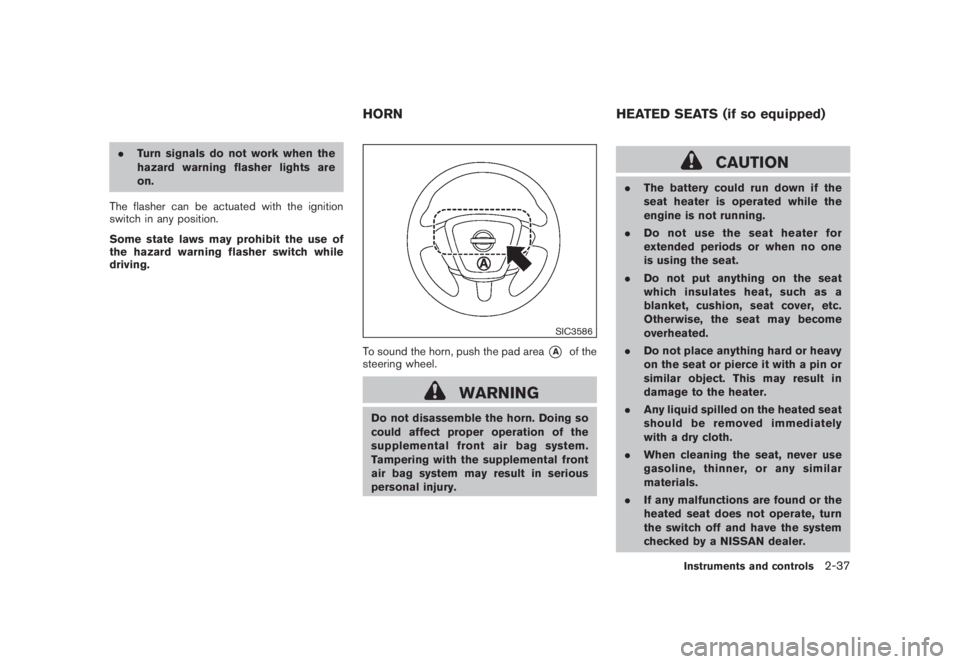
SIC3586
To sound the horn, push the pad area
*A
of the
steering wheel.
WARNING
Do not disassemble the horn. Doing so
could affect proper operation of the
supplemental front air bag system.
Tampering with the supplemental front
air bag system may result in serious
personal injury.
CAUTION
.The battery could run down if the
seat heater is operated while the
engine is not running.
.Do not use the seat heater for
extended periods or when no one
is using the seat.
.Do not put anything on the seat
which insulates heat, such as a
blanket, cushion, seat cover, etc.
Otherwise, the seat may become
overheated.
.Do not place anything hard or heavy
on the seat or pierce it with a pin or
similar object. This may result in
damage to the heater.
.Any liquid spilled on the heated seat
should be removed immediately
with a dry cloth.
.When cleaning the seat, never use
gasoline, thinner, or any similar
materials.
.If any malfunctions are found or the
heated seat does not operate, turn
the switch off and have the system
checked by a NISSAN dealer.
HORN HEATED SEATS (if so equipped)
Instruments and controls
2-37
Page 114 of 444
Black plate (110,1)
Model "Z51-D" EDITED: 2008/ 6/ 26
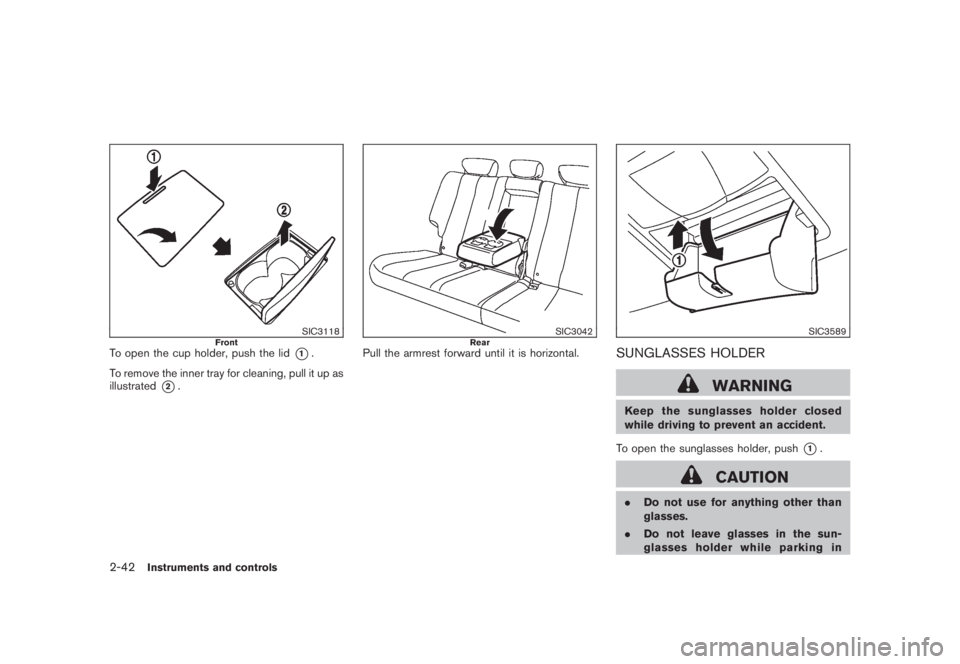
SIC3118
Front
To open the cup holder, push the lid
*1.
To remove the inner tray for cleaning, pull it up as
illustrated
*2.
SIC3042
Rear
Pull the armrest forward until it is horizontal.
SIC3589
SUNGLASSES HOLDER
WARNING
Keep the sunglasses holder closed
while driving to prevent an accident.
To open the sunglasses holder, push
*1.
CAUTION
.Do not use for anything other than
glasses.
.Do not leave glasses in the sun-
glasses holder while parking in
2-42
Instruments and controls
Page 115 of 444
Black plate (111,1)
Model "Z51-D" EDITED: 2008/ 6/ 26
direct sunlight. The heat may da-
mage the glasses.
SIC3590
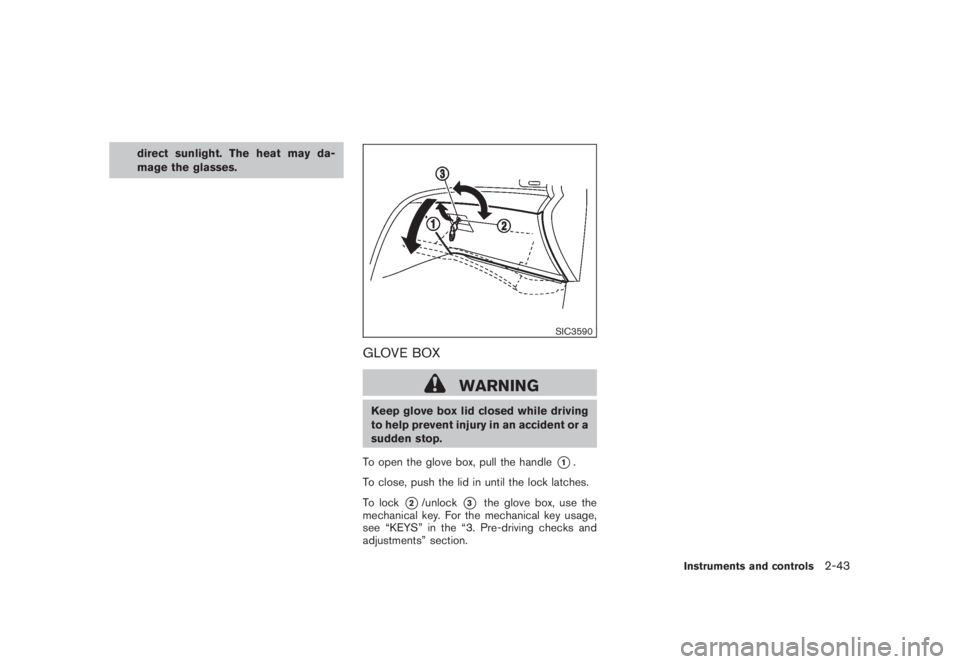
GLOVE BOX
WARNING
Keep glove box lid closed while driving
to help prevent injury in an accident or a
sudden stop.
To open the glove box, pull the handle
*1.
To close, push the lid in until the lock latches.
To lock
*2/unlock
*3
the glove box, use the
mechanical key. For the mechanical key usage,
see “KEYS” in the “3. Pre-driving checks and
adjustments” section.
Instruments and controls
2-43
Page 118 of 444
Black plate (114,1)
Model "Z51-D" EDITED: 2008/ 6/ 26
SIC3594
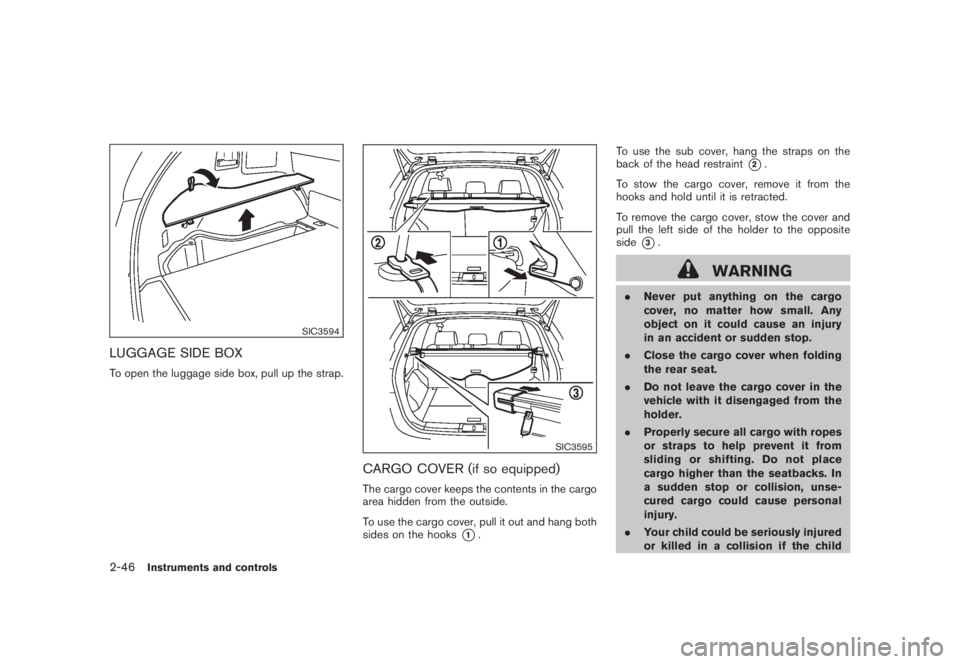
LUGGAGE SIDE BOXTo open the luggage side box, pull up the strap.
SIC3595
CARGO COVER (if so equipped)The cargo cover keeps the contents in the cargo
area hidden from the outside.
To use the cargo cover, pull it out and hang both
sides on the hooks
*1.To use the sub cover, hang the straps on the
back of the head restraint
*2.
To stow the cargo cover, remove it from the
hooks and hold until it is retracted.
To remove the cargo cover, stow the cover and
pull the left side of the holder to the opposite
side
*3.
WARNING
.Never put anything on the cargo
cover, no matter how small. Any
object on it could cause an injury
in an accident or sudden stop.
.Close the cargo cover when folding
the rear seat.
.Do not leave the cargo cover in the
vehicle with it disengaged from the
holder.
.Properly secure all cargo with ropes
or straps to help prevent it from
sliding or shifting. Do not place
cargo higher than the seatbacks. In
a sudden stop or collision, unse-
cured cargo could cause personal
injury.
.Your child could be seriously injured
or killed in a collision if the child
2-46
Instruments and controls
Page 119 of 444
Black plate (115,1)
Model "Z51-D" EDITED: 2008/ 6/ 26
restraint top tether strap is da-
maged.
— If the cargo cover contacts the
top tether strap when it is at-
tached to the top tether anchor,
remove the cargo cover from the
vehicle or secure it on the cargo
floor below its attachment loca-
tion. If the cargo cover is not
removed, it may damage the top
tether strap during a collision.
— Do not allow cargo to contact
the top tether strap when it is
attached to the top tether an-
chor. Properly secure the cargo
so it does not contact the top
tether strap. Cargo that is not
properly secured or that con-
tacts the top tether strap may
damage the top tether strap
during a collision.
SIC3596
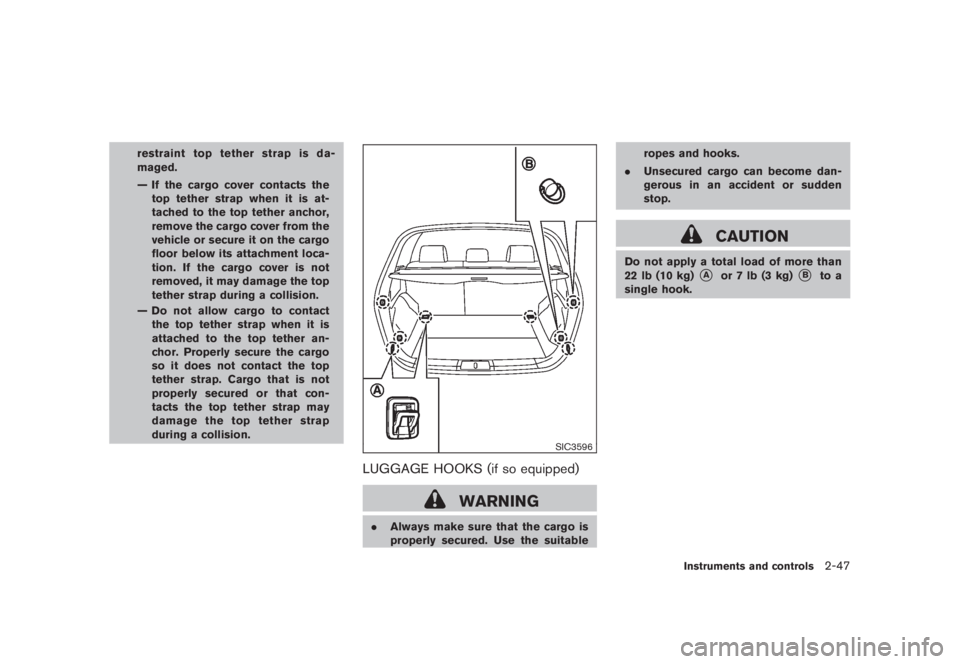
LUGGAGE HOOKS (if so equipped)
WARNING
.Always make sure that the cargo is
properly secured. Use the suitableropes and hooks.
.Unsecured cargo can become dan-
gerous in an accident or sudden
stop.
CAUTION
Do not apply a total load of more than
22 lb (10 kg)
*A
or 7 lb (3 kg)
*B
to a
single hook.
Instruments and controls
2-47
Page 120 of 444
Black plate (116,1)
Model "Z51-D" EDITED: 2008/ 6/ 26
SIC3597
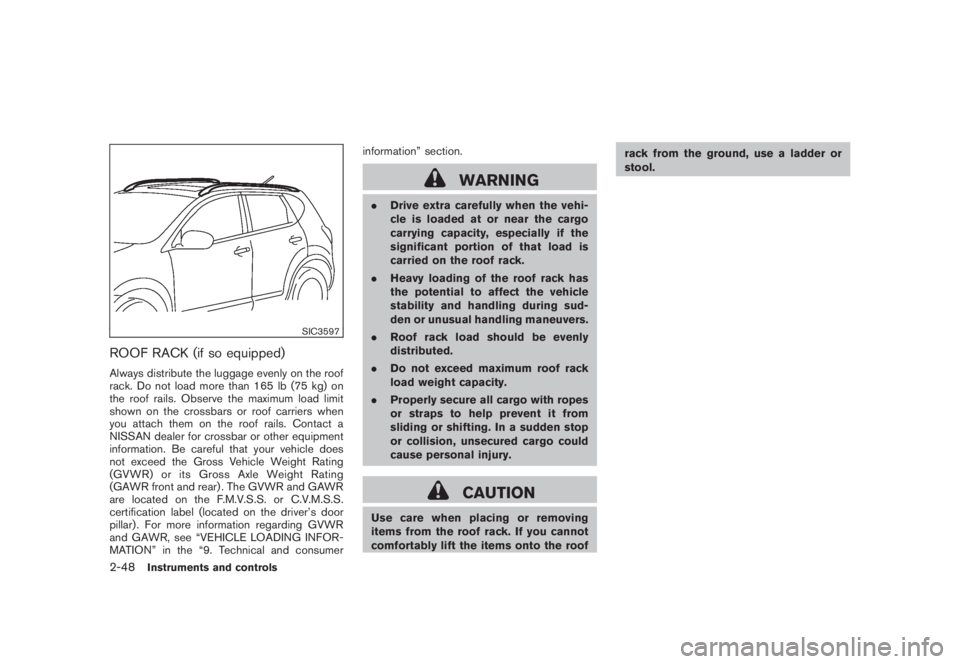
ROOF RACK (if so equipped)Always distribute the luggage evenly on the roof
rack. Do not load more than 165 lb (75 kg) on
the roof rails. Observe the maximum load limit
shown on the crossbars or roof carriers when
you attach them on the roof rails. Contact a
NISSAN dealer for crossbar or other equipment
information. Be careful that your vehicle does
not exceed the Gross Vehicle Weight Rating
(GVWR) or its Gross Axle Weight Rating
(GAWR front and rear) . The GVWR and GAWR
are located on the F.M.V.S.S. or C.V.M.S.S.
certification label (located on the driver’s door
pillar) . For more information regarding GVWR
and GAWR, see “VEHICLE LOADING INFOR-
MATION” in the “9. Technical and consumerinformation” section.
WARNING
.Drive extra carefully when the vehi-
cle is loaded at or near the cargo
carrying capacity, especially if the
significant portion of that load is
carried on the roof rack.
.Heavy loading of the roof rack has
the potential to affect the vehicle
stability and handling during sud-
den or unusual handling maneuvers.
.Roof rack load should be evenly
distributed.
.Do not exceed maximum roof rack
load weight capacity.
.Properly secure all cargo with ropes
or straps to help prevent it from
sliding or shifting. In a sudden stop
or collision, unsecured cargo could
cause personal injury.
CAUTION
Use care when placing or removing
items from the roof rack. If you cannot
comfortably lift the items onto the roofrack from the ground, use a ladder or
stool.
2-48
Instruments and controls
Page 121 of 444
Black plate (117,1)
Model "Z51-D" EDITED: 2008/ 6/ 26
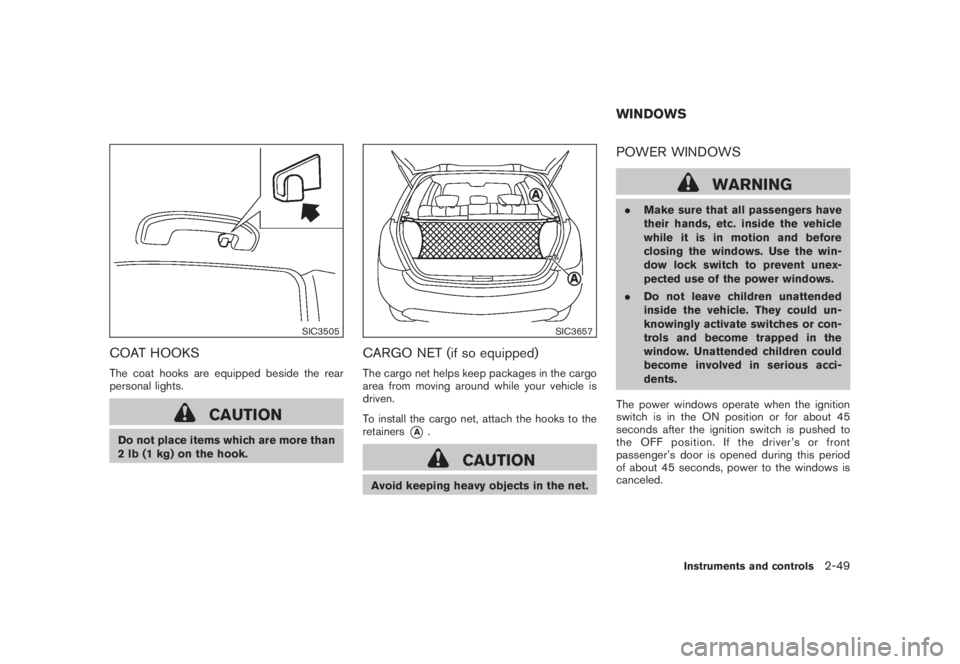
SIC3505
COAT HOOKSThe coat hooks are equipped beside the rear
personal lights.
CAUTION
Do not place items which are more than
2 lb (1 kg) on the hook.
SIC3657
CARGO NET (if so equipped)The cargo net helps keep packages in the cargo
area from moving around while your vehicle is
driven.
To install the cargo net, attach the hooks to the
retainers
*A
.
CAUTION
Avoid keeping heavy objects in the net.
POWER WINDOWS
WARNING
.Make sure that all passengers have
their hands, etc. inside the vehicle
while it is in motion and before
closing the windows. Use the win-
dow lock switch to prevent unex-
pected use of the power windows.
.Do not leave children unattended
inside the vehicle. They could un-
knowingly activate switches or con-
trols and become trapped in the
window. Unattended children could
become involved in serious acci-
dents.
The power windows operate when the ignition
switch is in the ON position or for about 45
seconds after the ignition switch is pushed to
the OFF position. If the driver’s or front
passenger’s door is opened during this period
of about 45 seconds, power to the windows is
canceled.WINDOWS
Instruments and controls
2-49
Page 123 of 444
Black plate (119,1)
Model "Z51-D" EDITED: 2008/ 6/ 26
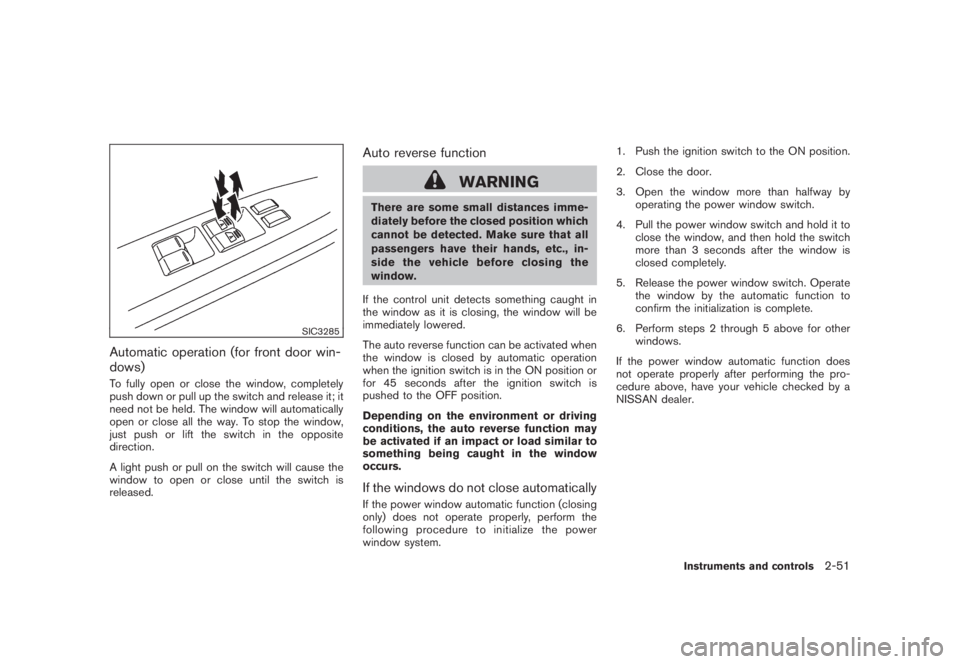
SIC3285
Automatic operation (for front door win-
dows)To fully open or close the window, completely
push down or pull up the switch and release it; it
need not be held. The window will automatically
open or close all the way. To stop the window,
just push or lift the switch in the opposite
direction.
A light push or pull on the switch will cause the
window to open or close until the switch is
released.
Auto reverse function
WARNING
There are some small distances imme-
diately before the closed position which
cannot be detected. Make sure that all
passengers have their hands, etc., in-
side the vehicle before closing the
window.
If the control unit detects something caught in
the window as it is closing, the window will be
immediately lowered.
The auto reverse function can be activated when
the window is closed by automatic operation
when the ignition switch is in the ON position or
for 45 seconds after the ignition switch is
pushed to the OFF position.
Depending on the environment or driving
conditions, the auto reverse function may
be activated if an impact or load similar to
something being caught in the window
occurs.If the windows do not close automaticallyIf the power window automatic function (closing
only) does not operate properly, perform the
following procedure to initialize the power
window system.1. Push the ignition switch to the ON position.
2. Close the door.
3. Open the window more than halfway by
operating the power window switch.
4. Pull the power window switch and hold it to
close the window, and then hold the switch
more than 3 seconds after the window is
closed completely.
5. Release the power window switch. Operate
the window by the automatic function to
confirm the initialization is complete.
6. Perform steps 2 through 5 above for other
windows.
If the power window automatic function does
not operate properly after performing the pro-
cedure above, have your vehicle checked by a
NISSAN dealer.
Instruments and controls
2-51