language NISSAN MURANO 2009 Owner´s Manual
[x] Cancel search | Manufacturer: NISSAN, Model Year: 2009, Model line: MURANO, Model: NISSAN MURANO 2009Pages: 443, PDF Size: 3.95 MB
Page 94 of 443
Black plate (92,1)
Model "Z51-D" EDITED: 2007/ 10/ 2
SIC3678
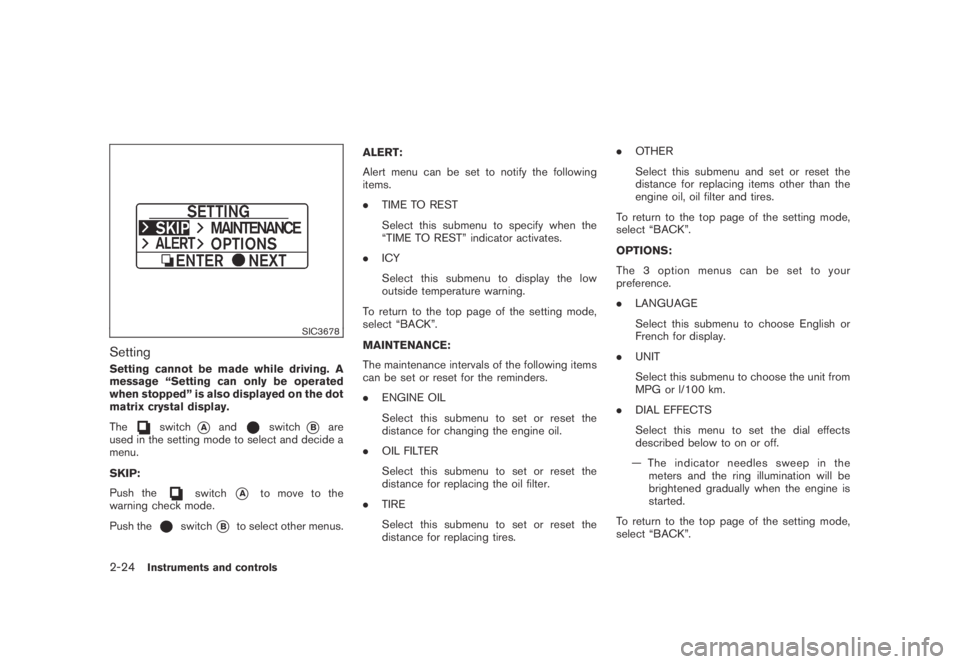
Setting
Setting cannot be made while driving. A
message “Setting can only be operated
when stopped” is also displayed on the dot
matrix crystal display.
The
switch*Aandswitch*Bare
used in the setting mode to select and decide a
menu.
SKIP:
Push the
switch*Ato move to the
warning check mode.
Push the
switch*Bto select other menus.ALERT:
Alert menu can be set to notify the following
items.
.TIME TO REST
Select this submenu to specify when the
“TIME TO REST” indicator activates.
.ICY
Select this submenu to display the low
outside temperature warning.
To return to the top page of the setting mode,
select “BACK”.
MAINTENANCE:
The maintenance intervals of the following items
can be set or reset for the reminders.
.ENGINE OIL
Select this submenu to set or reset the
distance for changing the engine oil.
.OIL FILTER
Select this submenu to set or reset the
distance for replacing the oil filter.
.TIRE
Select this submenu to set or reset the
distance for replacing tires..OTHER
Select this submenu and set or reset the
distance for replacing items other than the
engine oil, oil filter and tires.
To return to the top page of the setting mode,
select “BACK”.
OPTIONS:
The 3 option menus can be set to your
preference.
.LANGUAGE
Select this submenu to choose English or
French for display.
.UNIT
Select this submenu to choose the unit from
MPG or l/100 km.
.DIAL EFFECTS
Select this menu to set the dial effects
described below to on or off.
— The indicator needles sweep in the
meters and the ring illumination will be
brightened gradually when the engine is
started.
To return to the top page of the setting mode,
select “BACK”.
2-24Instruments and controls
Page 164 of 443
Black plate (14,1)
Model "Z51-D" EDITED: 2007/ 10/ 2
Playing a Digital Versatile Disc (DVD)...............4-69
Care and maintenance..................................4-73
Car phone or CB radio......................................4-74
Bluetooth
®Hands-Free Phone System with
navigation system (for U.S.)................................4-75
Regulatory information...................................4-76
Voice commands..........................................4-76
Control buttons...........................................4-77
Pairing procedure.........................................4-77
Phonebook registration..................................4-78
Making a call...............................................4-80
Receiving a call...........................................4-80
During a call...............................................4-81
Phone setting..............................................4-82
Troubleshooting guide...................................4-84
Bluetooth
®Hands-Free Phone System with
navigation system (for Canada)............................4-85
Regulatory information...................................4-86
Voice commands..........................................4-86
Control buttons...........................................4-87
Pairing procedure.........................................4-87
Phonebook registration..................................4-88
Making a call...............................................4-90
Receiving a call...........................................4-91
During a call...............................................4-91
Phone setting..............................................4-92Troubleshooting guide...................................4-94
Bluetooth
®Hands-Free Phone System without
navigation system (if so equipped).......................4-95
Regulatory information...................................4-96
Initialization.................................................4-96
Operating tips.............................................4-96
Giving voice commands.................................4-96
Control buttons...........................................4-98
Getting started............................................4-98
Choosing a language....................................4-98
Pairing procedure.........................................4-98
Making a call by entering a phone number.........4-99
Receiving a call...........................................4-99
List of voice commands............................... 4-100
Call......................................................... 4-100
Phone book.............................................. 4-102
Memo pad................................................ 4-104
Setup...................................................... 4-104
Speaker Adaptation (SA) mode..................... 4-106
Troubleshooting guide................................. 4-108
NISSAN voice recognition system
(models with navigation system) (for U.S.)............ 4-109
NISSAN voice recognition standard mode........ 4-109
Using the system....................................... 4-111
Before starting........................................... 4-112
Giving voice commands............................... 4-112
Page 182 of 443
Black plate (180,1)
Model "Z51-D" EDITED: 2007/ 10/ 2
Return All Settings to Default:
Select this item, push theENTERbutton and
choose “YES” if you want to return all settings to
the default.
SAA1566
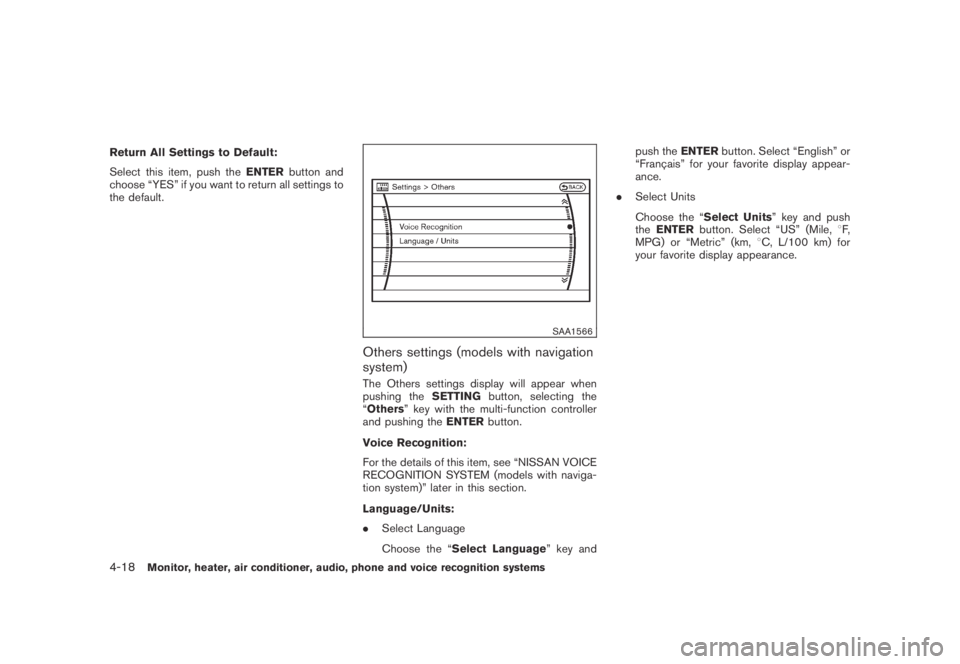
Others settings (models with navigation
system)
The Others settings display will appear when
pushing theSETTINGbutton, selecting the
“Others” key with the multi-function controller
and pushing theENTERbutton.
Voice Recognition:
For the details of this item, see “NISSAN VOICE
RECOGNITION SYSTEM (models with naviga-
tion system)” later in this section.
Language/Units:
.Select Language
Choose the “Select Language” key andpush theENTERbutton. Select “English” or
“Franc¸ ais” for your favorite display appear-
ance.
.Select Units
Choose the “Select Units” key and push
theENTERbutton. Select “US” (Mile,8F,
MPG) or “Metric” (km,8C, L/100 km) for
your favorite display appearance.
4-18Monitor, heater, air conditioner, audio, phone and voice recognition systems
Page 183 of 443
Black plate (181,1)
Model "Z51-D" EDITED: 2007/ 10/ 2
SAA1092
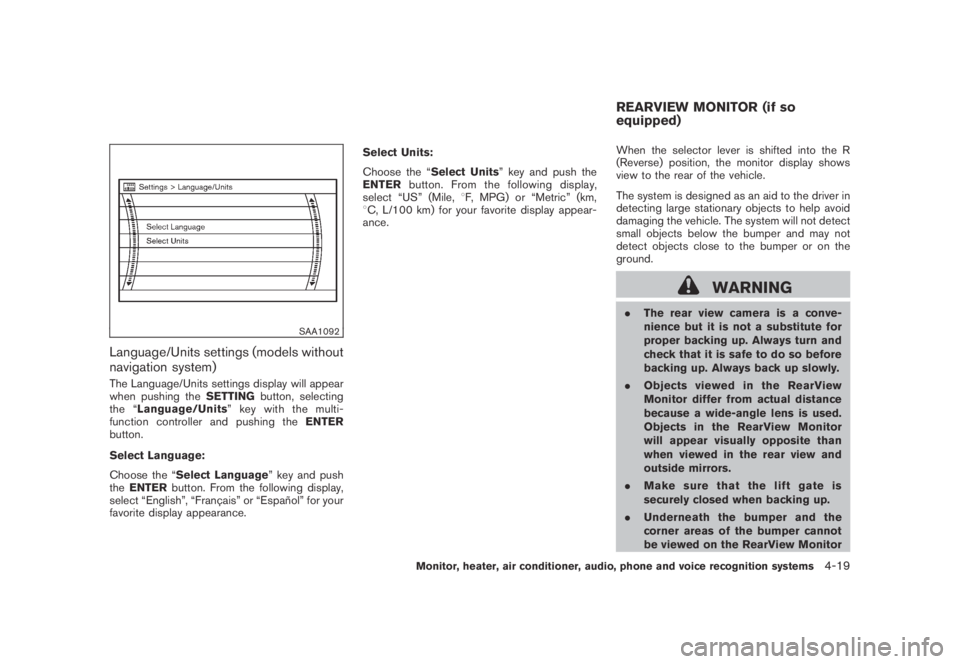
Language/Units settings (models without
navigation system)
The Language/Units settings display will appear
when pushing theSETTINGbutton, selecting
the “Language/Units”keywiththemulti-
function controller and pushing theENTER
button.
Select Language:
Choose the “Select Language” key and push
theENTERbutton. From the following display,
select “English”, “Franc¸ ais” or “Espan˜
ol” for your
favorite display appearance.Select Units:
Choose the “Select Units” key and push the
ENTERbutton. From the following display,
select “US” (Mile,8F, MPG) or “Metric” (km,
8C, L/100 km) for your favorite display appear-
ance.When the selector lever is shifted into the R
(Reverse) position, the monitor display shows
view to the rear of the vehicle.
The system is designed as an aid to the driver in
detecting large stationary objects to help avoid
damaging the vehicle. The system will not detect
small objects below the bumper and may not
detect objects close to the bumper or on the
ground.
WARNING
.The rear view camera is a conve-
nience but it is not a substitute for
proper backing up. Always turn and
check that it is safe to do so before
backing up. Always back up slowly.
.Objects viewed in the RearView
Monitor differ from actual distance
because a wide-angle lens is used.
Objects in the RearView Monitor
will appear visually opposite than
when viewed in the rear view and
outside mirrors.
.Make sure that the lift gate is
securely closed when backing up.
.Underneath the bumper and the
corner areas of the bumper cannot
be viewed on the RearView Monitor
REARVIEW MONITOR (if so
equipped)
Monitor, heater, air conditioner, audio, phone and voice recognition systems4-19
Page 198 of 443
Black plate (196,1)
Model "Z51-D" EDITED: 2007/ 10/ 2
iPod®player (if so equipped)
.Some characters used in other lan-
guages (Chinese, Japanese, etc.) are
not displayed properly on the vehicle
center screen. We recommend using
English language characters with an
iPod
®.
.Large video podcast files cause slow
responses in the iPod
®. The vehicle
center display may momentarily black
out, but it will soon recover.
.If the iPod
®automatically selects large
video podcast files while in the shuffle
mode, the vehicle center display may
momentarily black out, but it will soon
recover.
.Improperly plugging in the iPod
®may
cause a checkmark to be displayed on
and off (flickering) . Always make sure
that the iPod
®is connected properly.
.The iPod
®nano (2nd Generation) will
continue to fast forward or rewind if it
is disconnected during a seek opera-
tion.
.An incorrect song title may appear
when the Play Mode is changed while
using the iPod
®nano (2nd Generation) .
.Audiobooks may not play in the sameorder as they appear on the iPod
®.
.The iPod
®nano (1st Generation) may
remain in fast forward or rewind mode
if it is connected during a seek opera-
tion. In this case, please manually reset
the iPod
®.
.If you are using an iPod
®(3rd Genera-
tion with Dock connector) , do not use
very long names for the song title,
album name or artist name to avoid
the iPod
®from resetting itself.
.Be careful not to do the following, or
the cable could be damaged and a loss
of function may occur.
—Bend the cable excessively (1.6 in (40
mm) radius minimum) .
—Twist the cable excessively (more
than 180 degrees) .
—Pull or drop the cable.
—Close the center console lid on the
cable or connectors.
—Store objects with sharp edges in the
storage where the cable is stored.
—Spill liquids on the cable and con-
nectors.
.Do not connect the cable to the iPod
®ifthe cable and/or connectors are wet. It
may damage the iPod
®.
.If the cable and connectors are ex-
posed to water, allow the cable and/or
connectors to dry completely before
connecting the cable to the iPod
®(wait
24 hours for it to dry) .
.If the connector is exposed to fluids
other than water, evaporative residue
may cause a short between the con-
nector pins. In this case, replace the
cable, otherwise damage to the iPod
®
and a loss of function may occur.
.If the cable is damaged (insulation cut,
connectors cracked, contamination
such as liquids, dust, dirt, etc. in the
connectors) , do not use the cable and
contact a NISSAN dealer to replace the
cable with a new one.
.When not in use for extended periods
of time, store the cable in a clean, dust
free environment at room temperature
and without direct sun exposure.
.Do not use the cable for any other
purposes other than its intended use in
the vehicle.
*iPod
®is a trademark of Apple Inc., registered in
the U.S. and other countries.
4-34Monitor, heater, air conditioner, audio, phone and voice recognition systems
Page 235 of 443
Black plate (233,1)
Model "Z51-D" EDITED: 2007/ 10/ 2
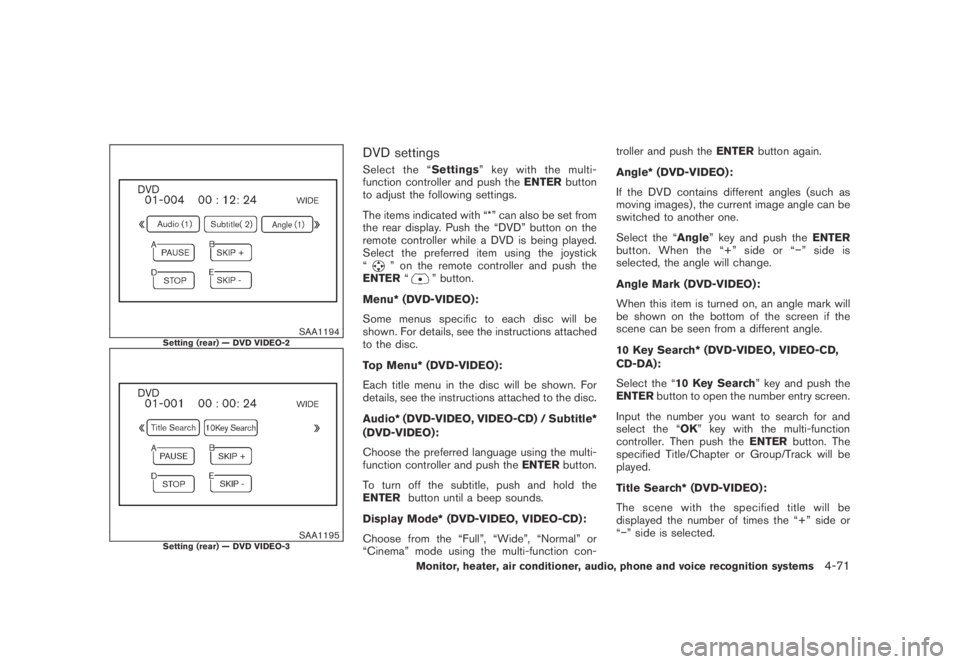
SAA1194Setting (rear) — DVD VIDEO-2
SAA1195Setting (rear) — DVD VIDEO-3
DVD settings
Select the “Settings” key with the multi-
function controller and push theENTERbutton
to adjust the following settings.
The items indicated with “*” can also be set from
the rear display. Push the “DVD” button on the
remote controller while a DVD is being played.
Select the preferred item using the joystick
“
” on the remote controller and push the
ENTER“” button.
Menu* (DVD-VIDEO):
Some menus specific to each disc will be
shown. For details, see the instructions attached
to the disc.
Top Menu* (DVD-VIDEO):
Each title menu in the disc will be shown. For
details, see the instructions attached to the disc.
Audio* (DVD-VIDEO, VIDEO-CD) / Subtitle*
(DVD-VIDEO):
Choose the preferred language using the multi-
function controller and push theENTERbutton.
To turn off the subtitle, push and hold the
ENTERbutton until a beep sounds.
Display Mode* (DVD-VIDEO, VIDEO-CD):
Choose from the “Full”, “Wide”, “Normal” or
“Cinema” mode using the multi-function con-troller and push theENTERbutton again.
Angle* (DVD-VIDEO):
If the DVD contains different angles (such as
moving images) , the current image angle can be
switched to another one.
Select the “Angle” key and push theENTER
button. When the “+” side or “−” side is
selected, the angle will change.
Angle Mark (DVD-VIDEO):
When this item is turned on, an angle mark will
be shown on the bottom of the screen if the
scene can be seen from a different angle.
10 Key Search* (DVD-VIDEO, VIDEO-CD,
CD-DA):
Select the “10 Key Search” key and push the
ENTERbutton to open the number entry screen.
Input the number you want to search for and
select the “OK” key with the multi-function
controller. Then push theENTERbutton. The
specified Title/Chapter or Group/Track will be
played.
Title Search* (DVD-VIDEO) :
The scene with the specified title will be
displayed the number of times the “+” side or
“−” side is selected.
Monitor, heater, air conditioner, audio, phone and voice recognition systems4-71
Page 236 of 443
Black plate (234,1)
Model "Z51-D" EDITED: 2007/ 10/ 2
Select No.* (VIDEO-CD) :
Select the “Select No.” key and push the
ENTERbutton to open the number entry screen.
Input the number you wish to search for and
select the “OK” key with the multi-function
controller, and then push theENTERbutton.
The specified scene will be played.
Menu Skip (DVD-VIDEO):
DVD menus are automatically configured and
the contents will be played directly when the
“Menu Skip” key is turned on. Note that some
discs may not be played directly even if this item
is turned on.
DVD Language (DVD-VIDEO, VIDEO-CD):
Select the “DVD Language” key and push the
ENTERbutton to open the number entry screen.
Input the number corresponding to the preferred
language and select the “OK” key with the multi-
function controller. Then push theENTER
button. The DVD top menu language will be
changed to the one specified.
DRC (DVD-VIDEO) :
DRC (Dynamic Range Compression) allows you
to tune the dynamic range of the sound
recorded in the Dolby Digital format.Remote controller operation
Use the remote controller to adjust the following
items.
Rear display open/close:
To open or close the flip-down rear display, push
the “
” button on the remote controller.
Joystick:
Use the joystick “
” to select the items
displayed on the rear screen.
ENTER button:
Push theENTER“
” button to make the
selected item complete on the rear screen.
BACK button:
Press to go back to the previous screen or
cancel the selection.
Display tilt:
Adjust the display angle by pushing the “DIS-
PLAY TILT” button
or.
DVD mode:
To select the DVD mode, push the DVD button.
AUX mode:
To select the AUX (Auxiliary input jacks) mode,
push the AUX button.Volume:
To control the volume level, push the “VOL”
button
or.
Display:
Press to adjust the rear display screen bright-
ness, tint, contrast, etc.
Aspect:
To change the display size, push the “ASPECT”
button. Each time the button is pushed, the
display size will change to “Cinema”, “Wide”,
“Full” or “Normal”.
Sound:
To change the language, push the “SOUND”
button. Each time the button is pushed, the
language will change to each language stored in
the DVD.
Headphones:
The DVD sound can be heard through the
headphones.
Push the “
” button. Each time the button is
pushed the mode will switch to ON or OFF.
To control the volume of sound from the
headphones, use the VOLUME CONTROL
knob attached to the headphones.
4-72Monitor, heater, air conditioner, audio, phone and voice recognition systems
Page 262 of 443
Black plate (260,1)
Model "Z51-D" EDITED: 2007/ 10/ 2
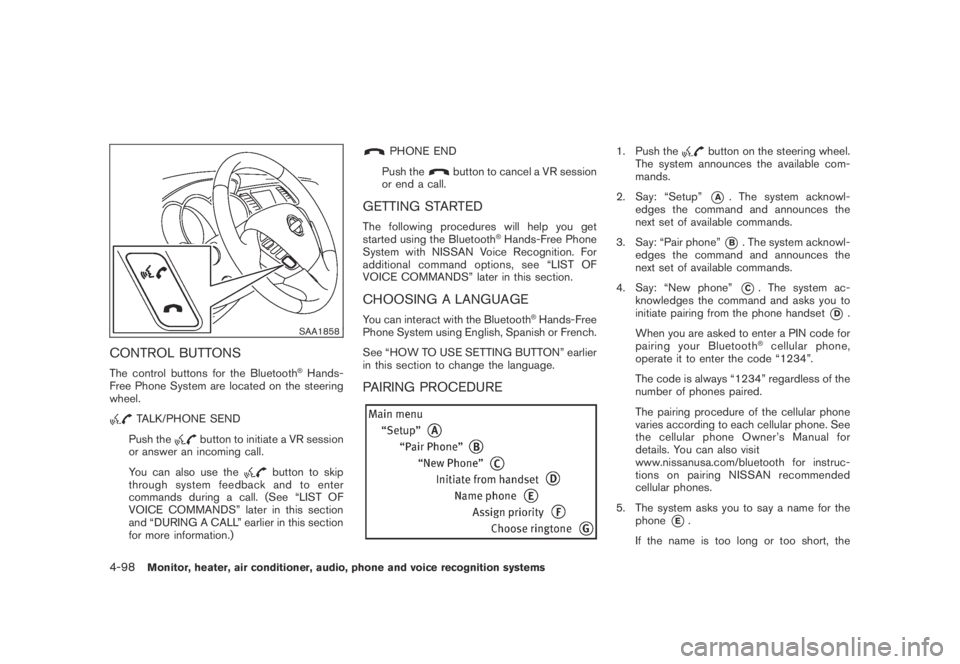
SAA1858
CONTROL BUTTONS
The control buttons for the Bluetooth®Hands-
Free Phone System are located on the steering
wheel.
TALK/PHONE SEND
Push the
button to initiate a VR session
or answer an incoming call.
You can also use the
button to skip
through system feedback and to enter
commands during a call. (See “LIST OF
VOICE COMMANDS” later in this section
and “DURING A CALL” earlier in this section
for more information.)
PHONE END
Push the
button to cancel a VR session
or end a call.
GETTING STARTED
The following procedures will help you get
started using the Bluetooth®Hands-Free Phone
System with NISSAN Voice Recognition. For
additional command options, see “LIST OF
VOICE COMMANDS” later in this section.
CHOOSING A LANGUAGE
You can interact with the Bluetooth®Hands-Free
Phone System using English, Spanish or French.
See “HOW TO USE SETTING BUTTON” earlier
in this section to change the language.
PAIRING PROCEDURE
1. Push thebutton on the steering wheel.
The system announces the available com-
mands.
2. Say: “Setup”
*A. The system acknowl-
edges the command and announces the
next set of available commands.
3. Say: “Pair phone”
*B. The system acknowl-
edges the command and announces the
next set of available commands.
4. Say: “New phone”
*C. The system ac-
knowledges the command and asks you to
initiate pairing from the phone handset
*D.
When you are asked to enter a PIN code for
pairing your Bluetooth
®cellular phone,
operate it to enter the code “1234”.
The code is always “1234” regardless of the
number of phones paired.
The pairing procedure of the cellular phone
varies according to each cellular phone. See
the cellular phone Owner’s Manual for
details. You can also visit
www.nissanusa.com/bluetooth for instruc-
tions on pairing NISSAN recommended
cellular phones.
5. The system asks you to say a name for the
phone
*E.
If the name is too long or too short, the
4-98Monitor, heater, air conditioner, audio, phone and voice recognition systems