fog light NISSAN MURANO 2019 Owner´s Manual
[x] Cancel search | Manufacturer: NISSAN, Model Year: 2019, Model line: MURANO, Model: NISSAN MURANO 2019Pages: 507, PDF Size: 6.1 MB
Page 242 of 507
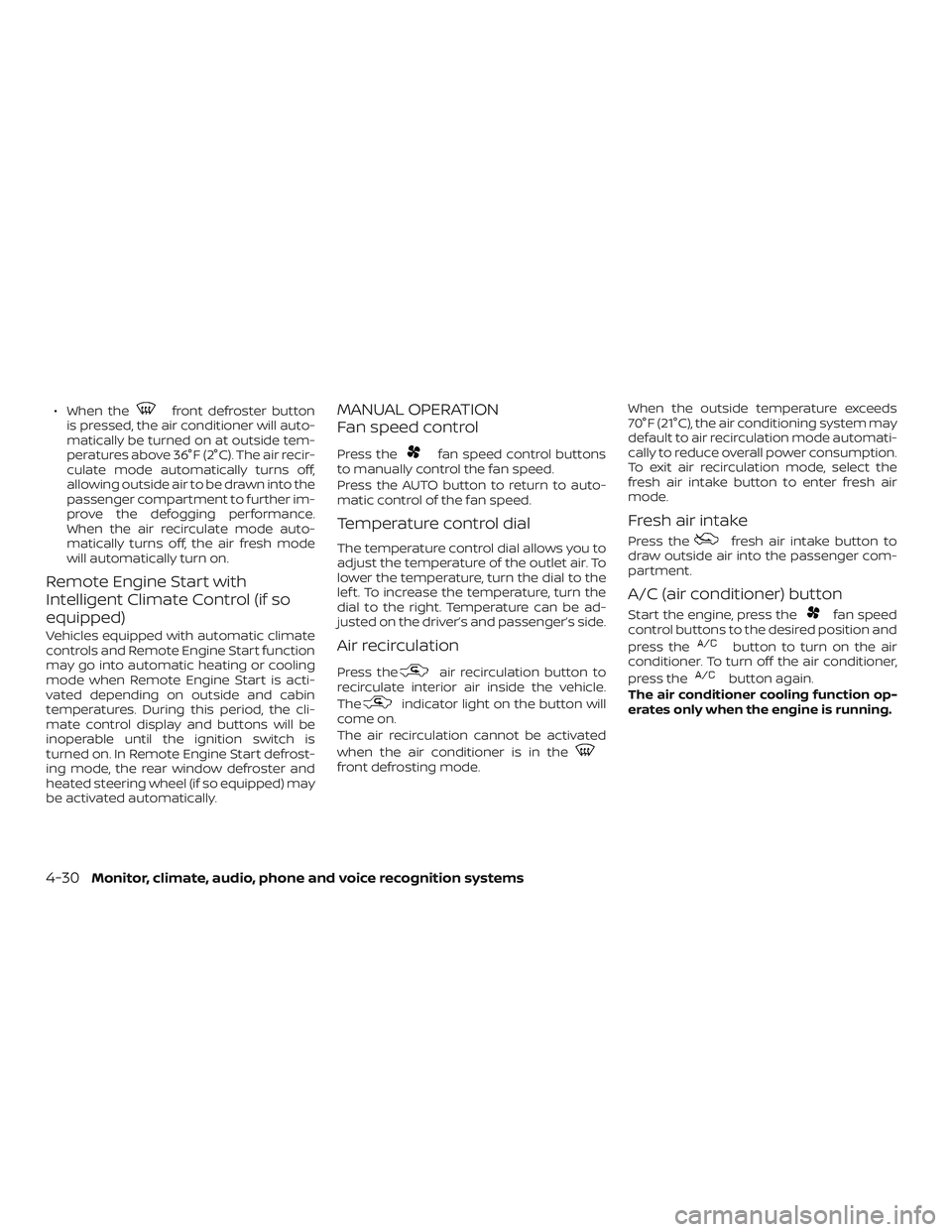
∙ When thefront defroster button
is pressed, the air conditioner will auto-
matically be turned on at outside tem-
peratures above 36°F (2°C). The air recir-
culate mode automatically turns off,
allowing outside air to be drawn into the
passenger compartment to further im-
prove the defogging performance.
When the air recirculate mode auto-
matically turns off, the air fresh mode
will automatically turn on.
Remote Engine Start with
Intelligent Climate Control (if so
equipped)
Vehicles equipped with automatic climate
controls and Remote Engine Start function
may go into automatic heating or cooling
mode when Remote Engine Start is acti-
vated depending on outside and cabin
temperatures. During this period, the cli-
mate control display and buttons will be
inoperable until the ignition switch is
turned on. In Remote Engine Start defrost-
ing mode, the rear window defroster and
heated steering wheel (if so equipped) may
be activated automatically.
MANUAL OPERATION
Fan speed control
Press thefan speed control buttons
to manually control the fan speed.
Press the AUTO button to return to auto-
matic control of the fan speed.
Temperature control dial
The temperature control dial allows you to
adjust the temperature of the outlet air. To
lower the temperature, turn the dial to the
lef t. To increase the temperature, turn the
dial to the right. Temperature can be ad-
justed on the driver’s and passenger’s side.
Air recirculation
Press theair recirculation button to
recirculate interior air inside the vehicle.
The
indicator light on the button will
come on.
The air recirculation cannot be activated
when the air conditioner is in the
front defrosting mode. When the outside temperature exceeds
70°F (21°C), the air conditioning system may
default to air recirculation mode automati-
cally to reduce overall power consumption.
To exit air recirculation mode, select the
fresh air intake button to enter fresh air
mode.
Fresh air intake
Press thefresh air intake button to
draw outside air into the passenger com-
partment.
A/C (air conditioner) button
Start the engine, press thefan speed
control buttons to the desired position and
press the
button to turn on the air
conditioner. To turn off the air conditioner,
press the
button again.
The air conditioner cooling function op-
erates only when the engine is running.
4-30Monitor, climate, audio, phone and voice recognition systems
Page 276 of 507
LDW SYSTEM LIMITATIONS
WARNING
Listed below are the system limitations
for the LDW system. Failure to follow the
warnings and instructions for proper
use of the LDW system could result in
serious injury or death.
∙
The system will not operate at speeds
below approximately 37 mph (60 km/h)
or if it cannot detect lane markers.
∙ Do not use the LDW system under the following conditions as it may not
function properly:
– During bad weather (rain, fog, snow, etc.).
– When driving on slippery roads, such as on ice or snow.
– When driving on winding or un- even roads.
– When there is a lane closure due to road repairs.
– When driving in a makeshif t or temporary lane.
– When driving on roads where the lane width is too narrow. – When driving without normal tire
conditions (for example, tire wear,
low tire pressure, installation of
spare tire, tire chains, nonstandard
wheels).
– When the vehicle is equipped with non-original brake parts or sus-
pension parts.
– When you are towing a trailer or other vehicle.
∙ The system may not function prop- erly under the following conditions:
– On roads where there are multiple parallel lane markers; lane mark-
ers that are faded or not painted
clearly; yellow painted lane mark-
ers; non-standard lane markers; or
lane markers covered with water,
dirt, snow, etc.
– On roads where the discontinued lane markers are still detectable.
– On roads where there are sharp curves.
–
On roads where there are sharply
contrasting objects, such as shad-
ows, snow, water, wheel ruts, seams
or lines remaining af ter road re-
pairs. (The LDW system could detect
these items as lane markers.)
– On roads where the traveling lane merges or separates.
– When the vehicle’s traveling direc- tion does not align with the lane
marker.
– When traveling close to the vehicle in front of you, which obstructs the
lane camera unit detection range.
– When rain, snow, dirt or an object adheres to the windshield in front
of the lane camera unit.
– When the headlights are not bright due to dirt on the lens or if the aim-
ing is not adjusted properly.
– When strong light enters the lane camera unit. (For example, the light
directly shines on the front of the
vehicle at sunrise or sunset.)
– When a sudden change in bright- ness occurs. (For example, when
the vehicle enters or exits a tunnel
or under a bridge.)
5-30Starting and driving
Page 319 of 507
NOTE:
The approach warning chime may sound
and the system display may blink when
the ICC sensor detects objects on the
side of the vehicle or on the side of the
road. This may cause the ICC system to
decelerate or accelerate the vehicle. The
ICC sensor may detect these objects
when the vehicle is driven on winding
roads, narrow roads, hilly roads, or when
entering or exiting a curve. In these
cases you will have to manually control
the proper distance ahead of your ve-
hicle.
Also, the radar sensor sensitivity can be
affected by vehicle operation (steering ma-
neuver or driving position in the lane) or
traffic or vehicle condition (for example, if a
vehicle is being driven with some damage).
Automatic cancellation
A chime sounds under the following condi-
tions and the control is automatically can-
celed:∙ When the vehicle ahead is not detected and your vehicle is traveling below the
speed of 15 mph (24 km/h)
∙ When the system judges the vehicle is at a standstill ∙ When the shif t lever is not in the D (Drive)
position, Manual mode.
∙ When the parking brake system is ap- plied
∙ When the VDC system is turned off
∙ When VDC operates
∙ When distance measurement be- comes impaired due to adhesion of dirt
or obstruction to the sensor
∙ When a wheel slips
∙ When the radar signal is temporarily in- terrupted
VEHICLE-TO-VEHICLE DISTANCE
CONTROL MODE LIMITATIONS
WARNING
Listed below are the system limitations
for the ICC system. Failure to operate
the vehicle in accordance with these
system limitations could result in seri-
ous injury or death. ∙ The ICC system is primarily intended
for use on straight, dry, open roads
with light traffic. It is not advisable to
use the ICC system in city traffic or
congested areas.
∙ The ICC system will not adapt auto- matically to road conditions. This sys-
tem should be used in evenly flowing
traffic. Do not use the system on roads
with sharp curves, or on icy roads, in
heavy rain or in fog.
∙ As there is a performance limit to the distance control function, never rely
solely on the ICC system. This system
does not correct careless, inattentive
or absentminded driving, or over-
come poor visibility in rain, fog, or
other bad weather. Decelerate the ve-
hicle speed by depressing the brake
pedal, depending on the distance to
the vehicle ahead and the surround-
ing circumstances in order to main-
tain a safe distance between vehicles.
Starting and driving5-73
Page 349 of 507
NOTE:∙ The AEB with Pedestrian Detection
system will be automatically turned
on when the engine is restarted.
∙ The I-FCW system is integrated into
the AEB with Pedestrian Detection
system. There is not a separate selec-
tion in the vehicle information display
for the I-FCW system. When the AEB
system is turned off, the I-FCW sys-
tem is also turned off.
AEB WITH PEDESTRIAN
DETECTION SYSTEM LIMITATIONS
WARNING
Listed below are the system limitations
for the AEB with Pedestrian Detection
system. Failure to operate the vehicle in
accordance with these system limita-
tions could result in serious injury or
death.
∙ The AEB with Pedestrian Detection system cannot detect all vehicles or
pedestrians under all conditions.
∙ The AEB with Pedestrian Detection system does not detect the following
objects: – Small pedestrians (including small
children), animals and cyclists.
– Pedestrians in wheelchairs or us- ing mobile transport such as
scooters, child-operated toys, or
skateboards.
– Pedestrians who are seated or oth- erwise not in a full upright stand-
ing or walking position.
– Oncoming vehicles
– Crossing vehicles
– Obstacles on the roadside
∙ The AEB with Pedestrian Detection system has some performance
limitations.
– If a stationary vehicle is in the vehi- cle’s path, the AEB with Pedestrian
Detection system will not function
when the vehicle is driven at
speeds over approximately
50 mph (80 km/h). – For pedestrian detection, the AEB
with Pedestrian Detection system
will not function when the vehicle
is driven at speeds over approxi-
mately 37 mph (60 km/h) or below
approximately 6 mph (10 km/h).
∙ The AEB with Pedestrian Detection system will not function for pedestri-
ans in darkness or in tunnels, even if
there is street lighting in the area.
∙ The AEB with Pedestrian Detection system may not function if the vehicle
ahead is narrow (for example, a
motorcycle).
∙ The AEB with Pedestrian Detection system may not function if the speed
difference between the two vehicles is
too small.
∙ The radar sensor AEB with Pedestrian Detection system may not function
properly or detect a vehicle ahead in
the following conditions:
– Poor visibility (conditions such as rain, snow, fog, dust storms, sand-
storms, and road spray from other
vehicles)
Starting and driving5-103
Page 350 of 507
– Driving on a steep downhill slopeor roads with sharp curves.
– Driving on a bumpy road surface, such as an uneven dirt road.
– If dirt, ice, snow or other material is covering the radar sensor area.
– Interference by other radar sources.
– The camera area of the windshield is fogged up, or covered with dirt,
water drops, ice, snow, etc.
– Strong light (for example, sunlight or high beams from oncoming ve-
hicles) enters the front camera.
Strong light causes the area
around the pedestrian to be cast in
a shadow, making it difficult to see.
– A sudden change in brightness oc- curs. (For example, when the ve-
hicle enters or exits a tunnel or a
shaded area or lightning flashes.)
– The poor contrast of a person to the background, such as having
clothing color or pattern which is
similar to the background. – The pedestrian’s profile is partially
obscured or unidentifiable due to
the pedestrian transporting lug-
gage, wearing bulky or very loose-
fitting clothing or accessories.
∙ The system performance may de- grade in the following conditions:
– The vehicle is driven on a slippery road.
– The vehicle is driven on a slope.
– Excessively heavy baggage is loaded in the rear seat or the trunk
room of your vehicle.
∙ The system is designed to automati- cally check the sensor’s (radar and
camera) functionality, within certain
limitations. The system may not de-
tect blockage of sensor areas covered
by ice, snow or stickers, for example.
In these cases, the system may not be
able to warn the driver properly. Be
sure that you check, clean and clear
sensor areas regularly. ∙ In some road and traffic conditions,
the AEB with Pedestrian Detection
system may unexpectedly apply par-
tial braking. When acceleration is nec-
essary, depress the accelerator pedal
to override the system.
∙ Excessive noise will interfere with the warning chime sound, and the chime
may not be heard.
5-104Starting and driving
Page 411 of 507
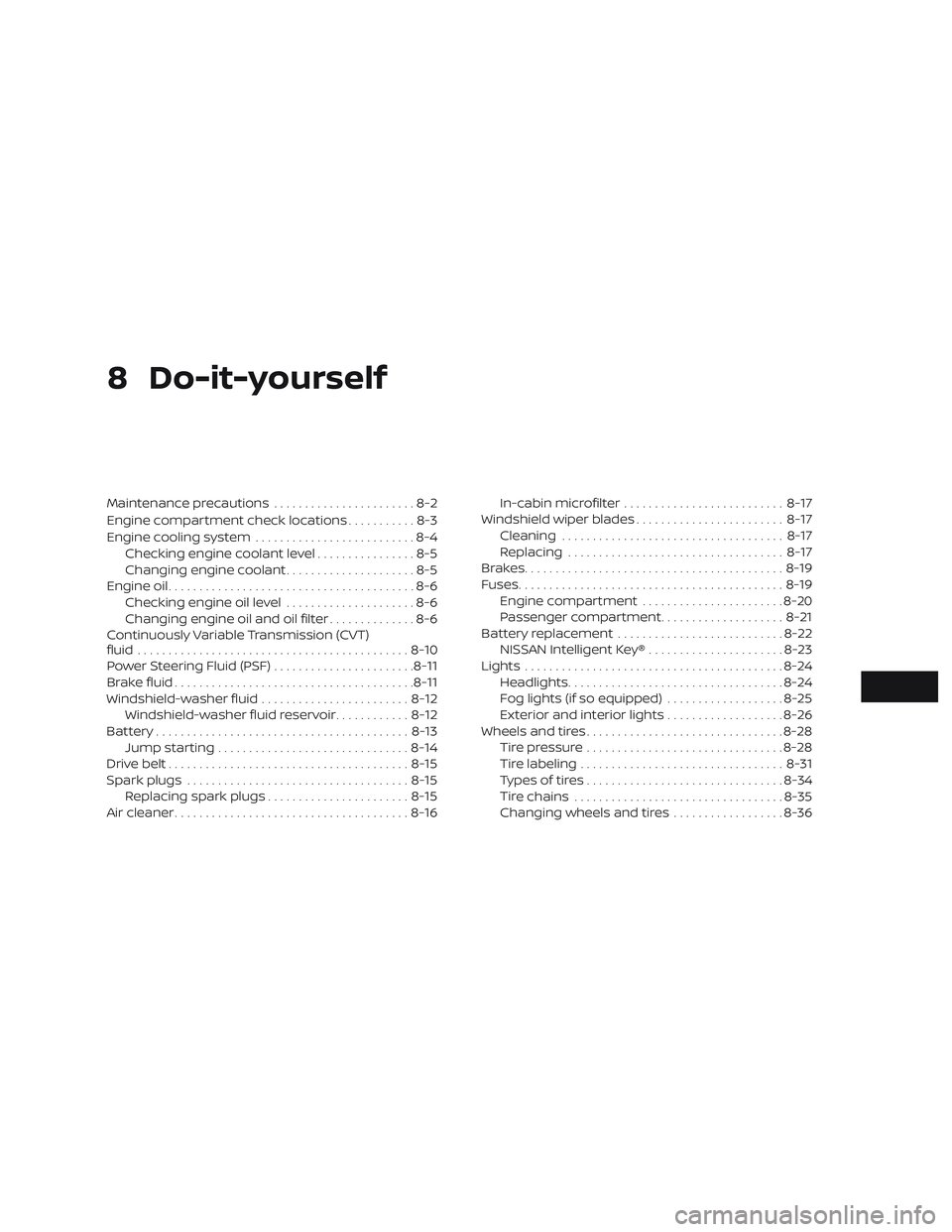
8 Do-it-yourself
Maintenance precautions.......................8-2
Engine compartment check locations ...........8-3
Engine cooling system ..........................8-4
Checking engine coolant level ................8-5
Changing engine coolant .....................8-5
Engine oil ........................................8-6
Checking engine oil level .....................8-6
Changing engine oil and oil filter ..............8-6
Continuously Variable Transmission (CVT)
fluid ............................................ 8-10
Power Steering Fluid (PSF) .......................8-11
Brake fluid ....................................... 8-11
Windshield-washer fluid ........................8-12
Windshield-washer fluid reservoir ............8-12
Battery......................................... 8-13
Jump starting ............................... 8-14
Drive belt ....................................... 8-15
Spark plugs .................................... 8-15
Replacing spark plugs ....................... 8-15
Air cleaner ...................................... 8-16In-cabin microfilter
.......................... 8-17
Windshield wiper blades ........................8-17
Cleaning .................................... 8-17
Replacing ................................... 8-17
Brakes.......................................... 8-19
Fuses ........................................... 8-19
Engine compartment .......................8-20
Passenger compartment ....................8-21
Battery replacement ........................... 8-22
NISSAN Intelligent Key® ......................8-23
Lights .......................................... 8-24
Headlights ................................... 8-24
Fog lights (if so equipped) ...................8-25
Exterior and interior lights ...................8-26
Wheels and tires ................................ 8-28
Tire pressure ................................ 8-28
Tire labeling ................................. 8-31
Types of tires ................................ 8-34
Tir
e chains .................................. 8-35
Changing wheels and tires ..................8-36
Page 435 of 507
∙ Only touch the base when handlingthe bulb. Never touch the glass enve-
lope. Touching the glass could signifi-
cantly affect bulb life and/or head-
light performance.
∙ High pressure halogen gas is sealed inside the halogen bulb. The bulb may
break if the glass envelope is
scratched or the bulb is dropped.
∙ Use the same number and wattage as shown in the chart.
Fog may temporarily form inside the
lenses of the exterior lights in the rain or in
a car wash. A temperature difference be-
tween the inside and the outside of the
lens causes the fog. This is not a malfunc-
tion. If large drops of water collect inside
the lens, it is recommended that you visit a
NISSAN dealer for servicing.
Replacing the LED headlight bulb
(if so equipped)
If LED headlight bulb replacement is re-
quired, it is recommended that you visit a
NISSAN dealer for this service.
FOG LIGHTS (if so equipped)
For additional information on fog light bulb
replacement, refer to the instructions out-
lined in this section.
Replacing the LED fog light bulb
If LED fog light bulb replacement is re-
quired, it is recommended that you visit a
NISSAN dealer for this service.
Do-it-yourself8-25
Page 436 of 507
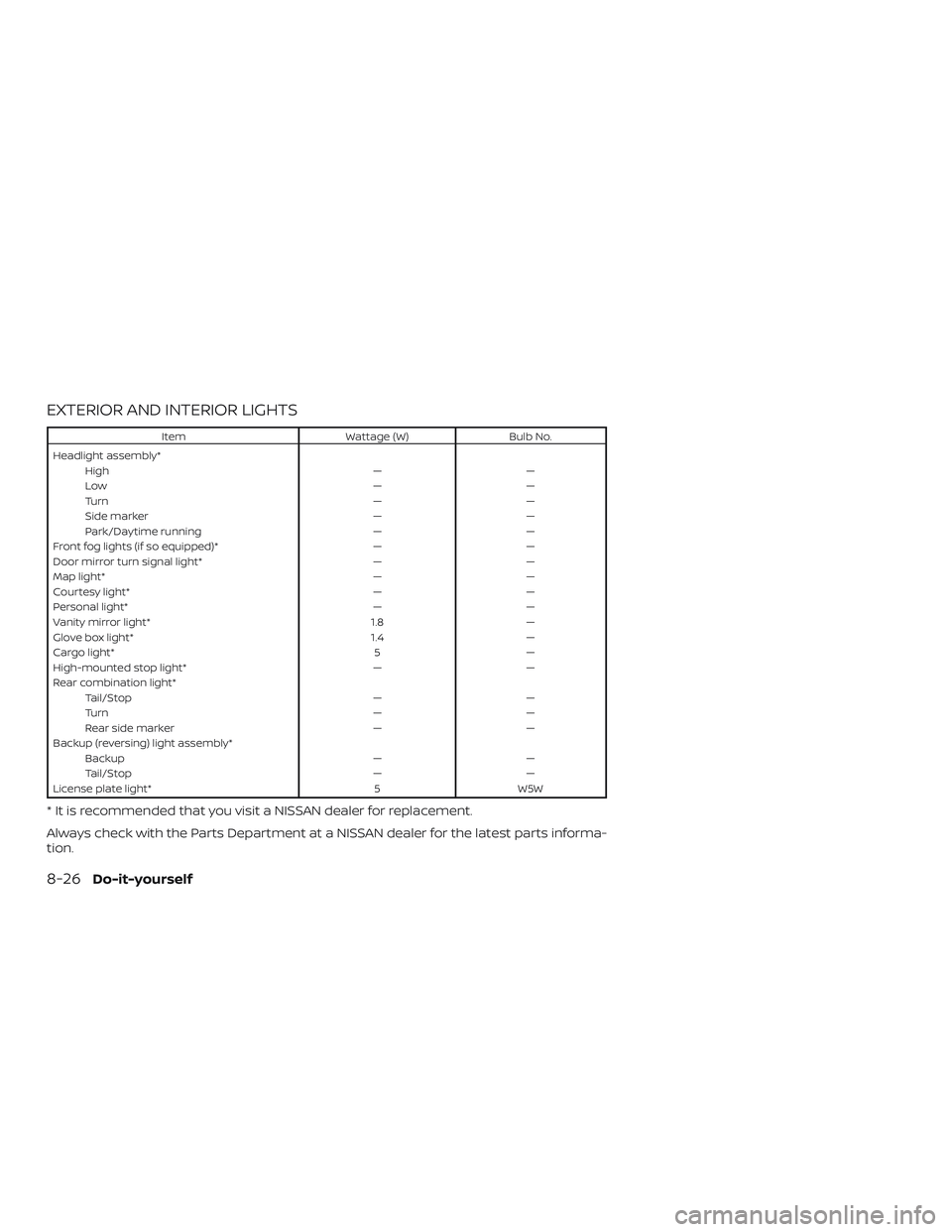
EXTERIOR AND INTERIOR LIGHTS
ItemWattage (W)Bulb No.
Headlight assembly* High ——
Low ——
Turn ——
Side marker ——
Park/Daytime running ——
Front fog lights (if so equipped)* ——
Door mirror turn signal light* ——
Map light* ——
Courtesy light* ——
Personal light* ——
Vanity mirror light* 1.8—
Glove box light* 1.4—
Cargo light* 5—
High-mounted stop light* ——
Rear combination light* Tail/Stop ——
Turn ——
Rear side marker ——
Backup (reversing) light assembly* Backup ——
Tail/Stop ——
License plate light* 5W5W
* It is recommended that you visit a NISSAN dealer for replacement.
Always check with the Parts Department at a NISSAN dealer for the latest parts informa-
tion.
8-26Do-it-yourself
Page 437 of 507
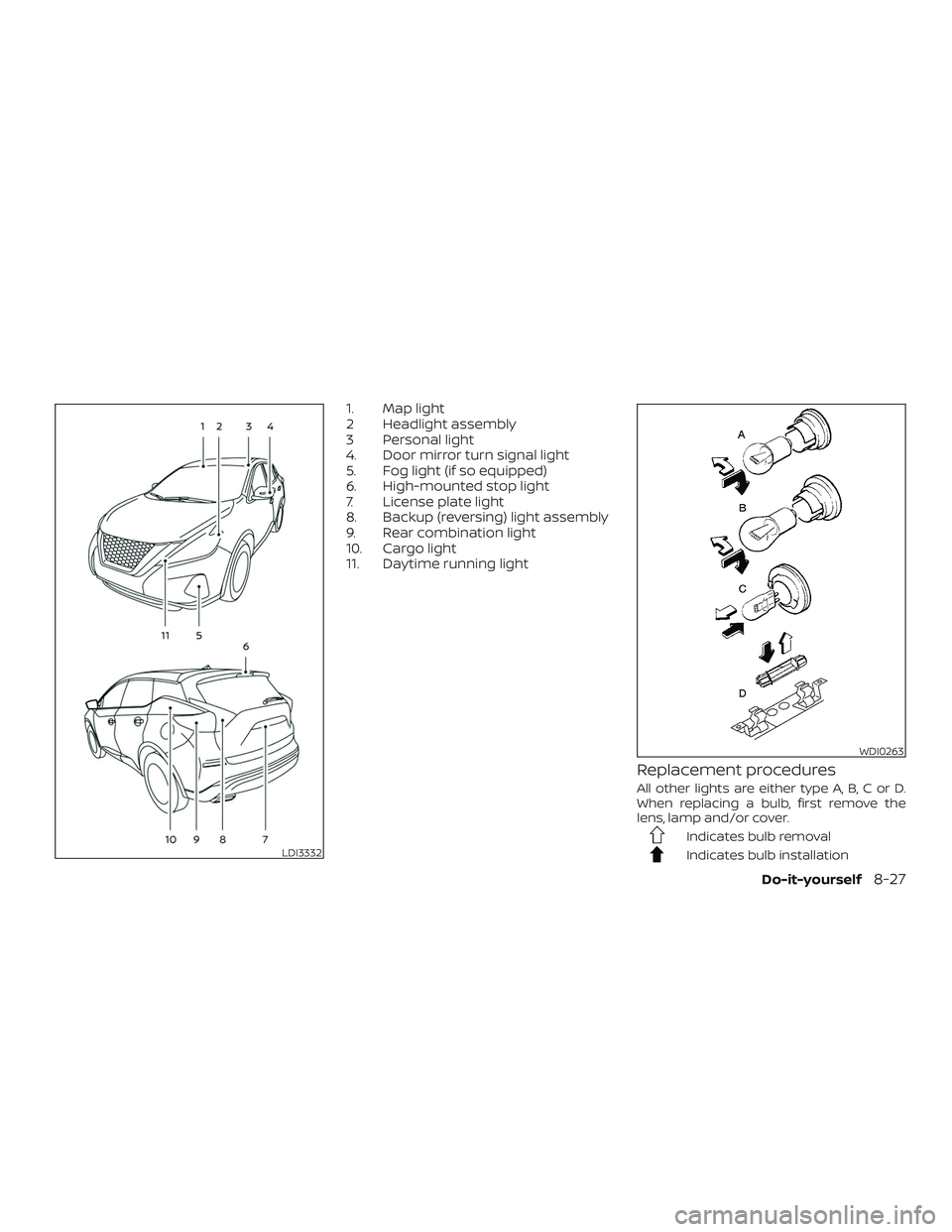
1. Map light
2 Headlight assembly
3 Personal light
4. Door mirror turn signal light
5. Fog light (if so equipped)
6. High-mounted stop light
7. License plate light
8. Backup (reversing) light assembly
9. Rear combination light
10. Cargo light
11. Daytime running light
Replacement procedures
All other lights are either type A, B, C or D.
When replacing a bulb, first remove the
lens, lamp and/or cover.
Indicates bulb removal
Indicates bulb installationLDI3332
WDI0263
Do-it-yourself8-27
Page 500 of 507
Child restraint with top tether strap . . . .1-32
Child safety rear door lock..........3-7
Chimes, audible reminders .........2-16
Cleaningexteriorandinterior......7-2,7-4
C.M.V.S.S. certification label .........10-12
Coldweatherdriving ............5-138
Console box ..................2-58
Continuously Variable Transmission
(CVT) .......................5-18
Continuously Variable Transmission (CVT)
fluid......................8-10
Driving with Continuously Variable
Transmission (CVT) ............5-18
Controls Heater and air conditioner controls . .4-29
Coolant Capacities and recommended
fuel/lubricants...............10-2
Changing engine coolant .........8-5
Checking engine coolant level ......8-5
Engine coolant temperature gauge . .2-6
Corrosionprotection..............7-7
Cruisecontrol.................5-58
Cupholders ..................2-59
D
Daytime Running Lights (DRL) system . .2-43
Daytime running light system
(Canada only) ..................2-43
Defroster switch Rear window and outside mirror
defrosterswitch..............2-38
Dimensions and weights ..........10-10
Dimmer switch for instrument panel . . .2-44 Door locks
....................3-5
Drivebelt ....................8-15
Drive positioner,
Automatic..........3-38,3-39,3-40,3-41
Driving Cold weather driving ..........5-138
Driving with Continuously Variable
Transmission (CVT) ............5-18
Precautions when starting and
driving..................5-4,5-11
Drivingthevehicle...............5-18
Dynamic driver assistance switch .....2-50
E
E-call (SOS) Button ...............2-51
Economy - fuel ................5-125
Emergency engine shutoff .......5-15,6-2
Emission control information label . . . .10-12
Emission control system warranty . . . .10-29
Engine Before starting the engine ........5-16
Blockheater................5-139
Capacities and recommended
fuel/lubricants...............10-2
Changing engine coolant .........8-5
Changing engine oil ............8-6
Changing engine oil filter .........8-6
Checking engine coolant level ......8-5
Checking engine oil level .........8-6
Engine compartment check
locations...................8-3
Engine coolant temperature gauge . .2-6
Engine cooling system ..........8-4
Engine oil ...................8-6 Engine oil and oil filter
recommendation
.............10-7
Engine oil pressure warning light . . . .2-10
Engine oil viscosity .............10-7
Engine serial number ..........10-12
Engine specifications ...........10-9
Starting the engine ............5-17
Engine coolant temperature gauge ....2-6
EventDatarecorders ............10-31
Exhaust gas (Carbon monoxide) .......5-4
Explanation of maintenance items .....9-3
Explanation of scheduled maintenance
items .......................9-5
Extended storage switch ..........2-54
Eyeglasscase.................2-58
F
Flashers
(Seehazardwarningflasherswitch)....6-2
Flattire......................6-3
Floormatpositioningaid...........7-6
Fluid Brakefluid..................8-11
Capacities and recommended
fuel/lubricants...............10-2
Continuously Variable Transmission (CVT)
fluid......................8-10
Engine coolant ...............8-4
Engine oil ...................8-6
Powersteeringfluid............8-11
Windshield-washer fluid .........
8-12
F.M.V.S.S. certification label .........10-12
Foglightswitch................2-45
Front air bag system
11-2