phone NISSAN MURANO 2019 Owner´s Manual
[x] Cancel search | Manufacturer: NISSAN, Model Year: 2019, Model line: MURANO, Model: NISSAN MURANO 2019Pages: 507, PDF Size: 6.1 MB
Page 7 of 507
NISSAN CARES . . .
Both NISSAN and your NISSAN dealer are dedicated to serving all your automotive needs. Your satisfaction with your vehicle and your
NISSAN dealer are our primary concerns. YourNISSAN dealer is always available to assist you with all your automobile sales and service
needs.
However, if there is something that your
NISSAN dealer cannot assist you with or
you would like to provide NISSAN directly
with comments or questions, please con-
tact the NISSAN Consumer Affairs Depart-
ment using our toll-free number:
For U.S. customers
1-800-NISSAN-1
(1-800-647-7261)
For Canadian customers 1-800-387-0122 The Consumer Affairs Department will ask
for the following information:
– Your name, address, and telephone
number
– Vehicle identification number (attached to the top of the instrument panel on the
driver’s side)
– Date of purchase
– Current odometer reading
– Your NISSAN dealer’s name
– Your comments or questions
OR You can write to NISSAN with the informa-
tion at:
For U.S. customers
Nissan North America, Inc.
Consumer Affairs Department
P.O. Box 685003
Franklin, TN 37068-5003
or via e-mail at:
[email protected]
For Canadian customers Nissan Canada Inc.
5290 Orbitor Drive
Mississauga, Ontario L4W 4Z5
or via e-mail at:
[email protected]
If you prefer, visit us at:
www.nissanusa.com (for U.S. customers)
or
www.nissan.ca (for Canadian customers)
We appreciate your interest in NISSAN and thank you for buying a quality NISSAN vehicle.
NISSAN CUSTOMER CARE PROGRAM
Page 9 of 507
Table of
ContentsIllustrated table of contents
Safety—Seats, seat belts and supplemental restraint system
Instruments and controls
Pre-driving checks and adjustments
Monitor, climate, audio, phone and voice recognition systems
Starting and driving
In case of emergency
Appearance and care
Do-it-yourself
Maintenance and schedules
Technical and consumer information
Index
0
1
2
3
4
5
6
7
8
9
10
11
Page 17 of 507
15. Heater and air conditioningcontrols (P. 4-28)
16. Shif t lever (P. 5-18)
17. Push-button ignition switch
(P. 5-13)
18. Cruise control switches
(if so equipped) (P. 5-58)
Intelligent Cruise Control (ICC)
switches (if so equipped) (P. 5-61)
19. Driver supplemental knee air bag
(P. 1-49)
20. Bluetooth® Hands-Free Phone
System/Audio control switches*
21. Hood release (P. 3-23) Fuel door release (P. 3-30)
22. Fuse box (P. 8-19)
23. Heated steering wheel switch
(if so equipped) (P. 2-49)
Dynamic driver assistance switch
(if so equipped) (P. 2-50)
Lif tgate instrument panel switch
(if so equipped) (P. 3-23)
24. Instrument brightness control
(P. 2-39)
Twin trip odometer reset switch
(P. 2-4)
*: Refer to the separate NissanConnect®
Owner’s Manual. Refer to the page number indicated in
parentheses for operating details.
Illustrated table of contents0-7
Page 97 of 507
15. Heater and air conditioningcontrols (P. 4-28)
16. Shif t lever (P. 5-18)
17. Push-button ignition switch
(P. 5-13)
18. Cruise control switches
(if so equipped) (P. 5-58)
Intelligent Cruise Control (ICC)
switches (if so equipped) (P. 5-61)
19. Driver supplemental knee air bag
(P. 1-49)
20. Bluetooth® Hands-Free Phone
System/Audio control switches*
21. Hood release (P. 3-23) Fuel door release (P. 3-30)
22. Fuse box (P. 8-19)
23. Heated steering wheel switch
(if so equipped) (P. 2-49)
Dynamic driver assistance switch
(if so equipped) (P. 2-50)
Lif tgate instrument panel switch
(if so equipped) (P. 3-23)
24. Instrument brightness control
(P. 2-39)
Twin trip odometer reset switch
(P. 2-4)
*: Refer to the separate NissanConnect®
Owner’s Manual. Refer to the page number indicated in
parentheses for operating details.
Instruments and controls2-3
Page 111 of 507
NISSAN Intelligent Key® Lock-in
Prevention
The Intelligent Key buzzer sounds if the In-
telligent Key is lef t inside the vehicle when
the doors are closed and locked. When the
buzzer sounds, be sure to take the Intelli-
gent Key with you when leaving the vehicle.
For additional information, refer to “NISSAN
Intelligent Key®” in the “Pre-driving checks
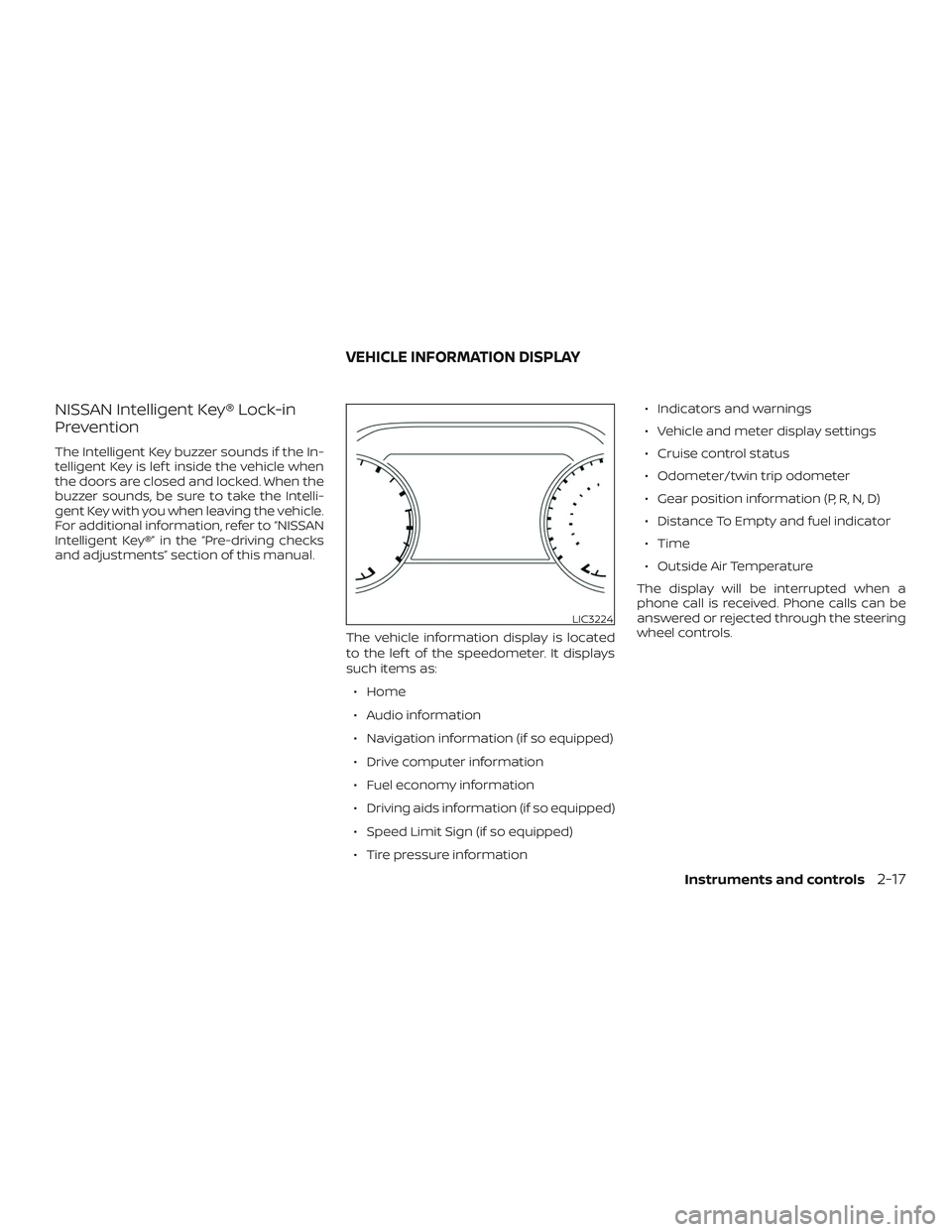
and adjustments” section of this manual.The vehicle information display is located
to the lef t of the speedometer. It displays
such items as:∙ Home
∙ Audio information
∙ Navigation information (if so equipped)
∙ Drive computer information
∙ Fuel economy information
∙ Driving aids information (if so equipped)
∙ Speed Limit Sign (if so equipped)
∙ Tire pressure information ∙ Indicators and warnings
∙ Vehicle and meter display settings
∙ Cruise control status
∙ Odometer/twin trip odometer
∙ Gear position information (P, R, N, D)
∙ Distance To Empty and fuel indicator
∙ Time
∙ Outside Air Temperature
The display will be interrupted when a
phone call is received. Phone calls can be
answered or rejected through the steering
wheel controls.
LIC3224
VEHICLE INFORMATION DISPLAY
Instruments and controls2-17
Page 147 of 507
NOTE:
There may be times when the horn
sounds but there are no objects or pas-
sengers in the rear seat(s).
For additional information, refer to “Rear
Door Alert is activated” in this section.
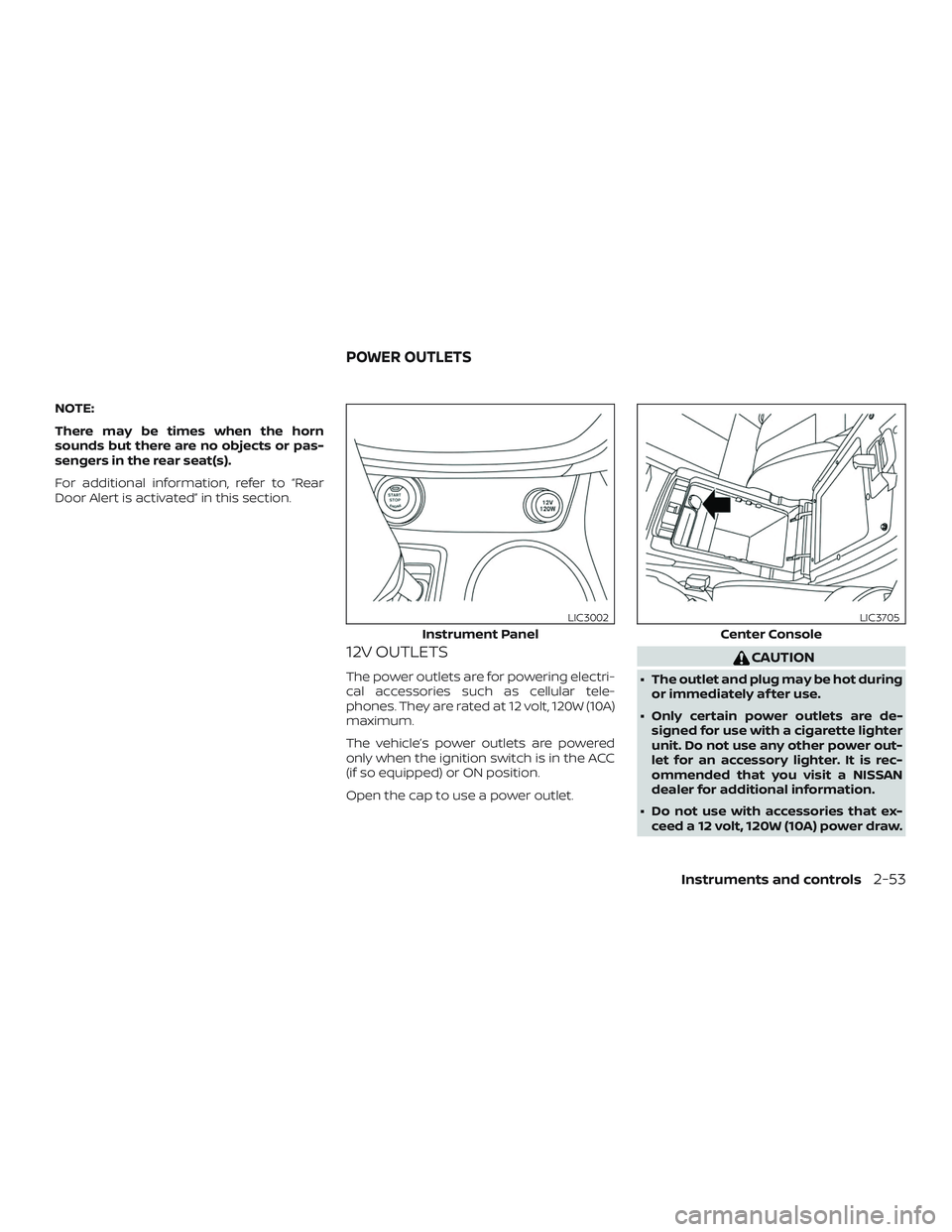
12V OUTLETS
The power outlets are for powering electri-
cal accessories such as cellular tele-
phones. They are rated at 12 volt, 120W (10A)
maximum.
The vehicle’s power outlets are powered
only when the ignition switch is in the ACC
(if so equipped) or ON position.
Open the cap to use a power outlet.
CAUTION
∙ The outlet and plug may be hot duringor immediately af ter use.
∙ Only certain power outlets are de- signed for use with a cigarette lighter
unit. Do not use any other power out-
let for an accessory lighter. It is rec-
ommended that you visit a NISSAN
dealer for additional information.
∙ Do not use with accessories that ex- ceed a 12 volt, 120W (10A) power draw.
Instrument Panel
LIC3002
Center Console
LIC3705
POWER OUTLETS
Instruments and controls2-53
Page 178 of 507
WARNING
∙ Radio waves could adversely affectelectric medical equipment. Those
who use a pacemaker should contact
the electric medical equipment
manufacturer for the possible influ-
ences before use.
∙ The Intelligent Key transmits radio waves when the buttons are pressed.
The FAA advises the radio waves may
affect aircraf t navigation and com-
munication systems. Do not operate
the Intelligent Key while on an air-
plane. Make sure the buttons are not
operated unintentionally when the
unit is stored for a flight.
∙ Never leave the Intelligent Key in the vehicle when you leave the vehicle.
The Intelligent Key system can operate all
the door locks using the remote control
function or pushing the request switch on
the vehicle without taking the key out from
a pocket or purse. The operating environ-
ment and/or conditions may affect the In-
telligent Key system operation.
Be sure to read the following before using
the Intelligent Key system.
CAUTION
Be sure to carry the Intelligent Key with
you when operating the vehicle.
The Intelligent Key is capable of receiving
and transmitting radio waves. The Intelli-
gent Key system transmits weak radio
waves from various distances. Environ-
mental conditions may interfere with the
operation of the Intelligent Key system un-
der the following operating conditions: ∙ When operating near a location where strong radio waves are transmitted,
such as a TV tower, power station and
broadcasting station.
∙ When in possession of wireless equip- ment, such as a cellular telephone,
transceiver or a CB radio.
∙ When the Intelligent Key is in contact with or covered by metallic materials.
∙ When any type of radio wave remote control is used nearby.
∙ When the Intelligent Key is placed near an electric appliance such as a personal
computer.
∙ When the vehicle is parked near a park- ing meter. In such cases, correct the operating condi-
tions before using the Intelligent Key func-
tion or use the mechanical key.
Although the life of the battery varies de-
pending on the operating conditions, the
battery’s life is approximately two years. If
the battery is discharged, replace it with a
new one.
When the Intelligent Key battery is low, the
“Key Battery Low” indicator illuminates in
the vehicle information display. For addi-
tional information, refer to “Vehicle infor-
mation display” in the “Instruments and
controls” section of this manual.
Since the Intelligent Key is capable of re-
ceiving radio waves, if the key is lef t near
equipment which transmits strong radio
waves, such as signals from a TV and per-
sonal computer, the battery life may be-
come shorter.
For additional information, refer to “Battery
replacement” in the “Do-it-yourself ” section
of this manual.
As many as four Intelligent Keys can be
registered and used with one vehicle. For
information about the purchase and use of
additional Intelligent Keys, it is recom-
mended that you visit a NISSAN dealer.
NISSAN INTELLIGENT KEY®
3-8Pre-driving checks and adjustments
Page 190 of 507
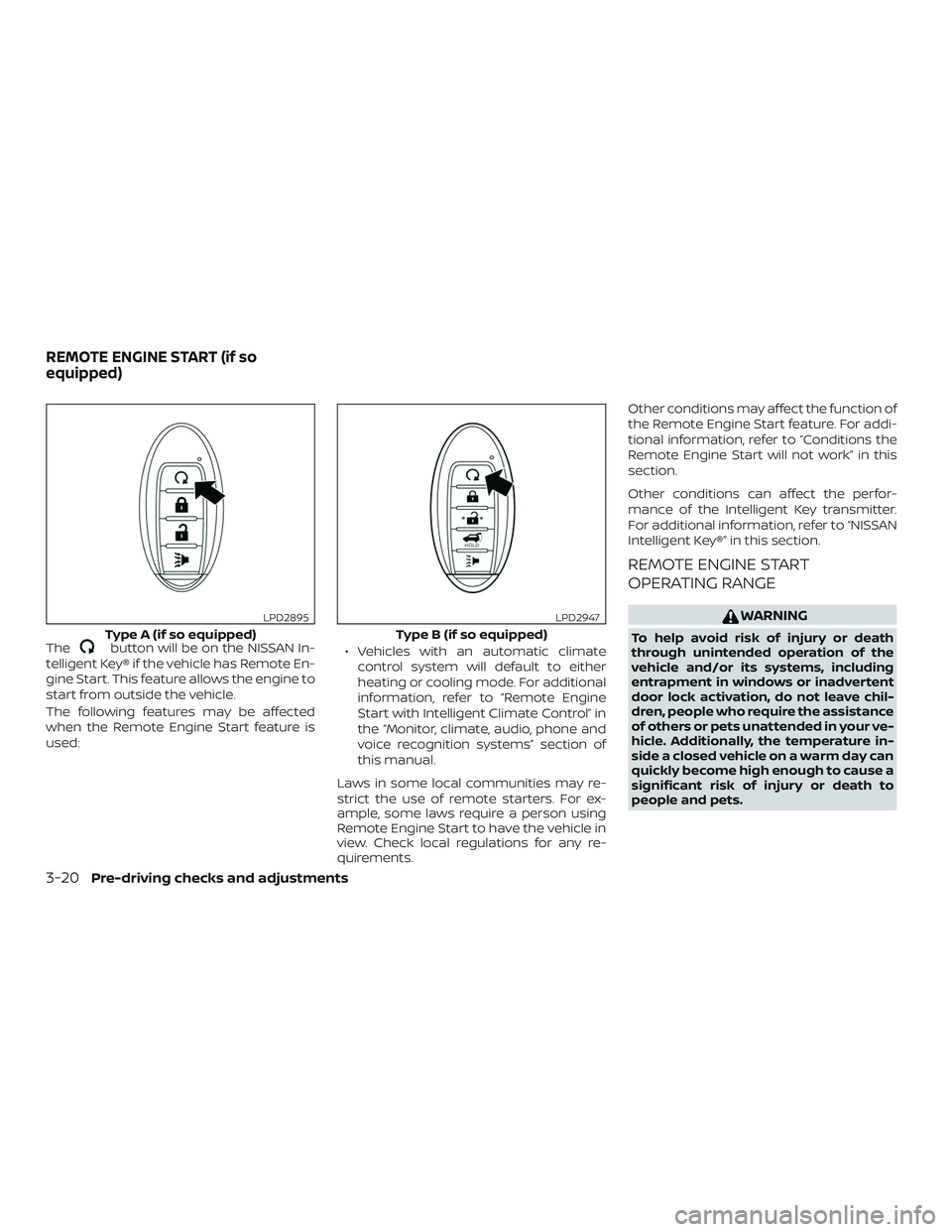
Thebutton will be on the NISSAN In-
telligent Key® if the vehicle has Remote En-
gine Start. This feature allows the engine to
start from outside the vehicle.
The following features may be affected
when the Remote Engine Start feature is
used: ∙ Vehicles with an automatic climate
control system will default to either
heating or cooling mode. For additional
information, refer to “Remote Engine
Start with Intelligent Climate Control” in
the “Monitor, climate, audio, phone and
voice recognition systems” section of
this manual.
Laws in some local communities may re-
strict the use of remote starters. For ex-
ample, some laws require a person using
Remote Engine Start to have the vehicle in
view. Check local regulations for any re-
quirements. Other conditions may affect the function of
the Remote Engine Start feature. For addi-
tional information, refer to “Conditions the
Remote Engine Start will not work” in this
section.
Other conditions can affect the perfor-
mance of the Intelligent Key transmitter.
For additional information, refer to “NISSAN
Intelligent Key®” in this section.
REMOTE ENGINE START
OPERATING RANGE
WARNING
To help avoid risk of injury or death
through unintended operation of the
vehicle and/or its systems, including
entrapment in windows or inadvertent
door lock activation, do not leave chil-
dren, people who require the assistance
of others or pets unattended in your ve-
hicle. Additionally, the temperature in-
side a closed vehicle on a warm day can
quickly become high enough to cause a
significant risk of injury or death to
people and pets.Type A (if so equipped)
LPD2895
Type B (if so equipped)
LPD2947
REMOTE ENGINE START (if so
equipped)
3-20Pre-driving checks and adjustments
Page 198 of 507
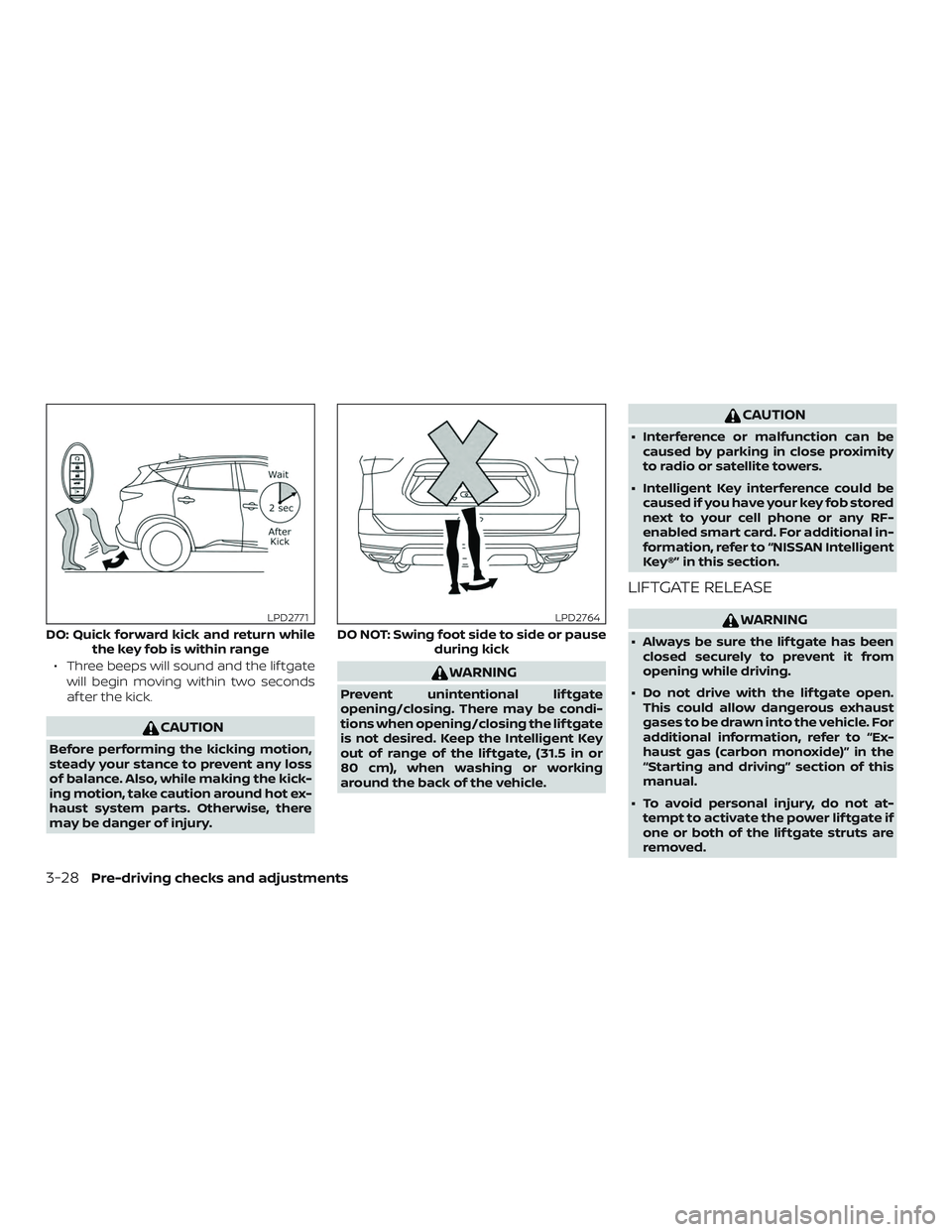
∙ Three beeps will sound and the lif tgatewill begin moving within two seconds
af ter the kick.
CAUTION
Before performing the kicking motion,
steady your stance to prevent any loss
of balance. Also, while making the kick-
ing motion, take caution around hot ex-
haust system parts. Otherwise, there
may be danger of injury.
WARNING
Prevent unintentional lif tgate
opening/closing. There may be condi-
tions when opening/closing the lif tgate
is not desired. Keep the Intelligent Key
out of range of the lif tgate, (31.5 in or
80 cm), when washing or working
around the back of the vehicle.
CAUTION
∙ Interference or malfunction can becaused by parking in close proximity
to radio or satellite towers.
∙ Intelligent Key interference could be caused if you have your key fob stored
next to your cell phone or any RF-
enabled smart card. For additional in-
formation, refer to “NISSAN Intelligent
Key®” in this section.
LIFTGATE RELEASE
WARNING
∙ Always be sure the lif tgate has beenclosed securely to prevent it from
opening while driving.
∙ Do not drive with the lif tgate open. This could allow dangerous exhaust
gases to be drawn into the vehicle. For
additional information, refer to “Ex-
haust gas (carbon monoxide)” in the
“Starting and driving” section of this
manual.
∙ To avoid personal injury, do not at- tempt to activate the power lif tgate if
one or both of the lif tgate struts are
removed.DO: Quick forward kick and return while the key fob is within range
LPD2771
DO NOT: Swing foot side to side or pause during kick
LPD2764
3-28Pre-driving checks and adjustments
Page 213 of 507
4 Monitor, climate, audio, phone and
voice recognition systems
NissanConnect® Owner’s Manual................4-2
RearView Monitor (if so equipped) ...............4-3
RearView Monitor system operation ..........4-4
How to read the displayed lines ...............4-5
Difference between predicted and
actual distances ..............................4-5
How to park with predicted course
lines ..........................................4-7
Adjusting the screen .........................4-8
How to turn on and off predicted
course lines ..................................4-9
RearView Monitor system limitations .........4-9
System maintenance ........................ 4-10
Intelligent Around View Monitor
(if so equipped) .................................. 4-11
Intelligent Around View Monitor system
operation .................................... 4-12
Difference between predicted and
actual distances ............................. 4-15
How to park with predicted course
lines ......................................... 4-17How to switch the display
...................4-18
Adjusting the screen ........................ 4-19
Intelligent Around View Monitor system
limitations ................................... 4-19
System maintenance ........................ 4-21
Moving Object Detection (MOD)
(if so equipped) ................................. 4-22
MOD system operation ......................4-23
Turning MOD on and off .....................4-25
MOD system limitations .....................4-25
System maintenance ........................ 4-26
Vents ........................................... 4-26
Heater and Air Conditioner (automatic) .........4-28
Automatic operation ........................ 4-29
Manual operation ........................... 4-30
Operating tips ............................... 4-31
Servicing air conditioner ........................4-32
USB/iPod® charging port .......................4-32
Antenna ........................................ 4-33
Car phone or CB radio .......................... 4-33