warning light NISSAN MURANO 2021 Owner´s Manual
[x] Cancel search | Manufacturer: NISSAN, Model Year: 2021, Model line: MURANO, Model: NISSAN MURANO 2021Pages: 508, PDF Size: 3.5 MB
Page 132 of 508
If the ambient image sensor is damaged
due to an accident, it is recommended that
you visit a NISSAN dealer.
Battery saver system
The battery saver system automatically
turns off the following lights af ter a period
of time when the ignition switch is placed in
the OFF position and the doors are closed:
• Headlights, when the headlight switch isin the
orposition
• Interior lights, when lef t in the ON position
Af ter the headlights automatically turn off
with the headlight switch in the
orposition, the headlights will illuminate
again if the headlight switch is moved to
the OFF position and then turned to the
orposition.
CAUTION
Even though the battery saver feature
automatically turns off the headlights
af ter a period of time, you should turn
the headlight switch to the OFF posi-
tion when the engine is not running to
avoid discharging the vehicle battery.
LED DAYTIME RUNNING LIGHTS
(DRL) SYSTEM
The LED portion of the headlights auto-
matically illuminate at 100% intensity when
the engine is started with the parking
brake released. The LED DRL operate with
the headlight switch in the OFF position or
in the
position. Turn the headlight
switch to theposition for full illumina-
tion when driving at night.
If the parking brake is applied before the
engine is started, the LED DRL do not illumi-
nate. The LED DRL illuminate when the
parking brake is released. The LED DRL will
remain on until the ignition switch is placed
in the OFF position.
WARNING
When the LED DRL system is active, tail
lights on your vehicle are not on. It is
necessary at dusk to turn on your
headlights. Failure to do so could cause
an accident injuring yourself and
others.
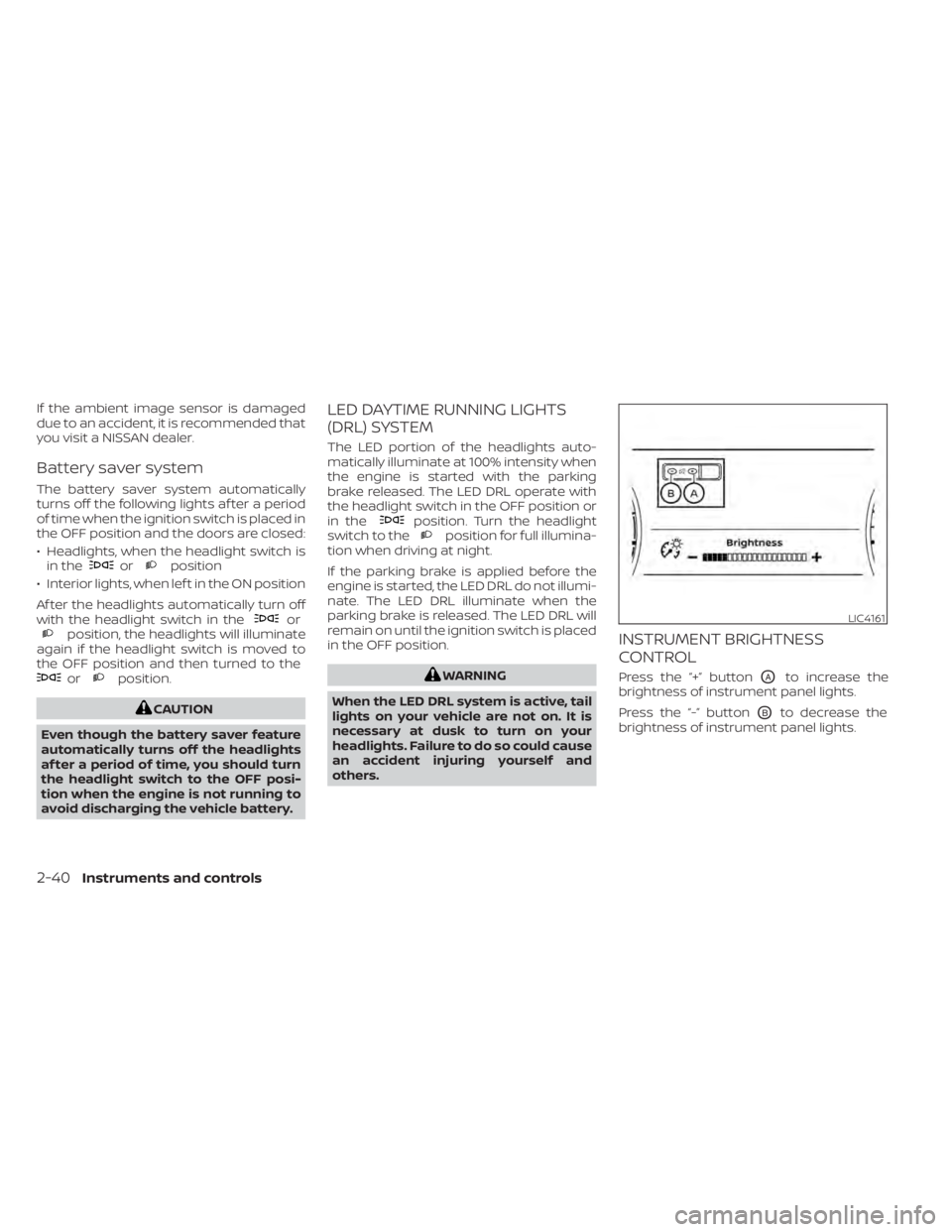
INSTRUMENT BRIGHTNESS
CONTROL
Press the “+” buttonOAto increase the
brightness of instrument panel lights.
Press the “-” button
OBto decrease the
brightness of instrument panel lights.
LIC4161
2-40Instruments and controls
Page 134 of 508
The headlights must be on and the low
beams selected for the fog lights to oper-
ate. The fog lights automatically turn off
when the high beam headlights are
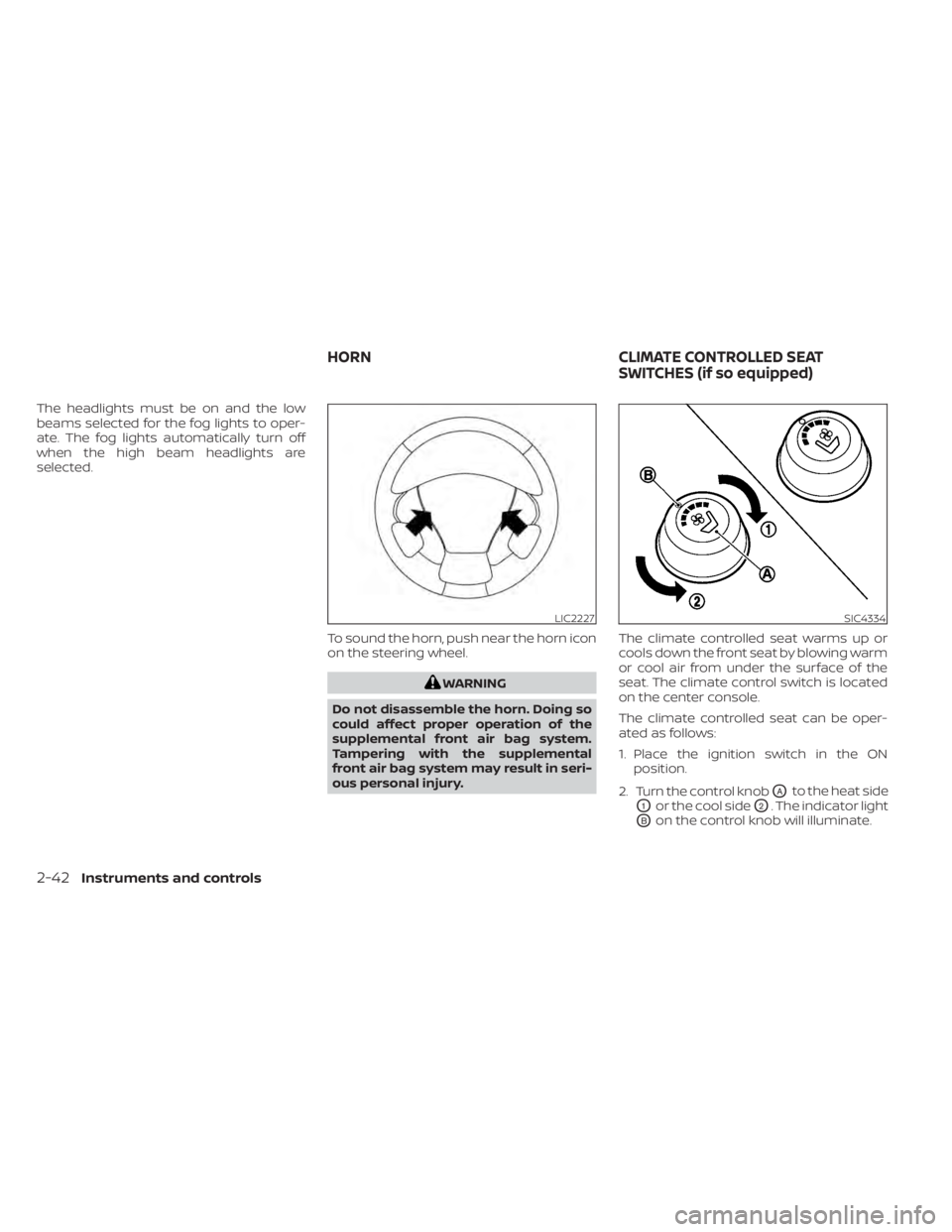
selected.To sound the horn, push near the horn icon
on the steering wheel.
WARNING
Do not disassemble the horn. Doing so
could affect proper operation of the
supplemental front air bag system.
Tampering with the supplemental
front air bag system may result in seri-
ous personal injury. The climate controlled seat warms up or
cools down the front seat by blowing warm
or cool air from under the surface of the
seat. The climate control switch is located
on the center console.
The climate controlled seat can be oper-
ated as follows:
1. Place the ignition switch in the ON
position.
2. Turn the control knob
OAto the heat side
O1or the cool sideO2. The indicator light
OBon the control knob will illuminate.
LIC2227SIC4334
HORN CLIMATE CONTROLLED SEAT
SWITCHES (if so equipped)
2-42Instruments and controls
Page 135 of 508
3. Adjust the desired amount of air usingthe control knob. The climate controlled
seat blower remains on low speed for
approximately 60 seconds af ter turning
the switch on or selecting the desired
temperature.
4. When the vehicle's interior is warmed or cooled, or before you leave the vehicle,
be sure to turn the control knob to the
off (center) position. The indicator light
OBon the control knob goes off with the
switch in the off (center) position.
To check the air filter for the climate con-
trolled seat, it is recommended that you
visit a NISSAN dealer.
WARNING
Do not use or allow occupants to use
the climate controlled seats if you or
the occupants cannot monitor seat
temperatures or have an inability to
feel pain in those body parts in contact
with the seat. Use of the climate con-
trolled seats by such people could re-
sult in serious injury.
CAUTION
• The battery could run down if the cli-
mate control seat is operated while
the engine is not running.
• Do not use the climate control seat
for extended periods or when no one
is using the seat.
• Do not put anything on the seat
which insulates heat, such as a blan-
ket, cushion, seat cover, etc. Other-
wise, the seat may become
overheated.
• Do not place anything hard or heavy
on the seat or pierce it with a pin or
similar objects. This may result in
damage to the climate controlled
seat.
• Any liquid spilled on the seat should
be removed immediately with a dry
cloth.
• The climate controlled seat has an air
filter. Do not operate the climate con-
trolled seat without an air filter. This
may result in damage to the system.
• When cleaning the seat, never use
gasoline, benzine, thinner, or any
similar materials. •
If any malfunctions are found or the
climate controlled seat does not op-
erate, turn the switch off and have
the system checked. It is recom-
mended that you visit a NISSAN
dealer for this service.
Instruments and controls2-43
Page 136 of 508
WARNING
Do not use or allow occupants to use
the seat heater if you or the occupants
cannot monitor elevated seat tem-
peratures or have an inability to feel
pain in those body parts in contact with
the seat. Use of the seat heater by such
people could result in serious injury.
CAUTION
• The battery could run down if the
seat heater is operated while the en-
gine is not running.
• Do not use the seat heater for ex-
tended periods or when no one is us-
ing the seat.
• Do not put anything on the seat
which insulates heat, such as a blan-
ket, cushion, seat cover, etc. Other-
wise, the seat may become
overheated.
• Do not place anything hard or heavy
on the seat or pierce it with a pin or
similar object. This may result in
damage to the heater.
• Any liquid spilled on the heated seat
should be removed immediately with
a dry cloth.
• When cleaning the seat, never use
gasoline, benzine, thinner, or any
similar materials.
• If any malfunctions are found or the
heated seat does not operate, turn
the switch off and have the system
checked. It is recommended that you
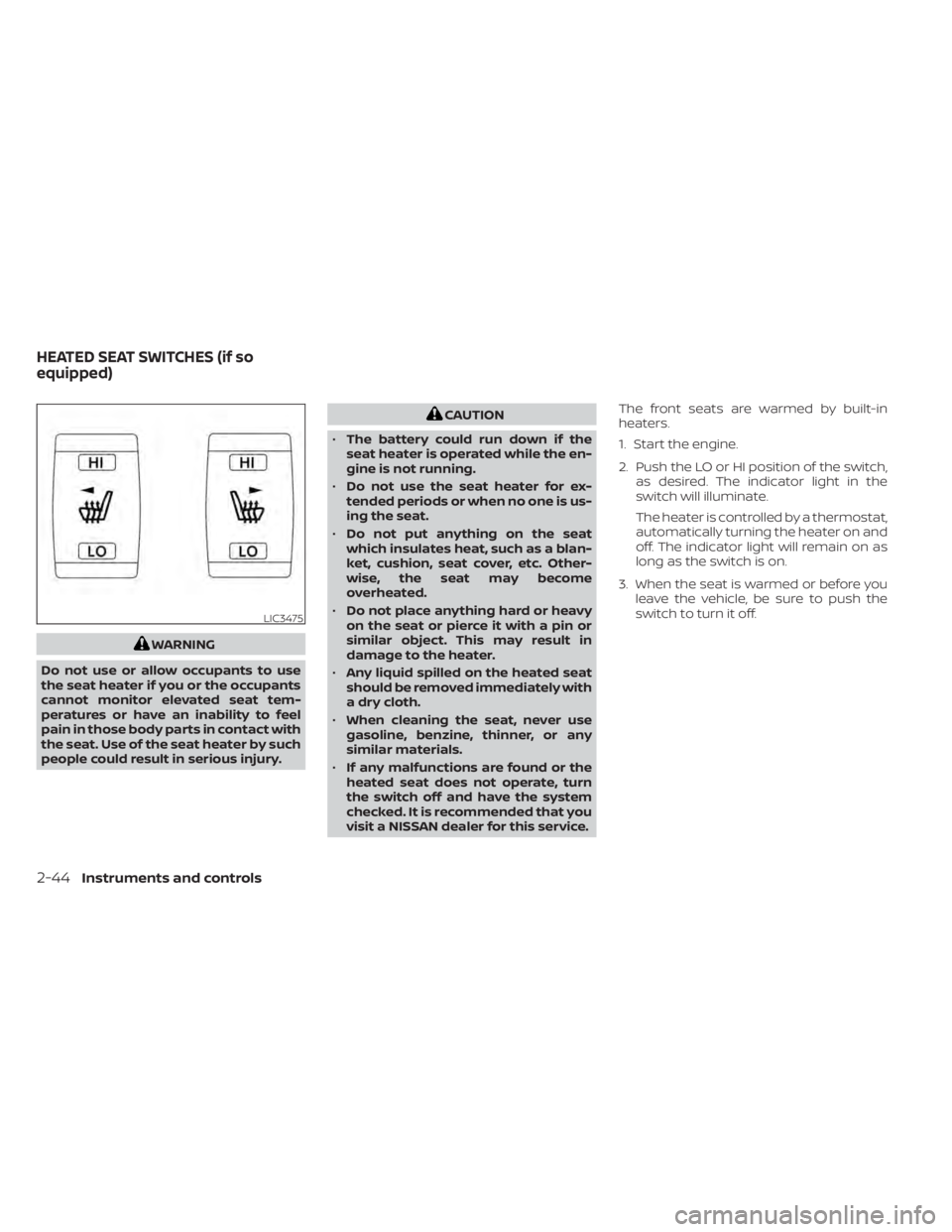
visit a NISSAN dealer for this service. The front seats are warmed by built-in
heaters.
1. Start the engine.
2. Push the LO or HI position of the switch,
as desired. The indicator light in the
switch will illuminate.
The heater is controlled by a thermostat,
automatically turning the heater on and
off. The indicator light will remain on as
long as the switch is on.
3. When the seat is warmed or before you leave the vehicle, be sure to push the
switch to turn it off.
LIC3475
HEATED SEAT SWITCHES (if so
equipped)
2-44Instruments and controls
Page 137 of 508
WARNING
Do not use or allow occupants to use
the seat heater if you or the occupants
cannot monitor elevated seat tem-
peratures or have an inability to feel
pain in body parts that contact the
seat. Use of the seat heater by such
people could result in serious injury.
CAUTION
• The battery could run down if the
seat heater is operated while the en-
gine is not running.
• Do not use the seat heater for ex-
tended periods or when no one is us-
ing the seat.
• Do not put anything on the seat
which insulates heat, such as a blan-
ket, cushion, seat cover, etc. Other-
wise, the seat may become
overheated. •
Do not place anything hard or heavy
on the seat or pierce it with a pin or
similar object. This may result in
damage to the heater.
• Any liquid spilled on the heated seat
should be removed immediately with
a dry cloth.
• When cleaning the seat, never use
gasoline, benzine, thinner, or any
similar materials.
• If any malfunctions are found or the
heated seat does not operate, turn
the switch off and have the system
checked. It is recommended that you
visit a NISSAN dealer for this service.
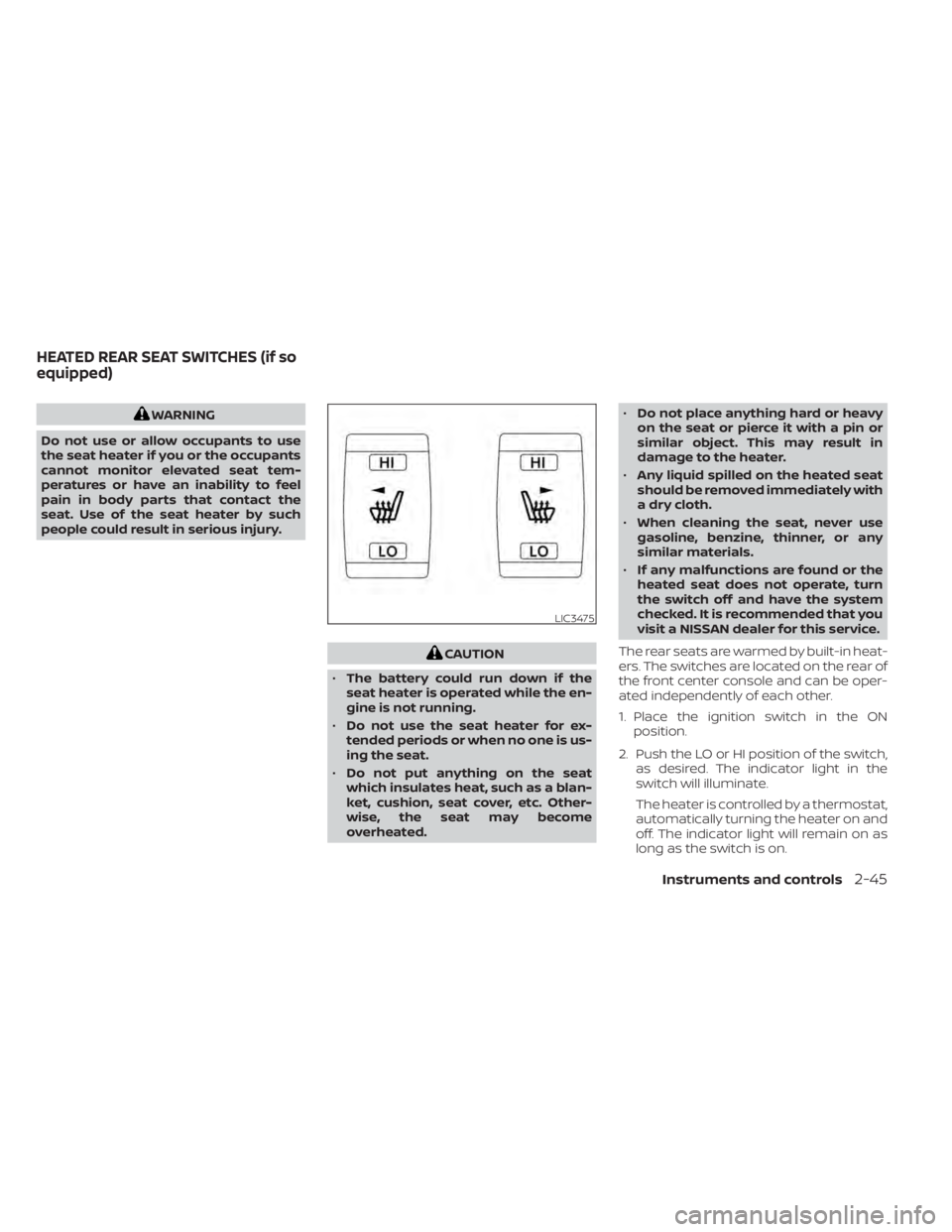
The rear seats are warmed by built-in heat-
ers. The switches are located on the rear of
the front center console and can be oper-
ated independently of each other.
1. Place the ignition switch in the ON position.
2. Push the LO or HI position of the switch, as desired. The indicator light in the
switch will illuminate.
The heater is controlled by a thermostat,
automatically turning the heater on and
off. The indicator light will remain on as
long as the switch is on.
LIC3475
HEATED REAR SEAT SWITCHES (if so
equipped)
Instruments and controls2-45
Page 139 of 508
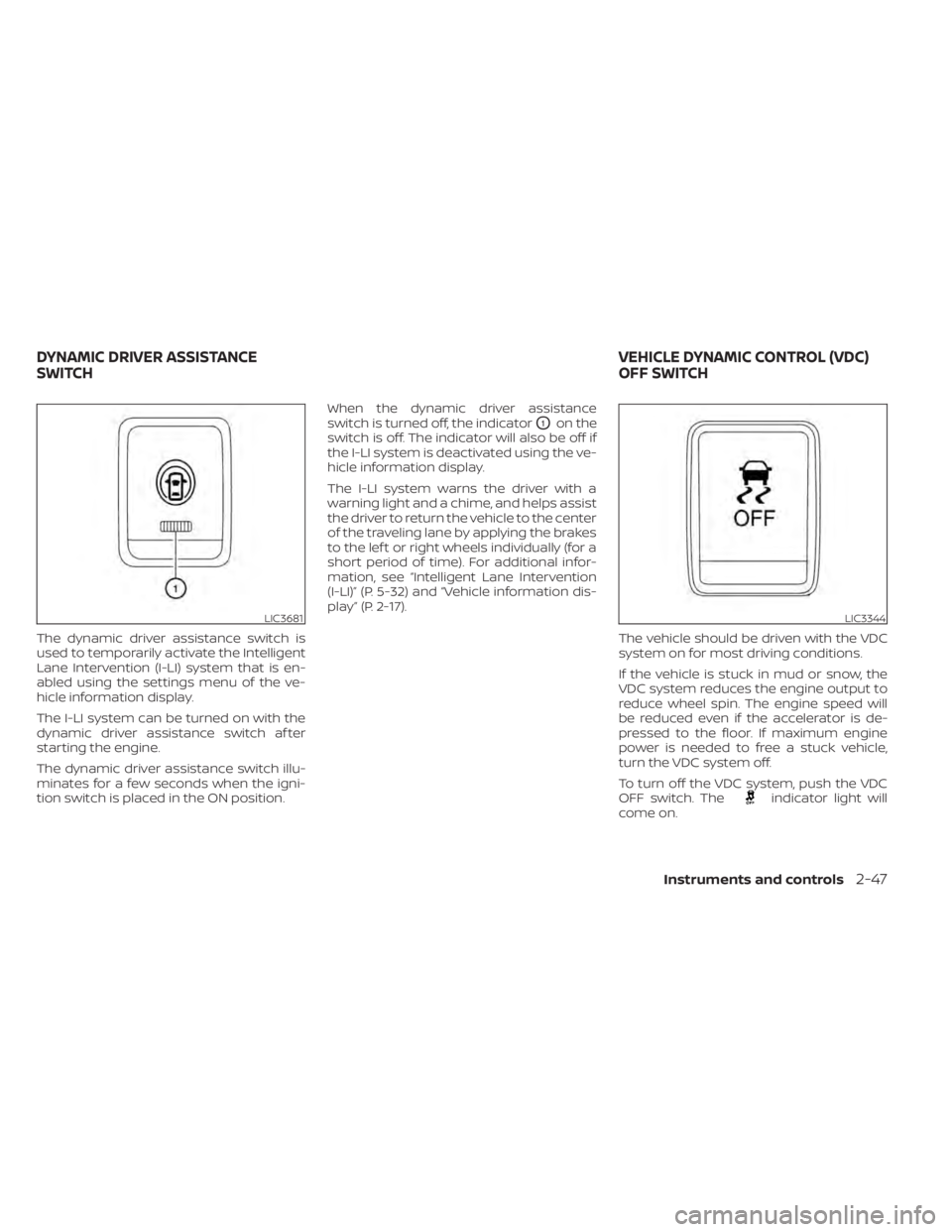
The dynamic driver assistance switch is
used to temporarily activate the Intelligent
Lane Intervention (I-LI) system that is en-
abled using the settings menu of the ve-
hicle information display.
The I-LI system can be turned on with the
dynamic driver assistance switch af ter
starting the engine.
The dynamic driver assistance switch illu-
minates for a few seconds when the igni-
tion switch is placed in the ON position.When the dynamic driver assistance
switch is turned off, the indicator
O1on the
switch is off. The indicator will also be off if
the I-LI system is deactivated using the ve-
hicle information display.
The I-LI system warns the driver with a
warning light and a chime, and helps assist
the driver to return the vehicle to the center
of the traveling lane by applying the brakes
to the lef t or right wheels individually (for a
short period of time). For additional infor-
mation, see “Intelligent Lane Intervention
(I-LI)” (P. 5-32) and “Vehicle information dis-
play ” (P. 2-17).
The vehicle should be driven with the VDC
system on for most driving conditions.
If the vehicle is stuck in mud or snow, the
VDC system reduces the engine output to
reduce wheel spin. The engine speed will
be reduced even if the accelerator is de-
pressed to the floor. If maximum engine
power is needed to free a stuck vehicle,
turn the VDC system off.
To turn off the VDC system, push the VDC
OFF switch. The
indicator light will
come on.
LIC3681LIC3344
DYNAMIC DRIVER ASSISTANCE
SWITCH VEHICLE DYNAMIC CONTROL (VDC)
OFF SWITCH
Instruments and controls2-47
Page 147 of 508
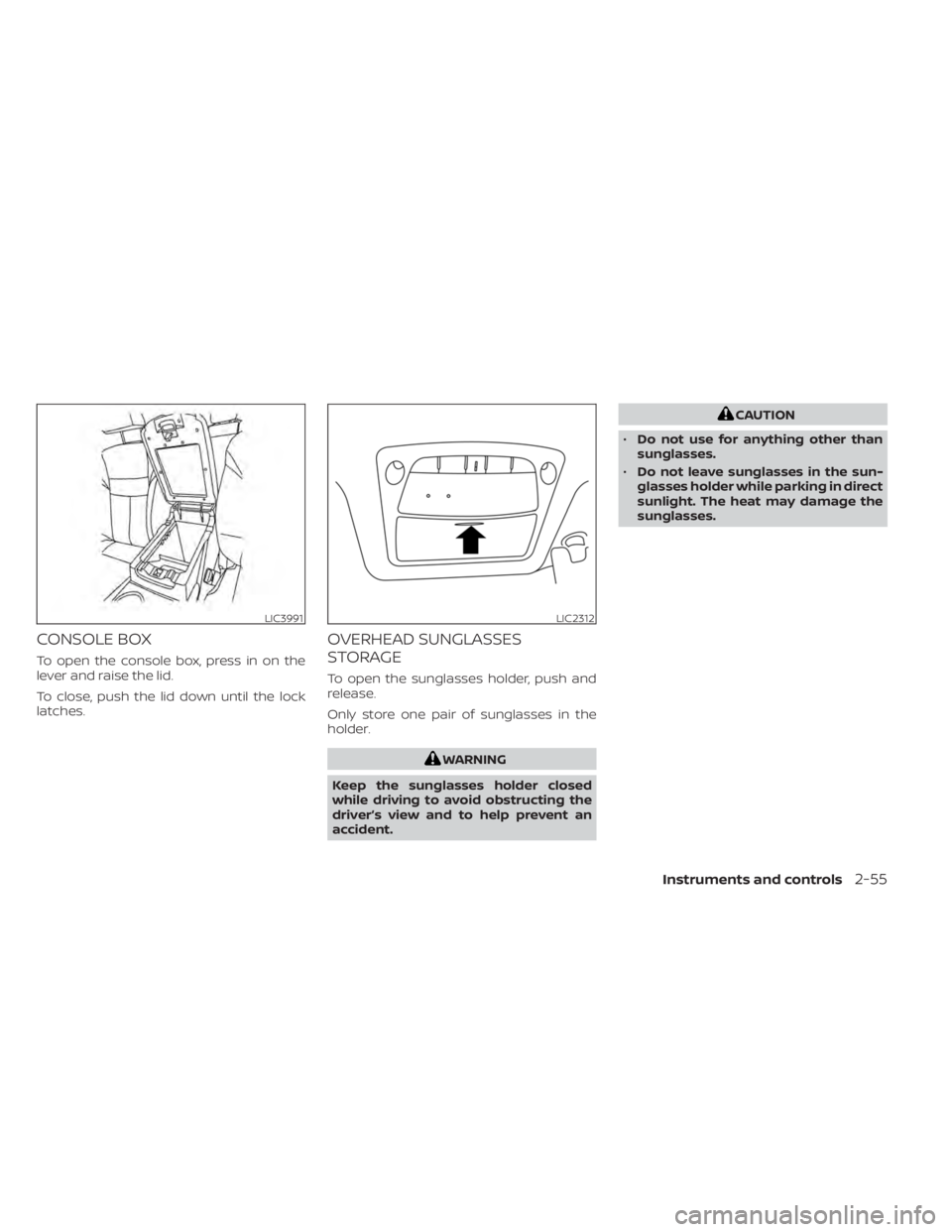
CONSOLE BOX
To open the console box, press in on the
lever and raise the lid.
To close, push the lid down until the lock
latches.
OVERHEAD SUNGLASSES
STORAGE
To open the sunglasses holder, push and
release.
Only store one pair of sunglasses in the
holder.
WARNING
Keep the sunglasses holder closed
while driving to avoid obstructing the
driver’s view and to help prevent an
accident.
CAUTION
• Do not use for anything other than
sunglasses.
• Do not leave sunglasses in the sun-
glasses holder while parking in direct
sunlight. The heat may damage the
sunglasses.
LIC3991LIC2312
Instruments and controls2-55
Page 156 of 508
WARNING
• To avoid personal injury, keep your
hands, fingers and head away from
the sunshade arm, the arm rail and
sunshade inlet port.
• Do not allow children near the rear
sunshade system. They could be
injured.
• Do not place objects on or near the
rear sunshade. This could cause im-
proper operation or damage it.
• Do not pull or push the rear sun-
shade. This could cause improper op-
eration or damage it.
CAUTION
• Do not place objects (such as news-
papers, handkerchiefs, etc.) on the
sunshade inlet port. Doing so may
entangle these objects in the sun-
shade when it is extending or retract-
ing, causing improper operation or
damage to the sunshade.
• Do not push the sunshade arm with
your hands, etc., as this may deform
it. Improper operation or damage to
the sunshade may result. •
Do not put any object into the sun-
shade inlet port as this may result in
improper operation or damage the
sunshade.
• Do not hang any object on the arm
rail as this may result in improper op-
eration or damage the sunshade.
• Do not forcefully pull the sunshade.
Doing so may elongate the sun-
shade. Improper operation or dam-
age to the sunshade may result.
If the moonroof does not close
Have your moonroof checked and re-
paired. It is recommended that you visit a
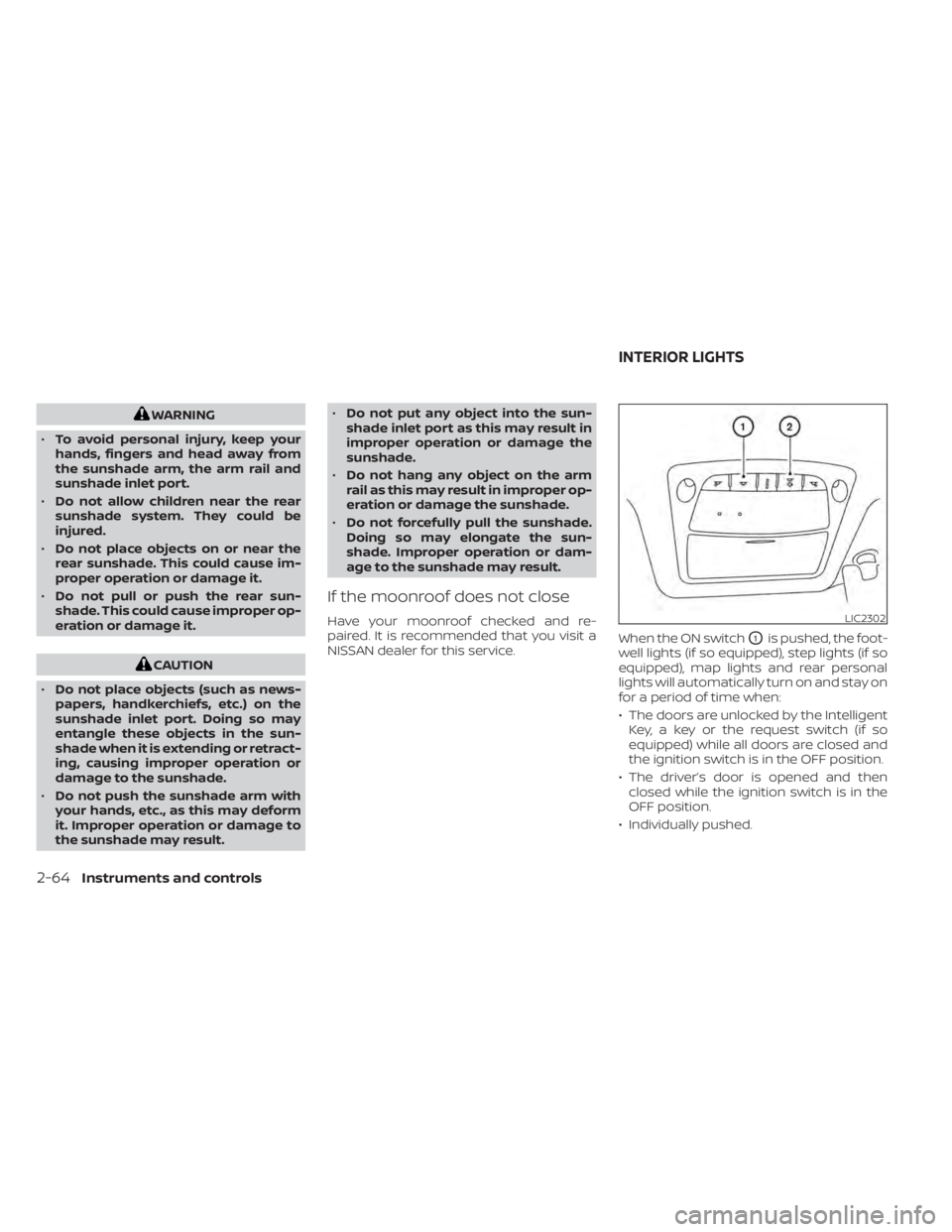
NISSAN dealer for this service. When the ON switch
O1is pushed, the foot-
well lights (if so equipped), step lights (if so
equipped), map lights and rear personal
lights will automatically turn on and stay on
for a period of time when:
• The doors are unlocked by the Intelligent Key, a key or the request switch (if so
equipped) while all doors are closed and
the ignition switch is in the OFF position.
• The driver’s door is opened and then closed while the ignition switch is in the
OFF position.
• Individually pushed.
LIC2302
INTERIOR LIGHTS
2-64Instruments and controls
Page 159 of 508
WARNING
• Your vehicle's engine should be
turned off while programming the
HomeLink® Universal Transceiver. For
additional information, see “Push-
button ignition switch” (P. 5-13). Do
not breathe exhaust gases; they con-
tain colorless and odorless carbon
monoxide. Carbon monoxide is dan-
gerous. It can cause unconscious-
ness or death.
• Do not use the HomeLink® Universal
Transceiver with any garage door
opener that lacks safety stop and re-
verse features as required by federal
safety standards. (These standards
became effective for opener models
manufactured af ter April 1, 1982.) A
garage door opener which cannot
detect an object in the path of a clos-
ing garage door and then automati-
cally stop and reverse does not meet
current federal safety standards. Us-
ing a garage door opener without
these features increases the risk of
serious injury or death. •
During the programming procedure
your garage door or security gate will
open and close (if the transmitter is
within range). Make sure that people
or objects are clear of the garage
door, gate, etc., that you are
programming.
PROGRAMMING HOMELINK®
If you have any questions or are having
difficulty programming your HomeLink®
buttons, refer to the HomeLink® web site at:
www.homelink.com or call 1-800-355-3515.
NOTE:
Place the ignition switch in the ON or ACC
position (without starting the engine)
when programming HomeLink®. It is also
recommended that a new battery be
placed in the hand-held transmitter of
the device being programmed to
HomeLink® for quicker programming
and accurate transmission of the radio
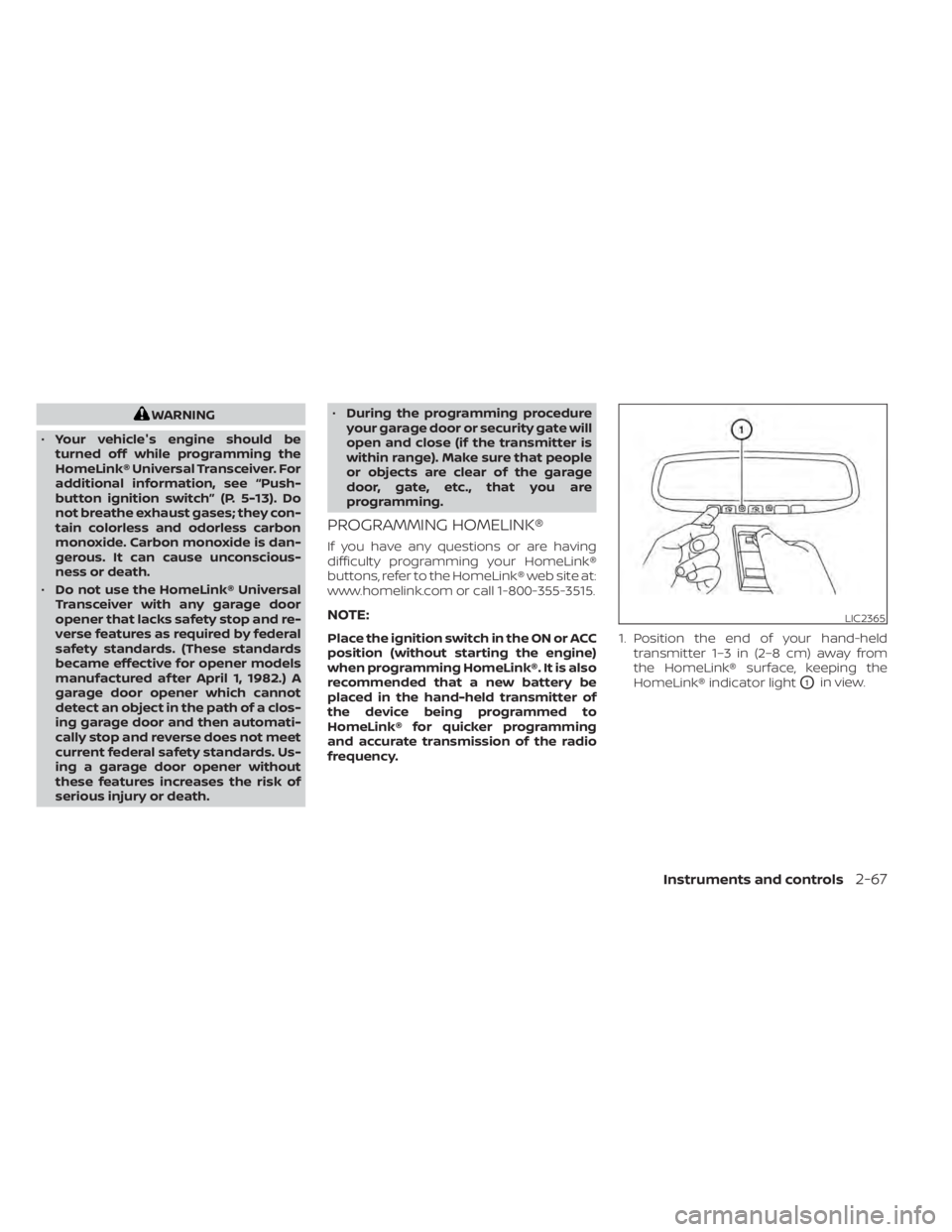
frequency. 1. Position the end of your hand-held
transmitter 1–3 in (2–8 cm) away from
the HomeLink® surface, keeping the
HomeLink® indicator light
O1in view.
LIC2365
Instruments and controls2-67
Page 171 of 508
CHILD SAFETY REAR DOOR LOCK
Child safety locks help prevent the rear
doors from being opened accidentally, es-
pecially when small children are in the
vehicle.
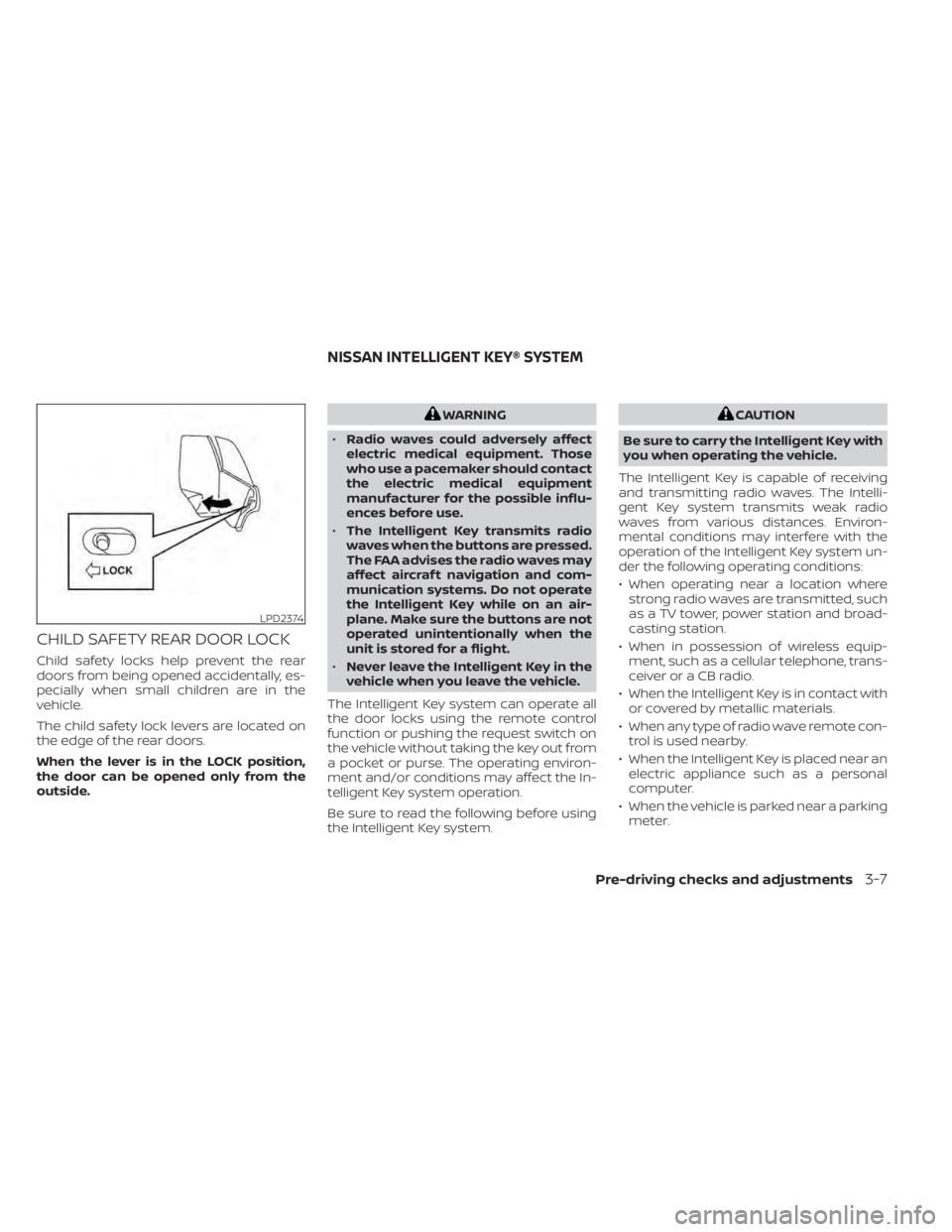
The child safety lock levers are located on
the edge of the rear doors.
When the lever is in the LOCK position,
the door can be opened only from the
outside.
WARNING
• Radio waves could adversely affect
electric medical equipment. Those
who use a pacemaker should contact
the electric medical equipment
manufacturer for the possible influ-
ences before use.
• The Intelligent Key transmits radio
waves when the buttons are pressed.
The FAA advises the radio waves may
affect aircraf t navigation and com-
munication systems. Do not operate
the Intelligent Key while on an air-
plane. Make sure the buttons are not
operated unintentionally when the
unit is stored for a flight.
• Never leave the Intelligent Key in the
vehicle when you leave the vehicle.
The Intelligent Key system can operate all
the door locks using the remote control
function or pushing the request switch on
the vehicle without taking the key out from
a pocket or purse. The operating environ-
ment and/or conditions may affect the In-
telligent Key system operation.
Be sure to read the following before using
the Intelligent Key system.CAUTION
Be sure to carry the Intelligent Key with
you when operating the vehicle.
The Intelligent Key is capable of receiving
and transmitting radio waves. The Intelli-
gent Key system transmits weak radio
waves from various distances. Environ-
mental conditions may interfere with the
operation of the Intelligent Key system un-
der the following operating conditions:
• When operating near a location where strong radio waves are transmitted, such
as a TV tower, power station and broad-
casting station.
• When in possession of wireless equip- ment, such as a cellular telephone, trans-
ceiver or a CB radio.
• When the Intelligent Key is in contact with or covered by metallic materials.
• When any type of radio wave remote con- trol is used nearby.
• When the Intelligent Key is placed near an electric appliance such as a personal
computer.
• When the vehicle is parked near a parking meter.
LPD2374
NISSAN INTELLIGENT KEY® SYSTEM
Pre-driving checks and adjustments3-7