cruise control NISSAN MURANO 2023 Owners Manual
[x] Cancel search | Manufacturer: NISSAN, Model Year: 2023, Model line: MURANO, Model: NISSAN MURANO 2023Pages: 518, PDF Size: 5.46 MB
Page 16 of 518
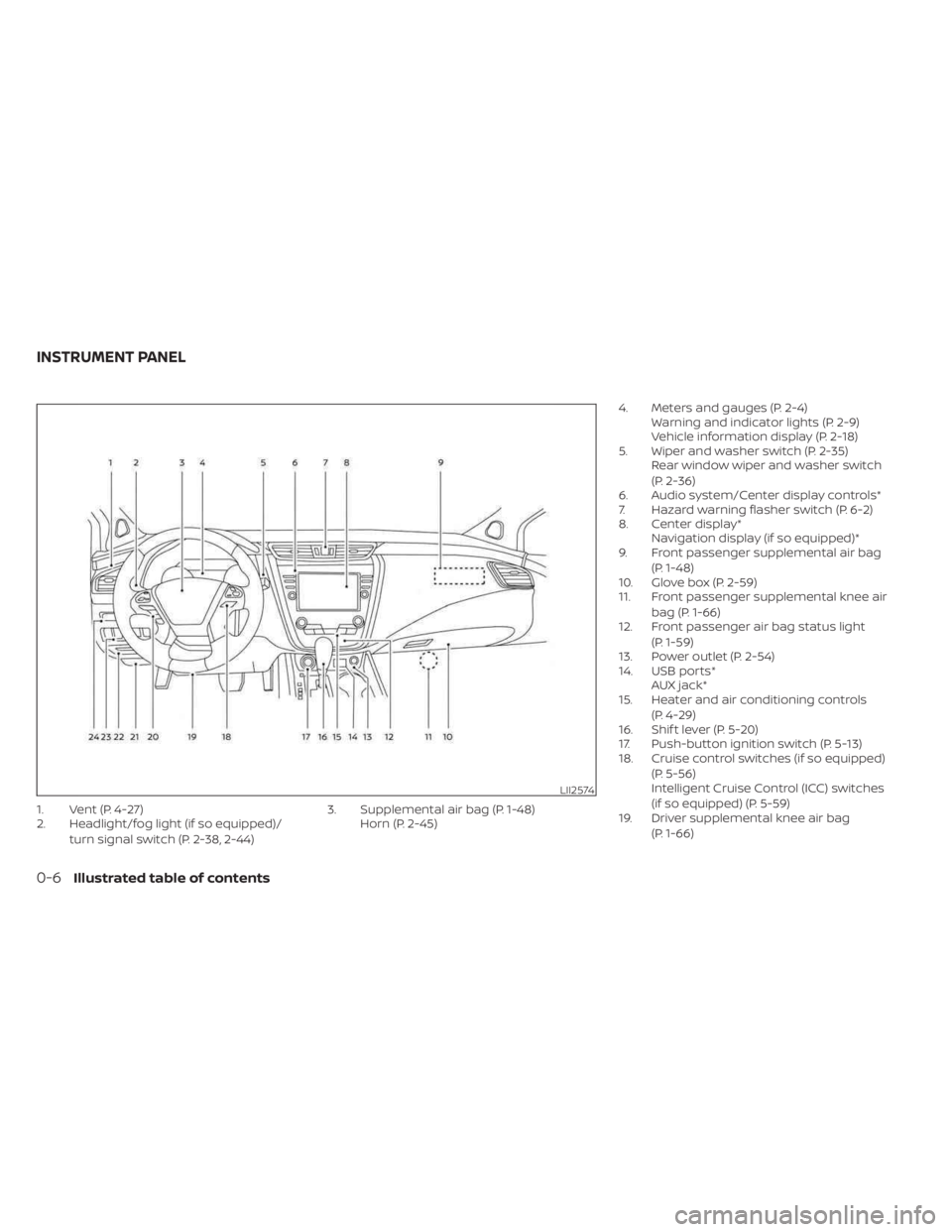
1. Vent (P. 4-27)
2. Headlight/fog light (if so equipped)/turn signal switch (P. 2-38, 2-44) 3. Supplemental air bag (P. 1-48)
Horn (P. 2-45) 4. Meters and gauges (P. 2-4)
Warning and indicator lights (P. 2-9)
Vehicle information display (P. 2-18)
5. Wiper and washer switch (P. 2-35) Rear window wiper and washer switch
(P. 2-36)
6. Audio system/Center display controls*
7. Hazard warning flasher switch (P. 6-2)
8. Center display* Navigation display (if so equipped)*
9. Front passenger supplemental air bag
(P. 1-48)
10. Glove box (P. 2-59)
11. Front passenger supplemental knee air
bag (P. 1-66)
12. Front passenger air bag status light
(P. 1-59)
13. Power outlet (P. 2-54)
14. USB ports* AUX jack*
15. Heater and air conditioning controls
(P. 4-29)
16. Shif t lever (P. 5-20)
17. Push-button ignition switch (P. 5-13)
18. Cruise control switches (if so equipped)
(P. 5-56)
Intelligent Cruise Control (ICC) switches
(if so equipped) (P. 5-59)
19. Driver supplemental knee air bag
(P. 1-66)
LII2574
INSTRUMENT PANEL
0-6Illustrated table of contents
Page 94 of 518
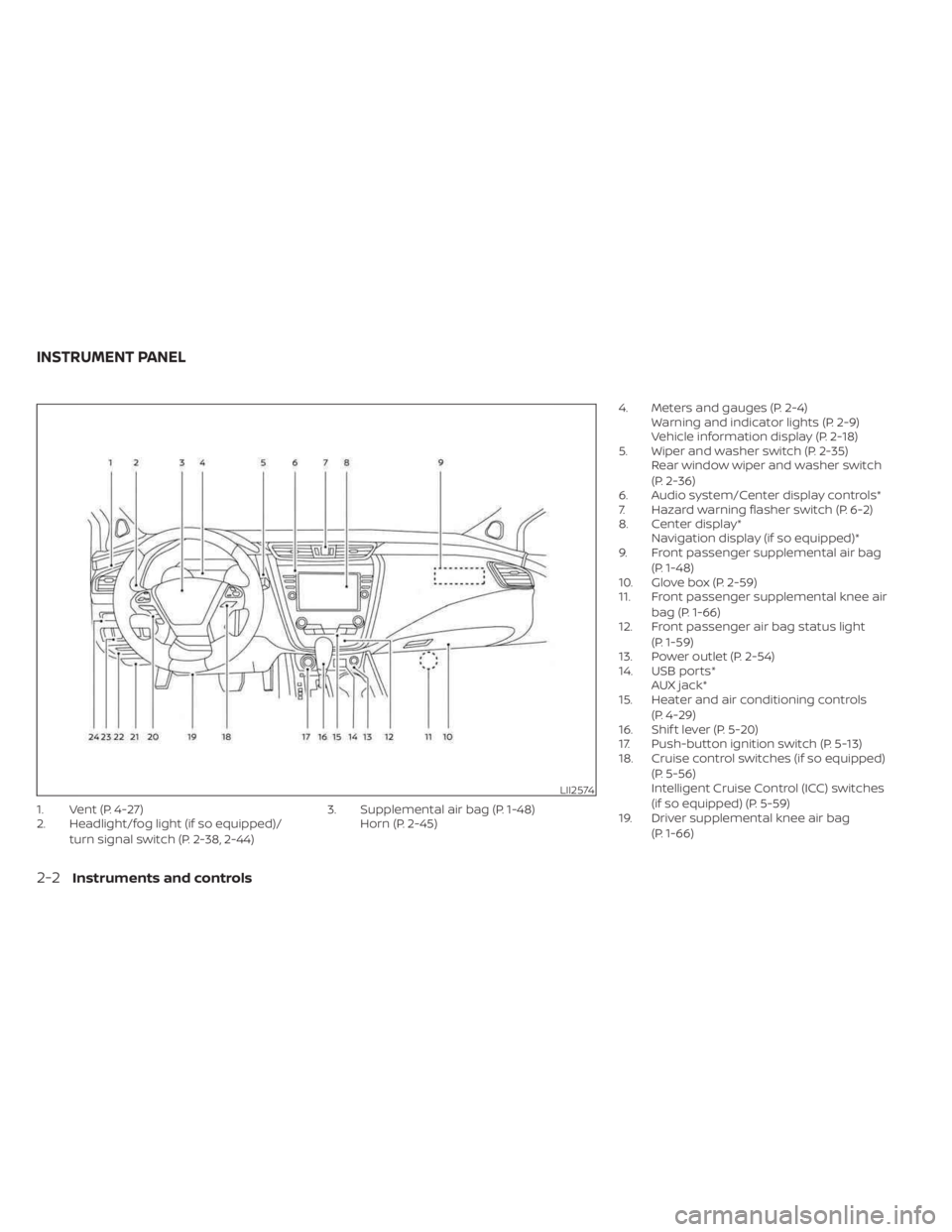
1. Vent (P. 4-27)
2. Headlight/fog light (if so equipped)/turn signal switch (P. 2-38, 2-44) 3. Supplemental air bag (P. 1-48)
Horn (P. 2-45) 4. Meters and gauges (P. 2-4)
Warning and indicator lights (P. 2-9)
Vehicle information display (P. 2-18)
5. Wiper and washer switch (P. 2-35) Rear window wiper and washer switch
(P. 2-36)
6. Audio system/Center display controls*
7. Hazard warning flasher switch (P. 6-2)
8. Center display* Navigation display (if so equipped)*
9. Front passenger supplemental air bag
(P. 1-48)
10. Glove box (P. 2-59)
11. Front passenger supplemental knee air
bag (P. 1-66)
12. Front passenger air bag status light
(P. 1-59)
13. Power outlet (P. 2-54)
14. USB ports* AUX jack*
15. Heater and air conditioning controls
(P. 4-29)
16. Shif t lever (P. 5-20)
17. Push-button ignition switch (P. 5-13)
18. Cruise control switches (if so equipped)
(P. 5-56)
Intelligent Cruise Control (ICC) switches
(if so equipped) (P. 5-59)
19. Driver supplemental knee air bag
(P. 1-66)
LII2574
INSTRUMENT PANEL
2-2Instruments and controls
Page 110 of 518
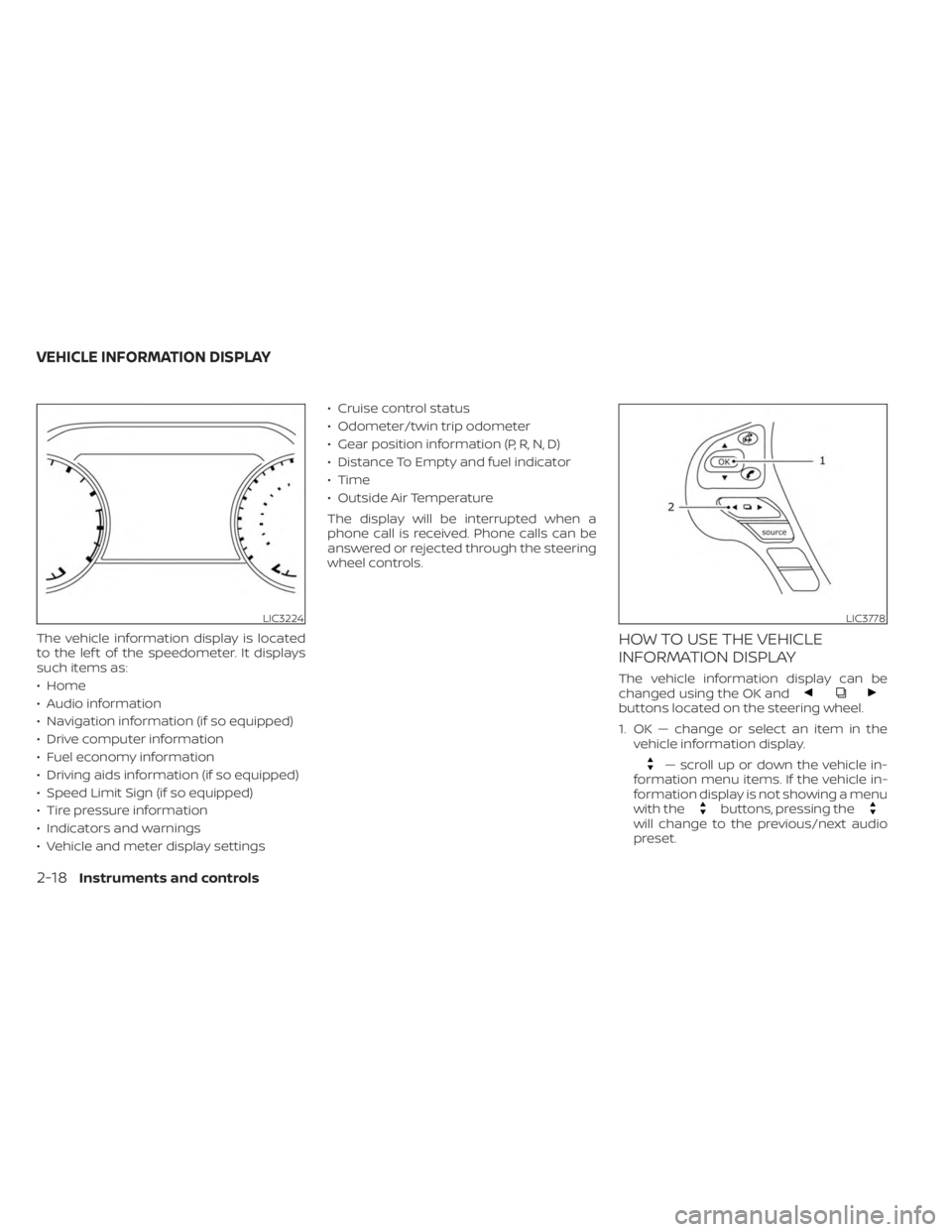
The vehicle information display is located
to the lef t of the speedometer. It displays
such items as:
• Home
• Audio information
• Navigation information (if so equipped)
• Drive computer information
• Fuel economy information
• Driving aids information (if so equipped)
• Speed Limit Sign (if so equipped)
• Tire pressure information
• Indicators and warnings
• Vehicle and meter display settings• Cruise control status
• Odometer/twin trip odometer
• Gear position information (P, R, N, D)
• Distance To Empty and fuel indicator
• Time
• Outside Air Temperature
The display will be interrupted when a
phone call is received. Phone calls can be
answered or rejected through the steering
wheel controls.HOW TO USE THE VEHICLE
INFORMATION DISPLAY
The vehicle information display can be
changed using the OK and
buttons located on the steering wheel.
1. OK — change or select an item in the
vehicle information display.
— scroll up or down the vehicle in-
formation menu items. If the vehicle in-
formation display is not showing a menu
with the
buttons, pressing thewill change to the previous/next audio
preset.
LIC3224LIC3778
VEHICLE INFORMATION DISPLAY
2-18Instruments and controls
Page 112 of 518
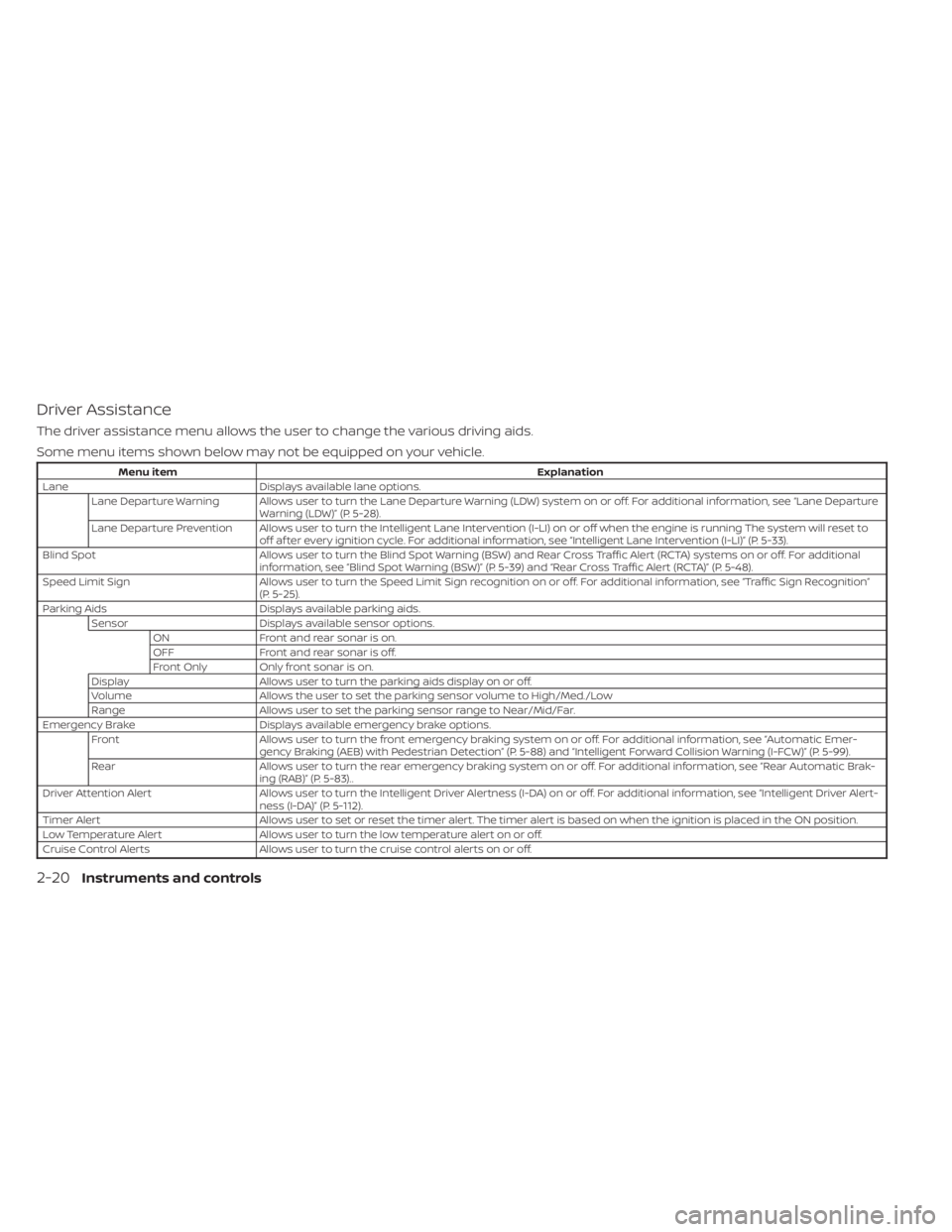
Driver Assistance
The driver assistance menu allows the user to change the various driving aids.
Some menu items shown below may not be equipped on your vehicle.
Menu itemExplanation
Lane Displays available lane options.
Lane Departure Warning Allows user to turn the Lane Departure Warning (LDW) system on or off. For additional information, see “Lane Departure Warning (LDW)” (P. 5-28).
Lane Departure Prevention Allows user to turn the Intelligent Lane Intervention (I-LI) on or off when the engine is running The system will reset to off af ter every ignition cycle. For additional information, see “Intelligent Lane Intervention (I-LI)” (P. 5-33).
Blind Spot Allows user to turn the Blind Spot Warning (BSW) and Rear Cross Traffic Alert (RCTA) systems on or off. For additional
information, see “Blind Spot Warning (BSW)” (P. 5-39) and “Rear Cross Traffic Alert (RCTA)” (P. 5-48).
Speed Limit Sign Allows user to turn the Speed Limit Sign recognition on or off. For additional information, see “Traffic Sign Recognition”
(P. 5-25).
Parking Aids Displays available parking aids.
Sensor Displays available sensor options.
ON Front and rear sonar is on.
OFF Front and rear sonar is off.
Front Only Only front sonar is on.
Display Allows user to turn the parking aids display on or off.
Volume Allows the user to set the parking sensor volume to High/Med./Low
Range Allows user to set the parking sensor range to Near/Mid/Far.
Emergency Brake Displays available emergency brake options.
Front Allows user to turn the front emergency braking system on or off. For additional information, see “Automatic Emer-
gency Braking (AEB) with Pedestrian Detection” (P. 5-88) and “Intelligent Forward Collision Warning (I-FCW)” (P. 5-99).
Rear Allows user to turn the rear emergency braking system on or off. For additional information, see “Rear Automatic Brak-
ing (RAB)” (P. 5-83)..
Driver Attention Alert Allows user to turn the Intelligent Driver Alertness (I-DA) on or off. For additional information, see “Intelligent Driver Al ert-
ness (I-DA)” (P. 5-112).
Timer Alert Allows user to set or reset the timer alert. The timer alert is based on when the ignition is placed in the ON position.
Low Temperature Alert Allows user to turn the low temperature alert on or off.
Cruise Control Alerts Allows user to turn the cruise control alerts on or off.
2-20Instruments and controls
Page 122 of 518
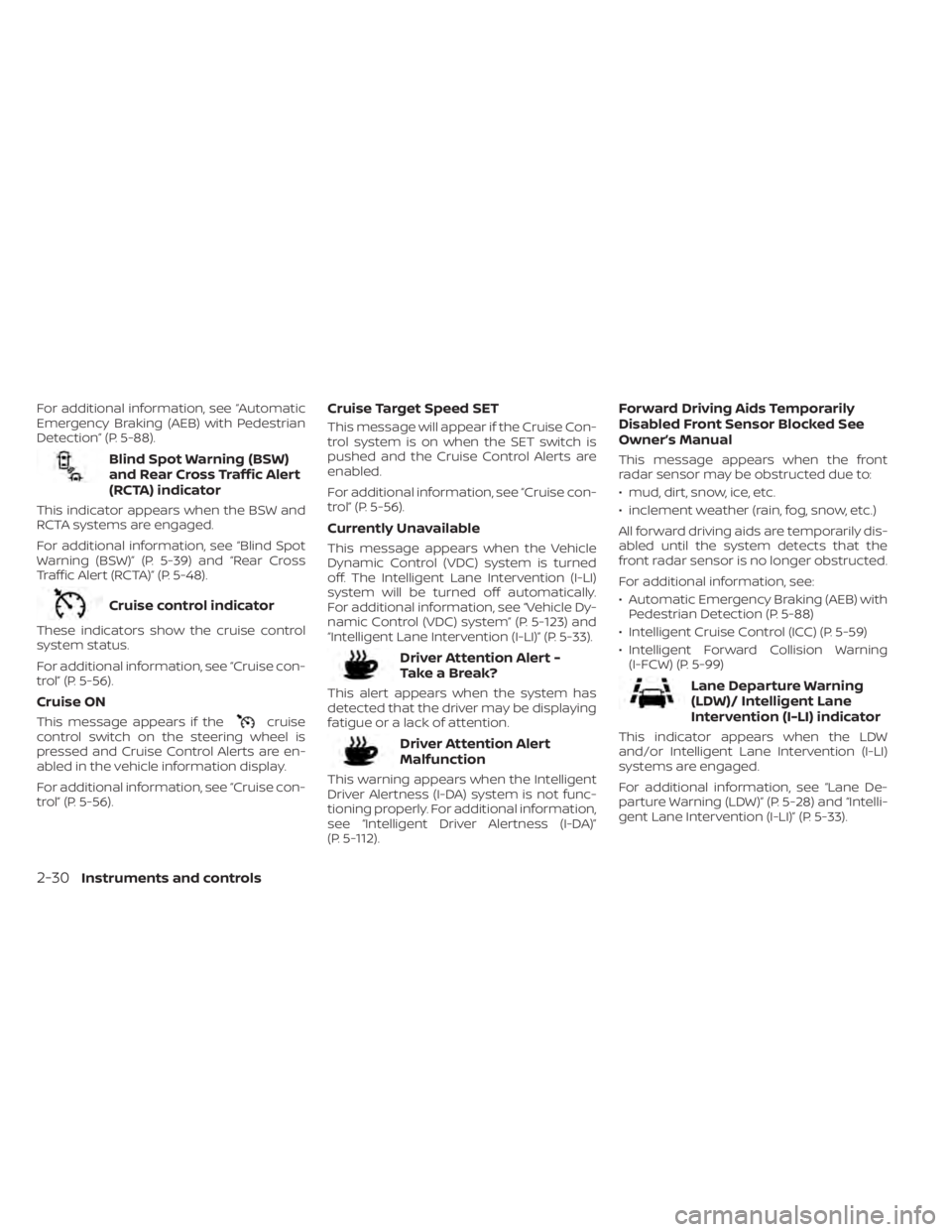
For additional information, see “Automatic
Emergency Braking (AEB) with Pedestrian
Detection” (P. 5-88).
Blind Spot Warning (BSW)
and Rear Cross Traffic Alert
(RCTA) indicator
This indicator appears when the BSW and
RCTA systems are engaged.
For additional information, see “Blind Spot
Warning (BSW)” (P. 5-39) and “Rear Cross
Traffic Alert (RCTA)” (P. 5-48).
Cruise control indicator
These indicators show the cruise control
system status.
For additional information, see “Cruise con-
trol” (P. 5-56).
Cruise ON
This message appears if thecruise
control switch on the steering wheel is
pressed and Cruise Control Alerts are en-
abled in the vehicle information display.
For additional information, see “Cruise con-
trol” (P. 5-56).
Cruise Target Speed SET
This message will appear if the Cruise Con-
trol system is on when the SET switch is
pushed and the Cruise Control Alerts are
enabled.
For additional information, see “Cruise con-
trol” (P. 5-56).
Currently Unavailable
This message appears when the Vehicle
Dynamic Control (VDC) system is turned
off. The Intelligent Lane Intervention (I-LI)
system will be turned off automatically.
For additional information, see “Vehicle Dy-
namic Control (VDC) system” (P. 5-123) and
“Intelligent Lane Intervention (I-LI)” (P. 5-33).
Driver Attention Alert -
TakeaBreak?
This alert appears when the system has
detected that the driver may be displaying
fatigue or a lack of attention.
Driver Attention Alert
Malfunction
This warning appears when the Intelligent
Driver Alertness (I-DA) system is not func-
tioning properly. For additional information,
see “Intelligent Driver Alertness (I-DA)”
(P. 5-112).
Forward Driving Aids Temporarily
Disabled Front Sensor Blocked See
Owner’s Manual
This message appears when the front
radar sensor may be obstructed due to:
• mud, dirt, snow, ice, etc.
• inclement weather (rain, fog, snow, etc.)
All forward driving aids are temporarily dis-
abled until the system detects that the
front radar sensor is no longer obstructed.
For additional information, see:
• Automatic Emergency Braking (AEB) with Pedestrian Detection (P. 5-88)
• Intelligent Cruise Control (ICC) (P. 5-59)
• Intelligent Forward Collision Warning (I-FCW) (P. 5-99)
Lane Departure Warning
(LDW)/ Intelligent Lane
Intervention (I-LI) indicator
This indicator appears when the LDW
and/or Intelligent Lane Intervention (I-LI)
systems are engaged.
For additional information, see “Lane De-
parture Warning (LDW)” (P. 5-28) and “Intelli-
gent Lane Intervention (I-LI)” (P. 5-33).
2-30Instruments and controls
Page 123 of 518
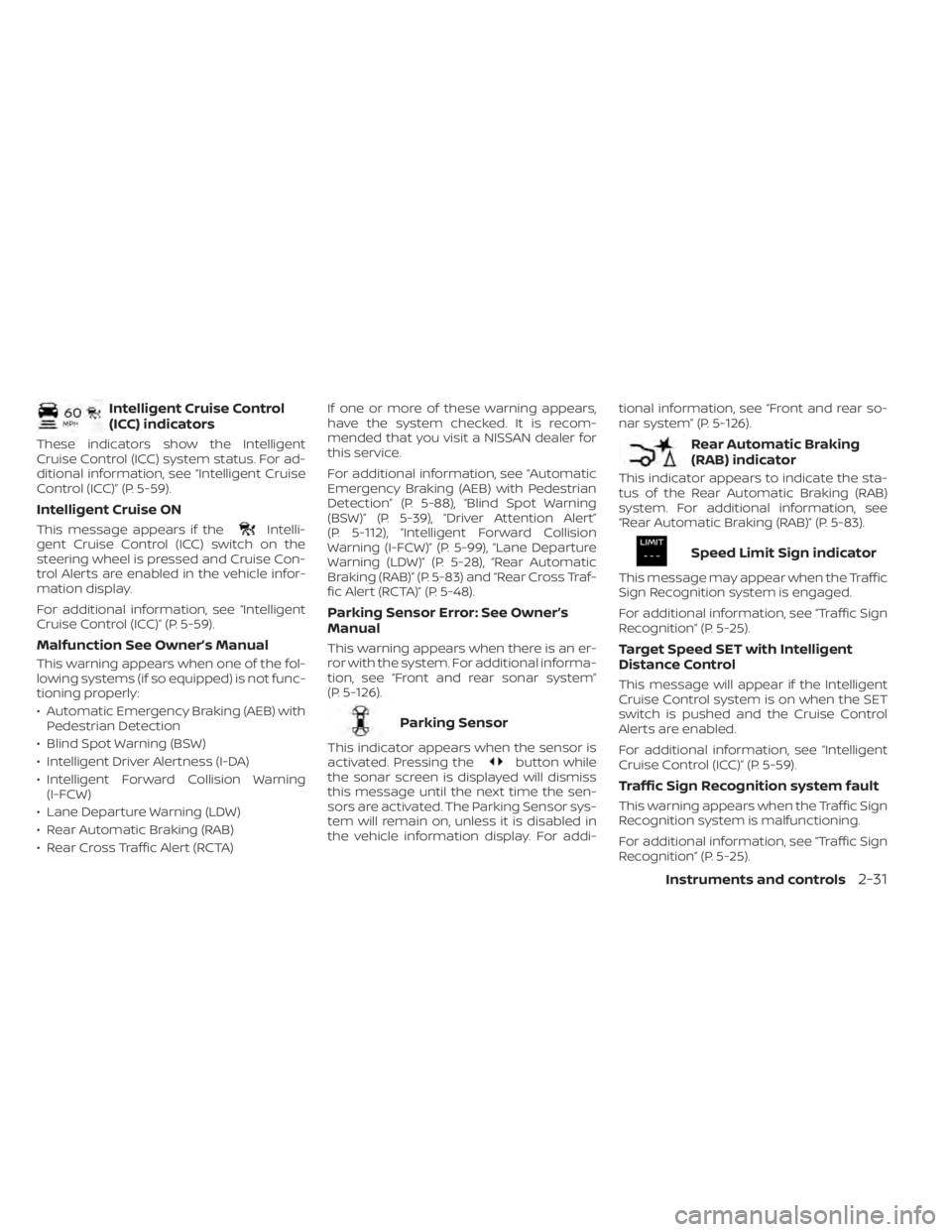
Intelligent Cruise Control
(ICC) indicators
These indicators show the Intelligent
Cruise Control (ICC) system status. For ad-
ditional information, see “Intelligent Cruise
Control (ICC)” (P. 5-59).
Intelligent Cruise ON
This message appears if theIntelli-
gent Cruise Control (ICC) switch on the
steering wheel is pressed and Cruise Con-
trol Alerts are enabled in the vehicle infor-
mation display.
For additional information, see “Intelligent
Cruise Control (ICC)” (P. 5-59).
Malfunction See Owner’s Manual
This warning appears when one of the fol-
lowing systems (if so equipped) is not func-
tioning properly:
• Automatic Emergency Braking (AEB) with Pedestrian Detection
• Blind Spot Warning (BSW)
• Intelligent Driver Alertness (I-DA)
• Intelligent Forward Collision Warning (I-FCW)
• Lane Departure Warning (LDW)
• Rear Automatic Braking (RAB)
• Rear Cross Traffic Alert (RCTA) If one or more of these warning appears,
have the system checked. It is recom-
mended that you visit a NISSAN dealer for
this service.
For additional information, see “Automatic
Emergency Braking (AEB) with Pedestrian
Detection” (P. 5-88), “Blind Spot Warning
(BSW)” (P. 5-39), “Driver Attention Alert”
(P. 5-112), “Intelligent Forward Collision
Warning (I-FCW)” (P. 5-99), “Lane Departure
Warning (LDW)” (P. 5-28), “Rear Automatic
Braking (RAB)” (P. 5-83) and “Rear Cross Traf-
fic Alert (RCTA)” (P. 5-48).
Parking Sensor Error: See Owner’s
Manual
This warning appears when there is an er-
ror with the system. For additional informa-
tion, see “Front and rear sonar system”
(P. 5-126).
Parking Sensor
This indicator appears when the sensor is
activated. Pressing thebutton while
the sonar screen is displayed will dismiss
this message until the next time the sen-
sors are activated. The Parking Sensor sys-
tem will remain on, unless it is disabled in
the vehicle information display. For addi- tional information, see “Front and rear so-
nar system” (P. 5-126).
Rear Automatic Braking
(RAB) indicator
This indicator appears to indicate the sta-
tus of the Rear Automatic Braking (RAB)
system. For additional information, see
“Rear Automatic Braking (RAB)” (P. 5-83).
Speed Limit Sign indicator
This message may appear when the Traffic
Sign Recognition system is engaged.
For additional information, see “Traffic Sign
Recognition” (P. 5-25).
Target Speed SET with Intelligent
Distance Control
This message will appear if the Intelligent
Cruise Control system is on when the SET
switch is pushed and the Cruise Control
Alerts are enabled.
For additional information, see “Intelligent
Cruise Control (ICC)” (P. 5-59).
Traffic Sign Recognition system fault
This warning appears when the Traffic Sign
Recognition system is malfunctioning.
For additional information, see “Traffic Sign
Recognition” (P. 5-25).
Instruments and controls2-31
Page 124 of 518
Unavailable: High Cabin Temperature
This message appears when the camera
detects an interior temperature of more
than 104°F (40°C). For additional informa-
tion, see “Automatic Emergency Braking
(AEB) with Pedestrian Detection” (P. 5-88),
“Intelligent Cruise Control (ICC)” (P. 5-59), “In-
telligent Lane Intervention (I-LI)” (P. 5-33),
“Lane Departure Warning (LDW)” (P. 5-28) or
“Traffic Sign Recognition (TSR)” (P. 5-25).
Unavailable: Road is Slippery
This message appears when the Intelligent
Cruise Control (ICC) or the Intelligent Lane
Intervention (I-LI) systems become un-
available because the road is slippery. For
additional information, see “Intelligent
Cruise Control (ICC)” (P. 5-59) or “Intelligent
Lane Intervention (I-LI)” (P. 5-33).
Unavailable: Side Radar Obstruction
This message appears when one of the
following systems (if so equipped) be-
comes unavailable because a radar block-
age is detected.
• Blind Spot Warning (BSW) (P. 5-39)
• Rear Cross Traffic Alert (RCTA) (P. 5-48)
Vehicle ahead detection
indicator
This indicator appears when the Auto-
matic Emergency Braking (AEB) with Pe-
destrian Detection system is engaged and
has detected a vehicle.
For additional information, see “Automatic
Emergency Braking (AEB) with Pedestrian
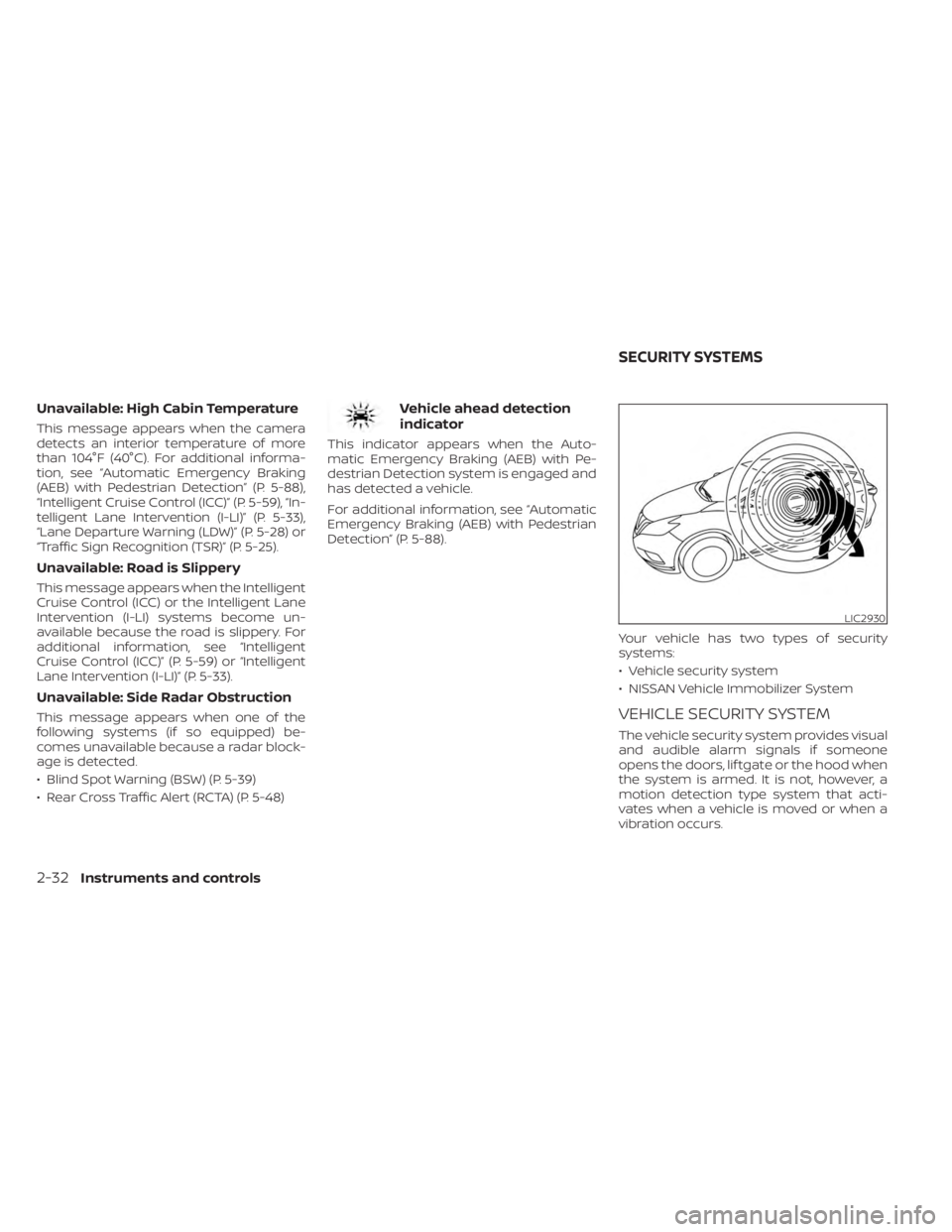
Detection” (P. 5-88).Your vehicle has two types of security
systems:
• Vehicle security system
• NISSAN Vehicle Immobilizer System
VEHICLE SECURITY SYSTEM
The vehicle security system provides visual
and audible alarm signals if someone
opens the doors, lif tgate or the hood when
the system is armed. It is not, however, a
motion detection type system that acti-
vates when a vehicle is moved or when a
vibration occurs.
LIC2930
SECURITY SYSTEMS
2-32Instruments and controls
Page 242 of 518
BSW driving situations.......................5-43
System temporarily unavailable .............5-46
System maintenance .......................5-47
RearCrossTrafficAlert(RCTA) .................. 5-48
RCTA system operation .....................5-49
How to enable/disable the RCTA
system ...................................... 5-51
RCTA system limitations .....................5-52
System temporarily unavailable .............5-54
System maintenance .......................5-55
Cruise control (if so equipped) ..................5-56
Precautions on cruise control ...............5-56
Cruise control operations ...................5-57
Intelligent Cruise Control (ICC) (if so equipped) . . 5-59 How to select the cruise control mode ......5-61
Vehicle-to-vehicle distance control
mode ....................................... 5-61
Vehicle-to-vehicle distance control
mode operation ............................. 5-62
Vehicle-to-vehicle distance control
mode switches ............................. 5-64
Vehicle-to-vehicle distance control
mode limitations ............................ 5-71
System temporarily unavailable .............5-75
System maintenance ....................... 5-77Conventional (fixed speed) cruise
control mode
............................... 5-79
Rear Automatic Braking (RAB) ..................5-83
RAB system operation .......................5-84
Turning the RAB system on/off ..............5-85
RAB system limitations ......................5-86
System malfunction ......................... 5-87
System maintenance .......................5-88
Automatic Emergency Braking (AEB) with
Pedestrian Detection ........................... 5-88
AEB with Pedestrian Detection system
operation ................................... 5-89
Turning the AEB with Pedestrian
Detection system on/off ....................5-91
AEB with Pedestrian Detection system
limitations .................................. 5-92
System temporarily unavailable .............5-95
System malfunction ......................... 5-97
System maintenance .......................5-97
Intelligent Forward Collision Warning (I-FCW) . . . 5-99 I-FCW system operation ....................5-101
T
urning the I-FCW system on/off ...........5-102
I-FCW system limitations ...................5-103
System temporarily unavailable ............5-108
System malfunction ........................ 5-109
Page 277 of 518
–On roads where the traveling lane
merges or separates.
– When the vehicle’s traveling direc-
tion does not align with the lane
marker.
– When traveling close to the ve-
hicle in front of you, which ob-
structs the lane camera unit de-
tection range.
– When rain, snow or dirt adheres to
the windshield in front of the lane
camera unit.
–
When the headlights are not bright due to dirt on the lens or if the aim-
ing is not adjusted properly.
– When strong light enters the lane
camera unit. (For example, the
light directly shines on the front of
the vehicle at sunrise or sunset.)
– When a sudden change in bright-
ness occurs. (For example, when
the vehicle enters or exits a tunnel
or under a bridge.)
While the I-LI system is operating, you may
hear a sound of brake operation. This is
normal and indicates that the I-LI system is
operating properly.
SYSTEM TEMPORARILY
UNAVAILABLE
Condition A:
The warning and assist functions of the I-LI
system are not designed to work under the
following conditions:
• When you operate the lane change signal and change the traveling lanes in the di-
rection of the signal. (The I-LI system will
be deactivated for approximately 2 sec-
onds af ter the lane change signal is
turned off.)
• When the vehicle speed lowers to less than approximately 37 mph (60 km/h).
Af ter the above conditions have finished
and the necessary operating conditions
are satisfied, the warning and assist func-
tions will resume.
Condition B:
The assist function of the I-LI system is not
designed to work under the following con-
ditions (warning is still functional):
• When the brake pedal is depressed.
• When the steering wheel is turned as far as necessary for the vehicle to change
lanes. • When the vehicle is accelerated during
I-LI system operation.
• When the Intelligent Cruise Control (ICC) approach warning occurs.
• When the hazard warning flashers are operated.
• When driving on a curve at high speed.
Af ter the above conditions have finished
and the necessary operating conditions
are satisfied, the I-LI system application of
the brakes will resume.
Condition C:
If the following messages appear in the
vehicle information display, the I-LI system
will be turned off automatically.
• “Unavailable Road is Slippery”: When the VDC system (except Traction
Control System [TCS] function) or ABS
operates.
• “Currently Unavailable”: When the VDC system is turned off.
Starting and driving5-37
Page 296 of 518
FCC Warning
Changes or modifications not expressly
approved by the party responsible for
compliance could void the user’s authority
to operate the equipment.
For Canada
Short Range Radar Sensor SRR3–B
IC ID: 4135A-SRR3B
This device contains licence-exempt
transmitter(s)/receiver(s) that comply with
Innovation, Science and Economic Devel-
opment Canada’s licence-exempt RSS(s).
Operation is subject to the following two
conditions:
1. This device may not cause interference.
2.
This device must accept any interference,
including interference that may cause un-
desired operation of the device.
Radiofrequency radiation exposure infor-
mation:
This equipment complies with radiation
exposure limits set forth for an uncon-
trolled environment. This equipment
should be installed and operated with
minimum distance of 20 cm between the
radiator and the body of any persons, user
or bystander. L’émetteur/récepteur exempt de licence
contenu dans le présent appareil est con-
forme aux CNR d’Innovation, Sciences et
Développement économique Canada ap-
plicables aux appareils radio exempts de
licence. L’exploitation est autorisée aux
deux conditions suivantes:
1. L’appareil ne doit pas produire de
brouillage;
2. L’appareil doit accepter tout brouillage radioélectrique subi, même si le brouil-
lage est susceptible d’en compromettre
le fonctionnement.
Cet équipement est conforme aux limites
d’exposition aux rayonnements établies
pour un enviornnement non contrôlé. Cet
équipement doit être installé et utilisé avec
un minimum de 20 cm de distance entre la
source de rayonnement et votre corps.
PRECAUTIONS ON CRUISE
CONTROL
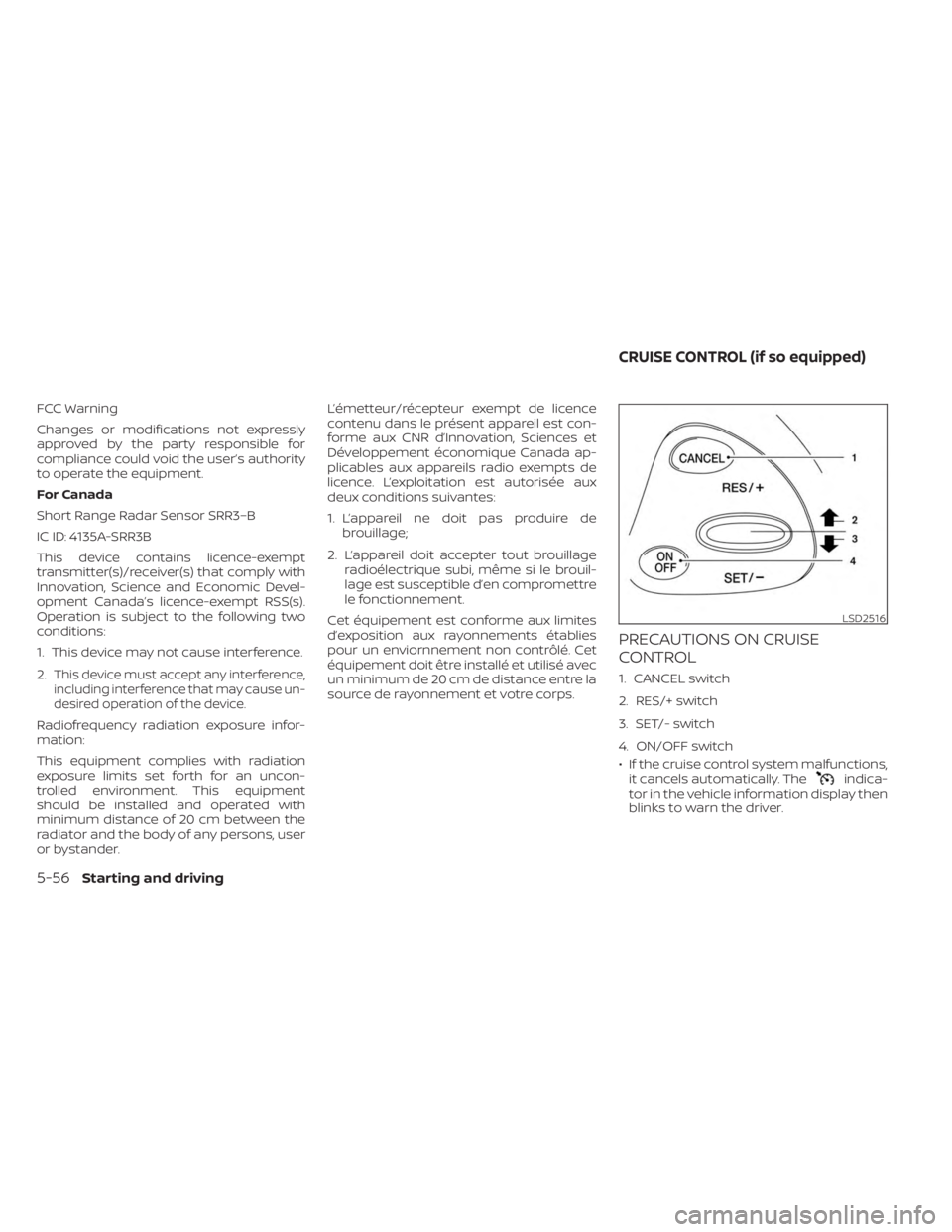
1. CANCEL switch
2. RES/+ switch
3. SET/- switch
4. ON/OFF switch
• If the cruise control system malfunctions, it cancels automatically. The
indica-
tor in the vehicle information display then
blinks to warn the driver.
LSD2516
CRUISE CONTROL (if so equipped)
5-56Starting and driving