key NISSAN MURANO PLATINUM 2018 User Guide
[x] Cancel search | Manufacturer: NISSAN, Model Year: 2018, Model line: MURANO PLATINUM, Model: NISSAN MURANO PLATINUM 2018Pages: 460, PDF Size: 4.89 MB
Page 223 of 460
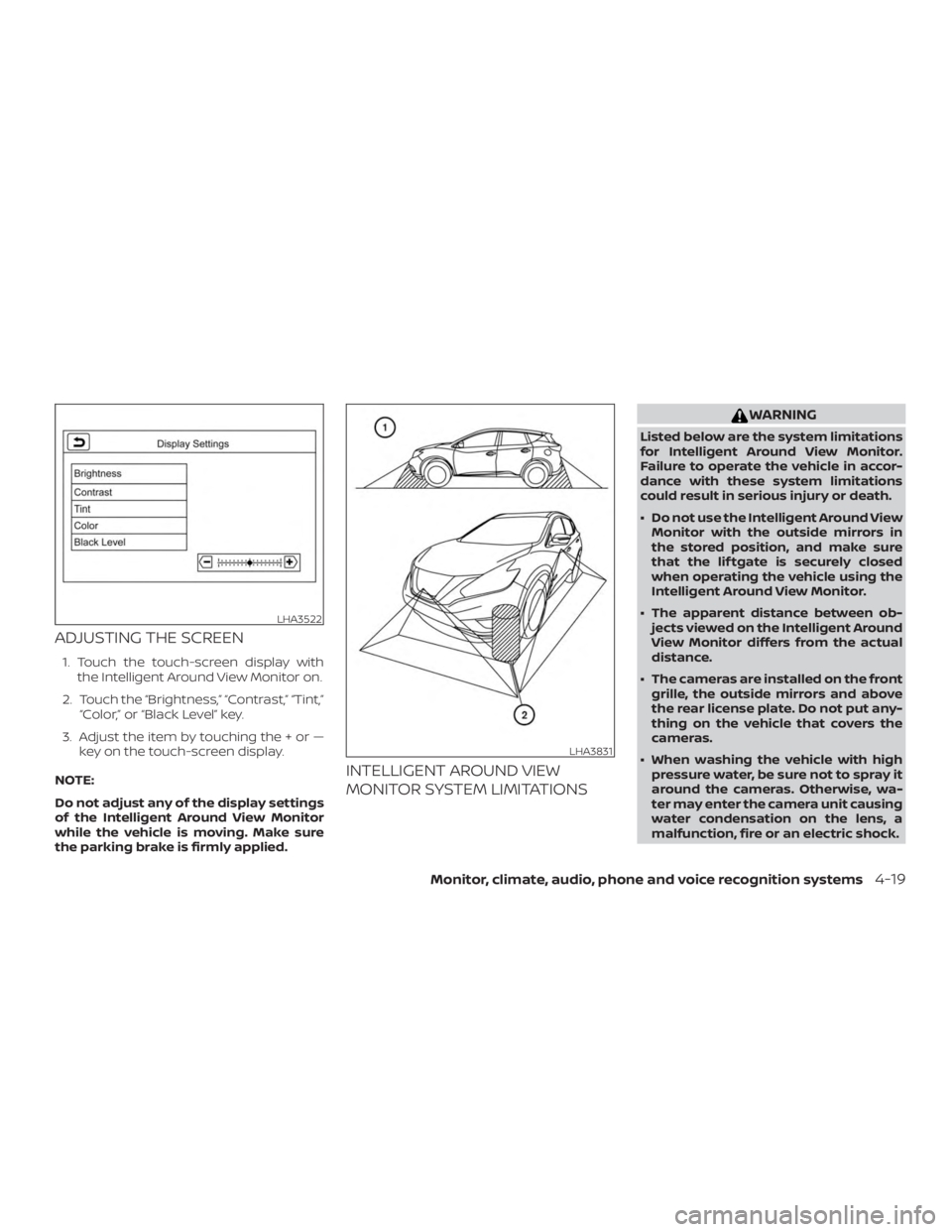
ADJUSTING THE SCREEN
1. Touch the touch-screen display withthe Intelligent Around View Monitor on.
2. Touch the “Brightness,” “Contrast,” “Tint,” “Color,” or “Black Level” key.
3. Adjust the item by touching the + or — key on the touch-screen display.
NOTE:
Do not adjust any of the display settings
of the Intelligent Around View Monitor
while the vehicle is moving. Make sure
the parking brake is firmly applied.
INTELLIGENT AROUND VIEW
MONITOR SYSTEM LIMITATIONS
Page 256 of 460
5. To stop the engine, move the shif t leverinto the P (Park) position and push the
ignition switch to the OFF position.
NOTE:
Care should be taken to avoid situations
that can lead to potential battery dis-
charge and potential no-start conditions
such as: 1. Installation or extended use of elec-
tronic accessories that consume bat-
tery power when the engine is not
running (phone chargers, GPS, DVD
players, etc.).
2. The vehicle is not driven regularly
and/or only driven short distances
In these cases, the battery may need to
be charged to maintain battery health.
REMOTE ENGINE START (if so
equipped)
Vehicles started with the Remote Engine
Start require the ignition switch to be
placed in the ON position before the shif t
lever can be moved from the P (Park) posi-
tion. To place the ignition switch in the ON
position, follow these steps: 1. Make sure that the Intelligent Key is on
you.
2. Apply the brake.
3. Push the ignition switch once to the ON position.
For additional information, refer to “NISSAN
Intelligent Key®” in the “Pre-driving checks
and adjustments” section of this manual.
CONTINUOUSLY VARIABLE
TRANSMISSION (CVT)
Page 330 of 460
WARNING
∙ Never rely solely on the hill start assistsystem to prevent the vehicle from
moving backward on a hill. Always
drive carefully and attentively. De-
press the brake pedal when the ve-
hicle is stopped on a steep hill. Be es-
pecially careful when stopped on a hill
on frozen or muddy roads. Failure to
prevent the vehicle from rolling back-
wards may result in a loss of control of
the vehicle and possible serious injury
or death.
∙ The hill start assist system is not de- signed to hold the vehicle at a stand-
still on a hill. Depress the brake pedal
when the vehicle is stopped on a
steep hill. Failure to do so may cause
the vehicle to roll backwards and may
result in a collision or serious personal
injury.
∙ The hill start assist may not prevent the vehicle from rolling backwards on
a hill under all load or road conditions.
Always be prepared to depress the
brake pedal to prevent the vehicle
from rolling backwards. Failure to do
so may result in a collision or serious
personal injury. When the vehicle is stopped on a hill, the hill
start assist system automatically keeps
the brakes applied. This helps prevent the
vehicle from rolling backward in the time it
takes the driver to release the brake pedal
and apply the accelerator.
Hill start assist will operate automatically
under the following conditions:
∙ The shif t lever is moved to a forward or reverse gear.
∙ The vehicle is stopped completely on a hill by applying the brake.
∙ The hill grade is above 10%.
The maximum holding time is two sec-
onds. Af ter two seconds the vehicle will be-
gin to roll back and hill start assist will stop
operating completely.
Hill start assist will not operate when the
shif t lever is moved to N (Neutral) or P (Park)
or on a flat and level road.
FREEING A FROZEN DOOR LOCK
To prevent a door lock from freezing, apply
de-icer through the key hole. If the lock
becomes frozen, heat the key before in-
serting it into the key hole, or use the
NISSAN Intelligent Key®.
ANTIFREEZE
In the winter when it is anticipated that the
temperature will drop below 32°F (0°C),
check the antifreeze to assure proper win-
ter protection. For additional information,
refer to “Engine cooling system” in the “Do-
it-yourself ” section of this manual.
BATTERY
If the battery is not fully charged during
extremely cold weather conditions, the
battery fluid may freeze and damage the
battery. To maintain maximum efficiency,
the battery should be checked regularly.
For additional information, refer to “Battery”
in the “Do-it-yourself ” section of this
manual.
HILL START ASSIST SYSTEM COLD WEATHER DRIVING
5-92Starting and driving
Page 447 of 460
FuelCapacities and recommended
fuel/lubricants...............10-2
Fuel economy ...............5-82
Fuel-filler door and cap ..........3-31
Fuel-filler door lock opener lever ....3-31
Fuel gauge ..................2-7
Fueloctanerating.............10-5
Fuel recommendation ..........10-3
Loose fuel cap warning .........2-28
Fuelefficientdrivingtips...........5-81
Fuel-filler door .................3-31
Fuel gauge ....................2-7
Fuses ......................8-20
Fusiblelinks...................8-22
G
Garage door opener, HomeLink® Universal
Transceiver .........2-63,2-64,2-66,2-67
Gascap .....................3-31
Gauge Engine coolant temperature gauge . .2-6
Fuel gauge ..................2-7
Odometer ..................2-5
Speedometer ..............2-4,2-5
Tachometer .................2-6
Trip odometer .............2-4,2-5
General maintenance .............9-2
Glovebox....................2-52
H
Hazard warning flasher switch ........6-2Headlight and turn signal switch
......2-37
Headlightcontrolswitch...........2-37
Headlights ...................8-25
Headrestraints ................ .1-9
Heatedrearseats...............2-44
Heatedseats..................2-43
Heated steering wheel ............2-45
Heater Heater and air conditioner (automatic)
(if so equipped) ..............4-28
Heater and air conditioner controls . .4-29
Heater operation .............4-30
Heater and air conditioner (automatic) . .4-28
Hill start assist system ............5-92
HomeLink® Universal
Transceiver .........2-63,2-64,2-66,2-67
Hood .......................3-22
Hook Luggage hook ...............2-55
Horn .......................2-41
I
Ignition switch Push-button ignition switch .......5-13
Immobilizer system ...........2-32,5-16
Important vehicle information label . . . .10-11
In-cabinmicrofilter ..............8-17
Increasing fuel economy ..........5-82
Indicator NISSAN Intelligent Key® battery discharge
indicator...................5-16
Indicator lights and audible reminders
(See warning/indicator lights and audible
reminders) .................2-9,2-13 Inside automatic anti-glare mirror
.....3-37
Instrument brightness control .......2-40
Instrument panel .............0-6,2-2
Instrument panel dimmer switch .....2-40
Intelligent Around View Monitor .......4-11
Intelligent Cruise Control (ICC) .......5-44
Intelligent Drive Alertness (I-DA) ......5-78
Intelligent Forward Collision Warning
(I-FCW)......................5-66
Intelligent Key system Key operating range ............3-8
Key operation ................3-9
Mechanical key ...............3-3
Remote keyless entry operation ....3-12
T
roubleshooting guide ..........3-17
Warning signals ...............3-17
Interiorlight...................2-61
ISOFIX child restraints .............1-30
J
Jumpstarting..............6-10,8-15
K
Key........................ .3-2
Key fob battery replacement ........8-23
Keyless entry With Intelligent Key system
(See Intelligent Key system) .......3-12
Keys NISSAN Intelligent Key® ........3-2,3-7
NISSAN Vehicle Immobilizer System
keys......................3-4
11-3
Page 448 of 460
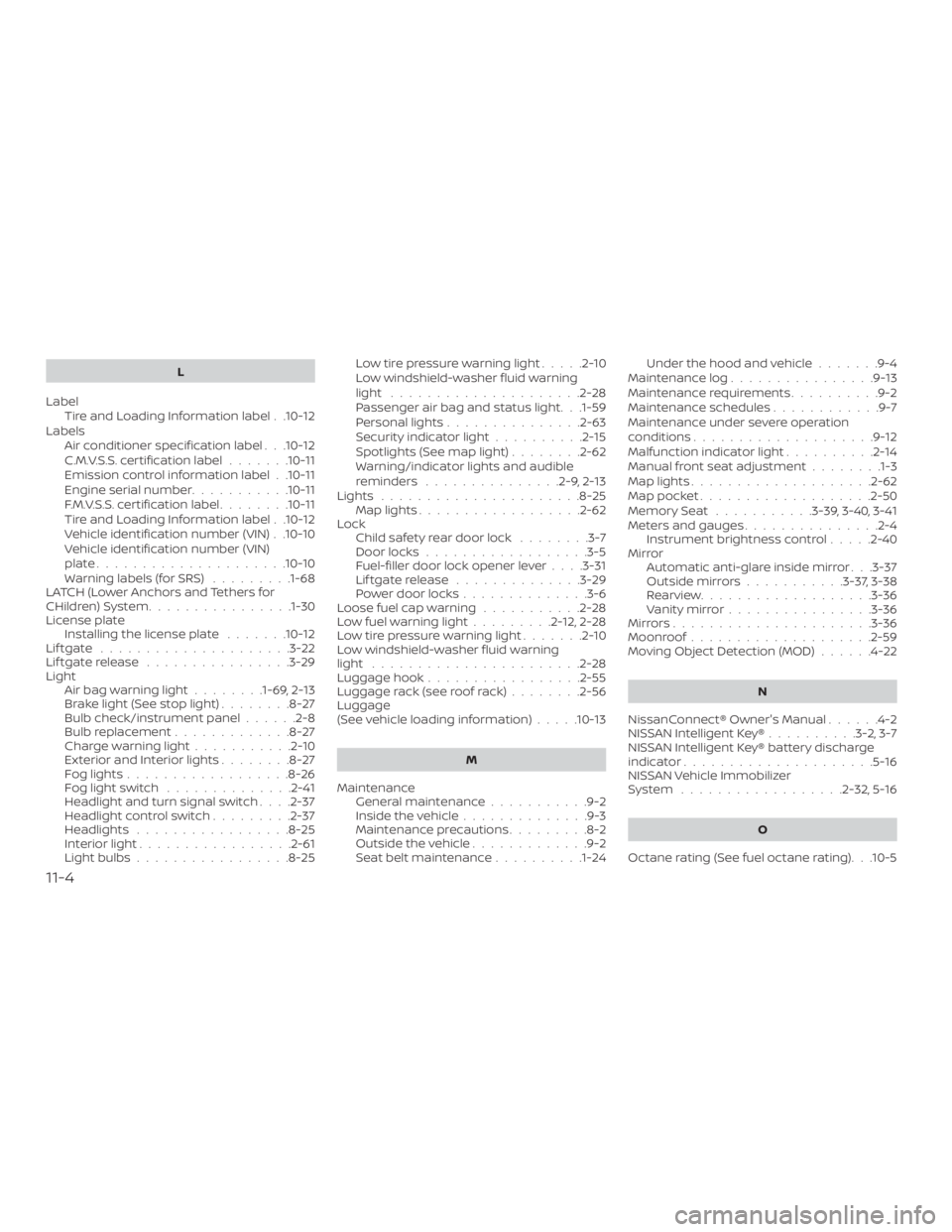
L
Label Tire and Loading Information label . .10-12
Labels Air conditioner specification label . . .10-12
C.M.V.S.S. certification label .......10-11
Emission control information label . .10-11
Engine serial number ...........10-11
F.M.V.S.S. certification label ........10-11
Tire and Loading Information label . .10-12
Vehicle identification number (VIN) . .10-10
Vehicle identification number (VIN)
plate.....................10-10
Warning labels (for SRS) .........1-68
LATCH (Lower Anchors and Tethers for
CHildren)System............... .1-30
License plate Installing the license plate .......10-12
Liftgate .....................3-22
Liftgaterelease ................3-29
Light Airbagwarninglight........1-69, 2-13
Brakelight(Seestoplight)........8-27
Bulb check/instrument panel ......2-8
Bulb replacement .............8-27
Charge warning light ...........2-10
ExteriorandInteriorlights........8-27
Foglights..................8-26
Foglightswitch ..............2-41
Headlight and turn signal switch ....2-37
Headlightcontrolswitch.........2-37
Headlights .................8-25
Interiorlight.................2-61
Lightbulbs.................8-25 Low tire pressure warning light
.....2-10
Low windshield-washer fluid warning
light .....................2-28
Passenger air bag and status light. . .1-59
Personal lights ...............2-63
Security indicator light ..........2-15
Spotlights(Seemaplight)........2-62
Warning/indicator lights and audible
reminders ...............2-9,2-13
Lights ......................8-25 Maplights..................2-62
Lock Child safety rear door lock ........3-7
Door locks ..................3-5
Fuel-filler door lock opener lever ....3-31
Liftgaterelease ..............3-29
Power door locks ..............3-6
Loose fuel cap warning ...........2-28
Lowfuelwarninglight.........2-12,2-28
Low tire pressure warning light .......2-10
Low windshield-washer fluid warning
light .......................2-28
Luggage hook .................2-55
Luggage rack (see roof rack) ........2-56
Luggage
(See vehicle loading information) .....10-13
M
Maintenance General maintenance ...........9-2
Insidethevehicle..............9-3
Maintenance precautions .........8-2
Outsidethevehicle.............9-2
Seat belt maintenance ..........1-24 Under the hood and vehicle
.......9-4
Maintenance log ................9-13
Maintenance requirements ..........9-2
Maintenance schedules ............9-7
Maintenance under severe operation
conditions....................9-12
Malfunctionindicatorlight..........2-14
Manual front seat adjustment ........1-3
Maplights....................2-62
Map pocket ...................2-50
Memory Seat ...........3-39,3-40,3-41
Meters and gauges ...............2-4
Instrument brightness control .....2-40
Mirror Automatic anti-glare inside mirror . . .3-37
Outsidemirrors...........3-37,3-38
Rearview...................3-36
Vanitymirror................3-36
Mirrors......................3-36
Moonroof ....................2-59
Moving Object Detection (MOD) ......4-22
N
NissanConnect® Owner's Manual ......4-2
NISSAN Intelligent Key® ..........3-2,3-7
NISS
AN Intelligent Key® battery discharge
indicator.................... .5-16
NISSAN Vehicle Immobilizer
System ..................2-32,5-16
O
Octane rating (See fuel octane rating). . .10-5
11-4