key NISSAN NV200 2021 Owners Manual
[x] Cancel search | Manufacturer: NISSAN, Model Year: 2021, Model line: NV200, Model: NISSAN NV200 2021Pages: 300, PDF Size: 1.9 MB
Page 82 of 300
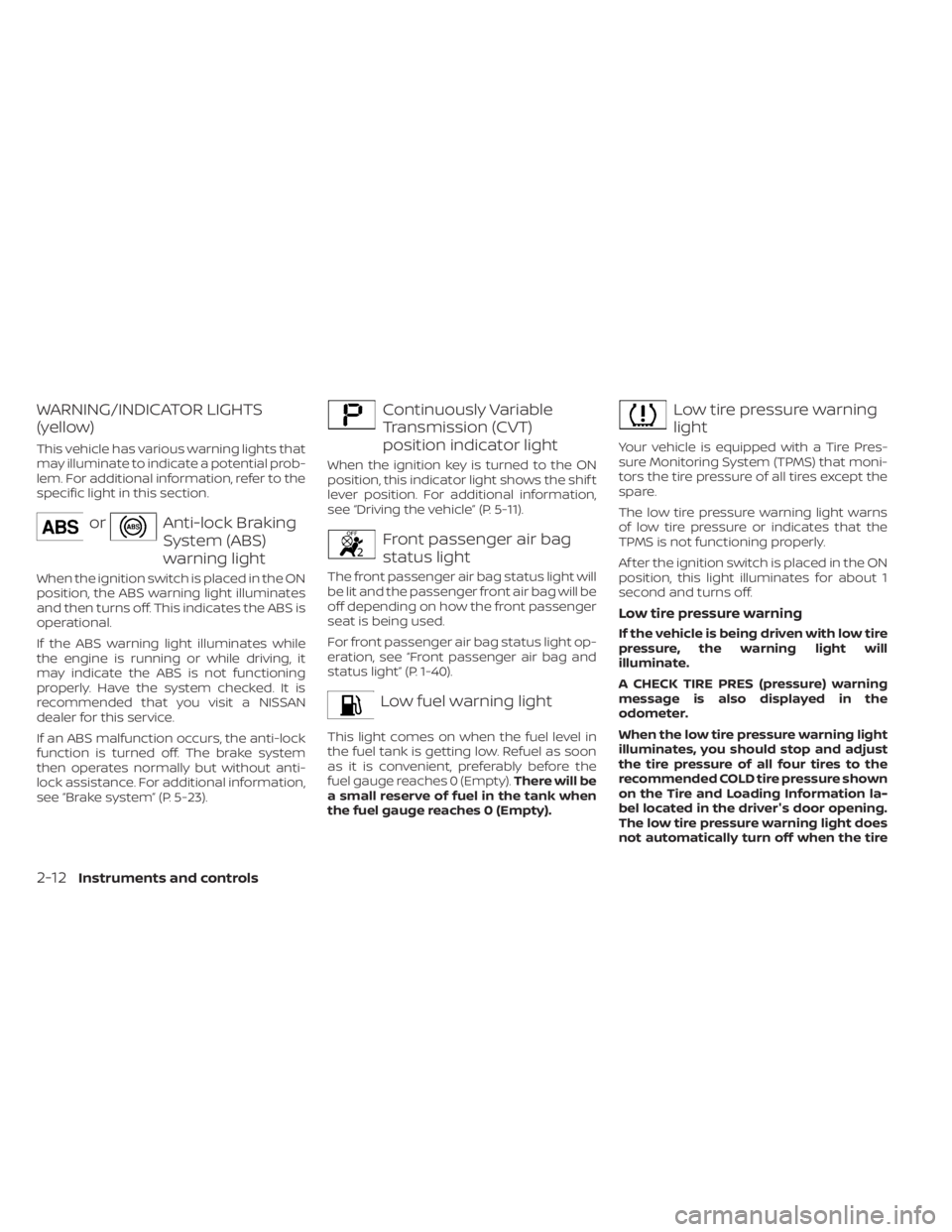
orAnti-lock Braking
System (ABS)
warning light
When the ignition switch is placed in the ON
position, the ABS warning light illuminates
and then turns off. This indicates the ABS is
operational.
If the ABS warning light illuminates while
the engine is running or while driving, it
may indicate the ABS is not functioning
properly. Have the system checked. It is
recommended that you visit a NISSAN
dealer for this service.
If an ABS malfunction occurs, the anti-lock
function is turned off. The brake system
then operates normally but without anti-
lock assistance. For additional information,
see systemŽ (P. 5-23).
Continuously Variable
Transmission (CVT)
position indicator light
When the ignition key is turned to the ON
position, this indicator light shows the shif t
lever position. For additional information,
see the vehicleŽ (P. 5-11).
Front passenger air bag
status light
The front passenger air bag status light will
be lit and the passenger front air bag will be
off depending on how the front passenger
seat is being used.
For front passenger air bag status light op-
eration, see passenger air bag and
status lightŽ (P. 1-40).
Low fuel warning light
This light comes on when the fuel level in
the fuel tank is getting low. Refuel as soon
as it is convenient, preferably before the
fuel gauge reaches 0 (Empty).There will be
a small reserve of fuel in the tank when
the fuel gauge reaches 0 (Empty).
Page 86 of 300
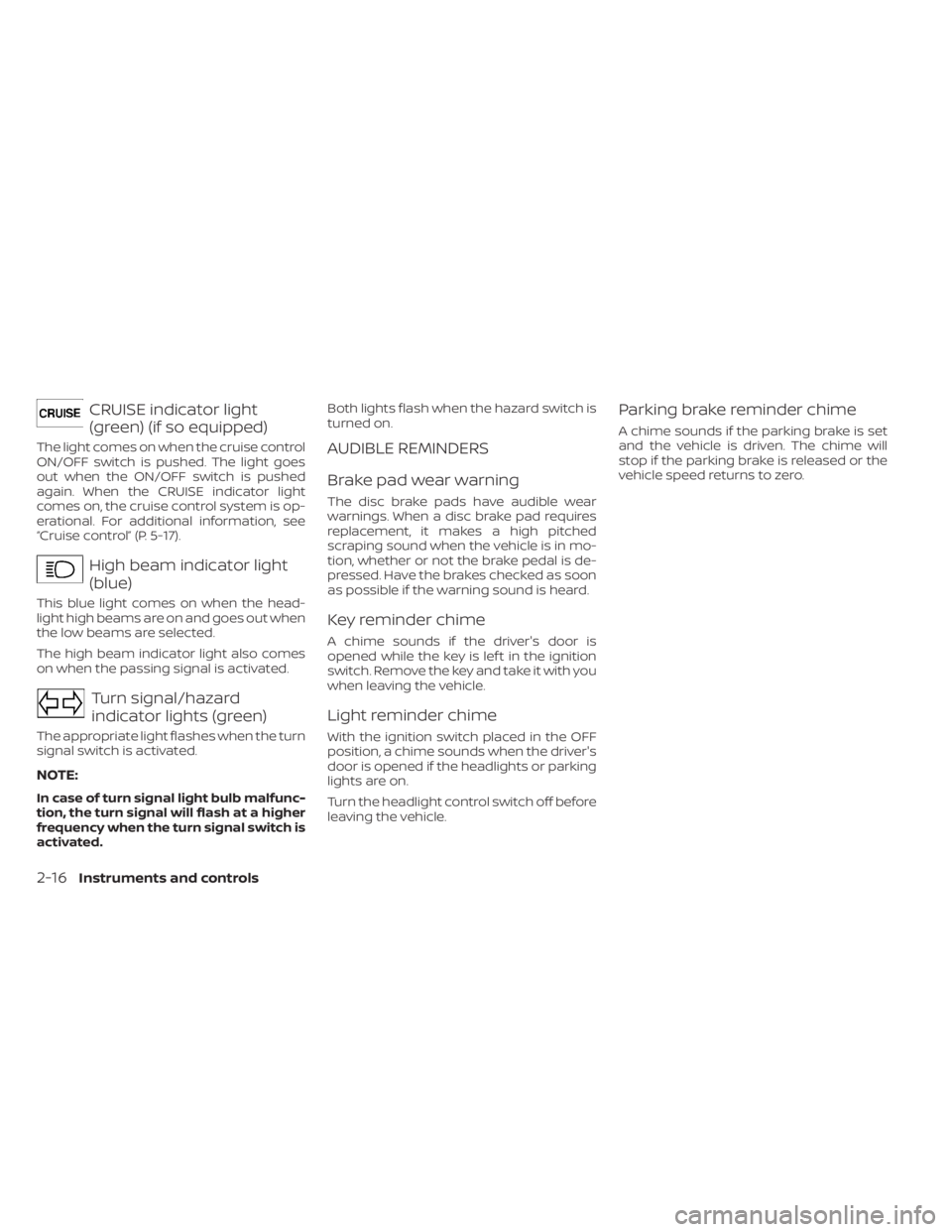
High beam indicator light
(blue)
This blue light comes on when the head-
light high beams are on and goes out when
the low beams are selected.
The high beam indicator light also comes
on when the passing signal is activated.
Turn signal/hazard
indicator lights (green)
The appropriate light flashes when the turn
signal switch is activated.
NOTE:
In case of turn signal light bulb malfunc-
tion, the turn signal will flash at a higher
frequency when the turn signal switch is
activated.Both lights flash when the hazard switch is
turned on.
AUDIBLE REMINDERS
Brake pad wear warning
The disc brake pads have audible wear
warnings. When a disc brake pad requires
replacement, it makes a high pitched
scraping sound when the vehicle is in mo-
tion, whether or not the brake pedal is de-
pressed. Have the brakes checked as soon
as possible if the warning sound is heard.
Key reminder chime
A chime sounds if the driver's door is
opened while the key is lef t in the ignition
switch. Remove the key and take it with you
when leaving the vehicle.
Light reminder chime
With the ignition switch placed in the OFF
position, a chime sounds when the driver's
door is opened if the headlights or parking
lights are on.
Turn the headlight control switch off before
leaving the vehicle.
Parking brake reminder chime
A chime sounds if the parking brake is set
and the vehicle is driven. The chime will
stop if the parking brake is released or the
vehicle speed returns to zero.
2-16Instruments and controls
Page 87 of 300
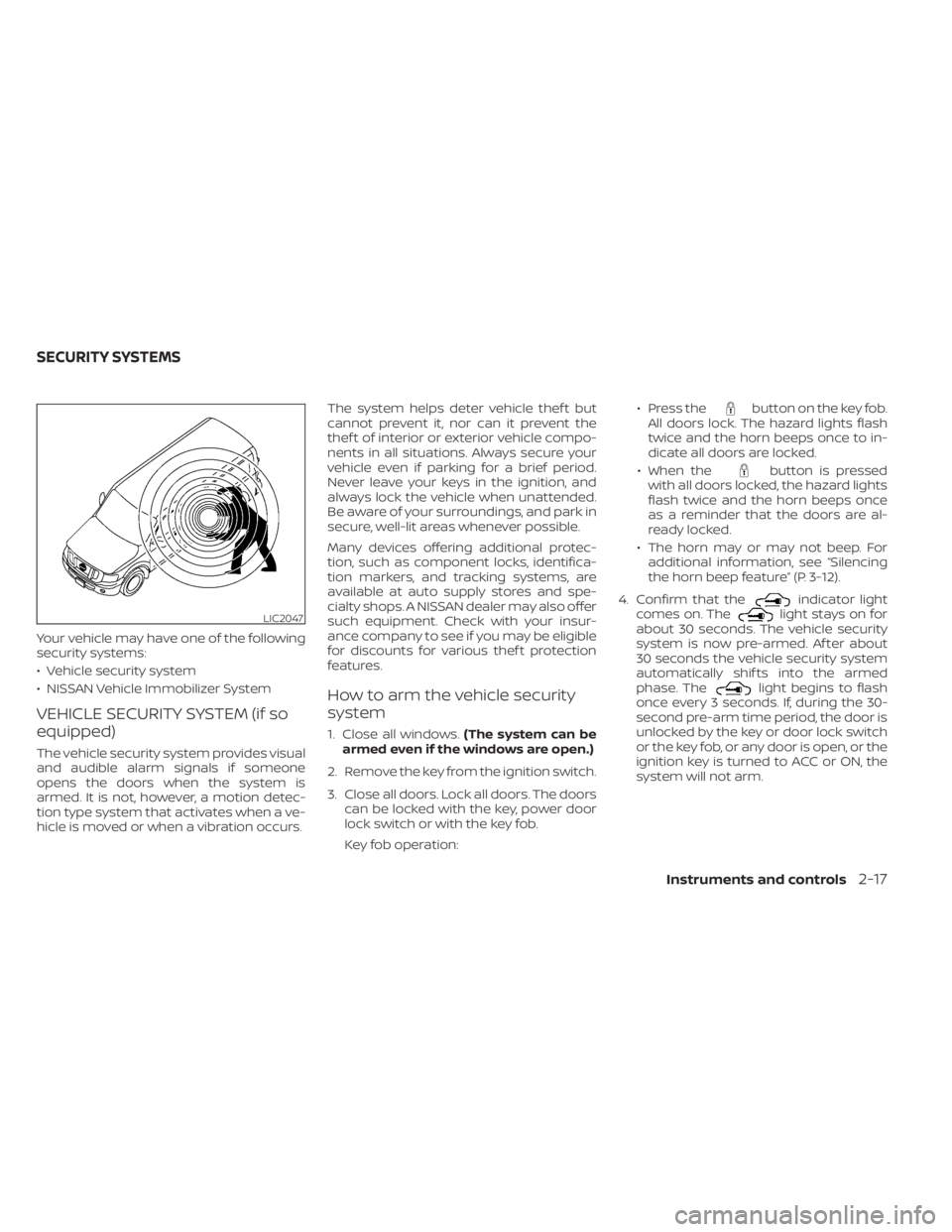
button on the key fob.
All doors lock. The hazard lights flash
twice and the horn beeps once to in-
dicate all doors are locked.
€ When the
button is pressed
with all doors locked, the hazard lights
flash twice and the horn beeps once
as a reminder that the doors are al-
ready locked.
€ The horn may or may not beep. For additional information, see
the horn beep featureŽ (P. 3-12).
4. Confirm that the
indicator light
comes on. Thelight stays on for
about 30 seconds. The vehicle security
system is now pre-armed. Af ter about
30 seconds the vehicle security system
automatically shif ts into the armed
phase. The
light begins to flash
once every 3 seconds. If, during the 30-
second pre-arm time period, the door is
unlocked by the key or door lock switch
or the key fob, or any door is open, or the
ignition key is turned to ACC or ON, the
system will not arm.
LIC2047
SECURITY SYSTEMS
Instruments and controls2-17
Page 88 of 300
button on the key
fob. The alarm is activated by:
€ Opening a door without using the key or
key fob (even if the door is unlocked by
using the inside lock knob or the power
door lock switch).
How to stop an activated alarm
The alarm stops only by unlocking the driv-
er's door with the key or pressing the
button on the key fob.
NISSAN VEHICLE IMMOBILIZER
SYSTEM
The NISSAN Vehicle Immobilizer System
will not allow the engine to start without
the use of a registered key.
If the engine fails to start using a registered
key (for example, when interference is
caused by another registered key, an auto-
mated toll road device or automatic pay-
ment device on the key ring), restart the
engine using the following procedures:
1. Leave the ignition switch in the ON posi- tion for approximately 5 seconds.
2. Place the ignition switch in the OFF or LOCK position and wait approximately
10 seconds. 3. Repeat steps 1 and 2.
4. Restart the engine while holding the de-
vice (which may have caused the inter-
ference) separate from the registered
key.
If the no start condition reoccurs, NISSAN
recommends placing the registered key on
a separate key ring to avoid interference
from other devices.
Never leave these keys in the vehicle.
FCC Notice:
For USA:
This device complies with Part 15 of the
FCC Rules. Operation is subject to the fol-
lowing two conditions: (1) This device
may not cause harmful interference, and
(2) this device must accept any interfer-
ence received, including interference
that may cause undesired operation.
NOTE:
Changes or modifications not expressly
approved by the party responsible for
compliance could void the user's author-
ity to operate the equipment.
2-18Instruments and controls
Page 103 of 300
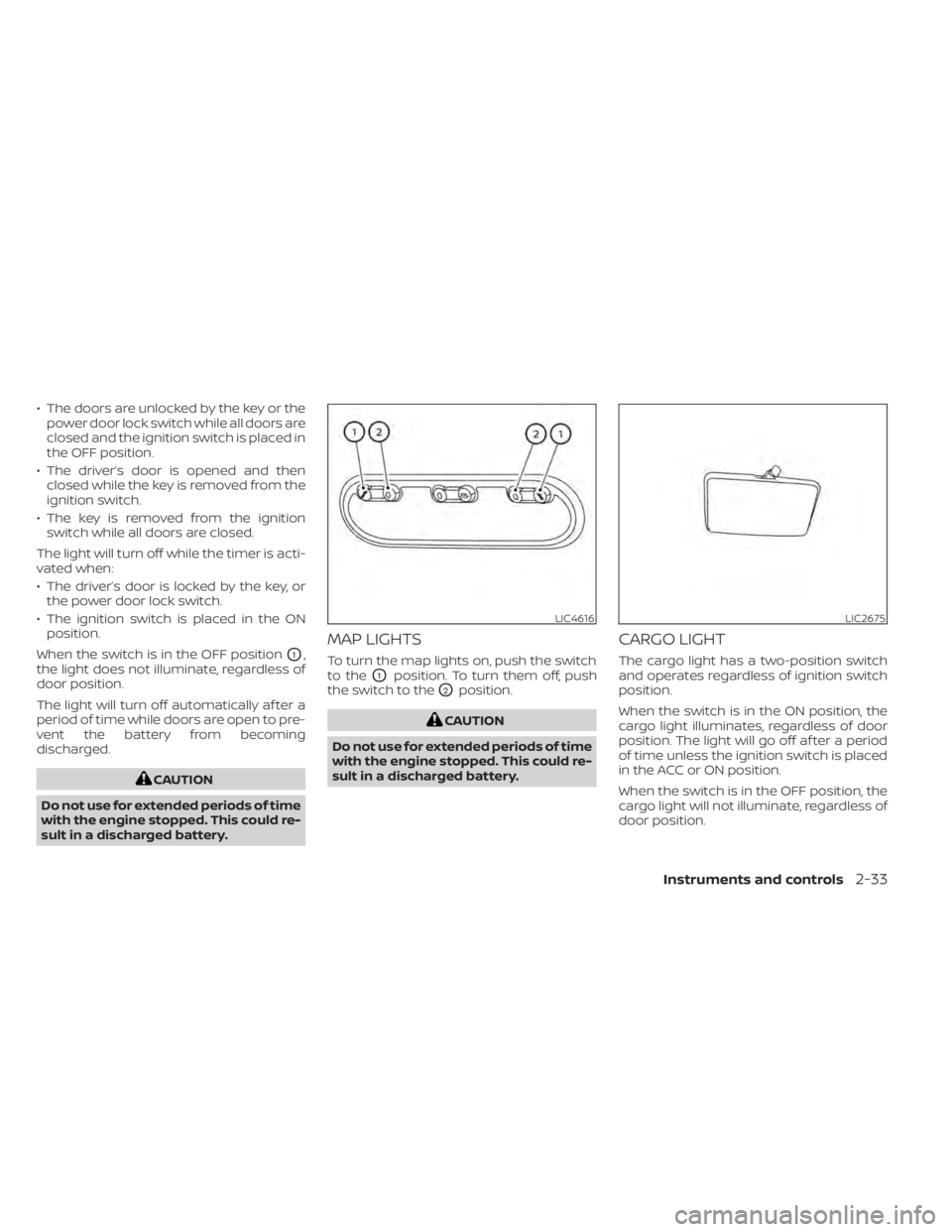
• The doors are unlocked by the key or thepower door lock switch while all doors are
closed and the ignition switch is placed in
the OFF position.
• The driver’s door is opened and then closed while the key is removed from the
ignition switch.
• The key is removed from the ignition switch while all doors are closed.
The light will turn off while the timer is acti-
vated when:
• The driver’s door is locked by the key, or the power door lock switch.
• The ignition switch is placed in the ON position.
When the switch is in the OFF position
O1,
the light does not illuminate, regardless of
door position.
The light will turn off automatically af ter a
period of time while doors are open to pre-
vent the battery from becoming
discharged.
LIC4616LIC2675
Page 106 of 300
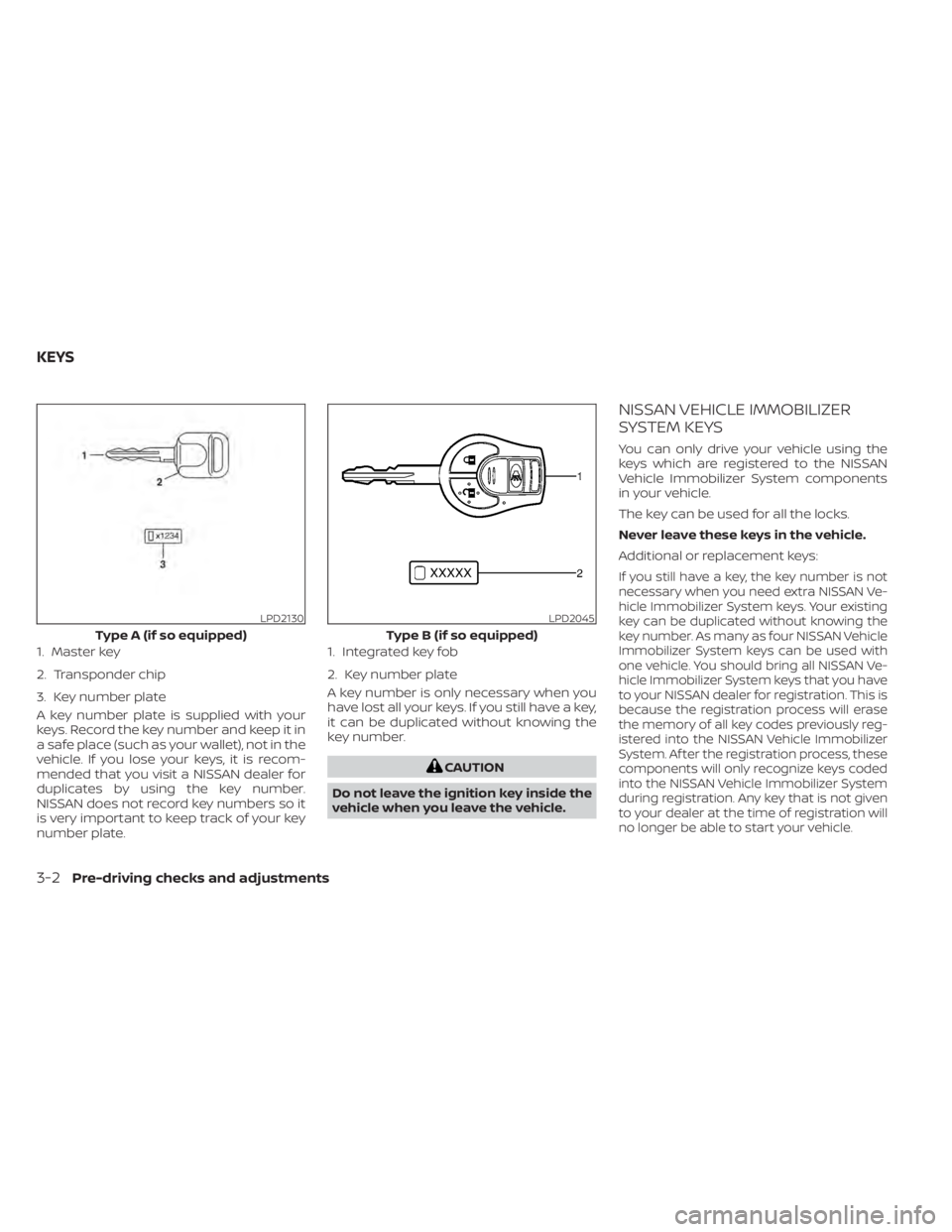
A key number plate is supplied with your
keys. Record the key number and keep it in
a safe place (such as your wallet), not in the
vehicle. If you lose your keys, it is recom-
mended that you visit a NISSAN dealer for
duplicates by using the key number.
NISSAN does not record key numbers so it
is very important to keep track of your key
number plate.A key number is only necessary when you
have lost all your keys. If you still have a key,
it can be duplicated without knowing the
key number.
LPD2130
Type A (if so equipped)
1. Master key
2. Transponder chip
3. Key number plate
LPD2045
Type B (if so equipped)
1. Integrated key fob
2. Key number plate
KEYS
Page 107 of 300
CAUTION
Do not allow the immobilizer system
key, which contains an electrical tran-
sponder, to come into contact with wa-
ter or salt water. This could affect sys-
tem function. When the doors are locked using one of the
following methods, the doors cannot be
opened using the inside or outside door
handles. The doors must be unlocked to
open the doors.
Page 114 of 300
• All doors unlock automatically when thetransmission is placed in the P (Park) po-
sition, when the ignition is turned to the
OFF position, or when the key is removed
from the ignition.
CAUTION
Listed below are conditions or occur-
rences which will damage the key fob:
• Do not allow the key fob, which con-
tains electrical components, to come
into contact with water or salt water.
This could affect the system
function.
• Do not drop the key fob.
• Do not strike the key fob sharply
against another object.
• Do not change or modif y the key fob.
• Wetting may damage the key fob. If
the key fob gets wet, immediately
wipe until it is completely dry.
REMOTE KEYLESS ENTRY SYSTEM (if
so equipped)
3-10Pre-driving checks and adjustments
Page 115 of 300
•Do not place the key fob for an ex-
tended period in an area where tem-
peratures exceed 140°F (60°C).
• Do not attach the key fob with a key
holder that contains a magnet.
• Do not place the key fob near equip-
ment that produces a magnetic field,
such as a TV, audio equipment and
personal computers.
If a key fob is lost or stolen, NISSAN rec-
ommends erasing the ID code of that
key fob. This will prevent the key fob
from unauthorized use to unlock the
vehicle. For information regarding the
erasing procedure, it is recommended
that you visit a NISSAN dealer.
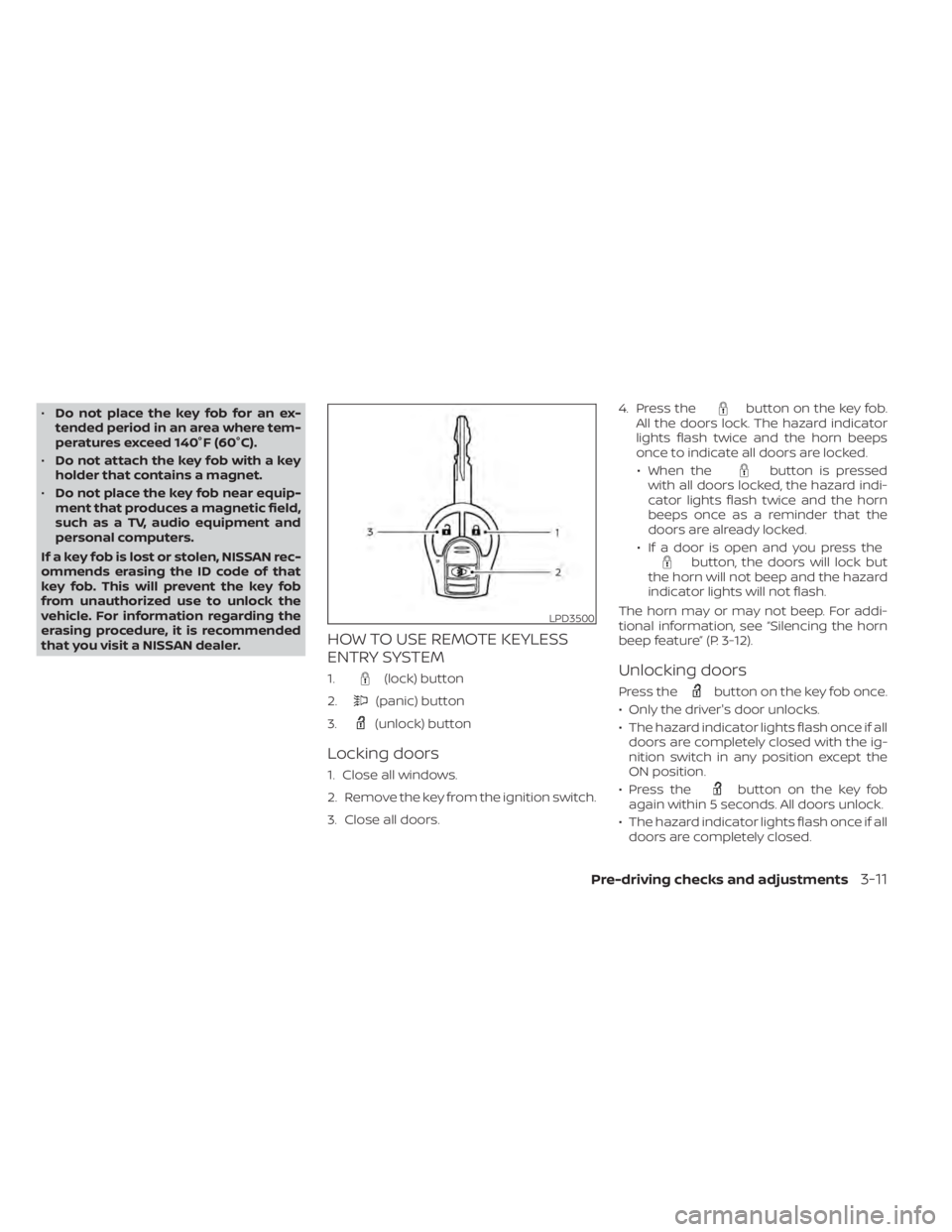
HOW TO USE REMOTE KEYLESS
ENTRY SYSTEM
1.(lock) button
2.
(panic) button
3.
(unlock) button
Locking doors
1. Close all windows.
2. Remove the key from the ignition switch.
3. Close all doors. 4. Press the
button on the key fob.
All the doors lock. The hazard indicator
lights flash twice and the horn beeps
once to indicate all doors are locked.
• When the
button is pressed
with all doors locked, the hazard indi-
cator lights flash twice and the horn
beeps once as a reminder that the
doors are already locked.
• If a door is open and you press the
button, the doors will lock but
the horn will not beep and the hazard
indicator lights will not flash.
The horn may or may not beep. For addi-
tional information, see “Silencing the horn
beep feature” (P. 3-12).
Unlocking doors
Press thebutton on the key fob once.
• Only the driver's door unlocks.
• The hazard indicator lights flash once if all doors are completely closed with the ig-
nition switch in any position except the
ON position.
• Press the
button on the key fob
again within 5 seconds. All doors unlock.
• The hazard indicator lights flash once if all doors are completely closed.
LPD3500
Page 116 of 300
button on the key fob once
to turn on the interior lights.
The interior lights can be turned off without
waiting a period of time by inserting the key
into the ignition switch and placing the ig-
nition switch in the ON or START position,
locking the doors with the key fob, power
door lock switch or pushing the interior
light switch to the OFF position.
For additional information, see
lightsŽ (P. 2-32).
Auto relock
When thebutton on the key fob is
pressed, all doors will lock automatically
within one minute unless one of the follow-
ing operations is performed:
€ Any door is opened.
€ A key is inserted into the ignition switch and the switch is cycled from OFF to ON.
€ Press key fob
button.
Using the panic alarm
If you are near your vehicle and feel threat-
ened, you may activate the panic alarm to call attention by pressing and holding the
button on the key fob for
longer than
0.5 seconds.
The panic alarm and headlights will stay on
for a period of time.
The panic alarm stops when:
• It has run for a period of time.
• Any button is pressed on the key fob.
Silencing the horn beep feature
If desired, the horn beep feature can be
deactivated using the key fob.
To deactivate: Press and hold the
andbuttonsfor at least 2 seconds.
The hazard indicator lights will flash three
times to confirm that the horn beep fea-
ture has been deactivated.
To activate: Press and hold the
andbuttonsfor at least 2 seconds once
more.
The hazard indicator lights will flash once
and the horn will sound once to confirm
that the horn beep feature has been
reactivated.
Deactivating the horn beep feature does
not silence the horn if the alarm is
triggered.
3-12Pre-driving checks and adjustments